
How to Add a Website Builder to Your SaaS Platform
Four ways to give your SaaS customers websites: build, embed, white label or API. Real build effort, add-on revenue math and a rollout plan.
Start for free. No credit card required.
For agencies: White label website builder: your own branded AI builder (book a demo)
To add a website builder to your SaaS platform, you have four options: build one yourself, embed an editor component, white-label an existing builder, or integrate a builder through its API. For most vertical SaaS companies, white label or API is the realistic choice. Building and hosting websites yourself is a second product, not a feature.
TL;DR: a website builder is not just an editor. It is templates, hosting, SSL, domains, SEO, forms, uptime and support, for as long as your customers have sites. Unless websites are your core business, rent that stack. Run a pilot with 50 to 100 customers, price the add-on near what other vertical platforms charge, and let the pilot decide how you launch.
Why do vertical SaaS companies add website builders?
Think about who your customers are. A salon on booking software, a gym on a management platform, a real-estate team on a CRM, a church on a membership system, a restaurant on a POS. Nearly all of them need a website, and the website is where bookings, class sign-ups, listing enquiries, donations and orders begin.
You already hold the data that site needs: services, prices, staff, schedules, listings, menus. That is your real advantage over a generic builder. A site that updates itself from your platform is one less job for a busy owner.
Established vertical platforms already do this. As of September 2026:
- Toast describes Toast Websites as a website that stays in sync with a restaurant's menu, online ordering and POS in real time.
- Tithely lists a custom church website at $19 a month on its own, and includes it in its $119 a month All Access plan.
- Vagaro describes MySite as a website builder for salons, spas and fitness studios that syncs services, staff, prices and online store items from its platform, sold as a paid monthly add-on.
The pattern is consistent. The website is priced as an add-on or a bundle perk, and it pulls data from the core product.
What does it take to build a website builder yourself?
The editor is the part people picture. It is also the smallest part of the job. Here is what you would own:
- Editor. Drag-and-drop or AI-driven editing, undo, mobile layouts, image handling, autosave and permissions.
- Templates. Designs for each type of business you serve, kept current as tastes move.
- Hosting. Serving every customer's site quickly in every region, with caching, deploys and rollbacks.
- SSL. A certificate for every custom domain, renewed automatically. Renewals are getting more frequent: Let's Encrypt plans to cut its default certificate lifetime from 90 days to 64 days on February 10, 2027, and to 45 days on February 16, 2028, in line with industry-wide requirements.
- Domains. DNS instructions, verification, root domains versus www, and customers who break their own DNS while switching email providers.
- SEO. Page titles, descriptions, sitemaps, structured data, redirects and page speed.
- Forms. Spam filtering, notifications, storage, and making sure form emails actually arrive.
- Uptime. Monitoring and someone on call. Even 99.9% uptime allows about 43.8 minutes of downtime a month (30.44 days × 24 hours × 60 minutes × 0.1%).
- Support. "My site is down" tickets, many of which turn out to be domain settings.
There is a head start available. GrapesJS is an open-source web builder framework under the BSD-3-Clause license that you can embed as your editor. It is a respectable base, but it is the editor only. Hosting, SSL, domains, forms, SEO and support are still yours.
A rough cost for the build route
There is no reliable industry figure for "build a website builder," because scope varies so much. You can still price your own estimate. The US Bureau of Labor Statistics puts the median annual wage for software developers at $135,980 (May 2025). Assume, for illustration, a team of three developers for one year. Wages alone come to 3 × $135,980 = $407,940. That excludes benefits, design, hosting bills, support staff and every year after the first.
What are the four ways to add a website builder to your SaaS?
1. Build your own
Full control, your brand everywhere, no vendor. You also own the whole list above, indefinitely. This makes sense only when websites are central to what you sell and you can fund a dedicated team for years.
2. Embed an editor component
You adopt or license an editor, such as GrapesJS, and wire it into your app. You skip building the editing canvas, but you still run hosting, SSL, domains and everything else. This suits companies that already operate web hosting at scale.
3. White-label a website builder
A vendor provides the whole builder, dashboard, hosting and emails under your brand and web address. Your customers log into it, often through a single sign-on link from your app. Launch takes weeks, not months, and your engineering load is light. The trade-off is a separate branded interface rather than screens inside your product. If branding depth is the deciding factor, compare private label vs white label website builders.
4. Integrate through an API
Your product calls the builder's API to create sites from data you already hold, publish them and connect domains, while your team designs the screens customers see. Duda, for example, markets an embeddable builder to vertical SaaS companies, with APIs to sync data, single sign-on into the editor, and customizable logos, domains and colours, and it offers discounted pricing by website volume through its sales team (as of September 2026). The API route feels the most native of the rented options, and it takes the most engineering time. Many teams combine it with white label. Our breakdown of white label vs API website builders covers when each one wins.
Comparing the four options
| Build your own | Embed an editor | White label | API | |
|---|---|---|---|---|
| What you get | Everything, built by you | An editing canvas | A full branded builder | Building blocks for your screens |
| Hosting, SSL, domains | You | You | Vendor | Vendor |
| Your engineering | A dedicated team, ongoing | Large | Light | Moderate to large |
| Customer experience | Fully native | Native editor, your hosting | Separate branded login | Native screens you design |
| Time to first live site | Many months | Months | Days to weeks | Weeks to months |
| Best when | Websites are your core product | You already run hosting | You want revenue fast | Websites must feel built in |
How much revenue can a website add-on make? A worked example
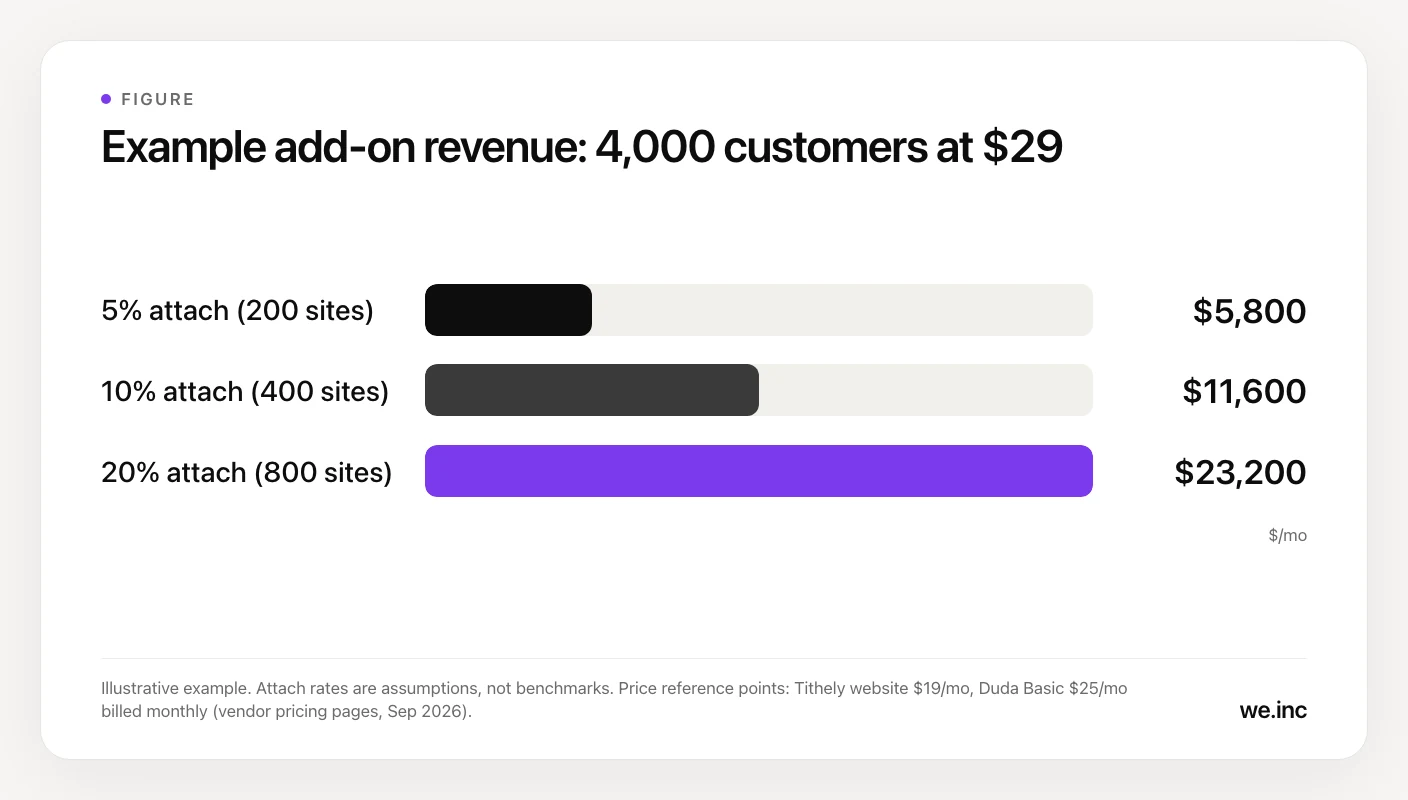
Take a salon booking platform with 4,000 paying customers. It launches a website add-on at $29 a month. For reference, as of September 2026, Tithely lists its church website at $19 a month, and Duda's single-site Basic plan is $25 a month billed monthly. A few dollars above those is defensible when the site fills itself with data from your platform, but your pilot should confirm it.
The unknown is the attach rate, meaning the share of customers who buy the add-on. There is no reliable industry figure to quote, so here are three scenarios. Treat them as assumptions and replace them with your pilot data.
| Attach rate | Sites (of 4,000) | Monthly revenue at $29 | Annual revenue |
|---|---|---|---|
| 5% | 200 | $5,800 | $69,600 |
| 10% | 400 | $11,600 | $139,200 |
| 20% | 800 | $23,200 | $278,400 |
Now set that next to the build route. At a 10% attach rate, three developers at the median wage ($407,940 a year) cost about 2.9 years of add-on revenue ($407,940 ÷ $139,200). For the rented options, subtract your vendor's fee and your support time from these revenue figures to find your margin. There is also value the revenue line misses: a customer whose website runs on your platform has one more reason to stay.
Rollout plan: how do you launch a website add-on?
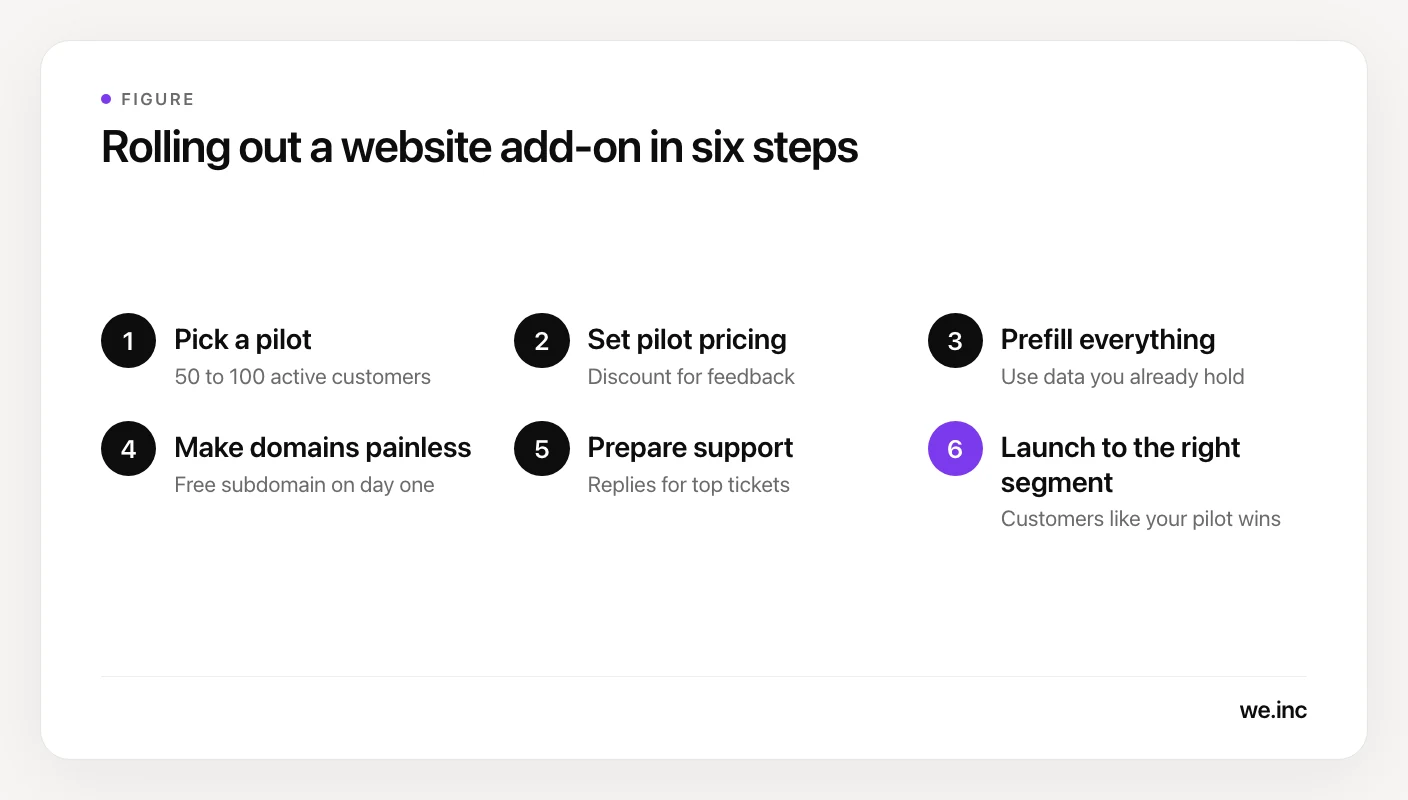
1. Pick a pilot cohort. Choose 50 to 100 active customers who have no website or an outdated one, across a mix of business sizes. Decide what success means before you start: the share who publish within 14 days, support tickets per site, and how many keep paying after the first month.
2. Set pilot pricing. Offer the pilot a discount or a free period in exchange for feedback, and tell them the full price up front. If you can, test both models: a paid add-on, and the website included in your top tier.
3. Prefill everything. The fastest onboarding uses data you already hold: business name, logo, services, prices, hours, staff and photos. Aim for a draft the customer can publish in their first session, then follow up by email on day 1, day 3 and day 7.
4. Make domains painless. Domains cause more friction than design does. Let customers publish on a free subdomain on day one, then walk them through connecting their own domain with instructions for the common registrars. When a connection fails, tell them in plain words which setting is wrong.
5. Prepare support. Write replies for the tickets you will see most: domain not connecting, email stopped working after a DNS change, image sizes, editing text, and "where is my site." Agree in writing which issues the vendor handles and which your team handles.
6. Launch to the right segment. Announce to the customers who look most like your successful pilot users. Put a "Create your website" button where the data already lives, such as right after a customer finishes setting up their services.
Which option should you choose?
- Build only if websites are your core product and you can fund a team for years.
- Embed an editor if you already run hosting at scale and want your own editing experience.
- White label if you want revenue within weeks and your customers are fine with a branded login.
- API or hybrid if websites must feel built into your product and you have developers to own the integration.
For most vertical SaaS teams, the answer is white label first, then API automation once the pilot shows which steps to remove. Our white-label website builder guide covers what to check before you pick a vendor.
How We.Inc works for SaaS platforms
We.Inc for SaaS platforms runs the AI website builder on your own web address, with your name, logo and colours on the login, dashboard and builder screens, and emails to your customers in your brand. Your customers, or your team, describe a business and the AI builds the site. It can then be edited visually or in code, and it publishes to custom domains with SSL. You bill customers through your own Stripe account, so the billing relationship stays yours.
The We.Inc REST API lets your product create and manage clients, plans and orders, create projects, build and edit them through chat, preview, publish, connect domains and read analytics, with webhooks to keep your systems in sync. There is no per-site charge, and API access is set up with our team on a free call. Details are on the white-label page.
Sources
- Toast Websites product page: website kept in sync with menu, online ordering and POS in real time. Checked September 2026.
- Tithely pricing page: custom church website at $19 a month standalone, included in the $119 a month All Access plan. Checked September 2026.
- Vagaro MySite page and Vagaro MySite FAQ: website builder that syncs services, staff and prices, charged monthly on top of a Vagaro subscription. Checked September 2026.
- Duda for SaaS platforms: embeddable builder, data sync APIs, single sign-on, discounted pricing by website volume through sales. Checked September 2026.
- Duda pricing page: Basic plan at $25 a month billed monthly. Checked September 2026.
- GrapesJS on GitHub: open-source web builder framework, BSD-3-Clause license. Checked September 2026.
- Let's Encrypt, Decreasing Certificate Lifetimes to 45 Days: default certificate lifetime moving to 64 days on February 10, 2027, and 45 days on February 16, 2028. Checked September 2026.
- US Bureau of Labor Statistics, Software Developers: median annual wage of $135,980 in May 2025. Checked September 2026.
Frequently asked questions
How do I add a website builder to my SaaS app?
You have four options: build your own builder, embed an editor component such as the open-source GrapesJS, white-label an existing website builder, or integrate one through its API. Building or embedding leaves you running hosting, SSL, domains and support. White label and API options rent that stack from a vendor. Most vertical SaaS teams start with white label or an API, run a pilot with 50 to 100 customers, then launch widely.
Should I build my own website builder or use a white-label one?
Build your own only if websites are your core product and you can fund a dedicated team for years. The editor is the small part. Templates, hosting, SSL renewals, domain connection, SEO, forms, uptime and support never stop. As an illustration, three developers at the US median software developer wage of $135,980 cost $407,940 a year in wages alone, before benefits, hosting or support staff.
How much should I charge for a website add-on in my SaaS?
Anchor on what customers would pay elsewhere and what similar platforms charge. As of September 2026, Tithely lists its church website at $19 a month, and Duda's single-site Basic plan is $25 a month billed monthly. A price in that range is easy to justify when the site fills itself with data from your platform. Test the price with a pilot group before you launch to everyone.
What is the hardest part of offering websites to SaaS customers?
Usually domains and support, not design. Customers struggle to connect their own domain, and many site-down tickets turn out to be DNS settings changed during an email switch. Let customers publish on a free subdomain on day one, give registrar-specific instructions for connecting a domain, explain failures in plain words, and agree in writing which issues your vendor handles and which your team handles.
Can a website builder pull data from my SaaS platform?
Yes, and it is the main advantage you have over a generic builder. Toast Websites stays in sync with a restaurant's menu and POS, and Vagaro's MySite syncs services, staff and prices from its booking software. With a website builder API, your product sends the business details it already holds, such as services, hours and photos, when it creates the site, so customers start from a filled-in draft.
More in Blog
- How Bright Digital Agency Built and Resold 22 Client Sites With We.Inc White-Label
- 88% of Companies Hit by AI Agent Security Breaches. What That Means for Your Website.
- AI Assistant for Business: How to Automate Support, Sales, and Lead Generation
- AI Content Creation: A Practical Workflow for Web Content
- How to Implement AI Customer Service, Step by Step
- AI Slop Websites: How to Spot Them (and Not Build One)
- 6 AI Content Creation Tools Actually Worth Using in 2026
- 7 Essential AI Tools for Startups to Boost Growth Fast
Website builders for the businesses in this article
Related guides and tools
Start building
How we research, test and update this page: our editorial policy. We.Inc is our own product.
Product
Who It's For
- For Agencies
- For Freelancers
- For Hosting Providers
- For SaaS Platforms
- For Startups
- For Financial Services
- For Healthcare
Features
Resources
- Blog
- Help Center
- Free Business Tools
- Free UI Components
- Website Templates
- Template Collections
- Website Examples
- Guides
- Comparisons
- Alternatives
- Best Lists
- Reviews
- Pricing Guides
- Use Cases
- Glossary & Guides
- Integrations
- Developers
- Benchmark
- Windows App