How Do Agencies Deliver Many Client Sites from Templates Without Every Site Looking the Same? | How-to Guide
A practical system for agencies that build lots of similar client sites: a small set of master templates, a brand kit per client, a content intake that fills the template, rules for what may change, and a way to roll fixes across every site.
Agencies that deliver many sites quickly do it with a system, not a folder of themes: three to six master templates built around the client types they serve, a brand kit per client (logo, colours, fonts, photos, voice), a content intake form that fills each template's sections, and written rules for what may change per client and what must stay fixed. The template carries the structure that works; the brand kit and real content make each site the client's own. The last piece is maintenance: a way to fix something once and apply it to every site built from that template. Done well, a new site takes days instead of weeks and still looks like the client, not like your other clients.
Why most template approaches fail
- Too many templates. Forty half-maintained themes means nobody knows which is current and every fix is done forty times.
- Templates without content rules. The template has a beautiful three-line hero; the client sends a paragraph. The design breaks on the first real site.
- Swapping only the logo. Sites built from one template with only the logo and colour changed look identical to anyone who sees two of them, and the copy often reads that way too.
- No upstream. Sites are copied from the template and then drift. A fix to the template never reaches the sites already built.
Part 1: Choose a small set of master templates
Start from your client list, not from design ideas. Group past clients by what their website has to do:
| Template | Built for | Core sections |
|---|---|---|
| Local service | Trades, clinics, salons: the goal is calls and bookings | Hero with phone and booking, services, service area, reviews, about, contact |
| Professional firm | Lawyers, accountants, consultants: the goal is trust | Practice areas, people, approach, insights, contact |
| Venue or hospitality | Restaurants, venues, studios: the goal is visits | Menu or offer, gallery, hours and location, bookings, events |
| Campaign | Launches, events, offers: one goal, short life | Single page, one call to action, proof, FAQ |
| Small catalogue | A few products sold online | Product grid, product page, shipping and returns, about |
Three to six templates cover most agency portfolios. Each one should be designed with several layout options per section (for example, three hero layouts), so two clients on the same template can still look different.
Part 2: Build a brand kit per client
The brand kit is what makes a templated site feel bespoke. Collect it before building:
| Item | Minimum | Better |
|---|---|---|
| Logo | One version that works on light backgrounds | Light and dark versions, plus an icon for the favicon |
| Colours | A primary colour | Primary, accent, dark and light neutrals, checked for contrast |
| Typography | One font | A heading and a body font that suit the business |
| Photos | Five real photos of the business | A short shoot: people, place, work in progress |
| Voice | Three words describing how they talk | Two example sentences they like, one they don't |
| Shape and style | Rounded or square corners | Button style, border weight, shadow use |
Changing fonts, corners and button style alongside colours does more to separate two sites than any amount of logo swapping. Real photos do more still.
Part 3: A content intake that fills the template
Design the intake form from the template's sections, with limits that match the design:
- Headline: what you do and for whom, under ten words.
- Services: up to six, each with a name, two sentences, and the question customers ask most about it.
- Area or audience: where they work and who they serve.
- Proof: three real reviews with permission, licences, years in business.
- Differences: three things they do that competitors don't. This is where original copy comes from.
- Contact: phone, email, hours, booking link, where form entries should go.
Our website client questionnaire has a fuller version you can adapt.
Write each site's copy from the client's own answers. Never reuse body copy between clients on the same template: it reads as generic to visitors, and search engines are wary of near-identical pages across sites. The template is shared; the words should not be.
Part 4: Rules for what may change
Write down, per template, what is locked and what is flexible. Without this, every client conversation reopens design decisions.
| Locked (changes need a reason) | Flexible (client's choice) |
|---|---|
| Page structure and section order on key pages | Which layout option each section uses |
| Navigation pattern and footer contents | Brand kit: colours, fonts, corners, buttons |
| Form fields required for lead tracking | Photos and copy |
| Accessibility basics: heading order, contrast, alt text | Extra pages beyond the core set |
| Analytics and tracking setup | Optional sections (FAQ, team, gallery) |
If clients edit their own sites, mirror these rules in what the platform lets them change. That might mean letting them edit content but not publish without your review.
Part 5: Keep sites connected to the template
The difference between a template library and a template system is what happens after launch. Decide how fixes travel:
- Template changelog: every fix to a master template is logged with the date.
- Site register: each site records which template and which version it came from.
- Roll-out: a fix that matters (a broken form pattern, an accessibility issue, a legal footer change) is applied across all affected sites, previewed first, in batches.
- Divergence budget: a site that has been customised so much it no longer follows its template is moved to "custom" in the register and priced accordingly.
Quality checks before every templated launch
Templates make it easy to launch fast and easy to launch mistakes at scale. Run the same short check on every site:
- No leftovers: search the site for placeholder text, the previous client's name, sample phone numbers and stock photos you meant to replace.
- Forms deliver: send a real test entry to the client's inbox from every form.
- Titles are unique: every page has its own title and description, written for this client.
- Mobile works: check the home page, one service page and the contact page on a real phone.
- Contrast holds: the client's colours may not pass contrast checks where the template's defaults did; test text on buttons and coloured backgrounds.
- Images are sized: client photos are often huge; resize before upload.
- Legal footer: the right business name, address and any required notices for this client.
The "no leftovers" check catches the most embarrassing mistakes. A visitor who finds another business's name on a site will not trust anything else on it.
Timeline for a templated site
| Day | Work |
|---|---|
| 0 | Intake form and brand kit sent with the welcome email |
| 1-3 | Client completes intake; you chase missing items |
| 4 | Build from template: brand kit applied, layouts chosen, copy written from intake |
| 5 | Internal check: forms, mobile, accessibility basics, titles |
| 6-8 | Client review, one round of changes |
| 9 | Domain connected, launch, handover |
Notice where the time goes: waiting for content. The fastest agencies are the ones with the best intake, not the fastest builders.
Doing this on We.Inc
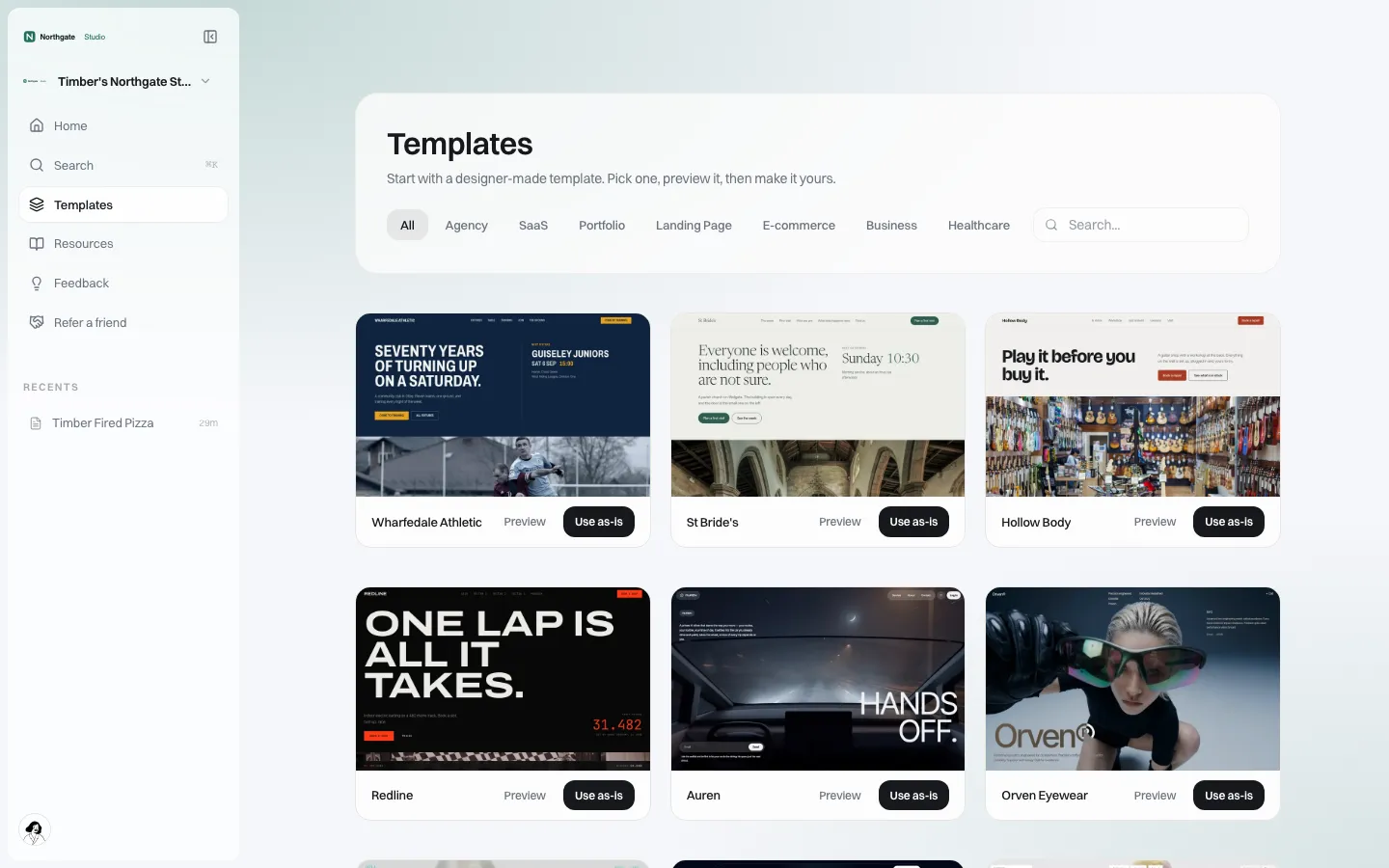
On a white-label We.Inc account, a brand owner can turn any of their own sites, or a client's site under their brand, into a template, and clients choose from your templates in a gallery under your brand.
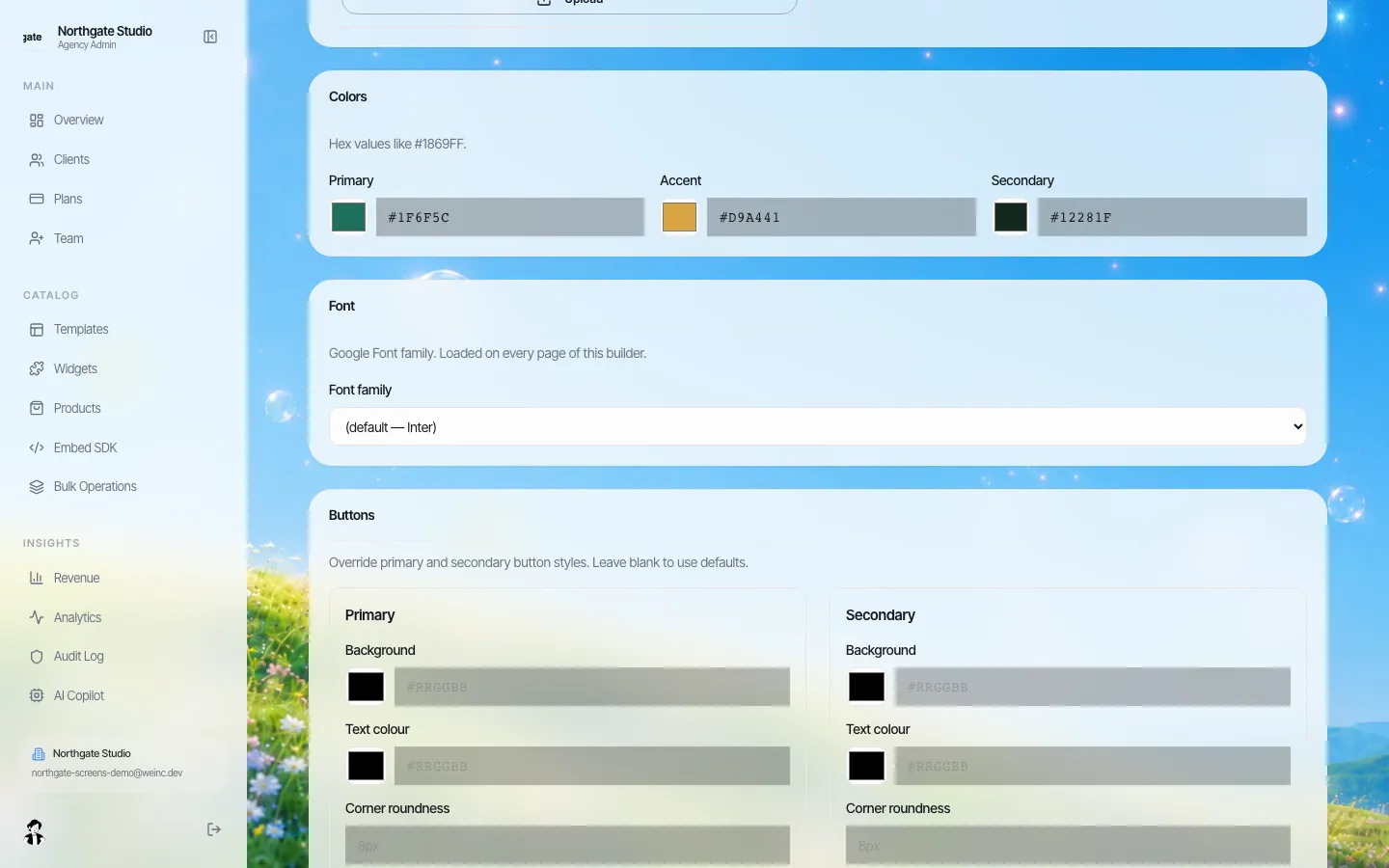
Brand settings hold the parts of a brand kit that should apply everywhere you control: logos, colours, fonts and button styles.
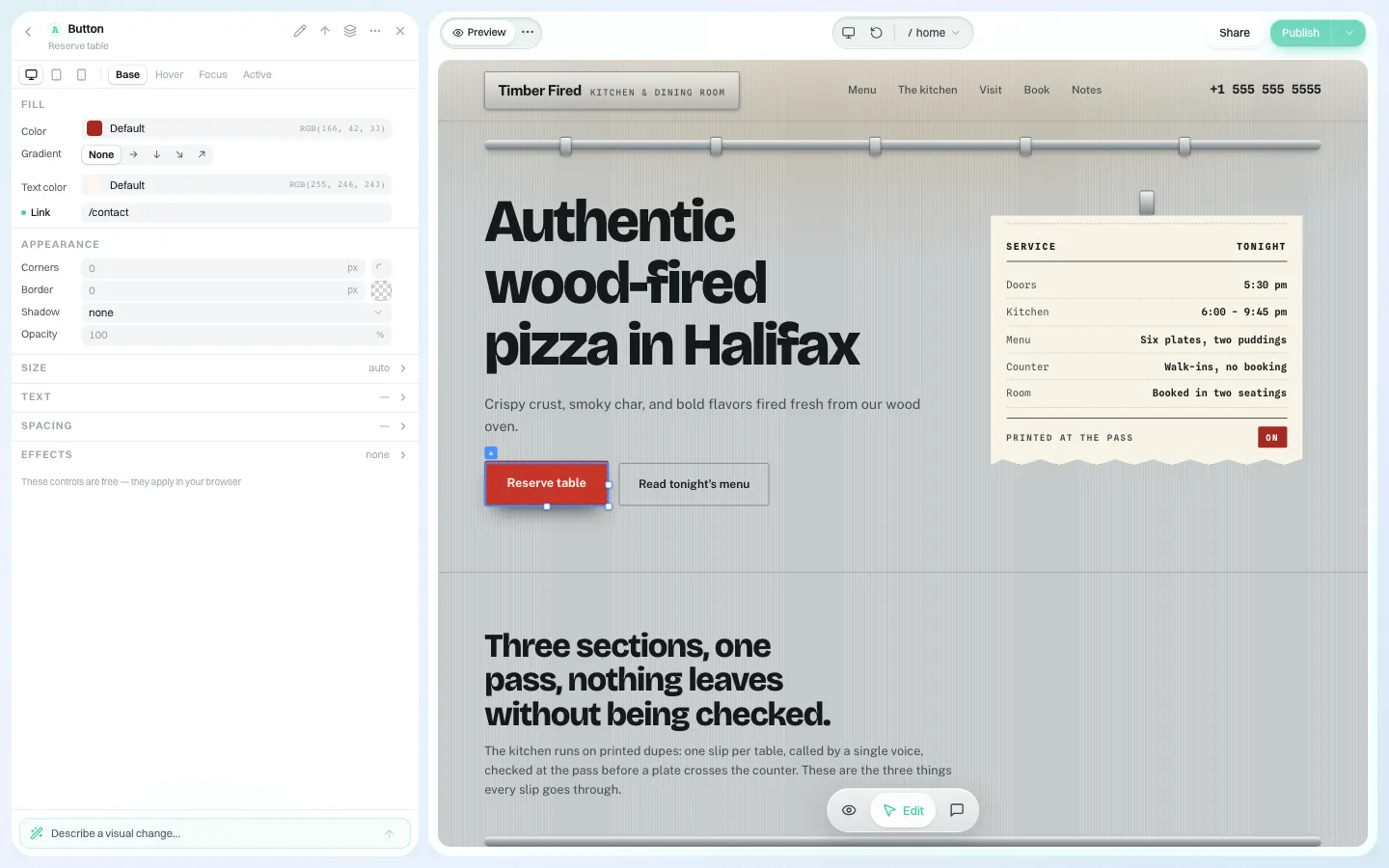
Each site is then shaped visually: select a heading or button and change its font, colour, corners and states.
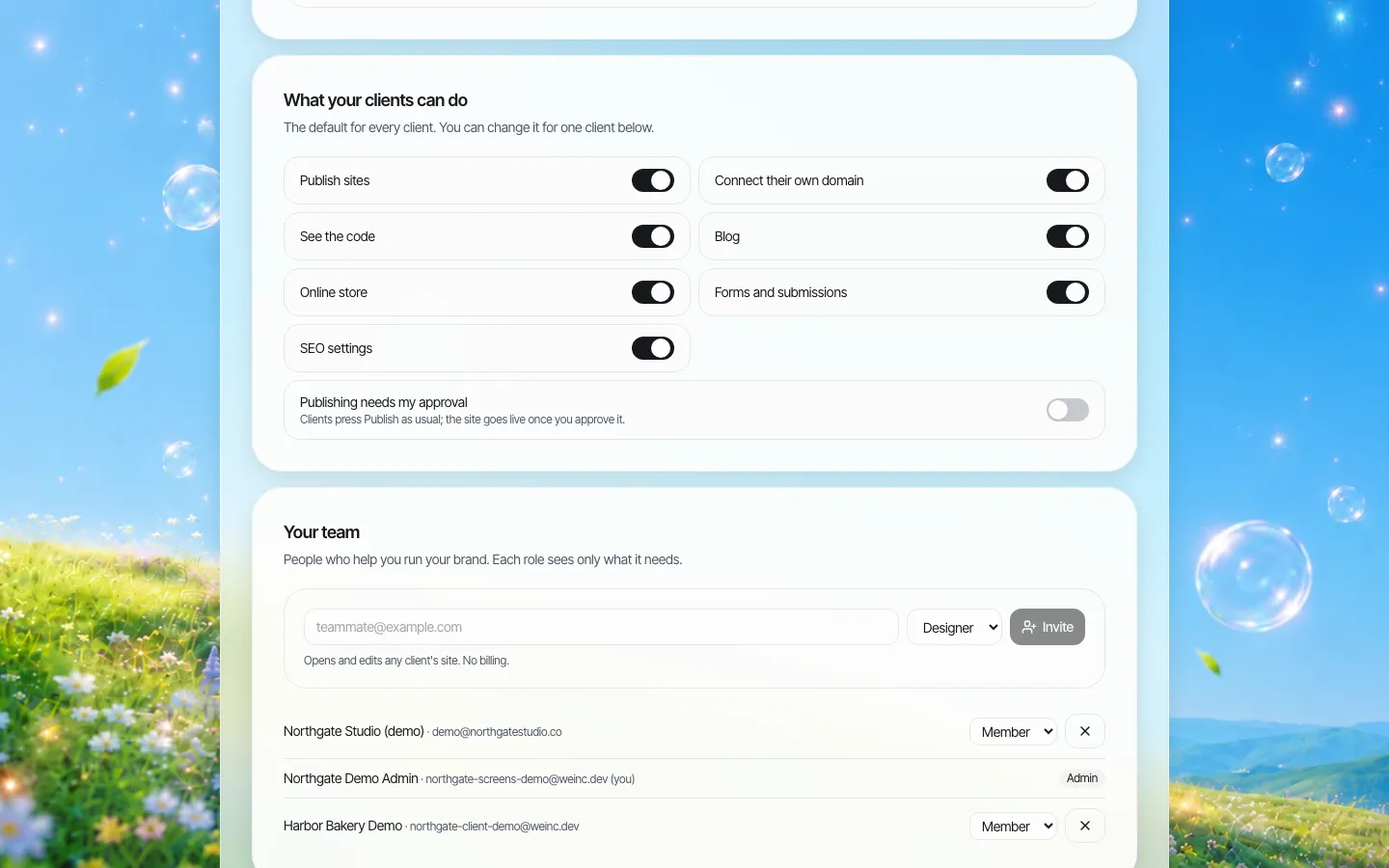
The locked-versus-flexible rules map to per-client switches, including single-step approval before a client's site goes live.
For roll-outs, We.Inc has a bulk operations area for applying a file change across several sites, with a preview of each site's change before it is applied.
To walk through your own template set, book a demo. For the operational side of running many sites, see our multi-site management page.
Frequently asked questions
How many templates does an agency need?
Usually three to six master templates built around the client types you serve, each with several layout options per section, rather than dozens of separate themes.
How do you stop templated sites looking the same?
Change more than the logo: apply a full brand kit (colours, fonts, corners, button style), use real photos, choose different section layouts, and write every site's copy from the client's own answers.
Is reusing a template bad for SEO?
Sharing a layout is normal. Reusing the same body copy across clients is the problem. Write original copy for each site.
How do you update many sites built from one template?
Keep a register of which template and version each site uses, log template fixes, and roll important fixes across affected sites in batches with a preview first.
More in Guides
- AI Agents for Business: What They Can Handle and Where People Stay in Charge
- AI Agent vs Agentic AI: What Is the Difference?
- Alt Text Examples: What to Write for Each Kind of Image
- AODA Website Requirements: What Ontario Organisations Must Do, and How to Prove It | How-to Guide
- Apache vs nginx: How They Differ and How to Translate Config
- App Icon Sizes for iOS and Android
- Mobile App Landing Page Examples and Template
- aria-label Examples: When to Use It and 20 Fixes
Related guides and tools
Start building
- website templates
- how to make a website
- AI website builder
- free website builder
- website builders by industry
We.Inc is an AI-powered website builder you can resell under your own brand. Launch a branded client dashboard, bill on Stripe Connect, and deliver AI-generated websites in minutes. White-label pricing is tailored to your volume and setup: book a 30-minute demo for a quote.
Product
- AI Website Builder: Describe a site in plain English; it's live in minutes
- White Label Platform: Your brand, your domain, your margin
- Enterprise: SSO, custom SLAs, and dedicated support
- Developer API: Embed site generation into your SaaS
Who It's For
- For Agencies: Resell under your brand
- For Freelancers: Your own branded builder
- For Hosting Providers: Add a builder to your stack
- For SaaS Platforms: Embed site creation via API
- For Startups
- For Financial Services
- For Healthcare
Features
- Drag & Drop Editor
- Built-in SEO Tools
- Custom Branding
- Client Dashboard
- Reseller Billing (Stripe Connect)
Resources
- Blog
- Help Center
- Free Business Tools
- Free UI Components
- Website Templates
- Template Collections
- Website Examples
- Guides
- Comparisons
- Alternatives
- Best Lists
- Reviews
- Pricing Guides
- Use Cases
- Glossary & Guides
- Integrations
- Developers
- Benchmark
- Windows App