White-Label Website Builder vs Enterprise CMS: An Honest Fit Guide | How-to Guide
When a white-label site builder is the right tool for an organisation with many websites, and when an enterprise CMS such as Drupal, WordPress Multisite or a commercial experience platform is the better choice. A fit table, the costs each model carries, a hybrid setup, and questions for a pilot.
Organisations that run many websites usually frame the decision as "which CMS?" The more useful first question is "what kind of websites?" One flagship site with thousands of structured pages and a newsroom is a different job from two hundred small sites for departments, clients, franchisees or chapters, each with a handful of pages and an owner who edits twice a year. Enterprise content management systems were built for the first job. White-label site builders were built for the second. This guide sets out where each fits, including the cases where we would tell you not to use a product like ours.
What we mean by each
Enterprise CMS covers three broad families:
- Open-source CMS run by your team or an agency, Drupal being the usual example in government and higher education. Drupal is free software under the GNU GPL, version 2 or later; what you pay for is hosting, development and upkeep.
- WordPress Multisite, a WordPress feature that runs several sites from one installation. Each site has its own content tables while the user table is shared, and a Super Admin manages network-wide plugins, themes and users while a site's Administrator works within one site.
- Commercial digital experience platforms: licensed suites that combine content management with personalisation, analytics and marketing tools, usually sold with an implementation partner.
White-label site builder means a hosted platform that you rebrand as your own and use to give many people their own sites: you hold the brand account, each client, department or location gets an account, and you decide what each can do. Sites are built from templates or, in our case, generated and edited with AI, and the platform runs hosting, updates and publishing.
The question underneath: one big site or many small ones?
Most of the trade-offs follow from that one difference.
- A CMS is strongest when content is structured and reused: the same event appears on the events page, a department page, a feed and an app; a faculty profile pulls from the HR system; a press release is translated into four languages with a review at each step. You model the content once and publish it many ways.
- A site builder is strongest when each site is mostly its own: a lab's page, a franchisee's location site, a client's small-business site. Content is written for that site and rarely reused. What matters is how fast a non-specialist can create and change a site, and how centrally you can control what they are allowed to do.
Many large organisations have both shapes at once. That is why the hybrid at the end of this guide is often the right answer.
Fit table
| Your situation | Better fit | Why |
|---|---|---|
| One flagship site with thousands of pages and many content types | Enterprise CMS | Content modelling, taxonomy and reuse are what CMSs do best. |
| Content must be delivered to apps, kiosks or other systems as well as the website | Enterprise CMS (often headless) | Structured content with an API is the core of the product. |
| Editorial workflow with several review stages (author, editor, legal, publish) | Enterprise CMS | Multi-stage workflows are standard there. Our approval is a single step. |
| Many languages with translation workflow and per-language review | Enterprise CMS | Mature translation management sits in the CMS ecosystem. |
| A requirement that the software be open source | Open-source CMS | A hosted builder is not open source, even if each site's code can be exported. |
| Deep integration with identity, HR, course or member systems inside the pages | Enterprise CMS, usually | Custom modules and a development team are the normal way to do this. |
| Dozens to hundreds of small sites, each with its own owner | White-label builder | Creating, handing over and controlling many small sites is the core of the product. |
| Site owners are not web specialists and edit rarely | White-label builder | Plain-English and click-to-edit changes beat a CMS admin screen people forget between uses. |
| You want to offer sites to your own clients or members under your brand, and bill them | White-label builder | Branding, client accounts and client billing are built in; a CMS needs these built around it. |
| No in-house developers for upgrades and security patches | White-label builder, or a fully managed CMS host | Someone has to own upgrades; with a hosted builder that is the vendor. |
| New sites needed in days, often, with a short life (events, campaigns, projects) | White-label builder | Lower set-up effort per site and simple retirement. |
When a CMS such as Drupal is the better choice
We say this plainly because buyers who pick the wrong tool end up unhappy with both. Choose an enterprise CMS if most of these are true:
- Your main website is the product: large, structured, with content types such as courses, events, people, services and news that link to each other.
- You have, or will pay for, a team that can model content, build modules and keep the platform upgraded.
- Legal or policy review must happen at several named stages before anything publishes.
- You need fine-grained permissions inside a site (this person may edit news but not the homepage).
- Open-source licensing or self-hosting is a requirement, not a preference.
The cost of that power is upkeep. Drupal's release schedule is a fair illustration: Drupal 7 reached end of life on January 5, 2025, and drupal.org lists Drupal 10's end of life as December 9, 2026, so organisations on 10 have an upgrade to plan. That is routine for a CMS with a team behind it and a real burden for a department site nobody owns.
When a white-label builder fits better
- The sites are many and small, and each has an owner outside the central web team.
- The central team's job is to keep the brand intact and stop bad pages going live, not to build each site.
- You would like to offer websites to people outside your organisation (clients, members, franchisees) under your own name.
- You cannot staff upgrades and patching for dozens of separate installs.
- You want each site to remain exportable as code, so a site can leave the platform if it outgrows it.
What each model actually costs to run
We will not quote other vendors' prices. Instead, list the cost lines each model carries, so you can get real numbers from each vendor on the same basis:
| Cost line | Self-run open-source CMS | Commercial experience platform | White-label builder |
|---|---|---|---|
| Licence | None for the software | Usually the largest line | Platform fee |
| Hosting | Yours to buy and run | Often bundled or separate | Included in the platform |
| Implementation | Development team or agency | Implementation partner, often substantial | Brand set-up and templates |
| Major version upgrades | Project every few years | Vendor roadmap plus partner work | Vendor's job |
| Security patching | Your team, on the vendor's schedule | Shared | Vendor's job |
| Cost per extra small site | Developer time to set up | Depends on licence terms | Usually a seat or plan per client |
| Training editors | Significant for occasional editors | Significant | Lower if editing is plain-English |
| Leaving | Content export and migration | Often the hardest; check terms | Check code and content export |
Ask every vendor for a five-year total in this shape, with one-time and recurring costs split. The procurement checklist covers the rest of the buying questions.
The hybrid that many large organisations end up with
Keep the flagship on the CMS. Move the long tail (department microsites, event and campaign sites, franchisee or chapter sites, client sites) to a builder under the same brand. Then make the two behave like one estate:
- One site register that lists every site on either platform, its owner, its review date and its domain. Our governance policy template includes one.
- One set of brand rules expressed twice: as the CMS theme, and as the builder's templates and brand settings.
- One domain policy. Usually subdomains of the main domain for long-tail sites, decided centrally, so the CMS team is not surprised by a new subdomain.
- A promotion path. A long-tail site that grows into a major site can move to the CMS; a CMS section that withers can move out. Export from the builder as code makes the first move practical.
- One accessibility process that tests output from both platforms the same way.
Questions for a pilot
Before committing either way, run a four-week pilot with three real sites: a typical small one, an awkward one, and one owned by your least technical colleague. Score these:
- How long did it take each owner to make their first real change without help?
- Did anything go live that should not have? How did the platform prevent or catch it?
- How many changes needed a developer or the vendor?
- Could you export one site completely, and could someone else run it?
- What did the central team spend its time on?
How the long tail looks on We.Inc
Here is what the builder side of the hybrid looks like on our platform, shown on the demo brand "Northgate Studio".
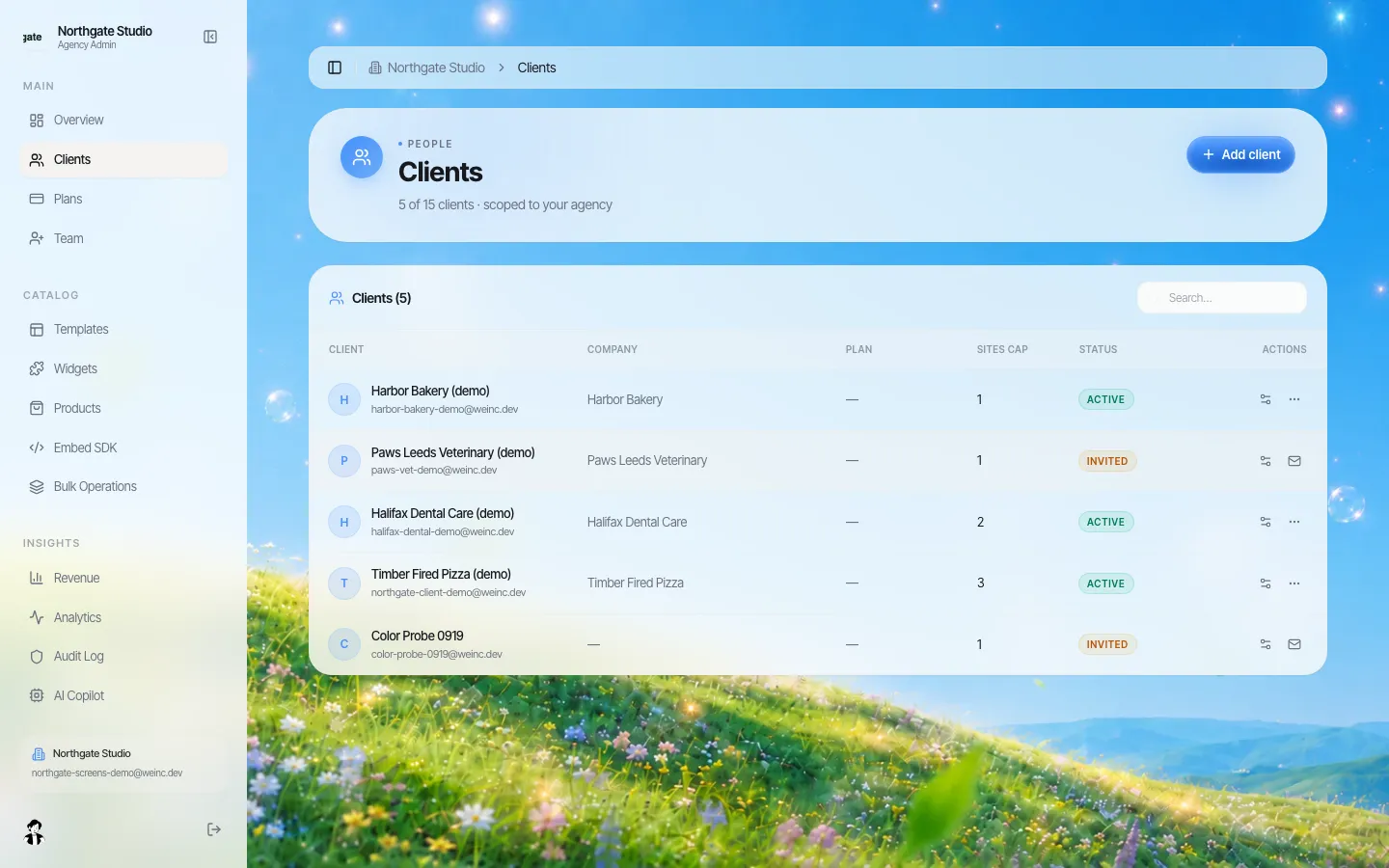
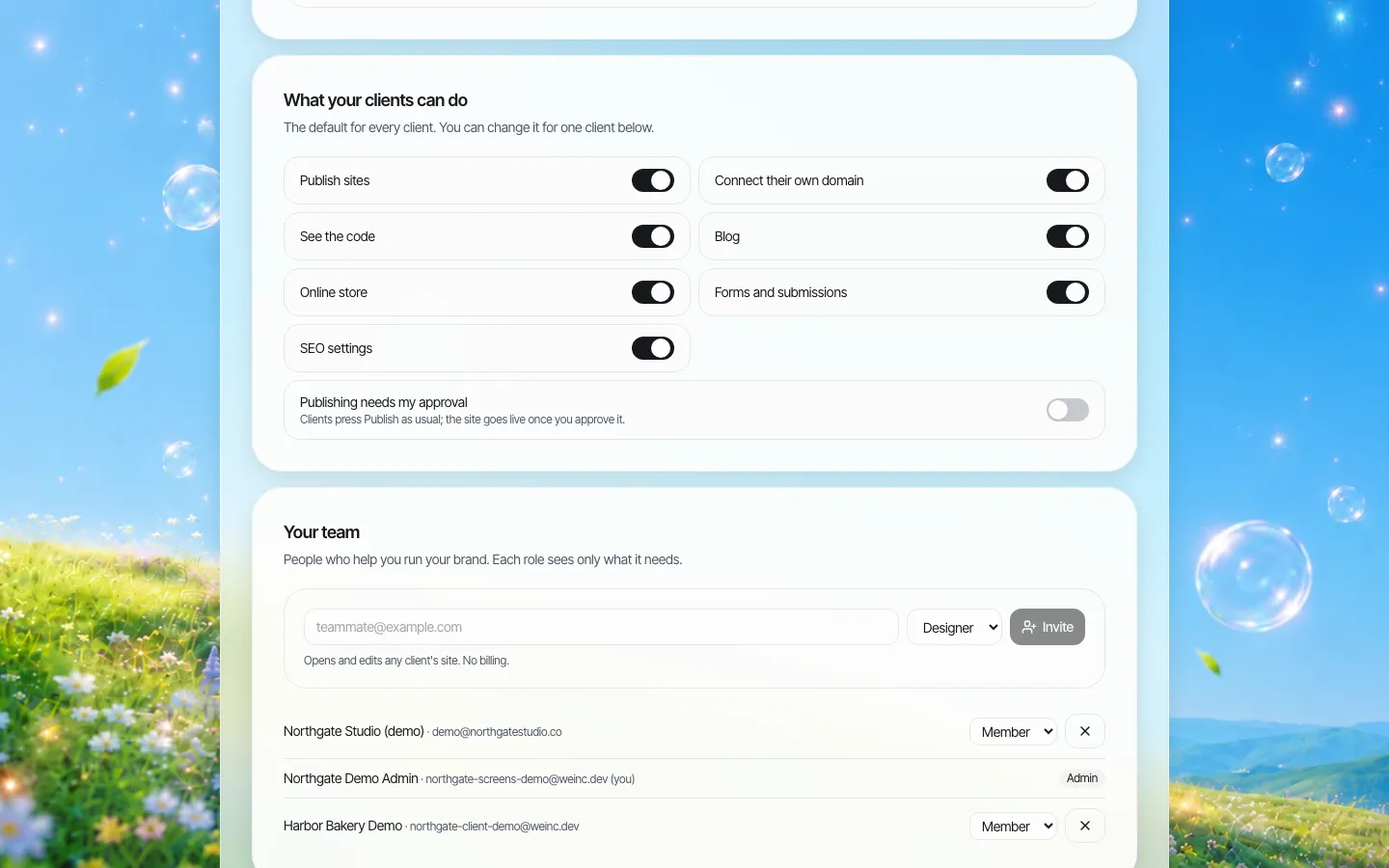
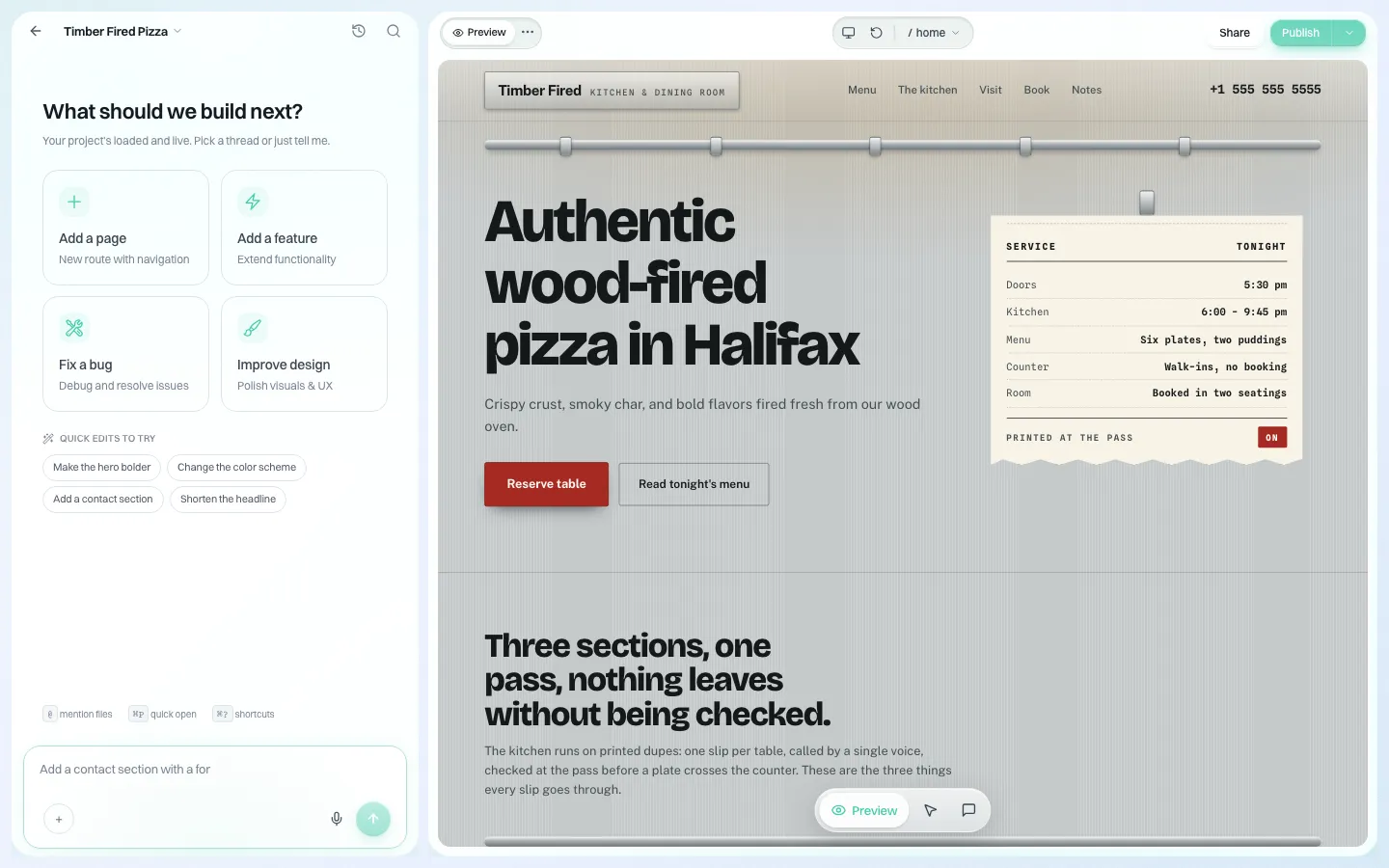
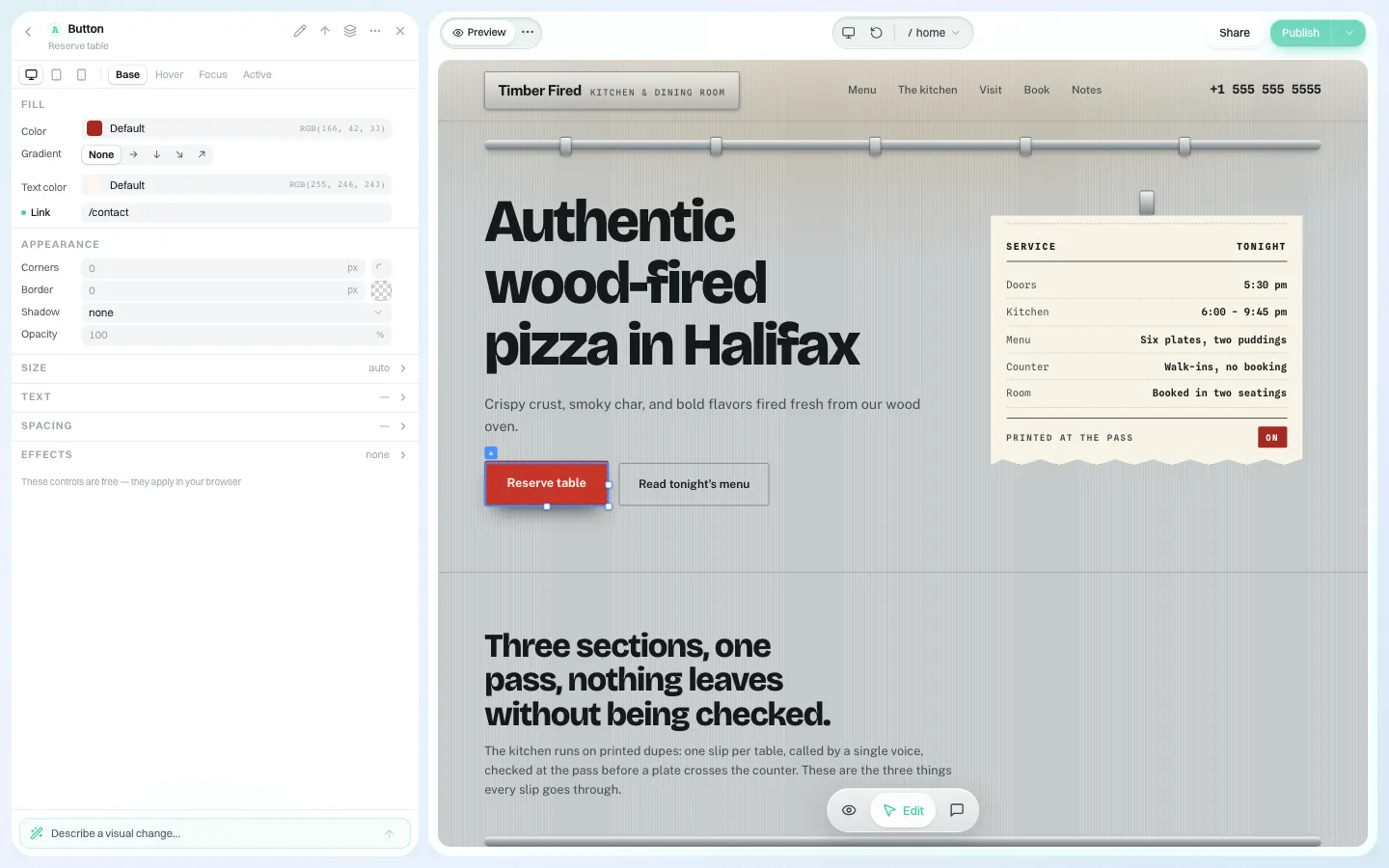
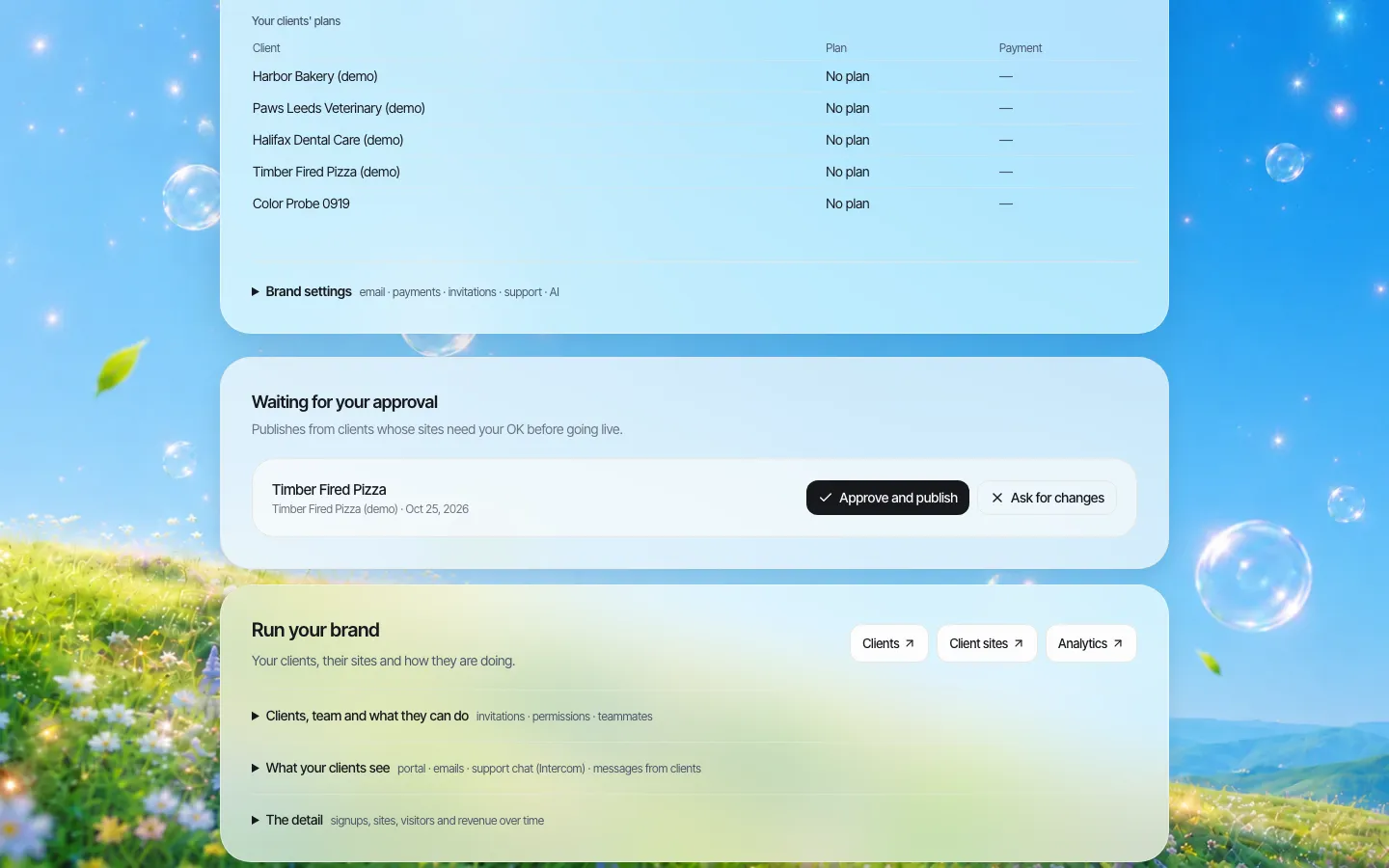
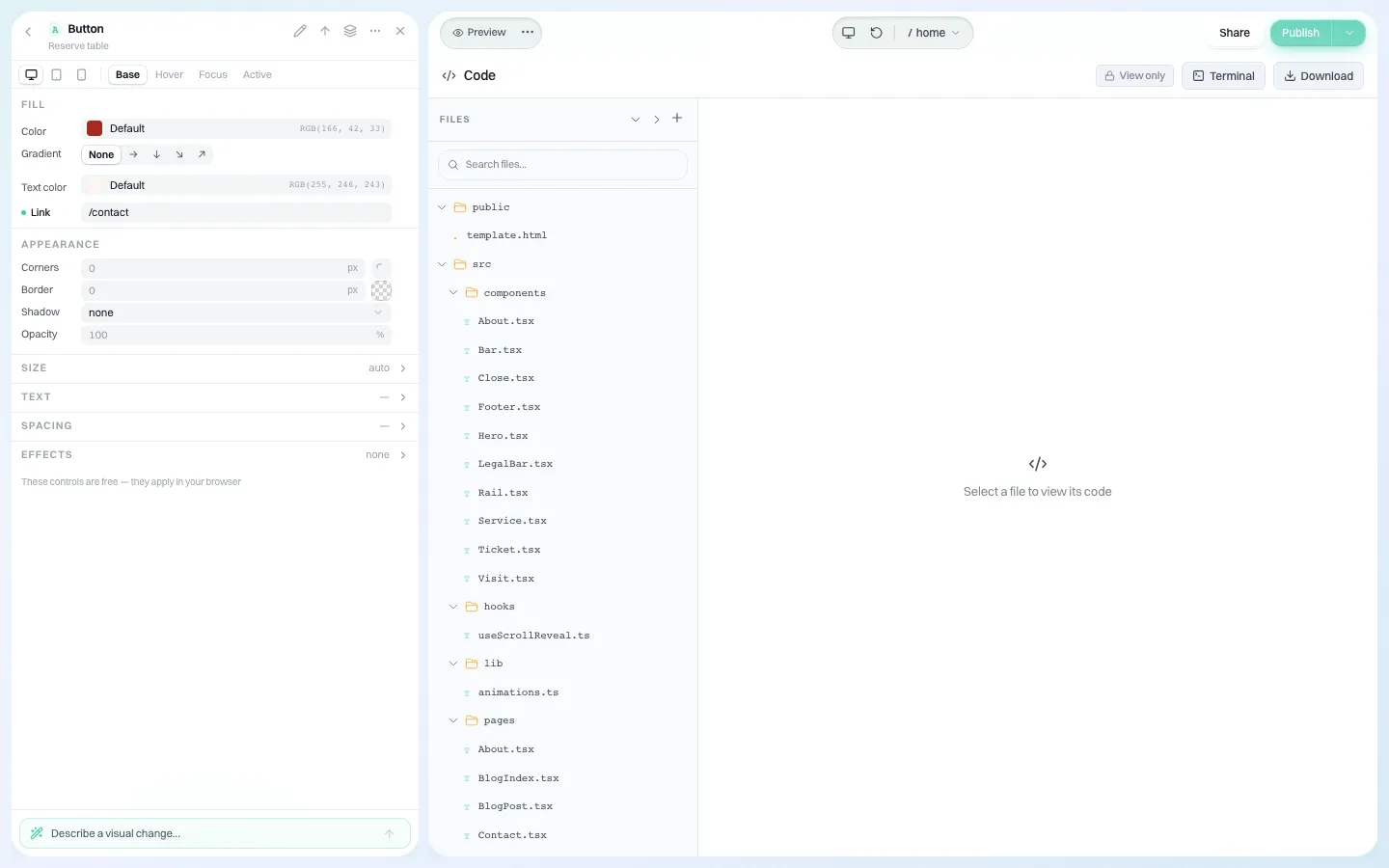
What we are not: we are not a structured-content CMS, we do not offer multi-stage editorial workflows or field-level permissions inside a page, and we do not claim accessibility conformance for AI-generated output; your team must test it. If your needs sit mainly in the CMS column of the fit table, choose a CMS. If they sit in the long tail, book a 30-minute demo and bring a list of the sites you would move first.
Sources
Last checked 2026-10-25.
- Drupal.org, Drupal core release schedule (Drupal 10 end of life December 9, 2026; Drupal 7 end of life January 5, 2025).
- Drupal.org, Licensing (GNU GPL version 2 or later).
- WordPress Developer Resources, Multisite.
- WordPress.org, Roles and Capabilities (Super Admin and Administrator).
Frequently asked questions
Is a white-label website builder a replacement for an enterprise CMS?
Not for a large, structured flagship site with multi-stage editorial workflow, content reuse across channels or heavy integrations. It is a better fit for many small sites owned by different people. Many organisations keep the flagship on a CMS and run the long tail on a builder.
When is WordPress Multisite a good choice?
When you have WordPress skills in-house and the sites can share plugins, themes and a user table. One installation serves every site, and a Super Admin controls network-wide plugins and themes, so someone must own upgrades and plugin security for the whole network.
Does Drupal cost nothing?
The software is free under the GNU GPL, version 2 or later. Hosting, development, upgrades between major versions and security patching are the real costs, and they are why Drupal suits organisations with a team or agency behind it.
Can a site built on a white-label builder move to a CMS later?
It depends on what the builder lets you export. With We.Inc each site's code can be downloaded or synced to GitHub, so the site can be hosted elsewhere or used as the starting point for a rebuild. Content still has to be moved into the CMS's own structure.
More in Guides
- How Are White-Label Website Builder Licences Priced for Agencies? The Five Models and What 50 Sites Really Cost | How-to Guide
- Who Owns a Client's Website When an Agency Builds It on a White-Label Platform? | How-to Guide
- Why Does My Website Say "Not Secure"?
- Why Is My Website Not Showing on Google? A Step-by-Step Diagnosis | How-to Guide
- WooCommerce vs Shopify: What You Actually Pay and Manage
- The Default WordPress .htaccess File, and Safe Things to Add
- WordPress robots.txt: Default Rules, Editing and Safe Examples
- www vs non-www: Pick One and Redirect the Other
Alternatives mentioned in this article
Related guides and tools
Start building
- how to make a website
- AI website builder
- free website builder
- website templates
- website builders by industry
We.Inc is an AI-powered website builder you can resell under your own brand. Launch a branded client dashboard, bill on Stripe Connect, and deliver AI-generated websites in minutes. White-label pricing is tailored to your volume and setup: book a 30-minute demo for a quote.
Product
- AI Website Builder: Describe a site in plain English; it's live in minutes
- White Label Platform: Your brand, your domain, your margin
- Enterprise: SSO, custom SLAs, and dedicated support
- Developer API: Embed site generation into your SaaS
Who It's For
- For Agencies: Resell under your brand
- For Freelancers: Your own branded builder
- For Hosting Providers: Add a builder to your stack
- For SaaS Platforms: Embed site creation via API
- For Startups
- For Financial Services
- For Healthcare
Features
- Drag & Drop Editor
- Built-in SEO Tools
- Custom Branding
- Client Dashboard
- Reseller Billing (Stripe Connect)
Resources
- Blog
- Help Center
- Free Business Tools
- Free UI Components
- Website Templates
- Template Collections
- Website Examples
- Guides
- Comparisons
- Alternatives
- Best Lists
- Reviews
- Pricing Guides
- Use Cases
- Glossary & Guides
- Integrations
- Developers
- Benchmark
- Windows App