The website builder made for tax preparation services.
A tax preparation website should answer three questions before filing season hits: what you file, what clients need to bring, and how to get on your calendar. Describe your office and the AI builds it.
Tell us what you do and our AI writes and builds your tax preparation site around it. Not a template with your name dropped in: your services, your pricing, your words.
Build My Tax Preparation Site - Free
15,000+businesses trust us
4.7
from 1,200+ reviews
No credit card required
Free plan: 3 template sites · AI building from $20/mo · Cancel anytime
ledgerlanetaxservice.com
The website builder made for tax preparation services.
A strong tax preparation website lists the returns you handle, tells clients exactly which documents to gather, and makes it easy to request an appointment before the deadline rush. On we.inc you describe your practice and the AI writes and builds those pages, or you can start from a free template with no AI. AI building begins on the $20-a-month Starter plan, and you should check your credential and state rules on advertising before you publish.
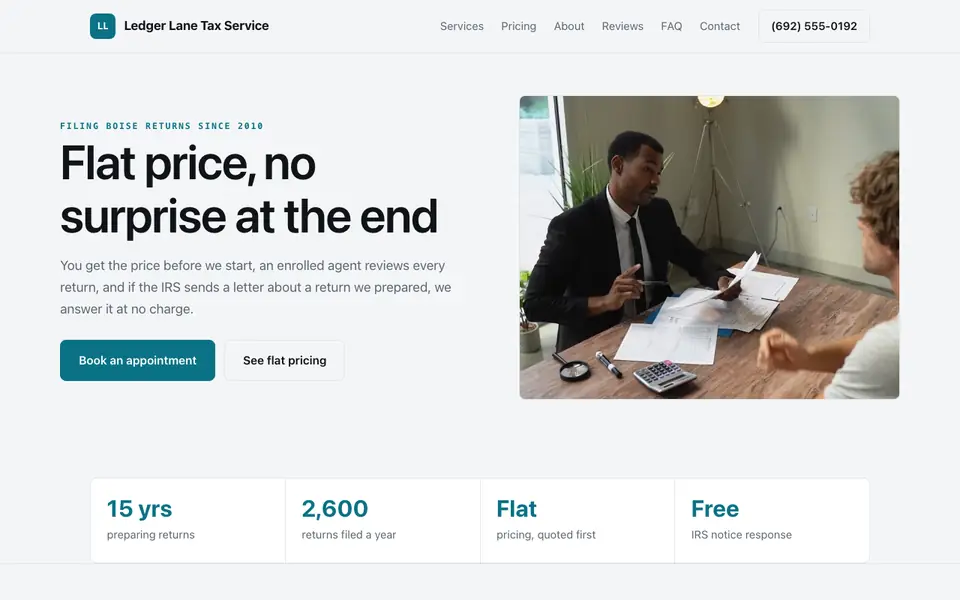
Ledger Lane Tax Service: an example site for tax preparation services, made with We.Inc.
A tax preparation website should answer three questions before filing season hits: what you file, what clients need to bring, and how to get on your calendar. Describe your office and the AI builds it.
Pages every tax preparation website needs
Home: States who you prepare returns for (individuals, self-employed, small businesses), where you are, and how to book. Most visitors arrive in a hurry between January and April.
Services: Separate sections for individual returns, business and self-employment returns, amended returns, prior-year filings, and IRS notice help. People search for their exact situation.
What to Bring: A plain checklist of W-2s, 1099s, prior-year returns, ID, and deduction records. It cuts down on second appointments and phone calls more than any other page.
Pricing Guidance: Even a starting price or a 'fees depend on forms' explanation. Uncertainty about cost is a top reason people put off calling a preparer.
About & Credentials: Your PTIN status, EA or CPA credentials if you hold them, and years in practice. Trust matters when someone hands over their Social Security number.
Contact & Appointments: Hours (including extended season hours), address, phone, and a short request form. Keep the form to contact details only, no sensitive tax data.
Try this prompt
A website for a tax preparation office in San Antonio called Rio Verde Tax Services, with pages for individual returns, self-employed and small business returns, and IRS letter help, a 'what to bring' checklist, extended hours for tax season, and an appointment request form. Clean and reassuring, green and white.
A real tax preparation site, not a template
This is Ledger Lane Tax Service, a tax preparation business we described to the AI in a sentence. Every service, price and line of copy on it was written for that business. See the Ledger Lane Tax Service example site.
Start from this design
Three designs that suit a tax preparation website. Each one is free to start from.
Cream CPA and Accounting Firm
Restrained M&A Advisory Firm
Text-Led Management Consulting
About tax preparation website design on we.inc
Create a stunning tax preparation website that attracts clients, showcases your work, and grows your business, no coding required.
Skip the tax preparation web design brief and the six week wait. Tell the AI about the business in a sentence and it builds the whole site, ready to edit.
Features designed for your industry
Service Packages: Tailored features designed specifically for tax preparation services to help you stand out online.
Document Upload: Built-in tools that make managing your tax preparation business easier and more efficient.
Appointment Booking: Grow your tax preparation business with marketing tools that drive results.
Who this tax preparation website design suits
Tax prep services
Seasonal tax firms
Small business tax
What makes a tax preparation website work
Never collect tax documents through a website form
A contact form emails you, which is not a safe way to receive W-2s or Social Security numbers. Point clients to a secure portal from your tax software (many preparers use the one built into Drake, TaxDome, or similar) and say so on the site.
Be careful with credential and refund language
Only call yourself an EA or CPA if you hold that credential, and avoid promising refund amounts or 'guaranteed biggest refund' lines. IRS Circular 230 and your state's rules cover preparer advertising, so review the final copy against them.
Update the site for the season
Refresh deadline dates, season hours, and any new-client cutoff each December. On a paid plan you can ask the AI to make these edits in a sentence instead of hunting through pages.
We.inc has no synced calendar or secure document vault
The AI can build an appointment request form and even a fee payment page through your own Stripe account, but there is no calendar that syncs your availability, no e-signatures, and no client document vault. Link Calendly or Acuity for appointments and your tax software's client portal for documents and signatures.
What it costs
Your running costs are small: a domain at roughly $10 to $20 a year plus whatever portal or scheduler you already use. A free template on a we.inc address covers a simple season page; if you want the AI to write service pages and update deadlines each year, the $20 Starter plan with 250 credits is usually enough for a single office.
The free plan lets you build up to 3 sites from templates and publish them free on a we.inc address. It has no AI. Building and editing with AI starts on Starter at $20 a month with 250 credits.
Frequently asked questions
Is there a free way to put up a tax preparation website?
Yes. You can publish up to three template sites on a we.inc address at no cost. The free plan does not include AI, so you edit the template text yourself.
Can clients upload their tax documents through my site?
Not safely through a we.inc form, since forms simply email you. Link to the secure client portal in your tax software instead, and the AI can add a clear button pointing there.
What should a tax preparer avoid saying on a website?
Avoid refund guarantees, credentials you do not hold, and misleading claims about IRS affiliation. Check IRS Circular 230 and your state's rules, and have the final copy reviewed before publishing.
Can I use my own domain for the tax office site?
Yes, custom domains are available on paid plans starting with Starter at $20 a month. You buy the domain separately, typically $10 to $20 a year.
Can people book an appointment online?
We.inc has no built-in calendar. The AI builds an appointment request form that emails you, or you can link a scheduler such as Calendly or Acuity so clients pick a slot themselves.
We.Inc is an AI-powered website builder you can resell under your own brand. Launch a branded client dashboard, bill on Stripe Connect, and deliver AI-generated websites in minutes. White-label plans start at $99 a month for 25 client sites, with a 7-day free trial and no per-site fees.
Product
AI Website Builder: Describe a site in plain English; it's live in minutes