An Accessibility Testing Process Web Teams Can Actually Keep Up | How-to Guide
A repeatable process for testing website accessibility: what to automate, what a person must check by hand, how to sample pages, who signs off, how to log and fix issues, and a release gate that stops new problems going live.
Most web teams have run an accessibility audit at least once. A consultant tested 40 pages, produced a 90-page report, and six months later half the fixes were done and twice as many new problems had shipped. The audit was not the failure. The missing piece was a process: a way of testing that happens every time something changes, run by people who are already on the team. This guide sets one out, in the order you would introduce it.
The principle: three layers, each catching what the others miss
The W3C's Web Accessibility Initiative is plain about it: evaluation tools help, but no tool alone can determine whether a site meets accessibility standards. A sensible process therefore has three layers.
| Layer | Catches | Misses | When it runs |
|---|---|---|---|
| Automated checks | Missing alt attributes, low colour contrast in plain text, missing form labels, empty links, duplicate IDs, missing page language | Whether alt text is meaningful, whether focus order makes sense, whether a custom widget works with a screen reader, whether instructions rely on colour or shape | On every page change, ideally automatically |
| Manual checks by the team | Keyboard traps, invisible focus, confusing headings, unclear link text, broken zoom and reflow, poor error messages | Real-world friction for people who use assistive technology every day | Before each release and on new templates |
| Testing with disabled users | Whether the task can really be completed: paying a bill, booking a room, applying for a permit | Full coverage of the standard | Once or twice a year on the most important tasks |
Teams that rely on one layer get predictable results. Automated-only teams pass the scanner and fail real users. Manual-only teams cannot keep up with the volume of change. Teams that only do user testing find big problems and miss hundreds of small ones.
Pick your target, write it down
Decide which standard you test against and put it in your policy. Many organisations use WCAG 2.1 Level AA because it is the standard in the Department of Justice rule for state and local governments under ADA Title II. WCAG 2.2 is the current W3C Recommendation; it adds criteria (for example on focus not being hidden and on target size) and removes 4.1.1 Parsing as obsolete. Testing against 2.2 AA also covers 2.1 AA apart from Parsing, so many teams test to 2.2 and report against whatever their legal obligation names. See Section 508 vs ADA Title II vs WCAG for which applies to whom.
Step 1: Choose what to test (sampling)
You cannot test every page by hand on every release. Use a sample that represents the site, an idea taken from the W3C's evaluation methodology (WCAG-EM).
- Every template. Home, landing, article, listing, search results, form, error page, event, news, staff directory. Template bugs repeat on every page that uses them, so fixing one fixes hundreds.
- Every component. Menus, accordions, tabs, carousels, modals, date pickers, maps, video players, cookie banners, chat widgets.
- The top tasks. The five to ten things most people come to do. For a city that might be paying a water bill, reporting a pothole, finding meeting agendas and applying for a permit.
- A random handful. Five to ten pages picked at random, to catch content problems the templates do not explain.
Write the sample into a short table and keep it under version control. Add to it when a new template or component appears.
Step 2: The manual check every tester runs
This is the core of the process. It takes 15 to 30 minutes a page once people are practised, and it needs no special software beyond a browser and the free screen reader for the operating system.
| # | Check | How | Fail looks like |
|---|---|---|---|
| 1 | Keyboard only | Put the mouse away. Tab through the whole page, use Enter, Space, arrows and Escape | Something cannot be reached or operated; focus gets stuck; a menu cannot be closed |
| 2 | Visible focus | While tabbing, can you always see where you are? | Focus disappears, or is hidden behind a sticky header |
| 3 | Focus order | Does focus move in a sensible order? | Jumps from header to footer and back; modal opens but focus stays behind it |
| 4 | Zoom and reflow | Zoom to 200% and 400%; set a narrow window | Text cut off, horizontal scrolling for body text, overlapping elements |
| 5 | Headings | View the heading outline with a browser extension or screen reader | No H1, skipped levels used for styling, headings that are just bold text |
| 6 | Images | Read the alt text out of context | "image1.jpg", "photo", or a description of a decorative swirl; informative charts with no text equivalent |
| 7 | Links and buttons | List all links; do they make sense alone? | Ten links that say "Click here" or "Learn more" |
| 8 | Forms | Submit empty, then submit wrong values | Errors shown only in red, not announced, or not tied to the field; labels that vanish when typing |
| 9 | Screen reader pass | Turn on the screen reader and complete the page's main task | Unlabelled buttons, content announced twice, dynamic changes not announced |
| 10 | Motion and media | Play videos, watch animations | No captions, autoplaying motion with no pause, flashing |
| 11 | Colour reliance | Would the page still make sense in greyscale? | Required fields or statuses shown only by colour |
| 12 | Documents | Open every linked PDF or office file in the sample | Scanned images of text, no tags, no reading order |
Our website accessibility checklist goes criterion by criterion if you want the long version. The table above is the version people will actually run each week.
Step 3: Log issues so they get fixed
A good issue is one a developer or editor can fix without asking a question. Use one template for every issue.
| Field | Example |
|---|---|
| Where | Template: event page. URL: /events/summer-concert |
| What happens | The "Add to calendar" menu opens on Enter but cannot be closed with Escape; focus stays inside it |
| Who it affects | Keyboard and screen reader users |
| Criterion | WCAG 2.1.2 No Keyboard Trap |
| Severity | Blocker / Major / Minor (definitions below) |
| How to reproduce | Tab to "Add to calendar", press Enter, press Escape |
| Suggested fix | Close the menu on Escape and return focus to the trigger button |
| Owner | Front-end developer (template) or Content editor (content) |
Severity definitions keep arguments short:
- Blocker: someone cannot complete a task. Fix before release; if it is already live, fix this week.
- Major: the task is possible but much harder. Fix in the next release.
- Minor: irritating, not obstructive. Fix when the page is next touched.
Split issues by owner. Template and component bugs go to developers and are fixed once. Content issues (alt text, headings, link text, documents) go to the department that owns the page. Mixing them in one queue is how content issues sit unfixed for a year.
Step 4: Put a gate in front of publishing
Testing after publication only measures the damage. The cheapest fix is the one made before a page goes live. Three gates, from lightest to strongest:
- Editor self-check. A five-line checklist in the editor's training: headings in order, meaningful alt text, descriptive links, no new PDFs where a page would do, captions on video.
- Automated check on save. If your platform or pipeline supports it, run a scanner on changed pages and show the results to the editor.
- Review before going live. A trained reviewer looks at new pages, new sites and major changes before they publish. This is the gate that catches the problems tools cannot.
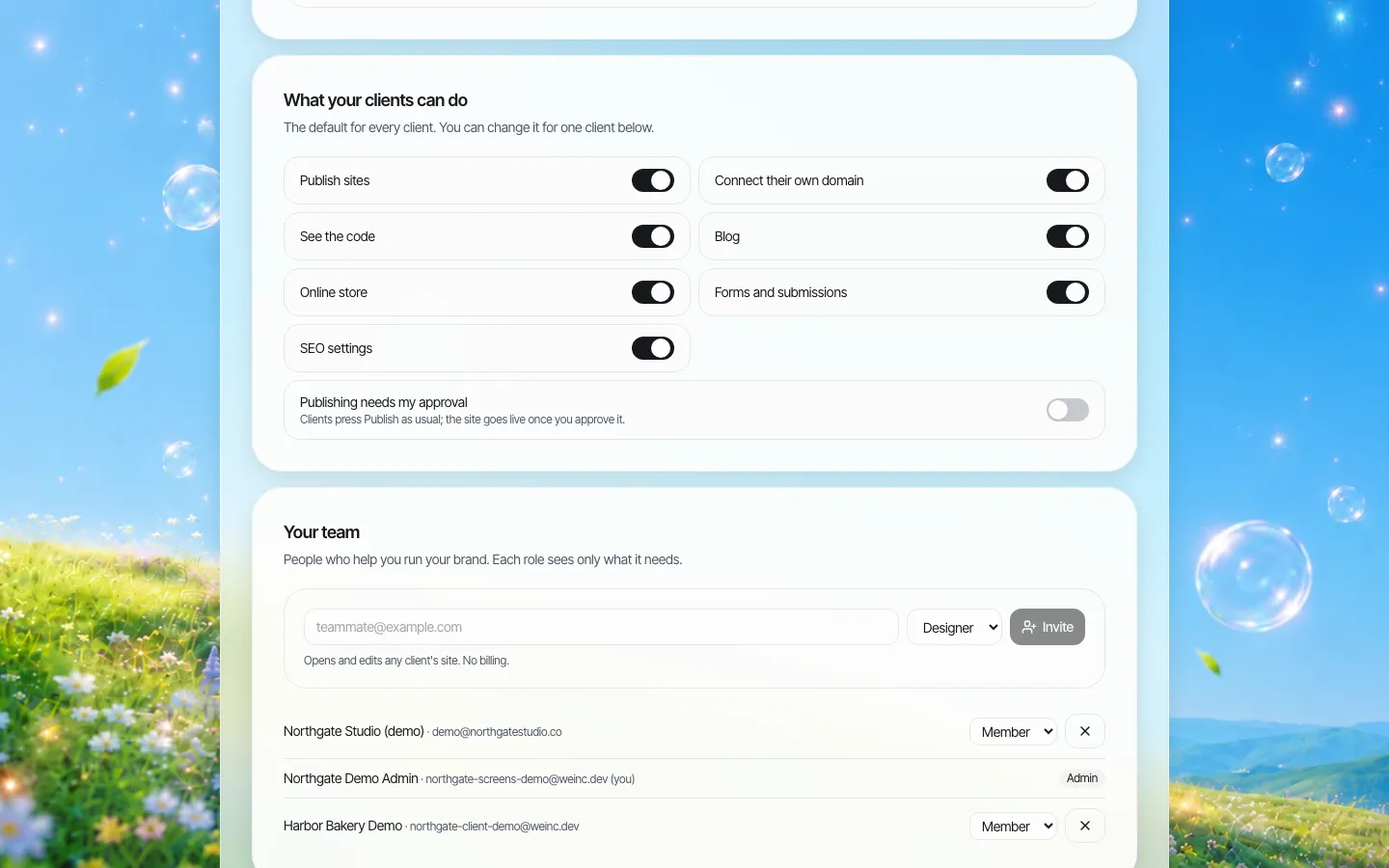
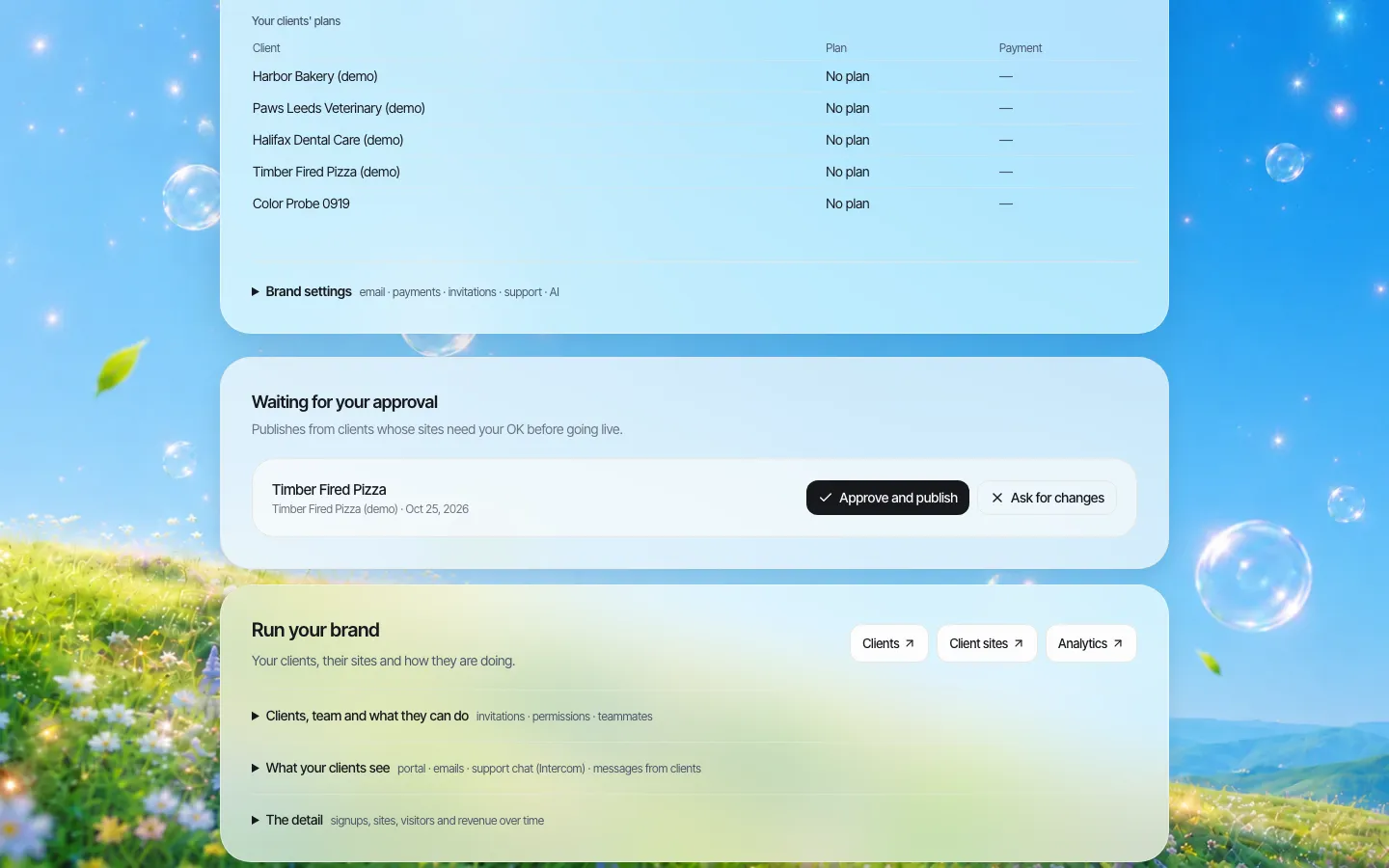
For organisations that run many sites, the third gate is where platforms differ. On We.Inc, an organisation can set any site so that publishing needs a single-step approval before the site goes live, and the request lands in an approval queue. It does not test accessibility for you; it gives your reviewer a fixed moment to do it.
Step 5: Rhythm and reporting
| How often | What | Who |
|---|---|---|
| Every change | Automated scan; editor self-check | Editors, pipeline |
| Every release | Manual 12-point check on changed templates and components | Web team tester |
| Monthly | Manual check on the sample; count open issues by severity | Accessibility lead |
| Twice a year | Task-based testing with disabled users on top tasks | Accessibility lead, paid participants |
| Yearly | Independent audit against your chosen standard; review the sample; update the accessibility statement | External auditor |
Report two numbers to leadership each month: open blockers and open majors. Not a score. Scores from automated tools go up and down for reasons that have nothing to do with users, and they invite gaming.
Staffing it: who does what
- Accessibility lead. Owns the process, the sample and the issue queue. Does not have to be full time in a small organisation, but must be named.
- Testers. Any developer, designer or QA person trained on the 12-point check. Train at least two so holidays do not stop releases.
- Editors. Trained on the self-check. Most content issues are created by well-meaning editors who were never shown how headings and alt text work.
- Participants with disabilities. Paid, recruited through local disability organisations or a research panel, and asked to complete tasks, not to "review the website".
- Procurement. Any new vendor product gets the same manual check before purchase, not after. Our procurement checklist has questions to ask.
Mistakes that undo the process
- Buying an overlay instead of fixing code. Scripts that claim to make a site accessible automatically do not fix the underlying markup, and some create new problems for screen reader users.
- Treating the yearly audit as the process. It is a check on the process.
- Testing only desktop. Run the keyboard and screen reader checks on a phone too; many public-sector visitors are mobile only.
- Accepting "conformant" from a vendor without evidence. Ask how they tested, against which version, and see the results. No platform, including ours, can promise that the content your team adds will be accessible.
If you run many sites and want a review step in front of every one of them, book a demo and we will show you the approval and permission settings on a real brand.
Sources
Last checked 2026-10-25.
- W3C WAI, Evaluating Web Accessibility Overview (tools cannot determine conformance alone; WCAG-EM).
- W3C, Web Content Accessibility Guidelines (WCAG) 2.2 (4.1.1 Parsing obsolete and removed).
- ADA.gov, Fact Sheet: Title II web and mobile app rule (WCAG 2.1 AA; amended compliance dates).
This guide is general information, not legal advice.
Frequently asked questions
Can automated tools test accessibility on their own?
No. The W3C says no tool alone can determine whether a site meets accessibility standards. Automated checks catch a share of issues quickly; manual checks and testing with disabled users catch the rest.
How many pages should we test by hand?
Test a representative sample rather than every page: every template, every component, the top five to ten tasks, plus a few random pages. Add to the sample when new templates appear.
Should we test against WCAG 2.1 or 2.2?
Test against the version your obligation names; ADA Title II uses WCAG 2.1 AA. Many teams test to WCAG 2.2 AA, which also covers 2.1 AA except the removed Parsing criterion.
How should accessibility issues be prioritised?
Use three severities: blockers stop a task and are fixed before release, majors make a task much harder and are fixed next release, minors are fixed when the page is next touched.
Does We.Inc make sites accessible automatically?
No. We.Inc can require a single-step approval before a site goes live, which gives your reviewer a fixed moment to test, but your team must still test every site.
More in Guides
- Accessible PDF Alternatives for Public Websites: When to Turn a PDF Into a Web Page | How-to Guide
- ADA Title II Website Deadline: April 2027 and April 2028 Explained | How-to Guide
- ADA Website Compliance for Small Businesses (2026 Guide) | How-to Guide
- How Do Agencies Deliver Many Client Sites from Templates Without Every Site Looking the Same? | How-to Guide
- AI Agents for Business: What They Can Handle and Where People Stay in Charge
- AI Agent vs Agentic AI: What Is the Difference?
- Alt Text Examples: What to Write for Each Kind of Image
- AODA Website Requirements: What Ontario Organisations Must Do, and How to Prove It | How-to Guide
Related guides and tools
Start building
- how to make a website
- AI website builder
- free website builder
- website templates
- website builders by industry
We.Inc is an AI-powered website builder you can resell under your own brand. Launch a branded client dashboard, bill on Stripe Connect, and deliver AI-generated websites in minutes. White-label pricing is tailored to your volume and setup: book a 30-minute demo for a quote.
Product
- AI Website Builder: Describe a site in plain English; it's live in minutes
- White Label Platform: Your brand, your domain, your margin
- Enterprise: SSO, custom SLAs, and dedicated support
- Developer API: Embed site generation into your SaaS
Who It's For
- For Agencies: Resell under your brand
- For Freelancers: Your own branded builder
- For Hosting Providers: Add a builder to your stack
- For SaaS Platforms: Embed site creation via API
- For Startups
- For Financial Services
- For Healthcare
Features
- Drag & Drop Editor
- Built-in SEO Tools
- Custom Branding
- Client Dashboard
- Reseller Billing (Stripe Connect)
Resources
- Blog
- Help Center
- Free Business Tools
- Free UI Components
- Website Templates
- Template Collections
- Website Examples
- Guides
- Comparisons
- Alternatives
- Best Lists
- Reviews
- Pricing Guides
- Use Cases
- Glossary & Guides
- Integrations
- Developers
- Benchmark
- Windows App