
Turn website form entries into Asana tasks
When a visitor sends a form on a site you built with We.Inc (a contact form, a booking request, a quote form), We.Inc creates a task in the Asana project you picked. The task is named after the form and the person, and their answers are written into the description, so your team can assign it and follow it up in Asana.
What it does
The connection is set up per website. Once Asana is added to a site, every form entry on that live site creates one new task in your Asana project. Nothing is batched or delayed until later: the task is created as the entry arrives.
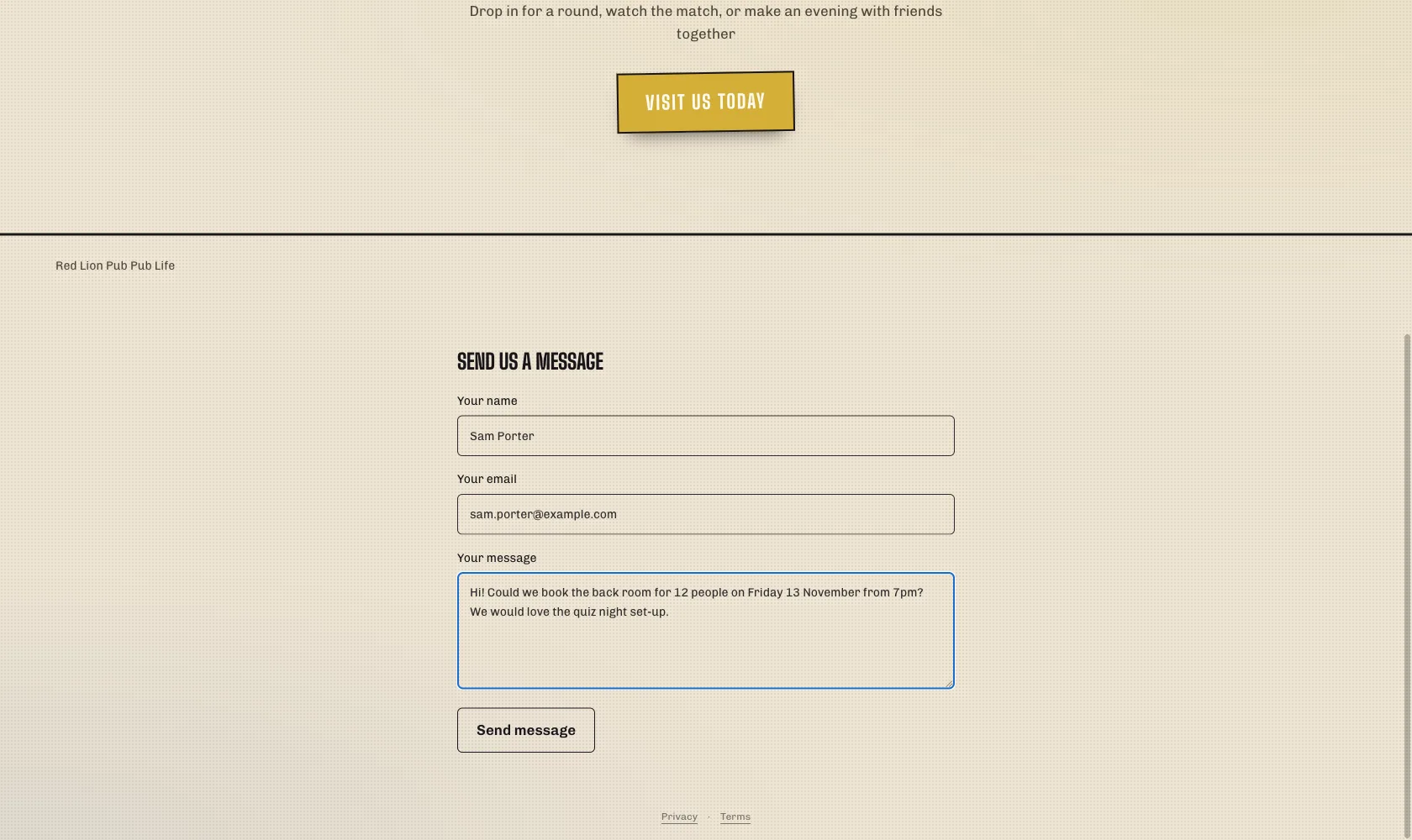
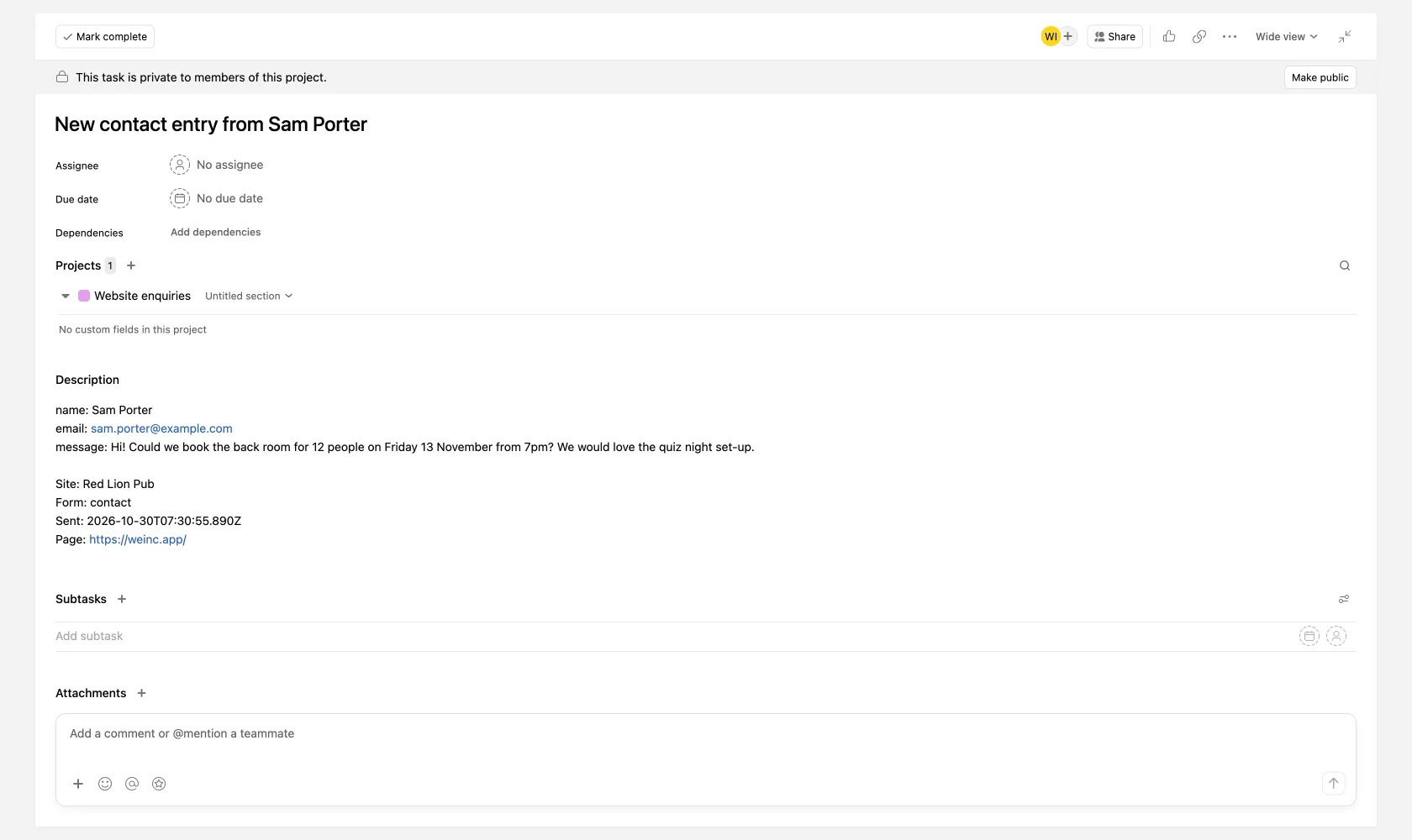
Here is the whole flow on a real We.Inc site: a visitor fills in the contact form, and a few seconds later the entry is a task in the Asana project the site owner chose.
What is sent to Asana
- Task name: "New <form name> entry from <name>". The name comes from the form's name field; if there is none, the visitor's email address is used instead.
- Task description: each field of the form on its own line, as "field: answer", followed by the site name, the form name and the time it was sent.
- Project: the one Asana project you entered when you set it up. Nothing goes to any other project.
No assignee, due date or tags are set. Your team, or your own Asana rules, can take it from there.
What We.Inc can and cannot do in your Asana
When you connect, Asana asks you to approve one permission for We.Inc: tasks:write, which lets it create tasks. We.Inc only ever uses it to create a new task when a form entry arrives. It does not read, change or delete your existing tasks, comments or projects.
The form entry itself also stays in We.Inc. You can read every entry in your site's Analytics panel, and a copy is emailed to you, whether or not Asana is connected.
How to connect Asana
- Sign in at my.we.inc and open the website whose form entries you want in Asana. The site needs to be published, because entries come from the live site.
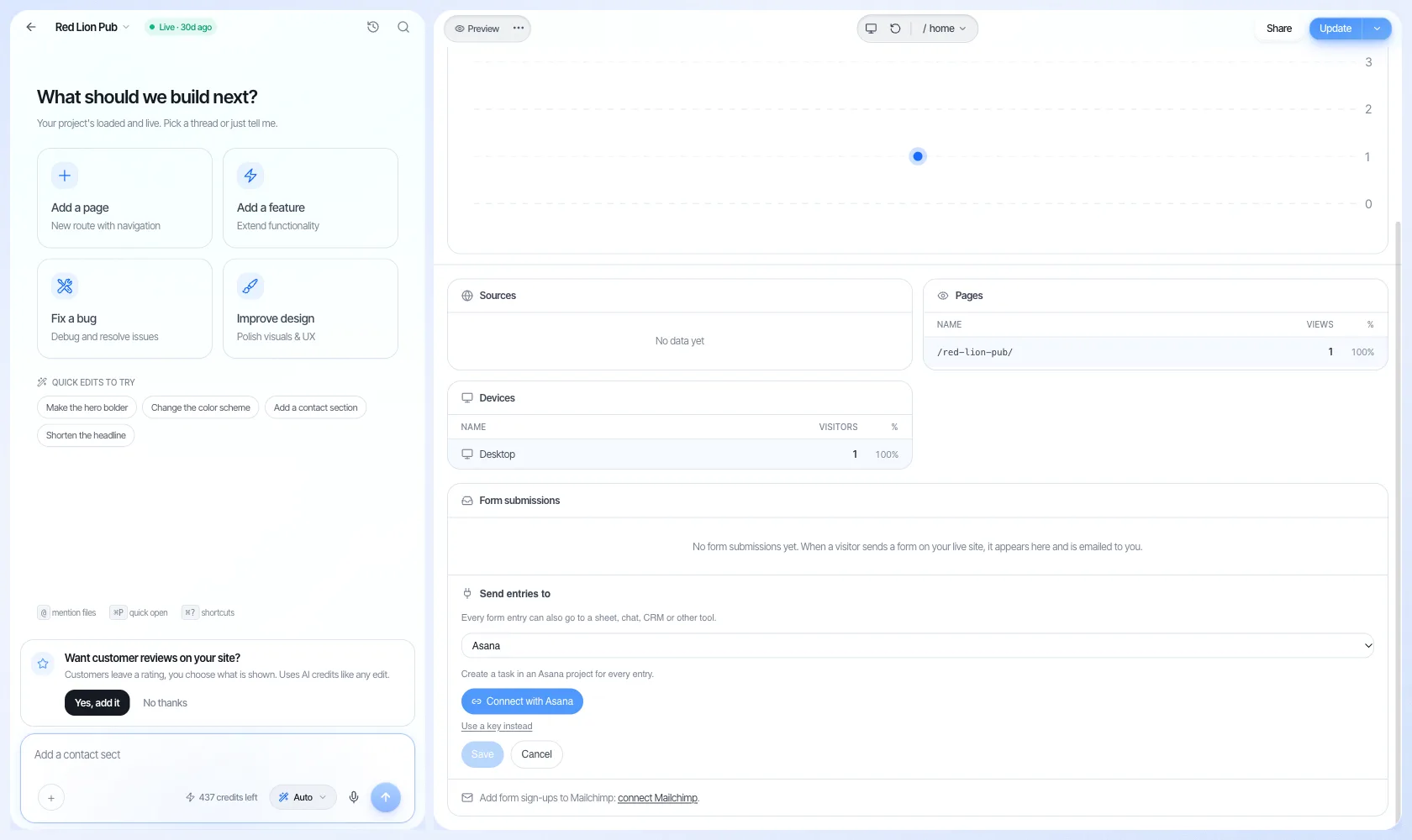
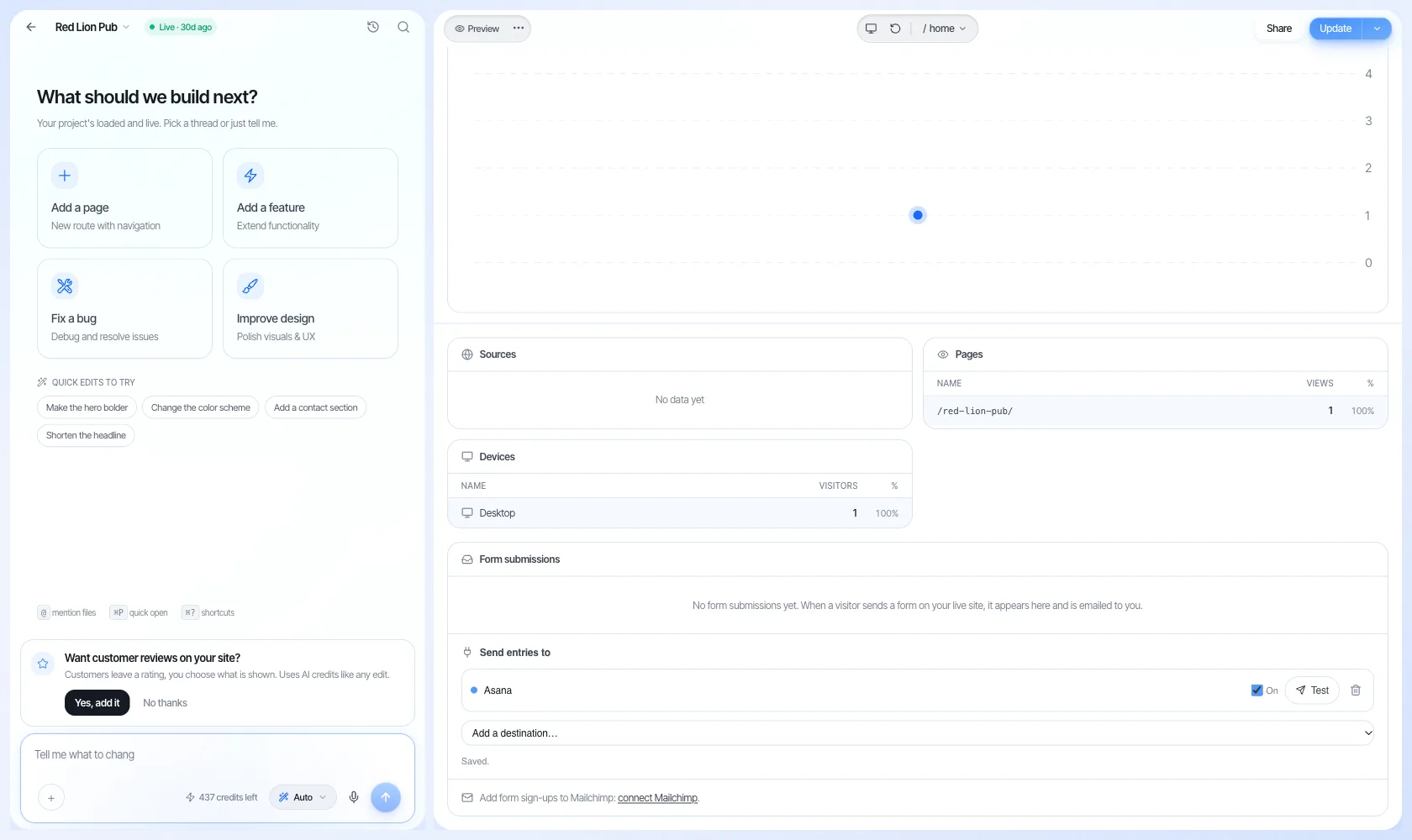
- Open the menu next to Preview and choose Analytics. Scroll down to Form submissions, then to Send entries to.
- In Add a destination, choose Asana, then select Connect with Asana.
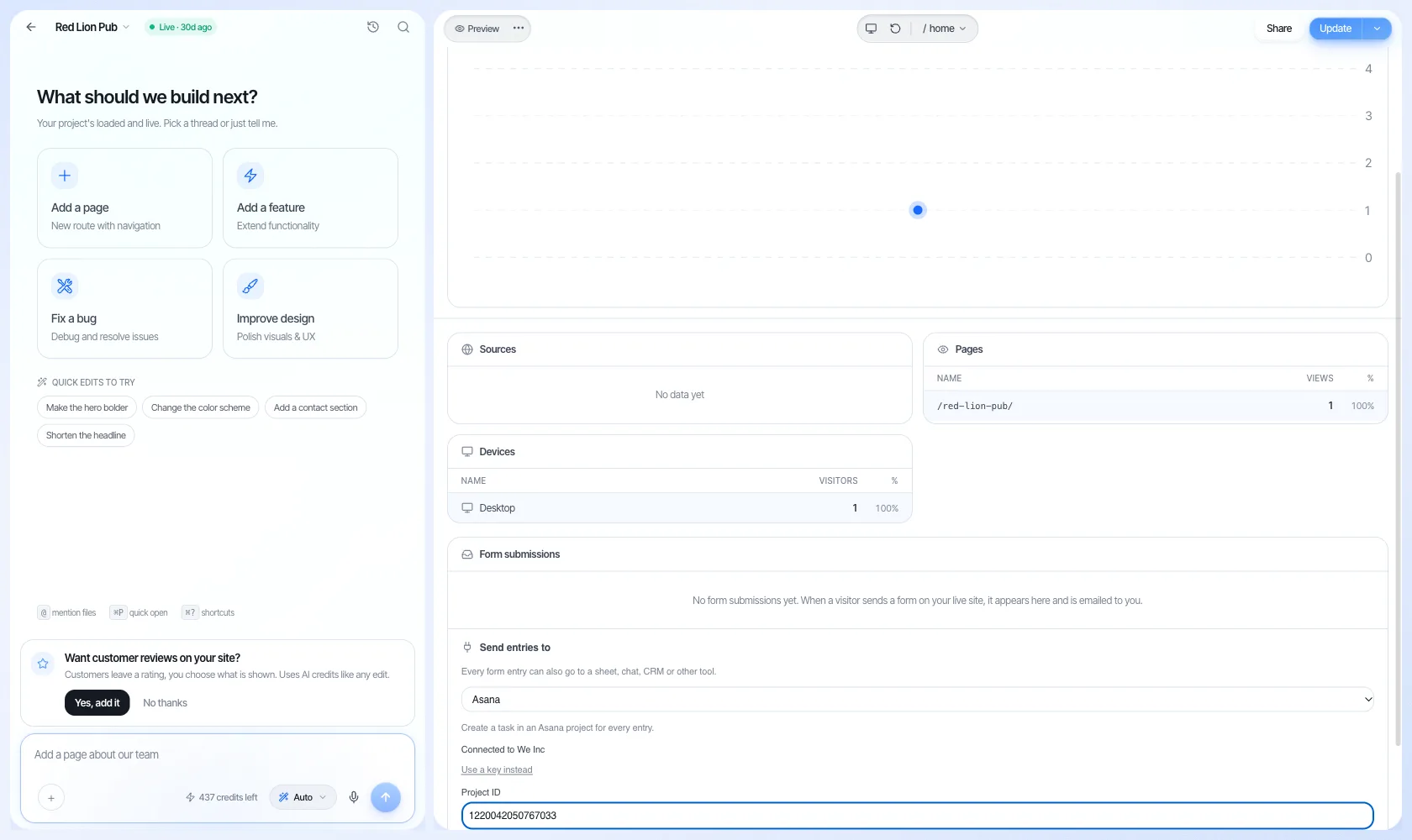
- Asana opens its own sign-in and permission screen. Approve it, and you are sent back to the editor, which now shows which Asana account is connected.
- Open the target project in Asana and copy the long number from its web address (in app.asana.com/…/project/1234567890123456/list, it is 1234567890123456). Paste it into Project ID and select Save.
- Asana now appears under Send entries to, switched On. Select Test to send a sample entry and check that it lands in your project.
If you prefer not to sign in with Asana, choose Use a key instead and paste an Asana personal access token. The tasks look the same either way.
Pausing, removing or disconnecting
To pause it, untick On next to Asana in Send entries to. New entries stop going to Asana until you tick it again.
To stop it on a site for good, select the bin icon next to Asana. We.Inc deletes that destination and its saved settings, and no further tasks are created.
To withdraw We.Inc's access to your Asana account completely, remove We.Inc from the apps list in your Asana settings. We.Inc can then no longer create tasks; after Asana refuses it three times, the editor pauses the destination and says so. If you would like us to delete the stored Asana connection on our side as well, email [email protected] from your account email and we will do it.
If Asana ever rejects a task (for example because the project was deleted), the error is shown next to Asana in the editor. The entry itself is still in your form submissions.
Privacy policy · Terms · Contact page · Support: [email protected]
Other connected apps
- Slack: Form entries, publishes and domain problems posted to a Slack channel.
- Mailchimp: People who sign up through your site's forms, added to a Mailchimp audience.
- Zapier: Agency accounts: trigger on new projects, get preview links, publish sites.
More in Integrations
- Botpress Integration: Add Botpress to Your Site
- Bunny CDN Integration: Add Bunny CDN to Your Site
- Chargebee Integration: Add Chargebee to Your Site
- Use We.Inc in ChatGPT
- Use We.Inc from Claude
- How to Connect Coinbase Commerce to Your We.Inc Website
- Use We.Inc from Cursor and VS Code
- Flodesk Integration: Add Flodesk to Your Site
Product
Who It's For
- For Agencies
- For Freelancers
- For Hosting Providers
- For SaaS Platforms
- For Startups
- For Financial Services
- For Healthcare
Features
Resources
- Blog
- Help Center
- Free Business Tools
- Free UI Components
- Website Templates
- Template Collections
- Website Examples
- Guides
- Comparisons
- Alternatives
- Best Lists
- Reviews
- Pricing Guides
- Use Cases
- Glossary & Guides
- Integrations
- Developers
- Benchmark
- Windows App