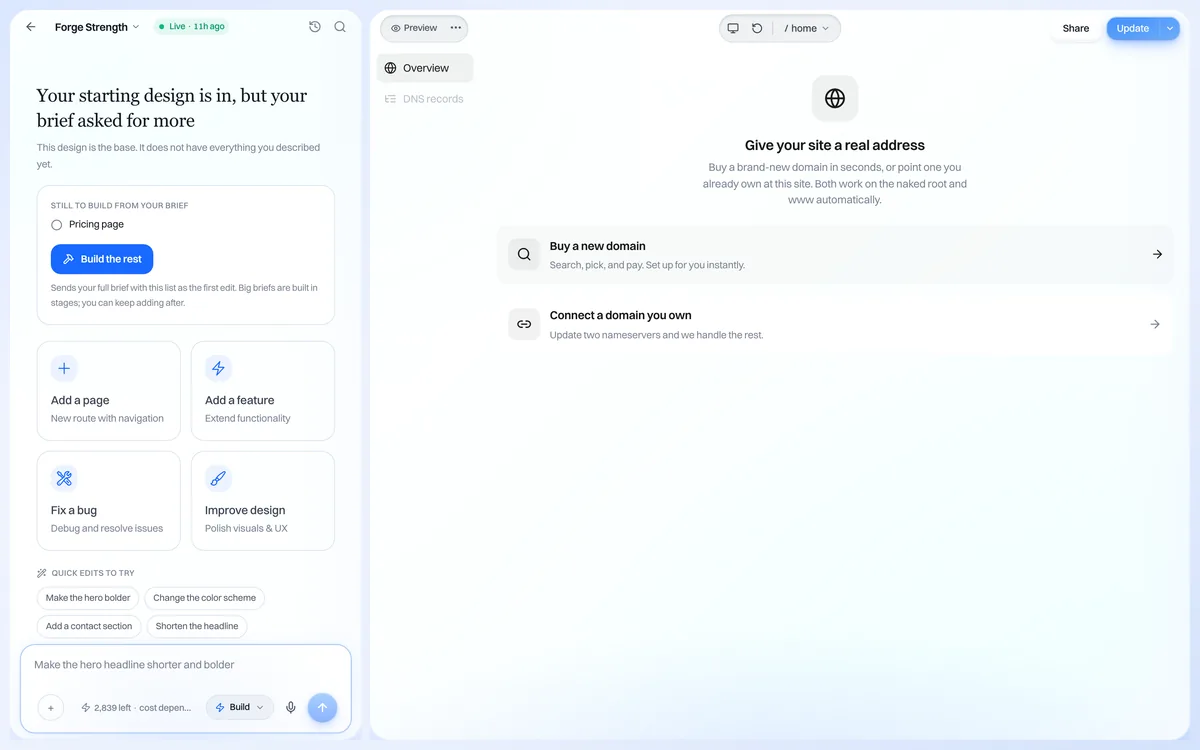
A custom domain like yourbusiness.com makes your site look professional. We.Inc lets you connect a domain you already own and provisions SSL for you.
Before you start
You will need access to your domain registrar, where you manage DNS settings. Common registrars include GoDaddy, Namecheap, and Cloudflare.
Step 1: Open domain settings
From your published project, open the option to connect a custom domain. You will be shown the DNS records to configure.
Step 2: Update your DNS records
In your registrar, add or update the DNS records exactly as shown in We.Inc. Save the changes at your registrar.
Step 3: Wait for propagation
DNS changes can take anywhere from a few minutes to a couple of days to take effect worldwide, though most propagate within a few hours.
Free SSL
Once your domain is verified, We.Inc automatically provisions an SSL certificate so your site is served securely over HTTPS. No extra purchase is required.
Important
If you see a security warning right after connecting, give the SSL certificate time to finish provisioning. Confirm your DNS records match what We.Inc shows if the issue persists.