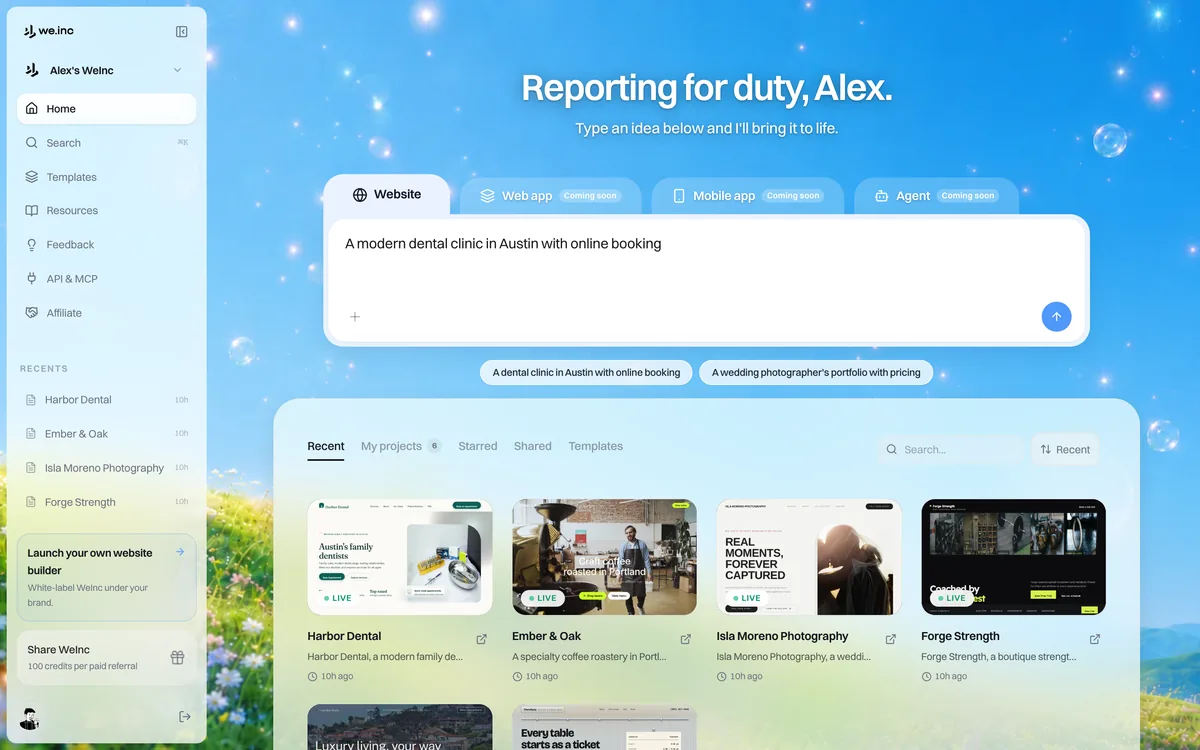
This guide walks you through building your first site with We.Inc, from signing in to a live preview you can share.
Step 1: Sign in and start a project
Go to my.we.inc and sign in. From your dashboard, start a new project. You can either describe your idea from scratch or begin from a template.
Step 2: Describe what you want
In the chat, type a plain-English description of the site you have in mind. Be specific about the type of business, the pages you need, and the feel you are going for. For example: "A landing page for a boutique coffee roaster with a hero, our story, a product grid, and a contact form."
Step 3: Watch it build
The AI generates your site and boots it in the live preview. The preview runs the real application in your browser, so you are seeing the actual product, not a mockup.
Step 4: Refine it
Ask for changes in the chat ("make the hero darker," "add a testimonials section") or click directly on any element to edit text, styles, and images. Keep iterating until it looks right.
Step 5: Publish
When you are happy, publish your site. You get a free we.inc subdomain instantly, and you can connect your own custom domain whenever you are ready.
Pro Tip
Do not try to get everything perfect in one prompt. Start broad, then refine step by step. The AI works best with clear, focused requests.