AI Image Tool Features Section
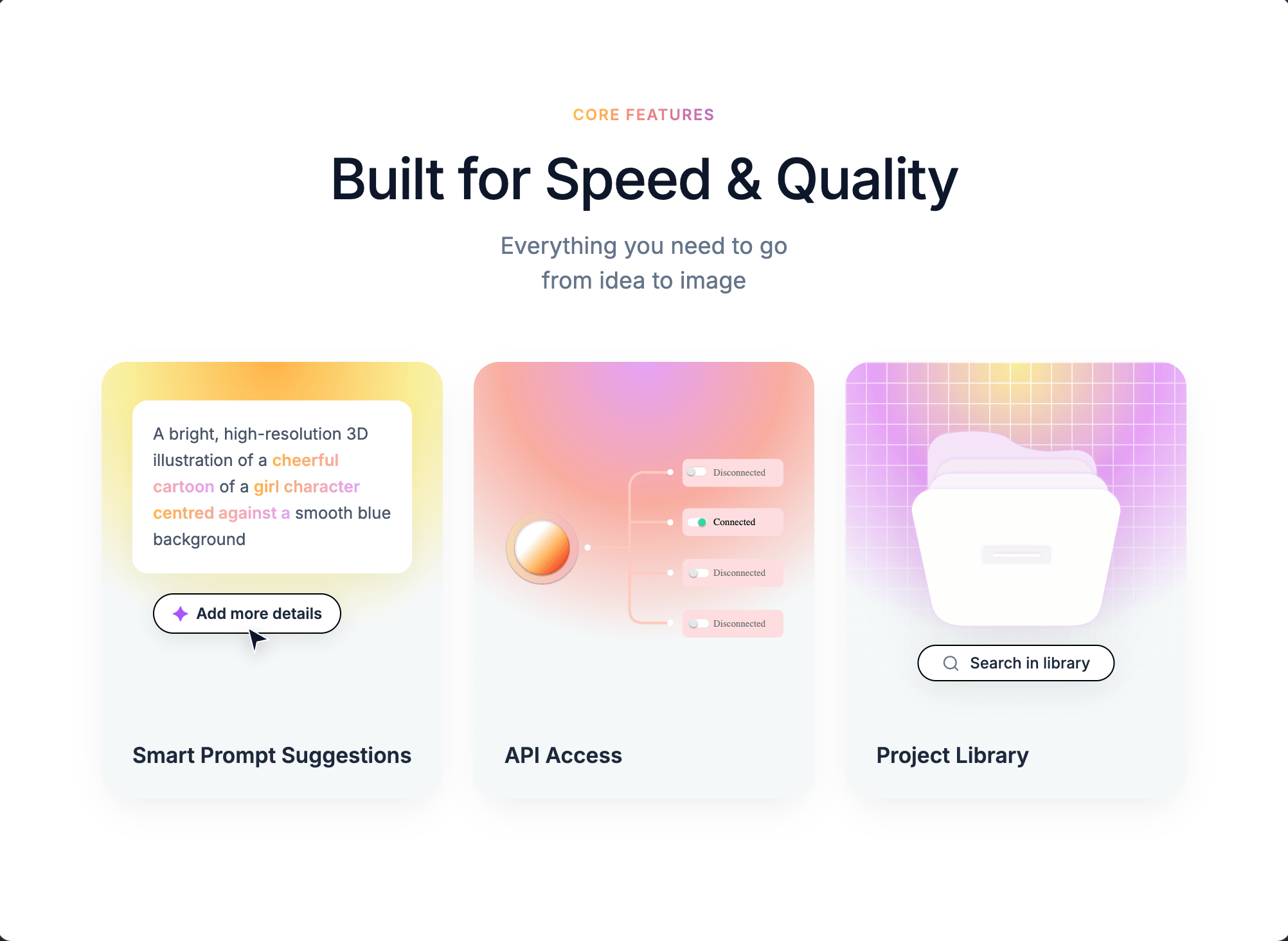
This is a features section, not a full website. On a white background, a gradient "CORE FEATURES" label sits above the headline "Built for Speed & Quality" and the line "Everything you need to go from idea to image". Three rounded cards follow. The first, "Smart Prompt Suggestions", shows a sample prompt with coloured keywords and an "Add more details" button. The second, "API Access", shows an orange orb wired to a list of Connected and Disconnected toggles on a pink gradient. The third, "Project Library", shows a white folder over a purple grid with a "Search in library" pill. It would suit an AI image generator, a creative tool or any product with three key features to highlight. All labels and copy are placeholders you replace.
AI Image Tool Features Section is a professionally designed saas website template. Perfect for saas companies and tech startups.
The AI Image Tool Features Section template is a professionally designed, fully responsive website template built for saas companies and tech startups.
This saas template comes with hero section, feature grid, pricing table, and more: everything you need to launch a professional online presence.
Whether you are starting from scratch or refreshing an existing website, AI Image Tool Features Section gives you a head start with a design that looks polished and converts visitors into customers.
About this design
AI Image Tool Features Section is a single feature section rather than a full multi-page layout. On a white background, a small gradient label reading "CORE FEATURES" in amber-to-pink introduces the section, followed by the bold headline "Built for Speed & Quality" and the supporting line "Everything you need to go from idea to image". Three large rounded feature cards are arranged in a horizontal row below. Each card uses a warm gradient background — yellow-to-orange, pink, and purple — to distinguish the features visually while maintaining a cohesive palette.
The first card, "Smart Prompt Suggestions", shows a sample prompt with colour-highlighted keywords and an "Add more details" button. The second, "API Access", depicts an orange sphere connected to a status list via thin lines on a rosy gradient. The third, "Project Library", shows a folder illustration over a purple grid pattern with a "Search in library" pill. The module suits AI image tools, creative SaaS products, or any application that needs to communicate three distinct capabilities in a compact, visually engaging format.
What is on the page
- Core Features section header
- Smart Prompt Suggestions card
- API Access card
- Project Library card
What is included
- Hero section
- Feature grid
- Pricing table
- Dashboard preview
- Testimonials
- FAQ section
Perfect for
- SaaS companies
- Tech startups
- Software products
- B2B platforms
Why choose AI Image Tool Features Section?
- Works on phones, tablets and desktops. The layout is responsive, so it adapts to any screen. Check the phone view in the editor before you publish.
- Click anything to edit it. Change any text, colour or image by clicking it. No code needed.
- Let the AI rebuild it around your business. Describe the changes you want in plain English and the AI makes them. AI plans start at $20/mo; the free plan lets you use templates without AI.
- Publish in one click. Building a site on We.Inc is free, with no card needed to start.
What's in this design
- An opening hero with the headline "Built for Speed & Quality"
- A "Add more details" call-to-action button
The preview shows the opening screen of this design. Further sections are yours to add.
How to use this template
- Open the live preview of AI Image Tool Features Section to see the design before you commit.
- On We.Inc you can build your site free, with no card and no trial needed to start.
- Click any text, colour or image to change it, and swap in your product and pricing.
- Want it rebuilt around you? Describe the changes to the AI (plans from $20/mo), then publish on a we.inc address, or on your own domain with a paid plan.
AI Image Tool Features Section template FAQ
Is the AI Image Tool Features Section template free?
Yes, you can start from AI Image Tool Features Section for free, with no card needed. Paid plans start at $20 a month and include a custom domain.
Can I use AI Image Tool Features Section for a saas business?
Yes. AI Image Tool Features Section is filed under saas and suits saas companies and tech startups, but the design is not locked to one trade: replace the demo words and photos with your own, or on a paid plan ask the AI to rebuild the sections around your business.
Can I change the colours and fonts of AI Image Tool Features Section?
Yes. Click any text, colour or image to edit it, or describe the look you want to the AI on a paid plan. The layout is responsive, so it adapts to phones and desktops, and you can export the code to GitHub.
Explore similar designs.
More from the saas website templates collection. Browse more professionally designed templates in the saas category.
- Fluid 3D AI Startup Hero
- Light Serif Automation SaaS
- Glass Mosaic HR Software Hero
- Clean White AI Assistant SaaS
- Action-Photo Data Security SaaS
- AI Pitch Deck Title Slide
Building sites for clients? Sell them under your own brand · How to resell websites under your own brand
More in Templates
- Black & Neon Green Security Firm
- Text-First Chiropractic Clinic
- Technical Outerwear Brand Store
- Mint Design Subscription Agency
- Wiring-Diagram Hi-Vis Electrician
- Silhouette Stage Live Band
- Residential Property Management
- Navy Auto Repair Shop
Product
Who It's For
- For Agencies
- For Freelancers
- For Hosting Providers
- For SaaS Platforms
- For Startups
- For Financial Services
- For Healthcare
Features
Resources
- Blog
- Help Center
- Free Business Tools
- Free UI Components
- Website Templates
- Template Collections
- Website Examples
- Guides
- Comparisons
- Alternatives
- Best Lists
- Reviews
- Pricing Guides
- Use Cases
- Glossary & Guides
- Integrations
- Developers
- Benchmark
- Windows App