Most domains you sell never become a website. That gap is the product.
People buy a domain because they mean to build something. Then the domain sits parked, the renewal comes round, and some of them let it go. A builder under your own brand gives that customer a next step on the day they buy, and gives you a second reason for them to renew. This page is for the product and partnerships team deciding how to add one.
TL;DR
- The customer who has just bought a domain is the most motivated website buyer you will ever see. The builder has to meet them that day, under your brand.
- We.Inc runs as your branded builder: your login page, your emails, your own dashboard domain, and client sites on your domain.
- Your systems can create customer accounts through the API, and webhooks tell you when a customer signs up, publishes, or has not published after seven days.
- If you already host WordPress at scale, our hosting providers page may be the closer match.
Where registrar customers drop off
Think of the journey from your side. A customer searches, buys, and then has to decide what to do next. Each step loses people, and each loss shows up later as a renewal you did not get.
| Stage | What the customer needs | What usually goes wrong |
|---|---|---|
| Bought the domain | A clear "now build your site" step | The next screen is DNS records |
| Started a site | Something that looks like their business within minutes | A blank template and a long setup |
| Has a draft | A reason to finish | Nobody reminds them |
| Published | The site on their own domain, working | DNS setup fails silently |
| Renewal | A site they would lose by not renewing | A parked page they forgot about |
The builder you choose matters less than how it is wired into each of these steps. A good builder bolted onto a dashboard nobody visits will not move the numbers.
What runs under your brand
Customers should not see a second company in the middle of your checkout. In We.Inc the parts a customer touches carry your brand:
- Sign-in and sign-up pages with your logo, colours and layout.
- The dashboard on your own domain, for example a sites or builder subdomain of yours.
- System emails such as confirmation, invitation, "your website is ready" and payment receipts, sent with your branding and, once configured, from your own address.
- Client sites on the customer's own domain, or on a sites domain of yours while they are drafts.
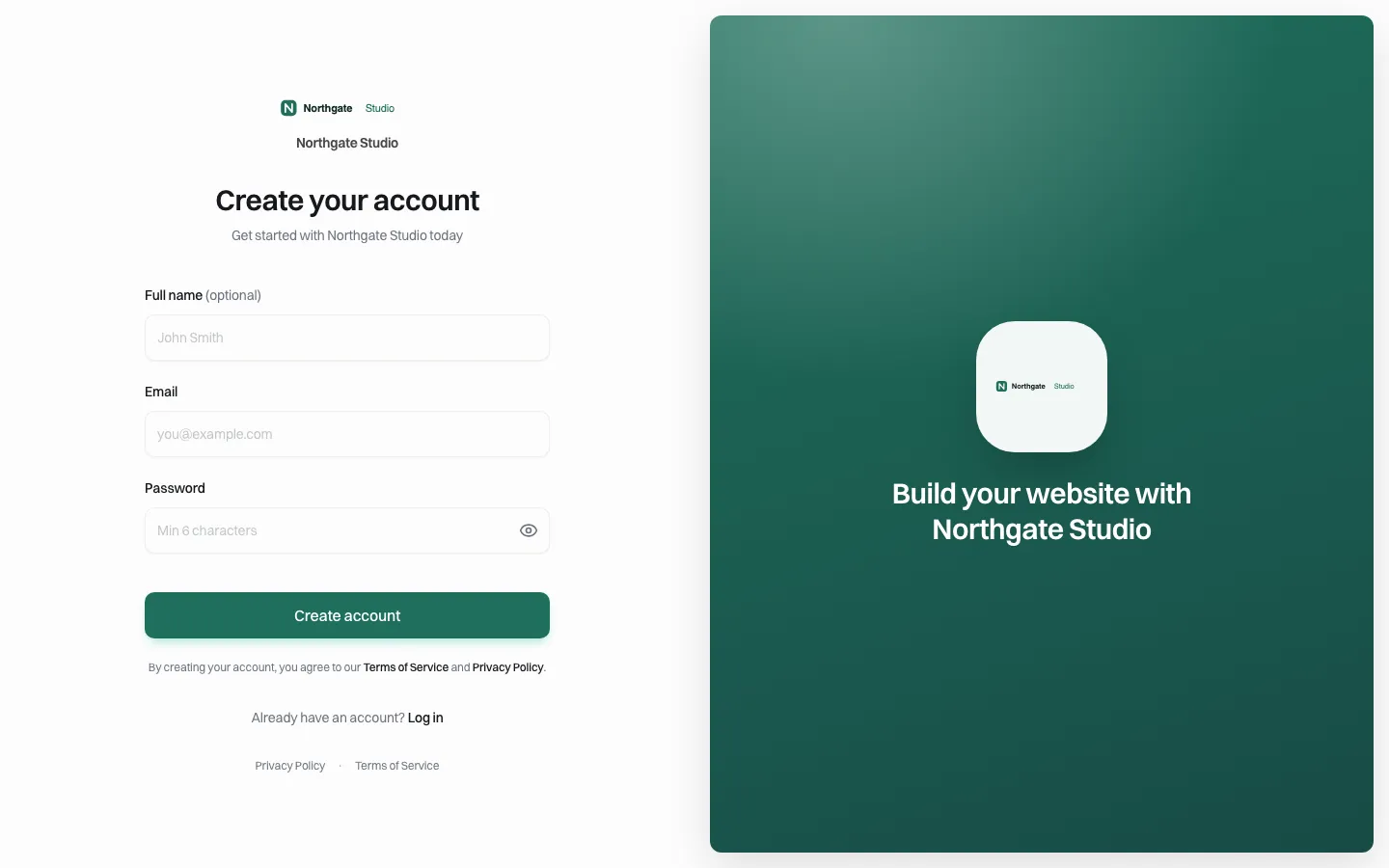
*The sign-up page a customer sees. It belongs to your brand.*
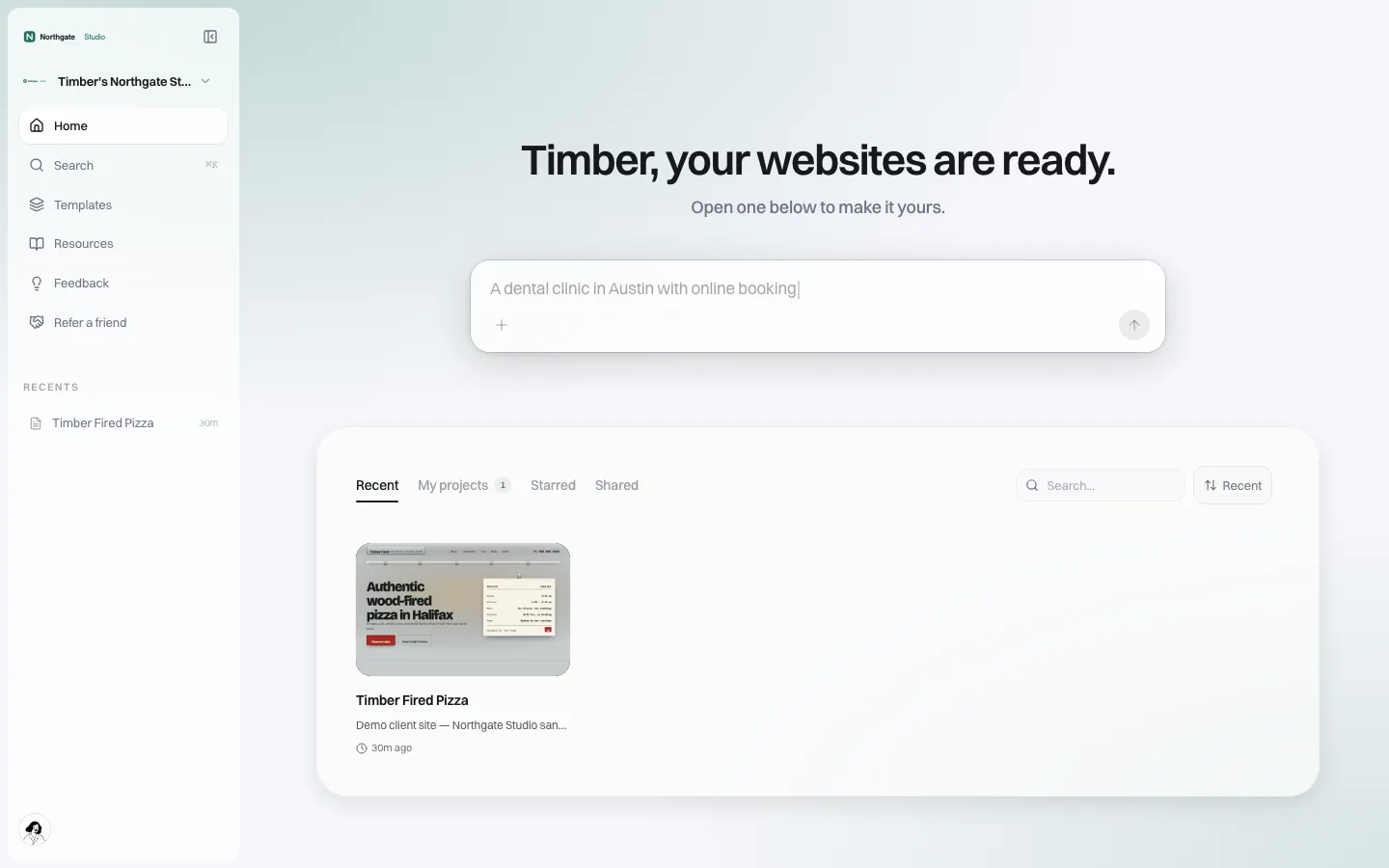
*The customer's home after signing in, on the brand's own host. They describe their business and start from there.*
Provisioning from your own systems
A registrar does not want customers to fill in a second sign-up form. We.Inc has an API that lets your back end create and list client accounts, so an account can be created when the domain order completes. Your team decides what to hand over: name, email and company are enough to start.
On the other side, brand webhooks tell your systems what customers did. The events available today are:
| Event | What you might do with it |
|---|---|
| Client signed up | Mark the domain as "site started" in your CRM |
| Client created their first site | Start a short onboarding email sequence |
| Client published a site | Offer a DNS check or an email product |
| Client hasn't published 7 days after joining | Send a reminder or a support call |
| Client paid you | Update billing records |
| Client paused | Flag the account for retention |
Webhook calls are signed with HMAC-SHA256 so your endpoint can check they came from us.
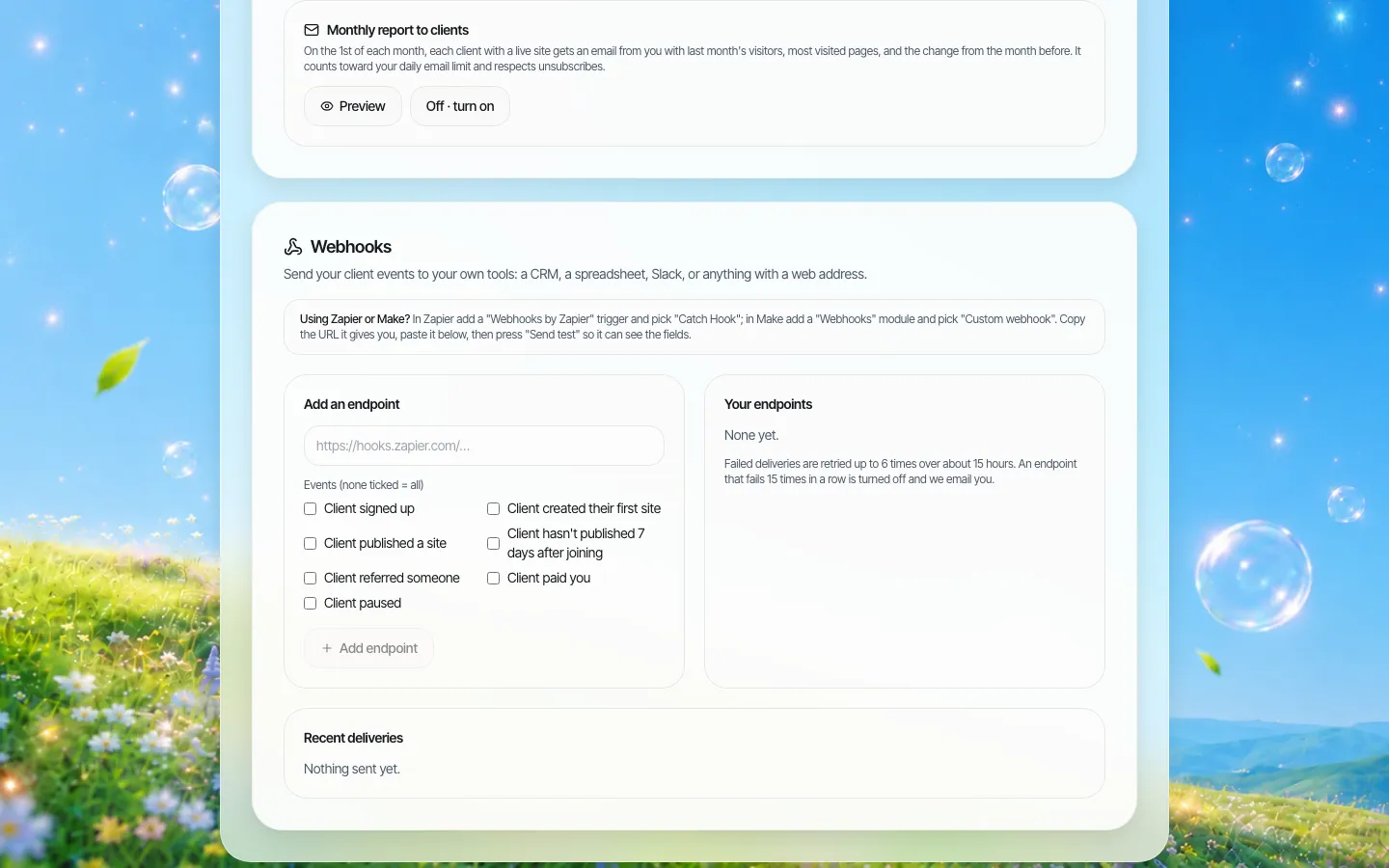
*Webhooks in the brand console. Point them at your own endpoint or at an automation tool.*
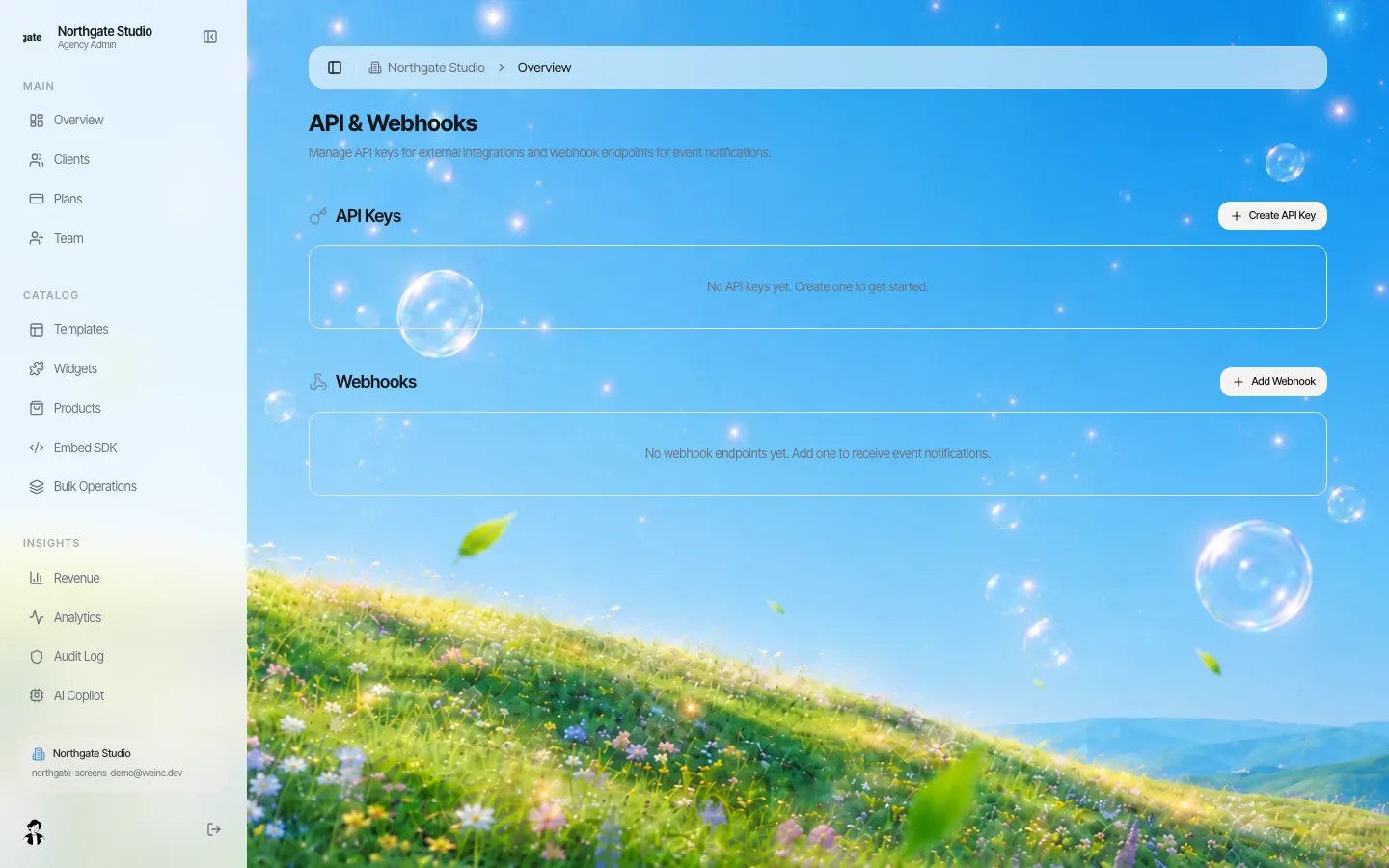
*API keys for your back end. Treat them like any server secret.*
If you would rather show the builder inside your own customer dashboard than send people to a separate address, there is also an embedded builder with server-side sessions. Our embedded builder guide covers how that handshake works.
The domain step itself
You know DNS better than we do, so the honest summary is short. In the customer's editor there is a domain panel to connect a domain they own. For your own brand, connecting a sites domain hands back nameservers to set, after which client sites can live at addresses under it while they are drafts. Plan how your own DNS tools and ours meet before launch: a customer who bought from you expects connecting your domain to your builder to take one click, and that is an integration your team will build with ours, not something that exists out of the box.
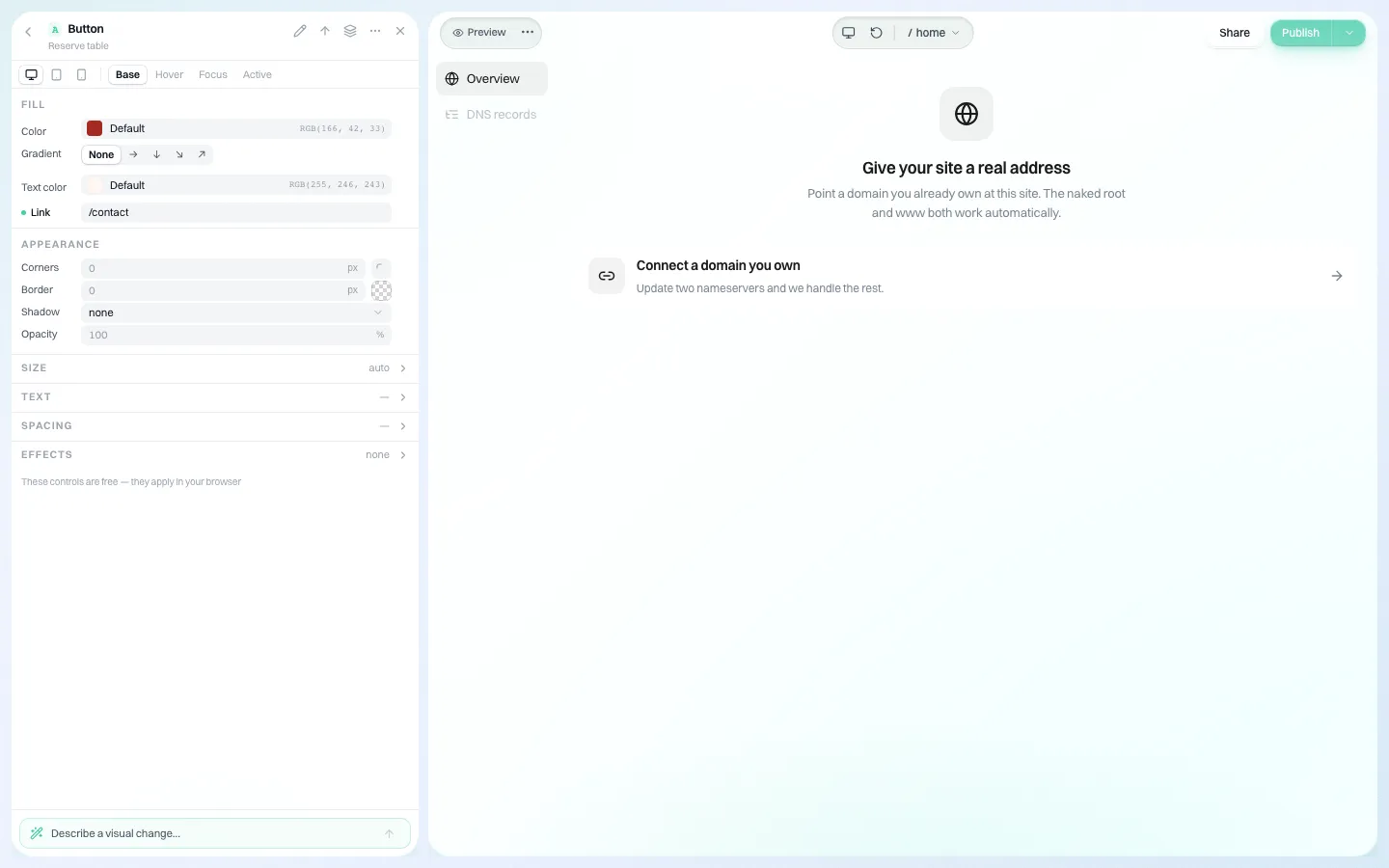
*The domain panel a customer sees inside the editor.*
Pricing it is your call
Some registrars include a starter site with the domain and charge for more; some sell the builder as a separate plan. You can set your own client plans and collect payments on your own connected Stripe account, or bill customers in your own system and use the API to keep plans in step. Our prices to you are quoted in a demo; we do not publish them.
Integration checklist
- [ ] Decide which order flows offer the builder: new domain, transfer-in, renewal page, parked page.
- [ ] Map your customer ID to the client account you create through the API.
- [ ] Brand the sign-in, sign-up and emails; set your own dashboard domain.
- [ ] Subscribe to the webhooks you will act on, and verify signatures.
- [ ] Write the reminder for "hasn't published after 7 days" and test it on a real account.
- [ ] Agree who supports the customer for builder questions, and route help to your support address.
- [ ] Agree the exit: customers can download their site's code or sync it to GitHub.
Measuring whether it works
Registrars that add a builder often report "accounts created" because it is the easiest number to get. It is also the least useful. Track the steps that lead to a renewal instead:
| Metric | How to get it | What good looks like |
|---|---|---|
| Builder starts per new domain | API account creations against domain orders | Rising after you move the offer earlier in checkout |
| First site created within a day | The "first site created" webhook | Most starters create one the same day |
| Published within 30 days | The "site published" webhook | The number that predicts renewal |
| Stuck after 7 days | The "hasn't published 7 days after joining" webhook | Falling as your reminders improve |
| Renewal rate, published vs parked | Your own billing data | The gap is the business case |
Run the comparison on a single customer segment first, for example new small business domains in one market, before you change every flow. A clean before-and-after on one segment is more convincing to your leadership than a blended number across all of them.
Where We.Inc fits, and where it does not
Good fit: registrars and domain resellers who want an AI-assisted builder under their own brand for small business customers, with API provisioning and event webhooks.
Probably not:
- If your customers mainly want WordPress hosting, a managed WordPress product is the more natural fit; the hosting providers page explains how We.Inc sits beside hosting.
- If you need a fully custom builder interface built on raw endpoints, budget the engineering; our API covers clients, plans and analytics rather than every editor action.
Book a demo and bring one order flow. We will sketch where the builder fits into it.
Book a demo. Pricing is tailored to your volume and setup, and you get your exact price on the call. 0% transaction fee.
Frequently asked questions
Can our systems create customer accounts automatically?
Yes. The API can create and list client accounts, so an account can be created when a domain order completes.
Which events can we receive by webhook?
Client signed up, first site created, site published, not published seven days after joining, client referred, client paid you, and client paused. Calls are HMAC-signed.
Does the customer see We.Inc anywhere?
The sign-in, dashboard, emails and help pages carry your brand. Talk to us in the demo about any remaining places you need covered.
Keep reading
- White label website builder: the We.Inc platform
- White label for hosting providers
- Embed a website builder in your SaaS
- Branded client emails
- Resell websites under your own brand
- Website vendor exit plan: contract clauses
More in White Label
- Drupal multisite alternative: keep Drupal for the flagship, rethink the long tail
- Duda white label pricing in 2026, and the AI alternative
- Websites for the projects, partners and small businesses an EDO serves
- Every event needs a website for about nine months
- A Finalsite alternative for districts that mainly need websites
- White Label for Freelancers
- White Label for Hosting Providers
- White-Label Website Builder for MSPs & Agencies
We.Inc is an AI-powered website builder you can resell under your own brand. Launch a branded client dashboard, bill on Stripe Connect, and deliver AI-generated websites in minutes. White-label pricing is tailored to your volume and setup: book a 30-minute demo for a quote.
Product
- AI Website Builder: Describe a site in plain English; it's live in minutes
- White Label Platform: Your brand, your domain, your margin
- Enterprise: SSO, custom SLAs, and dedicated support
- Developer API: Embed site generation into your SaaS
Who It's For
- For Agencies: Resell under your brand
- For Freelancers: Your own branded builder
- For Hosting Providers: Add a builder to your stack
- For SaaS Platforms: Embed site creation via API
- For Startups
- For Financial Services
- For Healthcare
Features
- Drag & Drop Editor
- Built-in SEO Tools
- Custom Branding
- Client Dashboard
- Reseller Billing (Stripe Connect)
Resources
- Blog
- Help Center
- Free Business Tools
- Free UI Components
- Website Templates
- Template Collections
- Website Examples
- Guides
- Comparisons
- Alternatives
- Best Lists
- Reviews
- Pricing Guides
- Use Cases
- Glossary & Guides
- Integrations
- Developers
- Benchmark
- Windows App