Content Approval Workflow for Websites: Who Signs Off, When, and How to Stop It Becoming a Bottleneck | How-to Guide
Design a website content approval workflow that people actually follow: risk tiers for what needs sign-off, a RACI you can copy, turnaround targets, a rejection note template, and how to run approvals across many client or department sites.
Most approval workflows fail in one of two ways. Either everything needs sign-off, so the queue backs up, editors stop asking and changes go live through side doors; or nothing does, and one day a wrong price, an outdated policy or a page with a client's private phone number goes out under your name. A good workflow sits between those. It decides in advance which changes need a second pair of eyes, who those eyes belong to, how fast they must respond, and what happens when they say no. This guide gives you each of those pieces in a form you can copy.
Start with risk, not with people
The instinct is to start by drawing an org chart of approvers. Start instead by sorting the kinds of change your sites receive. The amount of review a change needs depends on what could go wrong if it is wrong, not on who made it.
| Tier | Typical changes | What can go wrong | Review |
|---|---|---|---|
| 0: Routine | Typo fixes, swapping a photo, updating opening hours, adding an event | Little; easy to spot and reverse | None before publishing; spot-checked afterwards |
| 1: Standard | New pages, rewritten sections, blog posts, new forms | Off-brand tone, broken layout, inaccessible content, wrong facts | One reviewer, content or brand |
| 2: Sensitive | Prices, offers, legal text (terms, privacy, refunds), health, finance or safety claims, anything quoting a person | Legal exposure, misleading claims, complaints | Subject-matter owner plus the content reviewer |
| 3: Structural | Launching a site, a redesign, new domain, new navigation, adding payments or a store | Lost traffic, broken links, payment or privacy problems | Site owner plus technical check, scheduled launch |
Write your own examples in the second column. The point of the table is that an editor can look at a change and know its tier without asking anyone. If two people disagree about a tier more than occasionally, your examples are too vague.
The roles, and why each one exists
Four roles cover almost every organisation. One person can hold several of them on a small team; what matters is that each role is filled by name for every site.
- Author: writes or edits the change and decides its tier. Responsible for checking their own work against the checklist below before submitting.
- Reviewer: checks tone, brand, structure, links and accessibility basics. Usually a central web or marketing person, or the agency's account lead.
- Subject-matter owner: confirms facts in their area: the finance team for fees, legal for policies, a clinician for health content. They do not review commas.
- Publisher: the person who presses the button. In a single-step setup the reviewer usually publishes on approval, which is simpler and faster.
Here is a RACI you can paste into your process document. R is responsible for doing it, A is accountable for the outcome, C is consulted, I is informed.
| Step | Author | Reviewer | Subject owner | Site owner |
|---|---|---|---|---|
| Draft and self-check | R/A | C (tier 2) | ||
| Assign tier | R | A | ||
| Content and brand review | I | R/A | ||
| Fact sign-off | I | C | R/A | |
| Publish | I | R | I | A (tier 3) |
| Post-publish check | R | A | I |
Turnaround targets that keep the queue honest
An approval step without a response time turns into a waiting room. Agree targets up front and publish them where authors can see them.
| Tier | First response | Decision | If the reviewer is away |
|---|---|---|---|
| 1 | Same working day | 1 working day | Named backup reviewer takes it |
| 2 | 1 working day | 3 working days | Escalate to the subject owner's manager |
| 3 | At the planning stage | Agreed launch date | Launch moves; it does not happen unreviewed |
| Urgent fix | Within 2 hours | Publish, then review within 1 day | Author may publish and must log why |
The "urgent fix" row matters more than it looks. If a wrong phone number or a closed-office notice cannot go out quickly through the official route, people will find an unofficial one. Allow it, and require a note afterwards.
The author's checklist before submitting
Most rejections are for things the author could have caught. Put this list next to the submit button, in whatever form your tools allow.
- The page has one clear purpose, stated in its first two sentences.
- Headings are in order and describe what follows.
- Every image that carries meaning has alt text; decorative images do not.
- Link text says where the link goes ("read the refund policy", not "click here").
- Every link was clicked and works.
- Prices, dates, names and phone numbers were checked against the source, not memory.
- Nothing personal is visible that should not be: staff mobile numbers, client names, internal notes.
- The page reads properly on a phone.
- The tier is marked, and a subject owner is named for tier 2.
For the fuller accessibility pass, use our website accessibility checklist. Automated checkers catch only part of the problems; reading the page with a keyboard and a screen reader catches more.
How to say no without starting a fight
A rejection that says "not approved" teaches nothing and arrives as an insult. A rejection that names the problem, the fix and the rule behind it gets fixed the first time. A template:
| Part | Example |
|---|---|
| What | The second paragraph says consultations are free. |
| Why | The fee schedule lists a fee for first consultations; tier 2 content must match it. |
| Fix | Either remove "free" or get finance to confirm a change to the schedule. |
| Everything else | The rest is ready; resubmit after this one change and I'll approve the same day. |
Two rules make rejections cheaper. First, a reviewer lists every problem in the first pass, never one per round. Second, a reviewer does not rewrite the author's work in the review; if the change is small enough to rewrite, approve it with a note, then fix it.
Approval across many sites
Agencies, franchisors, associations and public bodies have a harder version of this problem: dozens of sites, each with its own editors, and one central team that answers for all of them. Three things change at that scale.
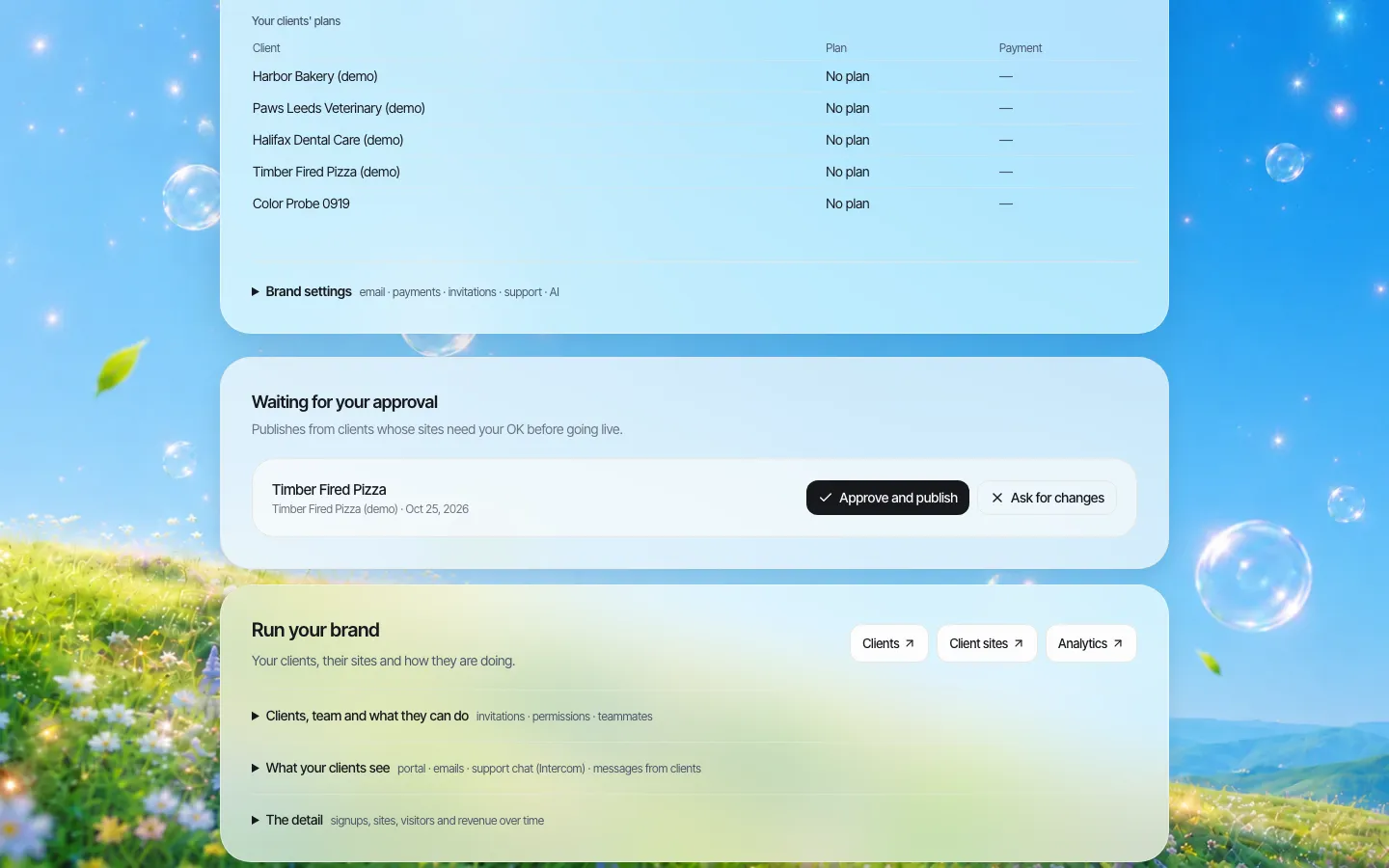
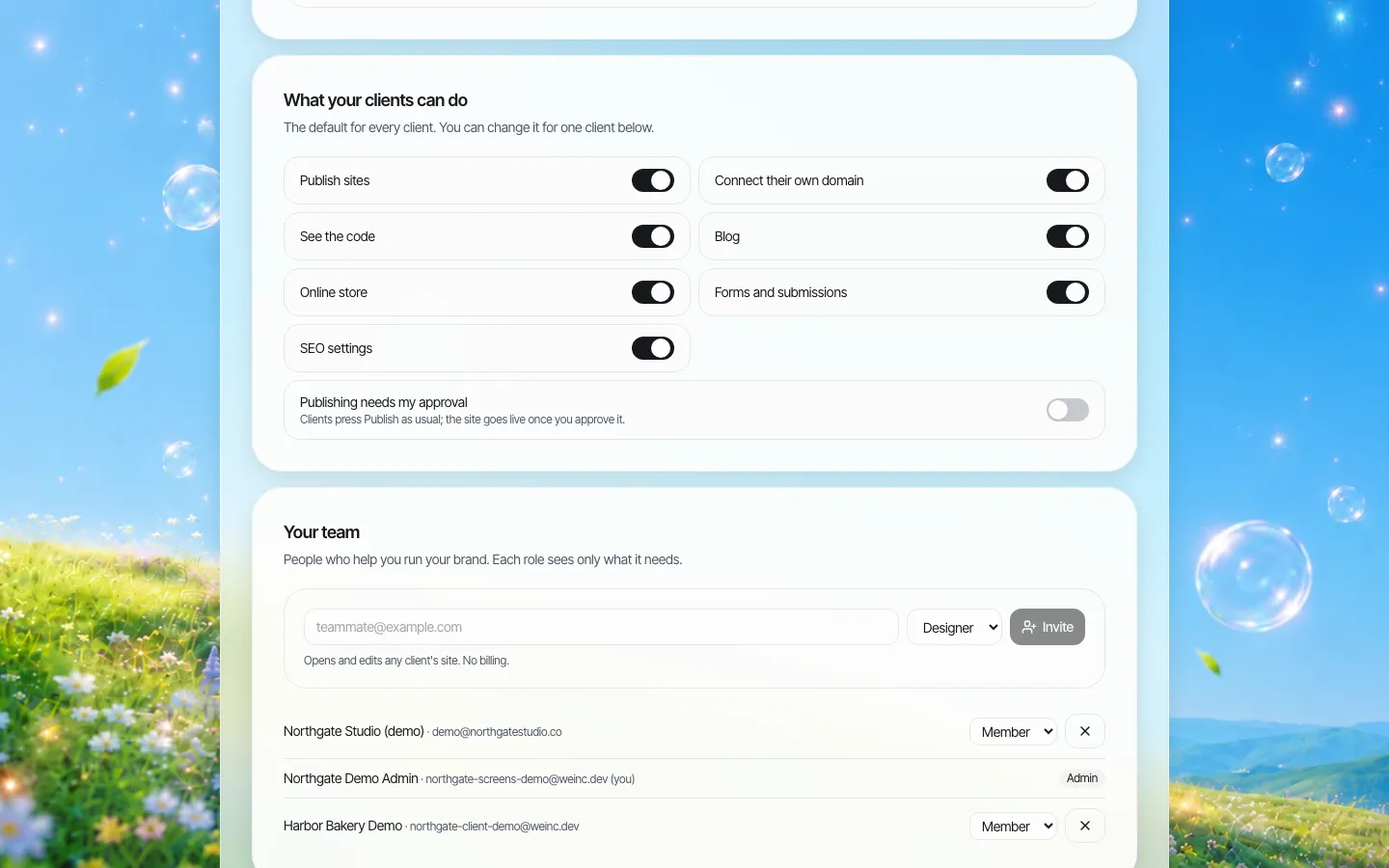
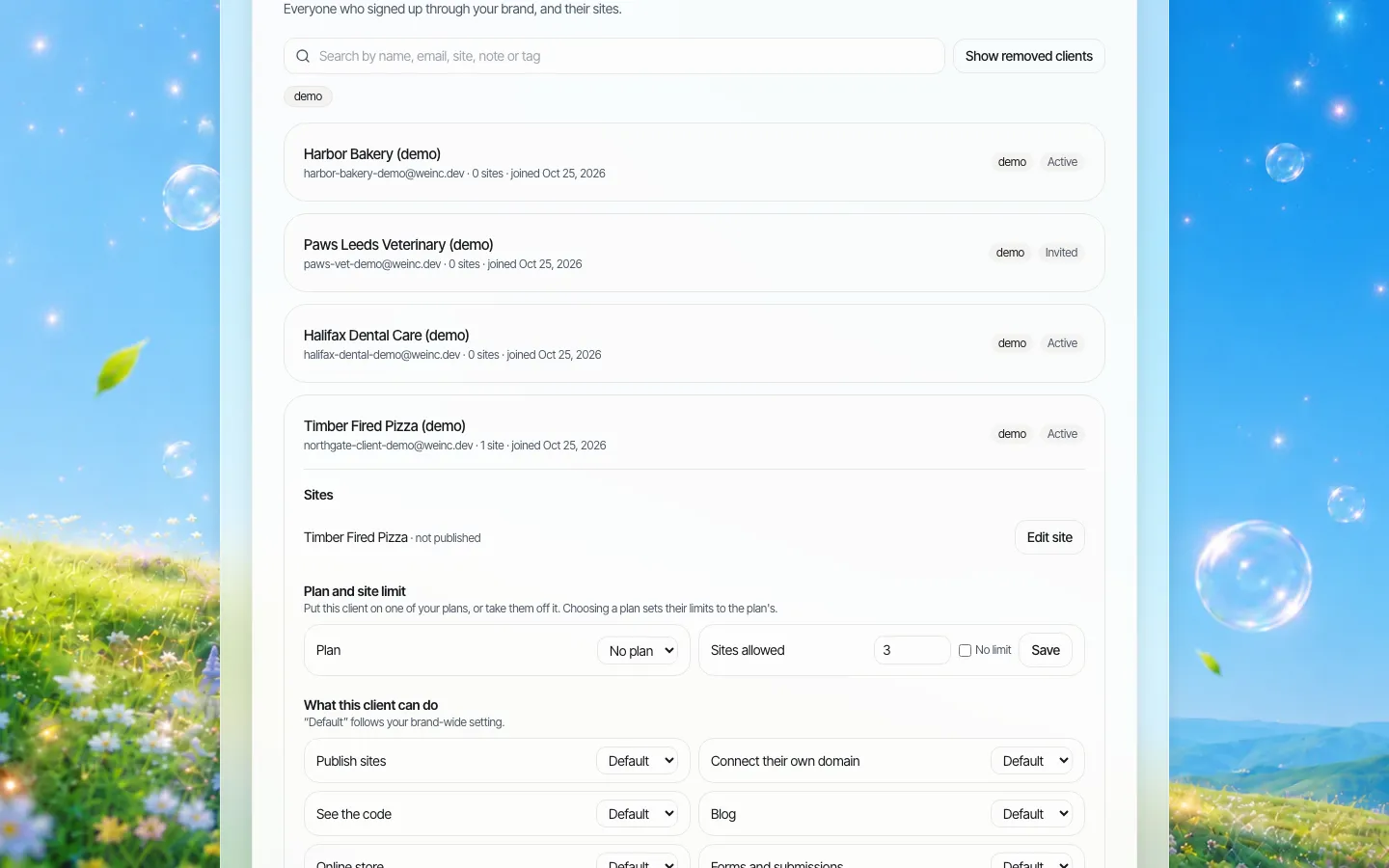
Approval should be a setting per site, not a rule for everyone. A new client in their first month, or a department that has just had a complaint, needs every publish reviewed. A long-standing client with a trained editor does not. Being able to switch approval on and off per site, with a sensible default for new ones, is what lets one small central team keep up.
The queue must show everything waiting, in one place. Reviewers should not hunt through email threads to find what is pending.
Decisions must be visible afterwards. When a client asks why their change took two days, or an auditor asks who approved a page, you need an answer that is not somebody's memory.
Single-step or multi-stage?
Multi-stage workflows (author, then editor, then legal, then publisher, each with a separate approval click) look thorough on paper. In practice they work in organisations with full-time staff at every stage and a content system built for it. For most teams they add days and do not add quality, because each stage assumes the others looked closely.
A single approval step before going live, with the subject owner consulted before submission rather than as a separate gate, is easier to run and easier to audit. Be honest with yourself about which you need. If regulation or your own policy requires recorded sign-off from several named roles, you need tooling built for that, and a single-step tool will not be enough on its own; record the extra sign-offs alongside it.
Reviewing what actually goes live
A surprising number of approval processes review a document, a screenshot or a staging link that is not quite what gets published. The safest design is that the reviewer approves the exact version that will go live, and that version cannot change between approval and publishing. Ask any tool you evaluate: if an editor changes the site after I approve, does my approval still stand?
Where We.Inc fits
We.Inc is a white-label website builder for organisations that run many sites under one brand. Its approval feature is deliberately simple:
- A brand owner can set single-step approval before a client's site goes live as the default for every client, and override it per client.
- When approval is on, the client's publish is held with the built version of the site, so what is reviewed is what will be published.
- The owner approves, which publishes it, or asks for changes, which requires a written reason. The client is emailed either way, from the brand rather than from We.Inc.
- Team roles on the brand side separate who can edit client sites (designers), who can only view and leave notes (support), and who handles billing.
- An audit log records organisation actions such as changes to a client's settings.
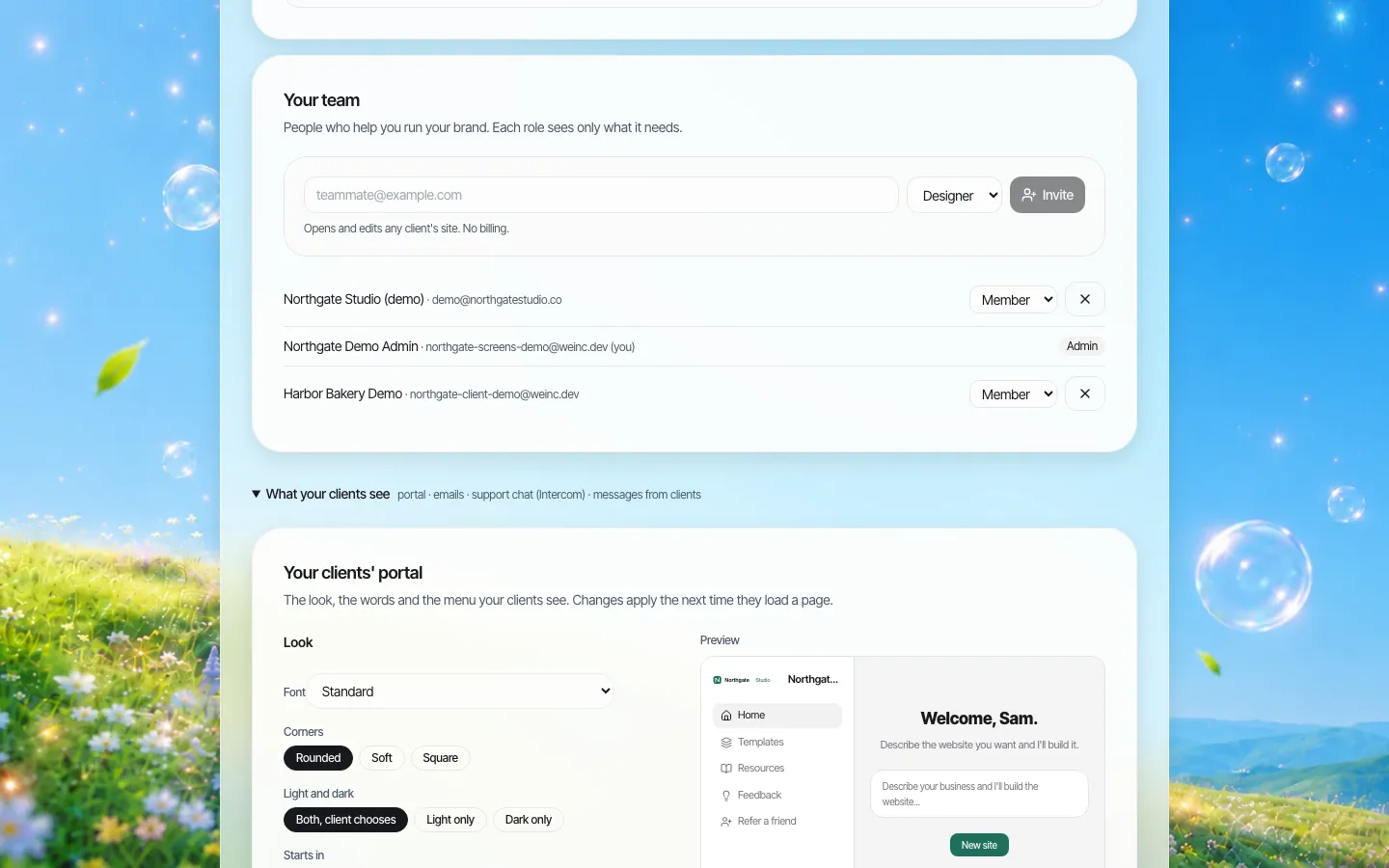
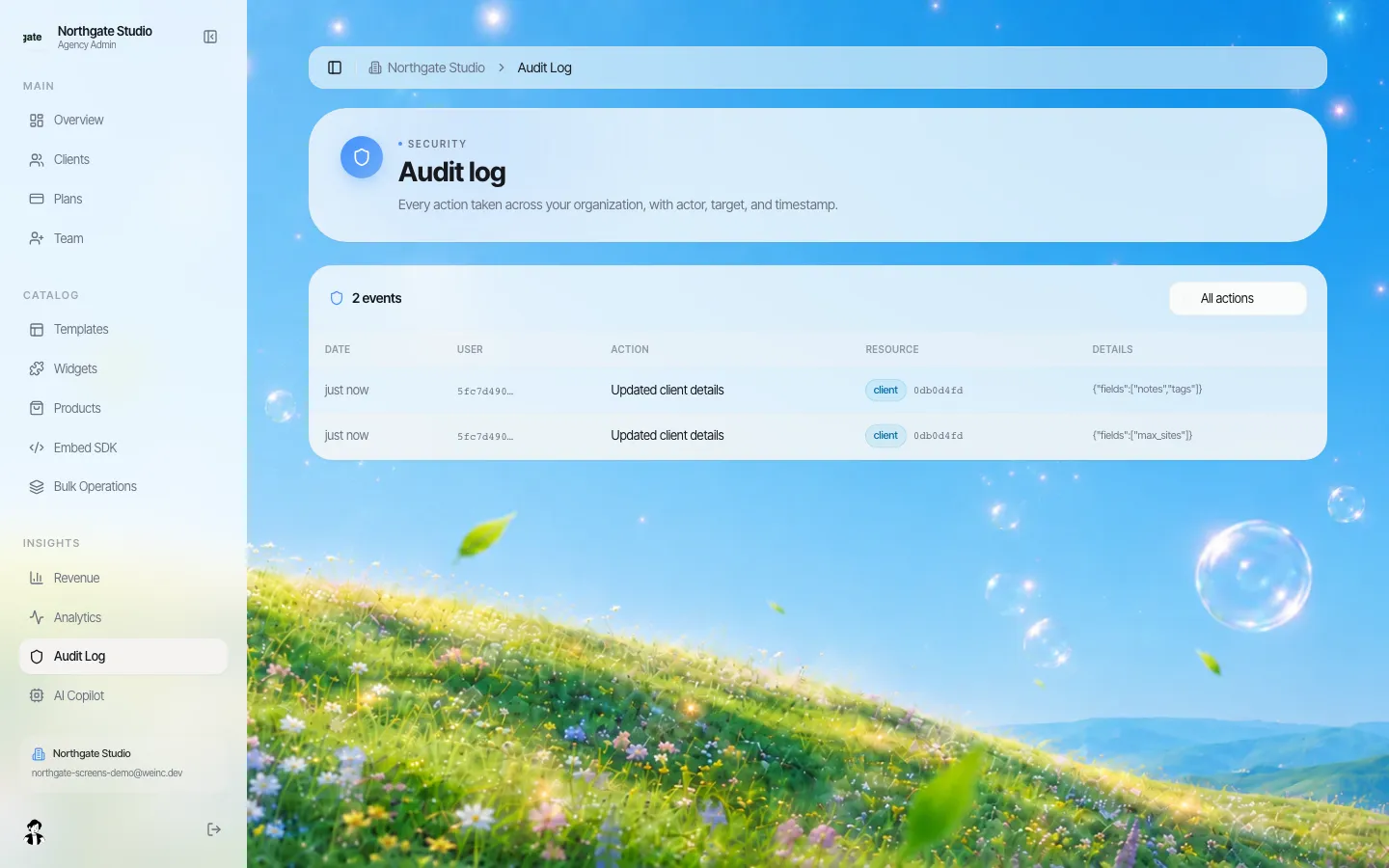
What it does not do: there is no multi-stage chain with separate legal and editorial approvals, no scheduled publishing tied to an approval, and no per-page approval within a site; approval applies to publishing the site. Sites are built with AI from templates and prompts, so your reviewers still need to check facts and accessibility. If that shape fits, book a demo and we will walk through the queue with a sample client. For the wider rules about who owns which site, see our website governance policy template, and for the product side, client permissions and audit logs.
Mistakes that keep repeating
- Approving everything at tier 2. If the subject owner sees typo fixes, they stop reading carefully by week three.
- No backup reviewer. Holidays are when the queue backs up and the workarounds start.
- Approvals by email. They cannot be found later and they approve whatever was attached, which may not be what went live.
- No post-publish check. Layouts break on phones, links break when other pages move. Look at the live page after publishing.
- Never revisiting the tiers. Review the table every six months against what actually went wrong.
Frequently asked questions
What is a content approval workflow?
It is the agreed route a website change takes from draft to live: who checks it, what they check, how fast they respond, and what happens when they ask for changes. A good one varies the review by the risk of the change rather than reviewing everything the same way.
Which website changes should need approval?
Sort changes into tiers. Routine fixes such as typos or opening hours can go live without review. New pages need one reviewer. Prices, legal text and health, finance or safety claims need a subject-matter owner as well. Launches, redesigns and new domains need the site owner and a technical check.
Is a single approval step enough?
For most teams, yes, if the subject owner is consulted before the change is submitted and the reviewer approves the exact version that will go live. If regulation or policy requires recorded sign-off from several roles, you need tooling built for multi-stage approval.
How fast should reviewers respond?
Set targets per tier, for example a decision within one working day for standard changes and three for sensitive ones, with a named backup reviewer. Allow urgent fixes to go live first and be reviewed within a day, with a logged reason.
Does We.Inc support publishing approval?
Yes. A brand owner can require single-step approval before a client's site goes live, as a default and per client. The owner approves and publishes, or asks for changes with a written reason, and the client is emailed either way. It does not offer multi-stage approval chains.
More in Guides
- Cookie Consent Banner Examples You Can Copy
- Copy to Clipboard Button (JavaScript and React)
- Core Web Vitals: LCP, INP and CLS, with 25 Fixes
- CORS Explained: Preflight, Headers and Fixing CORS Errors
- Crawled - Currently Not Indexed: Why Google Skipped Your Page
- CSS aspect-ratio and object-fit, With a Focal Point Picker
- CSS Box Model: Margin, Padding, Border and Display
- CSS Box Shadow Examples: 40 Shadows You Can Copy
Website builders for the businesses in this article
Related guides and tools
Start building
Product
Who It's For
- For Agencies
- For Freelancers
- For Hosting Providers
- For SaaS Platforms
- For Startups
- For Financial Services
- For Healthcare
Features
Resources
- Blog
- Help Center
- Free Business Tools
- Free UI Components
- Website Templates
- Template Collections
- Website Examples
- Guides
- Comparisons
- Alternatives
- Best Lists
- Reviews
- Pricing Guides
- Use Cases
- Glossary & Guides
- Integrations
- Developers
- Benchmark
- Windows App