Your clients need a website halfway through your programme. Give them one under your name.
Small-business coaches, marketing consultants and course creators keep running into the same moment: the client has the offer, the positioning and the plan, and then stalls on the website. They are sent off to a generic builder, and three weeks later they are still choosing fonts. This page is for coaches and consultants who want a website builder inside their programme, under their own brand, and how to do that without becoming a web agency.
TL;DR
- The website is where coaching work becomes visible, and where many clients stall. A builder inside your programme removes the detour.
- In We.Inc the builder carries your name, logo and colours; each client gets an account and a site, with switches you control.
- Include it in a programme, sell it as an add-on on your own Stripe account, or keep it for alumni.
- Your programme can teach the content; the tool handles the build. Book a demo to plan it.
Where the website sits in a coaching programme
Most business-coaching programmes follow a familiar arc: clarify the offer, choose the customer, set the price, then go and get customers. The fourth step needs a website, and that is where momentum dies. Clients who can do the strategy work are often stuck on the build, and the coach cannot help much because each client is in a different tool.
Putting the builder inside your programme changes three things:
- Everyone is in the same tool, so your lessons can show the actual screens rather than "go to your builder and find the equivalent".
- You can see the work. As the brand owner you see every client's account and can open their sites, so reviews are concrete.
- It carries your brand. The client experiences it as part of your programme, which is what they paid for.
Three ways coaches package it
| Model | Fits | Practical note |
|---|---|---|
| Included in the programme | Cohort programmes and masterminds | Give each client a site limit of one; decide what happens after the programme |
| Paid add-on | One-to-one coaching and consultancies | Create a plan and bill it on your own Stripe account |
| Alumni benefit | Programmes with a community after graduation | Keeps graduates in your orbit; a reason to renew community access |
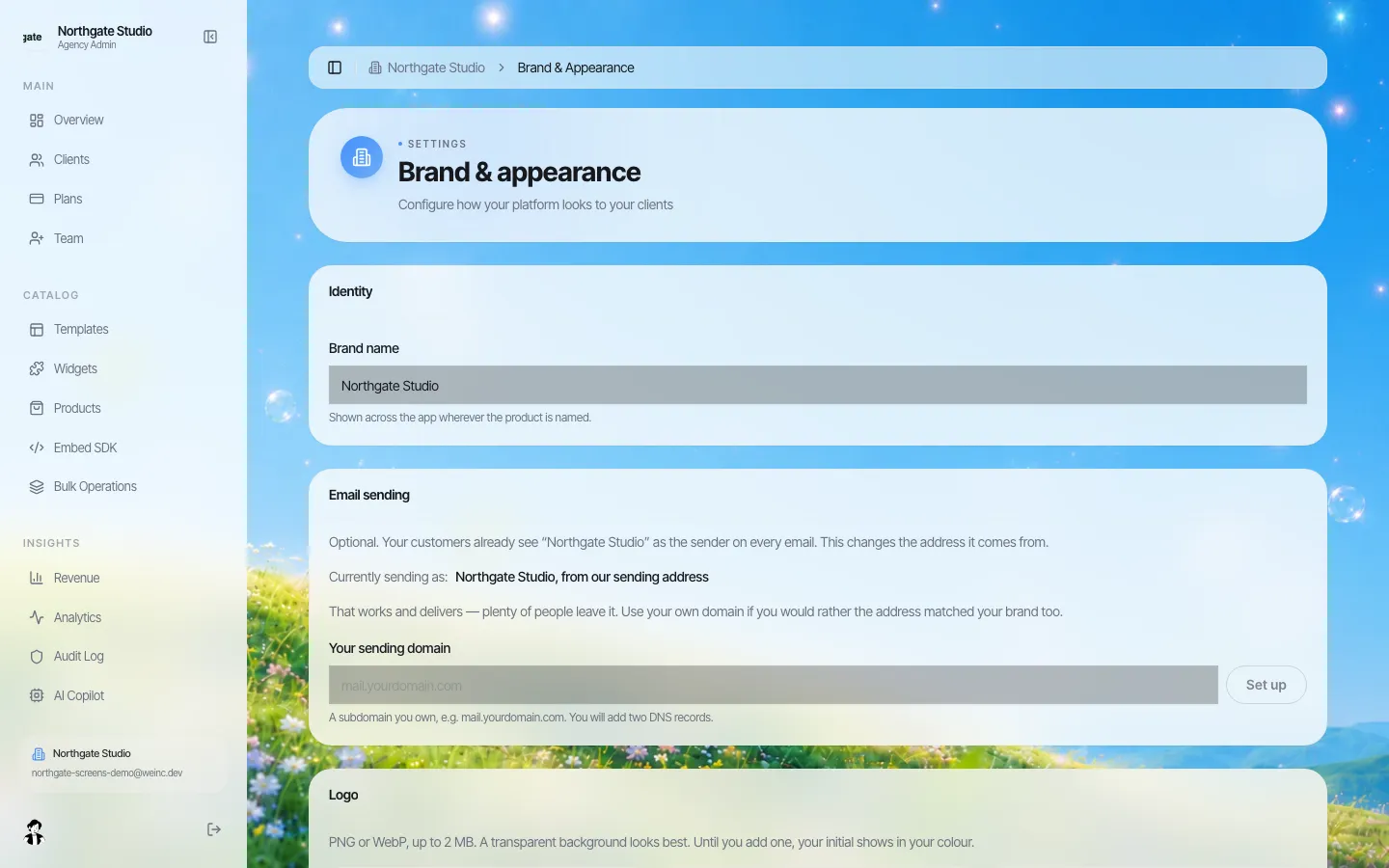
*Setting the brand: your name, logo and favicon.*
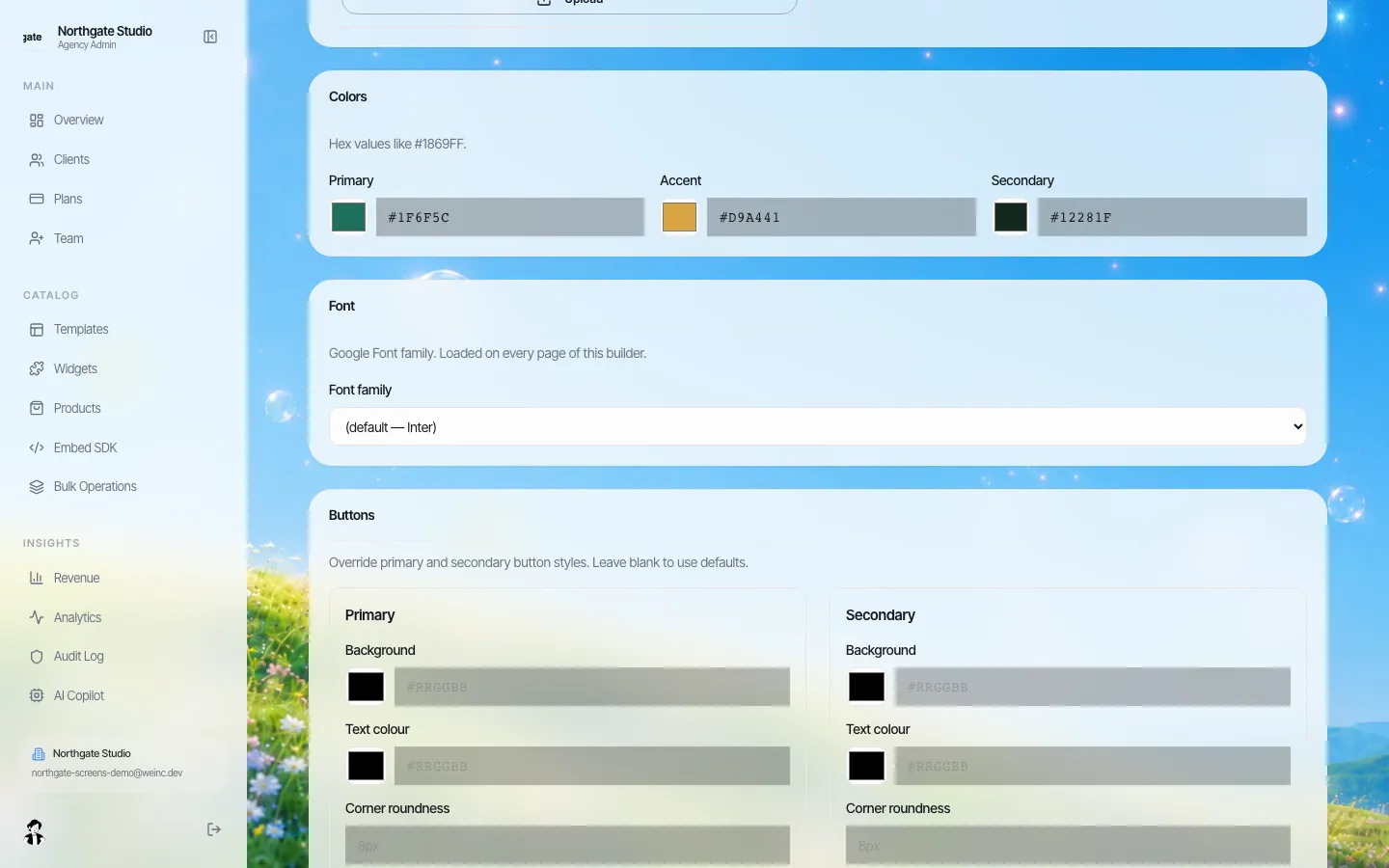
*Colours, font and button styles, so the client dashboard looks like the rest of your programme.*
What the client experiences
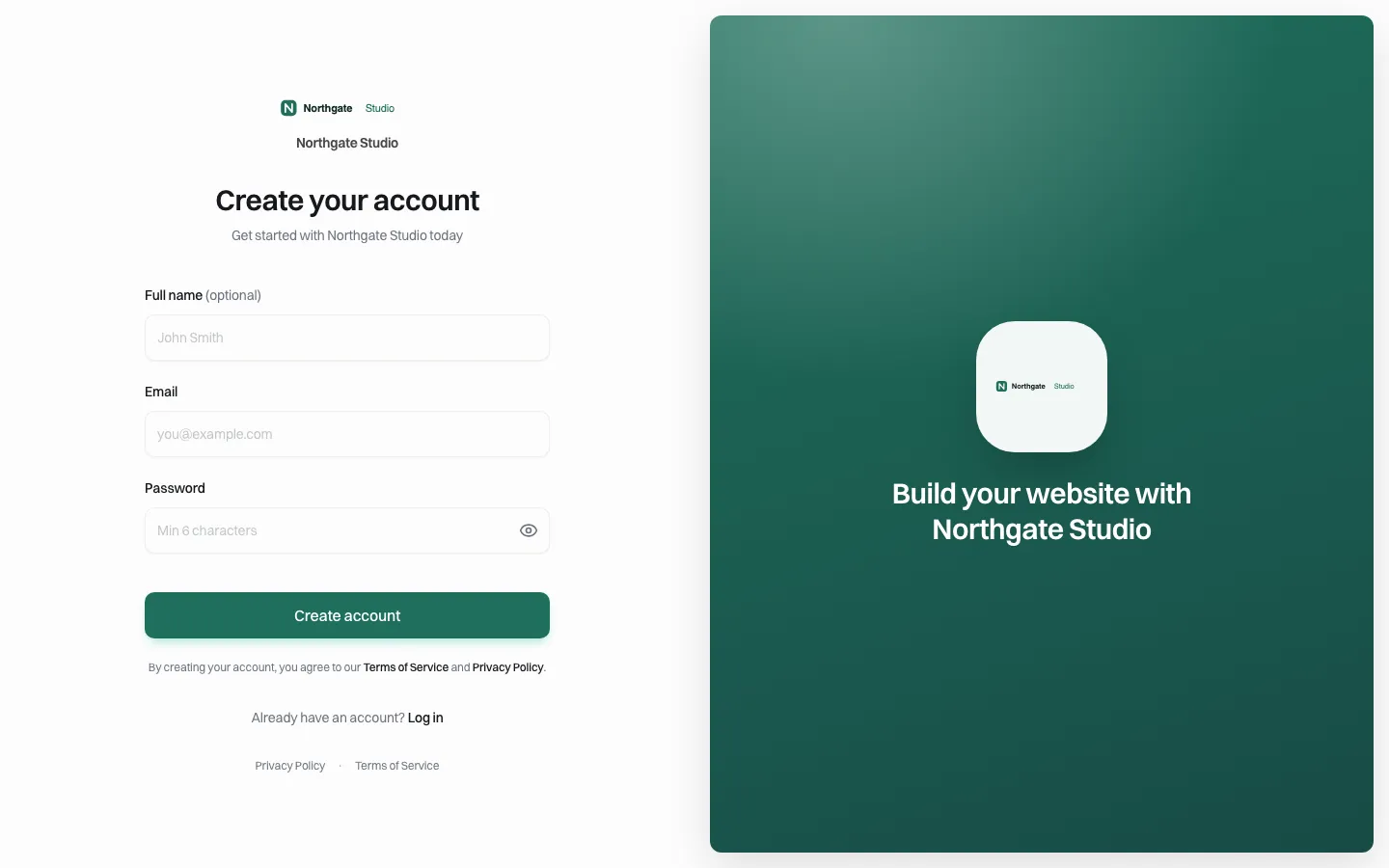
*Clients sign up on your page, under your name.*
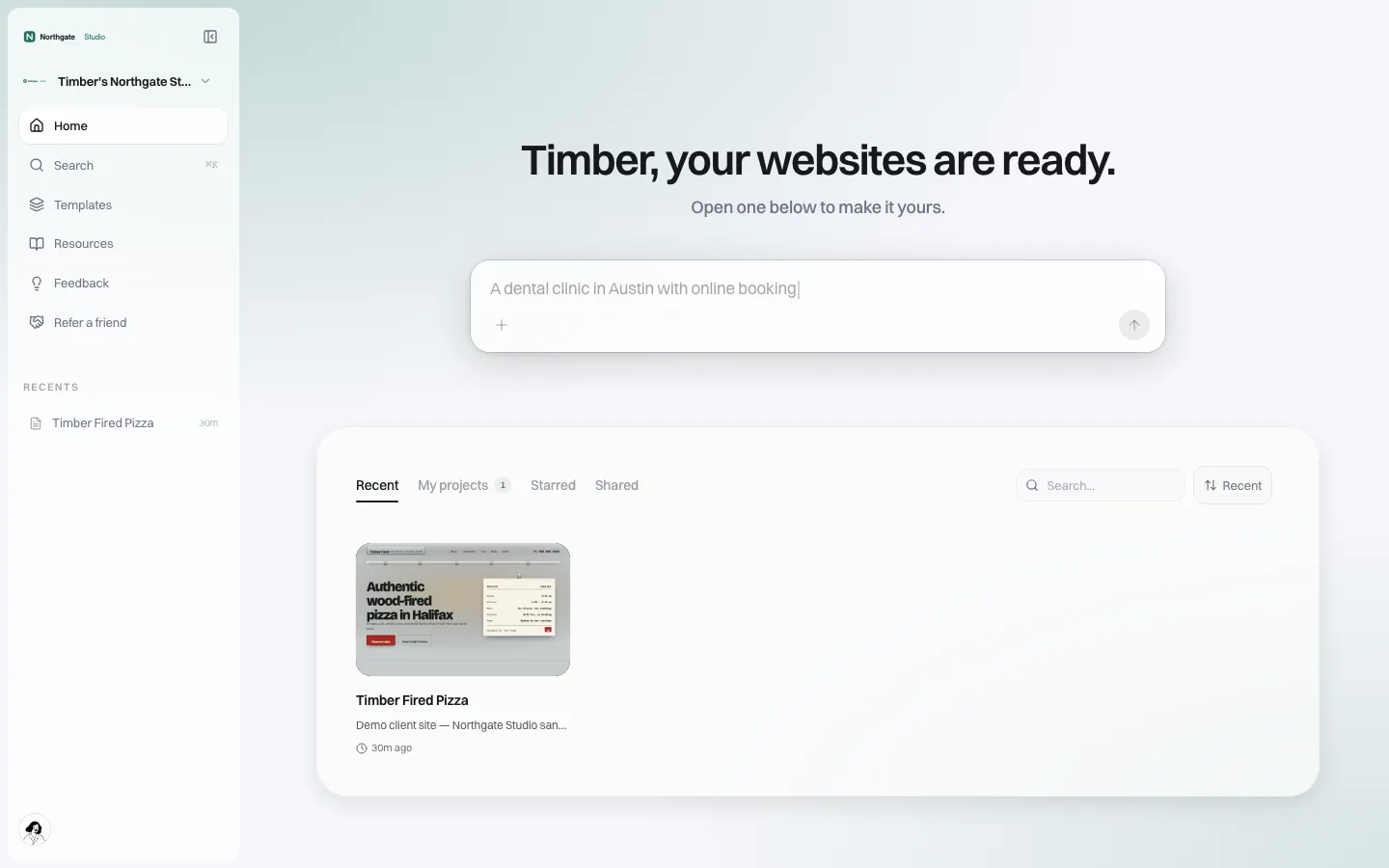
*Their dashboard: describe the business, pick a template, edit visually.*
A client signs up from your invitation, describes their business, and starts from a template. They edit text and images visually, and you choose whether they get a blog, forms, an online store and SEO settings. For a coaching client selling a service, forms (enquiries) and a blog usually matter; a store matters for those selling products or digital downloads.
Teach the content, let the tool do the build
The best coaching programmes keep doing what the coach is good at (the message) and let the tool handle what the coach is not (the build). A simple programme module:
- Week 1: Write the homepage on paper. Who it is for, the problem, the offer, the proof, the next step.
- Week 2: Build it. Start from a template and paste the page in. Book a review call.
- Week 3: Add one service page and one enquiry form.
- Week 4: Connect the domain and publish. If you want to see every site before it goes live, switch on approval before publishing for the cohort; their publish waits for you.
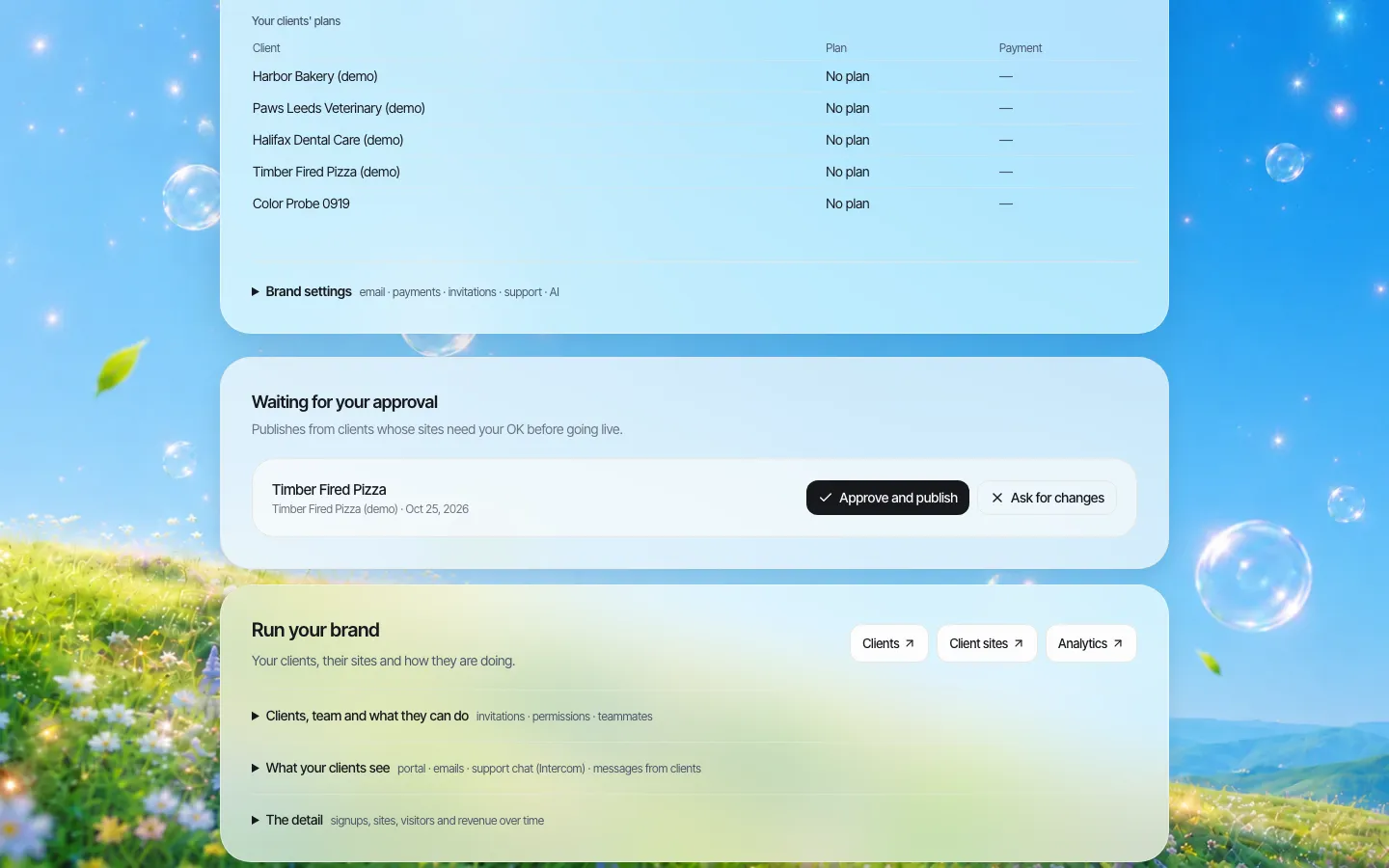
*Optional: review each client's site before it goes live, with one click to approve or send back.*
Testimonials and results claims: the part coaches get wrong
Client websites built in coaching programmes are full of results claims and testimonials, and so are coaches' own sites. In the United States the FTC's rule on consumer reviews and testimonials (16 CFR part 465, in force since October 21, 2024) prohibits fake or false reviews and testimonials, including AI-generated ones, and covers buying them, insider reviews and suppressing negative ones. Results claims are also subject to the FTC's general rules on advertising.
Practical rules to put in your programme:
- Only real testimonials from real customers, with permission. No invented quotes to "fill the page until we get some".
- No AI-written reviews. An AI tool can help a client ask for a review; it must not write one.
- Typical results, not best results presented as typical. "One client doubled revenue" needs context.
- Coaches: the same rules apply to your own sales pages.
This is general information, not legal advice.
When the programme ends
Decide before the first cohort:
- They keep the site on a paid plan with you (an ongoing relationship with your brand), or
- They take it with them. Every site's code can be downloaded as a ZIP or synced to GitHub, and their domain is theirs if they registered it.
Writing this down avoids the awkward conversation where a graduate assumed their site was theirs forever.
A review checklist for client sites
When a client submits their site for your review, the same handful of issues come up again and again. Copy this into your programme materials:
- [ ] The first screen says who it is for and what they get, in the client's own words, not jargon from the course.
- [ ] There is one clear next step (book a call, request a quote, buy) and it works.
- [ ] Every testimonial is real, attributed and used with permission.
- [ ] Prices or "from" prices are current, or deliberately left off.
- [ ] Contact details are correct, and the enquiry form reaches an inbox someone reads.
- [ ] The page reads well on a phone.
- [ ] The about page has a real photo and a real name.
- [ ] Nothing promises results the client cannot evidence.
Clients who pass this list on the first submission are rare, and that is the point: the review is coaching, not quality control. The approval queue gives you one place to see every site waiting for that conversation.
Where We.Inc fits, and where it does not
Good fit: coaches, consultancies and programme owners with dozens to hundreds of clients a year who need a website as part of the work.
Better elsewhere: if you need a course platform, a client portal for coaching sessions, or a community, those are separate tools. We.Inc builds and hosts your clients' websites under your brand; it does not host courses or run sessions. If you have only a handful of clients, pointing them at a mainstream builder and a good tutorial may be enough.
Read about the client dashboard, then book a demo and we will sketch it into your programme.
Sources
Last checked 2026-10-25. Not legal advice.
- Federal Trade Commission, Trade Regulation Rule on the Use of Consumer Reviews and Testimonials, final rule (Federal Register text), 16 CFR part 465, effective October 21, 2024.
Book a demo. Pricing is tailored to your volume and setup, and you get your exact price on the call. 0% transaction fee.
Frequently asked questions
Can I see and review my clients' websites?
Yes. As the brand owner you see every client account and can open their sites. Switch on approval before publishing if you want to review each site before it goes live.
Will clients see the We.Inc name?
The sign-in page, dashboard, help pages and system emails carry your brand and support contact.
Can I charge clients for the website?
Yes. Create plans and connect your own Stripe account; clients pay you directly. Or include the site in your programme.
Can clients take their site with them after the programme?
Yes. Every site's code can be downloaded or synced to GitHub, and a domain the client registered stays theirs.
Keep reading
- White label website builder: the We.Inc platform
- White-label client dashboard
- White-label custom branding
- White-label reseller billing
- Resell websites under your brand
More in White Label
- The moment someone forms a company, they need a website. You are already there
- A member website programme your chamber can actually run
- The cheapest white-label website builder, by cost per site
- A website for every congregation, under a shared identity
- A CivicPlus alternative for the sites a civic suite was never meant to run
- Showing clients their numbers without exporting a single spreadsheet
- Client Dashboard | White Label
- Answer the same ten client questions once, in your own words
We.Inc is an AI-powered website builder you can resell under your own brand. Launch a branded client dashboard, bill on Stripe Connect, and deliver AI-generated websites in minutes. White-label pricing is tailored to your volume and setup: book a 30-minute demo for a quote.
Product
- AI Website Builder: Describe a site in plain English; it's live in minutes
- White Label Platform: Your brand, your domain, your margin
- Enterprise: SSO, custom SLAs, and dedicated support
- Developer API: Embed site generation into your SaaS
Who It's For
- For Agencies: Resell under your brand
- For Freelancers: Your own branded builder
- For Hosting Providers: Add a builder to your stack
- For SaaS Platforms: Embed site creation via API
- For Startups
- For Financial Services
- For Healthcare
Features
- Drag & Drop Editor
- Built-in SEO Tools
- Custom Branding
- Client Dashboard
- Reseller Billing (Stripe Connect)
Resources
- Blog
- Help Center
- Free Business Tools
- Free UI Components
- Website Templates
- Template Collections
- Website Examples
- Guides
- Comparisons
- Alternatives
- Best Lists
- Reviews
- Pricing Guides
- Use Cases
- Glossary & Guides
- Integrations
- Developers
- Benchmark
- Windows App