Answer the same ten client questions once, in your own words
Most support tickets in a website business are the same handful of questions: how do I change my photos, why is my site not on Google, how do I connect my domain, where is my invoice. A help section inside your clients' portal, written in your voice, answers them before they reach your inbox. This page shows what We.Inc gives you for that, and how to write a help section clients actually read.
TL;DR
- Your clients see a Resources page under your brand with articles and an FAQ. It starts with built-in guides and becomes yours as soon as you edit it.
- Up to 60 entries, each with a title and body; articles can embed a YouTube, Vimeo or Loom video. Entries can be reordered or hidden.
- Below the articles, clients see your support email and a "Send us a message" option that lands in your client inbox.
- Optionally add a Crisp, Intercom or Tawk.to chat widget, and set the AI assistant's name, tone, house rules and starter ideas.
What your clients see
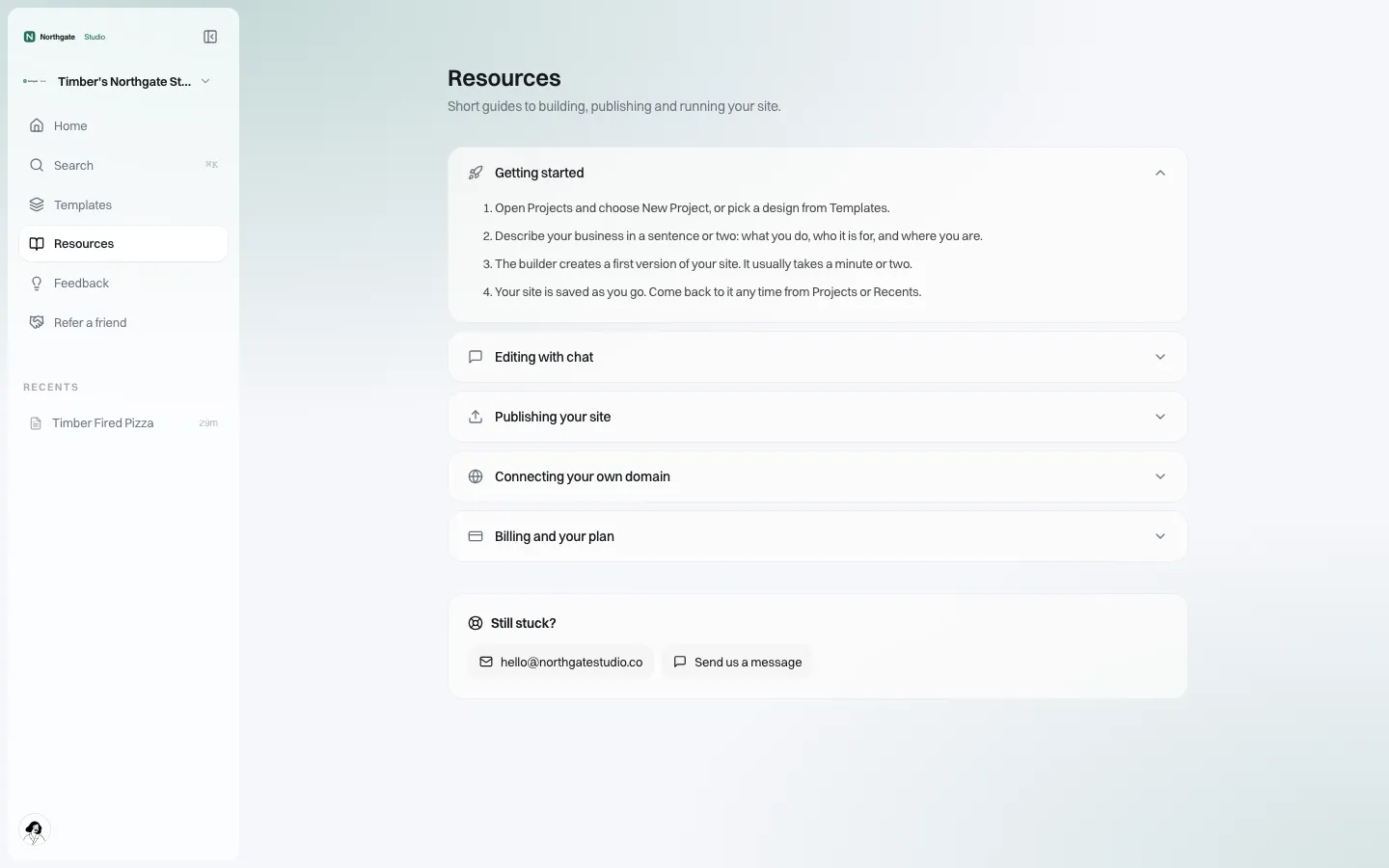
*The Resources page as a client of a demo brand sees it. Every word and the support email belong to the brand.*
The Resources page sits in the client's menu next to Home, Templates and Feedback. Until you customise it, it shows a short set of built-in guides: getting started, editing with chat, publishing, connecting a domain, and billing. These are written to be brand-neutral, so they are usable on day one. The moment you save your own list, your version replaces them.
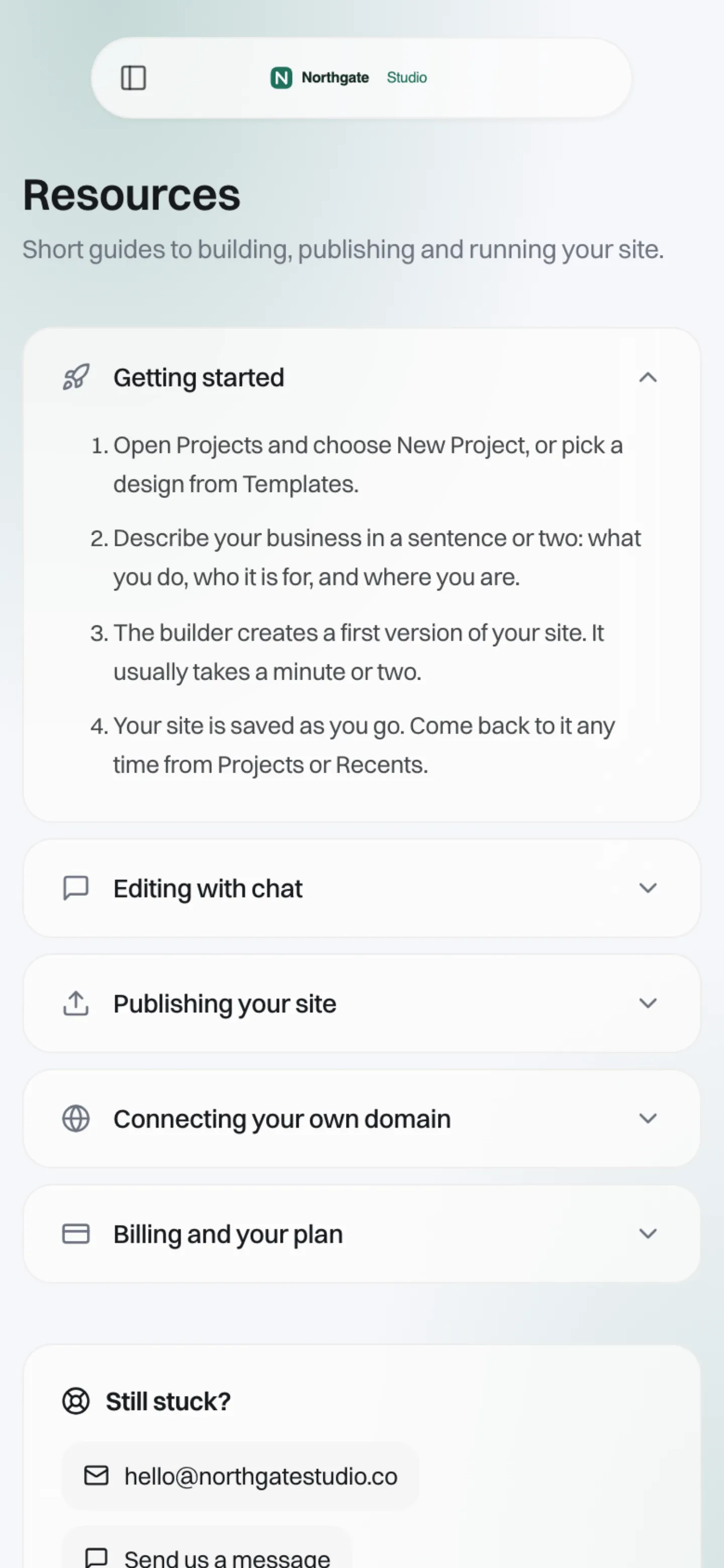
*At phone width. Clients often read help on their phone while their site is open on a laptop.*
What you control
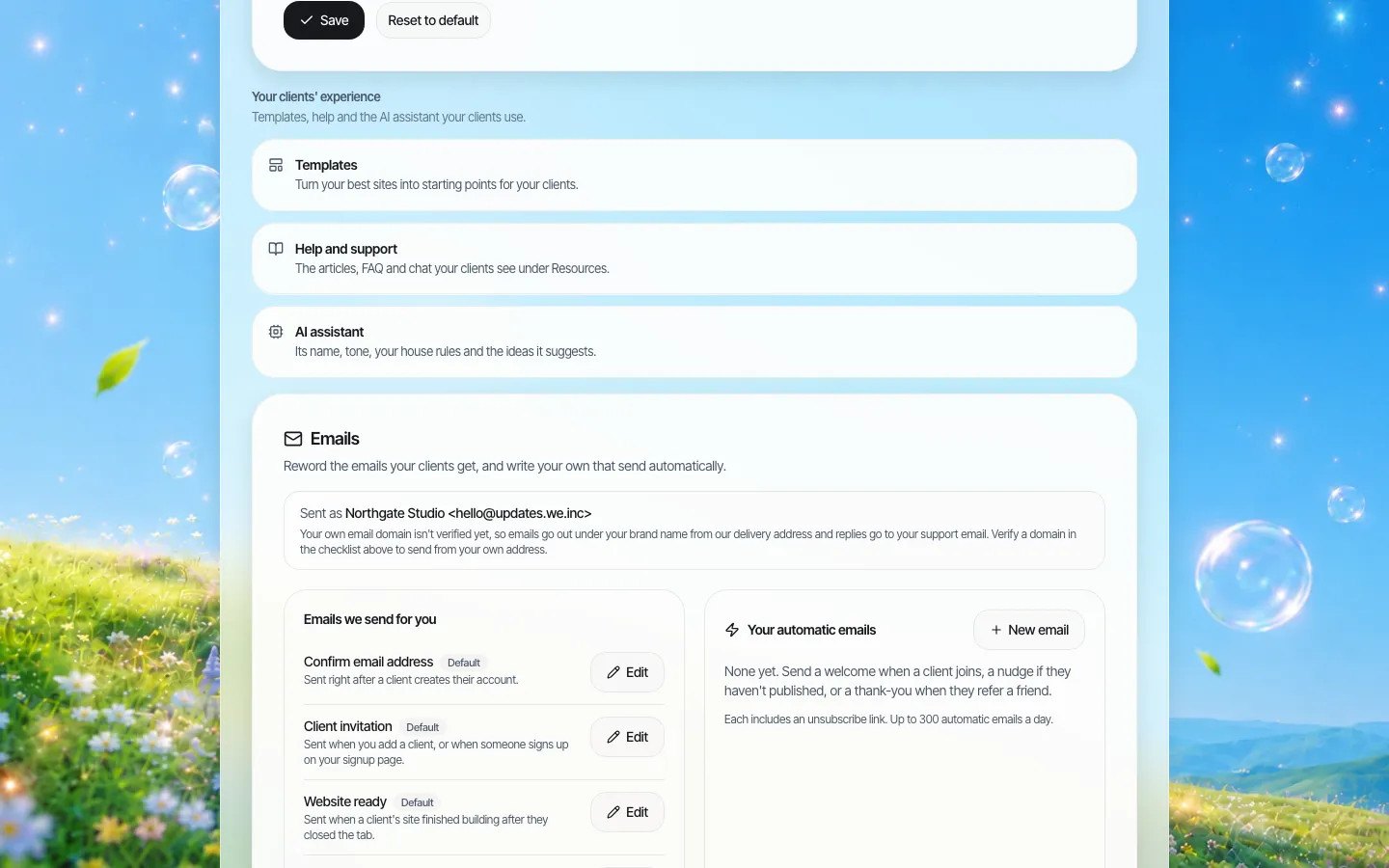
*The client experience settings in brand setup. Help and support is where the articles and chat widget live.*
| Setting | Details |
|---|---|
| Articles | A title and a body of up to 20,000 characters. Can include one video. |
| FAQ entries | A question and an answer. No video. |
| Videos | YouTube, Vimeo or Loom links on articles; any other link is refused with a clear message. |
| Order | You save the whole list in the order you want it shown. |
| Hide | Keep an entry without showing it, for seasonal or draft content. |
| Size | Up to 60 entries in total. |
| Chat widget | Crisp (Website ID), Intercom (App ID) or Tawk.to (Property ID / Widget ID). The ID is checked against the provider's format before it saves. |
| Templates shown | All templates, only yours, or yours first. |
Messages that reach you
At the bottom of the Resources page, a "Still stuck?" box shows your support email and a Send us a message button. Messages clients send from their portal, and "Refer a friend" referrals, appear in your client inbox, visible to the brand owner and admins. That gives you one place to look instead of a dozen forwarded emails.
The AI assistant, in your voice
Clients build and edit with an AI assistant. In the same settings you can give it:
- a name (up to 40 characters),
- a tone: friendly, professional, playful, or your own description,
- house rules (up to 1,500 characters): what it should always or never do, for example "Never promise a launch date" or "Suggest booking a call for e-commerce questions",
- up to eight starter ideas that appear as suggestions for clients who do not know where to begin.
House rules are the cheapest support tool you have. Every rule you write is a question your team does not have to answer by hand.
The ten articles to write first
If you are starting from the built-in guides, these are the entries that typically save the most support time. Write them in your own voice, with your own screenshots or a short screen recording:
| # | Title | Type | What to include |
|---|---|---|---|
| 1 | Your first hour with your new site | Article + video | Where to log in, how to describe changes, how saving works |
| 2 | Changing text and photos | Article + video | Clicking an element, swapping an image, undoing a change |
| 3 | Going live | Article | What publishing means, and whether your team approves it first |
| 4 | Using your own web address | Article | What the client needs from their registrar; who to contact |
| 5 | Why isn't my site on Google yet? | FAQ | Realistic timing; what you do for them |
| 6 | Adding a page | Article | Asking the assistant for a new page; linking it in the menu |
| 7 | Contact form messages | FAQ | Where messages go and how to change the address |
| 8 | Invoices and changing plan | FAQ | Where billing lives in the portal; who to email |
| 9 | What we do for you each month | Article | Your service promise in plain words |
| 10 | When to email us instead | FAQ | Your support email, hours and response time |
Two writing rules make a big difference: put the answer in the first sentence, and use the words clients use ("my website address", not "DNS record").
An example article, written well
Here is the shape that works, using the domain question every agency gets:
Using your own web address You can show your site at an address you own, like yourbusiness.com. You will need to log in to the company where you bought the address (your registrar) and add the details shown in the Domain panel of your editor. 1. Open your site and choose Domain. 2. Enter the address you own and follow the steps shown. 3. It can take a little while for the change to work everywhere. Not sure who your registrar is? Email us and we will find out together.
Notice what it avoids: no technical terms in the first paragraph, steps that match the screen, and an honest "email us" at the end. If your clients cannot connect domains themselves because you switched that off for them, the article should instead say what you will do for them and how long it takes.
Keeping it current
- Review the help list whenever you change a client permission. If clients can no longer connect their own domain, the domain article should say "ask us" instead.
- Hide, do not delete, seasonal entries such as holiday opening-hours reminders.
- Read the client inbox monthly and turn the most repeated question into a new FAQ.
What this is not
- Not a ticketing system. Messages arrive in your client inbox; assignment, SLAs and ticket status belong in your helpdesk if you use one. The chat widget is how you connect Crisp, Intercom or Tawk.to.
- Not a public knowledge base. Resources is inside the signed-in portal, for your clients.
- No per-client help content. Every client of the brand sees the same Resources list.
Book a demo and we will show the Resources page, the chat widget and the assistant settings on a sample brand.
Book a demo. Pricing is tailored to your volume and setup, and you get your exact price on the call. 0% transaction fee.
Frequently asked questions
Can I write my own help articles for my clients?
Yes. You can add up to 60 articles and FAQ entries, reorder or hide them, and add a YouTube, Vimeo or Loom video to articles. Your version replaces the built-in guides.
Which chat widgets can I add to the client portal?
Crisp, Intercom or Tawk.to, by entering the ID from your chat provider's settings.
Where do messages from clients go?
Messages sent from the portal, and referrals from "Refer a friend", appear in your client inbox, visible to the brand owner and admins. Your support email is also shown on the Resources page.
Can I change how the AI assistant talks to my clients?
Yes. You can set its name, tone (friendly, professional, playful or your own), house rules of up to 1,500 characters, and up to eight starter ideas.
Keep reading
- White label website builder: the We.Inc platform
- White-label client dashboard
- White-label custom branding
- Branded emails to your clients
- Client permissions: what each site owner can do
- Website client questionnaire
More in White Label
- The first email a client gets from your platform should look like it came from you
- The first week decides whether a client builds or churns
- Decide what every site owner can do, in seven switches
- Your logo on someone else's product is not a portal. Your words and your menu are
- Your best work, as a starting point for every new client
- Stop being your clients' content-entry service
- You should be able to leave. Here is exactly what leaves with you
- More sites than staff: a website platform for community colleges
We.Inc is an AI-powered website builder you can resell under your own brand. Launch a branded client dashboard, bill on Stripe Connect, and deliver AI-generated websites in minutes. White-label pricing is tailored to your volume and setup: book a 30-minute demo for a quote.
Product
- AI Website Builder: Describe a site in plain English; it's live in minutes
- White Label Platform: Your brand, your domain, your margin
- Enterprise: SSO, custom SLAs, and dedicated support
- Developer API: Embed site generation into your SaaS
Who It's For
- For Agencies: Resell under your brand
- For Freelancers: Your own branded builder
- For Hosting Providers: Add a builder to your stack
- For SaaS Platforms: Embed site creation via API
- For Startups
- For Financial Services
- For Healthcare
Features
- Drag & Drop Editor
- Built-in SEO Tools
- Custom Branding
- Client Dashboard
- Reseller Billing (Stripe Connect)
Resources
- Blog
- Help Center
- Free Business Tools
- Free UI Components
- Website Templates
- Template Collections
- Website Examples
- Guides
- Comparisons
- Alternatives
- Best Lists
- Reviews
- Pricing Guides
- Use Cases
- Glossary & Guides
- Integrations
- Developers
- Benchmark
- Windows App