The first week decides whether a client builds or churns
A reseller's client usually makes up their mind in the first few days: either they publish something and feel ownership, or the login sits unused until the renewal is cancelled. This runbook covers the platform side of onboarding on We.Inc: the decisions to make once, the invite, the first sign-in, the first site and the emails that follow. For the agency process around it (kickoff calls, intake forms), see our general [client onboarding process guide](/blog/client-onboarding-process-guide).
TL;DR
- Decide once: client plan, default permissions, approval before publishing, open or invite-only sign-up, help content.
- Invite from the client manager with email, name, company and plan. The invitation comes from your brand, not ours.
- The client signs in on your branded portal and lands on a home with a prompt box, your templates and your help.
- Built-in emails (invitation, confirmation, website ready) plus your own automatic emails timed after sign-up handle the follow-up.
Before the first invite: decisions to make once
You will invite many clients and configure the platform once. Get these right first.
| Decision | Options | Our suggestion for most agencies |
|---|---|---|
| Client plan | Your own plans with sites, AI credits and features | One starter plan; upgrade later |
| Default permissions | Publish, own domain, see code, blog, store, forms, SEO | On, except code |
| Approval before publishing | Off, on by default, or per client | On for the first month |
| Sign-up | Open or invitation-only | Invitation-only if you onboard personally |
| Help content | Articles, FAQ, support chat | Five articles answering your most common questions |
| Templates | Built-ins, yours, or both | Yours first |
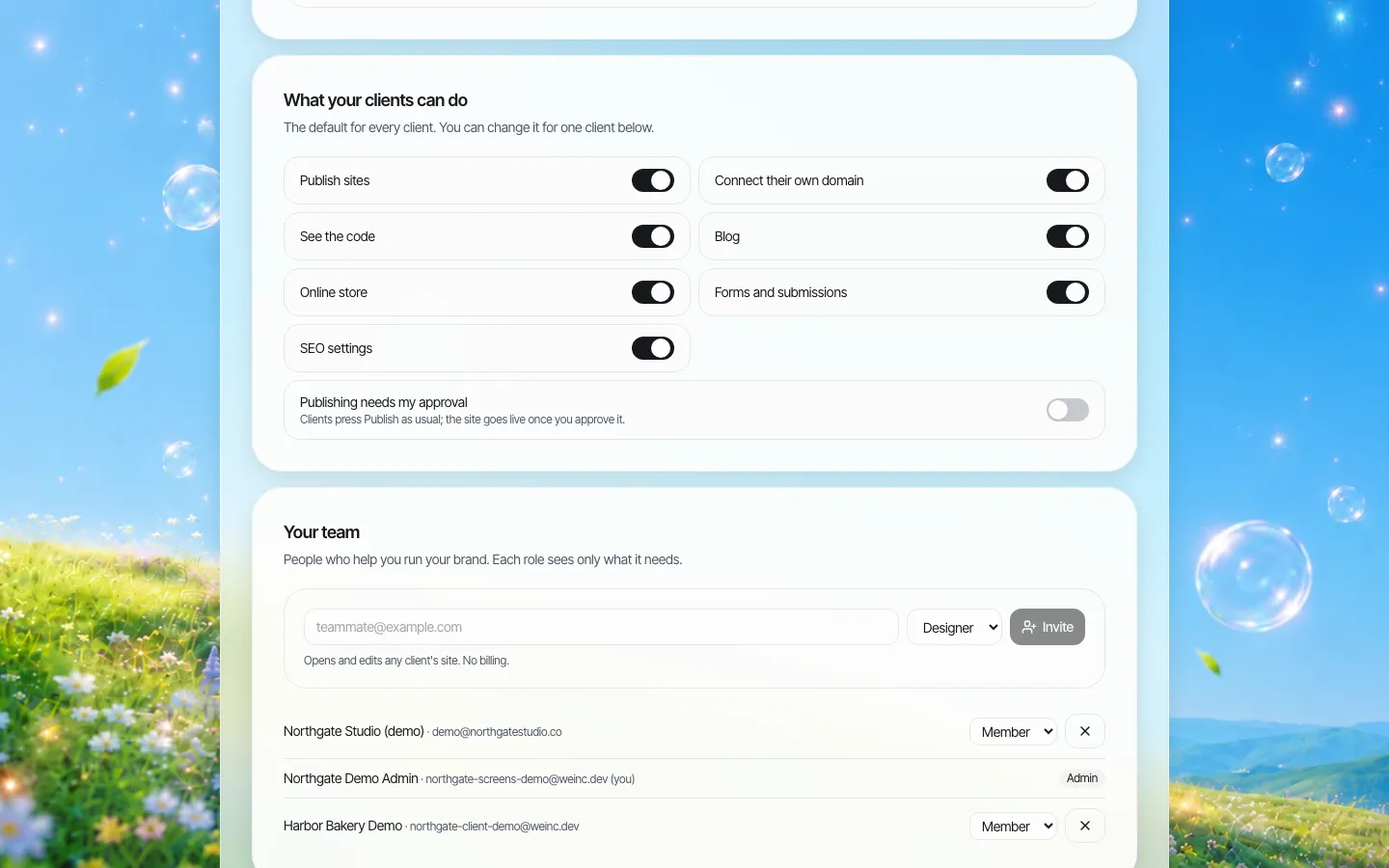
*Brand defaults apply to every new client. Overrides for one client live in the client manager.*
Step 1: Invite the client
From the client manager, add a client with their email (required), name, company and plan. They receive an invitation from your brand.
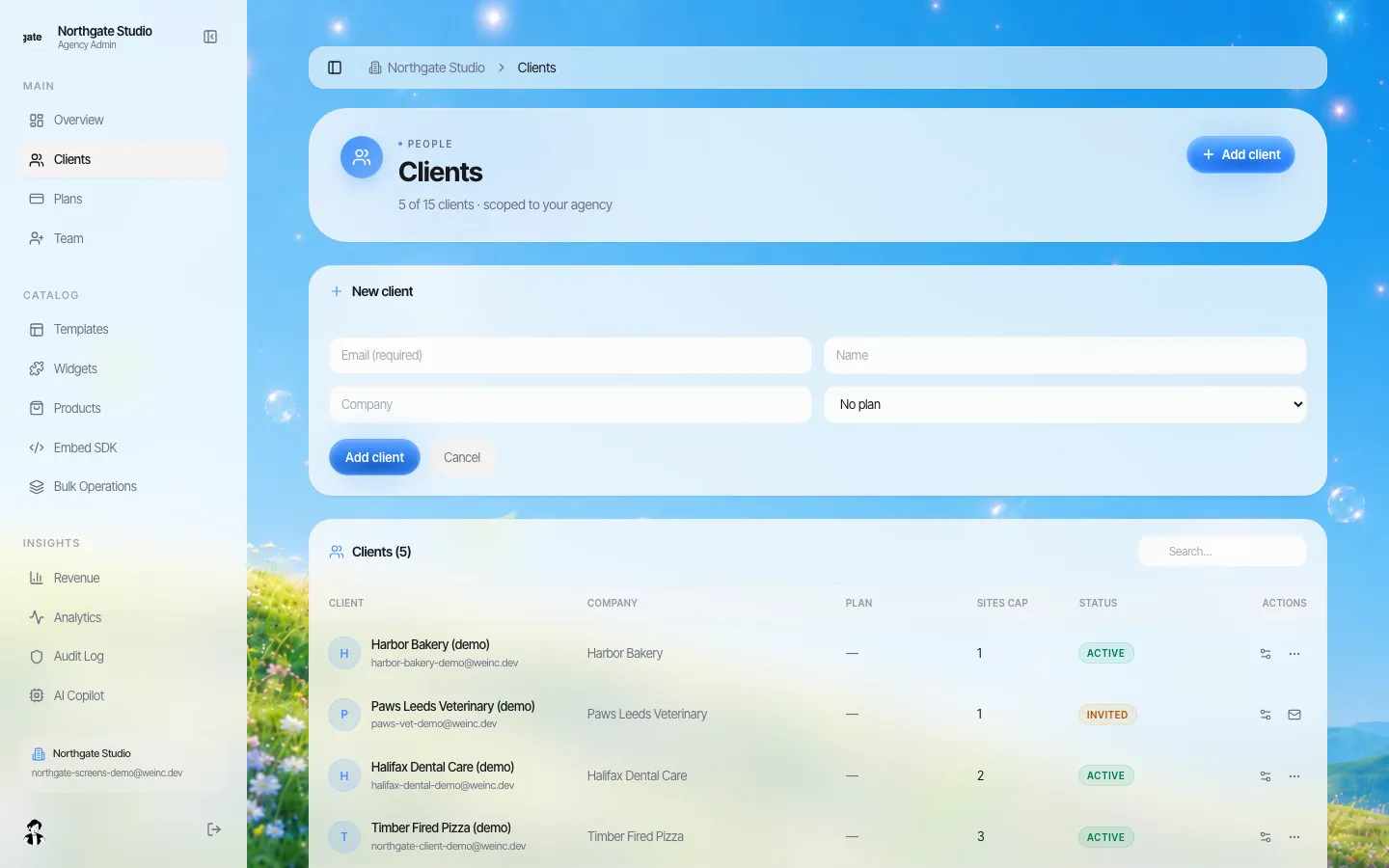
*The Add client form, and the list underneath showing who has accepted (Active) and who has not (Invited).*
If you set a site limit or plan here, it applies from their first sign-in, so there is no "oops, they built five sites" conversation later.
Step 2: The invitation email
The invitation is a built-in email you can reword. Until your own email domain is verified, it goes out under your brand name from our delivery address, with replies going to your support email; once verified, it comes from your own address.
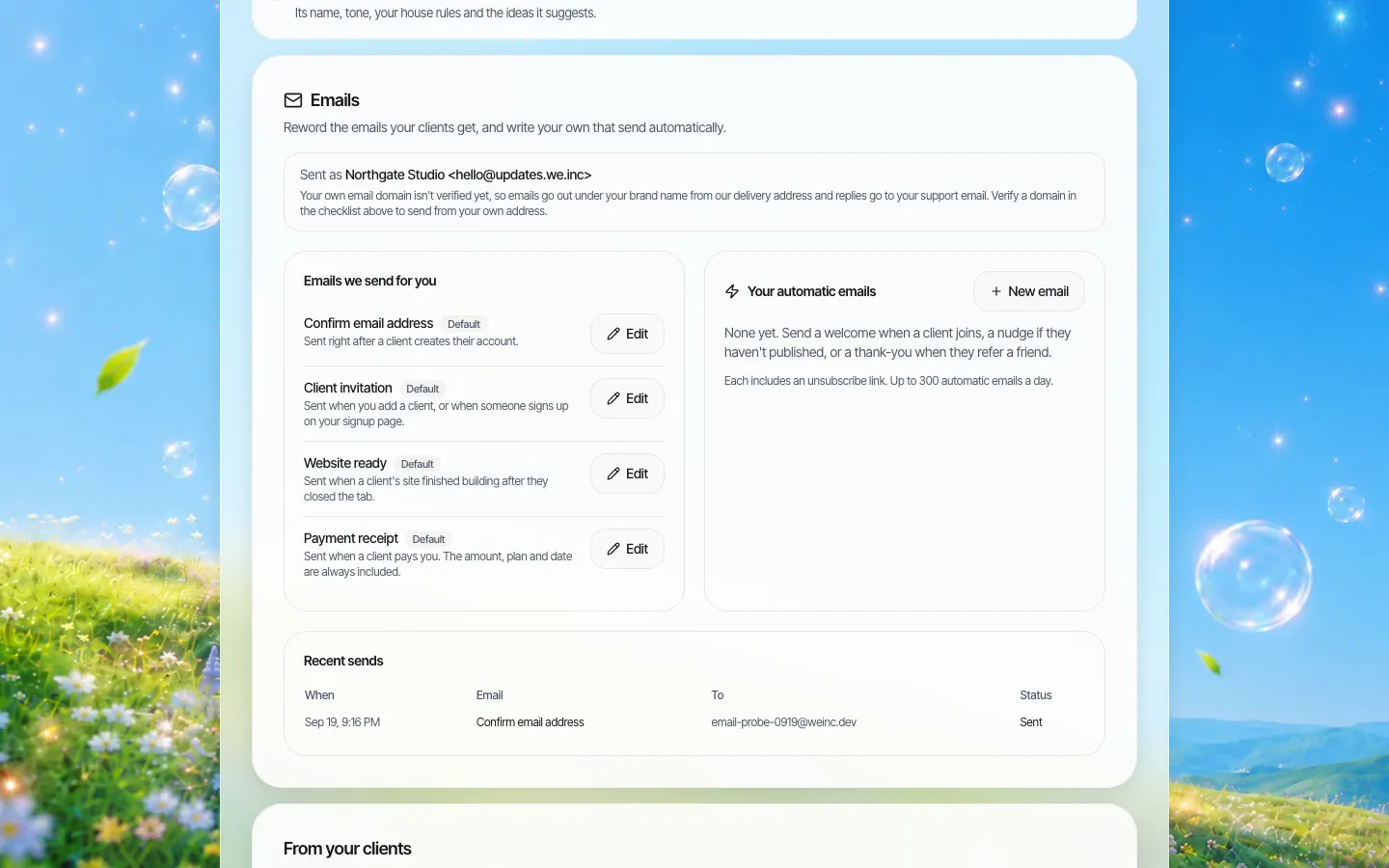
*Emails your clients receive. Built-in ones on the left, your automatic ones on the right.*
Rewrite the invitation so it answers the three questions clients actually have: what is this, what do I do first, who do I ask for help. More on email: branded client emails.
Step 3: First sign-in
The client lands on your branded sign-in page (see branded login pages), then on their home: a greeting with their first name, a prompt box and, if you assigned one, their site.
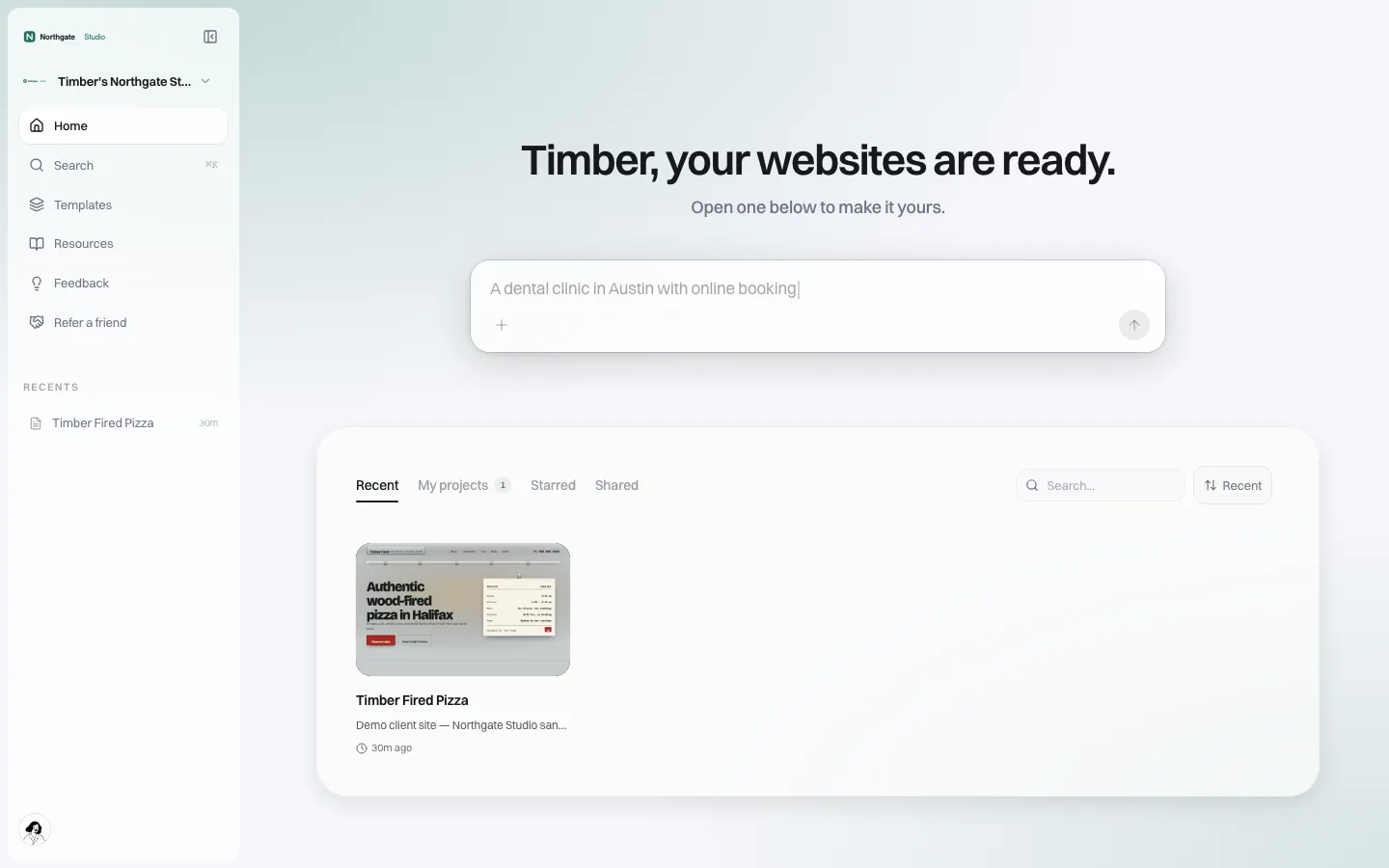
*The first screen a client sees after signing in.*
The single most useful thing you can do is make sure this screen is not empty. Either:
- pre-build the site from a template or a brief yourself, so they arrive to "your website is ready"; or
- tell them exactly what to type in the prompt box, in the invitation email.
Step 4: The first site and the first publish
Three common paths:
- AI from a brief. The client describes the business; see AI site generation.
- From your templates. They pick from your template library and edit.
- Done for them. Your team builds; the client edits text and photos in the visual editor.
When a site finishes building after the client has closed the tab, the built-in "Website ready" email brings them back. If approval is on, their first publish lands in your queue, and you approve or ask for changes.
Step 5: Follow-up emails
Your own automatic emails send a number of days after sign-up, or a set time after a previous step. Useful ones:
| When | Purpose | |
|---|---|---|
| Day 0 | Welcome | One task: describe your business or open your site |
| Day 3 | Haven't published yet? | A nudge with a two-line how-to |
| Day 7 | Connect your domain | Link to the domain help article |
| Day 30 | Refer a friend | If you run a referral offer |
Each automatic email includes an unsubscribe link, and there is a daily sending cap. Recent sends and their status (sent, scheduled, skipped and why) are listed underneath.
Step 6: Help they can find without emailing you
The Resources area in your portal holds your help articles, an FAQ and a support chat, with your support email on it.
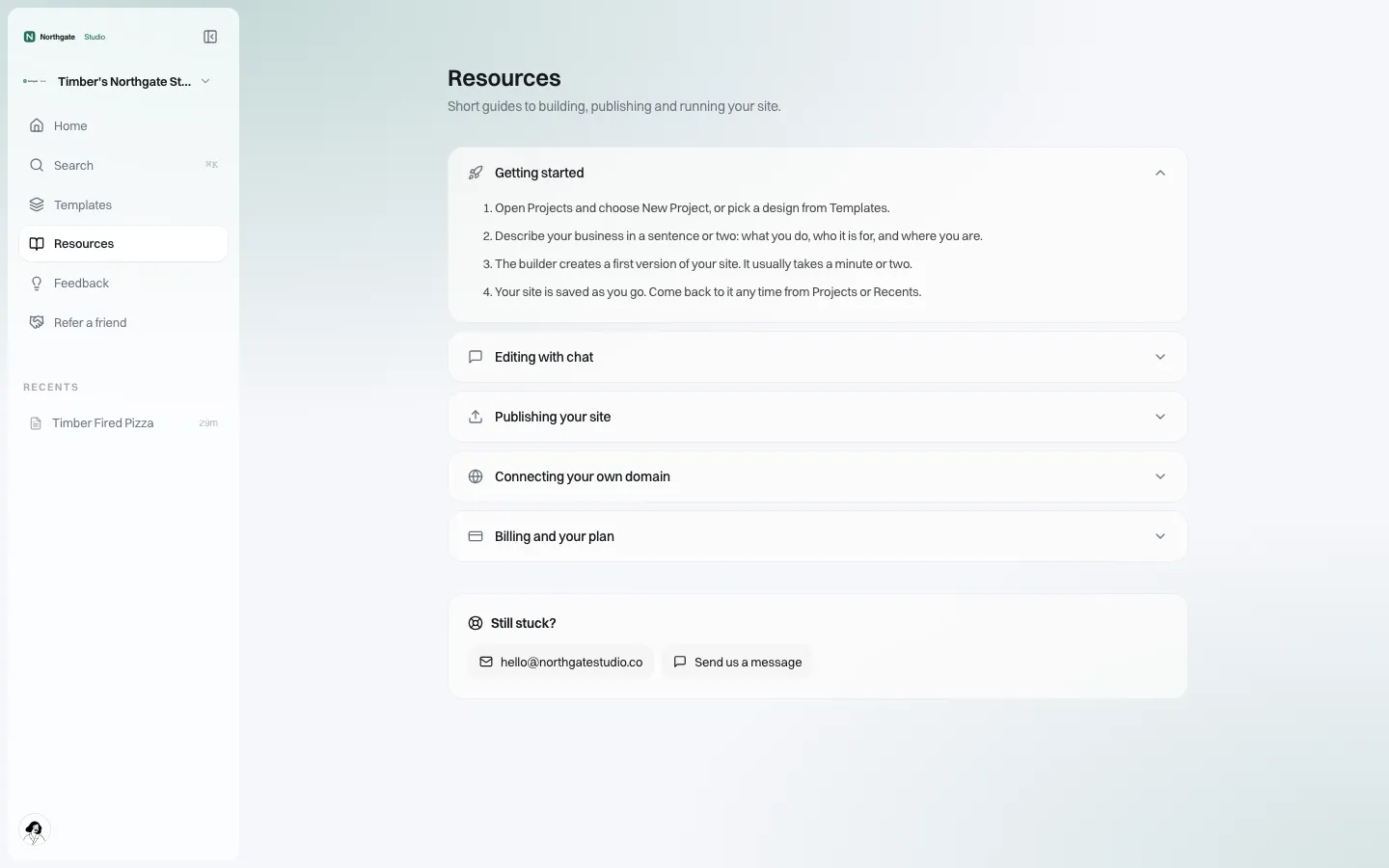
*Help under your brand. Write articles for the five questions you answer most.*
An onboarding checklist per client
- [ ] Plan and site limit set on invite
- [ ] Permissions reviewed (any override for this client?)
- [ ] Invitation sent, accepted (status Active)
- [ ] First site exists before or on first sign-in
- [ ] Domain plan agreed (see custom domains)
- [ ] First publish approved
- [ ] Day 7 check-in done
Measuring onboarding
The client list shows who has accepted (Active) and who has not (Invited). Check it weekly. An invitation still unaccepted after three days usually means the email was missed or filtered; send it again or call. A client who is active but has not published after two weeks needs a conversation, not another email.
What onboarding on We.Inc does not include
- There is no client intake form builder inside the portal for collecting brand assets; use your own form.
- Clients are not migrated automatically from another platform; sites are rebuilt (AI or templates make this quick, but it is a rebuild).
- We do not provide onboarding for your clients on your behalf.
Book a demo and we will onboard a sample client together, end to end.
Book a demo. Pricing is tailored to your volume and setup, and you get your exact price on the call. 0% transaction fee.
Frequently asked questions
How do I invite a client to my white-label portal?
Add them in the client manager with their email, and optionally name, company and plan. They receive an invitation from your brand and sign in on your portal.
Does the invitation come from my email address?
Once your email domain is verified, yes. Before that, it goes out under your brand name from our delivery address, and replies go to your support email.
Can I send automatic follow-up emails to new clients?
Yes. Create your own emails that send a set number of days after sign-up, for example a welcome, a nudge to publish and a reminder to connect a domain.
Can I check a client's first site before it goes live?
Yes. Turn on single-step approval before a client's site goes live for new clients, then switch it off later.
Keep reading
- White label website builder: the We.Inc platform
- Client onboarding process: a step-by-step workflow
- Branded emails to your clients
- Client permissions: what each site owner can do
- Branded login and sign-up pages
- Your own template library for clients
More in White Label
- Decide what every site owner can do, in seven switches
- Your logo on someone else's product is not a portal. Your words and your menu are
- Your best work, as a starting point for every new client
- Stop being your clients' content-entry service
- You should be able to leave. Here is exactly what leaves with you
- More sites than staff: a website platform for community colleges
- Websites for members who own the business, not franchisees who follow it
- Your members need websites. You could be the one who gives them one.
We.Inc is an AI-powered website builder you can resell under your own brand. Launch a branded client dashboard, bill on Stripe Connect, and deliver AI-generated websites in minutes. White-label pricing is tailored to your volume and setup: book a 30-minute demo for a quote.
Product
- AI Website Builder: Describe a site in plain English; it's live in minutes
- White Label Platform: Your brand, your domain, your margin
- Enterprise: SSO, custom SLAs, and dedicated support
- Developer API: Embed site generation into your SaaS
Who It's For
- For Agencies: Resell under your brand
- For Freelancers: Your own branded builder
- For Hosting Providers: Add a builder to your stack
- For SaaS Platforms: Embed site creation via API
- For Startups
- For Financial Services
- For Healthcare
Features
- Drag & Drop Editor
- Built-in SEO Tools
- Custom Branding
- Client Dashboard
- Reseller Billing (Stripe Connect)
Resources
- Blog
- Help Center
- Free Business Tools
- Free UI Components
- Website Templates
- Template Collections
- Website Examples
- Guides
- Comparisons
- Alternatives
- Best Lists
- Reviews
- Pricing Guides
- Use Cases
- Glossary & Guides
- Integrations
- Developers
- Benchmark
- Windows App