The page your clients see most should not say someone else's name
Clients bookmark the login page. They see it every time a session ends, every time they switch device, every time they forget a password. If it shows a vendor's logo, the white label leaks on day one. On We.Inc the sign-in and sign-up pages carry your name, logo, colours, picture and words, and you decide whether strangers may sign up at all.
TL;DR
- Sign-in and sign-up pages show your brand name, logo, primary colour and your own picture. No We.Inc name.
- Three layouts: form beside your picture, centred card, or card over a full picture.
- Login and sign-up headings are renameable. Footer links point to your privacy policy and terms.
- Sign-up can be open (anyone who signs up becomes your client) or invitation-only.
What is on the page
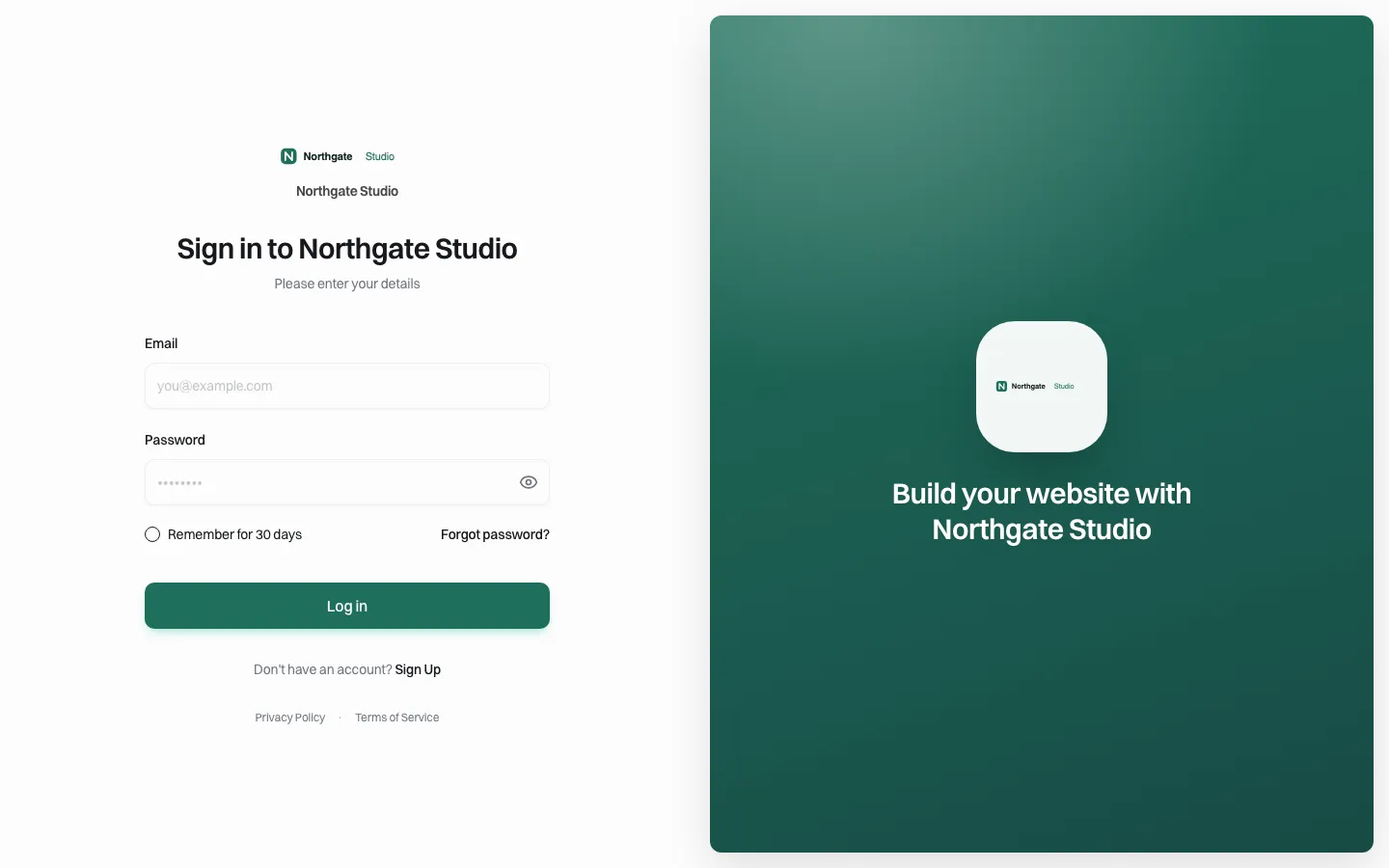
*The sign-in page on the demo brand's host. Logo, name, brand colour on the button, the brand's own panel on the right, the brand's privacy and terms links underneath.*
| Element | Comes from | Notes |
|---|---|---|
| Logo and name | Brand setup | Light and dark logo versions supported |
| Button colour | Your primary brand colour | |
| Side or background picture | Your sign-in picture | Shown in the layouts that use one |
| Heading and subheading | Portal designer words | Defaults: "Sign in to {brand}", "Please enter your details" |
| Privacy and terms links | Your brand's legal URLs | Point them at your own policies |
| Address in the browser bar | Your brand host or your own domain | See custom domains |
Three layouts
- Form beside your picture (the default): a split screen, form on one side, your image on the other. Best when you have a strong photo or illustration.
- Centred card: one calm card in the middle. Best for institutional brands, or when you have no good image.
- Card over full picture: your image fills the screen and the form floats on it. Best for consumer and hospitality brands.
Choose in the portal designer. The setting only affects white-label brands, so your choice never leaks to anyone else's portal.
Sign-up: open or by invitation
This is a business decision with real consequences, so decide it on purpose.
Open sign-up (default). Anyone who finds your sign-in page can create an account, and whoever signs up there becomes your client, not ours. This is how a white-label business grows from its own marketing: put "Start your website" on your site and link to the sign-up page.
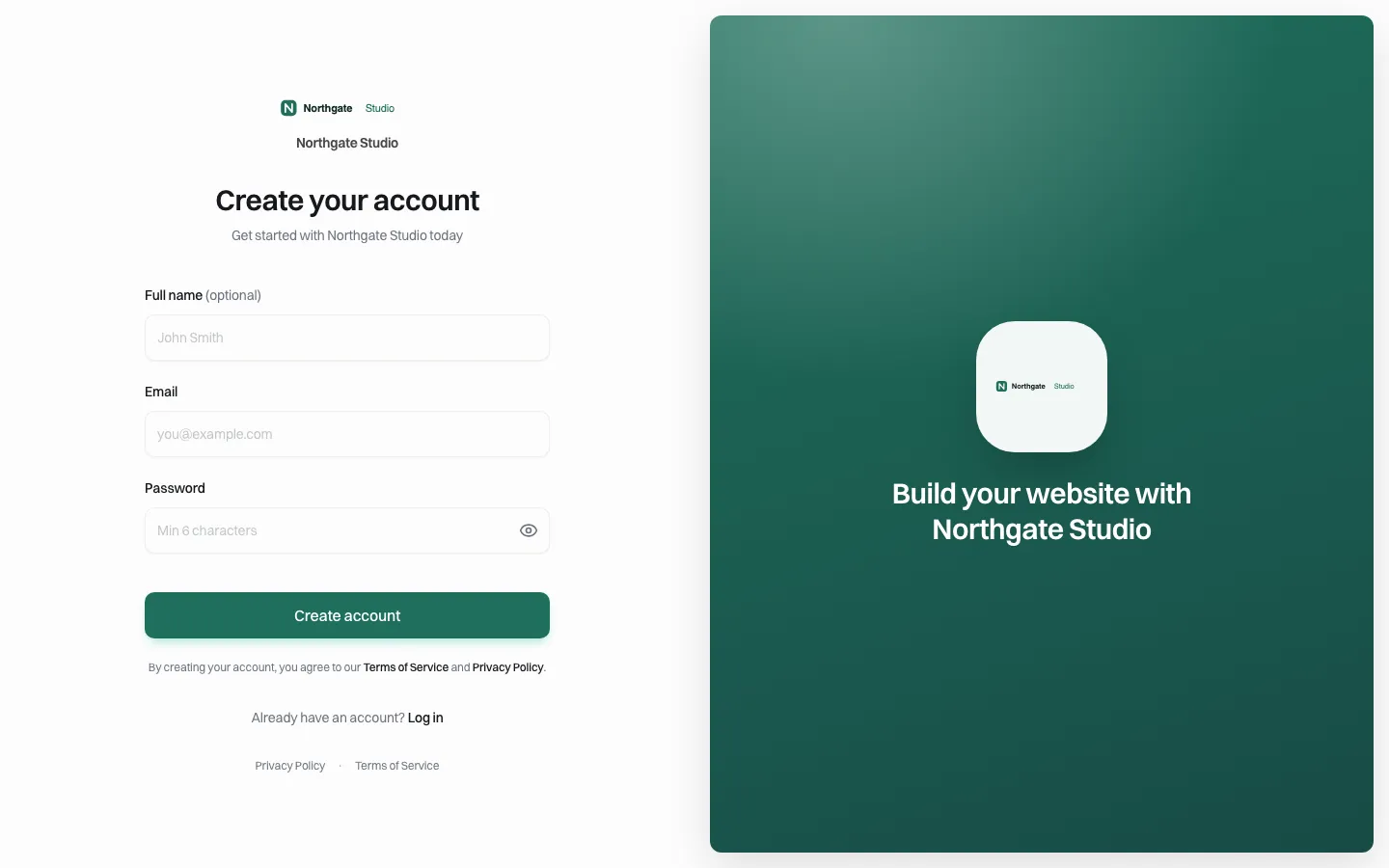
*The sign-up page. Same brand, same layout, its own headings.*
Invitation-only. Turn off client sign-ups and the sign-in page offers no sign-up; it tells visitors they are invited by your brand instead. Only people you invite can join. Use this for:
- government, university and corporate portals where only staff should have accounts;
- agencies that onboard every client personally;
- anyone selling through contracts rather than a sign-up form.
| Question | Open | Invitation-only |
|---|---|---|
| Who can create an account? | Anyone | Only invited people |
| Good for | Self-serve growth, hosting companies, SaaS bundles | Institutions, managed-service agencies |
| Risk | Spam sign-ups to review | You become the bottleneck for new accounts |
| Pairs well with | Client plans with Stripe payments | Approval before publishing |
Phones
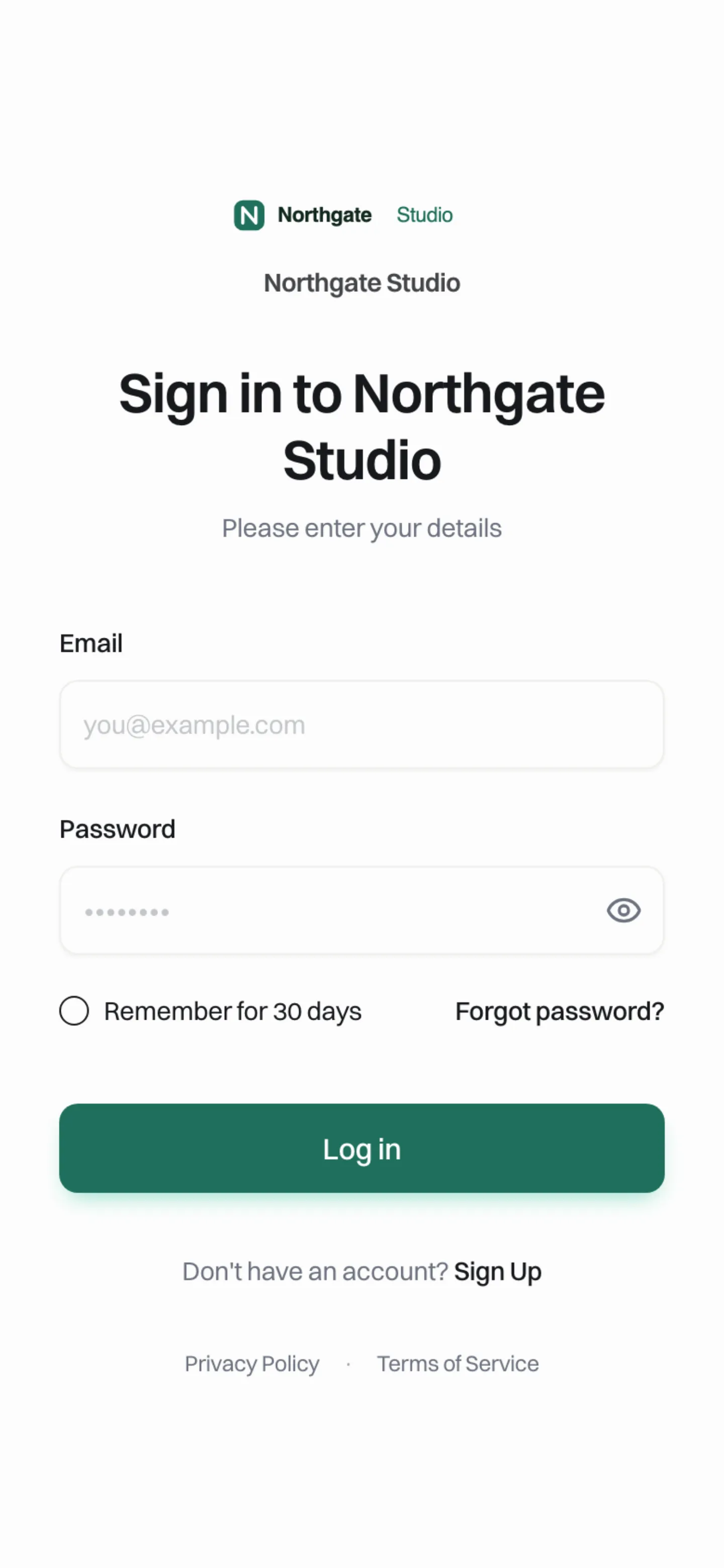
*At phone width the picture panel steps aside and the form leads. Test long headings here.*
Sign-in methods
The page offers email and password with a password reset, and a "remember for 30 days" option. We do not describe other sign-in methods for brand portals on this page; ask on the demo if your organisation has specific requirements.
A login-page checklist
- Upload a logo that reads at small sizes, plus a dark-mode version.
- Pick a picture that shows your work, not a stock handshake.
- Rename the heading to something your clients say ("Sign in to your website").
- Point privacy and terms links at your own policies, and check they load.
- Decide open vs invitation-only and write the reason down.
- Put the portal on your own domain before the tenth client.
- Check the page on a phone and in dark mode.
- Send yourself a test invitation and read the email as a client would (see branded emails).
Why the login page carries more weight than it looks
Three moments happen on this page that shape how clients feel about you.
The first visit. A client clicks the link in your invitation and lands here. If the page looks like a generic software product, the client's first thought is "who are these people?", and some forward the email to their IT person as suspected phishing. A page that matches your website, your email and your invoice passes that test without anyone noticing.
The forgotten password. Clients forget passwords more than you expect, often months apart. Every one of those visits is a moment where a confused client could email you instead of resetting. A clear "Forgot password?" link on a familiar page avoids the ticket.
The handover. When a client brings in a new marketing person or an office manager, the login page is the first thing that person sees of your service. It is your shopfront for people you never pitched to.
Writing the headings
The defaults ("Sign in to {brand}", "Please enter your details") are safe but anonymous. A few patterns that work better, depending on who your clients are:
| Client type | Heading | Subheading |
|---|---|---|
| Small businesses | Sign in to your website | Same email you gave us when we started |
| Staff of an institution | Web portal sign-in | Use your work email address |
| Franchise locations | Your location website | Sign in with the email head office invited |
| Hosting customers | Manage your website | Your hosting account email works here |
For the sign-up page, say who it is for. "Create your account" is fine for open portals; "Request access" with "For staff of the Parks department" is clearer for an institution, even when sign-up is open, because it tells the wrong people to leave.
Common mistakes
- A busy picture behind the form. In the full-picture layout, a photo with text or faces behind the card makes the form hard to read. Use a calm image, or the centred card.
- Legal links left on defaults. If your privacy and terms links point nowhere, institutional buyers notice. Publish your own policies first.
- Forgetting dark mode. If clients can switch to dark, upload a logo that works on dark backgrounds.
- Open sign-up with no plan for new accounts. If anyone can sign up, decide what a stranger's account can do on day one (see client permissions).
Where this falls short
The login page is configured through these structured options, not built freehand. If you need a fully bespoke login screen with your own HTML, that is not self-serve.
Book a demo and we will set up your login page with your logo on the call.
Book a demo. Pricing is tailored to your volume and setup, and you get your exact price on the call. 0% transaction fee.
Frequently asked questions
Does the We.Inc name appear on my login page?
No. The page shows your brand name, logo, colours, picture and your own privacy and terms links.
Can I stop people signing up on their own?
Yes. Turn off client sign-ups and the portal becomes invitation-only. The sign-in page then offers no sign-up.
Who owns accounts created on my sign-up page?
Anyone who signs up on your brand's page becomes your client.
Can I change the login heading?
Yes. The login and sign-up headings and subheadings are renameable in the portal designer.
Keep reading
- White label website builder: the We.Inc platform
- Design your client portal
- White-label custom branding
- Custom domains for client websites
- Branded emails to your clients
- Onboarding clients onto your platform
More in White Label
- Brizy white label pricing, and the AI alternative
- The same fix on forty websites, without opening forty editors
- Your clients need a website halfway through your programme. Give them one under your name.
- The moment someone forms a company, they need a website. You are already there
- A member website programme your chamber can actually run
- The cheapest white-label website builder, by cost per site
- A website for every congregation, under a shared identity
- A CivicPlus alternative for the sites a civic suite was never meant to run
We.Inc is an AI-powered website builder you can resell under your own brand. Launch a branded client dashboard, bill on Stripe Connect, and deliver AI-generated websites in minutes. White-label pricing is tailored to your volume and setup: book a 30-minute demo for a quote.
Product
- AI Website Builder: Describe a site in plain English; it's live in minutes
- White Label Platform: Your brand, your domain, your margin
- Enterprise: SSO, custom SLAs, and dedicated support
- Developer API: Embed site generation into your SaaS
Who It's For
- For Agencies: Resell under your brand
- For Freelancers: Your own branded builder
- For Hosting Providers: Add a builder to your stack
- For SaaS Platforms: Embed site creation via API
- For Startups
- For Financial Services
- For Healthcare
Features
- Drag & Drop Editor
- Built-in SEO Tools
- Custom Branding
- Client Dashboard
- Reseller Billing (Stripe Connect)
Resources
- Blog
- Help Center
- Free Business Tools
- Free UI Components
- Website Templates
- Template Collections
- Website Examples
- Guides
- Comparisons
- Alternatives
- Best Lists
- Reviews
- Pricing Guides
- Use Cases
- Glossary & Guides
- Integrations
- Developers
- Benchmark
- Windows App