Client domains: the part of white-label that breaks when nobody owns it
Domains cause more support tickets for website resellers than design ever does. A client's email stops after a DNS change, a renewal lapses, a registrar account belongs to a designer who left in 2019. This page explains how domains work on We.Inc at two levels, your brand and your clients' sites, and the operating rules that keep them from becoming your problem at 11pm.
TL;DR
- There are two domain jobs: your portal on your own address, and each client's site on the client's own address.
- Client domains connect from the site's Domain panel. The preferred route is changing two nameservers; we copy the existing DNS across first so email keeps working.
- Where nameservers cannot move, a records-based route (CNAME or A records) is the fallback. Root and www both work.
- You decide per client whether they may connect a domain themselves. Registration ownership stays a business decision; we recommend the client owns it.
Two different domain jobs
People say "custom domain" and mean two separate things. Keep them apart in your planning, because they have different owners and different failure modes.
| Your brand's domain | A client's site domain | |
|---|---|---|
| Example | app.youragency.com | timberfiredpizza.com |
| Who visits it | Your clients, to sign in and build | The client's customers |
| Who owns the registration | You | Ideally the client |
| What breaks if it lapses | Your clients cannot reach the portal | One public website goes dark |
| How often it changes | Once | Every new client |
1. Your brand's domain
When a brand is set up with its own domain on We.Inc, one domain is wired for three uses: the portal your clients sign in to lives at app. on your domain, published client sites can live under sites. on your domain, and the emails your clients receive can come from an address @ your domain. The setup imports your existing DNS records into the new zone before you switch, so your current website and mailbox keep working at the moment of the change.
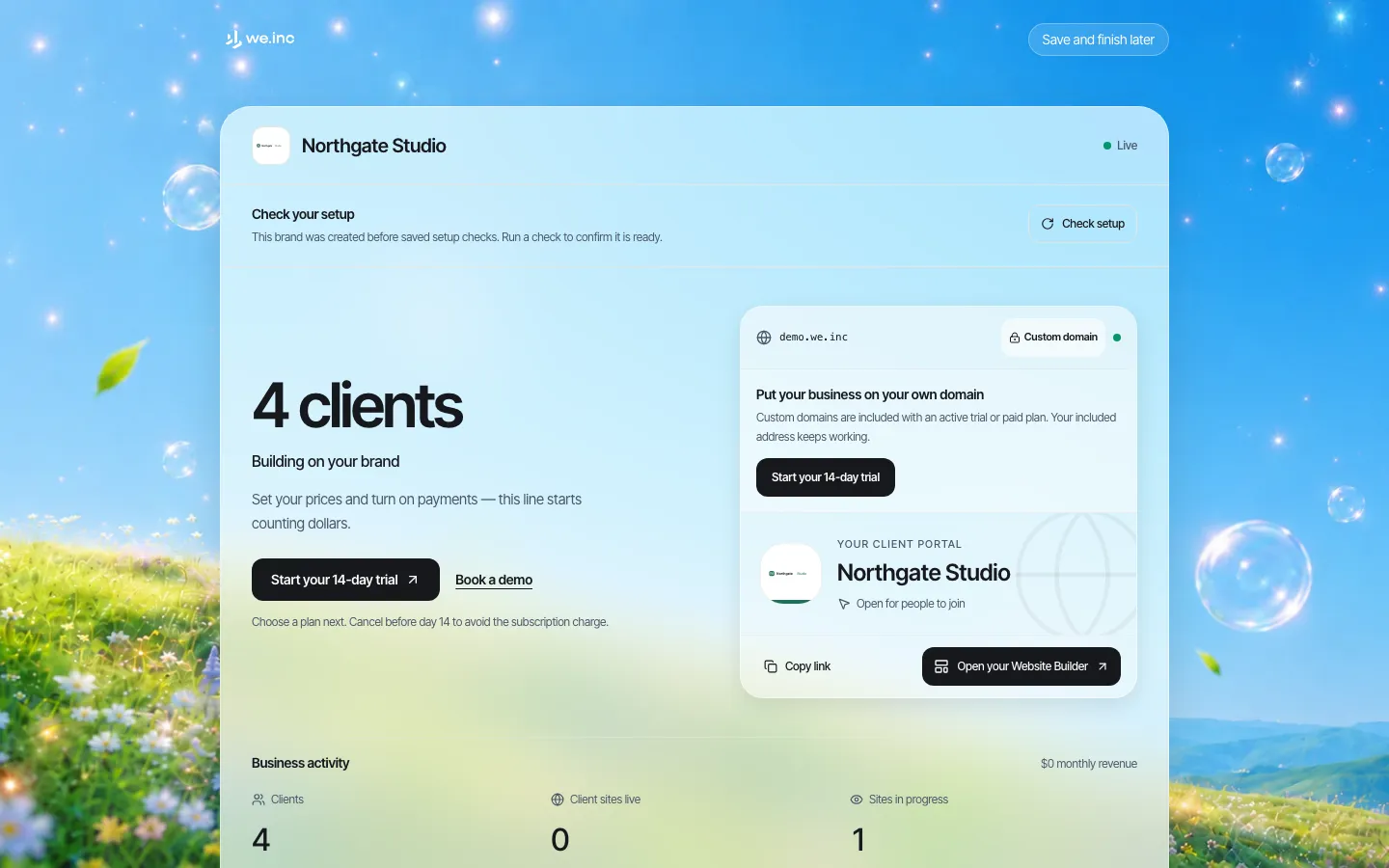
*The partner home invites you to move the whole business onto your own domain. On a demo brand it sits behind the plan gate; on a real setup it is part of onboarding.*
Until that is done, clients sign in on a brand address we provide. Nothing about your brand changes visually; only the address in the browser bar does. For many agencies that is fine for the first few clients and worth fixing before the tenth.
2. A client's site on the client's own domain
Each client site has a Domain panel in its editor. The screen is short on purpose: most small business owners have never seen a DNS record and should not need to.
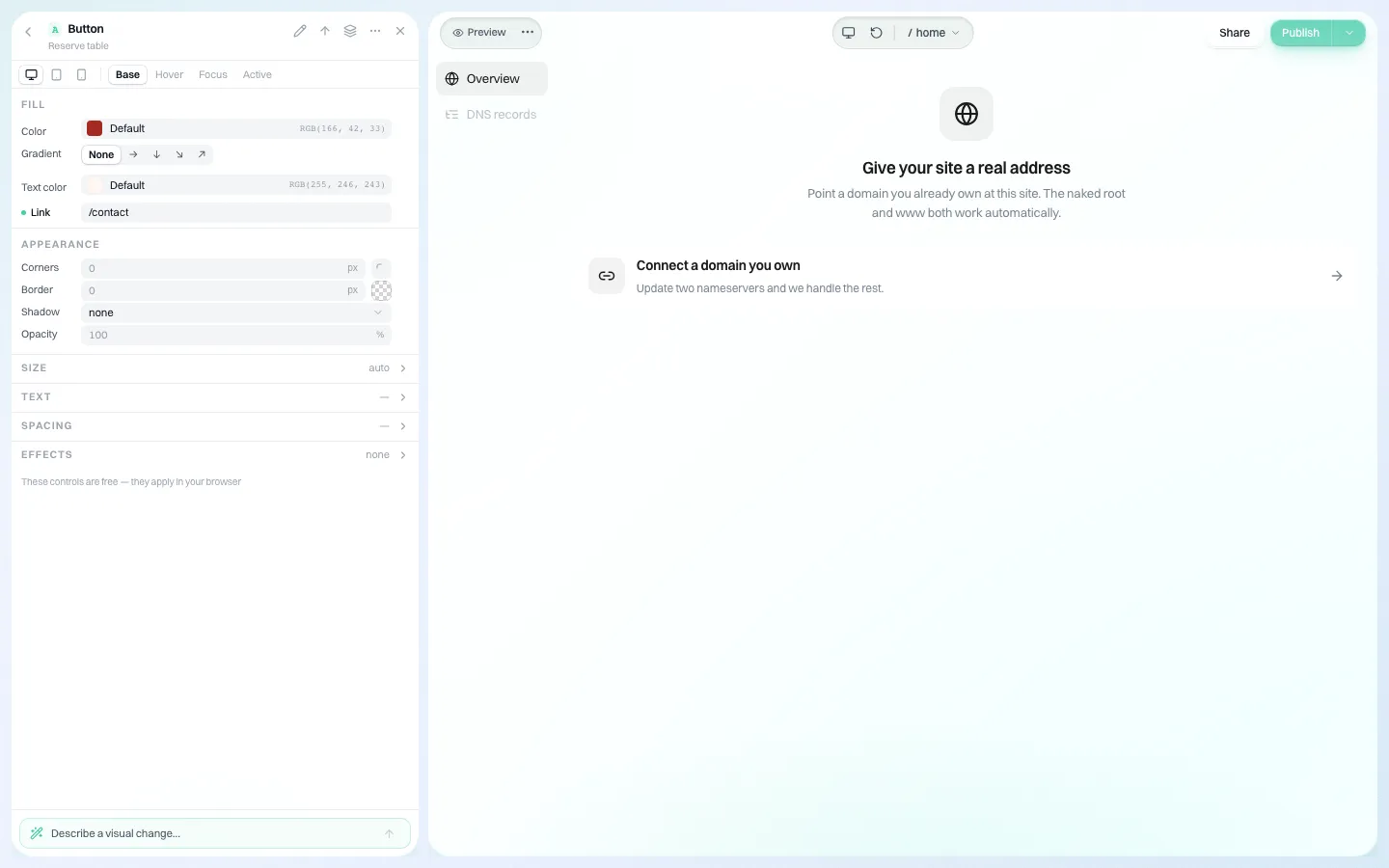
*The client-facing domain screen. "Update two nameservers and we handle the rest"; the bare root and www both work automatically.*
The two ways to connect
Nameserver delegation (preferred). The client changes the two nameservers at their registrar. Before telling them to switch, the system copies their existing DNS records into our zone and checks the copy against public DNS, reporting anything it could not bring across. That ordering matters: the moment nameservers point to us, our zone becomes the truth, and any record that was not copied (mail, a Google verification, a booking subdomain) stops existing.
DNS records (fallback). If nameservers cannot move (the client's IT provider manages them, or other services depend on them), the site can be connected with records instead: a CNAME for subdomains such as www, and A records for the bare root, because a root domain cannot hold a CNAME. RFC 1912 states the rule plainly: a CNAME "is not allowed to coexist with any other data". The certificate for HTTPS is issued automatically once the records resolve.
Which route to choose
| Situation | Use | Why |
|---|---|---|
| Small business, email on Google Workspace or Microsoft 365, nobody technical | Nameservers | One change; existing records copied first |
| Client's IT company manages DNS and will not hand it over | Records | Nothing else in their zone moves |
| Domain also runs other apps on subdomains you do not know about | Records, or nameservers after a careful review of the import report | The import catches what public DNS shows; an internal-only record is your blind spot |
| Brand-new domain with nothing on it | Either | Nothing to lose |
When a domain leaves
Domains get moved by someone who does not know what they are doing: a nephew "tidying up" the registrar, a new IT provider resetting nameservers. We.Inc checks live delegated domains on a schedule, and only when both Cloudflare and the domain registry agree the domain has left does it act: the customer is told once, with the nameservers to switch back to, and where possible the www address is put back on our edge. Two signals are required so a working site is never reported as down.
3. Who is allowed to connect a domain
Connecting a domain is one of the per-client switches. Leave it on and the client can do it themselves from the panel above; turn it off and the client sees that it is not included in their account, and your team handles it.
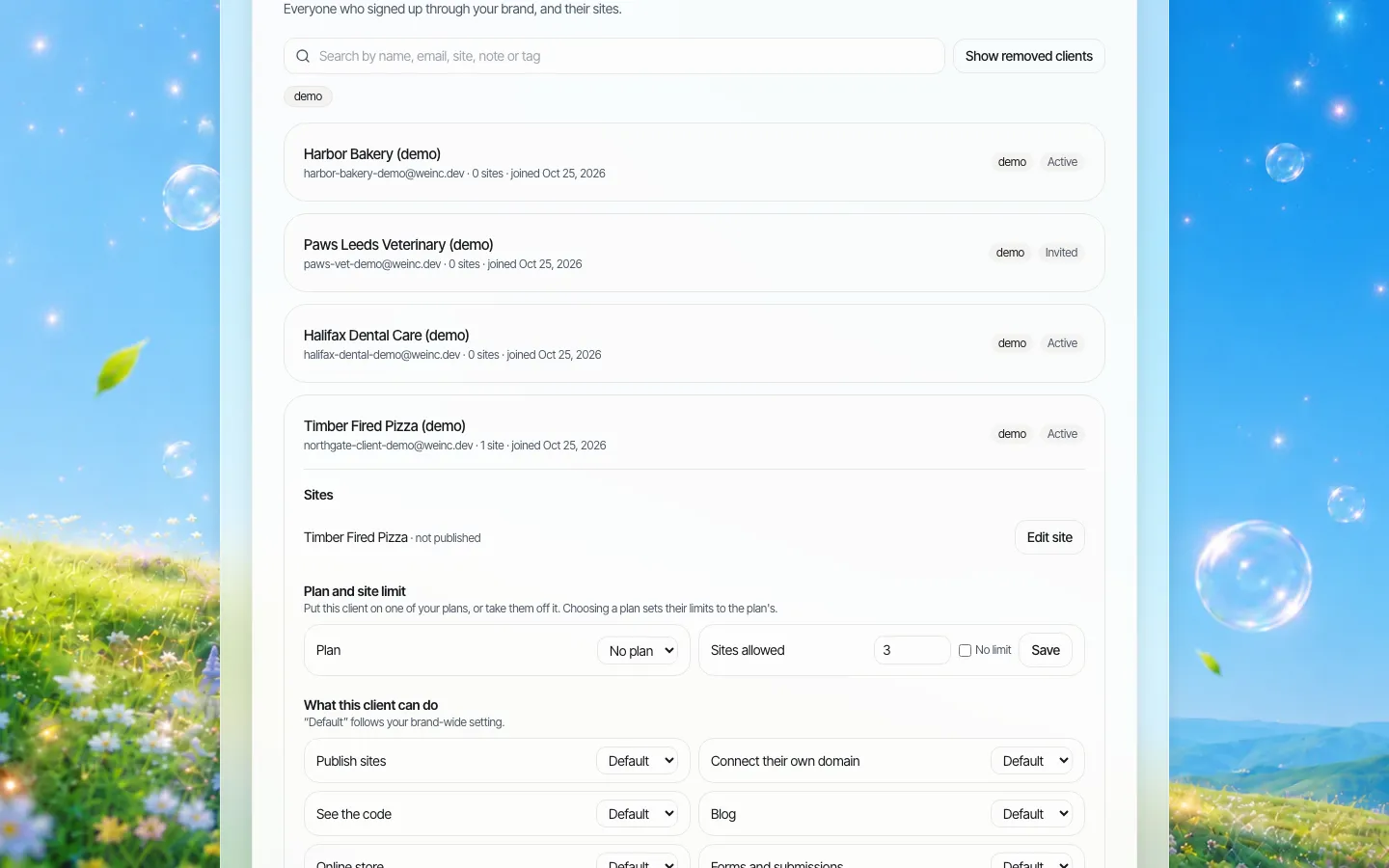
*Per-client switches. "Connect their own domain" can follow your brand default or be set for one client.*
Turn it off when:
- your package includes "we handle your domain" and you charge for that service;
- the client has a history of breaking things;
- the domain is shared with systems you do not manage.
Leave it on when the client is confident, the domain is new, or you want fewer tickets. More on the switches: client permissions.
Registration: who should own the domain
This is a business question, not a software one, and it decides how painful the end of a relationship is.
- Client owns the registration (recommended). The client keeps the registrar login and pays the renewal. You hold delegated access or simply ask them to change two nameservers once. If you part ways, nothing has to be transferred.
- You own it on the client's behalf. Convenient, and common for agencies that bundle "domain included". Put it in the contract that the domain transfers to the client on request. Registrars require an authorisation code for a transfer, which ICANN says the registrar must provide within five calendar days of a request, and a registrar may refuse a transfer within 60 days of the initial registration or a previous transfer. Tell clients this before they need it.
A domain checklist to copy into every client file
- Domain name, registrar, and who holds the login.
- Renewal date and who pays it (put a reminder in your own calendar too).
- Where email is hosted (Google, Microsoft, the registrar, other).
- Route used to connect (nameservers or records) and the date.
- Any records the import report could not copy, and what you did about them.
- Whether the client may change the domain themselves (the per-client switch).
- What happens to the domain at contract end.
Three situations you will meet
The client whose email stops. A client switches nameservers through a different provider, not through the panel, and their mail goes quiet. On We.Inc the nameserver route copies records before the switch, but nothing protects a change made elsewhere. The fix is the record list in your client file: you know what their mail needs, so you can restore it in minutes.
The domain nobody can log in to. The registration sits in an account belonging to a previous web designer. The client cannot change nameservers until they recover it. Start that recovery on day one of onboarding, not on launch day; registrars' recovery processes take time.
The client who leaves. If the client owns the registration, they point the domain elsewhere and you are done. If you own it, you transfer it. Either way, a client leaving should never mean a site that stops answering without warning; agree an end date.
What We.Inc does not do here
- We do not promise a registrar-grade domain management console for your clients; the panel is built to connect a domain to a site.
- We do not guarantee that every record a client relies on is visible to an outside sweep. Records that exist only inside a private network are invisible to any public check. Read the import report.
- We make no uptime promise.
Book a demo and bring one real client domain; we will walk through which route it needs.
Sources
Last checked 2026-10-25.
- IETF, RFC 1912, section 2.4: CNAME records.
- ICANN, Transferring your domain name: FAQs for domain name holders: authorisation codes within five calendar days; transfers may be denied within 60 days of registration or a previous transfer.
Book a demo. Pricing is tailored to your volume and setup, and you get your exact price on the call. 0% transaction fee.
Frequently asked questions
Can each client website have its own domain?
Yes. Every site has a Domain panel. The client connects a domain they own by changing two nameservers, or by adding DNS records where nameservers cannot move. The bare root and www both work.
Will connecting a domain break the client's email?
With the nameserver route, the existing DNS records are copied into the new zone and checked before the client is told to switch, which is what keeps mail running. Anything that could not be copied is reported, so read the report before switching.
Can I stop clients from changing their own domain?
Yes. "Connect their own domain" is a per-client switch with a brand-wide default. When it is off, the client sees that it is not included in their account.
Can my portal run on my own domain too?
Yes. A brand domain is set up so the portal lives at app. on your domain, client sites can live under sites. on your domain, and emails can come from your domain.
Do you guarantee uptime for client domains?
No. We do not publish an uptime figure or SLA.
Keep reading
- White label website builder: the We.Inc platform
- Client permissions: what each site owner can do
- How to add a custom domain
- Code export and no lock-in
- Onboarding clients onto your platform
- Website vendor exit plan: contract clauses
More in White Label
- Every acquired practice comes with a website nobody at head office can log into
- Your sellers will make a website either way. Make it one you can see.
- Most domains you sell never become a website. That gap is the product.
- Drupal multisite alternative: keep Drupal for the flagship, rethink the long tail
- Duda white label pricing in 2026, and the AI alternative
- Websites for the projects, partners and small businesses an EDO serves
- Every event needs a website for about nine months
- A Finalsite alternative for districts that mainly need websites
We.Inc is an AI-powered website builder you can resell under your own brand. Launch a branded client dashboard, bill on Stripe Connect, and deliver AI-generated websites in minutes. White-label pricing is tailored to your volume and setup: book a 30-minute demo for a quote.
Product
- AI Website Builder: Describe a site in plain English; it's live in minutes
- White Label Platform: Your brand, your domain, your margin
- Enterprise: SSO, custom SLAs, and dedicated support
- Developer API: Embed site generation into your SaaS
Who It's For
- For Agencies: Resell under your brand
- For Freelancers: Your own branded builder
- For Hosting Providers: Add a builder to your stack
- For SaaS Platforms: Embed site creation via API
- For Startups
- For Financial Services
- For Healthcare
Features
- Drag & Drop Editor
- Built-in SEO Tools
- Custom Branding
- Client Dashboard
- Reseller Billing (Stripe Connect)
Resources
- Blog
- Help Center
- Free Business Tools
- Free UI Components
- Website Templates
- Template Collections
- Website Examples
- Guides
- Comparisons
- Alternatives
- Best Lists
- Reviews
- Pricing Guides
- Use Cases
- Glossary & Guides
- Integrations
- Developers
- Benchmark
- Windows App