Every acquired practice comes with a website nobody at head office can log into
A dental service organization grows by bringing practices in, and each practice arrives with its own site, its own former web designer and a domain registered to someone who retired. Patients still search for the practice name they trust, so the local brand has to stay. This page is about running those sites as one operation without flattening them into a single corporate template.
TL;DR
- Most DSOs keep the practice name patients know. The platform has to support many local brands under one central account, not one brand copied many times.
- In We.Inc each supported practice is a client account under your DSO brand, with its own sites, site limit, domain and switches for what the office team can change.
- Approval before publishing is a single step: the office edits, your marketing team approves, the site goes live.
- Practices that receive HHS funding (for example through Medicaid) face web accessibility rules from May 2027. We help you build toward them; your team still has to test.
The acquisition problem nobody puts in the deal model
A practice joins the group. The clinical integration has a plan, the payroll move has a plan, and the website has a line that says "transfer". Six weeks later the marketing lead discovers the site runs on a page builder whose login belongs to the selling dentist's nephew, the domain renews on a personal card, and the booking button points at a phone number that changed.
The website is a small part of an acquisition, but it is the part patients see first. A DSO that has done ten acquisitions usually has ten different site setups, and the central team spends its time chasing access rather than improving anything.
The fix is not a single corporate site with a location finder. Patients choose a dentist close to home and often by name; the reason a DSO keeps the local brand is that the local brand works. What you need is one place where every practice site lives, under rules you set, while each site still looks and reads like the practice it belongs to.
How a DSO maps onto We.Inc
| Your world | In We.Inc | What it means day to day |
|---|---|---|
| The DSO and its marketing team | The brand account and its team | You set defaults, approve, see every practice |
| A supported practice | A client account | Its own login, its own sites, its own domain |
| Office manager or practice owner | The client's user | Edits hours, team bios, services, offers |
| An outside agency you still use | A team member with the designer preset | Can open and edit any practice site, no billing |
| A practice that leaves the group | A paused or removed client | Removed clients stay findable; code can be downloaded |
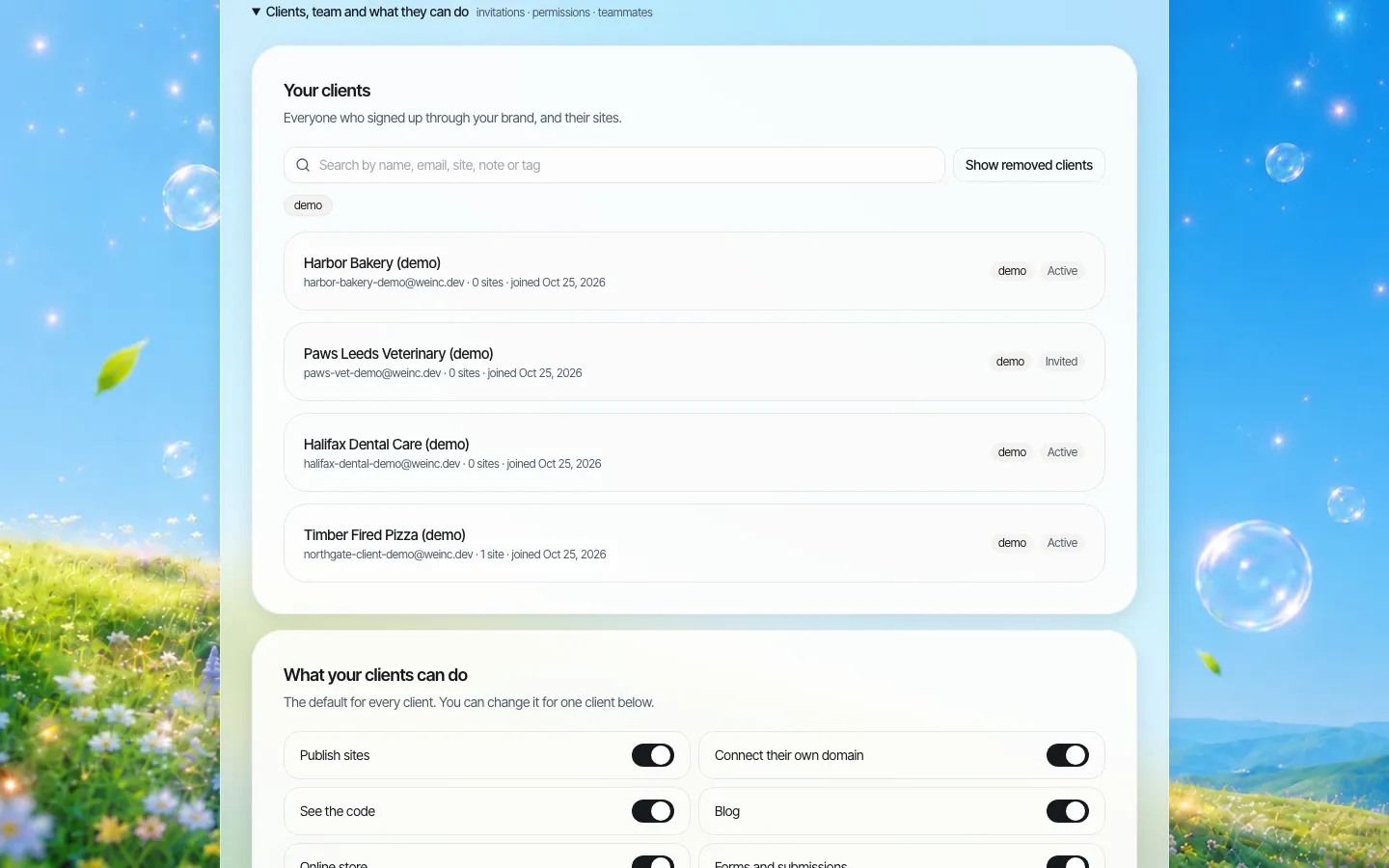
*The client register on a demo brand. In a DSO each row is a supported practice; tags can carry region, acquisition cohort or the practice management system it uses.*
Day 1, day 30, day 90 for a newly acquired practice
The order matters. Do the access work before anyone touches the design.
| When | Task | Owner |
|---|---|---|
| Day 1 | Get the domain registrar login and the current site login in writing as part of closing | Deal team |
| Day 1 | Invite the practice as a client; tag it with the cohort and region | Central marketing |
| Week 1 | Build the new site from the practice's own content: real team photos, real services, real hours | Central marketing or agency |
| Week 2 | Office manager reviews and edits their own details; publishing waits for approval | Practice |
| Week 3 | Approve, publish, then point the practice's own domain at the new site | Central marketing |
| Day 30 | Check the old site is gone, the domain renewal is on a company account, and forms reach the right inbox | Central marketing |
| Day 90 | Turn approval off for practices with a good track record, if your policy allows | Central marketing |
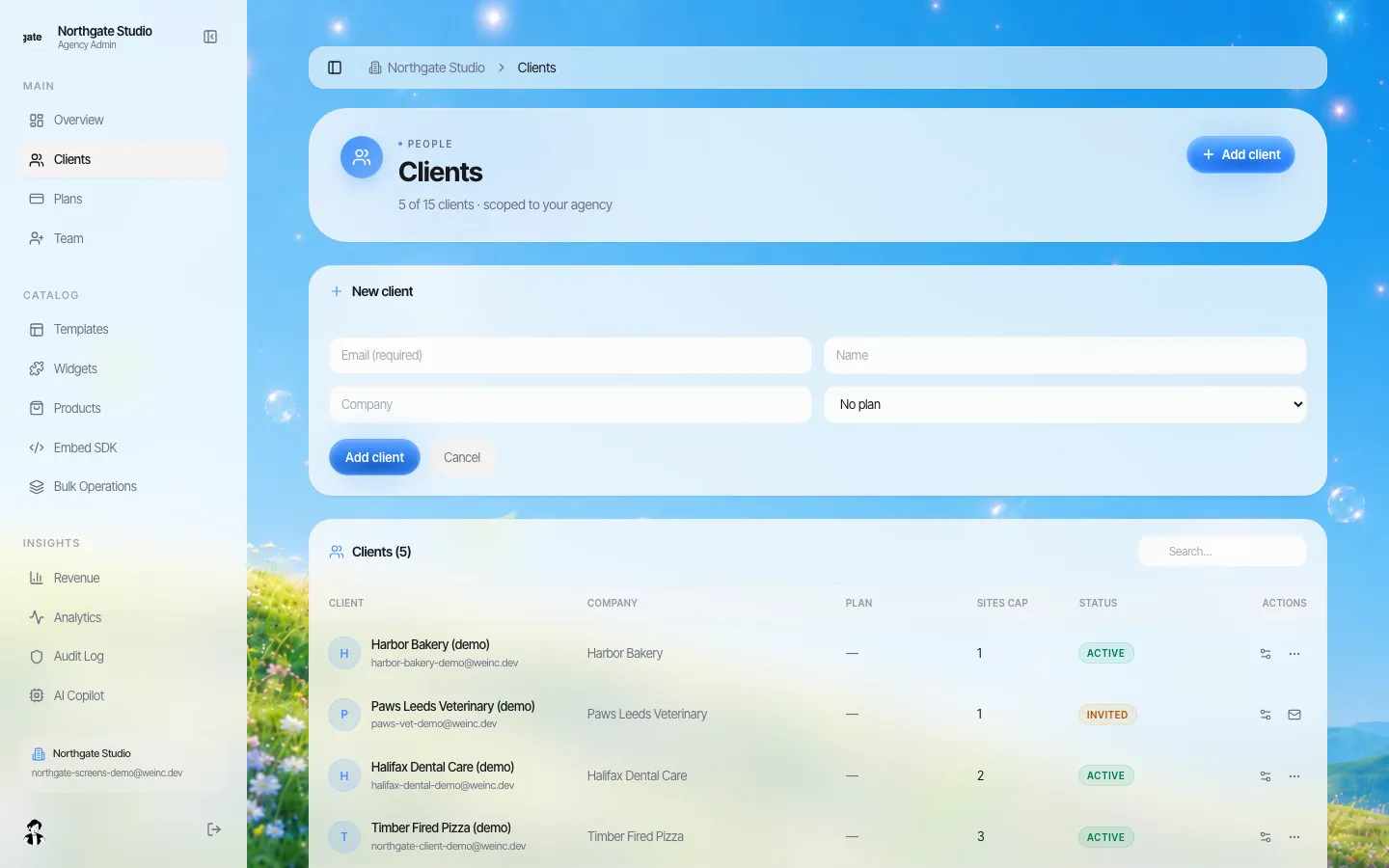
*Adding a practice. The invitation goes out under your brand, not ours.*
Who should be allowed to change what
A dental website has two kinds of content. Some of it is local and changes often: hours, holiday closures, the new hygienist, the parking note. Some of it carries risk: claims about treatments, prices and finance offers, before-and-after photos, anything that could read as a guarantee of results. A sensible split is to let the office edit the first kind freely and route the second through review.
We.Inc gives you switches per practice rather than one global setting. You decide whether a practice can publish, connect its own domain, see the code, run a blog, run forms, or change SEO settings, and whether publishing waits for your approval. Set the defaults once for the whole group, then make exceptions for the practices that need them.
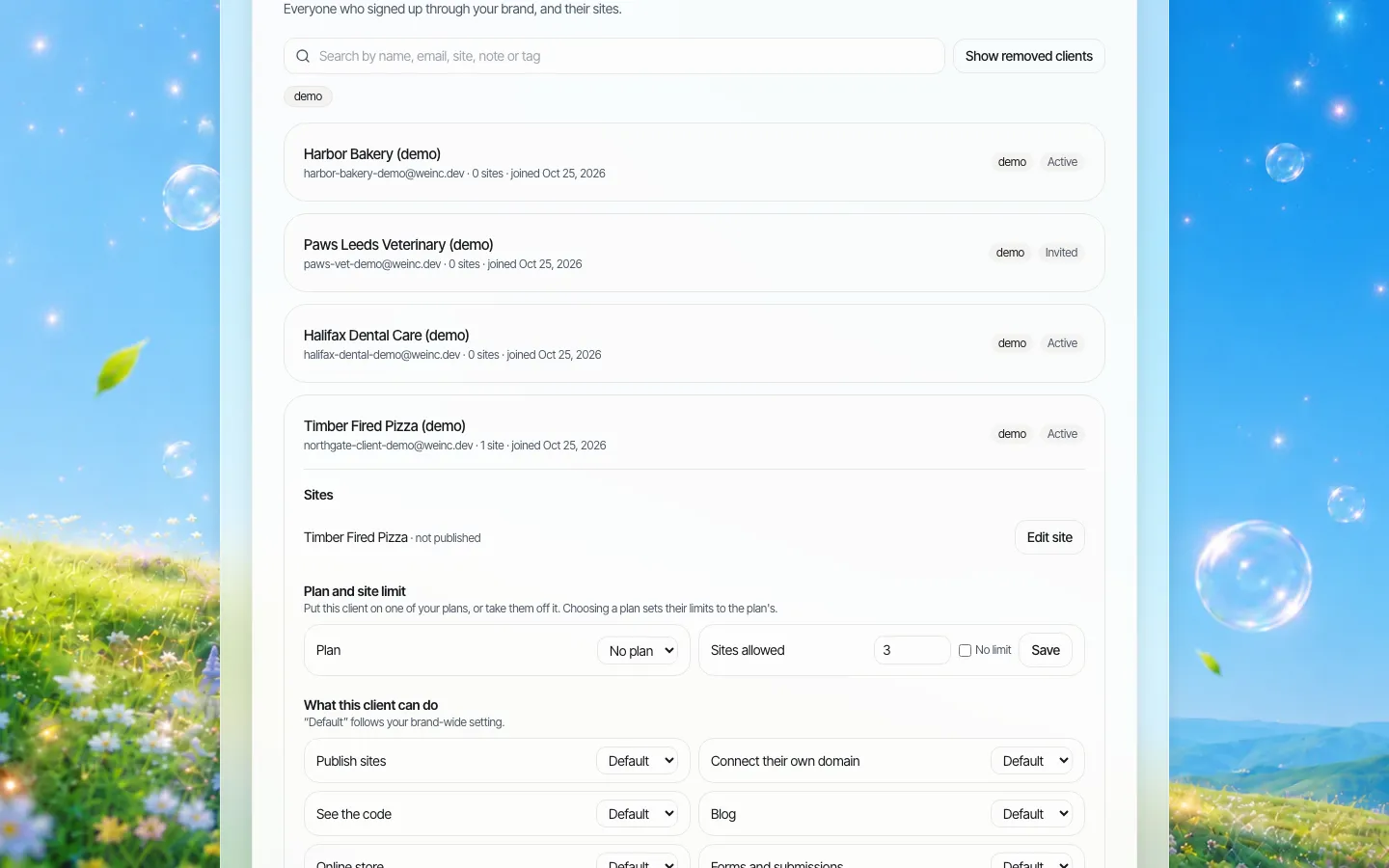
*One practice opened. The approval switch sits beside the other switches, so a new practice can start with approval on and earn its way off it.*
Approval is a single step: the office presses Publish, the request lands in your queue, and someone on your team approves it or asks for changes. If your compliance process needs clinical sign-off before marketing sign-off, run that conversation before the approver presses the button; the platform does not chain several approvers.
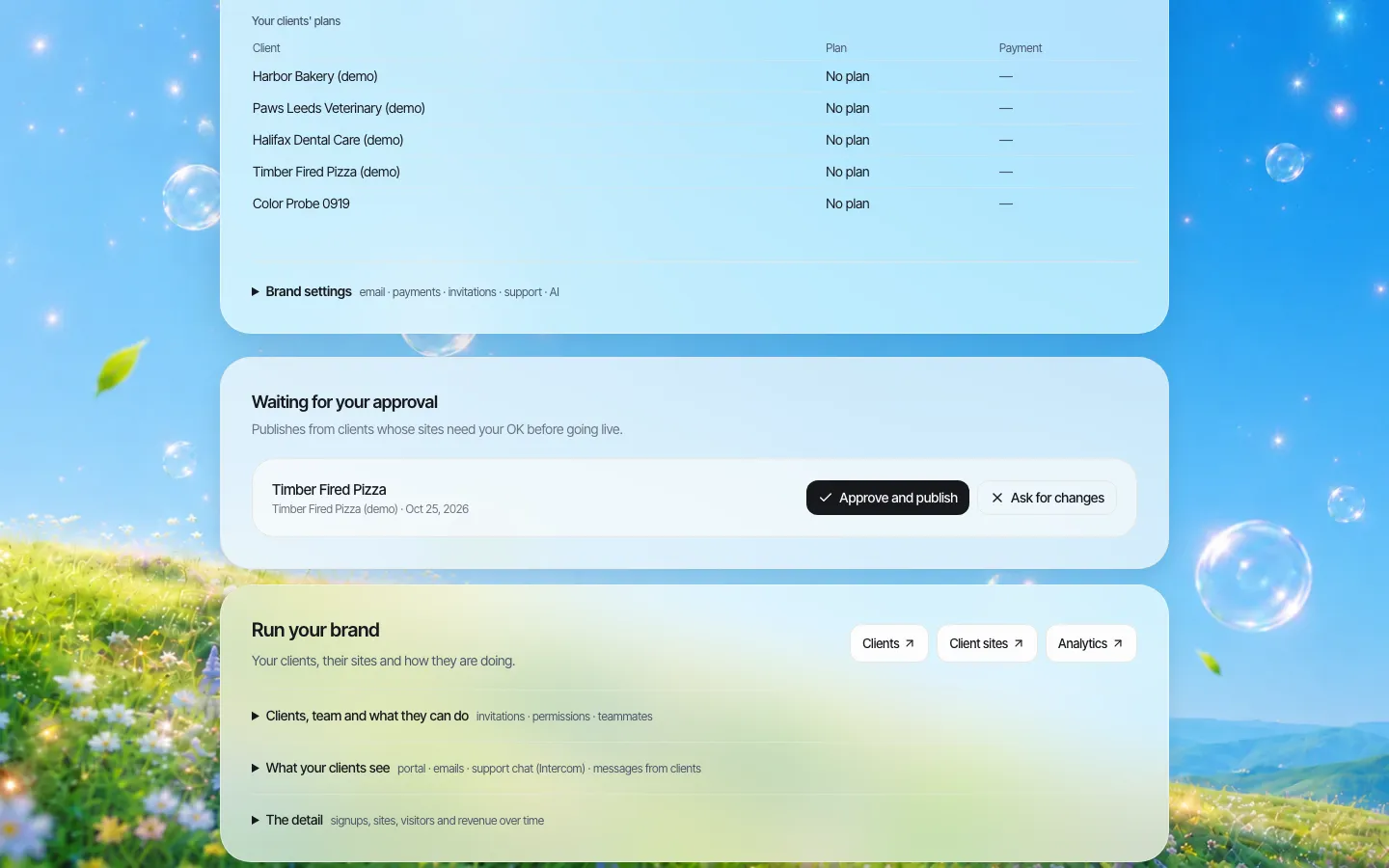
*The approval queue. Requests from every practice arrive in one place.*
Keep patient information off the marketing site
A practice website is a marketing site. It should tell people who you are, what you do and how to book; it should not become the place patients send medical histories or insurance cards. Two practical rules:
- Keep forms short. Name, phone, preferred time, and "new or existing patient" is enough for a callback. Leave out symptoms, medications and insurance numbers.
- Send clinical intake to the system built for it. If your practice management or patient communication software has a secure intake form, link to it from the site instead of rebuilding it.
We do not offer a HIPAA business associate agreement, and nothing on this page should be read as a claim about HIPAA. If a form needs to collect health information, it belongs in a tool your compliance team has approved for that purpose.
The accessibility deadline that applies to many practices
In 2024 the US Department of Health and Human Services added web accessibility requirements to its Section 504 rule. Organizations that receive HHS financial assistance must make their web content conform to WCAG 2.1 Level A and AA. The current regulation text sets the dates as 11 May 2027 for recipients with 15 or more employees and 10 May 2028 for recipients with fewer than 15.
Whether a given practice counts as a recipient, for example because it participates in Medicaid, is a question for your counsel. Practically, a DSO that wants one standard across the group should plan as if the earlier date applies to everyone.
What a platform can and cannot do here: We.Inc lets your team edit text, headings, images and buttons directly, so fixing contrast, adding alt text and correcting heading order is quick. Sites are generated with AI, though, and we do not guarantee that any page conforms. Test each practice site with an automated checker and a keyboard-only pass before the deadline, and re-test after big changes.
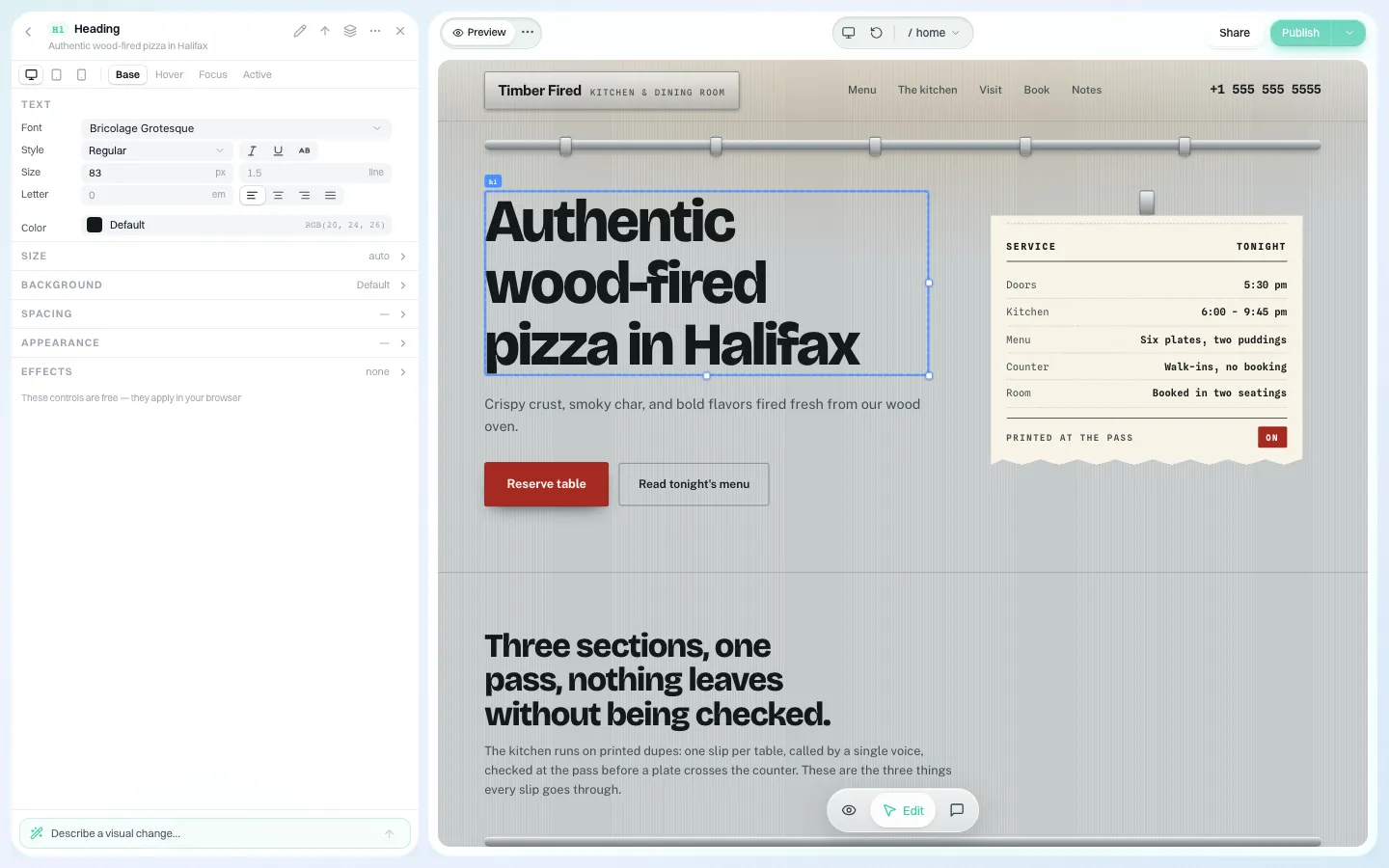
*The visual editor. Office teams change wording and images without touching code, and your team can fix contrast or heading levels the same way.*
Avoid twenty near-identical practice sites
It is tempting to build one great practice site and copy it twenty times with the name swapped. Google's spam policies describe doorway abuse as "when sites or pages are created to rank for specific, similar search queries", and copied location sites are a common way to drift into it. Give each practice content only it can write: the dentists' own words, real photos of the office, the neighbourhood, the specific services that office offers. A shared design is fine; a shared body is not.
Where We.Inc fits, and where it does not
Good fit: a DSO with five to a few hundred supported practices, a small central marketing team, and a policy of keeping local practice names.
Look elsewhere if:
- You want one corporate site with location pages and no separate practice sites. A standard CMS with a location finder is simpler.
- You need online booking deeply tied to a practice management system on every site. Link to your existing booking tool instead; we do not claim a direct practice management integration.
- Your procurement requires a signed BAA or a security certification from the website vendor.
Leaving is possible: every site's code can be downloaded or synced to GitHub. Our vendor exit plan guide covers the contract side, and the health systems page covers larger provider organisations.
Book a demo and bring the list of practices you have acquired in the last two years. We will walk three of them through the setup above.
Sources
Last checked 2026-10-25. This page is general information, not legal advice.
- eCFR, 45 CFR 84.84, Requirements for web and mobile accessibility: WCAG 2.1 Level A and AA; 11 May 2027 (15 or more employees) and 10 May 2028 (fewer than 15).
- Google Search Central, Spam policies for Google web search: doorway abuse.
Book a demo. Pricing is tailored to your volume and setup, and you get your exact price on the call. 0% transaction fee.
Frequently asked questions
Can each practice keep its own name and domain?
Yes. Each supported practice is a client account under your DSO brand with its own sites, and you decide per practice whether it can connect its own domain.
Can office managers edit their own site?
Yes, within the switches you set. You can also require your approval before any of their changes go live; approval is a single step by your team.
Is We.Inc HIPAA compliant?
We do not make HIPAA claims or sign business associate agreements. Keep clinical information out of website forms and link to your approved intake tool instead.
Will the sites meet the HHS accessibility rule?
We do not guarantee conformance. The editor makes fixes quick, but each site needs testing against WCAG 2.1 AA before the May 2027 or May 2028 date that applies.
Keep reading
- White label website builder: the We.Inc platform
- White-label websites for health systems
- White-label websites for franchisors
- Client permissions: what each site owner can do
- Manage many client websites from one account
- Website vendor exit plan: contract clauses
More in White Label
- Your sellers will make a website either way. Make it one you can see.
- Most domains you sell never become a website. That gap is the product.
- Drupal multisite alternative: keep Drupal for the flagship, rethink the long tail
- Duda white label pricing in 2026, and the AI alternative
- Websites for the projects, partners and small businesses an EDO serves
- Every event needs a website for about nine months
- A Finalsite alternative for districts that mainly need websites
- White Label for Freelancers
We.Inc is an AI-powered website builder you can resell under your own brand. Launch a branded client dashboard, bill on Stripe Connect, and deliver AI-generated websites in minutes. White-label pricing is tailored to your volume and setup: book a 30-minute demo for a quote.
Product
- AI Website Builder: Describe a site in plain English; it's live in minutes
- White Label Platform: Your brand, your domain, your margin
- Enterprise: SSO, custom SLAs, and dedicated support
- Developer API: Embed site generation into your SaaS
Who It's For
- For Agencies: Resell under your brand
- For Freelancers: Your own branded builder
- For Hosting Providers: Add a builder to your stack
- For SaaS Platforms: Embed site creation via API
- For Startups
- For Financial Services
- For Healthcare
Features
- Drag & Drop Editor
- Built-in SEO Tools
- Custom Branding
- Client Dashboard
- Reseller Billing (Stripe Connect)
Resources
- Blog
- Help Center
- Free Business Tools
- Free UI Components
- Website Templates
- Template Collections
- Website Examples
- Guides
- Comparisons
- Alternatives
- Best Lists
- Reviews
- Pricing Guides
- Use Cases
- Glossary & Guides
- Integrations
- Developers
- Benchmark
- Windows App