You should be able to leave. Here is exactly what leaves with you
Most website builders let you export something: an XML file of posts, a folder of HTML, a CSV of pages. Few let you leave with a site that still works. On We.Inc every site is a real React project, and the code is yours to download or push to GitHub. This page is the procurement answer: what you get, how to test it before you sign, and what does not come with it.
TL;DR
- Every site is a React + Vite + TypeScript + Tailwind project, not a proprietary page format.
- The Code panel downloads a ZIP. Builder-only files are stripped and the project builds with a plain npm install and npm run build.
- GitHub export creates a repository (private by default); two-way sync can pull changes back. Sync is available on higher plans and only to the project owner.
- Back-end services you switched on (forms, store, sign-ins, hosting) do not travel inside the ZIP. Plan for them.
Why lock-in is the question procurement asks first
Anyone who has migrated off a hosted builder knows the pattern. The vendor raises prices or closes a product line; the export turns out to be text without layout; the agency rebuilds every site by hand and eats the cost. Buyers in government and larger organisations now write exit terms into the contract for this reason. Our vendor exit plan guide covers those clauses. This page covers what the product actually lets you take.
What a We.Inc site is made of
A site built on We.Inc, whether by AI, from a template or by hand, is source code: React components in TypeScript, styled with Tailwind, bundled with Vite. The same files the editor shows are the files you export. There is no hidden layout database that the code depends on.
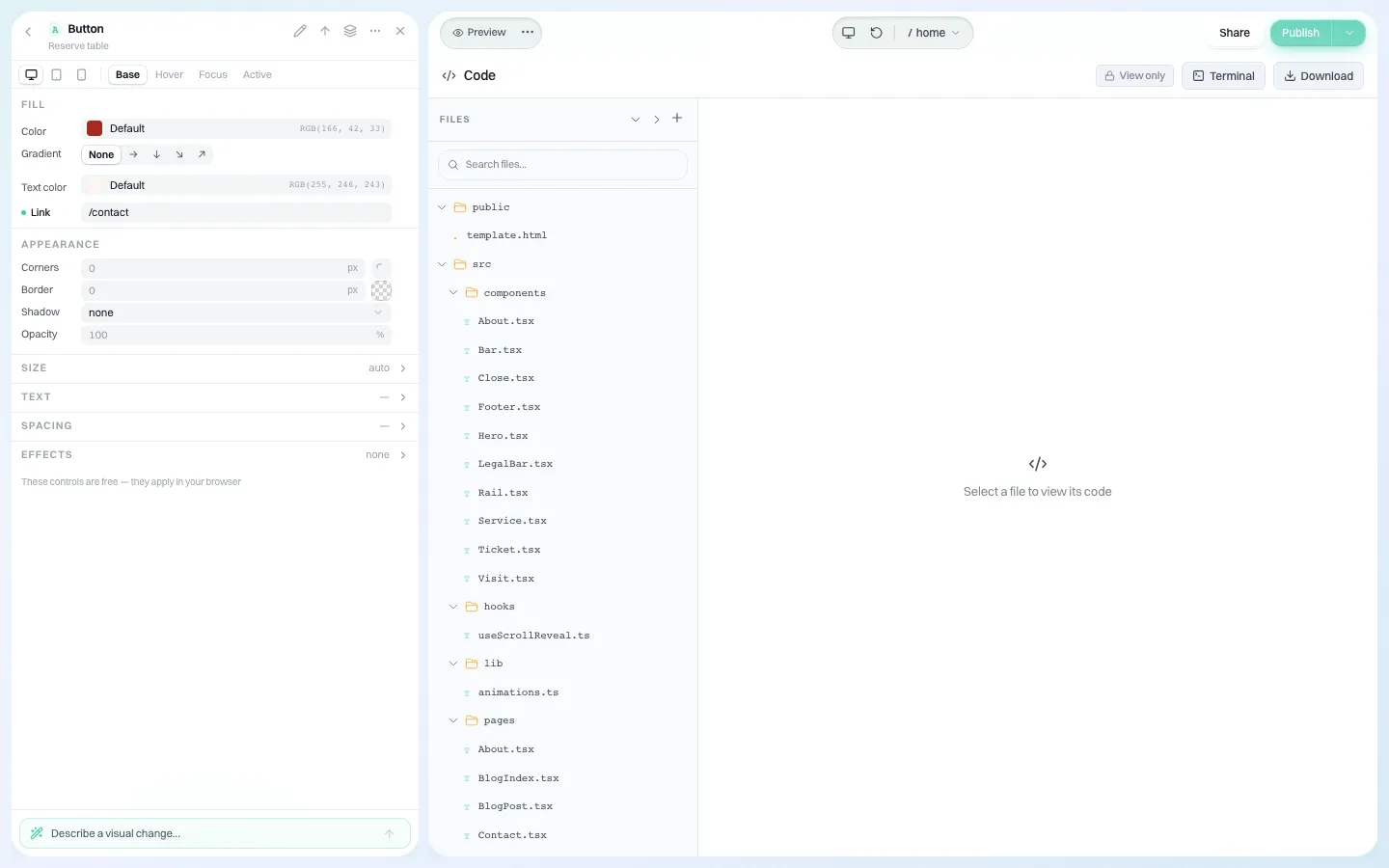
*The Code panel: the real file tree and source for one client site. Download produces a ZIP of the project.*
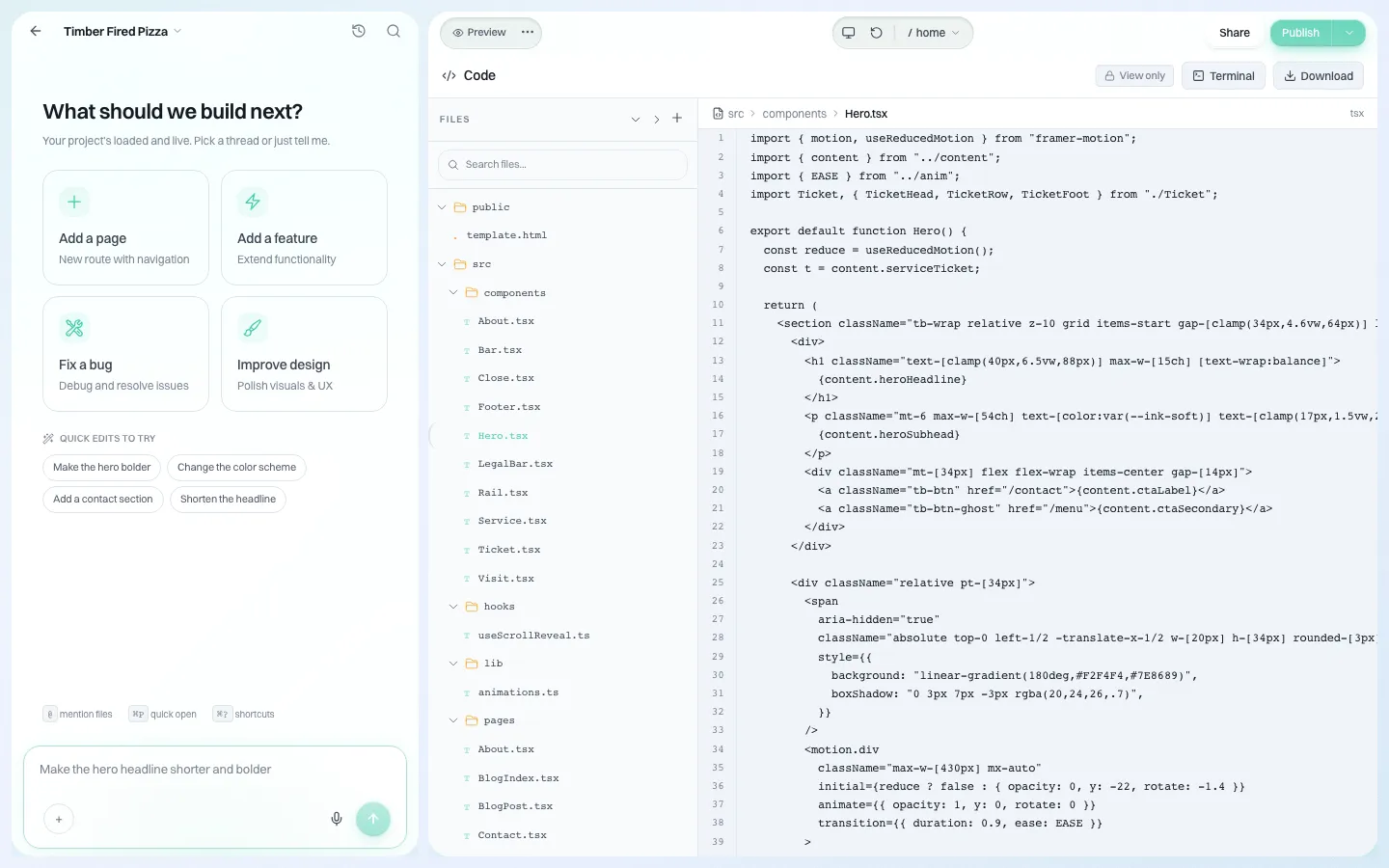
*The hero section's source. Text that clients edit visually is written back into these files.*
Three ways out
| Route | What you get | Who can use it | Good for |
|---|---|---|---|
| Download ZIP | The whole project, minus builder-only files | Anyone with the "see the code" permission on that site | Handing a site to a client's developer, archiving at contract end |
| Export to GitHub | A new repository with the project, private by default | Project owner, with a connected GitHub app or personal access token | Teams that want version history outside We.Inc |
| Two-way GitHub sync | Push from the builder, pull changes made in GitHub back in | Project owner, higher plans only (checked on the server) | Developers editing in their own tools between AI and visual edits |
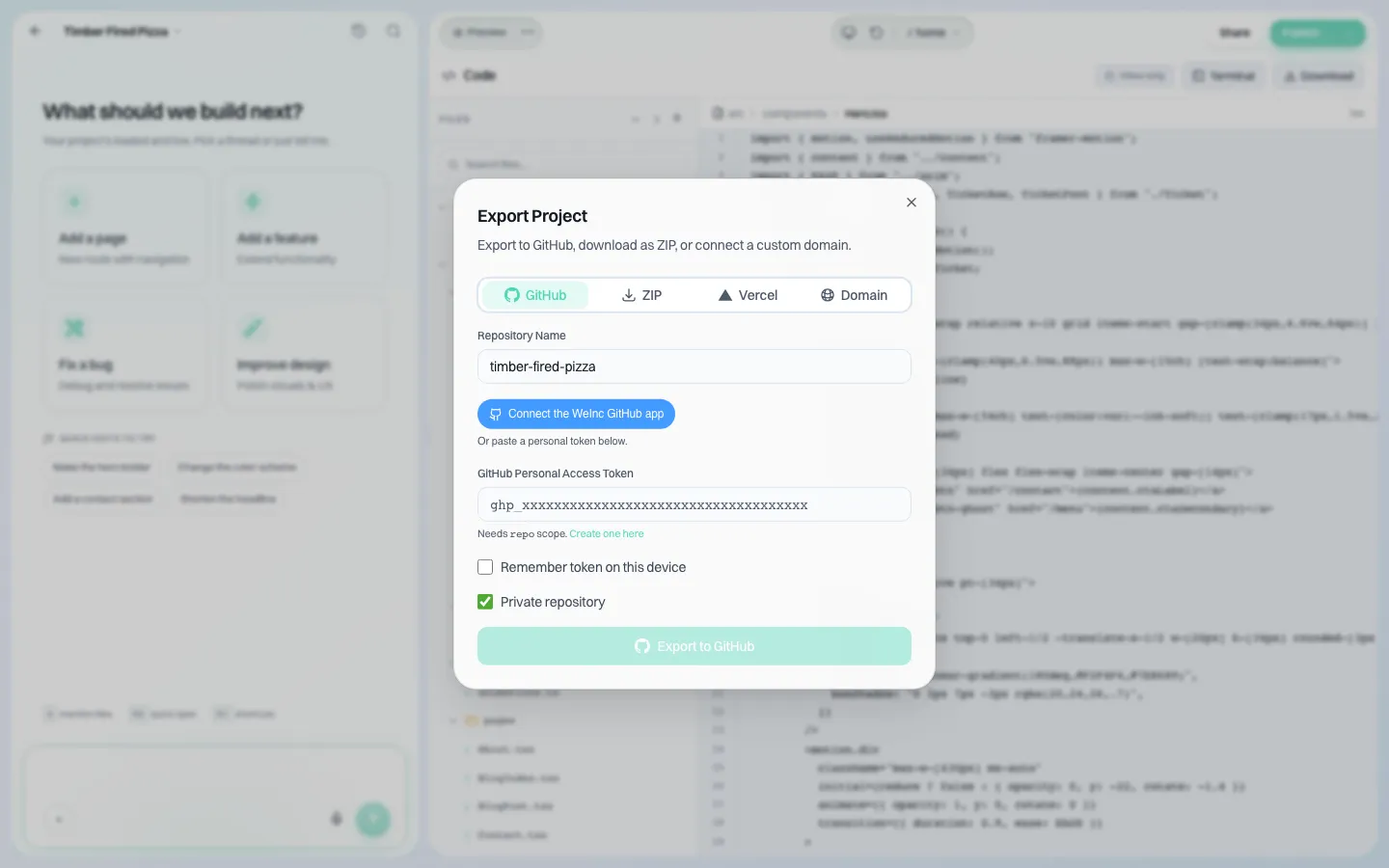
*The export dialog. A repository name, a private-repository option, and a ZIP tab beside it.*
What is taken out of the ZIP, and why
While a site is in the editor it carries two helpers that only make sense inside We.Inc: a small build plugin that tags elements so the visual editor can find them, and a preview bridge that lets the editor talk to the preview. Neither does anything elsewhere, and the bridge would be a liability on someone else's host. The ZIP removes both and unwires the plugin from the build config, so the exported project builds with a plain npm install && npm run build. GitHub sync keeps them, because a sync that pulled back a config without the plugin would switch off visual editing for that site.
What does NOT leave with the code
Be honest with clients about this list. It is where migrations actually go wrong.
- Hosting. The ZIP is a project, not a running website. Someone has to build and host it.
- Back-end services. If a site uses forms with stored submissions, an online store, member sign-ins or a database, those run on services connected to We.Inc. The front-end code references them; the data and the service do not come with the ZIP. Export the data separately and plan replacements.
- The domain. Domains are registered separately. See custom domains for clients.
- Your brand portal. Clients' accounts, your templates, your emails and settings are the platform, not the site.
- Edit history inside the builder. Use GitHub export if you need history outside.
Test it before you sign: a 30-minute exit drill
Do this during evaluation, not at the end of the contract.
- Build one realistic site on a demo account (a template is fine).
- Download the ZIP from the Code panel.
- On a clean machine: unzip, run npm install, then npm run build.
- Serve the build folder with any static host and click every page.
- Note anything that calls a We.Inc service (forms, store, sign-in) and decide what would replace it.
- Export to a private GitHub repository and confirm the files match.
- Write the result into your exit plan with the date you tested.
If any step fails, raise it on the demo call. We would rather know.
Controlling who sees code
Not every client should see source files; some will be confused, a few will break things. "See the code" is a per-client switch, defaulted at brand level and overridable per client.
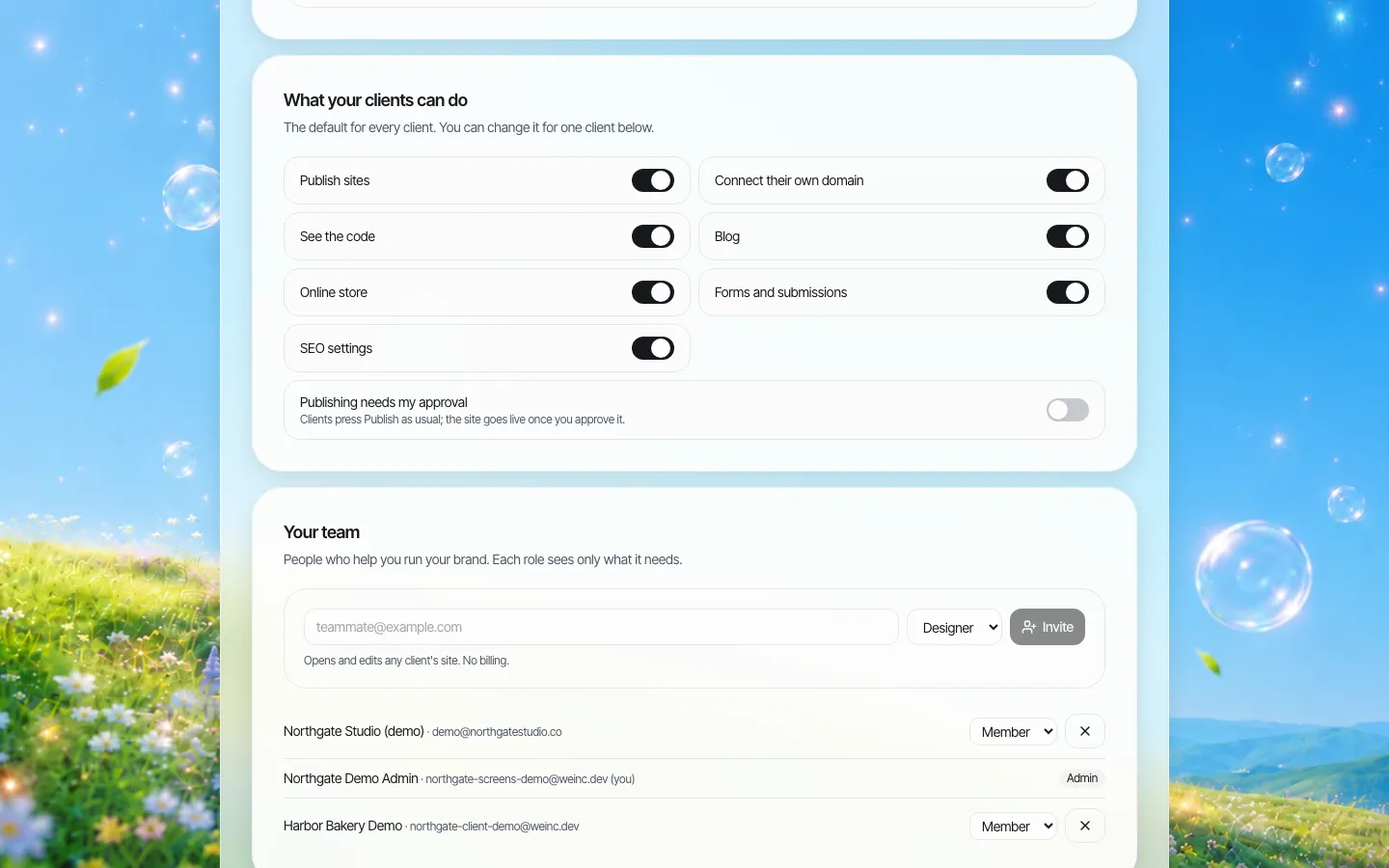
*Brand defaults. Turn off code access for everyone, then switch it on for the client whose developer needs it.*
Questions to ask any vendor about exit
Use these on us and on anyone else you evaluate:
- Is the export the same code the site runs on, or a converted copy?
- Does the exported project build without the vendor's account or packages?
- Which features depend on the vendor's services after export, and how is their data exported?
- Can you export one site, all sites, or both? How long does it take for a hundred?
- Who in your organisation can export, and is that controllable per account?
- Can you test the export during the trial or evaluation period?
On We.Inc, export is per site. For a large network, plan the time to export each site, or keep sites synced to GitHub continuously so the exit copy already exists.
Where other platforms are the better fit
If you need a traditional CMS where non-developers manage thousands of content entries through a structured back-office, a headless or enterprise CMS will fit better than an exported React project. If your clients will never have a developer and never leave, export matters less than editing comfort; look at the visual editor instead.
Book a demo and we will run the exit drill above with you on the call.
Book a demo. Pricing is tailored to your volume and setup, and you get your exact price on the call. 0% transaction fee.
Frequently asked questions
Can I download the code of a client website?
Yes. The Code panel has a Download button that produces a ZIP of the project. Builder-only files are removed and the project builds with npm install and npm run build.
What framework is the exported code?
React with TypeScript, Tailwind CSS and Vite.
Is GitHub sync two-way?
Yes. Push sends the builder's files to GitHub and pull brings changes made in GitHub back. Sync is limited to the project owner and to higher plans, enforced on the server.
Do forms, store and logins keep working after export?
Not by themselves. Those features run on services connected to We.Inc. The code comes with you; the services and their data do not, so plan replacements and export data separately.
Can I hide the code from clients?
Yes. "See the code" is a per-client switch with a brand-wide default.
Keep reading
- White label website builder: the We.Inc platform
- Website vendor exit plan: contract clauses
- Client permissions: what each site owner can do
- Custom domains for client websites
- A visual editor your clients can use
- Manage many client websites from one account
More in White Label
- More sites than staff: a website platform for community colleges
- Websites for members who own the business, not franchisees who follow it
- Your members need websites. You could be the one who gives them one.
- Custom Branding | White Label
- Client domains: the part of white-label that breaks when nobody owns it
- Every acquired practice comes with a website nobody at head office can log into
- Your sellers will make a website either way. Make it one you can see.
- Most domains you sell never become a website. That gap is the product.
We.Inc is an AI-powered website builder you can resell under your own brand. Launch a branded client dashboard, bill on Stripe Connect, and deliver AI-generated websites in minutes. White-label pricing is tailored to your volume and setup: book a 30-minute demo for a quote.
Product
- AI Website Builder: Describe a site in plain English; it's live in minutes
- White Label Platform: Your brand, your domain, your margin
- Enterprise: SSO, custom SLAs, and dedicated support
- Developer API: Embed site generation into your SaaS
Who It's For
- For Agencies: Resell under your brand
- For Freelancers: Your own branded builder
- For Hosting Providers: Add a builder to your stack
- For SaaS Platforms: Embed site creation via API
- For Startups
- For Financial Services
- For Healthcare
Features
- Drag & Drop Editor
- Built-in SEO Tools
- Custom Branding
- Client Dashboard
- Reseller Billing (Stripe Connect)
Resources
- Blog
- Help Center
- Free Business Tools
- Free UI Components
- Website Templates
- Template Collections
- Website Examples
- Guides
- Comparisons
- Alternatives
- Best Lists
- Reviews
- Pricing Guides
- Use Cases
- Glossary & Guides
- Integrations
- Developers
- Benchmark
- Windows App