More sites than staff: a website platform for community colleges
A community college runs the website load of a university with the web team of a small business. Workforce programs launch every term, grants arrive with their own reporting pages, the foundation wants a giving site, and each campus wants its own hours and events. This page shows how a college marketing office could let those groups publish under the college brand while keeping control of what goes live.
TL;DR
- Public community colleges are covered by the ADA Title II web rule. Which date applies (April 2027 or April 2028) depends on your population and whether you are a special district: check it, do not guess.
- Marketing is the brand owner. Each program, campus, the foundation or a grant project is a client with its own site and its own editor.
- Single-step approval before a client's site goes live, per-client switches, and an audit log of account actions.
- Sites are built by AI and edited by clicking or chatting. Your team still tests accessibility. Book a demo to try it with three of your programs.
The sites a community college actually runs
Universities have research labs and academic departments; community colleges have a different, faster-moving set of sites. A typical list:
- Workforce and short-term training programs. CDL, welding, phlebotomy, IT certificates. Each has start dates every few weeks, employer partners, and funding rules about how it is advertised.
- Grant-funded projects. Federal and state workforce grants often expect a public page about the project, and the project ends when the grant does.
- Campuses and centres. A rural centre's hours, parking and tutoring times are different from the main campus.
- The foundation. Usually a separate nonprofit with its own board, scholarships and donation pages, but expected to look like the college.
- Adult education, ESL and dual enrollment. Audiences who need plain language and are often searching on a phone.
- Contract training for employers. Effectively a business unit selling to companies.
Most colleges handle these in one of two ways: everything waits in the marketing queue, or departments buy their own builder and the brand drifts. A white-label platform is a third way.
How the roles map
| College role | We.Inc role | Typical rights |
|---|---|---|
| Marketing and communications | Brand owner and admins | Brand look, defaults, approvals, team |
| Web coordinator or student web assistant | Team member (designer preset) | Opens and edits any program's site, no billing |
| A program, campus, foundation or grant project | Client | Its own site or sites, within a site limit |
| Program coordinator or grant manager | Signed in as the client | Writes the content, updates start dates, presses Publish |
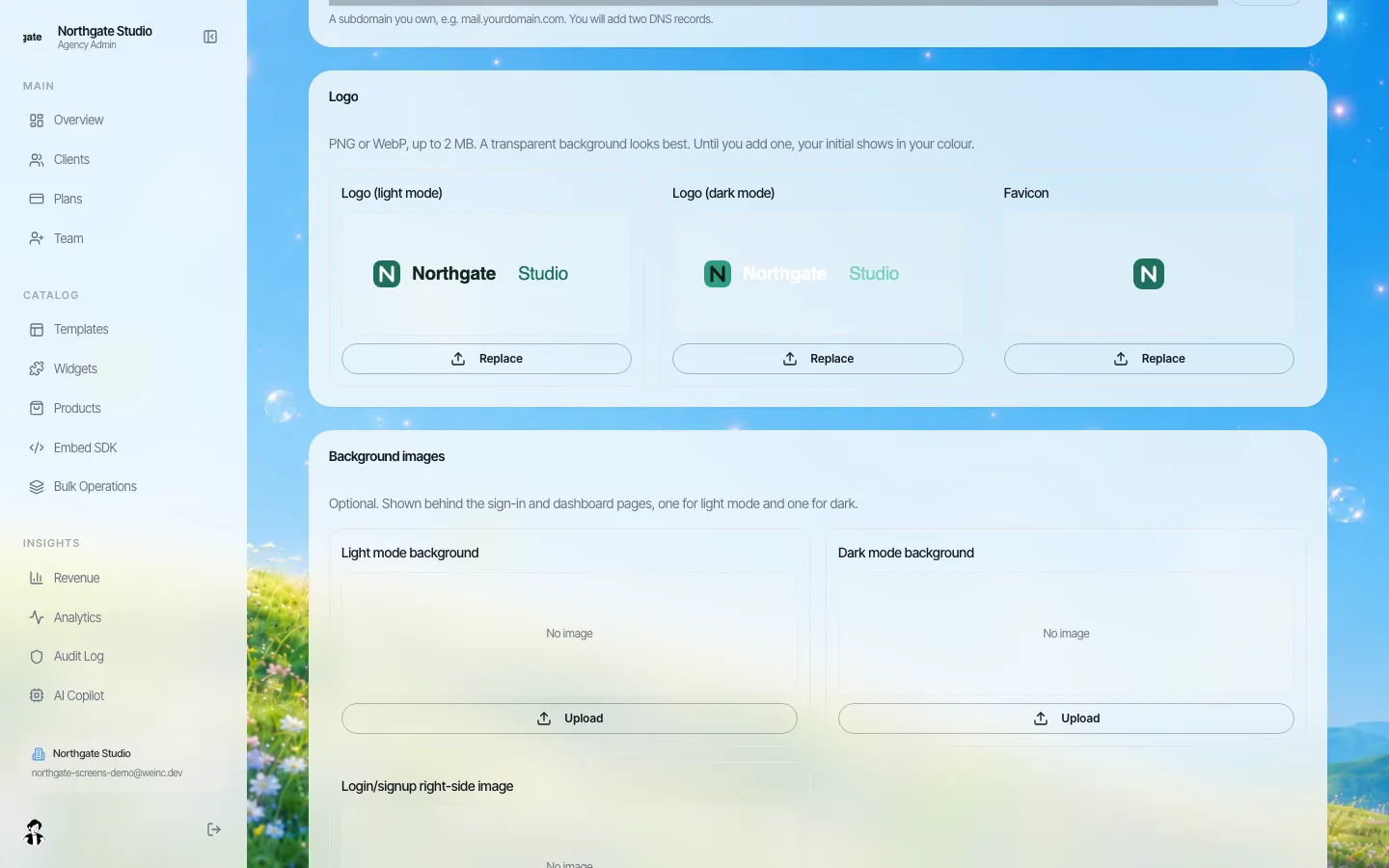
*Brand settings on a demo brand. The college's logo, colours and font apply to the portal every program signs in to.*
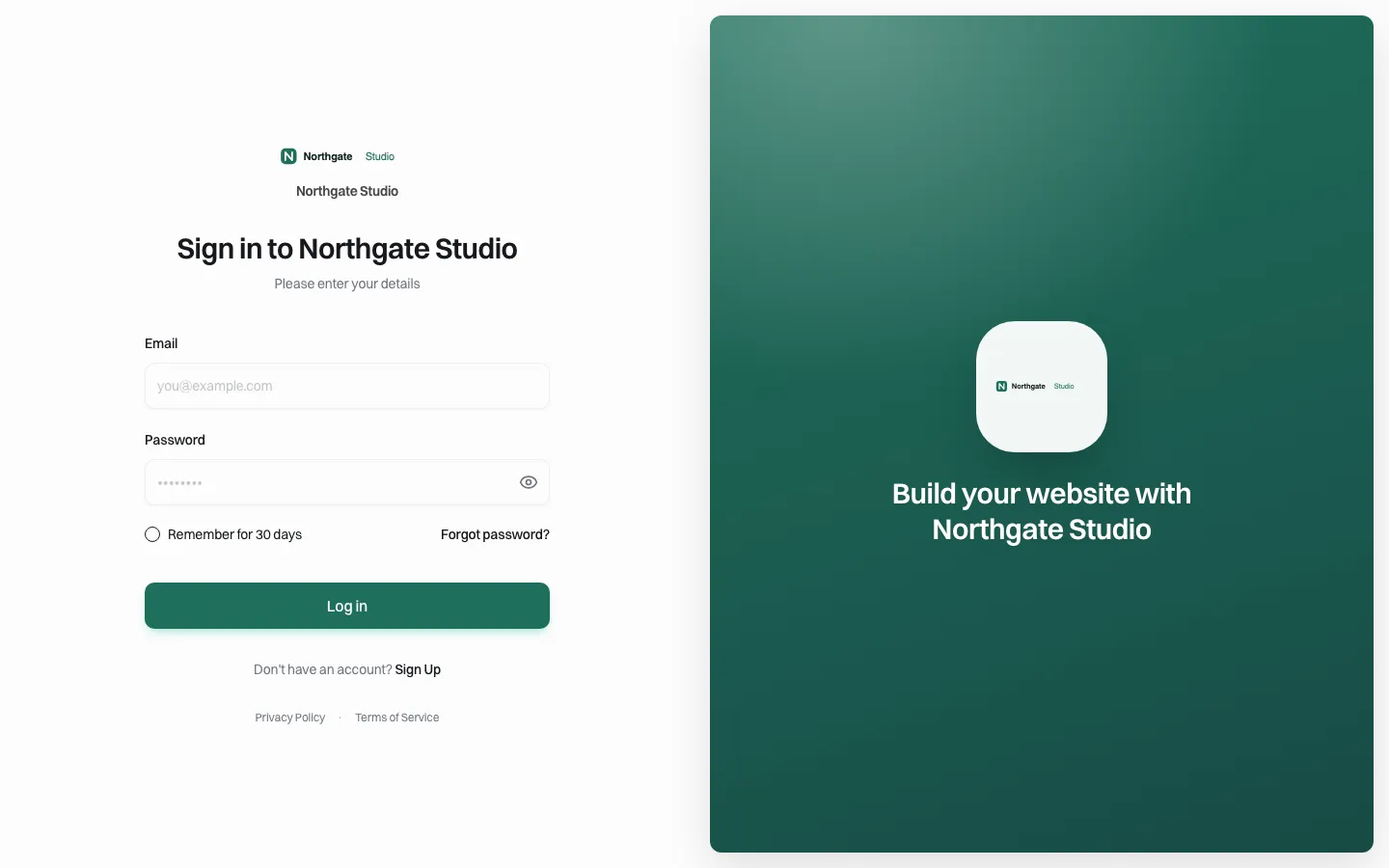
*What a program coordinator sees when they sign in: your college, not us.*
Short programs, short sites: set limits and switches by type
Not every client should get the same powers. A grant project needs one site for its life and no store. Contract training may need to sell seats. The foundation takes donations but through its own processor.
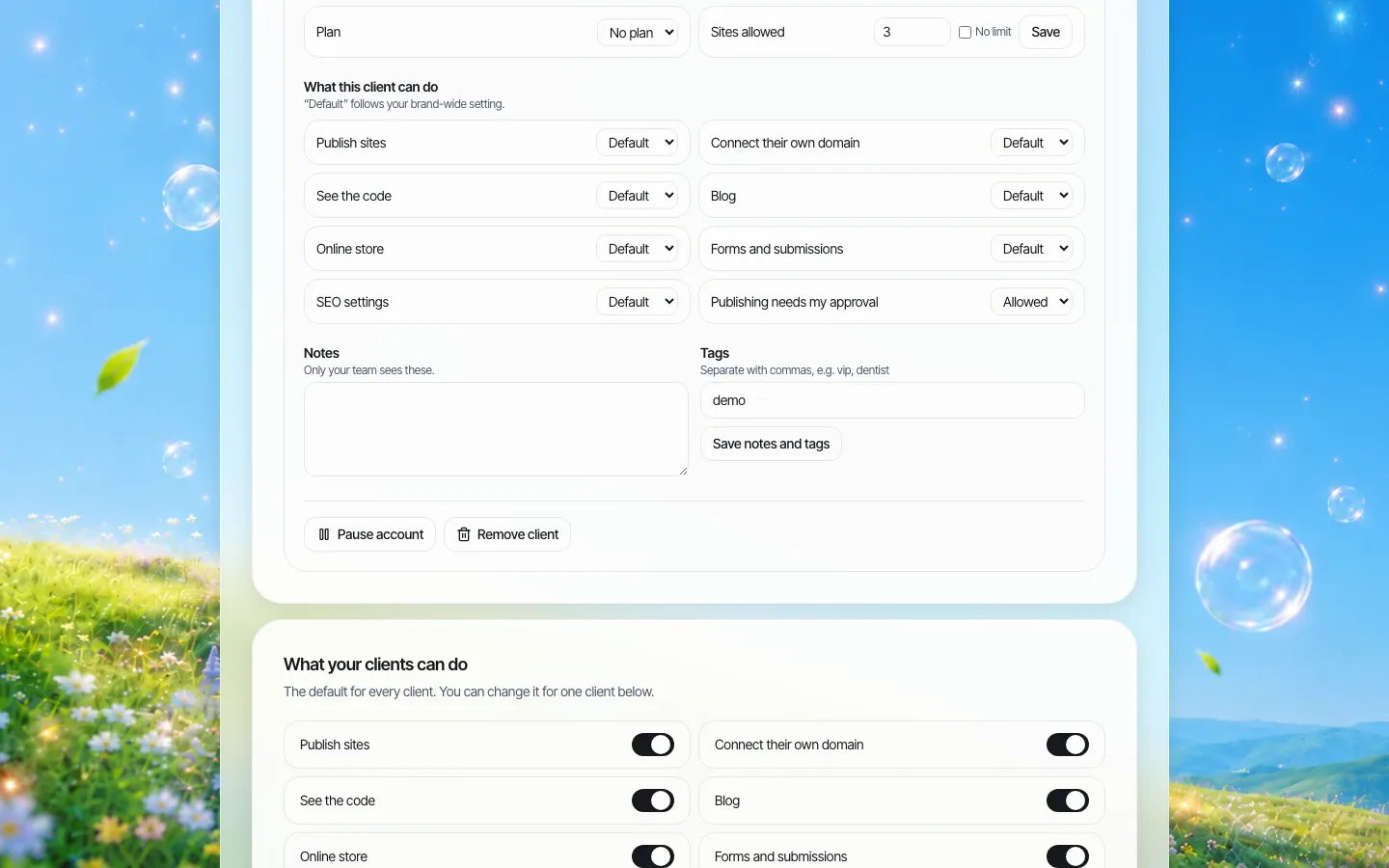
*Per-client settings. Each switch follows the brand default unless you override it for this client.*
A pattern that suits most colleges:
| Client type | Site limit | Store | Forms | Approval |
|---|---|---|---|---|
| Workforce program | 1 | Off | On (interest forms) | On for the first launch |
| Grant project | 1 | Off | On | On throughout; grant wording is reviewed |
| Campus or centre | 1 | Off | On | Off once the editor is trained |
| Foundation | 2 (main and campaign) | Case by case | On | On for campaigns |
| Contract training | 1 to 2 | Case by case | On | On |
Interest and contact forms are fine. Do not use site forms to collect student records, Social Security numbers or anything covered by FERPA; those belong in your student information system, and the site should link to it.
Accessibility: find your date, then build it into approval
The Title II rule requires WCAG 2.1 Level AA for state and local government web content. After the April 2026 extension the dates are April 26, 2027 for public entities with a total population of 50,000 or more and April 26, 2028 for smaller entities and for special district governments. ADA.gov's fact sheet explains how to find a population figure, but it does not single out community colleges, and colleges are organised in very different ways from state to state: some are part of a state system, some are districts with their own taxing authority, some are county institutions. Which date applies to you is a question for your counsel, and planning for the earlier one costs little.
*This page is general information, not legal advice.*
Practical steps that fit the platform:
- Add an accessibility check to your approval routine. The approver runs an automated checker and a keyboard-only pass before pressing Approve.
- Ask the AI for specific fixes ("add alt text to every image", "make the headings follow one order") and then re-test; do not assume they are right.
- Replace PDF schedules and flyers with web pages wherever you can. Our PDF alternatives guide shows how.
- Keep the program pages simple. Short programs attract adult learners on phones; a clean page with dates, cost, outcomes and one contact form serves them better than a long brochure.
We do not claim the sites are WCAG conformant. Sites are AI-generated starting points; your team is responsible for testing them.
Building a program site
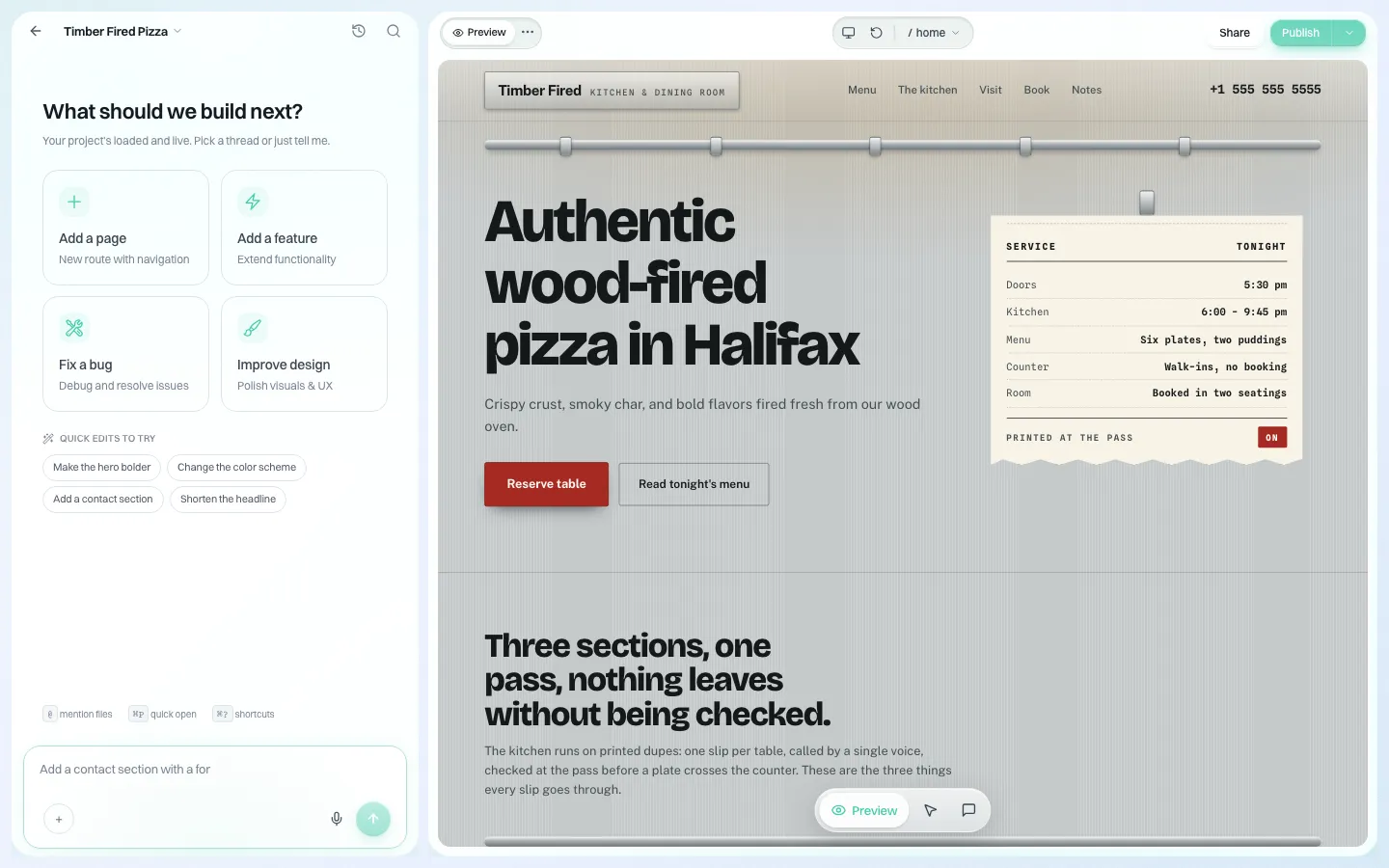
*The editor the program coordinator uses, under your brand. They can describe changes in chat or click on the page.*
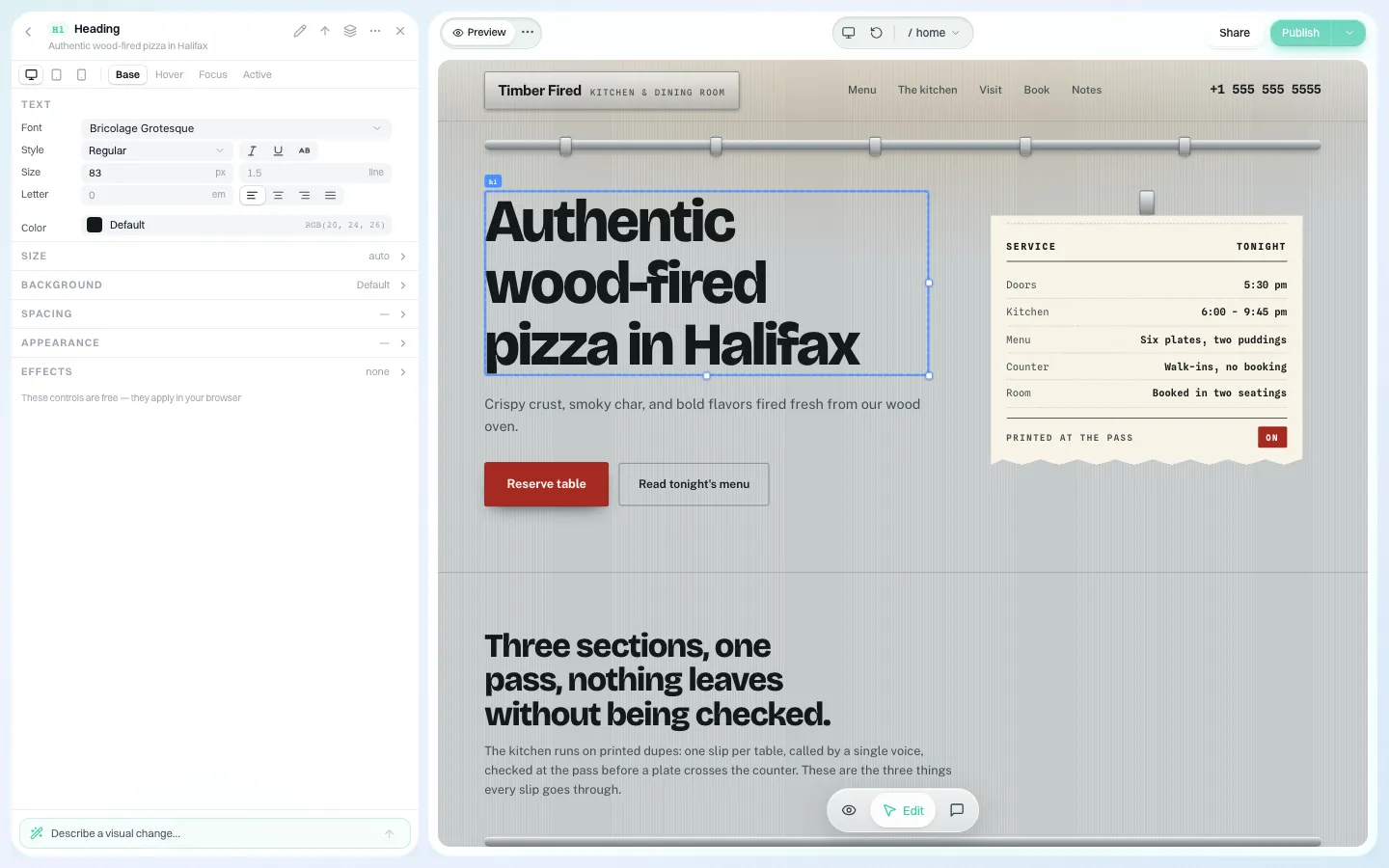
*Clicking a heading opens its font, size and colour. Your brand settings decide the starting look.*
A coordinator can describe the program ("eight-week phlebotomy certificate, evening classes, next starts in January, employer partners, interest form") and get a first version, then fix details by clicking. The marketing office's job shrinks to reviewing.
When the grant ends
Grant-funded sites are the ones most likely to outlive their purpose. Before you pause the client, download the site's full code or sync it to a GitHub repository the college owns, keep it as your record, and decide whether the address should redirect to the program's permanent page.
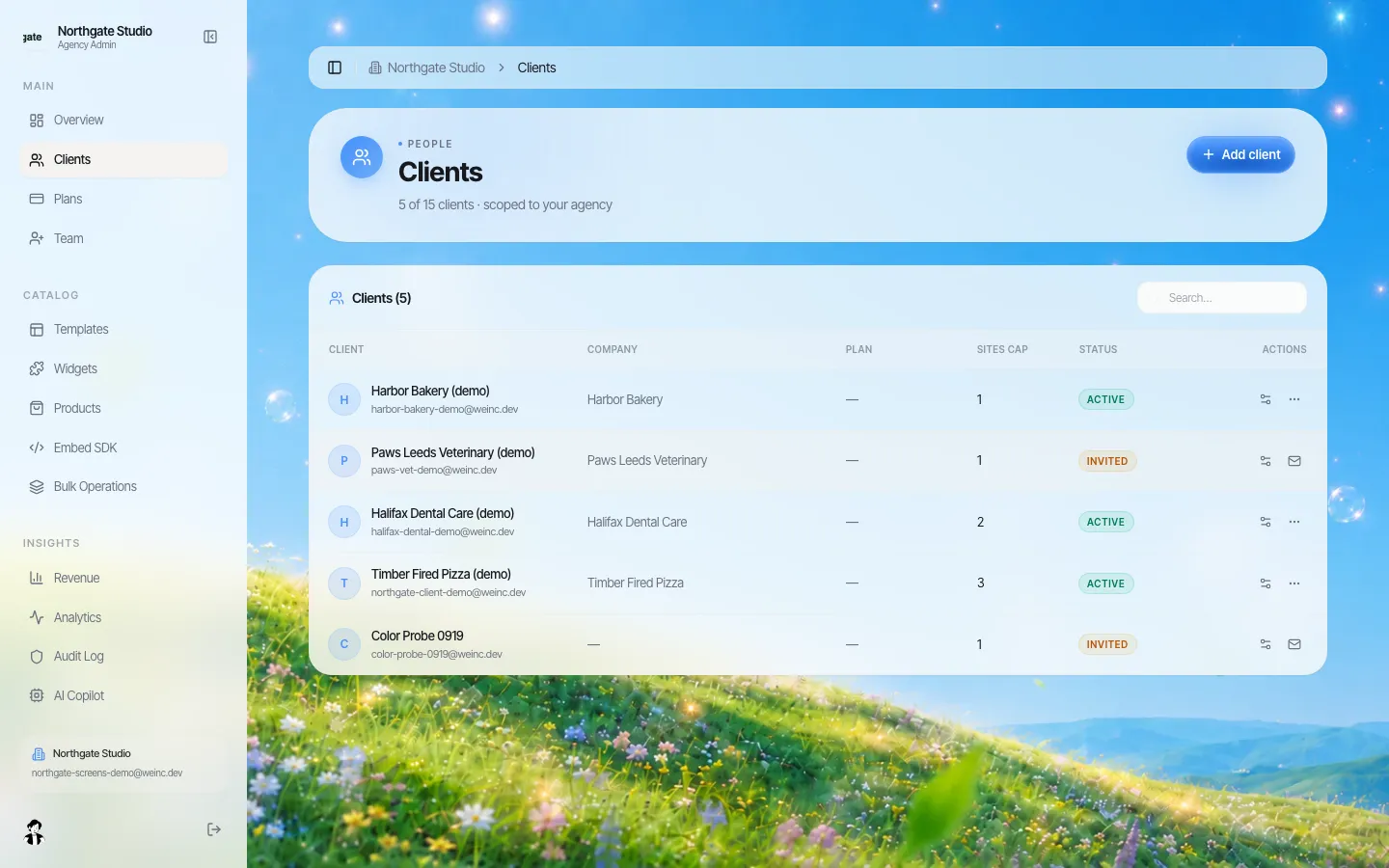
*The clients table. A grant project's row shows its status; pausing or removing it is a click once the archive is safe.*
How this differs from a university setup
If your institution has research labs, hundreds of student organisations and academic departments, read our university page instead; the structure there is built around those. Community colleges usually need fewer sites that change more often, with a heavier emphasis on enrolment dates, workforce outcomes and grant reporting.
Where We.Inc is not the answer
- Your main college site, catalogue and course schedule usually sit on your existing content system and student information system. Keep them there. We.Inc runs the sites around them.
- Approval is one step and roles are a fixed set. If your policy needs a chain of approvers inside the tool, we do not do that.
- We do not state certifications, a hosting region or an uptime figure.
Book a demo and bring three programs: one new, one grant-funded, one that has been waiting in the marketing queue too long.
Sources
Last checked 2026-10-25.
- Federal Register, Extension of Compliance Dates for Nondiscrimination on the Basis of Disability; Accessibility of Web Information and Services of State and Local Government Entities, April 20, 2026: April 26, 2027 and April 26, 2028.
- ADA.gov, Fact sheet: new rule on the accessibility of web content and mobile apps: WCAG 2.1 Level AA, how to find your population, and the five exceptions.
Book a demo. Pricing is tailored to your volume and setup, and you get your exact price on the call. 0% transaction fee.
Frequently asked questions
Is a community college covered by the ADA Title II web rule?
Public community colleges are state or local government entities, so the rule generally applies. Whether your date is April 26, 2027 or April 26, 2028 depends on how your college is organised and its population; ask your counsel.
Can the college foundation have its own site under the college brand?
Yes. The foundation can be a client with its own sites and its own switches, while the college sets the brand look and decides whether its publishes need approval.
Can a program coordinator update start dates without waiting for marketing?
Yes, if you allow it. Publishing and approval are switches you set per client, so trained coordinators can publish directly and new ones can need approval first.
Should we collect student information through site forms?
No. Use site forms for interest and contact requests only, and link to your student information system for anything covered by FERPA.
Keep reading
- Websites for university departments, labs and events
- ADA Title II website deadline: April 2027 and April 2028
- Accessible alternatives to PDFs on public sites
- Website accessibility checklist
- Client permissions: what each site owner can do
- Website governance policy template
More in White Label
- Websites for members who own the business, not franchisees who follow it
- Your members need websites. You could be the one who gives them one.
- Custom Branding | White Label
- Client domains: the part of white-label that breaks when nobody owns it
- Every acquired practice comes with a website nobody at head office can log into
- Your sellers will make a website either way. Make it one you can see.
- Most domains you sell never become a website. That gap is the product.
- Drupal multisite alternative: keep Drupal for the flagship, rethink the long tail
We.Inc is an AI-powered website builder you can resell under your own brand. Launch a branded client dashboard, bill on Stripe Connect, and deliver AI-generated websites in minutes. White-label pricing is tailored to your volume and setup: book a 30-minute demo for a quote.
Product
- AI Website Builder: Describe a site in plain English; it's live in minutes
- White Label Platform: Your brand, your domain, your margin
- Enterprise: SSO, custom SLAs, and dedicated support
- Developer API: Embed site generation into your SaaS
Who It's For
- For Agencies: Resell under your brand
- For Freelancers: Your own branded builder
- For Hosting Providers: Add a builder to your stack
- For SaaS Platforms: Embed site creation via API
- For Startups
- For Financial Services
- For Healthcare
Features
- Drag & Drop Editor
- Built-in SEO Tools
- Custom Branding
- Client Dashboard
- Reseller Billing (Stripe Connect)
Resources
- Blog
- Help Center
- Free Business Tools
- Free UI Components
- Website Templates
- Template Collections
- Website Examples
- Guides
- Comparisons
- Alternatives
- Best Lists
- Reviews
- Pricing Guides
- Use Cases
- Glossary & Guides
- Integrations
- Developers
- Benchmark
- Windows App