Your logo on someone else's product is not a portal. Your words and your menu are
Every white-label tool lets you upload a logo. Clients still notice when the menu says "Projects" but you call them "websites", when the greeting sounds like a software company, when a link to "Referrals" appears for a programme you do not run. The We.Inc portal designer controls the look, the words and the menu of your clients' portal, with a preview beside it. This page walks through each part and suggests settings for common kinds of reseller.
TL;DR
- Look: font, corner style (rounded, soft, square), light/dark rules and the login page layout.
- Words: 14 labels, from menu names to the home greeting and login headings. Plain text only, with first-name and brand-name placeholders.
- Menu: show, hide and reorder items, and add up to five custom links. Home and Settings always stay.
- Changes apply the next time a client loads a page. Logo, colours and fonts live in brand setup; this page is about everything after that.
The three layers of a white-label portal
| Layer | What it covers | Where on We.Inc |
|---|---|---|
| Identity | Name, logo, favicon, colours, fonts, button style | Brand setup (see custom branding) |
| Experience | Corners, light/dark, login layout, labels, menu | The portal designer, on this page |
| Content | Templates, help articles, FAQ, support chat, AI assistant | Client experience settings (templates) |
Most platforms stop at the first layer. The second is what makes the portal feel like it was built for your clients.
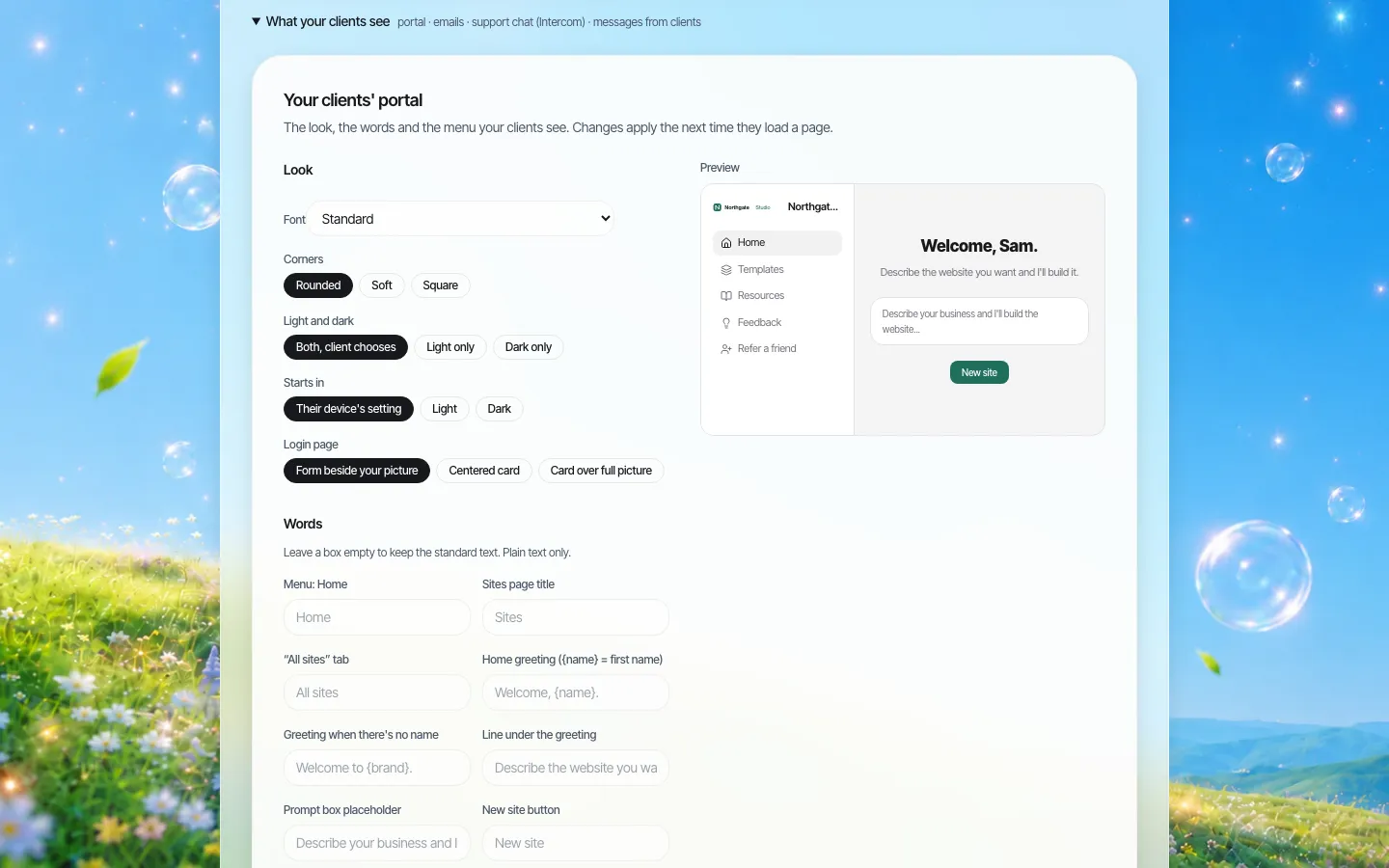
*The portal designer. Look settings on the left, a live preview of the client home on the right.*
Look
- Corners: rounded, soft or square. This sets the radius of cards and buttons across the portal. Square suits institutional brands and architecture firms; rounded suits consumer and hospitality brands.
- Light and dark. Let the client choose, or force light only or dark only. When clients choose, you also pick where they start: their device's setting, light or dark.
- Login page. Three layouts: the form beside your picture, a centred card, or a card over a full picture. Covered in detail on branded login pages.
Words
Fourteen labels can be renamed. Leave a box empty to keep the standard text.
| Label | Standard text | Example rewrite (city web team) |
|---|---|---|
| Menu: Home | Home | Home |
| Menu: Projects | Projects | Department sites |
| Sites page title | Sites | Your department sites |
| "All sites" tab | All sites | All sites |
| Home greeting | Welcome, {name}. | Hello {name}, ready to update your page? |
| Greeting with no name | Welcome to {brand}. | Welcome to the City web portal. |
| Line under the greeting | Describe the website you want and I'll build it. | Describe the page you need. The web team reviews it before it goes live. |
| Prompt box placeholder | Describe your business and I'll build the website... | Describe your service and who it is for... |
| New site button | New site | Request a site |
| No sites yet | No sites yet. Describe one above to get started. | No department sites yet. Start one above. |
| Login heading | Sign in to {brand} | Sign in to the City web portal |
| Login subheading | Please enter your details | Use your work email |
| Sign-up heading | Create your account | Request access |
| Sign-up subheading | Get started with {brand} today | For City staff only |
Short labels (menu items, buttons, tabs) are capped at 24 characters; sentences at 120. Everything is plain text: no HTML, no scripts, nothing that could break the portal. Values are checked when saved and again when read, so a bad value can only fall back to the default.
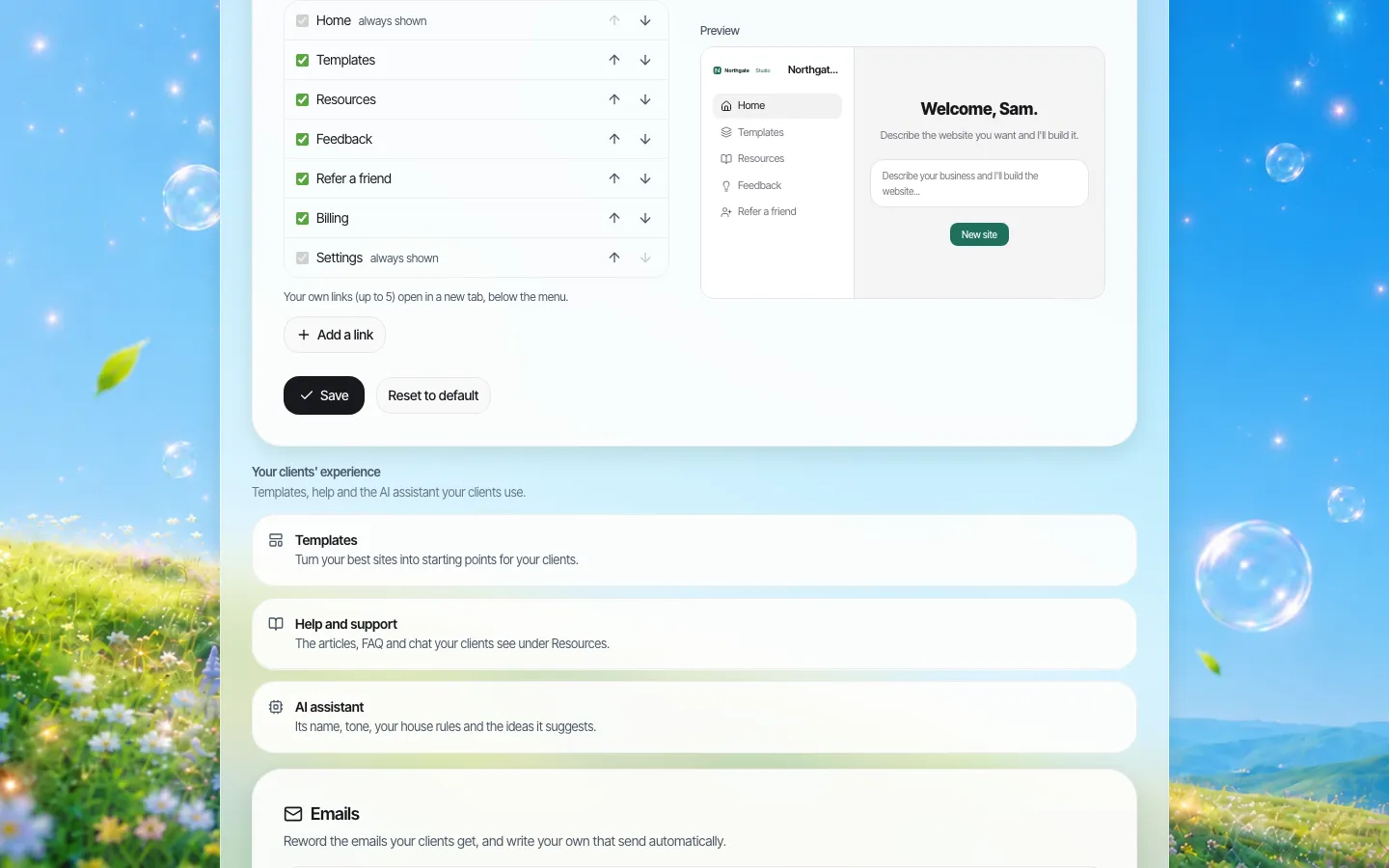
*The words section. {name} becomes the client's first name and {brand} your brand name.*
Menu
The client menu has eight items: Home, Projects, Templates, Resources, Feedback, Referrals, Billing and Settings. You can hide any of them except Home and Settings (a client must always be able to get home and to their account), change their order, and add up to five links of your own, for example to your booking page, a status page, or a request form.
Hide Referrals if you do not reward referrals. Hide Billing if clients are invoiced outside the platform. Hide Templates if every site starts from a brief your team writes.
Suggested starting points
| You are | Corners | Light/dark | Login layout | Words to change first |
|---|---|---|---|---|
| Design agency | Soft | Client chooses | Form beside your picture (use a portfolio shot) | Greeting, prompt placeholder |
| Hosting company or ISP | Rounded | Light only | Centred card | Projects → Websites, New site → Create website |
| Government or university web team | Square | Light only | Centred card | Projects, sign-up headings (staff only) |
| Franchisor | Rounded | Light only | Card over full picture | Projects → Location sites, greeting with location manager tone |
Testing your changes
Labels that read well in a settings box can break in the portal. After any change, sign in as a test client and check: that menu labels fit without wrapping, that the greeting reads naturally with a long first name, that the prompt placeholder is not cut off on a phone, and that hidden menu items are not referenced in your help articles or emails.
What the client sees afterwards
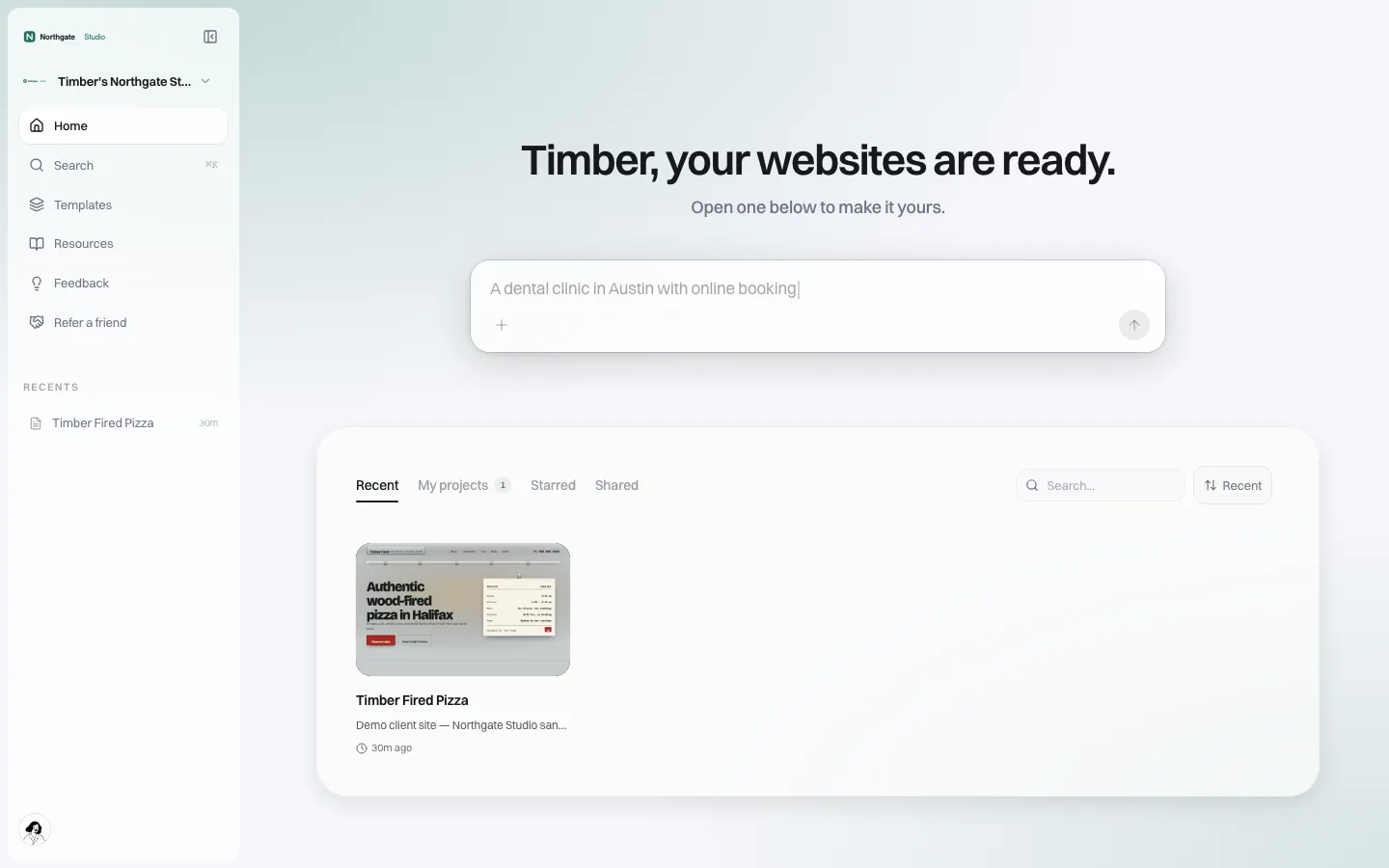
*The result on the client's side. The same screen, your words.*
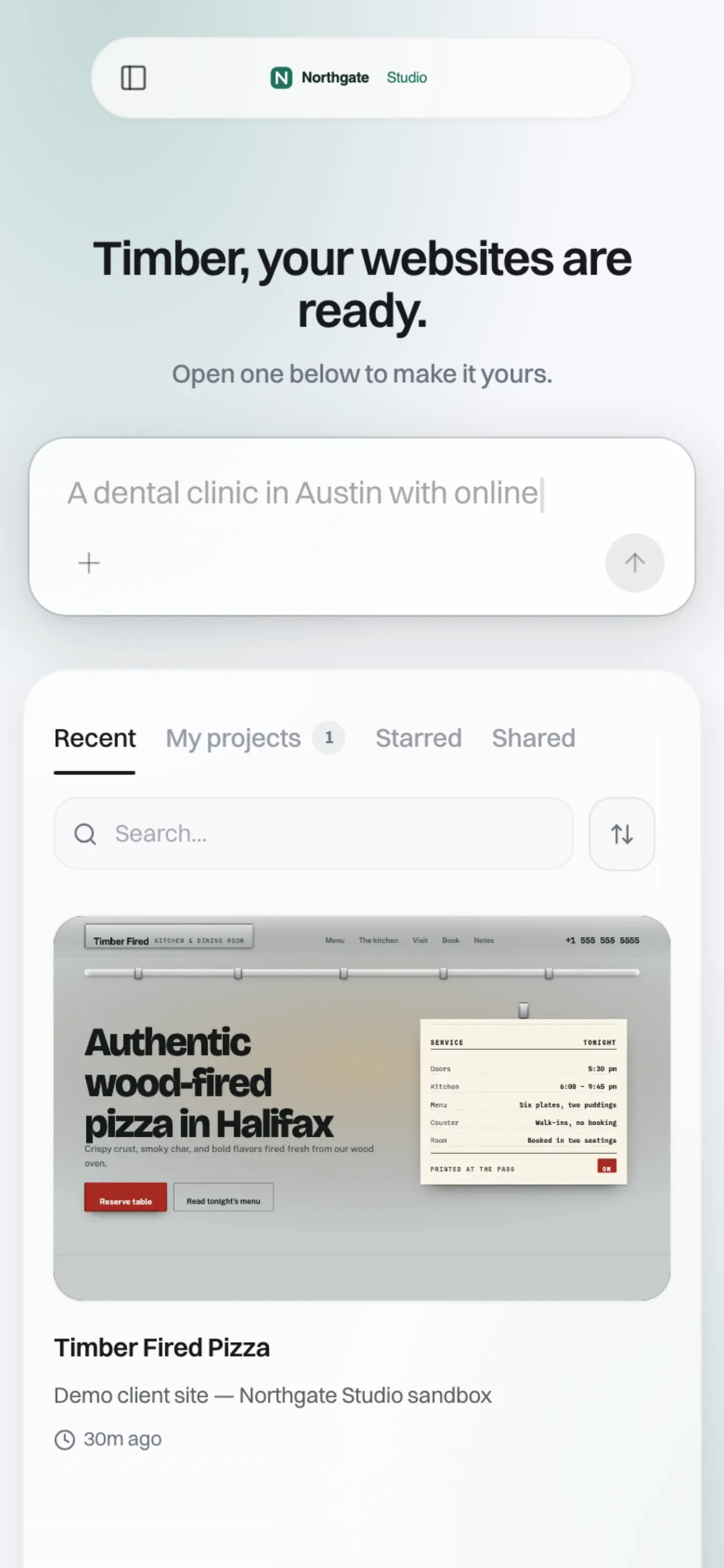
*At phone width. The portal is responsive; check your longer labels here.*
Limits
- No free-form CSS or HTML. Every option is a structured choice or a short plain-text field. That is deliberate: a portal your clients rely on should not be breakable from a settings box.
- The labels are single-language today. If your clients work in several languages, raise it on the demo call.
- Whole-portal redesigns beyond these settings are not self-serve.
Book a demo and bring your brand guide; we will set up the portal with you.
Book a demo. Pricing is tailored to your volume and setup, and you get your exact price on the call. 0% transaction fee.
Frequently asked questions
Can I rename "Projects" and other menu items?
Yes. Fourteen labels can be renamed, including menu items, the home greeting, the prompt text and the login and sign-up headings.
Can I add my own links to the client menu?
Yes, up to five custom links. You can also hide and reorder the standard items, except Home and Settings.
Can I force light mode?
Yes. Choose light only, dark only, or let the client choose and pick where they start.
Can I add custom CSS to the portal?
No. All options are structured choices or plain text, so the portal cannot be broken from settings.
Keep reading
- White label website builder: the We.Inc platform
- White-label custom branding
- Branded login and sign-up pages
- Your own template library for clients
- White-label client dashboard
- Branded emails to your clients
More in White Label
- Your best work, as a starting point for every new client
- Stop being your clients' content-entry service
- You should be able to leave. Here is exactly what leaves with you
- More sites than staff: a website platform for community colleges
- Websites for members who own the business, not franchisees who follow it
- Your members need websites. You could be the one who gives them one.
- Custom Branding | White Label
- Client domains: the part of white-label that breaks when nobody owns it
We.Inc is an AI-powered website builder you can resell under your own brand. Launch a branded client dashboard, bill on Stripe Connect, and deliver AI-generated websites in minutes. White-label pricing is tailored to your volume and setup: book a 30-minute demo for a quote.
Product
- AI Website Builder: Describe a site in plain English; it's live in minutes
- White Label Platform: Your brand, your domain, your margin
- Enterprise: SSO, custom SLAs, and dedicated support
- Developer API: Embed site generation into your SaaS
Who It's For
- For Agencies: Resell under your brand
- For Freelancers: Your own branded builder
- For Hosting Providers: Add a builder to your stack
- For SaaS Platforms: Embed site creation via API
- For Startups
- For Financial Services
- For Healthcare
Features
- Drag & Drop Editor
- Built-in SEO Tools
- Custom Branding
- Client Dashboard
- Reseller Billing (Stripe Connect)
Resources
- Blog
- Help Center
- Free Business Tools
- Free UI Components
- Website Templates
- Template Collections
- Website Examples
- Guides
- Comparisons
- Alternatives
- Best Lists
- Reviews
- Pricing Guides
- Use Cases
- Glossary & Guides
- Integrations
- Developers
- Benchmark
- Windows App