Your best work, as a starting point for every new client
Agencies rebuild the same site over and over: the same restaurant structure, the same clinic pages, the same trades layout. A template library turns that repetition into an asset. On We.Inc you can save any of your own sites, or any client site under your brand, as a template, and decide whether clients see only yours or yours alongside the built-in designs.
TL;DR
- Save your own sites or your clients' sites as templates, with a name, category and description.
- Reorder templates, archive them and restore them later.
- Choose how built-in designs appear: all designs (yours after ours), yours first, or only yours.
- Clients browse by category, preview, and start with "Use as-is".
What clients see
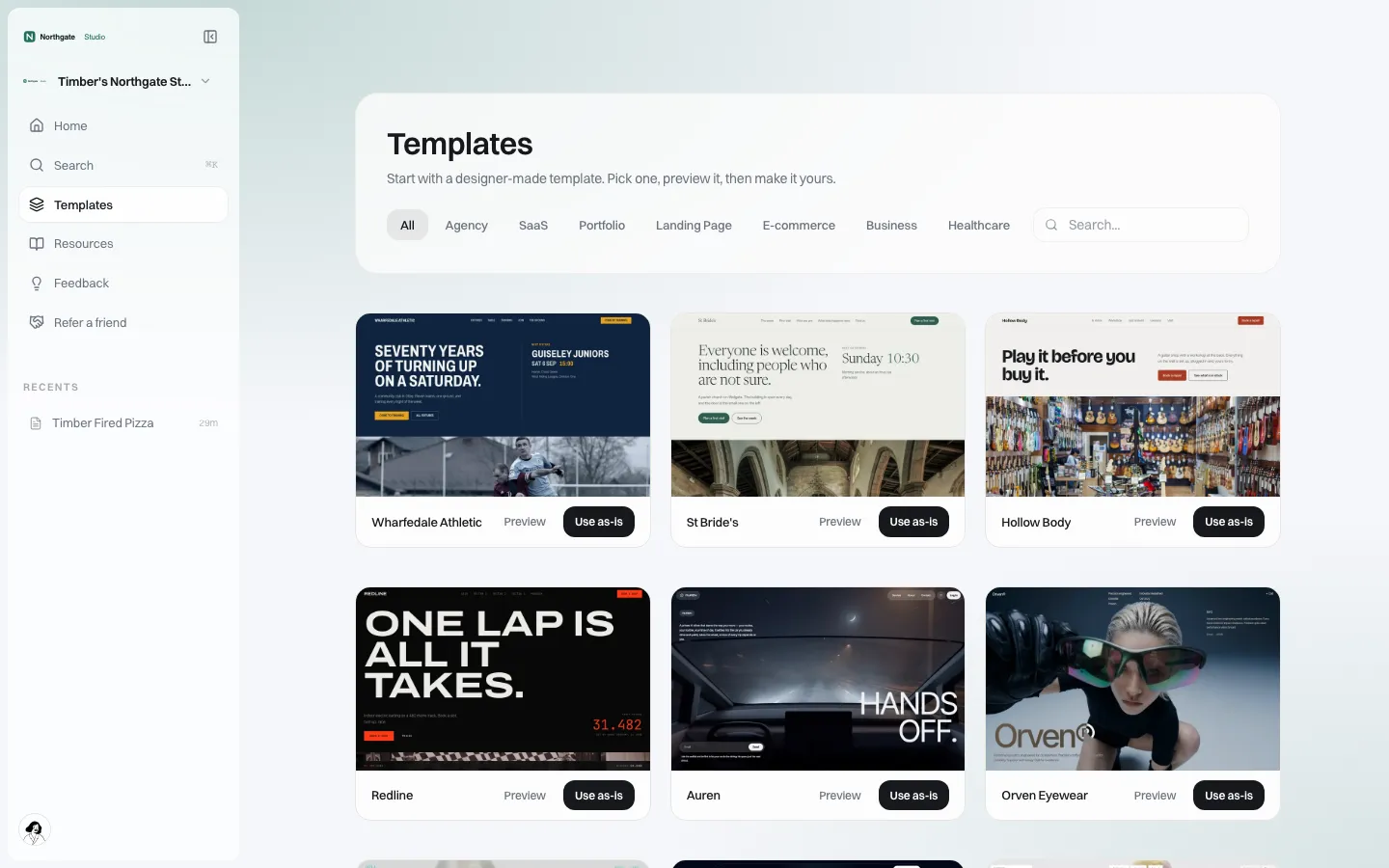
*The Templates page on the client's side. Categories, search, a preview and "Use as-is" on every card.*
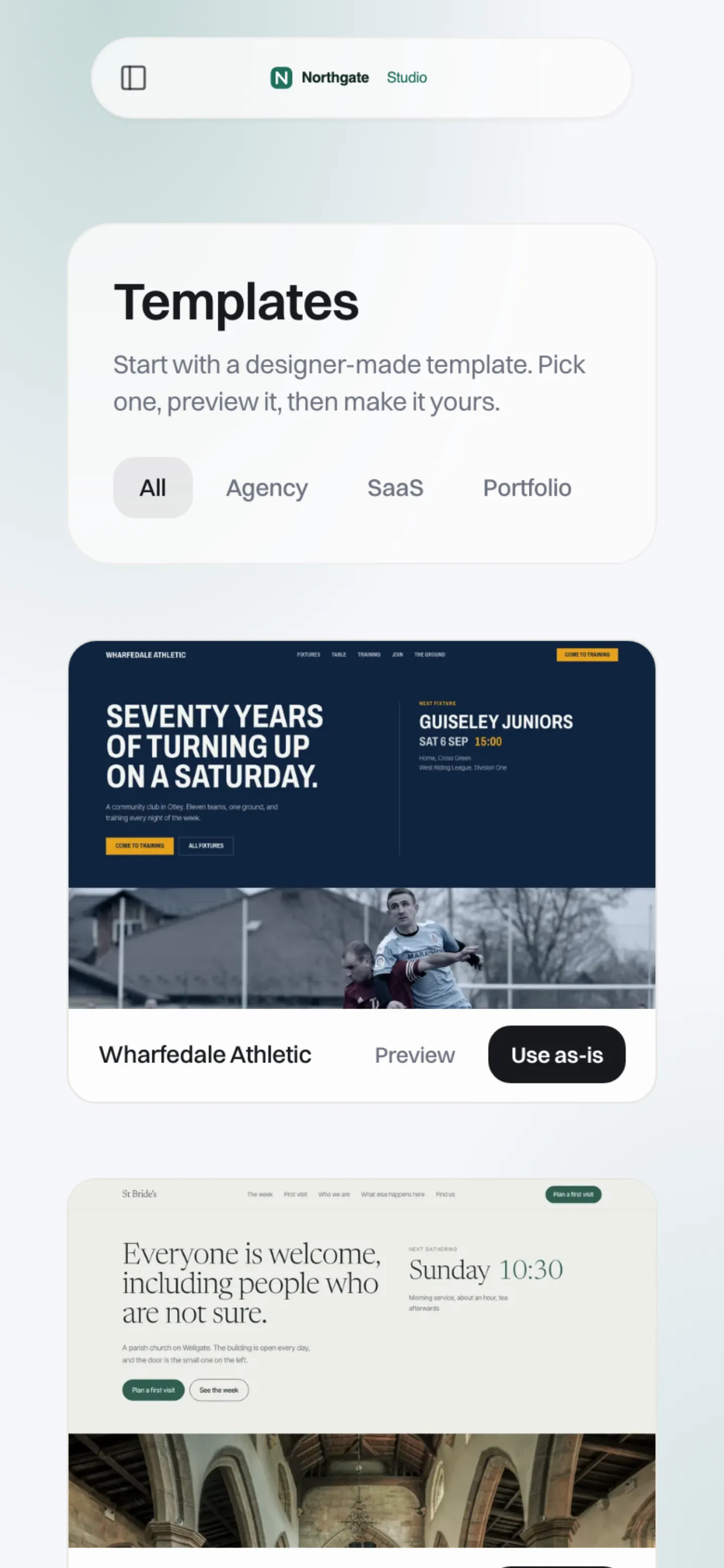
*At phone width.*
A client who starts from a template gets a complete working site, which they then change with the visual editor or AI. For many clients this is a better start than a blank prompt: they react to something finished instead of describing something imagined.
Building your library
In your client experience settings, the Templates section lists the sites you are allowed to turn into templates: your own, and the sites of your brand's clients (the brand owns those accounts; another brand's projects can never be picked). Pick one, give it a name, a category and a short description, and save it as a template.
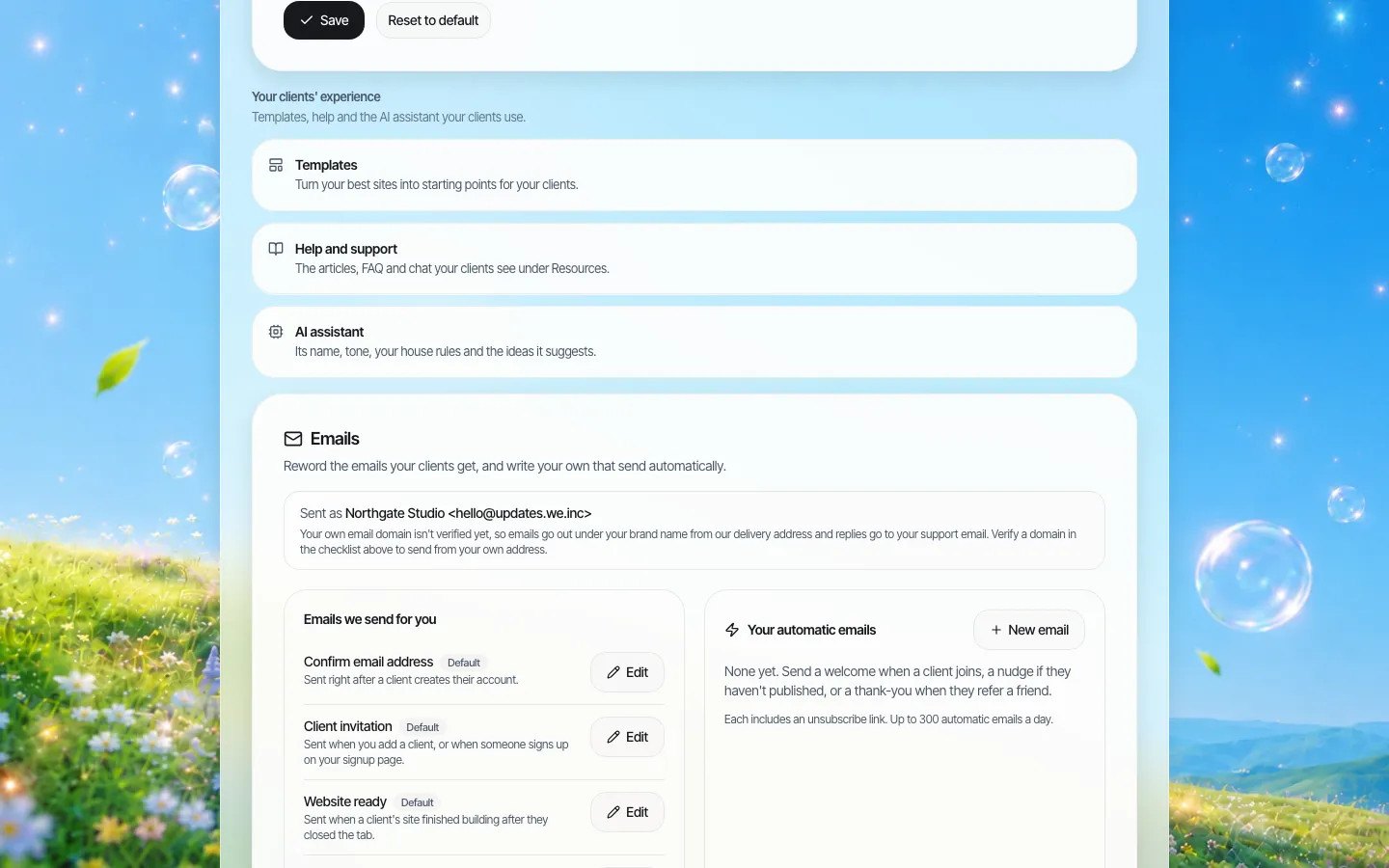
*Client experience settings. Templates sit beside help content and the AI assistant settings.*
From then on you can:
- reorder templates so the most useful appear first;
- archive a template that has dated, without deleting it, and restore it later;
- choose how the built-in designs appear:
| Setting | What clients see | Use when |
|---|---|---|
| Show all designs (yours after ours) | Your templates after the built-in ones | You have few templates yet |
| Show yours first, then ours | Your templates lead, built-ins after | You have a solid set but want variety |
| Show only yours | Only your templates | You sell a curated, on-brand range, or serve one sector |
The agency console also has its own Templates and Marketplace screens; on our demo brand both were empty when captured, so we do not show them here.
Before you save a client's site as a template
A client's site is theirs. Turning it into a starting point for other clients raises questions to settle first:
- Permission. Get written agreement, or keep it to sites your contract says you may reuse.
- Strip the specifics. Replace the business name, phone, address, photos of real staff and any testimonials with neutral placeholders. Better: duplicate the site, clean the copy, and save the clean copy.
- Licences. Check that photos and fonts used in the site may be reused for other clients.
- Don't create twins. Several clients publishing near-identical sites hurts each of them in search. Treat a template as structure, and expect every client to write their own words.
Curating a library clients use
A library of 60 templates that nobody browses is worse than eight good ones.
- Start with your best three sectors. If 40% of your clients are restaurants, make sure two excellent restaurant templates exist.
- One template per job, not per colour. Clients can change colours in a minute. They cannot easily change a structure.
- Name templates by what they are for, "Clinic with booking" rather than "Aurora".
- Use categories consistently. Pick a short list and keep to it.
- Review quarterly. Archive what nobody uses.
A guide to choosing a template from the client's side: how to choose a website template.
A starter library for common reseller types
If you are starting from nothing, these sets give clients real choice without overwhelming them.
| You serve | First templates to build | Why |
|---|---|---|
| Local service businesses | Trades with quote request; clinic with booking; restaurant with menu | Covers the three most common enquiry patterns |
| Hosting customers | One-page business card; small business five-pager; online shop starter | Matches what hosting customers typically buy |
| A franchise network | Location page; location with offers; recruitment page | Locations share structure, write their own local copy |
| An institution | Department page; event or campaign page; service information page | Departments start from a governed structure |
| A creative agency | Portfolio; launch page; studio site | Shows your design voice from the first click |
How clients actually choose
Watching clients pick templates teaches a few things quickly:
- They choose by photo, not by layout. A template with a great hero image wins even if its structure is wrong for them. Use neutral, good photography, and remind clients the images are placeholders.
- They read the name. "Clinic with booking" gets picked by clinics. "Aurora" gets picked by nobody in particular.
- They preview once, then commit. The Preview button matters more than the description. Make sure each template works on a phone, because clients often browse on one.
- They keep what they do not understand. If a template ships with a pricing table, many clients will publish it with placeholder prices. Remove sections most clients would not need.
Measuring whether the library works
Every few months, look at your recent client sites and ask: how many started from one of your templates, how many from a built-in design, and how many from a blank prompt? If almost nobody uses your templates, either they are not visible (try "Show yours first") or they are not what clients need. If everybody uses the same one, that is a sign to build a second for that sector so your clients' sites do not all look alike.
Templates and approvals
If you sell sector templates to institutions (for example, a department page template for a city), pair the library with single-step approval before a client's site goes live. Departments start from the approved structure, and your team signs off before publishing.
Limits
- Templates are whole sites. There is no locked-region system that prevents clients changing a header you consider fixed; use publishing approval and brand governance for that.
- Updating a template does not update sites already made from it.
Book a demo and bring a site you would turn into your first template.
Book a demo. Pricing is tailored to your volume and setup, and you get your exact price on the call. 0% transaction fee.
Frequently asked questions
Can I use my own designs as templates for clients?
Yes. Save any of your own sites or your brand's client sites as a template with a name, category and description.
Can I hide the built-in templates?
Yes. Choose "Show only yours". You can also show yours first, or show yours after the built-in designs.
If I change a template, do existing sites update?
No. A site made from a template is its own copy.
Can I remove a template without deleting it?
Yes. Archive it, and restore it later if you need it.
Keep reading
- White label website builder: the We.Inc platform
- Design your client portal
- AI site generation for your clients
- A visual editor your clients can use
- How to choose a website template
- Client permissions: what each site owner can do
More in White Label
- Stop being your clients' content-entry service
- You should be able to leave. Here is exactly what leaves with you
- More sites than staff: a website platform for community colleges
- Websites for members who own the business, not franchisees who follow it
- Your members need websites. You could be the one who gives them one.
- Custom Branding | White Label
- Client domains: the part of white-label that breaks when nobody owns it
- Every acquired practice comes with a website nobody at head office can log into
We.Inc is an AI-powered website builder you can resell under your own brand. Launch a branded client dashboard, bill on Stripe Connect, and deliver AI-generated websites in minutes. White-label pricing is tailored to your volume and setup: book a 30-minute demo for a quote.
Product
- AI Website Builder: Describe a site in plain English; it's live in minutes
- White Label Platform: Your brand, your domain, your margin
- Enterprise: SSO, custom SLAs, and dedicated support
- Developer API: Embed site generation into your SaaS
Who It's For
- For Agencies: Resell under your brand
- For Freelancers: Your own branded builder
- For Hosting Providers: Add a builder to your stack
- For SaaS Platforms: Embed site creation via API
- For Startups
- For Financial Services
- For Healthcare
Features
- Drag & Drop Editor
- Built-in SEO Tools
- Custom Branding
- Client Dashboard
- Reseller Billing (Stripe Connect)
Resources
- Blog
- Help Center
- Free Business Tools
- Free UI Components
- Website Templates
- Template Collections
- Website Examples
- Guides
- Comparisons
- Alternatives
- Best Lists
- Reviews
- Pricing Guides
- Use Cases
- Glossary & Guides
- Integrations
- Developers
- Benchmark
- Windows App