Your clients describe the business. The first draft builds itself, under your name
An AI builder inside a reseller portal is not the same product as one on a consumer site. Your clients are not experimenting; they expect a site that works, and any failure lands on your support desk. This page explains what happens between "describe your business" and a running site on We.Inc, who pays for the AI, and what to promise your clients.
TL;DR
- The client types a description in the prompt box on your branded home screen; the site is written as real code and appears in a live preview.
- After the first build, a check runs a real build and screenshots on desktop and phone, looking for errors and broken images.
- If a later change breaks a working site and cannot be repaired, the site is restored to its last working state.
- AI use comes from the credits in your plan or from your own Anthropic key. You set AI credits per client plan.
What the client sees
On your brand's host, a client signs in and lands on a home screen with a greeting and a single prompt box. The wording is yours: the greeting, the line under it and the placeholder can all be renamed in the portal designer.
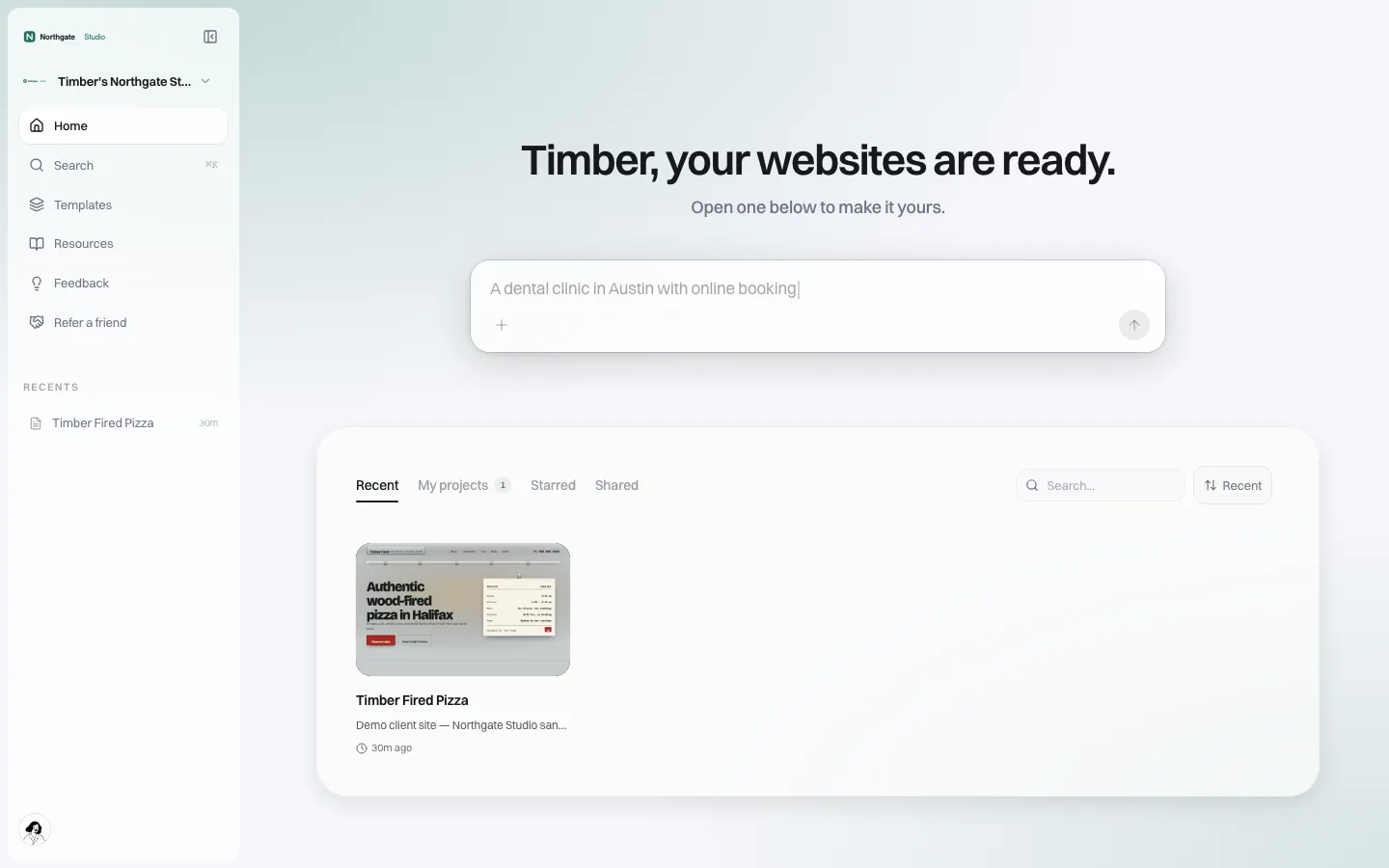
*The client's home on the demo brand: "Timber, your websites are ready." No We.Inc name anywhere.*
They describe the business in plain words, the way they would to a designer: what they sell, where they are, who their customers are, the feel they want. The AI writes a React project, the files land in the preview as they are written, and within minutes there is a site with real sections and copy to react to.
What happens behind the prompt
Clients do not need to know any of this. You do, because it decides how many tickets you get.
| Stage | What runs | Why it matters to a reseller |
|---|---|---|
| First build | A fast one-shot generation; files appear in the preview as they are written | The client sees progress instead of a spinner |
| First-build check | A real production build, a type check when the project has one, and a desktop and a phone screenshot of the running site, collecting console, network and broken-image errors | Problems are found before the client starts editing |
| Follow-up edits | An edit loop that reads only the files it needs | Changes to large sites stay focused |
| Broken change | If an edit leaves a previously working site broken and repair fails, the site is restored to the snapshot taken before that turn | The client is not stranded with a blank preview |
All generation runs on Claude models from Anthropic.
Who pays for the AI
This is the question every reseller asks, and the answer is in your settings, not in fine print.
- Plan credits. Your plan includes AI credits, which your clients' builds draw on.
- Your own Anthropic key. You can add your own key, and your clients' builds are then billed to you directly by Anthropic. If Anthropic refuses the key, the setup screen tells you which key failed.
- Per-client limits. Each client plan you create sets the AI credits a client gets each month (or no limit).
If neither a plan nor a key is in place, a client who tries to build is told AI is paused, rather than seeing an error.
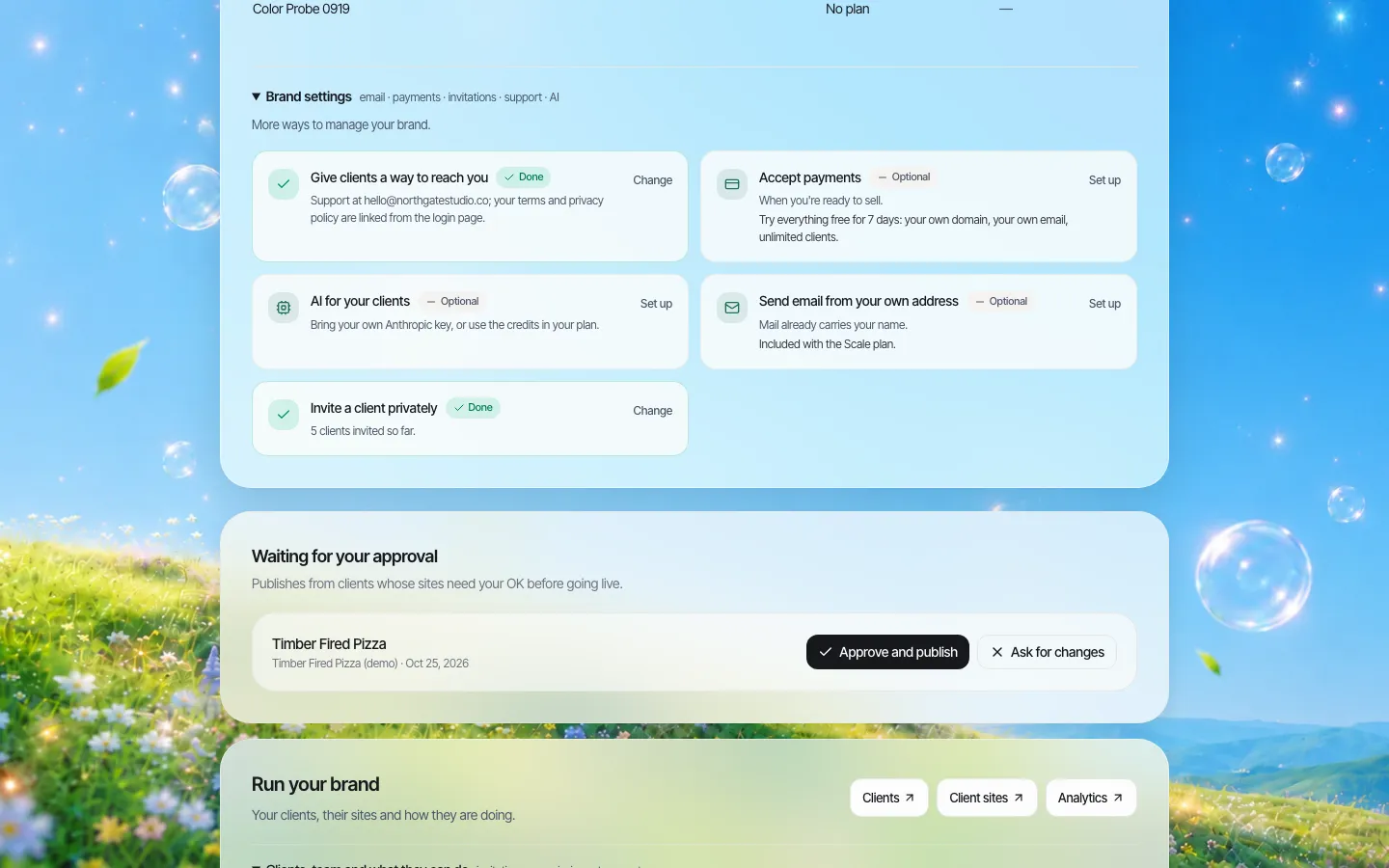
*Brand settings. "AI for your clients" is where the key and credits are managed.*
Letting clients edit by chat, or not
Separately from first builds, the agency console has a Client AI Copilot switch: when on, clients can ask for content and style updates in plain language. Its prompt is deliberately simpler than the main builder's, so clients are not shown technical detail. You can also name the assistant, set its tone and add house rules in the client experience settings.
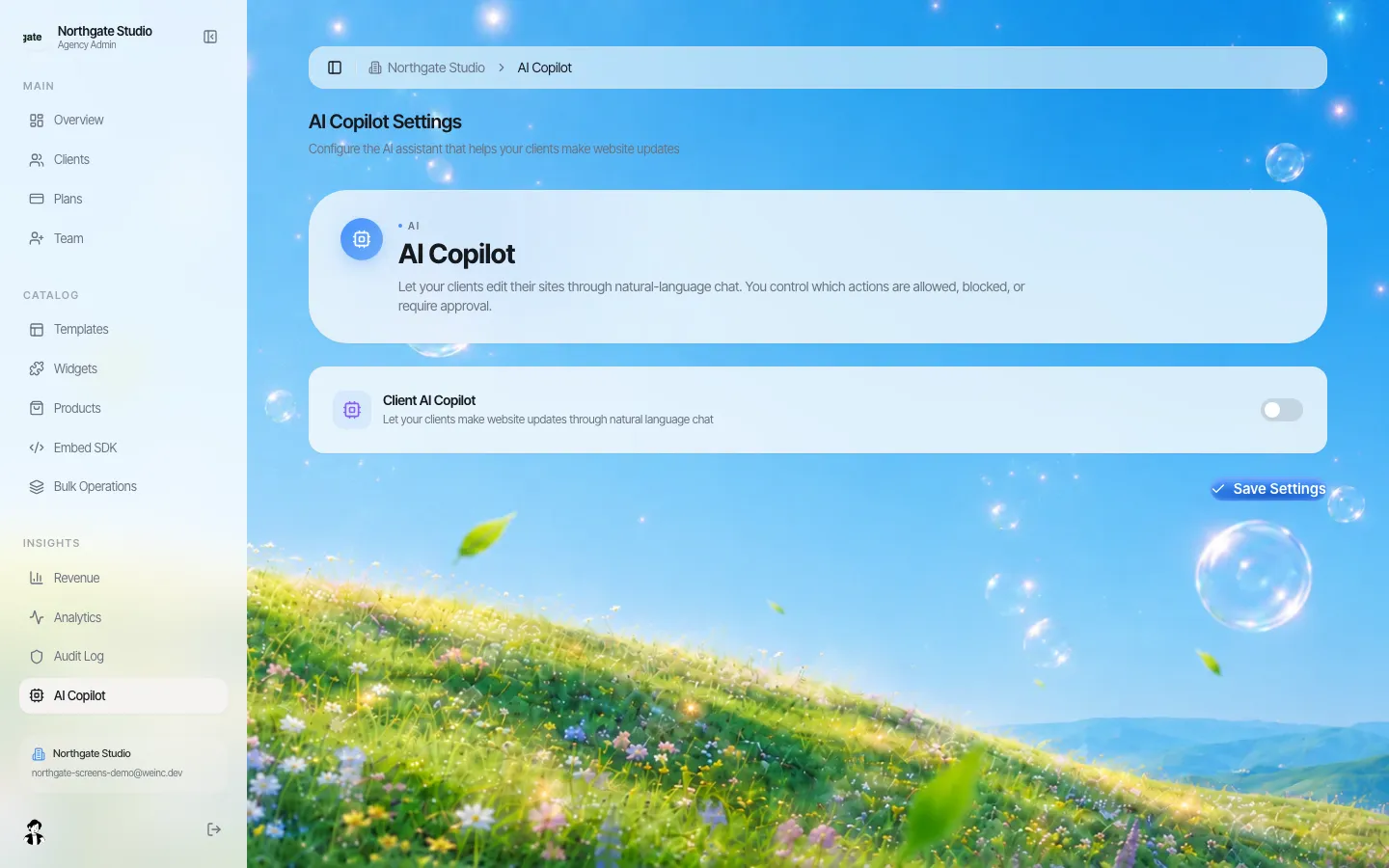
*The Client AI Copilot switch in the agency console.*
Setting expectations on time and quality
The first draft appears in minutes, but a site a business is proud of usually takes a few rounds: the client reads the copy, corrects facts, swaps photos for their own and asks for a section or two. Tell clients to expect an afternoon, not a minute. Clients who expect perfection on the first draft are disappointed by something that would have impressed them if framed as a draft.
The quality of the first draft depends mostly on the description. A one-line prompt gets a generic site; a paragraph with the business's real details gets a site that sounds like them.
What to promise clients (and what not to)
Promise:
- a first draft from a description, fast, that they can then edit;
- that changes are made to real code they could later take elsewhere (code export);
- that you, not a robot, review anything that needs to go live (turn on single-step approval before a client's site goes live if you want that).
Do not promise:
- that AI copy is accurate. It will invent plausible details (opening years, awards, staff names). Tell clients to check every fact before publishing.
- accessibility conformance. AI output is built to help you meet good practice, but your team must test it.
- that every request costs the same. Big rebuilds use more credits than a headline change.
A two-minute brief that gets better first drafts
Give clients this checklist before their first prompt:
- Business name and what you sell, in one sentence.
- Town or area served.
- Three things customers ask you most.
- Pages you need (for example: home, menu, book, contact).
- Two websites whose feel you like.
- Facts that must be exact: phone, address, hours.
Where this is the wrong tool
If a client needs a site wired into an existing booking engine, ERP or student system on day one, generation will give them a front end and someone will still need to integrate it. If the client wants a designer's hand on every pixel, start from one of your own templates instead of a blank prompt. For the general, non-white-label view of the product, see our AI website builder page.
Book a demo and give us a real client's description; we will build it on the call.
Book a demo. Pricing is tailored to your volume and setup, and you get your exact price on the call. 0% transaction fee.
Frequently asked questions
Do my clients see the We.Inc name when they use the AI?
No. They use the prompt box on your branded portal, and the greeting, prompt text and button labels can be renamed.
Can I use my own AI key?
Yes, an Anthropic key. Your clients' builds are then billed to you by Anthropic. Otherwise builds use the credits in your plan.
Can I limit how much AI each client uses?
Yes. Each client plan you create sets monthly AI credits, or no limit.
What happens if the AI breaks a site?
If a change leaves a previously working site broken and the repair step fails, the site is restored to the snapshot taken before that change.
Is AI-written content checked for accuracy?
No. The build is checked for errors, not facts. Clients should check every claim, phone number and address before publishing.
Keep reading
- White label website builder: the We.Inc platform
- A visual editor your clients can use
- Your own template library for clients
- Design your client portal
- AI website builder
- Client permissions: what each site owner can do
More in White Label
- Chapter websites that outlast the volunteers who build them
- Who changed it, and when: the audit log, line by line
- One brand, hundreds of dealers, and a website for each
- Give business customers and members a website, under your institution's name
- Keep every site on-brand without approving every comma
- Every email your clients get, in your name
- The page your clients see most should not say someone else's name
- Brizy white label pricing, and the AI alternative
We.Inc is an AI-powered website builder you can resell under your own brand. Launch a branded client dashboard, bill on Stripe Connect, and deliver AI-generated websites in minutes. White-label pricing is tailored to your volume and setup: book a 30-minute demo for a quote.
Product
- AI Website Builder: Describe a site in plain English; it's live in minutes
- White Label Platform: Your brand, your domain, your margin
- Enterprise: SSO, custom SLAs, and dedicated support
- Developer API: Embed site generation into your SaaS
Who It's For
- For Agencies: Resell under your brand
- For Freelancers: Your own branded builder
- For Hosting Providers: Add a builder to your stack
- For SaaS Platforms: Embed site creation via API
- For Startups
- For Financial Services
- For Healthcare
Features
- Drag & Drop Editor
- Built-in SEO Tools
- Custom Branding
- Client Dashboard
- Reseller Billing (Stripe Connect)
Resources
- Blog
- Help Center
- Free Business Tools
- Free UI Components
- Website Templates
- Template Collections
- Website Examples
- Guides
- Comparisons
- Alternatives
- Best Lists
- Reviews
- Pricing Guides
- Use Cases
- Glossary & Guides
- Integrations
- Developers
- Benchmark
- Windows App