The first email a client gets from your platform should look like it came from you
A client's first contact with your website platform is an email and a login page. If either carries someone else's name, looks like spam, or leads to a dead link, you start the relationship explaining instead of building. This page covers how clients are invited to your brand in We.Inc, the two ways your portal can let people in, and a checklist for getting the first invitation right.
TL;DR
- An owner or admin adds a client with an email address, and optionally a name, company and one of your client plans.
- The client receives an invitation in your brand's email layout, with a link on your brand's own address. You can reword that email.
- Your portal can be open to sign-ups or invitation only. When it is closed, anyone without an invitation is told to ask you for one.
- Each invite is recorded in the audit log and can trigger your Zapier or Make workflows through webhooks.
Two ways in: invitation and open sign-up
Before inviting anyone, decide how your portal should behave for people you did not invite:
| Mode | Who can create an account | Suits |
|---|---|---|
| Open sign-up | Anyone who reaches your sign-up page | Agencies selling online, platforms with self-serve customers, franchisors letting locations join |
| Invitation only | Only people you invite | Institutions, government bodies, agencies with managed clients only |
When your portal is closed to sign-ups and someone tries anyway, they see a plain message: accounts with your brand are by invitation, use the link in your invitation email or ask to be invited. Your brand name is in that message; We.Inc is not.
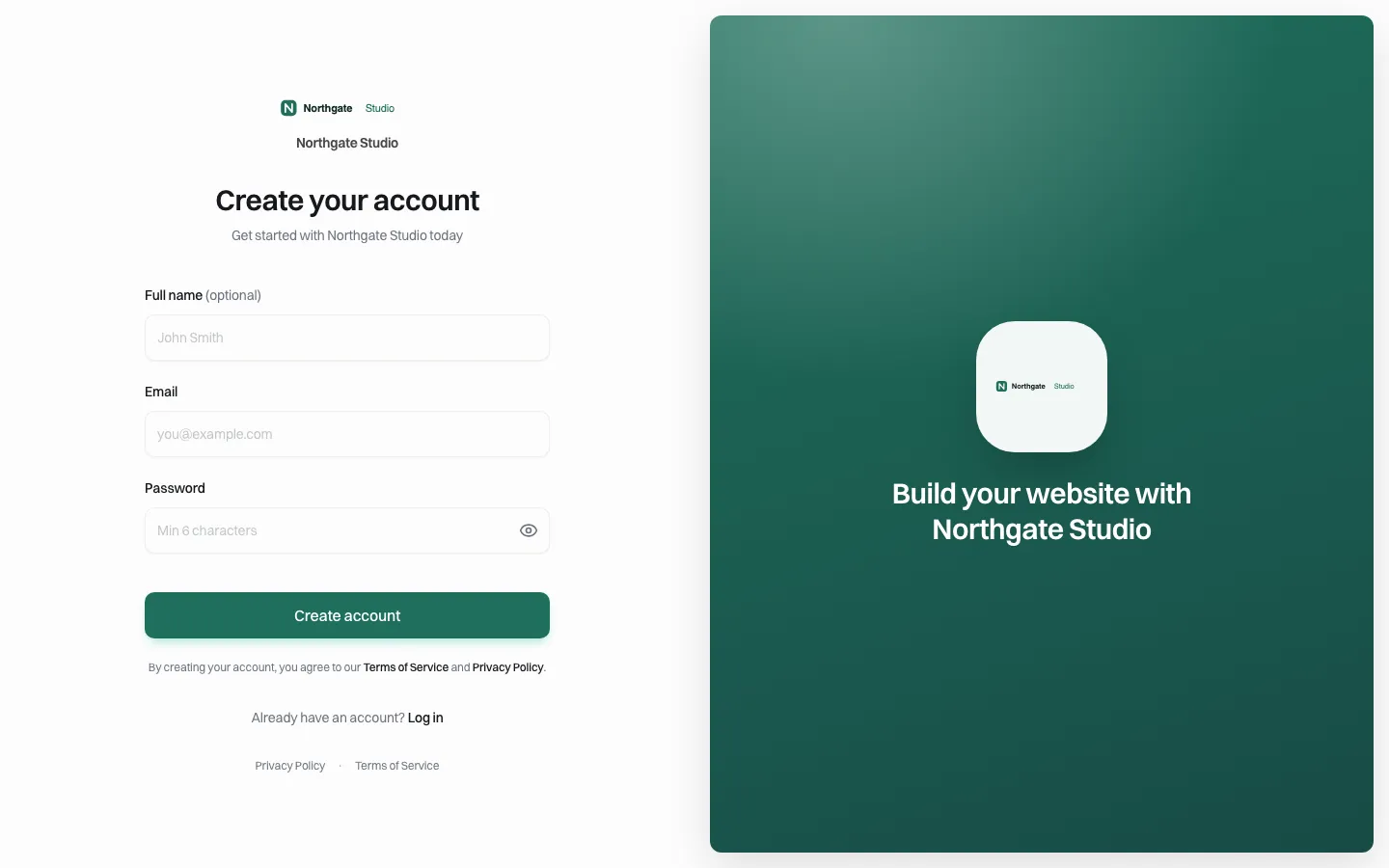
*The sign-up page on a demo brand's own address. With open sign-up, this is where new clients create their accounts.*
Adding a client
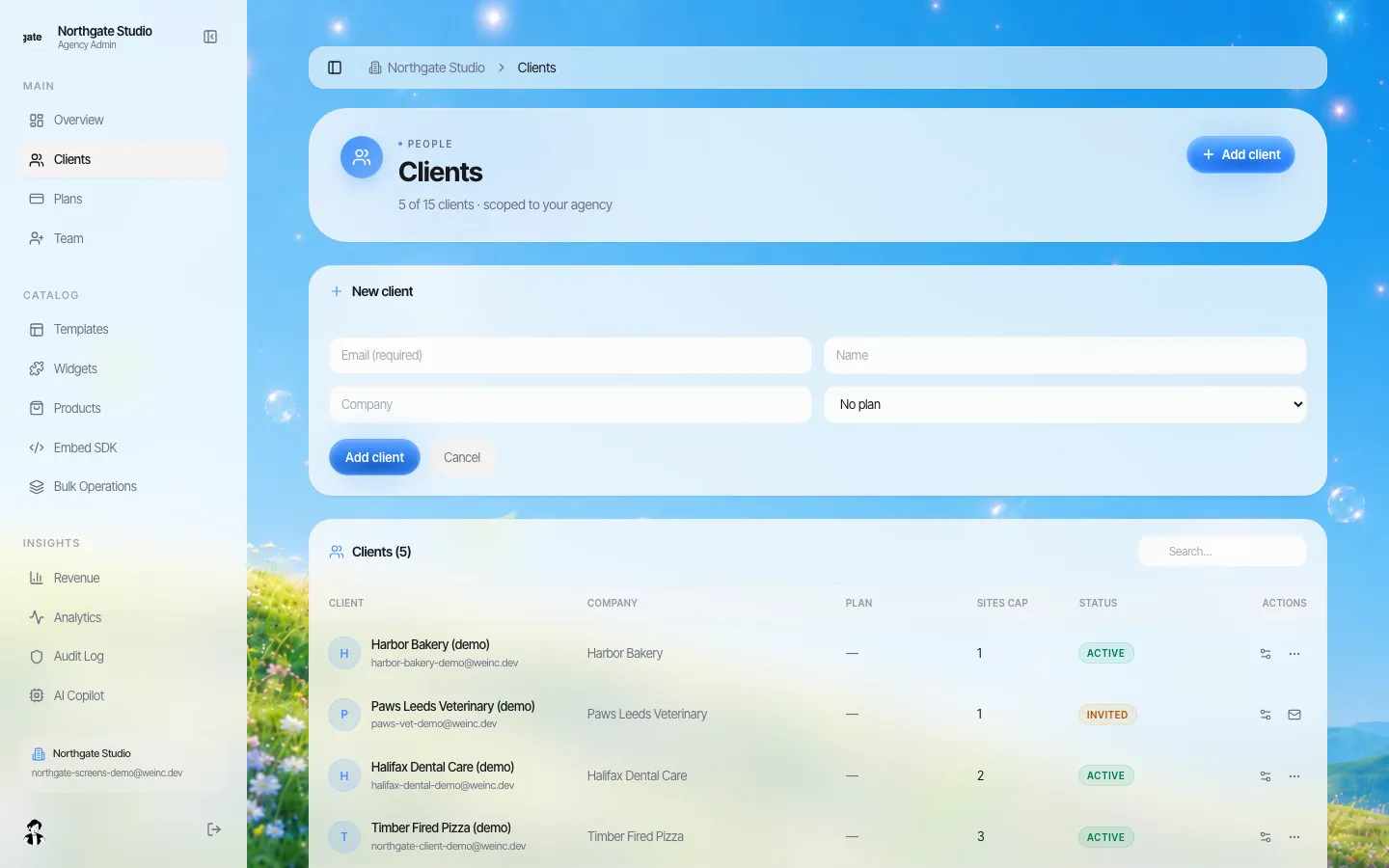
*The Add client form. Only the email is required; plan is one of the client plans you have set up.*
An owner or admin fills in:
- Email: required, and checked for a valid format.
- Name and company: optional, but they make the invitation and your client list much easier to read.
- Plan: optional. One of the plans you created for your clients, which can set their site limit and features.
Adding a client sends the invitation straight away. A couple of protections apply: there is a short rate limit on adding clients in quick succession ("Too many invites. Wait a minute."), and if your brand has a client limit, adding beyond it is refused with a clear message.
The invitation email
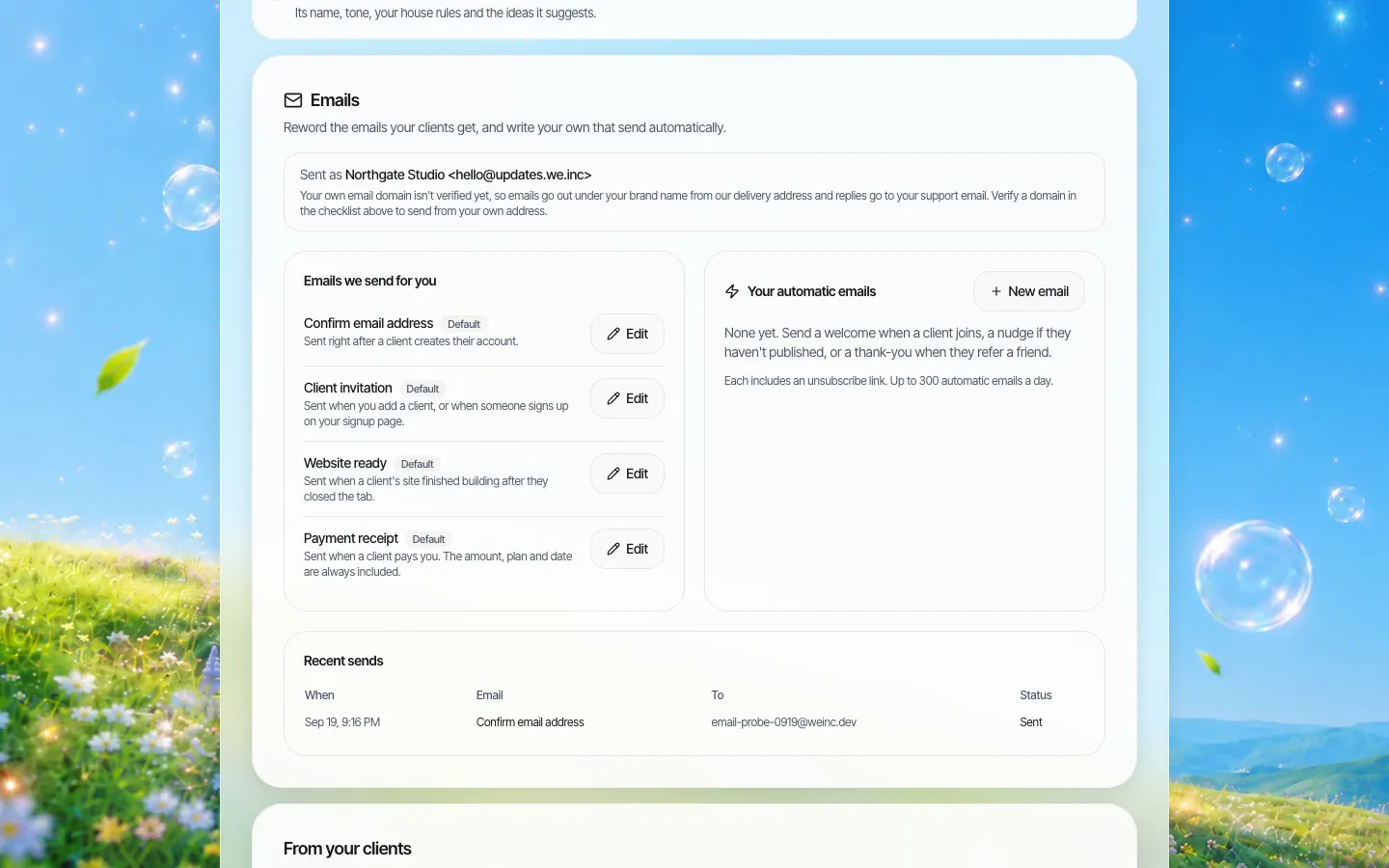
*The emails your brand sends. "Client invitation" is sent when you add a client, or when someone signs up on your sign-up page.*
The invitation is sent in your brand's email layout with your logo and colours. Its button links to an invitation page on your brand's own address, carrying a token the page checks. You can reword the email from the Emails section; if you verify your own sending domain, it is sent from your address. More on that on branded client emails.
What happens after they accept
- The client sets up their login on your branded page.
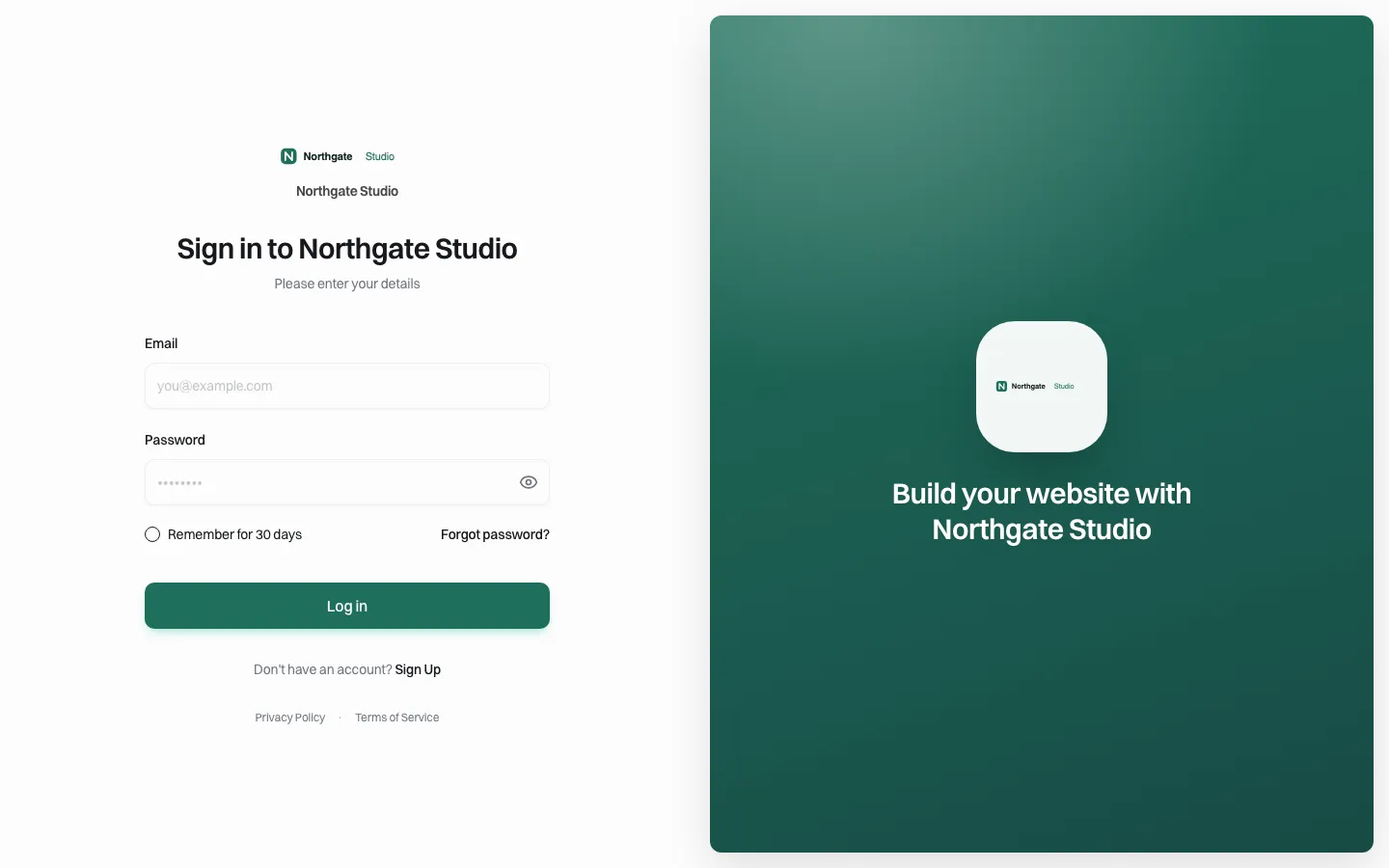
*The client's login page from then on: your brand, your address.*
- In your client list, their status changes from Invited to Active.
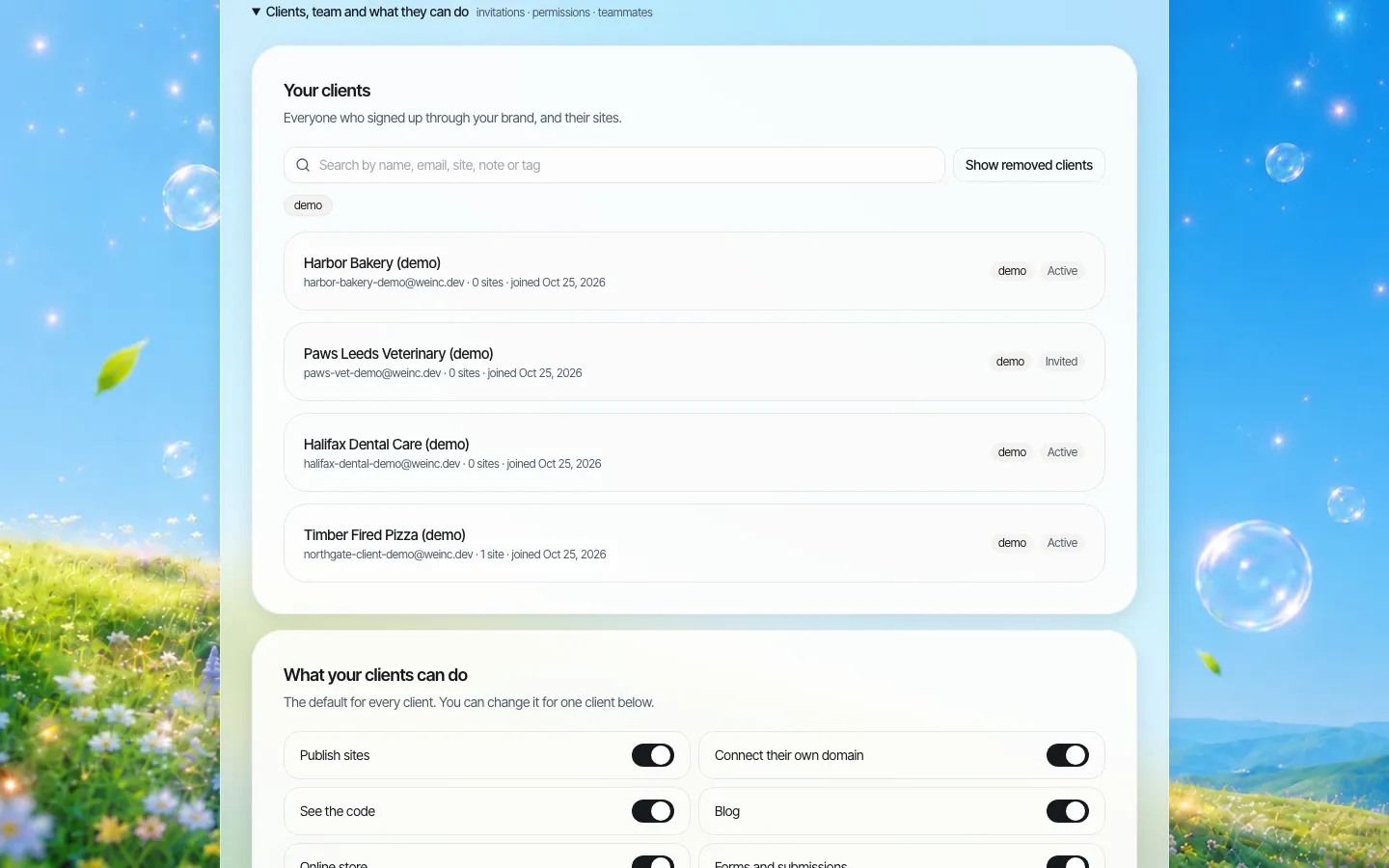
*The client list. Invited clients who have not accepted yet are easy to spot and chase.*
- They land on their own dashboard under your brand, ready to start a site or pick a template. See the client dashboard.
- If you set up automatic emails, the "client signed up" welcome goes out once.
Connecting invites to the rest of your business
Every invite is written to the audit log as "client invited", with the address. Adding or updating a client also fires the client.created and client.updated webhook events, so a Zapier or Make workflow can add the client to your CRM, create a task for the account manager, or post to your team chat.
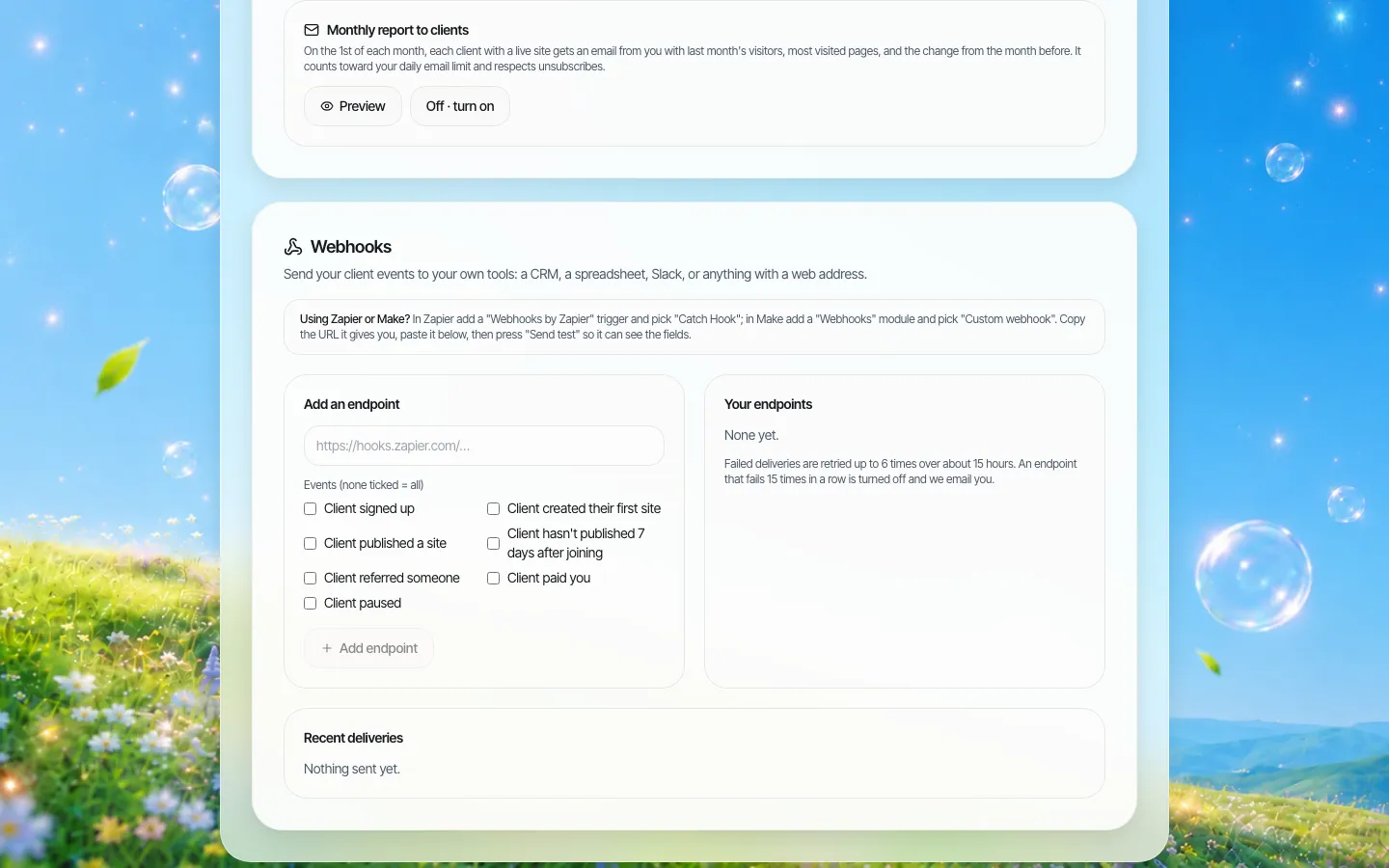
*Webhooks in brand setup. Client events can start your own automations.*
The pre-invite checklist
Invitations are a first impression. Before sending the first real one, check:
| Check | Why |
|---|---|
| Your logo, colours and name are set | The email and pages use them |
| Your brand's own address works | The invitation link points there |
| Support email is filled in | It appears in emails and on the Resources page |
| The invitation email wording is yours | The default is neutral; yours can say who you are |
| A client plan exists, if clients pay you | So the client starts on the right site limit and features |
| Client permissions are set as you want | They apply from the first login; see client permissions |
| You sent a test invitation to yourself | You see exactly what the client sees |
Writing an invitation people actually open
The default wording is neutral on purpose. Yours can do better, because you know the client. Three things raise acceptance:
- An opening line with a name they recognise. "Your new website from Northgate Studio is waiting" beats any generic "You're invited".
- One sentence on what happens next. "Click below, choose a password, and you will see the first version of your site" removes the fear of a long setup.
- A human sign-off. The account manager's name and a direct way to reply. Clients are far more likely to answer a person than a system.
Keep it short. The invitation has one job: get the client to click the button. Everything else belongs in the welcome email and your Resources page.
Chasing invitations that were never accepted
Some clients will not click. A simple routine:
- Day 2: a personal one-line email from the account manager: "I've sent you an invitation from [your brand]; it may be in your spam folder."
- Day 7: a phone call, if the client is paying you.
- Day 14: tag the client "stalled" in your client list and review at your weekly meeting.
Invitations for institutions and networks
If your "clients" are departments, branches or member organisations rather than paying customers, invitations work the same way with a few adjustments:
- Invite a named person, not a shared inbox. A real owner of record makes later questions ("who approved this page?") answerable.
- Use the company field for the unit, such as the department or branch name, and tag clients by region or division so the list stays searchable.
- Close sign-ups. Invitation only means nobody can create a site under your brand without the web office knowing.
- Pair invitations with approval before going live for units that are new to running a site.
Limits to know
- Each client account is tied to one email address. If several people at a business need access, decide early who holds the client login.
- Moving hundreds of existing clients across? Plan that migration with us on the demo rather than typing them in one by one.
- Invitation only is brand-wide. You cannot open sign-up for one campaign and close it for everything else.
Book a demo and we will send a test invitation from a sample brand while you watch.
Book a demo. Pricing is tailored to your volume and setup, and you get your exact price on the call. 0% transaction fee.
Frequently asked questions
Does the client invitation mention We.Inc?
No. It is sent in your brand's email layout, and its link goes to an invitation page on your brand's own address. You can reword it.
Can I stop strangers from signing up to my portal?
Yes. Close your portal to sign-ups and it becomes invitation only. Anyone without an invitation is told to ask you for one.
What information do I need to invite a client?
Only an email address. Name, company and plan are optional.
Can inviting a client trigger my own automations?
Yes. Adding or updating a client fires webhook events you can connect to Zapier or Make, and each invite is recorded in the audit log.
Keep reading
- White label website builder: the We.Inc platform
- White-label client dashboard
- Branded emails to your clients
- Client permissions: what each site owner can do
- White-label custom branding
- Website client questionnaire
More in White Label
- The first week decides whether a client builds or churns
- Decide what every site owner can do, in seven switches
- Your logo on someone else's product is not a portal. Your words and your menu are
- Your best work, as a starting point for every new client
- Stop being your clients' content-entry service
- You should be able to leave. Here is exactly what leaves with you
- More sites than staff: a website platform for community colleges
- Websites for members who own the business, not franchisees who follow it
We.Inc is an AI-powered website builder you can resell under your own brand. Launch a branded client dashboard, bill on Stripe Connect, and deliver AI-generated websites in minutes. White-label pricing is tailored to your volume and setup: book a 30-minute demo for a quote.
Product
- AI Website Builder: Describe a site in plain English; it's live in minutes
- White Label Platform: Your brand, your domain, your margin
- Enterprise: SSO, custom SLAs, and dedicated support
- Developer API: Embed site generation into your SaaS
Who It's For
- For Agencies: Resell under your brand
- For Freelancers: Your own branded builder
- For Hosting Providers: Add a builder to your stack
- For SaaS Platforms: Embed site creation via API
- For Startups
- For Financial Services
- For Healthcare
Features
- Drag & Drop Editor
- Built-in SEO Tools
- Custom Branding
- Client Dashboard
- Reseller Billing (Stripe Connect)
Resources
- Blog
- Help Center
- Free Business Tools
- Free UI Components
- Website Templates
- Template Collections
- Website Examples
- Guides
- Comparisons
- Alternatives
- Best Lists
- Reviews
- Pricing Guides
- Use Cases
- Glossary & Guides
- Integrations
- Developers
- Benchmark
- Windows App