Department Microsites: When a Separate Site Is Right, and How to Stop Them Sprawling | How-to Guide
A decision test for whether a department, programme or campaign gets its own microsite or a section of the main site, plus naming and domain rules, an approval form, a lifecycle with an end date, and a register template for organisations that run many sites.
Every large organisation has the same argument. Parks wants its own website because the main one is slow to change. The tourism team wants a site with its own look. A grant-funded programme needs something live in three weeks. Each request is reasonable on its own. Ten years later there are forty sites, a dozen domains nobody remembers registering, six different contact pages and no one who can say which ones are still maintained. This guide gives you a test for saying yes or no, the rules to attach to a yes, and a way to retire sites before they rot.
What we mean by a microsite
A microsite is any website that sits outside your main site's navigation and templates, with its own address. It might be a subdomain (parks.example.gov), a separate domain (visitexample.com), or a site on a third-party platform. A section of the main site (example.gov/parks) is not a microsite, even if it has its own banner. The distinction matters because a section inherits your templates, search, navigation, accessibility fixes and review process. A microsite inherits none of them unless you make it.
The decision test
Ask the requesting team to answer these seven questions in writing. A microsite is justified only if the answers to at least two of the first four are yes, and the answers to all of the last three are yes.
| # | Question | Why it matters |
|---|---|---|
| 1 | Is the audience mostly people who would never visit the main site (tourists, investors, a national audience)? | If residents or members are the audience, they will look on the main site first |
| 2 | Does it need a brand that must look different from the parent, for a reason outside the team's preference (a partnership, a separately governed body)? | "We want our own look" is not a reason; "this is a joint venture with two other counties" is |
| 3 | Does it need functions the main site cannot provide (a store, bookings, a members' area)? | Check first whether the main platform can add it |
| 4 | Is it a time-limited campaign with a clear end date? | Campaigns are the best fit, as long as they actually end |
| 5 | Is there a named owner, by role, who will maintain it for its whole life? | Sites without owners are where outdated and inaccessible content collects |
| 6 | Will it use the organisation's approved templates or meet the same accessibility and security bar? | A microsite is still your content; under ADA Title II, content provided through a contractor is still the public entity's |
| 7 | Is there budget for its running costs and its retirement? | Domains, hosting, testing and the work of shutting it down cost money every year |
If the request fails, offer a section of the main site with a distinct landing page. Most teams asking for a microsite actually want three things: speed, a page they control and a short address. A good section with delegated editing and a short redirect gives them all three.
Section, subdomain or separate domain
Once a separate presence is justified, choose its address deliberately.
| Option | Use it when | Costs and risks |
|---|---|---|
| Section: example.gov/parks | The default for any department or permanent programme | Depends on the main platform being easy enough for the department to edit |
| Subdomain: parks.example.gov | A distinct application or a site on a different platform, still clearly part of the organisation | Search engines may treat it as a separate site; separate analytics and certificates to manage |
| Separate domain: visitexample.com | Audiences outside your jurisdiction, partnerships, campaigns with their own name | Annual renewal, phishing look-alike risk, residents cannot tell it is official, link equity starts from zero |
| Short redirect: example.gov/fair | A campaign that needs a printable address | None worth mentioning; use these generously |
For US public bodies there is an extra reason to keep things under one name. The .gov registry, run by CISA, says organisations generally cannot get more than one .gov domain, including naming variations. A department that wants its own name therefore usually ends up on a commercial domain, which residents have less reason to trust. A subdomain of your .gov keeps the official signal.
Naming rules to adopt
- Subdomains use the service name people search for (parks, library, permits), never internal division names or acronyms.
- One word where possible, no dashes or numbers. get.gov's own advice for .gov names (memorable, easy to say aloud, no dashes or numbers) is a good rule for subdomains too.
- Separate domains are registered by central IT, in the organisation's name, on the organisation's account, never on a staff member's card.
- Defensive registrations for obvious look-alikes of a separate domain are worth considering, because residents and phishers both find them.
- Every site's footer names the parent organisation and links to the main site.
The microsite request form
Copy this into your intake form. Making the requester write the answers down filters out most weak requests on its own.
| Field | Answer |
|---|---|
| Name of site and proposed address | |
| Requesting department and owner role (not a person's name only) | |
| Backup owner role | |
| Audience and the top three tasks they will do | |
| Answers to the seven-question test | |
| Why a section of the main site will not work | |
| Platform and template to be used | |
| Functions needed (forms, bookings, store, members' area) | |
| Launch date and planned end or review date | |
| Annual budget, including domain, testing and retirement | |
| Who approves content before it goes live | |
| Accessibility test plan before launch |
Run every site from one place
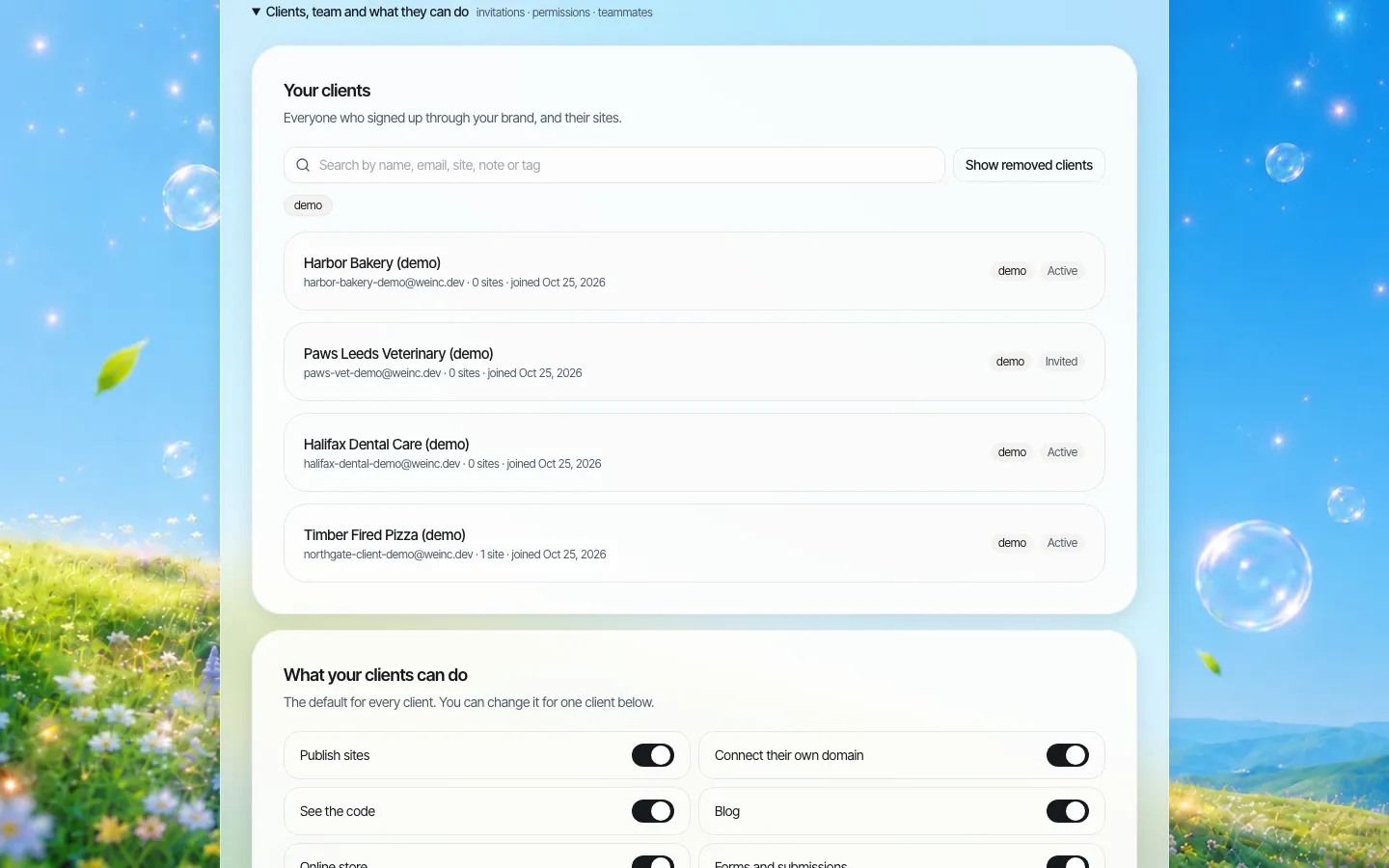
The real cost of microsites is not building them. It is that each one ends up on a different platform, with a different login, a different contractor and a different idea of what "done" means. The single most effective rule is that every approved microsite is built on a platform the central web team can see and manage. That gives you:
- A list of every site, with its status, that nobody has to keep by hand.
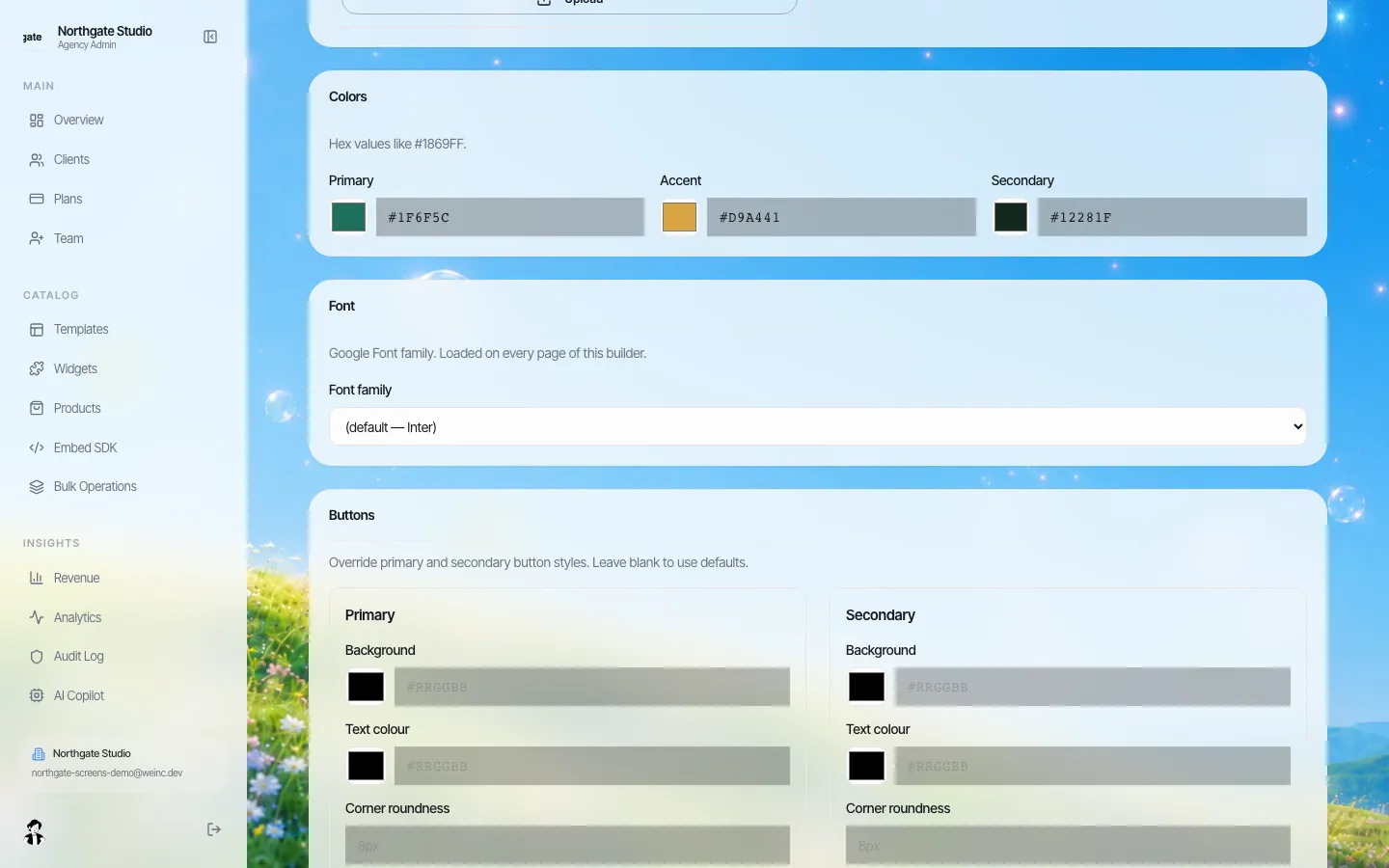
- Shared templates and branding, so a fix to the header or a colour change is made once.
- Access you can remove when someone leaves, without asking a contractor.
- A review step you control before any site goes live.
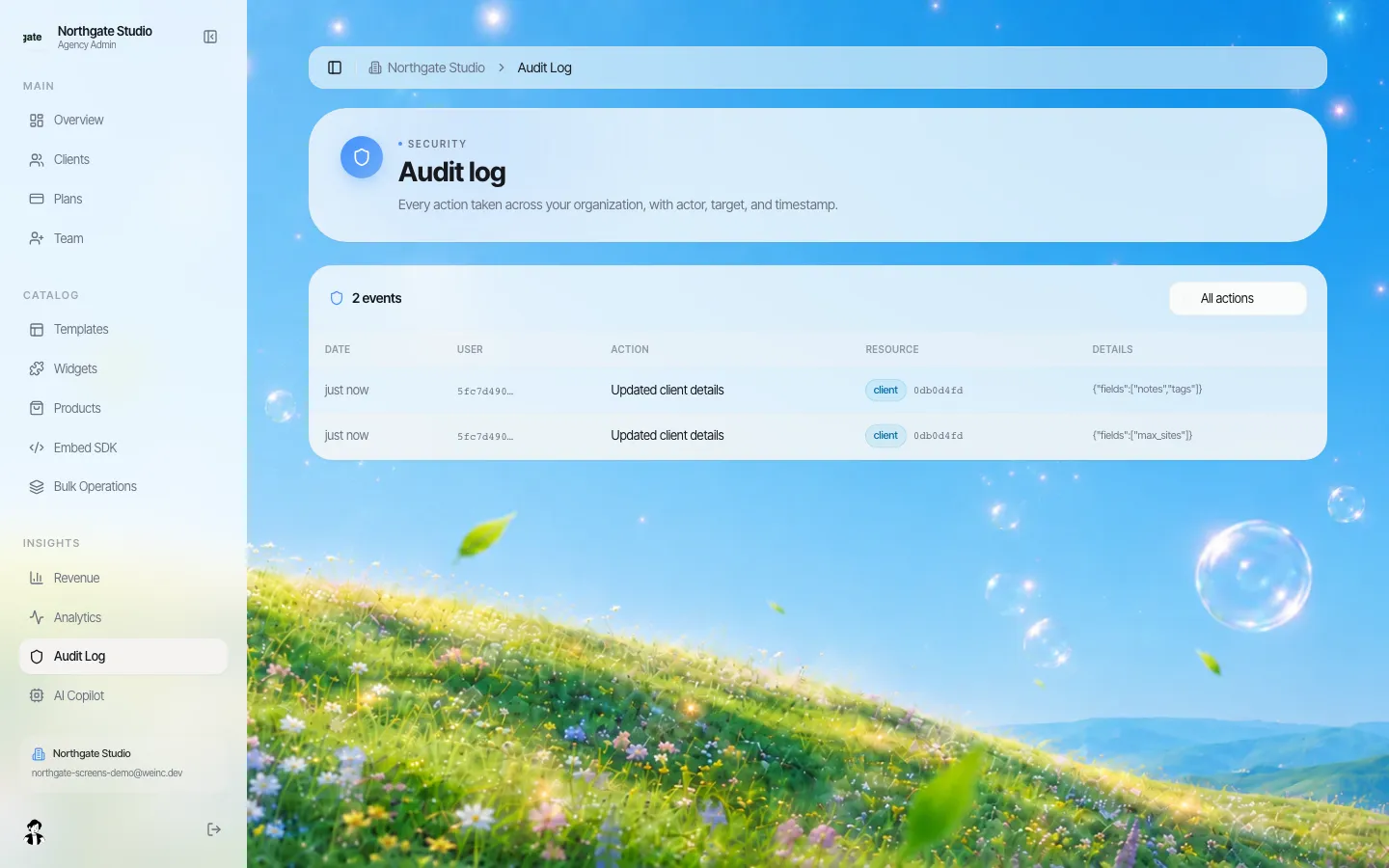
- A record of who changed what.
Delegation without losing control
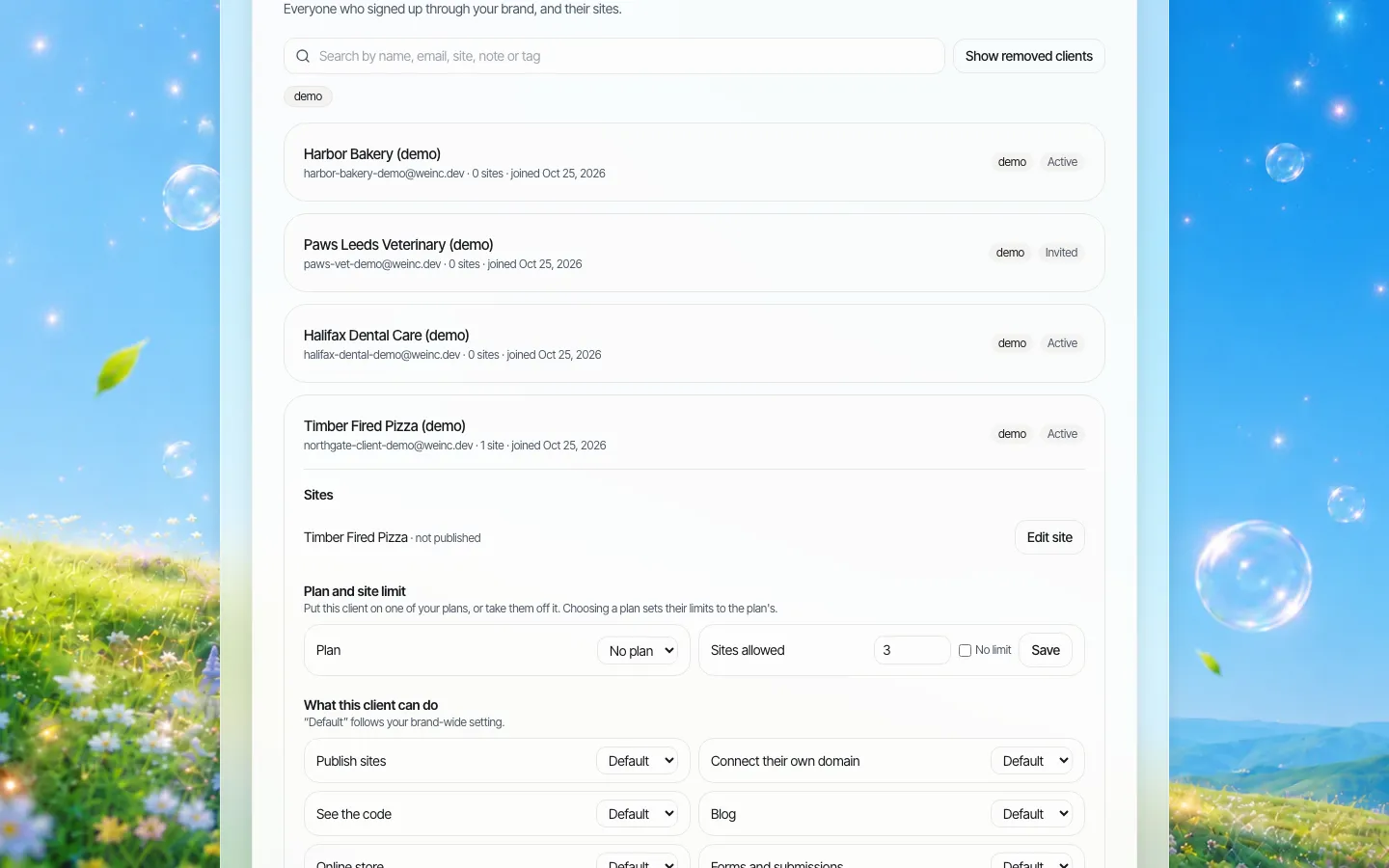
Departments ask for microsites mostly because they want to publish without waiting. Give them that, within limits:
| Can do without asking | Needs central sign-off |
|---|---|
| Edit text, images and events on their own site | Launching the site, and relaunching after a redesign |
| Add news posts and pages within the template | Connecting a new domain |
| Invite colleagues to edit | Adding a store, payments or a members' area |
| Request a short redirect | Changing the template or brand colours |
A lifecycle with an end
Microsites rarely die on purpose. Build the end into the start.
- Approve with an end date (campaigns) or a review date no more than two years out (programmes).
- Launch only after the accessibility test and content review are done.
- Review yearly. Is the owner still in post? Are visits worth the cost? Is the content current? Does it still pass the seven-question test?
- Retire by moving anything still needed into the main site, redirecting every old URL to its new home or the closest relevant page, archiving what must be kept for the record, and keeping the domain registered for a while so nobody else can buy it and pose as you.
- Remove the site from the register, revoke access and record the date.
The microsite register
Keep one sheet. ADA.gov's first steps for the Title II web rule begin with knowing how many websites you have; this register is that answer, kept current.
| Site | Address | Owner role | Platform | Launched | Review or end date | Last accessibility test | Status |
|---|---|---|---|---|---|---|---|
| Example: Summer Reading 2027 | example.gov/read | Youth services manager | Main platform | 2027-05 | 2027-09 end | 2027-04 | Live |
Mistakes that keep repeating
- Letting the vendor own the domain. When the contract ends, the address goes with them. Our vendor exit plan covers getting everything back.
- A microsite for every reorganisation. Departments merge and rename; addresses should follow services, not org charts.
- Duplicate content. The same opening hours on the main site and the microsite will disagree within a year. Keep one source and link to it.
- No owner after the launch party. The person who championed the site moves on; name a role, not a person.
- Skipping review because it is "only a campaign". Campaign sites are public content like any other.
Put the rules above into your website governance policy so they survive staff changes, and include the platform requirements in your RFP when you next go to market.
Where We.Inc fits
We.Inc is a white-label website platform: one brand, many sites, managed from one admin area. An organisation can put its own name on it and give each department or programme its own site. What is true today:
- A list of every site under the brand, with tags and status.
- Shared brand settings (logo, colours, fonts) and templates.
- Owner, admin and member roles, plus per-site switches for publishing, custom domains, forms, blog and store.
- An optional single-step approval before a site goes live.
- Custom domains per site, an audit log of organisation actions, and full code download or GitHub export.
Sites are built with AI from templates and prompts, so every site still needs your own accessibility and content review before launch; we do not claim any site conforms to WCAG. To see a brand with several department sites set up, book a demo. The public-sector overview is on our government agencies page.
Sources
Last checked 2026-10-25.
- get.gov (CISA), Choosing a .gov domain name (one domain per organisation, naming advice).
- get.gov (CISA), Requirements for operating a .gov domain.
- ADA.gov, First Steps Toward Complying with the Title II Web and Mobile Application Accessibility Rule (website inventory).
- ADA.gov, Fact Sheet: New Rule on the Accessibility of Web Content and Mobile Apps Provided by State and Local Governments (contracted content).
This guide is general information, not legal advice.
Frequently asked questions
When should a department get its own microsite?
When its audience mostly would not visit the main site, it needs a distinct brand for a reason beyond preference, it needs functions the main site cannot provide, or it is a time-limited campaign, and it also has a named owner, meets the same accessibility and security bar, and has budget for running and retiring it.
Should department sites use a subdomain or a subdirectory?
A section of the main site is the default for departments and permanent programmes. Use a subdomain for a distinct application still clearly part of the organisation, and a separate domain only for outside audiences, partnerships or named campaigns.
Can a city get a separate .gov domain for each department?
Generally not. get.gov says organisations generally cannot get more than one .gov domain, including naming variations, so departments usually use sections or subdomains of the main .gov.
How do you retire a microsite safely?
Move content still needed into the main site, redirect every old URL, archive what must be kept, keep the domain registered for a period so nobody else can use it, then revoke access and update the register.
Can We.Inc run many department sites under one brand?
Yes. We.Inc runs many sites under one brand with shared branding, roles, per-site permissions, optional single-step publishing approval, an audit log, custom domains and code export. Each site still needs your own accessibility testing.
More in Guides
- How to Deploy a React or Next.js App
- Design System Examples and a Live Website Style Guide
- Design Tokens Explained, with a Live JSON to CSS Converter
- Designing a Website Homepage: A Worksheet-Led Guide | How-to Guide
- Developer Portfolio Examples and a Free Template
- Landing Page vs Website: The Difference and Which You Need | How-to Guide
- Discord Webhook: Create One and Send Messages
- Discovered - Currently Not Indexed: Google Knows the URL but Has Not Visited
Website builders for the businesses in this article
Related guides and tools
Start building
We.Inc is an AI-powered website builder you can resell under your own brand. Launch a branded client dashboard, bill on Stripe Connect, and deliver AI-generated websites in minutes. White-label pricing is tailored to your volume and setup: book a 30-minute demo for a quote.
Product
- AI Website Builder: Describe a site in plain English; it's live in minutes
- White Label Platform: Your brand, your domain, your margin
- Enterprise: SSO, custom SLAs, and dedicated support
- Developer API: Embed site generation into your SaaS
Who It's For
- For Agencies: Resell under your brand
- For Freelancers: Your own branded builder
- For Hosting Providers: Add a builder to your stack
- For SaaS Platforms: Embed site creation via API
- For Startups
- For Financial Services
- For Healthcare
Features
- Drag & Drop Editor
- Built-in SEO Tools
- Custom Branding
- Client Dashboard
- Reseller Billing (Stripe Connect)
Resources
- Blog
- Help Center
- Free Business Tools
- Free UI Components
- Website Templates
- Template Collections
- Website Examples
- Guides
- Comparisons
- Alternatives
- Best Lists
- Reviews
- Pricing Guides
- Use Cases
- Glossary & Guides
- Integrations
- Developers
- Benchmark
- Windows App