Web Design Proposal Template (Free Download + Filled Example) | How-to Guide
A free, editable web design proposal template you can download without signing up, a fully filled small-business example, a field-by-field explanation of scope and exclusions, and how to turn it into a build brief.
A web design proposal turns a conversation into an agreed scope: what you will build, what you will not, what the client must supply, when, and for how much. This page gives you an editable template, a completed example for a fictional business, and an explanation of every field. The download needs no sign-up.
Download the template
Download the web design proposal template (.txt, editable). It opens in any text editor and pastes cleanly into Google Docs or Word, where you can add your logo and save as PDF for the client.
This is a proposal, not a contract. If you attach contract terms, have them reviewed by a qualified lawyer where you work.
Completed example: a small-business website
The example below is for a fictional client, "Harbour Line Plumbing", from a fictional freelancer. No real client or outcome is implied.
Proposal for: Harbour Line Plumbing       Valid until: 30 days from date
Prepared by: [freelancer name]

WHAT YOU TOLD US
Two-person plumbing business, North Shore. No website; jobs come by word
of mouth. Wants customers to call or send a job request from a phone.

GOALS AND CHECKS
1. Calls and job requests from mobile -> check: tap-to-call opens dialler,
   test job request reaches owner inbox.
2. Customers can see areas served and licence -> check: area list and
   licence number with register link on Home and About.

PAGES (5 included; extra pages [price] each)
Home | services, areas, call button | us (copy), client (photos)
Services | drain, hot water, bathroom plumbing | client supplies details
Areas we serve | suburb list | client
About | owner, licence + register link | client
Contact | job request form + phone | us

INTEGRATIONS: none at launch. Domain: client owns it at their registrar.
EXCLUSIONS: photography, logo, ongoing SEO or ads, more than 5 pages.
CLIENT DECISIONS: content by week 2; one approver (owner); 2 revision rounds.
TIMELINE: draft week 3, revisions week 4, launch week 5 if content is on time.
PRICE: build [amount]; 50% to start, 50% at launch.
OWNERSHIP: client owns domain, content and all logins at handover.
Field-by-field: what each section is for
| Section | Why it matters | Common mistake |
|---|---|---|
| What you told us | Shows you listened; the client can correct you before work starts. | Generic text about "a modern online presence". |
| Goals and checks | Every goal has a test you can run at launch. | Promising rankings, traffic or sales you cannot control. |
| Pages | Defines scope and who supplies content for each page. | "Up to 10 pages" with no content owner. |
| Services, evidence, integrations | Surfaces what proof the client actually has and which tools must connect. | Discovering a booking system in week 4. |
| Exclusions | Stops scope creep politely. | Leaving it out, then arguing about "just one more page". |
| Client decisions | Deadlines depend on content and approvals arriving. | Timelines with no dependency on the client. |
| Price and payment | Clear amounts, schedule and ongoing costs. | Hiding hosting or software costs until launch. |
| Ownership | The client keeps the domain and logins. | Registering the client's domain in your own account. |
Working out your fee? Try the freelance rate calculator or the website cost calculator. For the wider sales process see how to create a client proposal.
Adapting it for a second business model: an online shop
- Pages: replace Services and Areas with Shop, Product pages, Shipping and returns, and Terms.
- Evidence: product photos, descriptions and prices supplied by the client, in a spreadsheet.
- Integrations: payments, shipping rates and tax settings become in-scope decisions; name who configures each.
- Exclusions: cap the number of products you will enter (for example 25), with a price for more.
- Goals and checks: a test order goes through end to end and the confirmation email arrives.
Turn the approved proposal into a build brief
Once the client signs, copy the approved facts into the appendix of the template: business name, one-line description, area, pages, services, checkable proof, main action, integrations and tone. That same brief is what you start the build from, so nothing unapproved slips into the site.
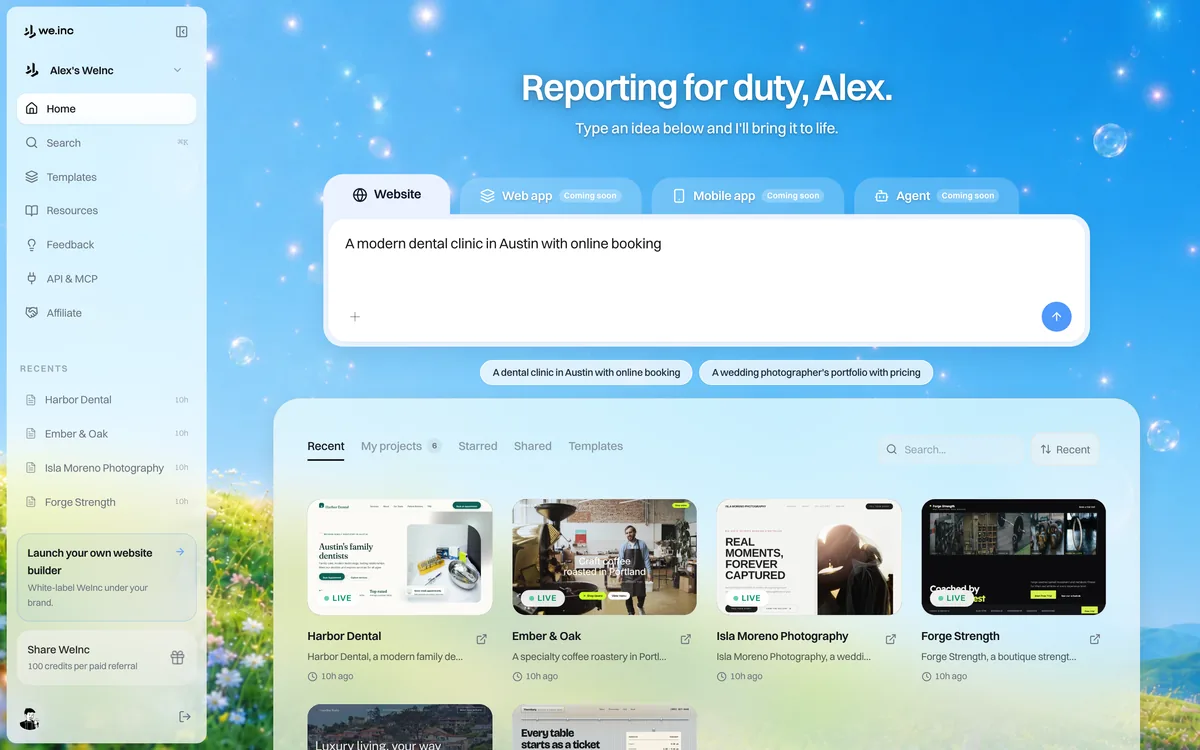
In the We.Inc website builder you can start from a business template on the Free plan (up to 3 template sites on a we.inc address, no AI credits, no custom domain), or paste the brief as a prompt on Starter ($20/month), which adds AI building and custom domains (pricing). Agencies building for many clients can look at We.Inc white-label. Before handover, run the website grader.
Start building your business website
Frequently asked questions
What should a web design proposal include?
The client's problem in their words, goals with a check for each, the pages and who supplies content, integrations, exclusions, client responsibilities, timeline, price and payment schedule, and who owns the domain and logins.
Do I need to sign up to download the template?
No. The template is a plain text file you can download and edit directly from this page.
Is a web design proposal a contract?
No. It sets out scope and price. If you attach contract terms, have a qualified lawyer review them.
Is the filled example a real client?
No. Harbour Line Plumbing is a fictional business used to show a completed proposal.
More in Guides
- 20 Web Dev Projects for Beginners (with Starter Code)
- Web Font Loading: font-display, Preload and Subsetting
- Web Push Notifications, Explained
- Web Safe Email Fonts and the Stacks to Use
- Webhook vs API: When to Pull and When to Be Pushed
- WebRTC vs WebSocket: Peers or a Server
- Website Accessibility Checklist for Small Businesses (WCAG-Based) | How-to Guide
- Website Analytics for the Public Sector: What to Measure, What Not to Collect, and How to Report It | How-to Guide
Website builders for the businesses in this article
Related guides and tools
Start building
Product
Who It's For
- For Agencies
- For Freelancers
- For Hosting Providers
- For SaaS Platforms
- For Startups
- For Financial Services
- For Healthcare
Features
Resources
- Blog
- Help Center
- Free Business Tools
- Free UI Components
- Website Templates
- Template Collections
- Website Examples
- Guides
- Comparisons
- Alternatives
- Best Lists
- Reviews
- Pricing Guides
- Use Cases
- Glossary & Guides
- Integrations
- Developers
- Benchmark
- Windows App