Website Analytics for the Public Sector: What to Measure, What Not to Collect, and How to Report It | How-to Guide
A practical analytics plan for government, council and public agency websites: task-based measures instead of vanity metrics, privacy-minimal collection, retention settings, a monthly report template, and how federal, state and local rules shape the choices.
A public website does not have a conversion rate in the usual sense. Nobody is buying anything, and a resident who finds the bin collection day in ten seconds and leaves is a success, not a bounce. Yet most public sector analytics dashboards are copies of retail dashboards: sessions, bounce rate, time on page. This guide is about measuring what a public website is for, collecting as little personal data as the job needs, and reporting it in a way that changes decisions.
Start from the question, not the tool
Write down the questions leadership and departments actually ask. Typical ones:
- Can people complete the top tasks online, or do they end up calling?
- Which pages are used, and which can we remove?
- What are people searching for that we do not answer?
- Did the redesign, campaign or new form make things better?
- What happened to traffic during the storm, the election or the outage?
Every metric in your dashboard should answer one of these. If a number does not, drop it.
Measures that mean something on a public site
| Question | Measure | How to collect | Watch out for |
|---|---|---|---|
| Can people complete tasks? | Task completion: form submissions, payment confirmations, appointment bookings, per top task | Count arrivals on confirmation pages or form-submit events | Tasks completed in a third-party system need the vendor's numbers |
| Do they give up? | Drop-off between task start and completion | Start page views versus confirmation page views | Small numbers swing; report monthly, not daily |
| Do they find what they need? | Top site searches, and searches with no results | Site search logs | Search terms can contain personal data; review before sharing |
| Is the site replacing calls? | Calls about topics that are on the website | Call centre categories, compared with page views for the same topic | Needs cooperation with the contact centre |
| Was the page helpful? | Yes / no feedback on the page, with an optional comment | A small on-page widget | Comments may include names or case details; do not publish them |
| What is unused? | Pages and documents with near-zero views over 12 months | Page report filtered by views | Seasonal pages (elections, tax deadlines) look unused most of the year |
| How do people arrive? | Traffic sources and device split | Referrer and device reports | Device split matters more than source on most public sites |
Notice what is missing: bounce rate and time on page. A resident who reads a short page and leaves satisfied looks identical to one who gave up. Use task completion and feedback instead.
Collect less
Public bodies hold a particular trust, and analytics data about residents looking up benefits, health services or the police is sensitive even when it is technically anonymous. A privacy-minimal set-up:
- Collect page views, events and aggregate sources. Do not send names, emails, case numbers or addresses into analytics. Check that form fields and URLs with query strings do not leak them.
- Turn off what you do not use: advertising features, cross-device signals and data sharing with the vendor, unless there is a clear purpose.
- Set a short retention period. In Google Analytics 4, standard properties can keep event-level data for 2 or 14 months; Analytics 360 offers longer options. Google notes that the retention setting does not affect standard aggregated reports, only explorations and similar detailed analysis, so a short retention often loses little.
- Strip sensitive search terms from reports shared outside the web team.
- Publish what you collect in your privacy notice, in plain language, and keep it accurate.
- Check local law and policy on consent banners and cookies; requirements vary by country and state.
Federal, state and local: who must do what
US federal executive branch agencies are required under OMB memo M-23-22 to participate in the General Services Administration's Digital Analytics Program (DAP). DAP is free to agencies and runs on Google Analytics 360 under a single government-wide account; agencies may also use other analytics tools alongside it.
State and local governments are not part of DAP's requirement and choose their own tools. The useful thing to borrow from DAP is its discipline: a common set of measures across many sites, so that one department's numbers can be compared with another's.
Tool choices, fairly
| Option | Good fit | Trade-off |
|---|---|---|
| Google Analytics 4 | Free, widely understood, deep reports; many staff and agencies already know it | Data goes to a large ad-tech vendor; configuration matters for privacy |
| Privacy-focused hosted analytics | Simple dashboards, minimal data collected | Fewer advanced reports; usually paid |
| Self-hosted open-source analytics | Full control of data | Your team runs, secures and upgrades it |
| Built-in platform analytics | Every site has basic numbers with no set-up | Less depth; fine for small sites, not enough for a main portal |
Many organisations use two layers: a full analytics tool on the main portal, and built-in analytics on smaller department and programme sites so nobody runs a site blind. If you are setting up GA4, our Google Analytics set-up guide covers the basics.
Measure many sites the same way
Organisations with dozens of sites (departments, libraries, parks, programmes) usually have dozens of analytics set-ups, each configured differently or not at all. Fix that with a short standard:
- One naming convention for events (for example, form_submit, payment_complete, file_download).
- The same top-task confirmation pages tagged on every site.
- The same retention and privacy settings everywhere.
- A site register column recording which analytics tool each site uses and who can see it.
A monthly report people will read
One page. Five sections. The same order every month.
| Section | Content |
|---|---|
| 1. Top tasks | Completions and drop-off for the top five tasks, with the previous month and the same month last year |
| 2. Searches | Top ten searches and top five with no results, with the action taken |
| 3. Feedback | Share of "yes, this helped"; three themes from comments |
| 4. Changes | What was published or fixed, and any measurable effect |
| 5. Next month | Two or three actions with owners |
Raw traffic totals go in an appendix. Year-on-year comparisons beat month-on-month for public sites, because council meetings, tax deadlines, school terms and the weather shape traffic far more than anything the web team does.
Using analytics to prove a redesign worked
Record the baseline before anything changes: task completions, searches with no results, feedback share and calls on top topics. After launch, compare the same months a year apart. Expect a dip in the first weeks as people relearn the site and search engines catch up. See the public sector redesign plan for where measurement fits.
Built-in analytics on We.Inc sites
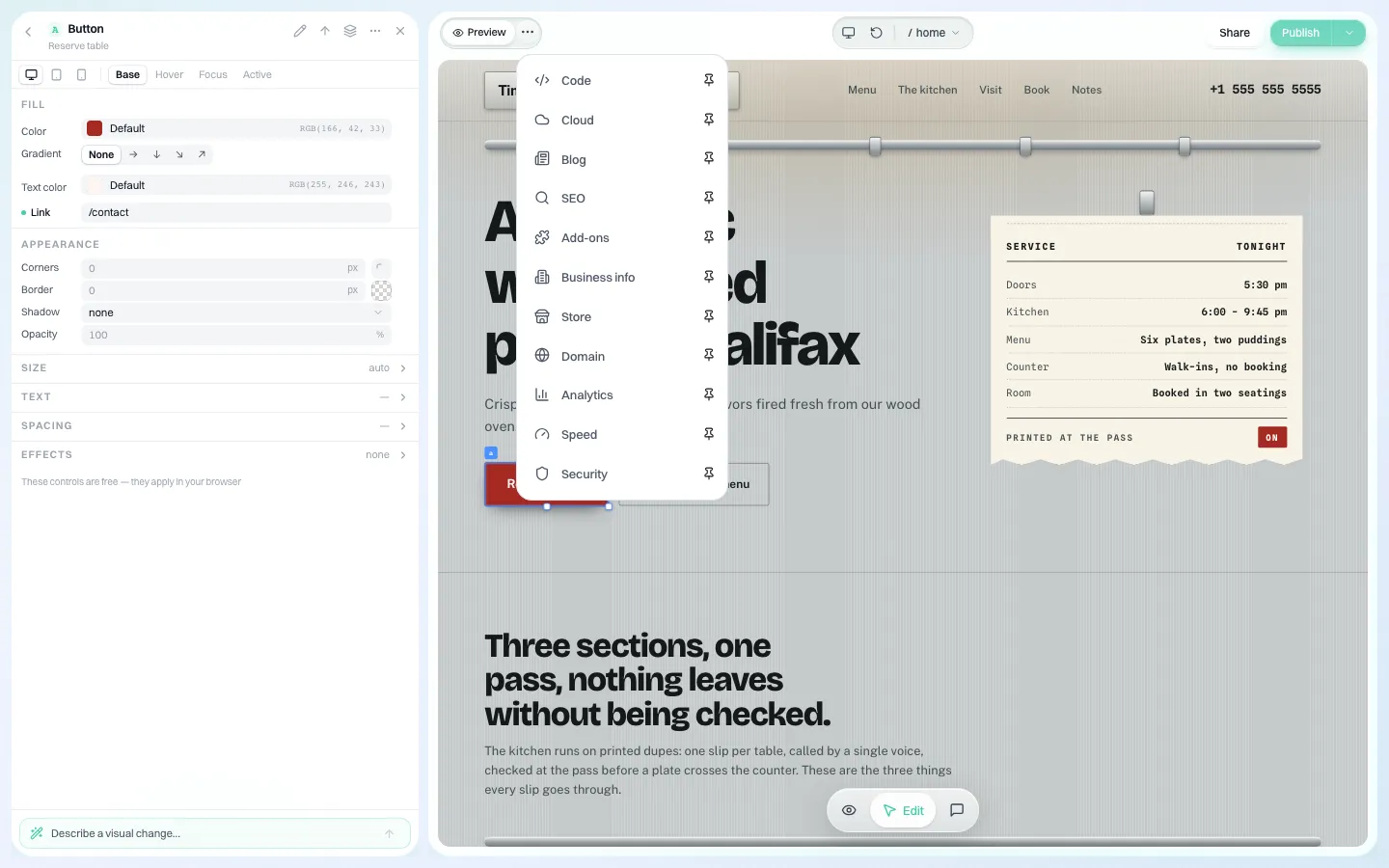
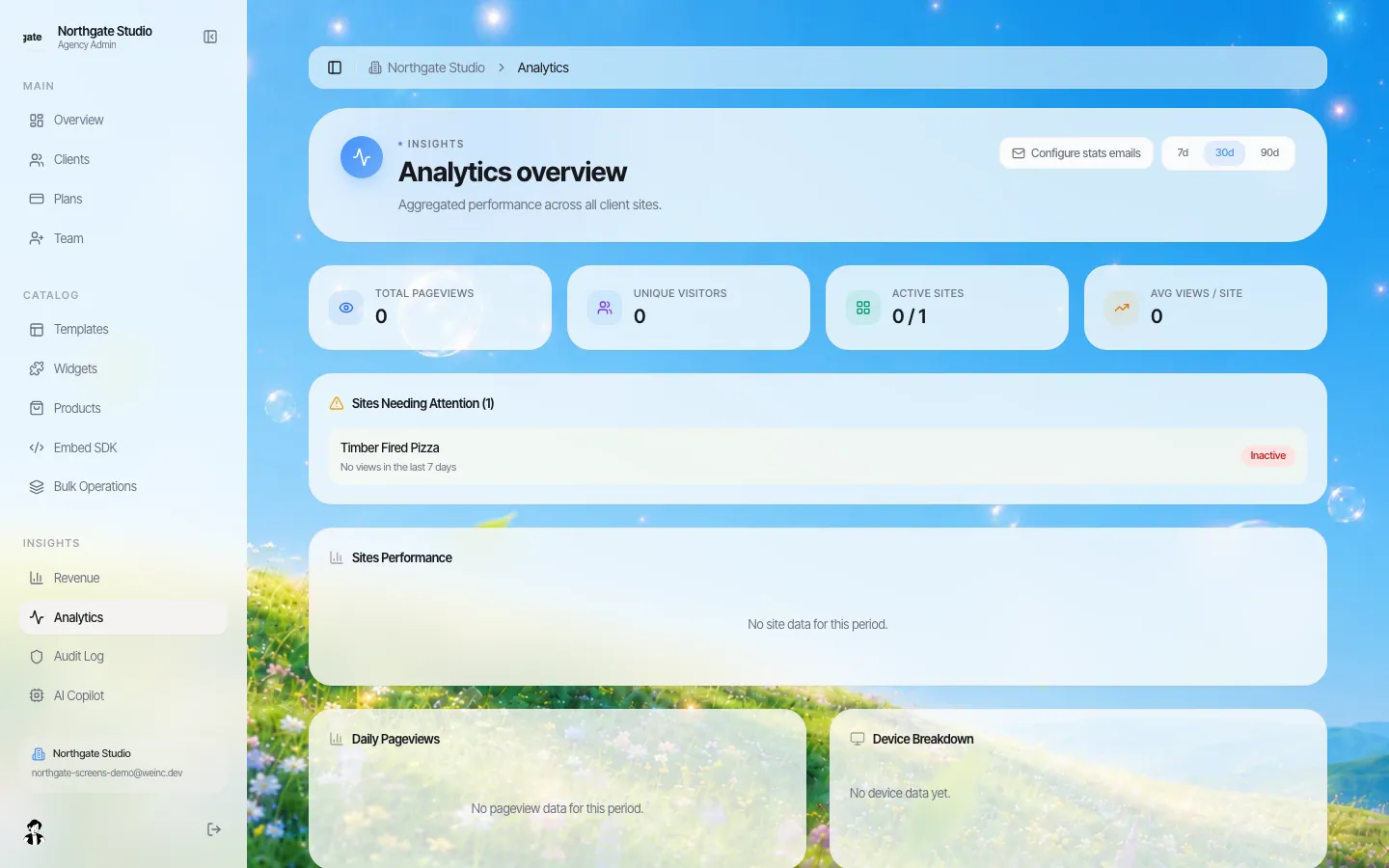
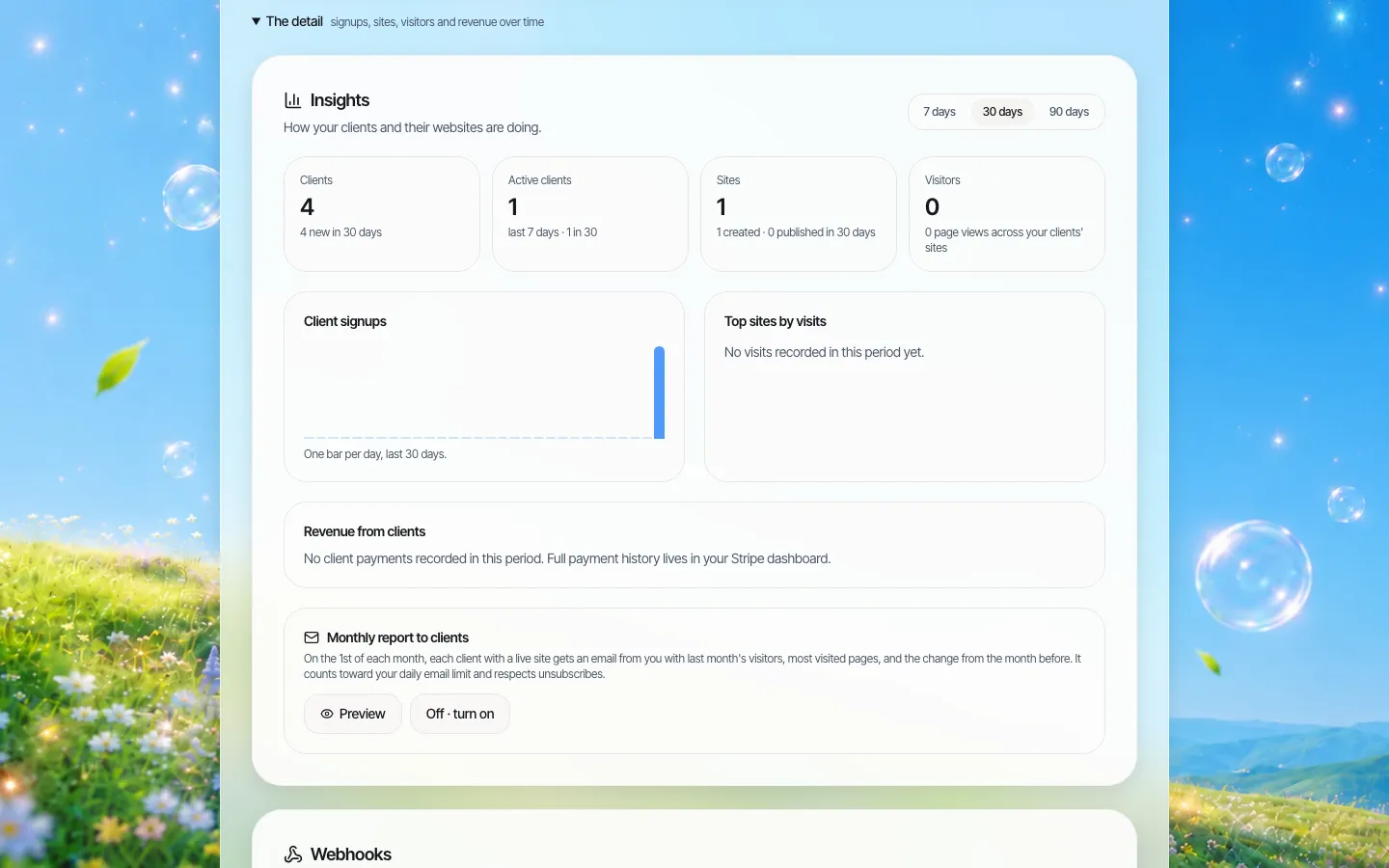
Every site built on We.Inc has an analytics panel in the editor showing views, visitors, top pages, traffic sources and device split. It is part of the editor, not a separate tool to set up. Organisation admins also see a summary across their sites. It is intentionally simple: for a main portal with complex tasks, you would still connect a fuller analytics tool. Screenshots from our demo brand:
If you run many small public sites and want each one measured the same way, book a demo.
Sources
Last checked 2026-10-25.
- digital.gov, Digital Analytics Program (DAP) guide (required for federal executive branch agencies under M-23-22; Google Analytics 360).
- Google Analytics Help, Data retention (2 or 14 months for standard properties; does not affect standard aggregated reports).
This guide is general information, not legal advice. Check privacy obligations with your counsel.
Frequently asked questions
What should a government website measure?
Task completion for the top tasks, drop-off, site searches with no results, page feedback, unused content, device split and calls about topics already on the website, rather than bounce rate or time on page.
Do federal agencies have to use the Digital Analytics Program?
Yes. digital.gov says OMB M-23-22 requires federal executive branch agencies to participate in GSA's DAP, which runs on Google Analytics 360. Agencies may also use other tools.
How long should public sector analytics data be kept?
As short as your analysis needs. GA4 standard properties offer 2 or 14 months for event-level data, and Google says this setting does not affect standard aggregated reports.
Is bounce rate useful for public websites?
Rarely. A resident who finds an answer quickly and leaves looks the same as one who gave up. Task completion and page feedback tell you more.
Do We.Inc sites include analytics?
Yes. Each site has an analytics panel with views, visitors, top pages, sources and devices, and admins see a summary across sites. A large portal may still need a fuller analytics tool.
More in Guides
- Website Brand Guidelines Template: The Web-Specific Rules a Logo PDF Leaves Out | How-to Guide
- What Is a Breadcrumb on a Website?
- Website Builder Security Questionnaire: 50 Questions for Vendors | How-to Guide
- Website Client Questionnaire (Free Download + Filled Example) | How-to Guide
- Website Color Schemes: 40 Palettes Shown on Real Page Layouts | How-to Guide
- Website Content Audit Template: Inventory, Score and Decide What Every Page Becomes | How-to Guide
- Website Design Brief Template (Free Download + Filled Example) | How-to Guide
- Website Governance Policy Template (Copy and Adapt) | How-to Guide
Related guides and tools
Start building
- how to make a website
- website templates
- AI website builder
- free website builder
- website builders by industry
We.Inc is an AI-powered website builder you can resell under your own brand. Launch a branded client dashboard, bill on Stripe Connect, and deliver AI-generated websites in minutes. White-label pricing is tailored to your volume and setup: book a 30-minute demo for a quote.
Product
- AI Website Builder: Describe a site in plain English; it's live in minutes
- White Label Platform: Your brand, your domain, your margin
- Enterprise: SSO, custom SLAs, and dedicated support
- Developer API: Embed site generation into your SaaS
Who It's For
- For Agencies: Resell under your brand
- For Freelancers: Your own branded builder
- For Hosting Providers: Add a builder to your stack
- For SaaS Platforms: Embed site creation via API
- For Startups
- For Financial Services
- For Healthcare
Features
- Drag & Drop Editor
- Built-in SEO Tools
- Custom Branding
- Client Dashboard
- Reseller Billing (Stripe Connect)
Resources
- Blog
- Help Center
- Free Business Tools
- Free UI Components
- Website Templates
- Template Collections
- Website Examples
- Guides
- Comparisons
- Alternatives
- Best Lists
- Reviews
- Pricing Guides
- Use Cases
- Glossary & Guides
- Integrations
- Developers
- Benchmark
- Windows App