Website Design Brief Template (Free Download + Filled Example) | How-to Guide
A free, editable website design brief template you can download without signing up, a fully filled small-business example, a field-by-field explanation with scope and exclusions, how to adapt it for a second business model, and how to turn it into a build prompt.
A website design brief is the one document everyone builds from: the goal, the audience, the pages, the content and who supplies it, the look, what is out of scope, and who approves. Write it after the client questionnaire and before any design work. Below is a free editable template, a filled example, and what each field is for.
Download the template
Download the website design brief template (.txt, editable). No sign-up. It opens in any text editor and pastes into Google Docs or Word; from there you can save a PDF with File, then Download or Export as PDF.
Completed small-business example (a labelled demonstration)
A fictional bakery, "Flour Lane Bakery". Not a real company; no results claimed.
PROJECT: New website for Flour Lane Bakery (Leith)
GOAL: more celebration cake orders; fewer "are you open?" calls
MAIN ACTION: "Order a cake" (request form)   SECONDARY: hours, directions
AUDIENCE: locals ordering birthday/wedding cakes; walk-in bread buyers
PAGES
  Home     - what + where, today's hours, Order a cake, 3 cards
  Cakes    - sizes, flavours, "from" prices, lead time, order form
  Bread    - daily list, when it sells out
  Wholesale- cafés and restaurants, enquiry form
  Visit    - address, map link, hours, phone
CONTENT: owner supplies prices, flavours, 15 own photos by [date];
  designer writes page copy from owner's notes
PROOF: link to Google reviews; food hygiene rating link if applicable
LOOK: warm, simple; logo + cream/brown colours supplied
MUST NOT: stock photos of cakes they did not make
INTEGRATIONS: none at launch; payment on collection
FORMS: cake order (name, phone, date, size, flavour, message on cake)
OUT OF SCOPE: online payments, delivery, blog, logo redesign
SEO: title per page with "Leith"; same name/phone as Business Profile
ACCESSIBILITY: readable text, labelled form fields, alt text on photos
APPROVAL: owner signs off design, then built pages, by email
LAUNCH CHECK: test order reaches owner's inbox; hours correct
Field-by-field explanation
- Goal and main action: one outcome and one button. Every page decision is checked against it.
- Audience: who arrives and what they already know. It sets the tone and the order of sections.
- Pages: each page with its purpose and key sections. This is the scope; anything not listed is out of scope.
- Content and deadlines: who writes and who supplies photos, by when. The most common cause of delays.
- Proof: only real, verifiable items, with links.
- Look and must-nots: brand assets supplied, and what to avoid. Two liked sites are more useful than adjectives.
- Integrations and forms: each tool with who owns the account, and each form with its fields and where it sends.
- Out of scope: the explicit exclusions that stop scope creep.
- SEO and accessibility basics: titles, consistent business details, labelled forms, alt text. See the accessibility checklist.
- Approval and launch check: who signs off, how, and the test that proves the site works.
Adapt it for a second business model
For a service-area business such as a plumber, swap "Visit" for "Areas we serve", make the main action "Call" or "Request a job", add licence and insurance to proof, and add a photo upload to the job form. For a consultant, the main action becomes "Book a call", proof becomes case summaries the client approves, and pages centre on services and process.
Turn the approved brief into a build prompt
The same approved facts can prefill a website. On a paid We.Inc plan you can paste a condensed version into the dashboard and then edit the result:
A website for Flour Lane Bakery in Leith. Main action: "Order a cake"
request form (name, phone, date, size, flavour, message on cake).
Pages: Home (today's hours, 3 cards: Cakes, Bread, Wholesale),
Cakes (sizes, flavours, "from" prices, lead time), Bread, Wholesale
(enquiry form), Visit (address, map link, hours, phone).
Warm, simple style, cream and brown. No online payments.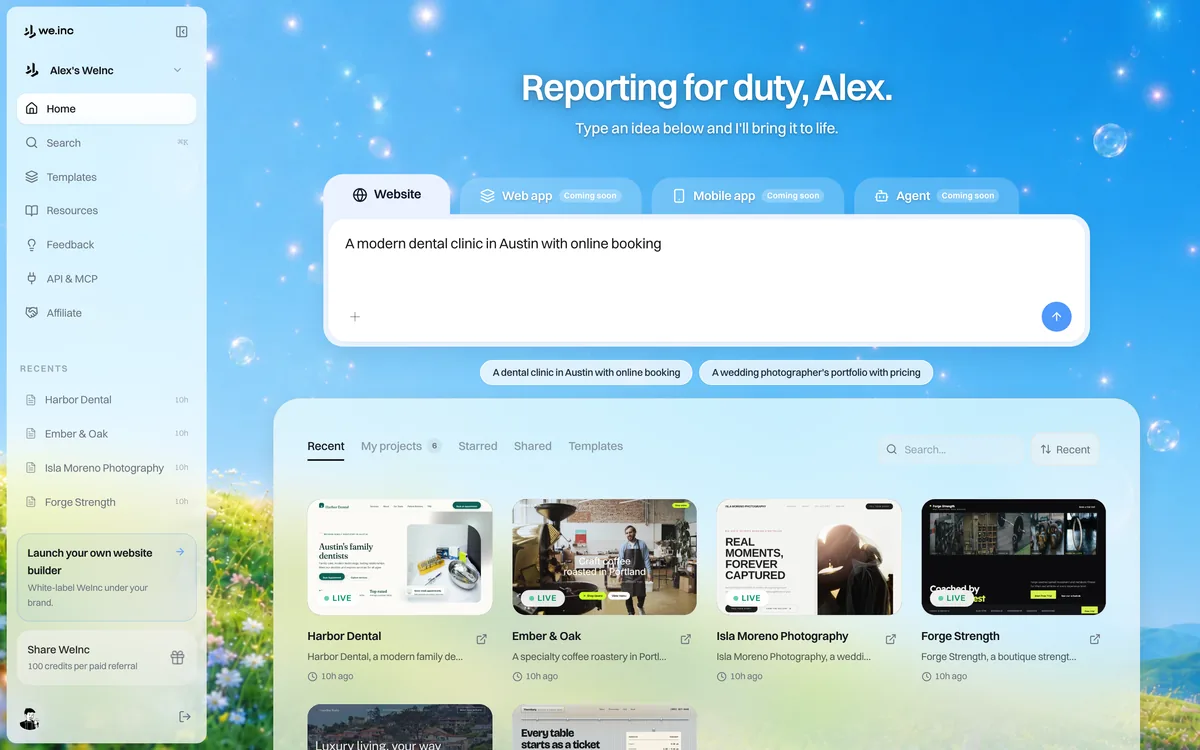
Next step
Build from the brief in the We.Inc website builder, starting from a business template. Free gives up to 3 template sites on a we.inc address (no AI credits, no custom domain); Starter at $20/month adds AI building and custom domains; Pro $49, Max $99. AI generation uses credits (pricing). Agencies can deliver under their own brand with white-label. Price the project with the website cost calculator and check the finished site with the website grader.
Start building your business website
Frequently asked questions
What should a website design brief include?
The goal and main action, audience, a list of pages with their purpose, content and who supplies it by when, proof, look and must-nots, forms and integrations, what is out of scope, SEO and accessibility basics, and who approves.
What is the difference between a brief and a proposal?
The brief describes what the website must be. The proposal adds price, timeline and terms for building it.
Is the template free?
Yes. Download the editable text file with no sign-up and adapt it to your projects.
More in Guides
- Website Governance Policy Template (Copy and Adapt) | How-to Guide
- Website Handover Checklist: Everything to Transfer When a Site Changes Hands | How-to Guide
- Website Header Examples You Can Edit and Copy
- Website Heatmaps: What They Are and How to Read Them
- Website Hero Section Examples for Small Businesses (Annotated) | How-to Guide
- Website Hosting Migration Without Downtime
- 120 Website Ideas, With the Pages Each One Needs
- Website Image Sizes: The Complete Table
Website builders for the businesses in this article
Related guides and tools
Start building
Product
Who It's For
- For Agencies
- For Freelancers
- For Hosting Providers
- For SaaS Platforms
- For Startups
- For Financial Services
- For Healthcare
Features
Resources
- Blog
- Help Center
- Free Business Tools
- Free UI Components
- Website Templates
- Template Collections
- Website Examples
- Guides
- Comparisons
- Alternatives
- Best Lists
- Reviews
- Pricing Guides
- Use Cases
- Glossary & Guides
- Integrations
- Developers
- Benchmark
- Windows App