Public Sector Website Redesign Project Plan: Phases, Roles, Timeline and Risks | How-to Guide
A realistic project plan for redesigning a government, council or public agency website: seven phases with deliverables, a RACI, a sample 9-month timeline, the risks that usually derail public projects and how to manage them.
Public sector redesigns rarely fail because the new design is ugly. They fail because procurement took eight months, content migration was estimated at "a few weeks", twenty departments were asked to rewrite their pages in the same fortnight, and the launch date was announced at a council meeting before anyone had counted the PDFs. This plan is organised around the work that actually takes the time, with the decisions you need from leadership written in at the point you need them.
The phases at a glance
| Phase | Main output | Typical length |
|---|---|---|
| 0. Mandate | Signed project charter, budget, sponsor | 2 to 4 weeks |
| 1. Discovery | Content inventory, top tasks, analytics baseline, user research | 6 to 8 weeks |
| 2. Platform and procurement | Platform chosen, contract signed | 6 weeks to 6 months (the most variable phase) |
| 3. Structure and design | Navigation, templates, design system, tested prototypes | 6 to 10 weeks |
| 4. Content | Every kept page rewritten or migrated, documents converted | 10 to 16 weeks, overlapping phase 3 and 5 |
| 5. Build and test | Working site, accessibility and performance tested, redirects mapped | 8 to 12 weeks |
| 6. Launch and stabilise | Live site, monitoring, fixes, old platform switched off | 4 to 8 weeks |
The total for a mid-sized city or agency is commonly 9 to 15 months. If someone has promised six, find out which phase they skipped.
Phase 0: Mandate
Before any vendor conversation, get a one-page charter signed by an executive sponsor. It should state:
- Why now. Platform end of life, accessibility obligations, resident complaints, a security finding. Be specific; "the site looks dated" will not survive the first budget cut.
- What success means, in measurable terms: task completion for the top five tasks, number of pages and documents reduced, accessibility blockers at zero on launch, calls to the switchboard about things that are on the website.
- Scope. Which sites are in (main site, department sites, the library, the police department?) and which systems are out (permitting, payments, agendas).
- Who decides. One sponsor, one product owner with authority to say no to departments, a steering group that meets monthly.
- Budget for build, content work and the first three years of running costs. Our total cost of ownership guide lists what to include.
Phase 1: Discovery
Four pieces of work, run in parallel.
- Content inventory. Every page, document and separate site, with owner and decision. This is the number that sizes phase 4. Our content inventory method takes about four weeks.
- Top tasks. From search logs, analytics, call centre records and a short survey, list the tasks people come to do. Usually a small number of tasks accounts for most visits.
- Analytics baseline. Record current numbers now; you will need them to prove the redesign worked. See website analytics for the public sector.
- User research. Watch ten to fifteen residents try the top tasks on the current site, including people who use assistive technology and people on phones.
Leadership decision at the end of discovery: confirm scope against the inventory numbers. This is the moment to drop a site from scope or add budget, not month seven.
Phase 2: Platform and procurement
Write requirements from discovery, not from the old site's feature list. Separate must-haves (accessibility support, roles and permissions, review before publishing, records and audit trail, a clean exit route for your content and code) from nice-to-haves. Our government website RFP template and procurement checklist cover the questions; the vendor exit plan covers the clause most often missed.
Plan for this phase to slip. Run phase 3's navigation work and phase 4's content rewriting in parallel, because neither depends on which platform you pick.
Phase 3: Structure and design
- Navigation organised by task and topic, not by department. Residents do not know which department handles bulk waste.
- Test the structure before designing it. A tree test (people find items in a text-only menu) catches most navigation problems for very little cost.
- Templates: keep the list short. A typical public site needs about ten: home, topic, service/task, article, news, event, location, person or directory, search, form.
- Accessibility from the first sketch: contrast, focus states, heading structure and target sizes are decided in design. The standard most US state and local bodies must meet under the ADA Title II rule is WCAG 2.1 Level AA, with compliance dates of April 26, 2027 (50,000 or more people) and April 26, 2028 (smaller entities and special districts) following the April 2026 interim final rule.
Phase 4: Content (the critical path)
Content is where public redesigns overrun. Plan it like a production line.
| Step | Who | Tip |
|---|---|---|
| Agree content standards and page types | Content lead | One page of rules on plain language, headings, links and documents |
| Train department writers | Content lead | Two hours, using their own pages as examples |
| Write in batches by department | Departments | Stagger deadlines; never all departments in the same fortnight |
| Edit and approve | Content lead, then department head | Two rounds maximum; agree that in writing |
| Convert documents to pages or forms | Web team | Start with the most-used application forms |
| Enter into the new platform | Web team or departments | Only after templates are stable |
Budget roughly by counting: if the inventory says 600 pages are kept and each takes two hours to rewrite, edit and approve, that is 1,200 hours of department time. Show that number to leadership in phase 1, not in phase 4.
Phase 5: Build and test
- Redirect map: every old URL with traffic or inbound links maps to its new home. Spreadsheet first, then implemented and tested.
- Accessibility testing: manual and automated, on every template and the top tasks. See our accessibility testing process.
- Usability check: rerun the phase 1 tasks with residents on the new site and compare.
- Performance and mobile: test on a mid-range phone over a slow connection.
- Security review by your IT team, including account and role set-up.
- Training for editors on the real platform, and a written publishing process.
Phase 6: Launch and stabilise
- Launch on a Tuesday or Wednesday morning, never before a holiday or a council meeting.
- Freeze content on the old site a week before; agree how urgent changes are handled during the freeze.
- Watch 404 errors and search queries daily for the first two weeks and fix redirects as they appear.
- Keep the old platform available read-only for a fixed period, then switch it off and stop paying for it.
- Report against the phase 0 success measures at 90 days.
RACI for the core roles
| Activity | Sponsor | Product owner | Web team | Departments | IT | Vendor |
|---|---|---|---|---|---|---|
| Charter and budget | A | R | C | I | C | - |
| Discovery | I | A | R | C | C | C |
| Platform selection | A | R | C | I | C | - |
| Navigation and design | I | A | R | C | I | R |
| Content rewriting | I | A | C | R | - | - |
| Build and redirects | I | A | R | I | C | R |
| Accessibility testing | I | A | R | C | I | C |
| Launch go/no-go | A | R | C | I | C | C |
R = responsible, A = accountable, C = consulted, I = informed.
Risk register: the usual suspects
| Risk | Early sign | Response |
|---|---|---|
| Content not ready | Fewer than half of first-batch pages approved by their deadline | Reduce scope: launch with top tasks, migrate the rest after |
| Procurement delay | No contract by the planned date | Keep phases 3 and 4 moving on platform-neutral work |
| Department resistance | Requests for "our own site" or custom templates | Use the microsite test; product owner decides |
| Scope creep into transactional systems | "While we're at it, can we replace permitting?" | Separate project; link out for now |
| Launch announced too early | A date in a press release before phase 5 | Announce a season, not a date |
| Lock-in | Vendor cannot explain how you get content and code out | Make export a contract requirement |
Where a multi-site builder fits
If your scope includes many small sites (departments, facilities, programmes) and the main CMS was the reason they left, consider a platform where the central team controls brand and permissions and departments build within it. On We.Inc, sites run under your own brand, a site can be set to need a single-step approval before it goes live, and code can be downloaded or synced to GitHub, which matters for the exit clause. Screenshots from our demo brand:
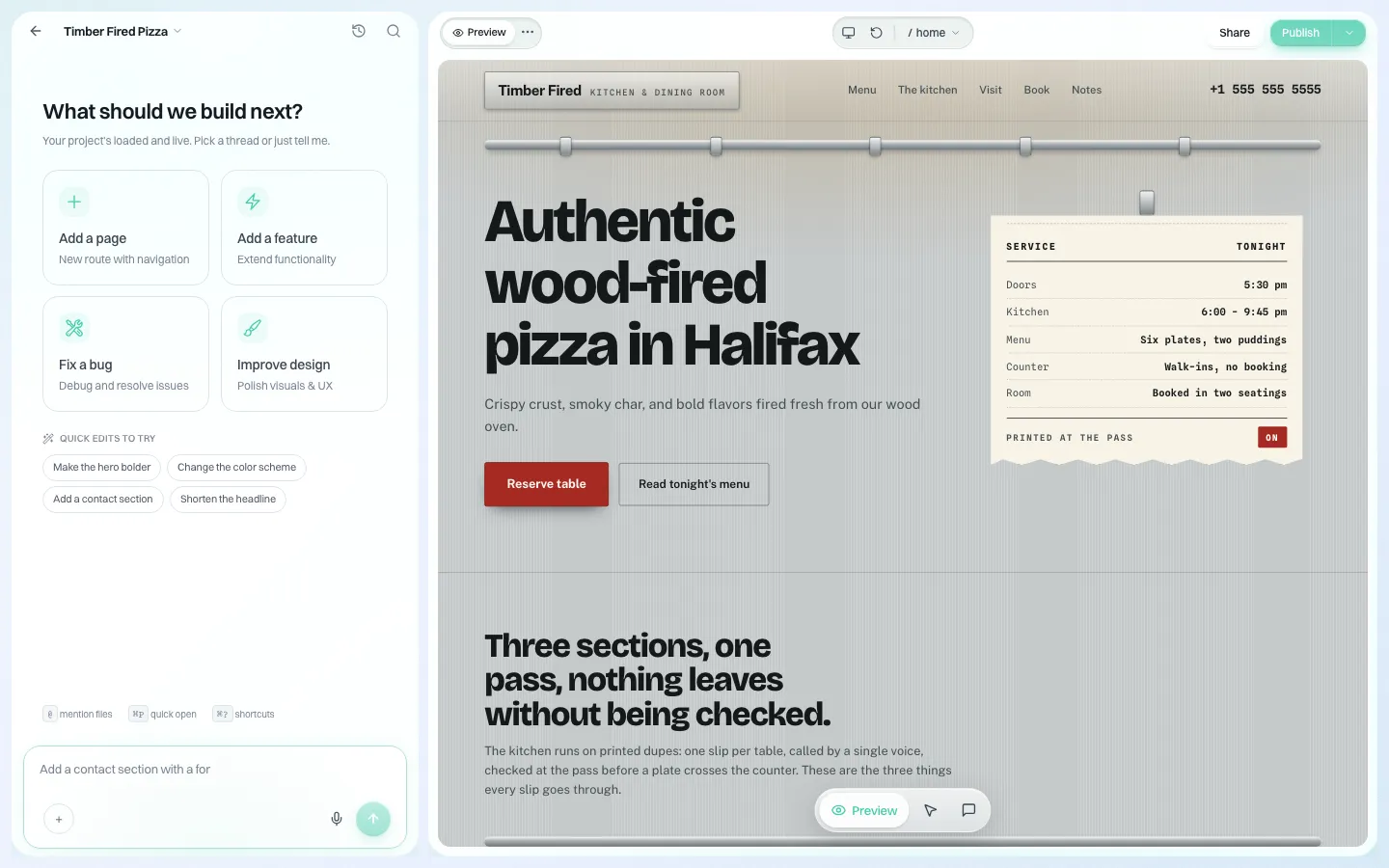
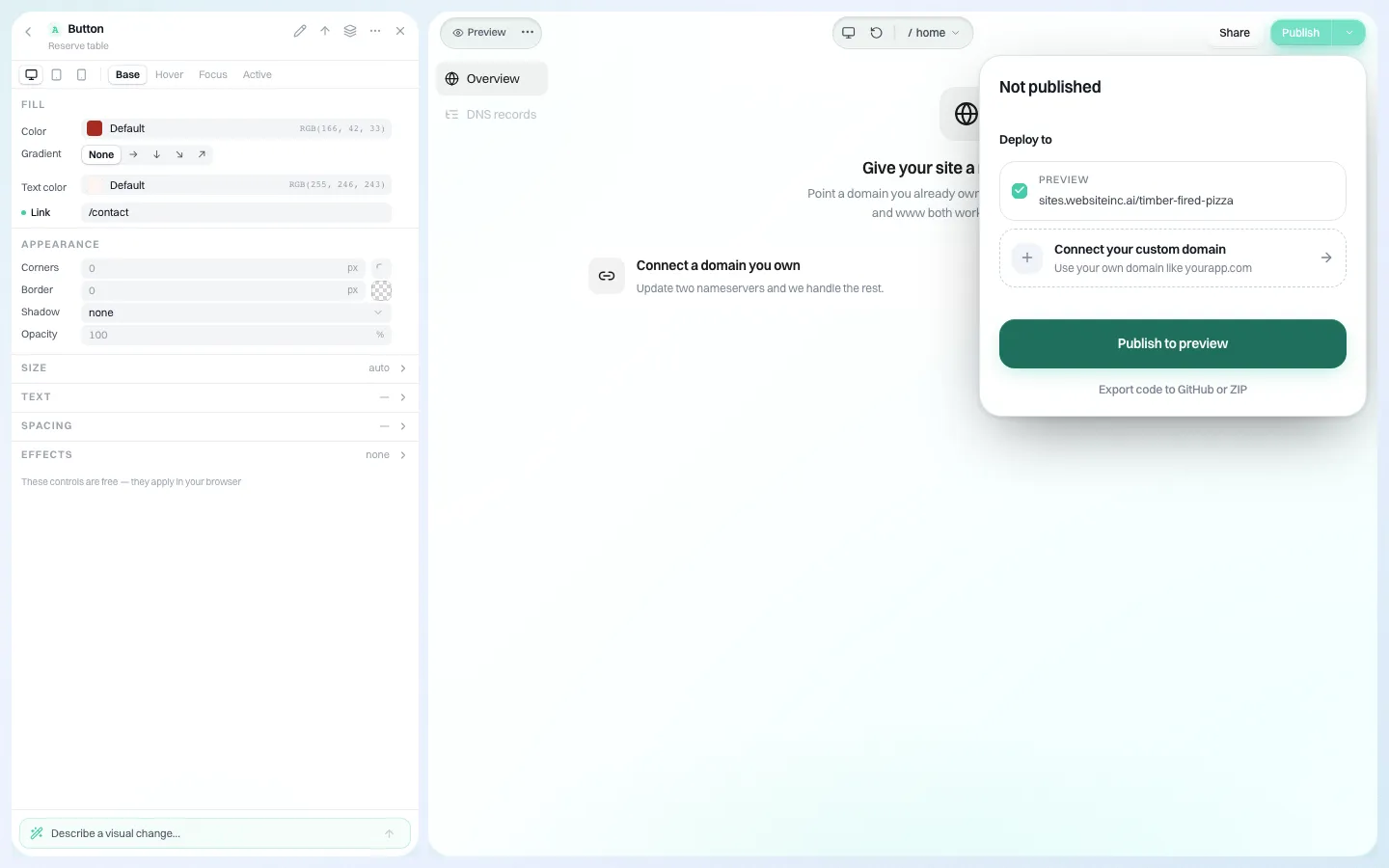
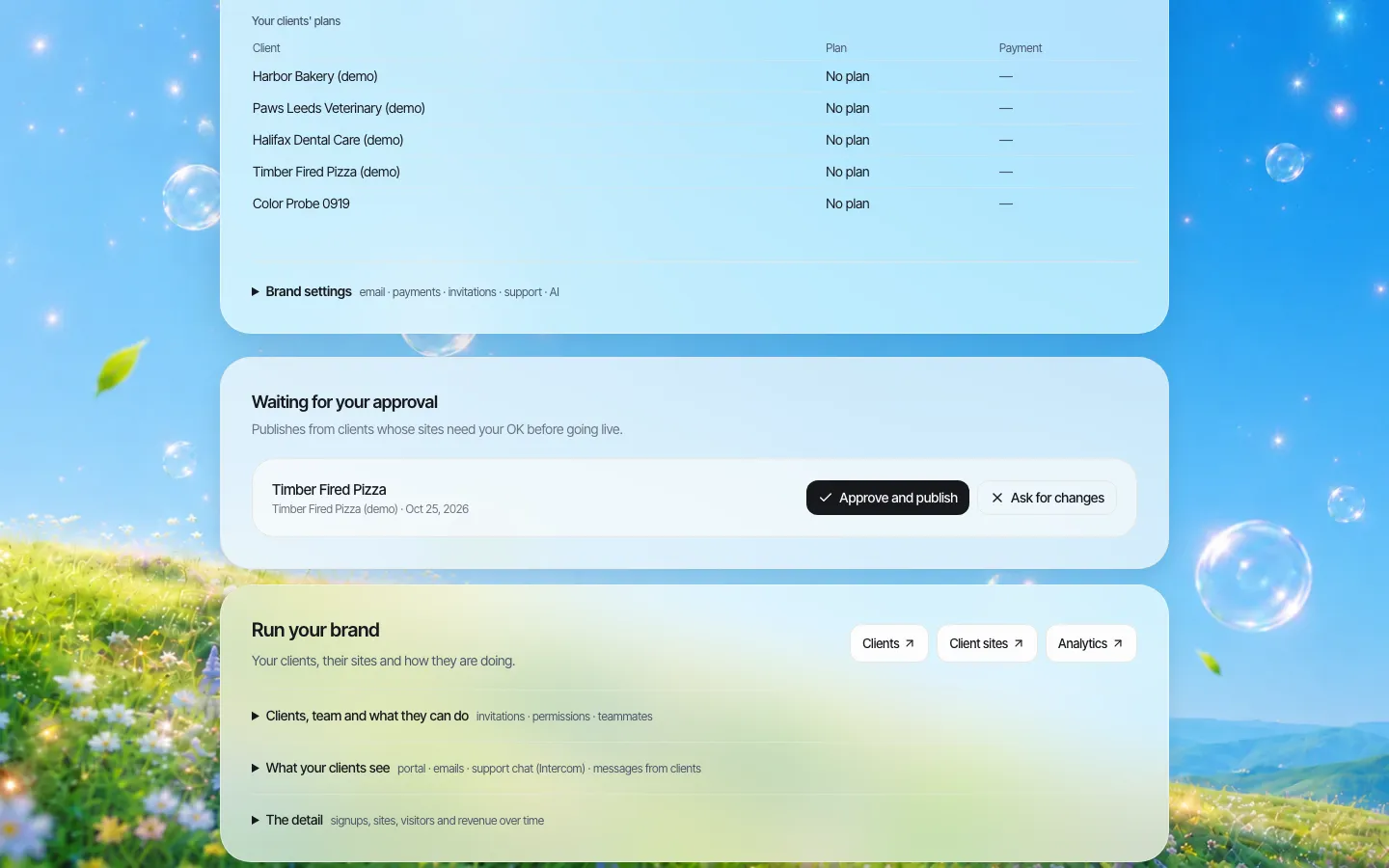
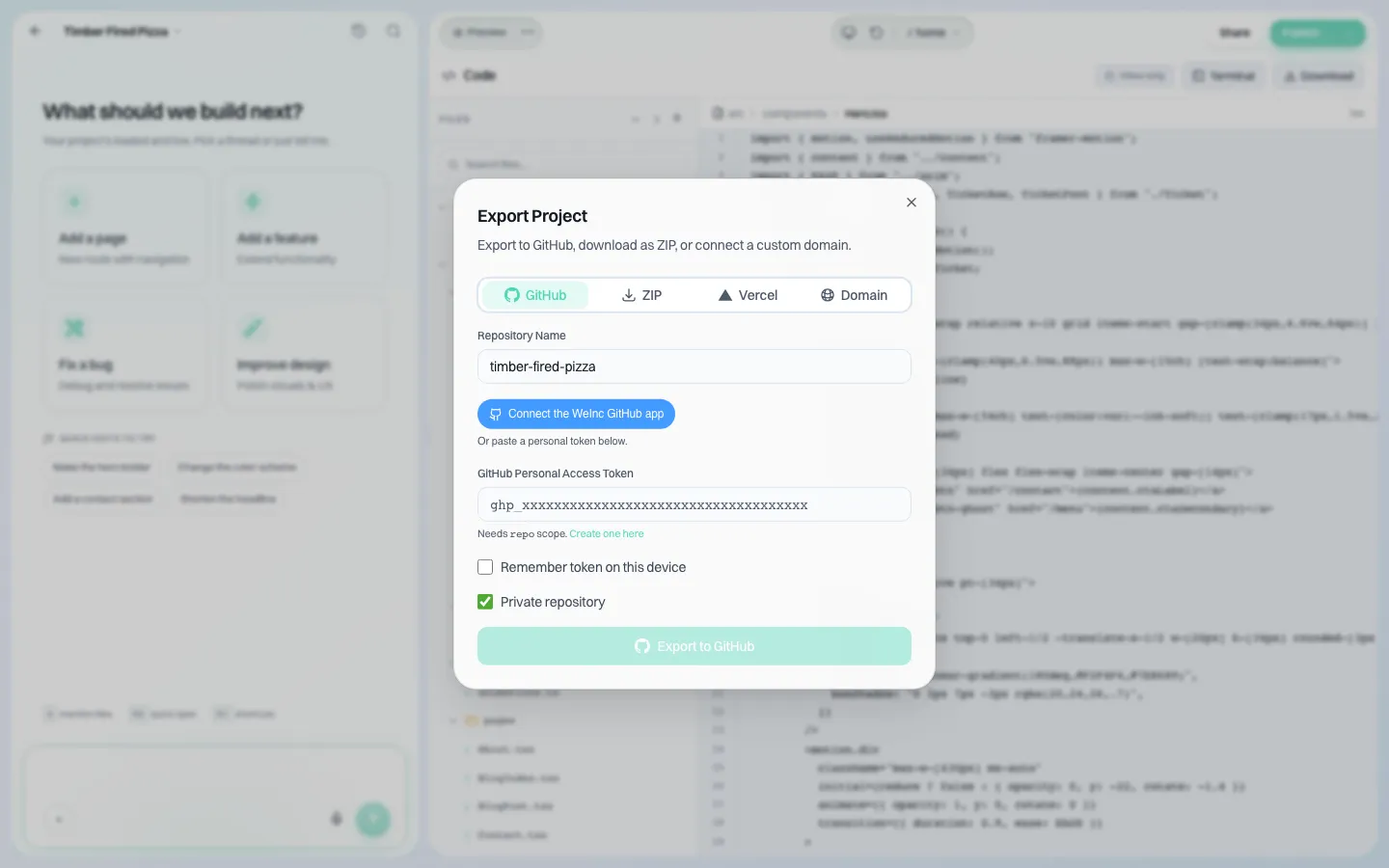
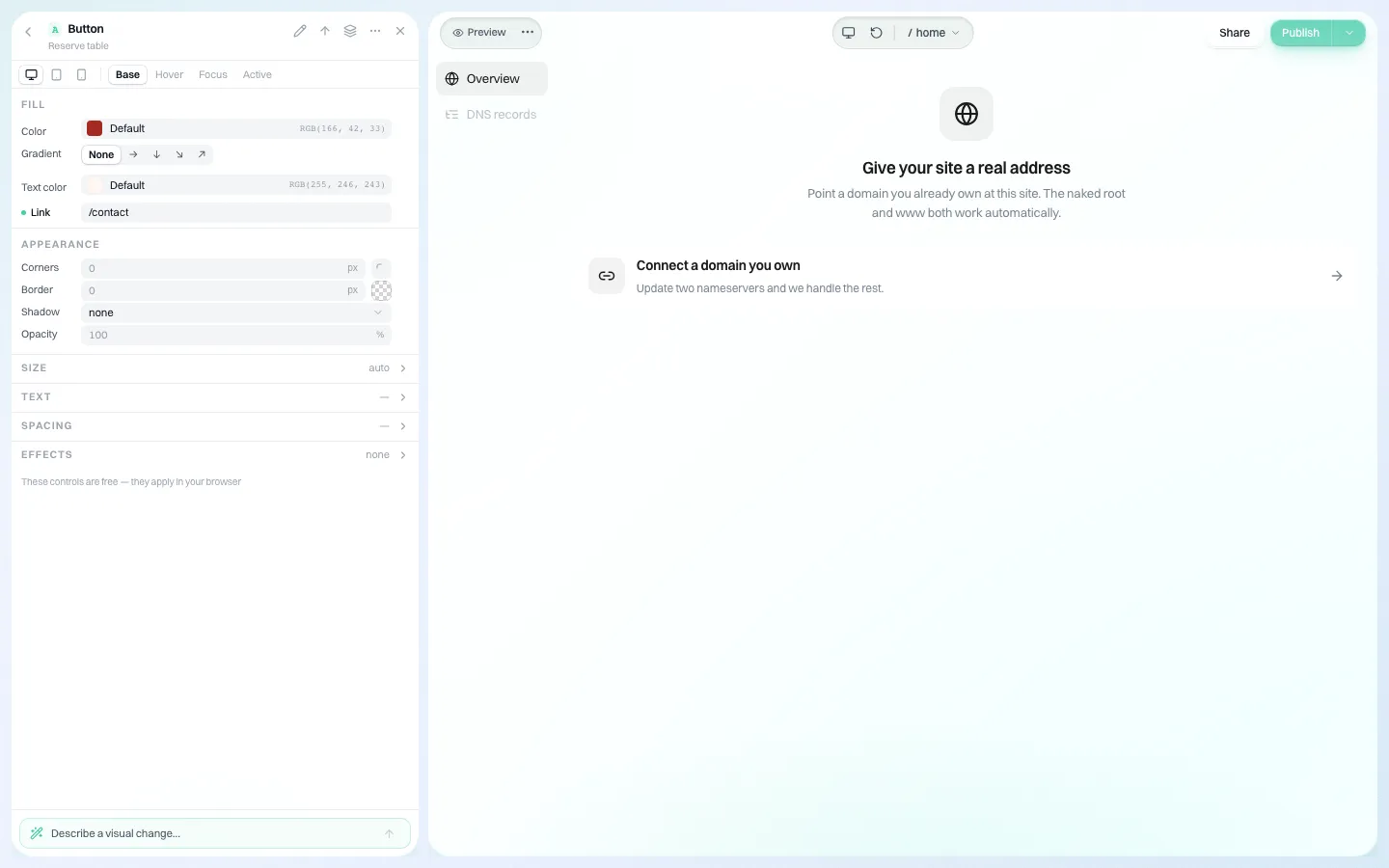
A builder does not replace discovery, content work or accessibility testing. If it might fit part of your scope, book a demo.
Sources
Last checked 2026-10-25.
- ADA.gov, Fact Sheet: Title II web and mobile app rule (WCAG 2.1 AA; compliance dates as amended April 20, 2026).
This guide is general information, not legal advice.
Frequently asked questions
How long does a government website redesign take?
For a mid-sized city or agency, commonly 9 to 15 months across mandate, discovery, procurement, design, content, build and launch. Procurement and content are the phases that most often run long.
What is the critical path in a public sector redesign?
Content. Rewriting and approving hundreds of pages across departments, and converting documents to web pages, usually takes longer than design or build. Size it from a content inventory early.
Should navigation follow the organisation chart?
No. Organise by task and topic, because residents do not know which department handles what. Test the structure with a tree test before designing it.
What should happen in the first weeks after launch?
Watch 404 errors and site search daily, fix redirects, keep the old platform read-only for a fixed period, then switch it off and report against the success measures at 90 days.
Can We.Inc be part of a public sector redesign?
It can host many smaller department or programme sites under your brand, with per-site permissions, a single-step approval before a site goes live, and code download or GitHub sync. It does not replace content work or accessibility testing.
More in Guides
- Website SLA Checklist: What a Service Level Agreement Should Promise, Measure and Exclude | How-to Guide
- Website Structure: How to Organise Pages, URLs and Links (5 Example Site Maps) | How-to Guide
- Website Titles Explained: Examples for Small Businesses | How-to Guide
- Website Vendor Exit Plan: Contract Clauses to Avoid Lock-In | How-to Guide
- Website vs Web App: The Difference, With Examples | How-to Guide
- WebSocket in Node.js: Server, Client, Heartbeat and Reconnect
- Welcome Email Templates for Small Businesses
- What Happens When a Domain Expires
Related guides and tools
Start building
- how to make a website
- AI website builder
- free website builder
- website templates
- website builders by industry
We.Inc is an AI-powered website builder you can resell under your own brand. Launch a branded client dashboard, bill on Stripe Connect, and deliver AI-generated websites in minutes. White-label pricing is tailored to your volume and setup: book a 30-minute demo for a quote.
Product
- AI Website Builder: Describe a site in plain English; it's live in minutes
- White Label Platform: Your brand, your domain, your margin
- Enterprise: SSO, custom SLAs, and dedicated support
- Developer API: Embed site generation into your SaaS
Who It's For
- For Agencies: Resell under your brand
- For Freelancers: Your own branded builder
- For Hosting Providers: Add a builder to your stack
- For SaaS Platforms: Embed site creation via API
- For Startups
- For Financial Services
- For Healthcare
Features
- Drag & Drop Editor
- Built-in SEO Tools
- Custom Branding
- Client Dashboard
- Reseller Billing (Stripe Connect)
Resources
- Blog
- Help Center
- Free Business Tools
- Free UI Components
- Website Templates
- Template Collections
- Website Examples
- Guides
- Comparisons
- Alternatives
- Best Lists
- Reviews
- Pricing Guides
- Use Cases
- Glossary & Guides
- Integrations
- Developers
- Benchmark
- Windows App