WordPress Multisite alternative: when one shared install becomes everyone’s problem
WordPress Multisite is a clever answer to a real need: dozens of sites, one installation, one place to update. It suits teams with WordPress developers on staff. It suits much less well a central team that has no developers and sites owned by people who just want to change their opening hours. This page explains how Multisite actually works, the signs your network has outgrown it, and what moving the small sites to a white-label builder looks like.
TL;DR
- In Multisite, every site shares the same core files, plugins and themes. Each site can activate plugins and themes but cannot install them.
- That shared install is the strength (one update) and the risk (one bad plugin touches every site). The addressing scheme, subdomains or subdirectories, is chosen once and is hard to change.
- We.Inc gives each site owner their own AI-built site inside a portal under your brand, with switches for what they can do and optional approval before publishing.
- Keep Multisite where you have WordPress developers and shared plugins you need. Move the long tail of small sites when maintenance outweighs the benefit.
How Multisite really works
The WordPress developer documentation describes a network plainly: "A multisite network is a collection of sites that all share the same WordPress installation core files." Each site gets its own database tables and its own uploads folder, but they are virtual sites inside one install, not separate installations.
Three consequences follow, all from the official documentation on creating a network:
- Plugins and themes are shared. In the docs' words, each site "can activate both, but install neither." Whoever runs the network decides the menu; site owners pick from it.
- You choose subdomains or subdirectories once. "You must choose one or the other", and changing later "might not be easy".
- Custom domains per site are a separate step, covered in its own domain-mapping documentation.
This is a good design for a newsroom with twenty section sites, a university web team with developers, or an agency that has standardised on one theme and owns every site. The problems start when the network grows in a direction the design did not expect.
Seven signs the network has outgrown it
Score your network honestly. Three or more usually means the maintenance has become the job.
| Sign | Why it hurts in Multisite |
|---|---|
| A plugin update broke sites you did not know used it | Shared plugins mean one update reaches every site that activated it |
| Site owners ask for a plugin "just for them" | Adding it to the network adds it to everyone's menu and everyone's risk |
| Nobody on the team writes PHP any more | The network was built by a developer who has since left |
| You need one site on a different host or setup | Sites cannot be split out without an export and rebuild |
| Owners want to change layouts, not just text | Theme options are limited to what the shared theme allows |
| Restoring one site from backup is an ordeal | Backups are usually of the whole network database |
| You have sites nobody can name an owner for | Multisite has no native idea of a site owner beyond user roles |
None of these is a WordPress bug. They are the cost of sharing one install, and they grow with the number of sites and owners.
The other model: each owner gets a site, you set the rules
A white-label builder separates the two jobs Multisite fuses together. Your central team sets the brand and the rules. Each site owner, whether a department, a chapter, a franchisee or a paying client, gets their own site inside a portal under your name. Nobody shares a plugin list, because there are no plugins to install; features like a blog, store, forms and SEO settings are part of the builder and you switch them on or off per owner.
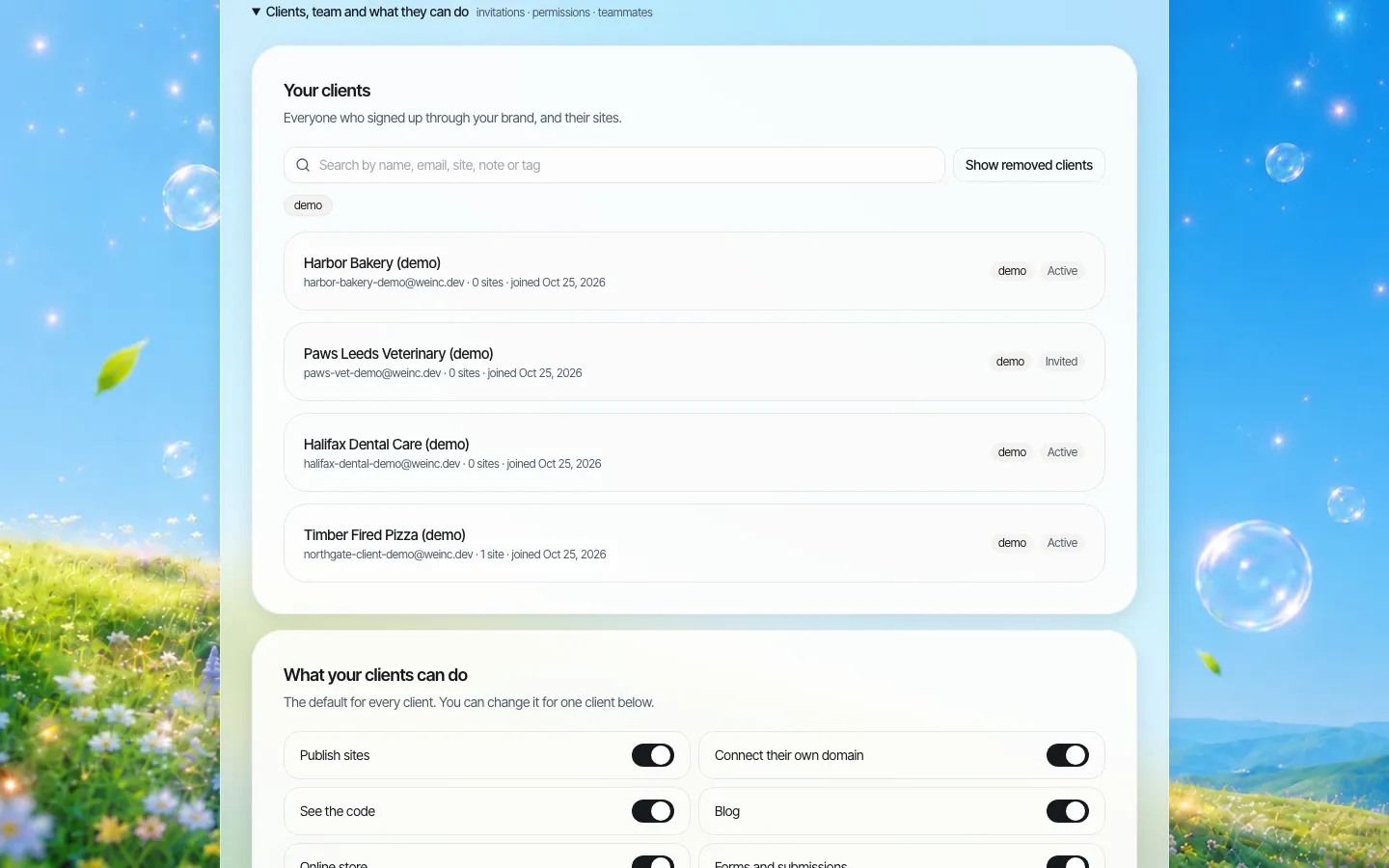
*The register of site owners. In Multisite this list lives in someone's spreadsheet; here it is the list of accounts.*
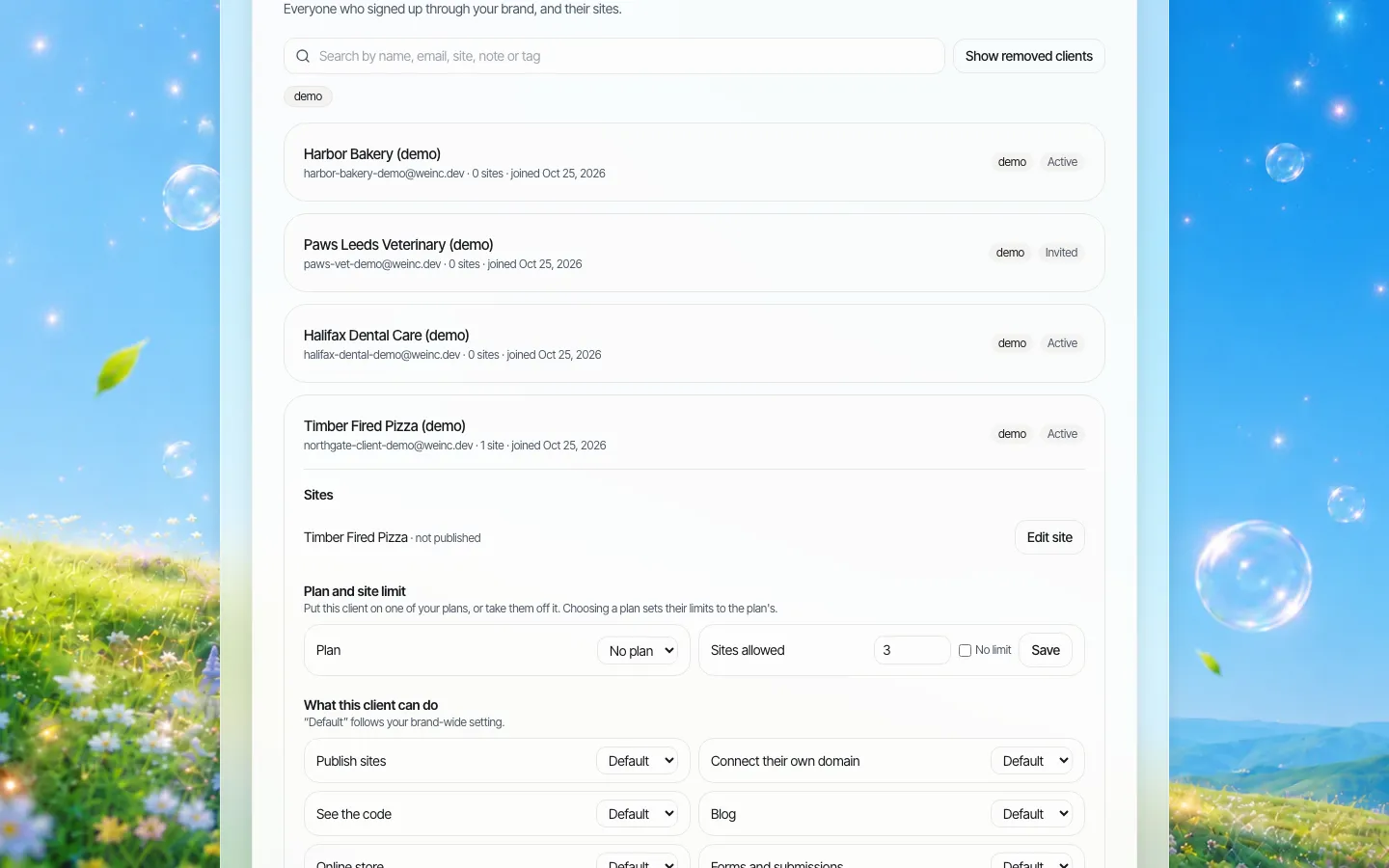
*One owner's settings: how many sites they may have, which features are on, and whether publishing waits for approval.*
The builder itself is the other half. Owners describe the site they need and the AI builds it, then they edit visually. A department web editor who would never touch a WordPress theme file can change a layout safely.
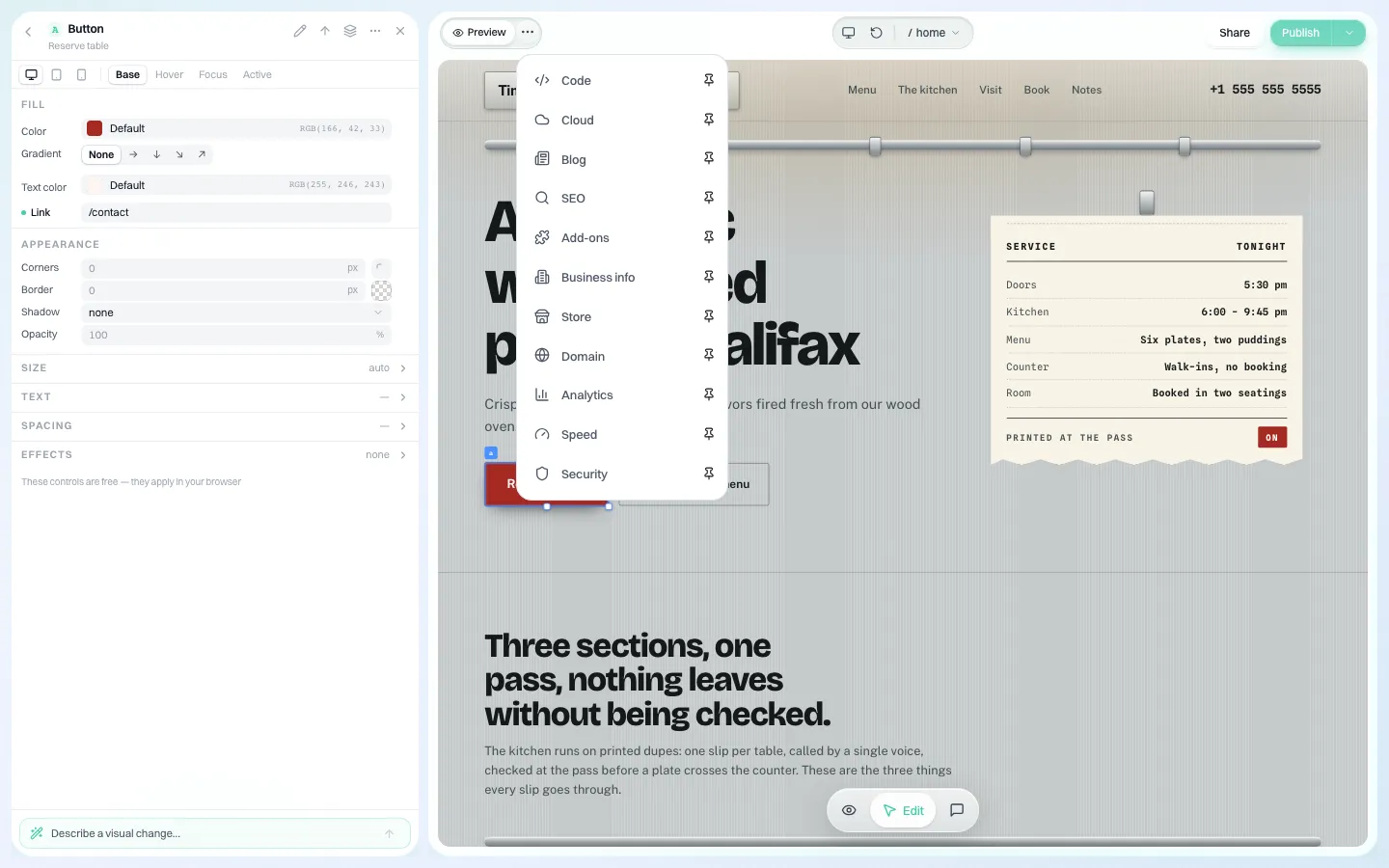
*Features live in the builder's panels, not in plugins you have to vet and update across a network.*
What you give up by leaving Multisite
Be clear about this before a migration:
- The plugin ecosystem. If a site depends on a specific plugin (a membership system, an LMS, a niche booking tool), it may not have an equivalent. Keep that site on WordPress.
- Shared users across sites. Multisite lets one user hold roles on many sites. In We.Inc, your own team can open any client's site, but site owners are separate accounts.
- Content syndication. There is no "publish to 40 sites" hub. If your network relies on that, keep the hub on WordPress.
- Developer freedom inside WordPress. Your developers know it. We.Inc sites are modern React code; developers can work with the downloaded code, but it is a different stack.
A migration plan that does not take the network down
Move the long tail first, the flagship last (or never).
| Phase | Action | Exit test |
|---|---|---|
| 0 | Export the list of network sites with last-modified date and active plugins | You know which sites are idle and which depend on plugins |
| 1 | Retire sites with no owner and no edits in a year, with sign-off | Fewer sites to move |
| 2 | Set brand defaults and approval rules in We.Inc | A new owner starts locked down sensibly |
| 3 | Pilot five small sites, rebuilt from their current content | Each owner has published a change unaided |
| 4 | Move remaining small sites in batches; map domains as each is approved | Old network sites redirect to the new ones |
| 5 | Leave plugin-dependent and flagship sites on WordPress | The network is smaller and easier to maintain |
Redirect every old URL to its new home when a site moves; search engines treat a moved page with a proper redirect very differently from a page that disappears.
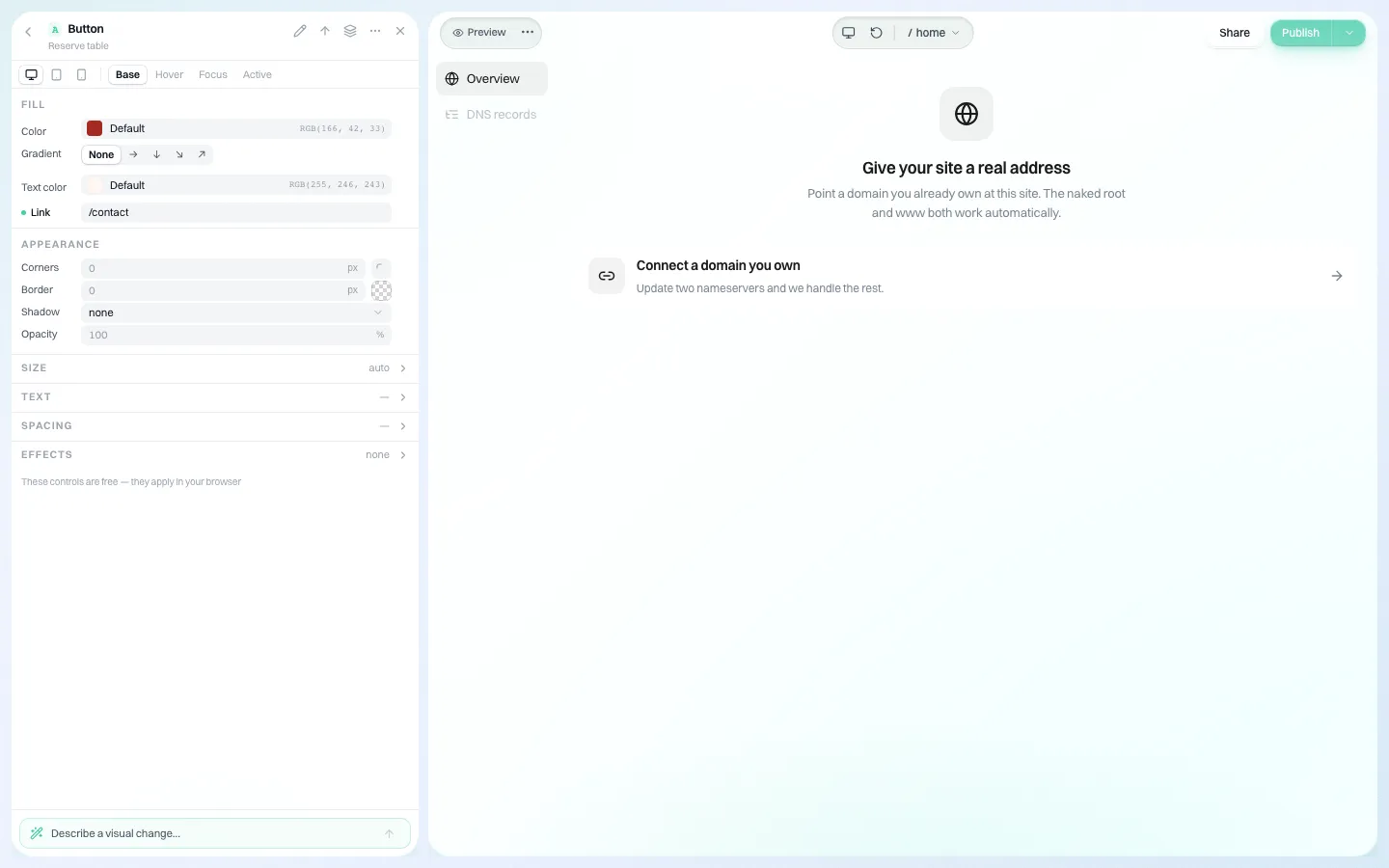
*Connecting a domain from inside the site's editor, when you allow that owner to do it.*
Accountability you do not have to build
Multisite tracks who edited a post. It does not, out of the box, give the central team a log of who changed which owner's permissions or approved which launch. We.Inc keeps an audit log of organisation actions: clients invited or removed, limits and switches changed, approvals, team changes. It is an account-level record, not a revision history of every paragraph.
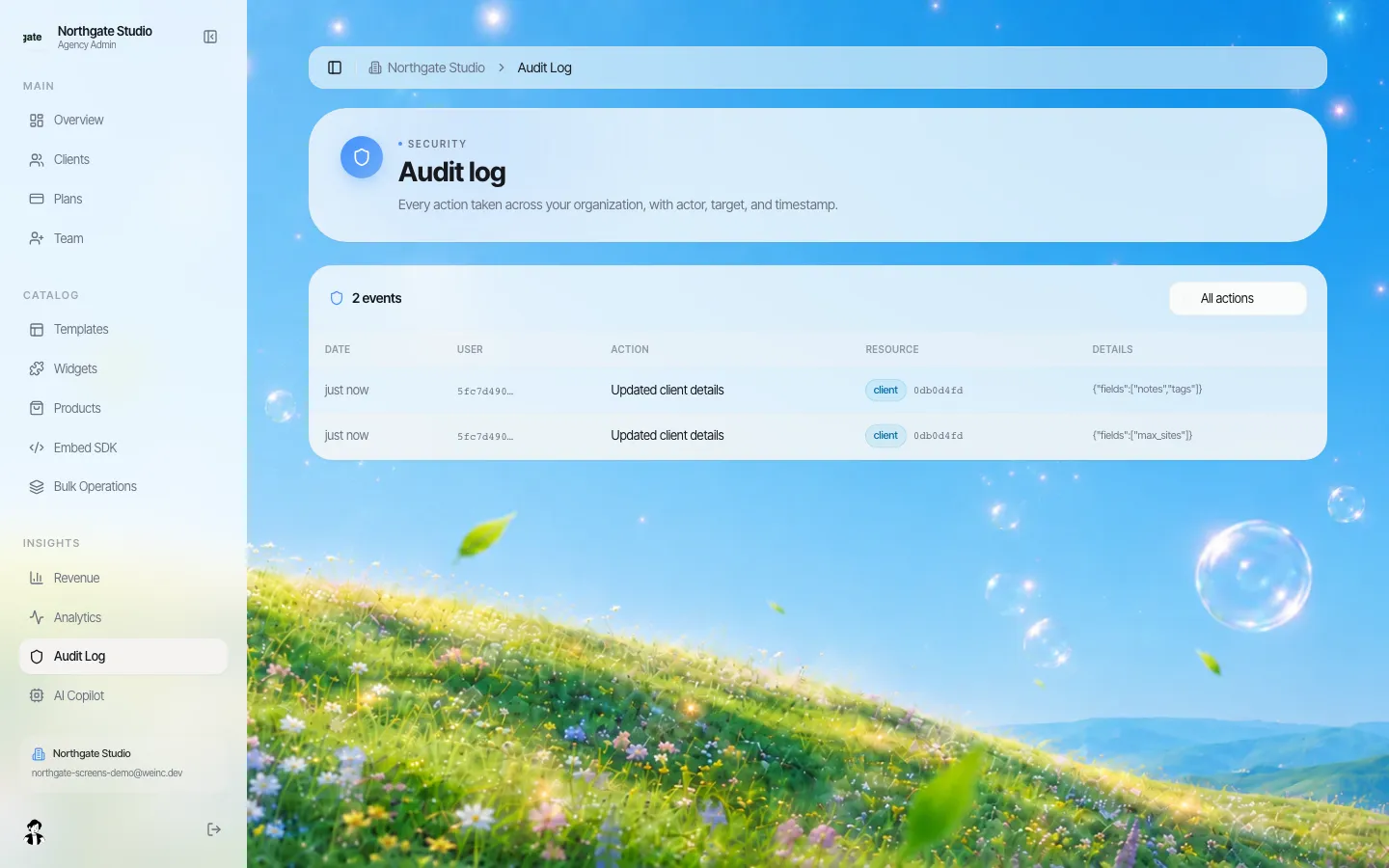
*The audit log after editing one client's settings in the demo brand.*
And because every site's code can be downloaded or synced to GitHub, leaving We.Inc later does not mean starting again, which is the question procurement should ask any platform. Our vendor exit plan lists the clauses.
The honest summary
If you have WordPress developers, a handful of sites and plugins you depend on, Multisite is a good tool and you should keep it. If you have many small sites, owners who are not technical and a central team that spends its week on updates, moving those sites to a builder with owner-level rules is usually less work. Our broader white-label builder vs enterprise CMS guide covers the same decision for Drupal and commercial platforms.
Book a demo with your network's site list and we will sort it into "move", "keep" and "retire" with you.
Sources
Last checked 2026-10-25.
- WordPress Developer Resources, Create a Network: shared core files, plugins and themes activated but not installed per site, subdomain or subdirectory choice.
Book a demo. Pricing is tailored to your volume and setup, and you get your exact price on the call. 0% transaction fee.
Frequently asked questions
Can site owners in WordPress Multisite install their own plugins?
No. According to the WordPress documentation, each site in a network can activate plugins and themes but cannot install them; installation happens at network level.
Do I have to move every Multisite site to We.Inc?
No. The usual pattern is to move the many small sites and keep plugin-dependent or flagship sites on WordPress.
Can We.Inc import a WordPress site automatically?
We do not claim an automatic importer. Small sites are rebuilt by the AI from a description and the existing content, which for most department or client sites is quicker than porting a theme.
Is there a shared-content hub like Multisite plugins offer?
No. There is no tool to publish one item to many sites at once. Keep syndicated content on the system that does it today.
Keep reading
- White-label builder vs enterprise CMS: a fit guide
- Manage many websites from one account
- Client permissions: what each site owner can do
- Audit log for a white-label website platform
- Website vendor exit plan: contract clauses
- White label website builder: the We.Inc platform
More in White Label
- 10Web white label: what it costs, and the alternative without WordPress
- Member firms need a website that looks like a firm, not a tax season leaflet
- Your users run their practice in your software. Their website is the one part that isn’t
- Your clients describe the business. The first draft builds itself, under your name
- Chapter websites that outlast the volunteers who build them
- Who changed it, and when: the audit log, line by line
- One brand, hundreds of dealers, and a website for each
- Give business customers and members a website, under your institution's name
We.Inc is an AI-powered website builder you can resell under your own brand. Launch a branded client dashboard, bill on Stripe Connect, and deliver AI-generated websites in minutes. White-label pricing is tailored to your volume and setup: book a 30-minute demo for a quote.
Product
- AI Website Builder: Describe a site in plain English; it's live in minutes
- White Label Platform: Your brand, your domain, your margin
- Enterprise: SSO, custom SLAs, and dedicated support
- Developer API: Embed site generation into your SaaS
Who It's For
- For Agencies: Resell under your brand
- For Freelancers: Your own branded builder
- For Hosting Providers: Add a builder to your stack
- For SaaS Platforms: Embed site creation via API
- For Startups
- For Financial Services
- For Healthcare
Features
- Drag & Drop Editor
- Built-in SEO Tools
- Custom Branding
- Client Dashboard
- Reseller Billing (Stripe Connect)
Resources
- Blog
- Help Center
- Free Business Tools
- Free UI Components
- Website Templates
- Template Collections
- Website Examples
- Guides
- Comparisons
- Alternatives
- Best Lists
- Reviews
- Pricing Guides
- Use Cases
- Glossary & Guides
- Integrations
- Developers
- Benchmark
- Windows App