
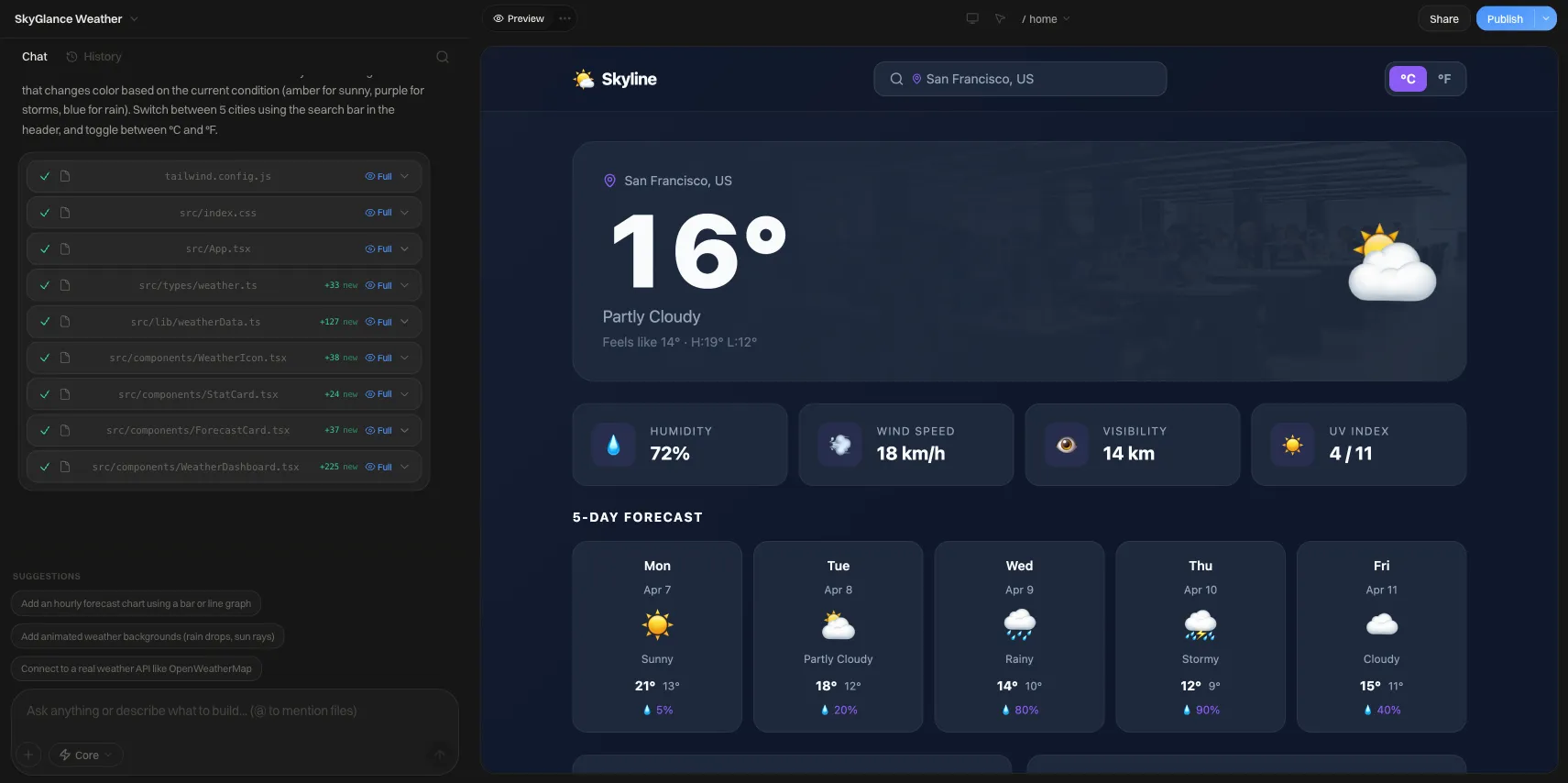
Best Vibe Coding Tool in 2026: 7 Compared by Who Each Suits
Best vibe coding tool depends on you: Lovable, Bolt, Replit, v0, Cursor, Claude Code and Google AI Studio compared by who each suits, with prices checked.
Short answer: there is no single best vibe coding tool. If you are not a developer and want a working app from a prompt, start with Lovable, Bolt or Replit. If you want to try it for free, use Google AI Studio's Build mode. If you can already read code, Cursor or Claude Code will take you further on a real project. And if all you need is a business website, a general vibe coding tool is probably more than you require.
This roundup groups seven tools by who they suit rather than ranking them, because the right pick depends on your experience and on what you are building. Prices below were checked on vendor pages in November 2026; they change often, so confirm before you subscribe.
Vibe coding tools at a glance
| Tool | Best for | How you work | Starting paid price |
|---|---|---|---|
| Lovable | Non-coders building web apps | Chat in the browser | Pro from about $25/month (per Lovable's own guides, checked November 2026) |
| Bolt | Fast prototypes you may hand to a developer | Chat in the browser | Pro from $25/month with 10M tokens (checked November 2026) |
| Replit | Beginners who want an all-in-one workspace | Browser workspace plus Agent | Core $20/month (checked November 2026) |
| v0 by Vercel | Designers and front-end builders | Chat, UI-first | Plus $30 per user/month (checked November 2026) |
| Cursor | Developers who want AI inside their editor | Desktop editor | Plans changed recently; check cursor.com |
| Claude Code | Developers delegating multi-step tasks | Terminal agent | Included with Claude Pro at $20/month (checked November 2026) |
| Google AI Studio | Free experiments and Gemini-based apps | Chat in the browser | Build mode is free; some features need a paid key |
If you have never coded
Lovable
Lovable turns a description into a working web app and shows it beside the chat. It meters usage in credits: Lovable's own guides describe a free plan with a few daily credits and a Pro plan around $25 a month that adds custom domains and private projects (checked November 2026). Pick it when the goal is a product-like app, such as a booking tool or a small dashboard, and you want a polished first draft.
Bolt
Bolt works the same way but bills in tokens. Its pricing page lists Pro from $25 a month with 10M tokens that roll over to the next month, with larger allowances available on a slider (checked November 2026). Its support pages also mention a cheaper $9-a-month Bolt Lite plan. Bolt suits people who expect to pass the project to a developer later, since the output is ordinary code.
Replit
Replit gives you an editor, hosting and its Agent in one browser workspace. Core is listed at $20 a month and includes $20 of monthly credits; Agent work beyond that is billed by effort (checked November 2026). The credits reset each cycle and do not roll over. It is a good fit if you want to see how an app is put together as you build it.
Google AI Studio (Build mode)
Google describes vibe coding in AI Studio as free: describe an app, upload a sketch, or remix a featured app, then highlight a part of the result and ask for a change. Image generation needs a paid API key, and you can add your own key if you exhaust the free quota. It is the cheapest way to find out whether vibe coding suits you.
If you care about the interface
v0 by Vercel
v0 started as a UI generator and is strongest when the output is a front end built with React and Tailwind-style components. The pricing page now lists Plus at $30 per user per month and Business at $100 per user per month; the older $20 Premium plan is closed to new users (checked November 2026). Choose it if you are a designer or front-end developer who wants clean components to drop into a larger project.
If you can read code
Cursor
Cursor is an editor with AI built in, so you stay in your own files and review every change. Its plan lineup has been reshuffled recently, with the old $20 Pro plan now listed as a legacy plan, so check cursor.com for what your usage will cost. It suits developers who want speed without giving up control.
Claude Code
Claude Code is an agent that works on your project from the terminal. It is included with paid Claude plans rather than billed per token: Pro is $20 a month ($17 a month billed annually), and Max starts at $100 a month (checked November 2026). Usage is shared with the rest of your Claude plan, so heavy sessions can hit limits. It suits developers who want to hand over a well-described task and review the result.
How to choose in five steps
- Write down the outcome. "A page that takes bookings" and "a customer portal with logins" call for very different tools.
- Start free. Try Google AI Studio or a free plan first, with the same prompt, and see which result you can actually understand.
- Match the tool to your skill. No coding: Lovable, Bolt, Replit. Some coding: v0, Cursor, Claude Code.
- Cap your spend. Credits and tokens drain faster on big prompts. Ask for one change at a time and check your balance after the first session.
- Test before you publish. Click every form, try a wrong password, and confirm where submitted data is stored.
Copyable pre-launch checklist
- Every form sends its data somewhere you can see.
- Login and logout work, and a logged-out visitor cannot reach private pages.
- No secret keys or passwords appear in the code or in public files.
- The site loads and works on a phone.
- You can export or back up the code and the data.
- You know who will fix it when something breaks.
The last item matters most. Our piece on the vibe coding trust gap looks at why visitors and owners both hesitate to trust AI-built sites, and the glossary entry on vibe coding covers the basics.
When you do not need a vibe coding tool
Many people searching this term only want a business site: a homepage, a services page and a contact form. A prompt-to-app tool can do that, but you inherit the maintenance. A site builder with templates is often the simpler route. Building a site on We.Inc is free for every account, with no card needed; paid plans start at $20 a month. You can sign up here to compare. For a wider look at the options, see no-code tools for businesses and AI tools for startups.
The bottom line
Pick Google AI Studio to experiment, Lovable or Bolt for a first real app, Replit if you want to learn as you go, v0 for interface work, and Cursor or Claude Code once you are comfortable reading what the AI writes. Whichever you choose, the tool matters less than how clearly you describe the task and how carefully you test the result.
Frequently asked questions
What is the best vibe coding tool for beginners?
For someone who has never opened a code editor, a browser-based builder is the easiest start: Lovable, Bolt, Replit or Google AI Studio's Build mode. You type what you want, see a running app beside the chat, and never touch a terminal. Cursor and Claude Code assume you are comfortable with a project folder and a command line, so they suit a second step rather than a first one.
Is there a free vibe coding tool?
Yes. Google says app building in AI Studio's Build mode is free to use, though some features, such as image generation, need a paid API key. Lovable also has a free plan with a small number of daily credits. Free tiers run out quickly on anything beyond a prototype, so treat them as a way to test the workflow before paying.
What is the difference between Cursor and Claude Code?
Cursor is an editor: you open a project, and the AI works alongside you in the files. Claude Code is an agent you run from the terminal (and other surfaces) that reads your project and carries out multi-step tasks. Both expect a real codebase and some programming literacy. Claude Code is included with paid Claude plans, which start with Pro at $20 a month (checked November 2026).
Can vibe coding tools publish a live site?
Most of the browser-based builders include hosting or one-click publishing, and Lovable's paid plans add custom domains. Editor-based tools like Cursor and Claude Code do not host anything for you: you deploy the code to a host of your choice. Whatever you use, test forms, payments and logins yourself before sending real visitors.
Do I need to know how to code to use a vibe coding tool?
Not to get a first version running, but you will hit problems the AI cannot fix with a vague prompt, such as a broken login or data that disappears. Knowing how to read an error message, check what the app stores, and ask for one small change at a time makes a large difference. The glossary entry on vibe coding explains the practice and its limits.
More in Blog
- Website Color Schemes: 32 Palettes With Hex Codes (and What Converts)
- Wedding Website Makers Compared: Free vs Paid (2026)
- Best White Label Website Builders in 2026: 7 Compared
- Black October (PHP2Shell): Am I Affected, How to Check, How to Fix
- Black Color for Website: Palettes, Hex Codes, Contrast
- Blog SEO: How to Make a Company Blog Rank in Search
- Blue Color Website: 5 Tested Blue Color Schemes
- Bluehost AI Website Builder Reviews (2026): Price, Limits
Website builders for the businesses in this article
Alternatives mentioned in this article
Related guides and tools
Start building
How we research, test and update this page: our editorial policy. We.Inc is our own product.
Product
Who It's For
- For Agencies
- For Freelancers
- For Hosting Providers
- For SaaS Platforms
- For Startups
- For Financial Services
- For Healthcare
Features
Resources
- Blog
- Help Center
- Free Business Tools
- Free UI Components
- Website Templates
- Template Collections
- Website Examples
- Guides
- Comparisons
- Alternatives
- Best Lists
- Reviews
- Pricing Guides
- Use Cases
- Glossary & Guides
- Integrations
- Developers
- Benchmark
- Windows App