Art Portfolio Websites: 5 Annotated Examples and What to Include | How-to Guide
Five annotated art portfolio website examples compared on artwork detail, medium and size, sold status and commission enquiries. Includes a copyable brief and what a gallery can and cannot do for selling.
An art portfolio website should let a buyer, gallery or commissioning client answer three questions quickly: what does the work look like up close, what is it (medium, size, year), and can I buy it or commission something. A beautiful gallery answers only the first. The five examples below are designs We.Inc produced from a one-sentence prompt; they are labelled example designs, not real artists.
How we picked these examples
We chose five kinds of visual artist whose buyers need different things: a painter and fine artist (originals), an illustrator (commissions and licensing), a tattoo artist (bookings from a portfolio), a nail artist (a service portfolio) and a photographer (prints and shoots). Each is judged on artwork detail, media and size, sold status and commission enquiries, plus how it behaves on a phone. No sales figures or rankings are claimed for any of them.
Annotated examples
1. Fine artist (example design: "Austin Art Studio")
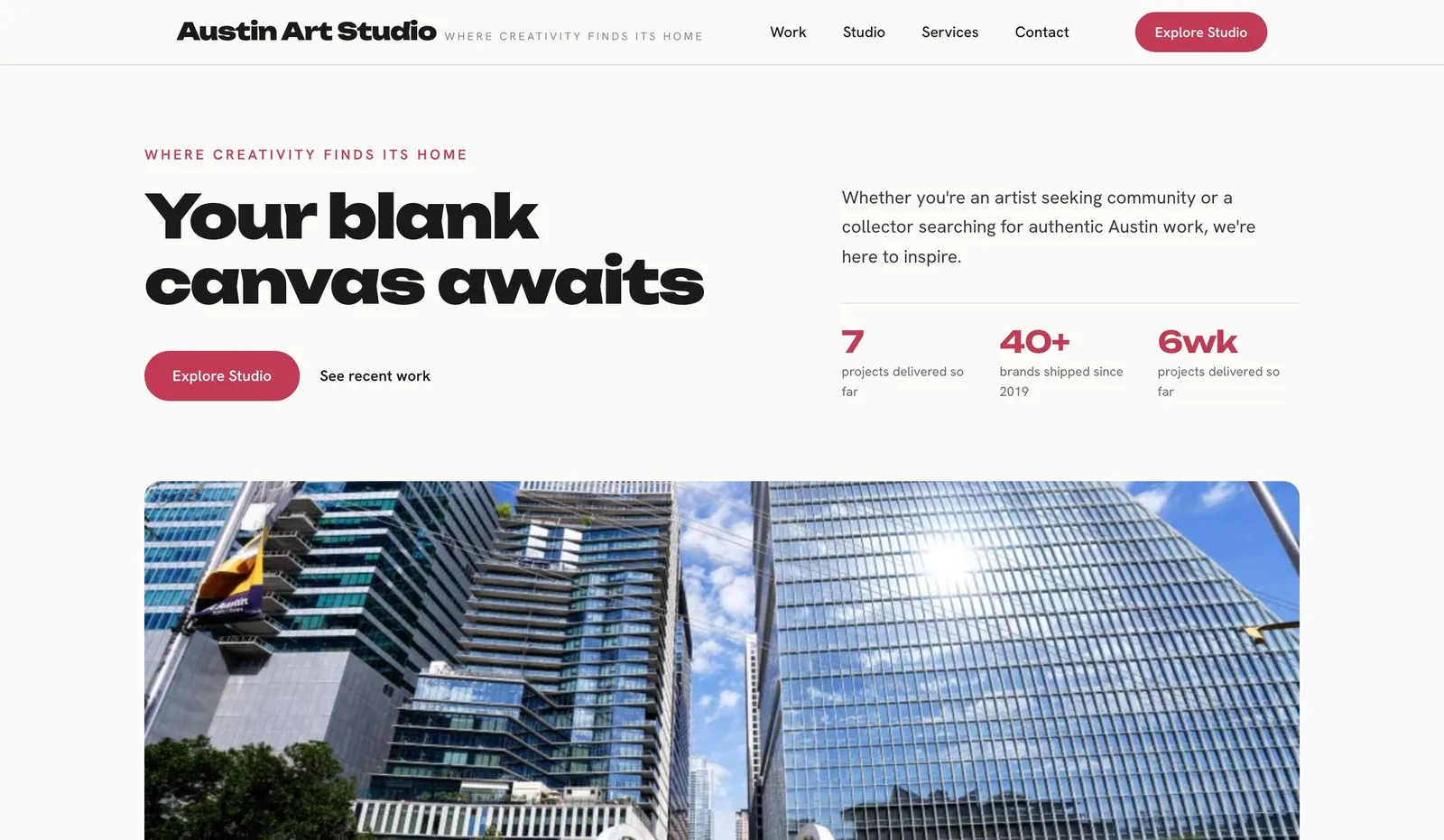
- Works: work-first layout with generous space around images.
- Add before launch: a caption under every piece with title, medium, dimensions, year, and "available", "sold" or "private collection".
2. Painter (example design from the "painters" set)
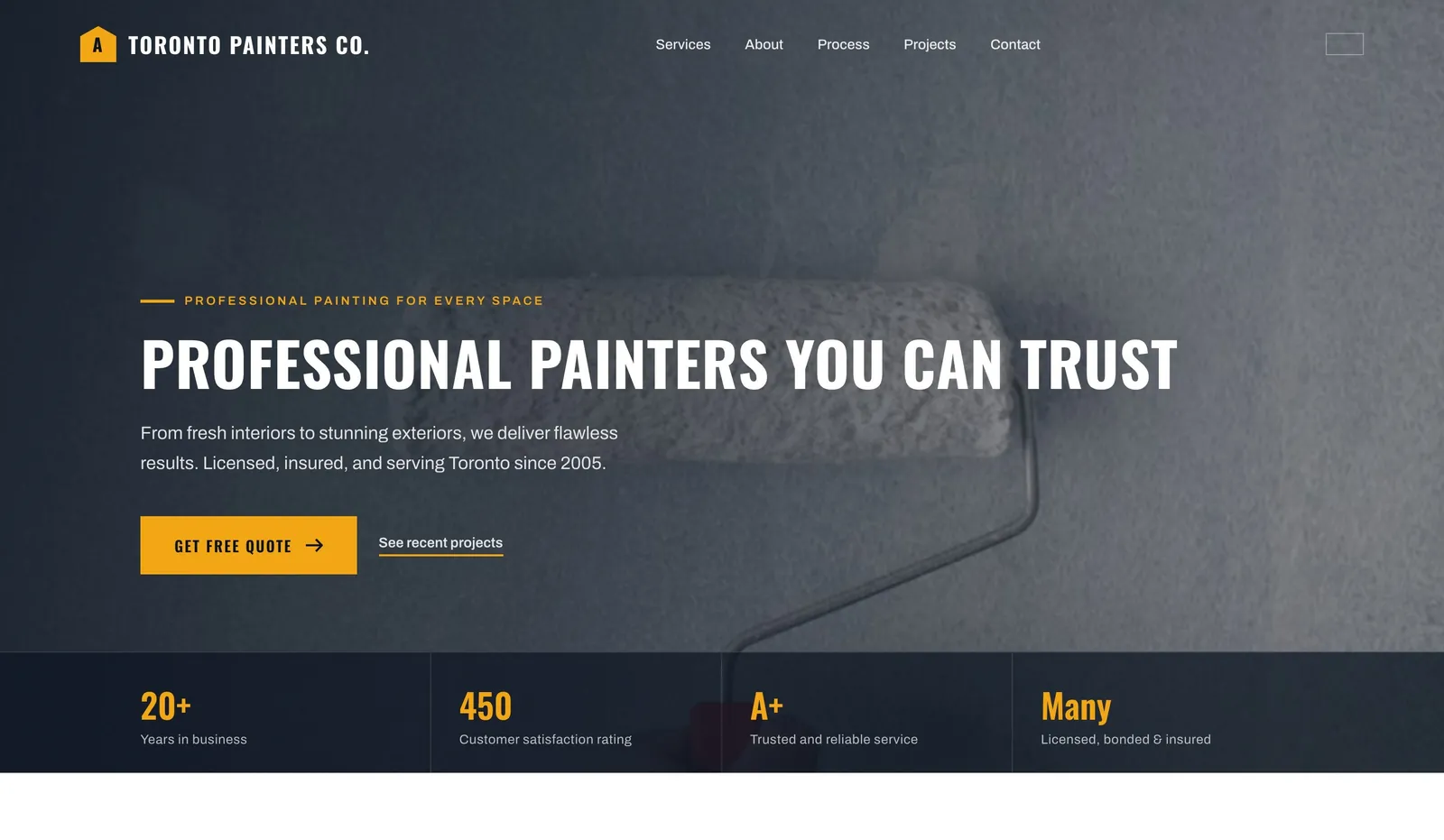
- Watch out: the word "painter" also means house painter. Make it obvious in the headline and page title that you paint artworks.
- Add: a detail crop of each canvas so texture shows, since a full shot on a phone hides brushwork.
3. Illustrator (example design: "Illustrated Ink")
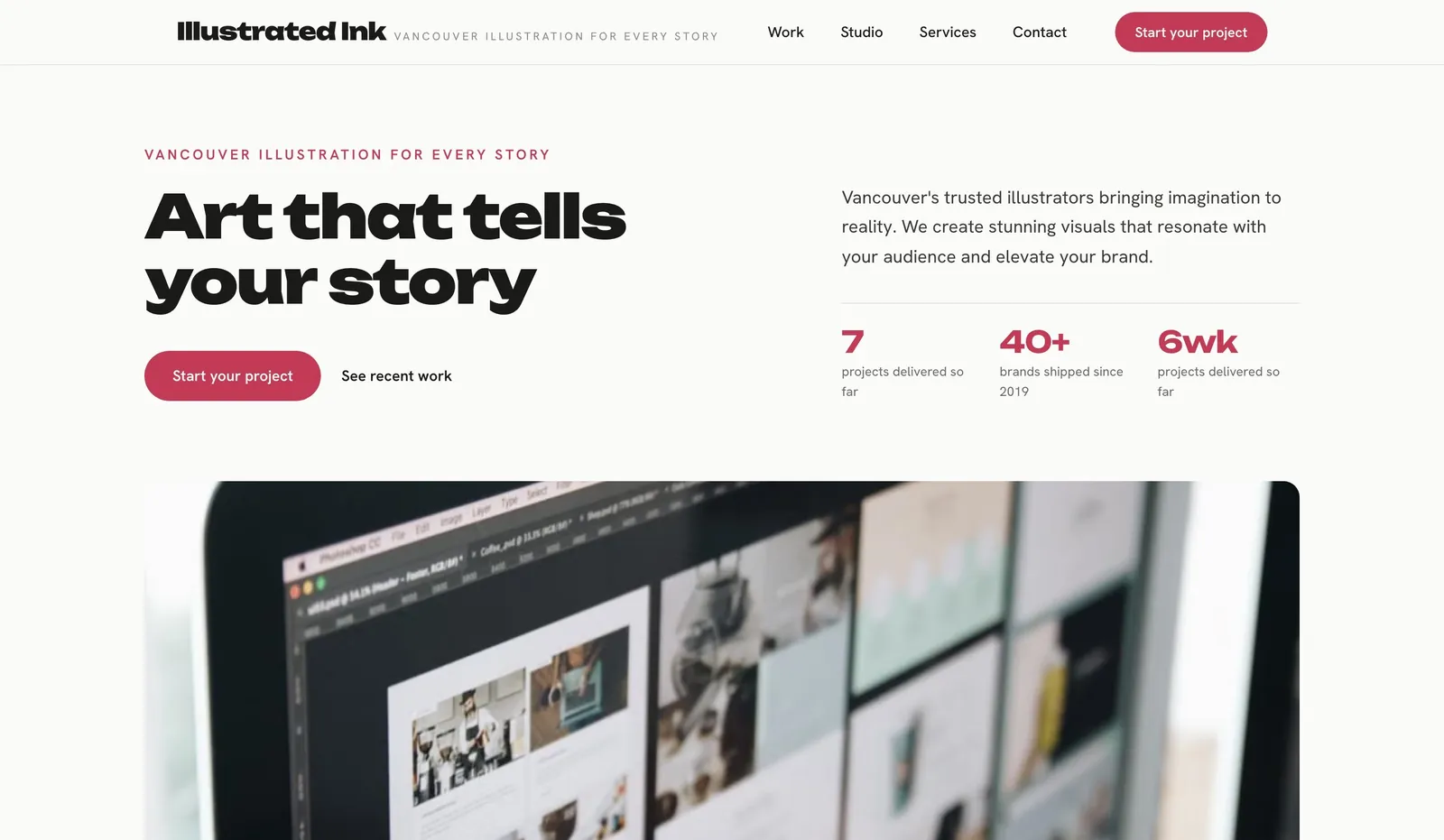
- Commission path: list what you take on (book covers, editorial, packaging), typical lead time and how usage rights are licensed.
- Enquiry form fields: use, deadline, budget range, where it will be published.
4. Tattoo artist (example design: "Parlor Ink")
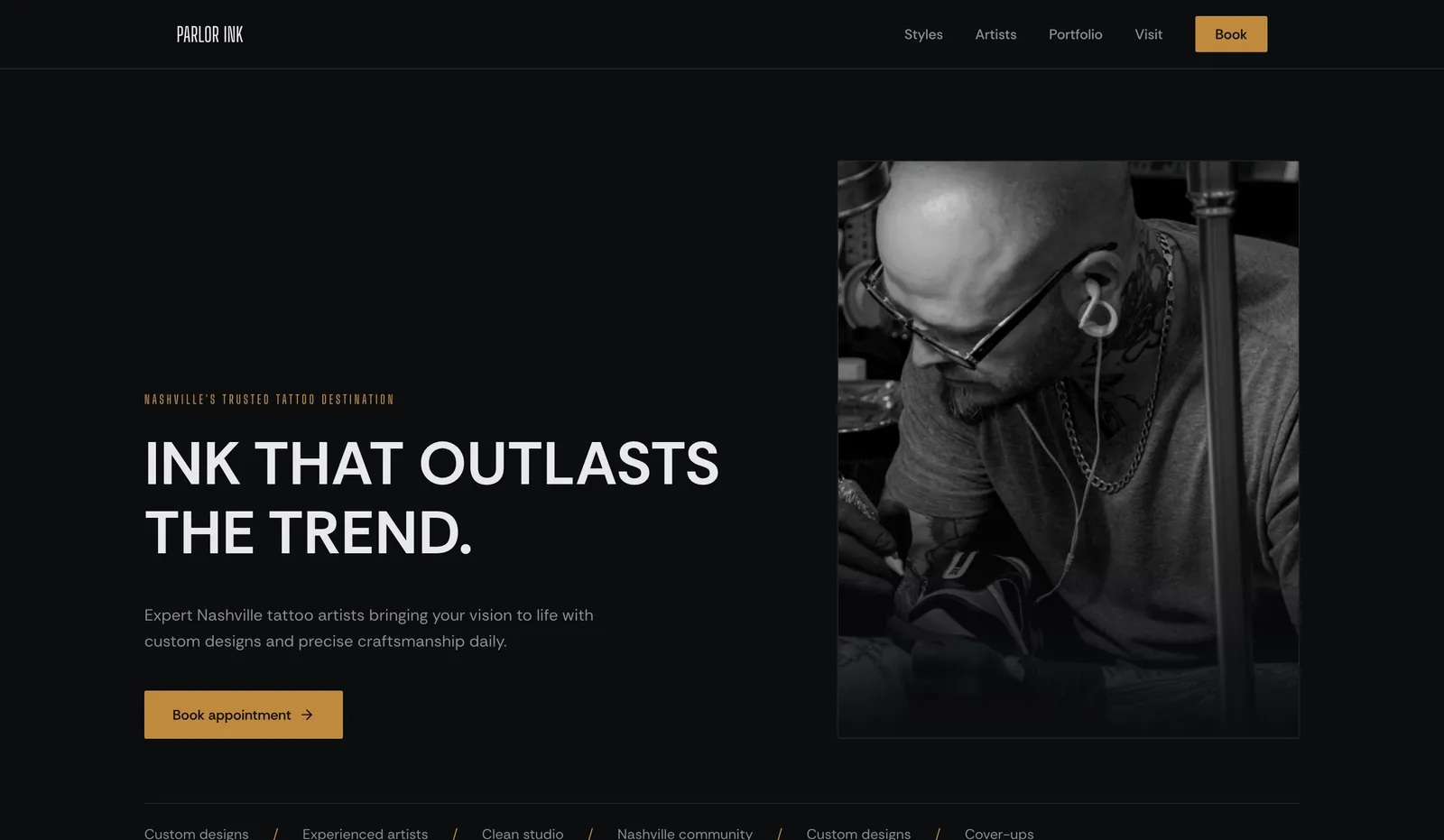
- Works: a portfolio that feeds straight into booking.
- Add: style tags (fine line, traditional, blackwork), healed-work photos, deposit policy, and an enquiry asking for placement, size and reference images.
5. Nail artist (example design: "Nail Canvas Vancouver")
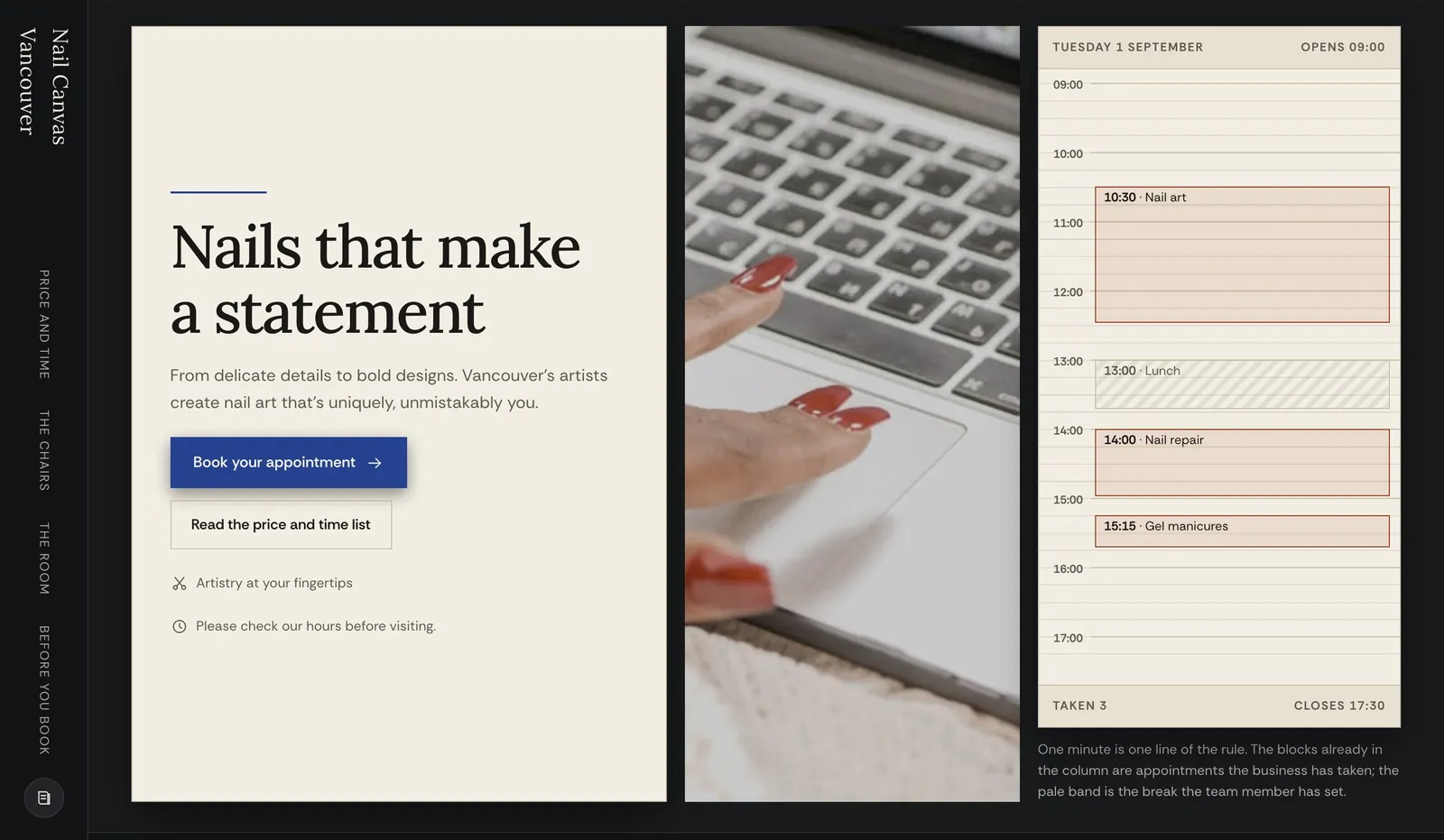
- Different job: the portfolio sells a service, not the objects, so each set should link to the matching treatment and price.
Start building your business website
Comparison: what an art portfolio has to handle
| Task | Fine artist / painter | Illustrator | Tattoo artist | Nail artist |
|---|---|---|---|---|
| Artwork detail | Full view + detail crop | Final + in-use mockup | Fresh + healed | Close-up sets |
| Medium and size | Essential on every piece | Format and usage | Size and placement | Not needed |
| Sold status | Available / sold / NFS | Rarely | No | No |
| Commission enquiry | Size, budget, deadline | Use, rights, deadline | Placement, size, refs | Book a treatment |
| Selling online | Store or enquiry to buy | Prints, licensing | Deposits | Bookings |
A gallery is not a shop
Showing work and selling it are different jobs. Selling originals online means one-off stock (it must disappear when sold), shipping quoted per piece by size and destination, packaging and insurance, and taxes. Before you rely on any builder's store, check it handles single-quantity items and per-item shipping. Many artists start with an "enquire to buy" button on each piece and add a store later. We.Inc includes a store panel, but test it against your own shipping and stock needs before you launch sales.
A copyable art portfolio brief
Artist name and discipline (e.g. oil painter, illustrator):
Where based, and do you ship / travel:
Series or categories to show (max 4):
For each piece: title | medium | size | year | available/sold/NFS | price or "enquire"
Commissions: what you take on, lead time, how to enquire
Prints or licensing: yes/no, how
Proof: exhibitions, publications (only ones with a link or catalogue)
Next action on every page: enquire / buy / book
What to adapt and what not to copy
- Adapt: the work-first layout, captions under every image, a short artist statement.
- Do not copy: another artist's statement or exhibition list, placeholder "as featured in" logos, or stock art. Use only your own work and rights you hold.
- Compress images (a free image compressor works) so galleries load on mobile data, but keep detail crops sharp.
Once live, run the website grader and add alt text describing each piece. See also portfolio website examples for photographers, designers and architects.
Start from a suitable template
Pick a design from the templates and edit it in the We.Inc website builder. The Free plan gives you up to 3 template sites on a we.inc address, with no AI credits and no custom domain. Starter at $20/month adds AI building and custom domains (pricing). Comparing options? Use the website cost calculator.
Start building your business website
Frequently asked questions
What should an art portfolio website include?
Your best work grouped into a few series, a caption on every piece (title, medium, size, year, availability), a short artist statement, how to commission or buy, and a clear contact or enquiry route.
What should I not put in an art portfolio?
Weak or unfinished pieces that dilute the strongest work, work you do not hold rights to, and claims such as exhibitions or press you cannot link to.
Can an art portfolio website sell artwork?
It can, but selling originals needs one-off stock, per-piece shipping and taxes handled. Many artists start with an enquire-to-buy button and add a store once they know their shipping costs.
Are the examples on this page real artists?
No. They are example designs We.Inc produced from a one-sentence prompt, labelled as examples.
More in Guides
- Astro vs Next.js: Which One Fits Your Site
- Avenir Font Pairing: What Goes With It
- Back in Stock Emails: Set Up the Flow and Write the Message
- Bad Color Contrast Examples, Measured and Fixed
- Best Fonts for Websites: 30 Free Google Fonts Previewed in Real Layouts | How-to Guide
- Free SVG Icon Libraries Compared
- BIMI Record: Put Your Logo Beside Your Emails
- Bing Places for Business: A Plain Setup Guide
Website builders for the businesses in this article
Related guides and tools
Start building
Product
Who It's For
- For Agencies
- For Freelancers
- For Hosting Providers
- For SaaS Platforms
- For Startups
- For Financial Services
- For Healthcare
Features
Resources
- Blog
- Help Center
- Free Business Tools
- Free UI Components
- Website Templates
- Template Collections
- Website Examples
- Guides
- Comparisons
- Alternatives
- Best Lists
- Reviews
- Pricing Guides
- Use Cases
- Glossary & Guides
- Integrations
- Developers
- Benchmark
- Windows App