
A homepage that grows your newsletter list
The best way to build a newsletter website is to describe what your newsletter covers and who it's for to we.inc, then embed your existing sign-up form from Substack, beehiiv, or ConvertKit so the site's whole job is turning visitors into subscribers. we.inc doesn't send emails itself, so your actual newsletter platform stays separate; the site can be a free template or, for AI-written copy, start at $20 a month on the Starter plan.
Give your newsletter a real website with an archive, a sign-up form, and a clear reason for new readers to subscribe.
Pages every newsletter website needs
- Home: This is the page doing the actual convincing: what the newsletter covers, how often it lands, and an embedded sign-up form above the fold.
- Archive / Past Issues: New visitors decide whether to subscribe based on what you've already written, so linking or embedding recent issues answers that before they commit their email.
- About: Readers want to know who's writing before they trust an inbox spot to a stranger; a short bio and why you started the newsletter goes a long way.
- Sponsor / Advertise: If you monetize with sponsorships, a page with audience size and rates gives potential sponsors a place to start the conversation.
- Subscribe: A dedicated page (in addition to the homepage form) for anyone arriving from a shared link who wants to sign up immediately.
Try this prompt
A website for a weekly newsletter called The Local Ledger covering small business news in Charlotte, North Carolina, with a homepage explaining what the newsletter covers and an embedded sign-up form, an archive page linking recent issues, an about page, and a sponsor page for local businesses.
Start from this design
Three designs that suit a newsletter website.
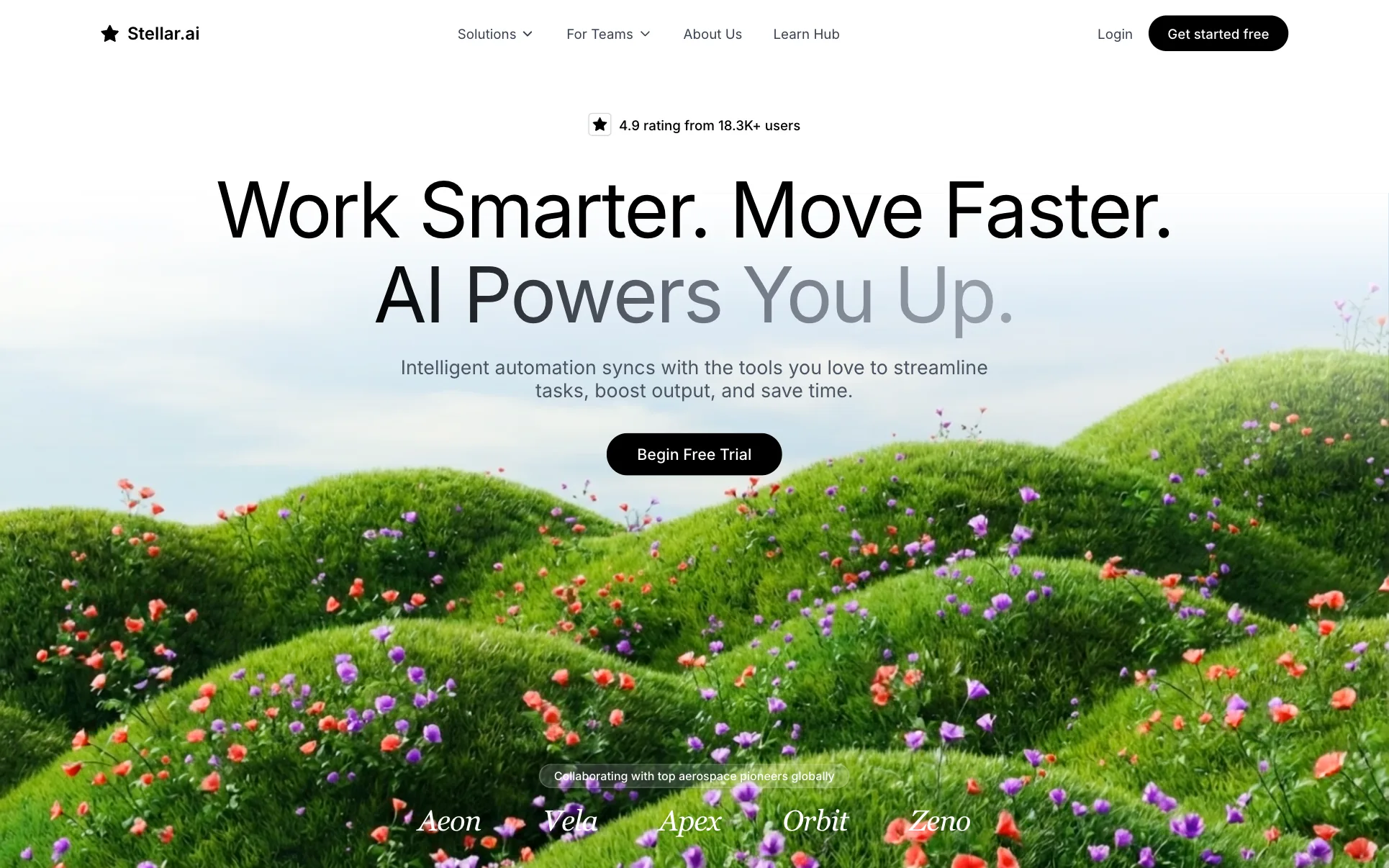
- Wildflower Hillside AI SaaS Hero
- Dark Panel Engineering SaaS Hero
- Three-Column Brand Designer Hero
About newsletter website design on we.inc
Give your newsletter a real home with an archive, a sign-up form, and a reason for new readers to subscribe.
A newsletter website designed around your actual services and prices, not a stock layout. Describe the business and the AI writes and builds every page.
Features designed for your industry
- Embedded sign-up form: Embed your Substack, beehiiv, or ConvertKit sign-up form directly on the site to grow your list.
- Issue archive: A page linking past issues so new visitors can see what they'd actually be signing up for.
- About & credibility: Tell new readers who writes the newsletter and why it's worth their inbox space.
Who this newsletter website design suits
- Solo writer growing a Substack newsletter with a dedicated home base
- Niche industry newsletter recruiting subscribers beyond social media
- Local newsletter covering neighborhood news and events
- Business using a newsletter as a lead magnet for a broader brand
What makes a newsletter website work
we.inc builds the site, not the send
we.inc doesn't send emails or manage subscriber lists itself. The typical setup is writing and sending issues through Substack, beehiiv, or ConvertKit, then embedding that platform's sign-up form directly into a we.inc site that's built to convert visitors into subscribers.
Show, don't just describe, past issues
A newsletter site that only describes the newsletter in the abstract converts worse than one that links three or four real past issues, since people want to sample the actual writing and format before subscribing.
One clear call to action per page
Every page should point back to the sign-up form; a newsletter site with too many competing links (social profiles, other content, unrelated pages) dilutes the one action that actually matters, growing the list.
Sponsorship pages need real numbers once you have them
If you plan to monetize through sponsorships, open rate and subscriber count are what sponsors ask for first; wait to publish a sponsor page with specific numbers until you have credible ones, or keep it general until then.
What it costs
A domain costs about $10 to $20 a year, worth it if the newsletter is a long-term project rather than a quick test. Because embedding a sign-up form and writing convincing homepage copy benefits from AI-drafted copy, the $20 a month Starter plan is a reasonable starting point, though a free template with an embedded form works fine to start testing demand.
Free for 3 template sites, without AI; AI building from $20 a month. Compare plans
Frequently asked questions
How much does a newsletter website cost?
A we.inc template site is free (up to three sites, no AI, published on a we.inc address) and can hold an embedded sign-up form. If you want the AI to write the homepage and about page copy, that starts at $20 a month on the Starter plan. A domain adds roughly $10 to $20 a year, and your newsletter sending platform (Substack, beehiiv, ConvertKit) has its own separate pricing.
Does we.inc send the actual newsletter emails?
No. we.inc builds the website; the newsletter itself is written and sent through a platform like Substack, beehiiv, or ConvertKit, and you embed that platform's sign-up form on your we.inc site to grow the list.
What pages does a newsletter website need?
At minimum: a homepage with an embedded sign-up form, an archive of past issues, and an about page. Newsletters that take sponsorships usually add a dedicated sponsor or advertise page.
Can I use my own domain for my newsletter website?
Yes, we.inc paid plans (from $20/mo) include custom domains, SSL, and hosting, separate from whatever domain your sending platform might also offer.
How do I actually grow subscribers with the website?
Keep the sign-up form visible on every page, link real past issues so visitors know what they're getting, and give the site a single clear purpose, converting visitors into subscribers, rather than splitting attention across unrelated content.
Can I use a newsletter website template for free?
Yes. The free plan publishes up to 3 template sites on a we.inc address, with no AI and no custom domain. Add your sign-up form and past issues yourself.
Can I embed my Substack, beehiiv or ConvertKit sign-up form?
Yes. Paste your platform's embed code and the form appears on the page. Keep writing and sending from that platform.
Newsletter website design: three sample designs, compared on the sign-up
A newsletter website exists to turn a visitor into a subscriber. Below, three designs from our library that each ask for a sign-up in a different way: a local newsletter, an author's monthly letter and a show with a paid tier.
How these were picked
A showcase build for a local newsletter, the author sample site and the podcast sample site, which both run a free list next to paid options. All three are made-up businesses. Checked 27 September 2026. Every design here is from the We.Inc library and is labelled as a sample or template. None is a customer site, and no entry claims results.
1. The Dispatch
Showcase build from a one-line prompt (made-up business). Open it
Task: A local newsletter growing its list.
Design choice: "Stories from the heart of Nashville" with one "Subscribe Now" button, and Writing, Essays and Newsletter in the menu.
Limitation: Add an archive of real past issues so visitors know what they will get.
2. Nora Vance
Sample site built by our AI (made-up business). Open it
Task: An author with a monthly reader letter next to books and events.
Design choice: The free monthly reader letter sits in the same price list as the books and talks, described in one line.
Limitation: The letter is one item among many; a newsletter-first site would lead with it.
3. The Cold Open
Sample site built by our AI (made-up business). Open it
Task: A show with a free feed and a paid members tier.
Design choice: Free and paid tiers side by side with prices: the free weekly episode, a $7 a month members feed and a $70 annual plan.
Limitation: A podcast, not a newsletter; use it for the free-versus-paid layout.
Task comparison
| Design | Subscribe | Read past issues | Paid tier |
|---|---|---|---|
| The Dispatch | Subscribe Now | Writing and Essays pages | No |
| Nora Vance | Monthly reader letter | No | No |
| The Cold Open | Free feed | Episode transcripts | $7/month |
Walkthrough: a new reader on The Dispatch design
- They land on "Stories from the heart of Nashville" with "Subscribe Now".
- The menu offers Writing and Essays to read before signing up.
- A Newsletter button stays in the header on every page.
- Edit prompt: "Embed my newsletter platform's sign-up form in the hero and footer, and add an archive page linking my last ten issues."
Copyable build brief
A website for [newsletter], a [weekly] newsletter about [topic] for [readers]. The sign-up form from my sending platform in the first screen and footer. An archive of past issues. An about page. A sponsor page with audience and rates if I take sponsors.
What We.Inc does and does not do here
| Sending the newsletter | Not built in. Send from your newsletter platform and embed its sign-up form. |
| Paid subscriptions | Run them on your newsletter platform and link to it. |
| Publishing for free | Free plan: up to 3 template sites on a we.inc address. No AI credits and no custom domain. |
| Having the AI write and change the site | Paid plans: Starter $20/mo, Pro $49/mo, Max $99/mo. You describe the business, then edit by clicking or by asking in chat. |
| Your own domain | Paid plans only. |
| Taking payments | Through your own Stripe account, so the money goes to you. We.Inc does not hold funds. |
| Forms | The AI builds contact and request forms. A synced booking calendar is not built in: link the scheduling tool you already use. |
What to adapt
- One sign-up button in the first screen.
- Real past issues to read.
- Free and paid options side by side.
What not to copy
- "Join thousands" unless you have thousands.
- A sign-up form hidden in the footer only.
Questions
Is there a newsletter website template?
Yes. You can start from a template on the free plan and publish up to 3 template sites on a we.inc address, then embed your sign-up form. On a paid plan, describe your newsletter and the AI builds the site around it.
What is good newsletter website design?
One clear sign-up in the first screen, a sample or archive of real issues, a short about page and, if you take sponsors, a page with your audience and rates.
Start from a suitable design
Start building this newsletter website. Or check costs with the website cost calculator, test a current site with the website grader, and see pricing.
Related industries and website guides
- musician website builder
- wedding planner website builder
- portfolio website builder
- personal website builder
- photo booth business websites
- podcast website builder
- how to make a website
- free website builder
Related website builders: Creative & Entertainment
- musician website builder
- wedding planner website builder
- portfolio website builder
- personal website builder
- photo booth business websites
- podcast website builder
Before you start
Product
Who It's For
- For Agencies
- For Freelancers
- For Hosting Providers
- For SaaS Platforms
- For Startups
- For Financial Services
- For Healthcare
Features
Resources
- Blog
- Help Center
- Free Business Tools
- Free UI Components
- Website Templates
- Template Collections
- Website Examples
- Guides
- Comparisons
- Alternatives
- Best Lists
- Reviews
- Pricing Guides
- Use Cases
- Glossary & Guides
- Integrations
- Developers
- Benchmark
- Windows App