Candidate websites for every customer on your campaign platform
If you sell voter contact, fundraising, field or compliance software to campaigns, your customers ask the same thing in their first week: "who does our website?" This page is for the platform answering that question. It covers how campaign websites differ from ordinary small-business sites, how We.Inc lets you hand each customer a site under your name, and what stays the campaign's own job. We are non-partisan software: the page is the same whoever your customers are.
TL;DR
- Campaign sites have a hard deadline, a short life and a lot of hands. Launch speed and a clean wind-down matter more than design awards.
- With We.Inc each campaign is a client account under your brand: branded sign-in, their own site, their own domain if you allow it.
- You choose per campaign who can publish, and can require a single-step approval before a site goes live.
- Disclaimers and other legal wording are the campaign's responsibility. We give you the tools to make them easy to keep on every page, not legal advice.
Why campaign websites are their own category
A bakery site lives for ten years and changes twice. A campaign site might live for nine months, change every day in the final three weeks, and then need to be frozen, archived or handed back. That rhythm creates problems that ordinary website tools do not plan for:
- The launch window is days, not months. A candidate who files on Monday wants a page with a donate link by Friday.
- Staff churn is constant. Volunteers, interns and consultants come and go. The person who built the site in spring is often gone by autumn.
- Many people want edit access; few should have it. A single wrong sentence can become the story of the week.
- Election day is an ending, not a milestone. After it, someone has to decide whether the site stays up, gets archived, or becomes the office-holder's site.
- Every page carries legal wording. In the US, federal rules require disclaimers on political committee websites (see sources), and many states add their own.
Platforms that sell to campaigns already solve the first three for their core product. A white-label website builder lets you solve them for websites too, without building a site builder.
What your customer sees
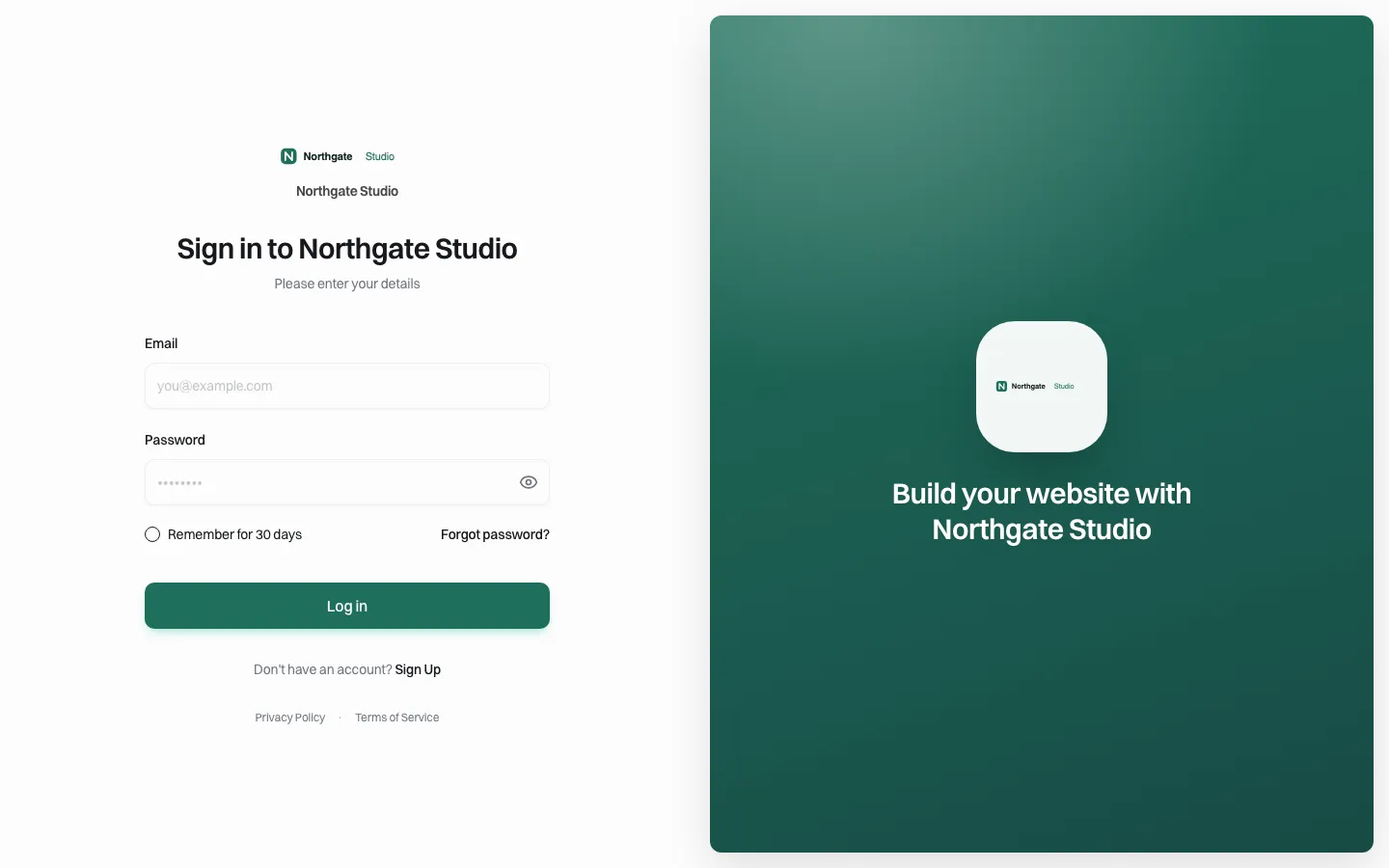
*The sign-in page a campaign would see, on your brand and your web address. This is our demo brand; yours carries your name.*
The campaign manager signs in on your portal, not ours. Nothing on that screen says We.Inc. From there they reach a dashboard that lists their site and a prompt box where they describe what they want.
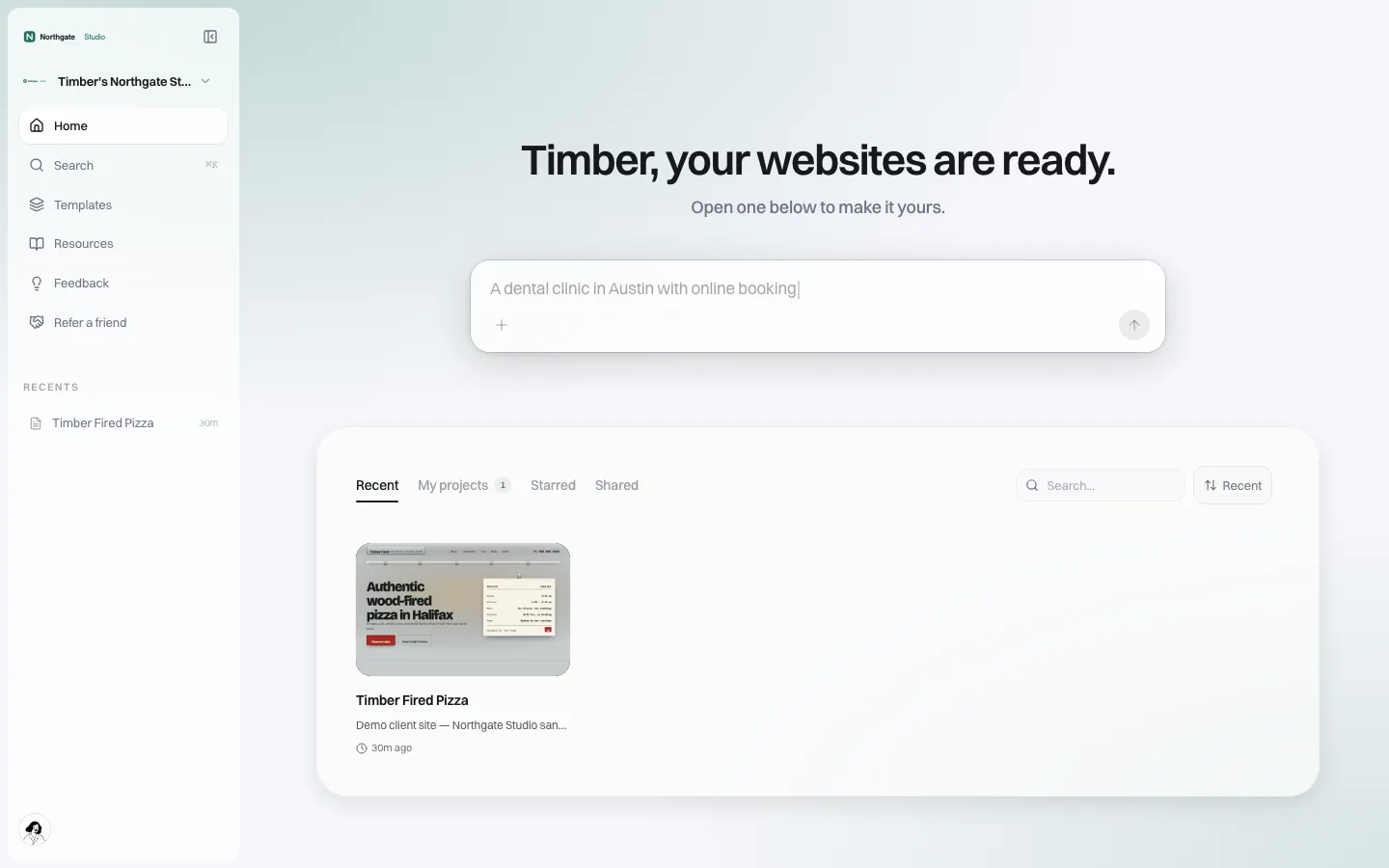
*The client home under the brand. A campaign sees its own site and can start a new one if you allow more than one.*
A launch day plan you can offer every new customer
The fastest campaigns follow the same order. You can turn this into your own onboarding email:
| Hour | Task | Who |
|---|---|---|
| 0 | Campaign accepts your invitation and signs in on your portal | Campaign manager |
| 0-1 | Pick a starting design from your template gallery, or describe the site to the AI builder | Campaign manager or your onboarding staff |
| 1-2 | Replace placeholder text: bio, issues, events, contact, volunteer sign-up | Campaign |
| 2 | Add the required disclaimer to the footer so it appears on every page | Campaign, checked by its counsel |
| 2-3 | Connect the donation and volunteer links from your platform | Campaign or your team |
| 3 | Connect the campaign's own domain, if you allow it | Campaign |
| 3-4 | Submit for approval, if you require it; publish | Campaign, then you |
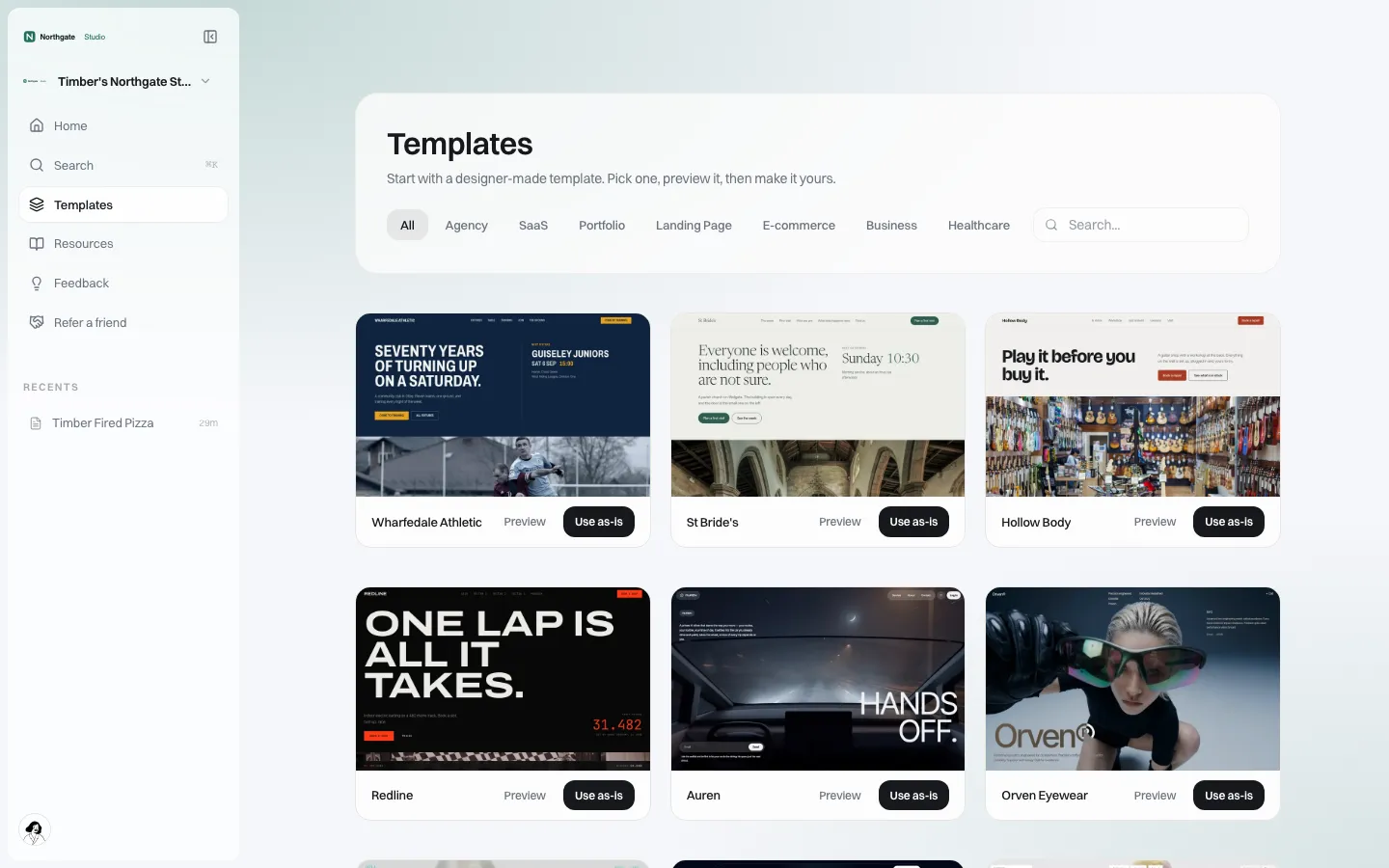
*The template gallery a client sees. You decide which templates appear, so you can offer designs suited to campaigns.*
Controls that matter when many hands touch a site
Who can publish
Every client has a set of switches you can set brand-wide or one client at a time: publishing, connecting their own domain, seeing the code, blog, store, forms and SEO settings. For a campaign platform the important one is the last switch in the list: publishing needs my approval.
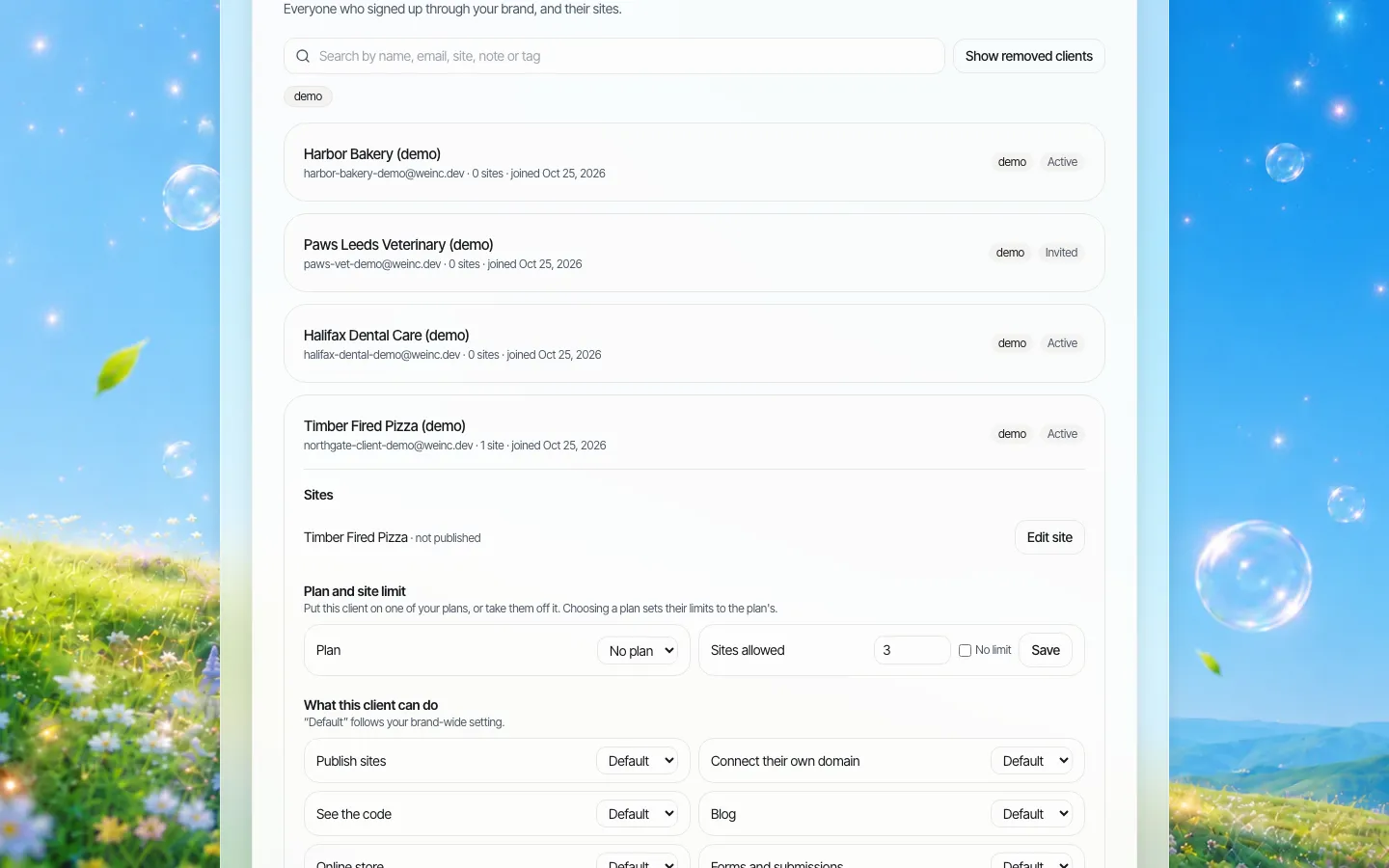
*One client opened. Each switch can follow your brand default or be overridden for this campaign.*
When approval is on, the campaign presses Publish as usual and the request waits for you. It is a single-step approval before a client's site goes live: approve and publish, or ask for changes. It is not a multi-person legal review chain. Most platforms will want approval off for established customers and on for brand-new ones, or for any campaign that has asked for a second pair of eyes.
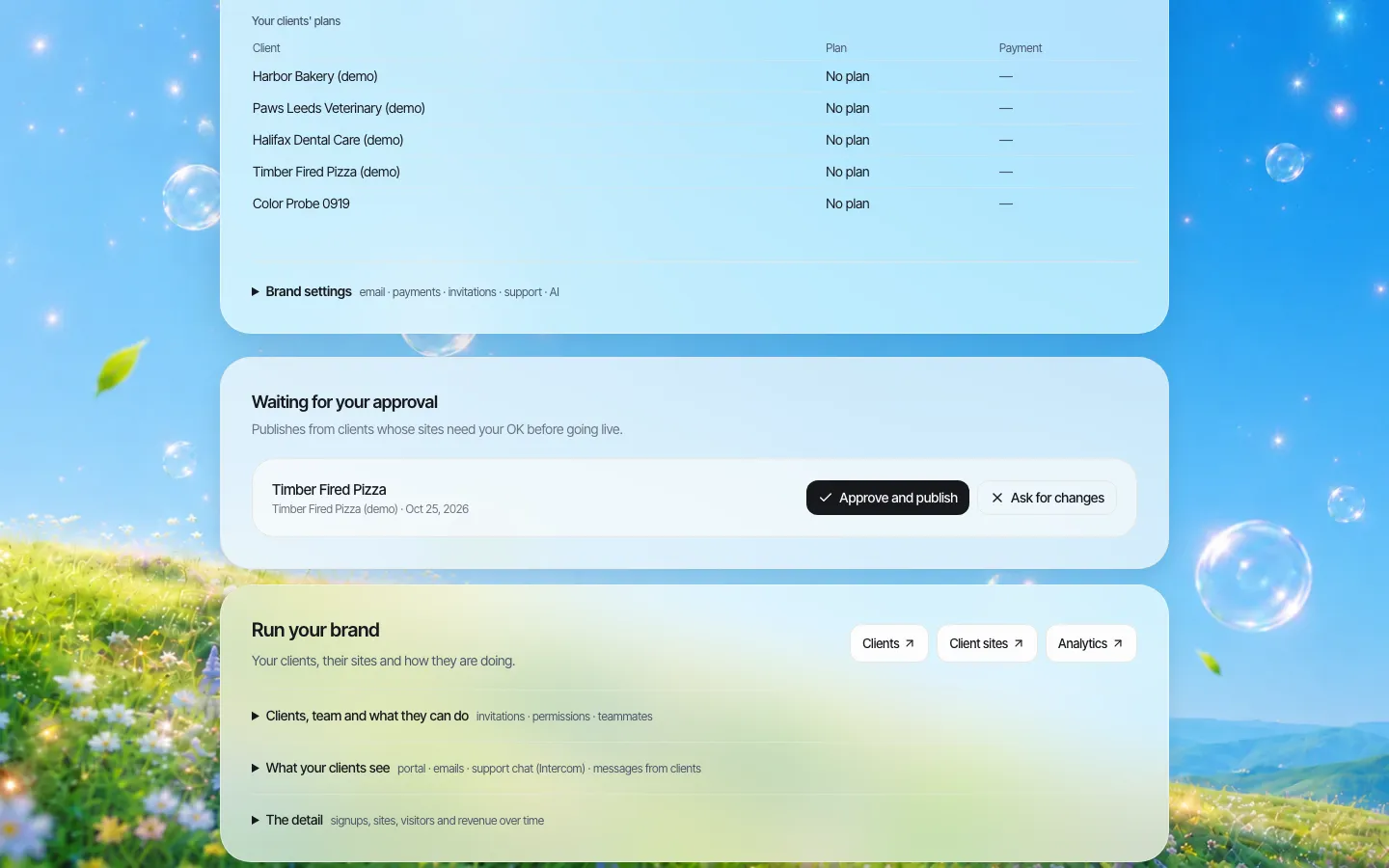
*The approval queue on the brand side. (The request in this demo screenshot was staged for the picture.)*
A record of account changes
When a reporter or a treasurer asks "who gave this volunteer access?", you need an answer. We.Inc keeps an audit log of organisation actions such as inviting a client, changing a client's switches and approvals. It records account changes, not every word edited on a page.
Webhooks to your own systems
Your platform probably already tracks each campaign. We.Inc can send webhook events to your systems when a client is created, invited, paused or removed, when a site is published, and when a publish request is approved or rejected. That lets your CRM or support tool show "site live" next to the campaign record without anyone copying it across.
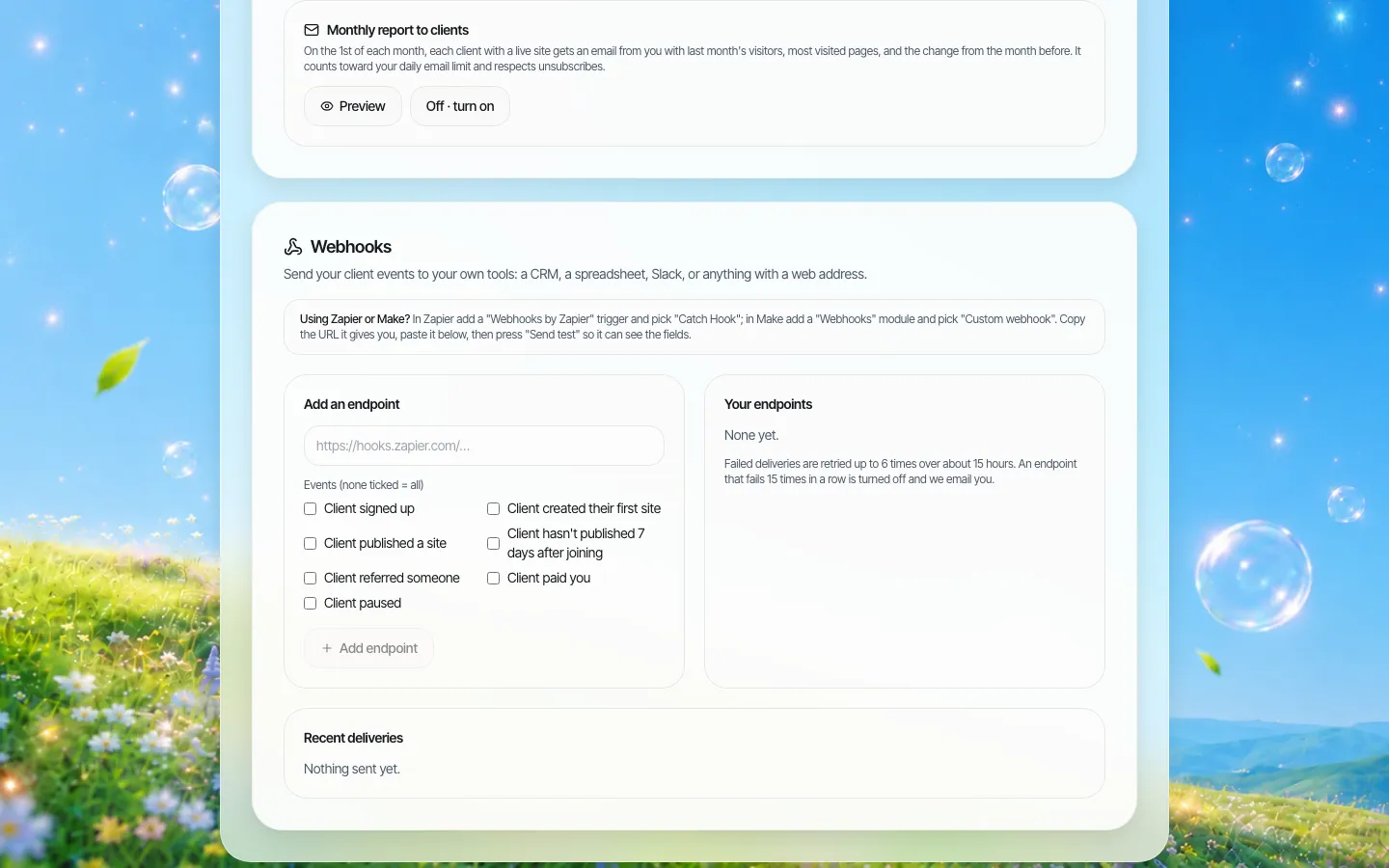
*The webhooks screen. In this demo it is empty; on your account you add your own endpoint.*
What stays the campaign's job
Being clear about this protects you and your customer:
- Legal wording. Disclaimers, "paid for by" lines and any state-specific notices are for the campaign and its counsel. We.Inc is a website builder, not a compliance service.
- Donations. Collect contributions in the tool built for it (often yours). The website links or points to it. Contribution limits, donor information and reporting live there, not in the site builder.
- Content. The AI builder writes draft text from what the campaign tells it. The campaign must check every claim before publishing. Approval exists so you can make that a step, not a hope.
- Accessibility. Generated sites are built to help you meet common accessibility practice, but the campaign must test its own pages.
After election day: three endings
Plan the ending at the start. Put one of these in your terms:
- Freeze. The site stays up unchanged. Turn off the campaign's publish switch so nothing new goes live by accident.
- Hand back. The campaign takes its site elsewhere. Every site is real code; with the code switch on they can download it or push it to GitHub. See code export.
- Transition. The winning candidate's site becomes an office-holder or constituent site. Many jurisdictions restrict mixing campaign and official resources, so this is usually a new, separate site, not an edit of the old one. Ask counsel.
Pausing or removing a client is a click on the client screen, and removed clients stay findable if someone needs the history later.
Where another option is the better fit
If your customers are a handful of high-budget statewide or national races, a custom-built site from a design agency will usually suit them better than any builder. If you only need a single landing page per candidate inside your own product, a landing-page feature you build yourself may be enough. A white-label builder earns its place when you have many campaigns, each wanting a real multi-page site, and you would rather not run a web team.
Sources
- Federal Election Commission, "Advertising and disclaimers": disclaimers must appear on political committees' websites available to the general public, and on more than 500 substantially similar emails sent by a political committee; regulation 11 CFR 110.11. fec.gov/help-candidates-and-committees/advertising-and-disclaimers/
Last checked 2026-10-25. This page is general information, not legal advice. Campaign finance rules differ by country, state and office; check with the campaign's counsel or the relevant election authority.
Book a demo to see a campaign set up on your brand.
Book a demo. Pricing is tailored to your volume and setup, and you get your exact price on the call. 0% transaction fee.
Frequently asked questions
Is We.Inc tied to any party or political side?
No. We.Inc is website software. The same product and the same terms apply whoever your customers are, and we do not take positions on candidates or causes.
Does We.Inc add the "paid for by" disclaimer automatically?
No. The campaign writes its own disclaimer, usually in the site footer so it appears on every page. The wording is a legal matter for the campaign and its counsel.
Can we review a campaign site before it goes live?
Yes. Switch on "Publishing needs my approval" for that campaign or for all of them. Publishing then waits for a single-step approval from you before the site goes live.
What happens to a site after the election?
You decide with the campaign: leave it up unchanged, switch off publishing, pause or remove the client, or let the campaign download its code and move it elsewhere.
Can donations be taken on the site itself?
We recommend collecting contributions in a dedicated contribution tool and linking to it from the site, because limits, donor records and reporting belong there.
Keep reading
- White label website builder: the We.Inc platform
- Client permissions: what each site owner can do
- Audit log for a white-label website platform
- Custom domains for every client site
- Code export and no lock-in
More in White Label
- White-label website builder pricing
- You already made their logo, cards and sign. The website is the next thing they ask about.
- A website for every building, run by the company that manages them
- Agents want their own site. The brokerage needs it to stay on-brand. Both can be true.
- How to resell websites under your own brand
- Website Builder Reseller Program & Billing
- White-Label Reseller Dashboard
- Six restaurants, six personalities, one place to keep them accurate
We.Inc is an AI-powered website builder you can resell under your own brand. Launch a branded client dashboard, bill on Stripe Connect, and deliver AI-generated websites in minutes. White-label pricing is tailored to your volume and setup: book a 30-minute demo for a quote.
Product
- AI Website Builder: Describe a site in plain English; it's live in minutes
- White Label Platform: Your brand, your domain, your margin
- Enterprise: SSO, custom SLAs, and dedicated support
- Developer API: Embed site generation into your SaaS
Who It's For
- For Agencies: Resell under your brand
- For Freelancers: Your own branded builder
- For Hosting Providers: Add a builder to your stack
- For SaaS Platforms: Embed site creation via API
- For Startups
- For Financial Services
- For Healthcare
Features
- Drag & Drop Editor
- Built-in SEO Tools
- Custom Branding
- Client Dashboard
- Reseller Billing (Stripe Connect)
Resources
- Blog
- Help Center
- Free Business Tools
- Free UI Components
- Website Templates
- Template Collections
- Website Examples
- Guides
- Comparisons
- Alternatives
- Best Lists
- Reviews
- Pricing Guides
- Use Cases
- Glossary & Guides
- Integrations
- Developers
- Benchmark
- Windows App