A website for every building, run by the company that manages them
A management company with forty buildings usually has one corporate site and a patchwork underneath it: listing-portal pages, a few community sites an old vendor built, an HOA site a board member keeps on a free plan, and owners asking why their property has no page of its own. This page is about turning that patchwork into one set of property sites under your brand, with the controls you need when the people editing them are leasing staff and volunteer boards.
TL;DR
- Listing portals rent you attention; a property site is the one place the building's own story, amenities, contact details and documents live under your control.
- In We.Inc each building, community or owner can be its own client account under your brand, with its own site, domain and switches for what its editors may do.
- Turn on approval before publishing for sites edited by on-site staff or HOA volunteers, so advertising wording is checked once before it goes live.
- Rent rolls, applications with personal data and payments for rent stay in your property management software. Book a demo to map your portfolio.
Why management companies end up with web sprawl
Nobody sets out to run forty websites. They arrive with the business:
- New management contracts. An owner moves a building to you, and the building already has a site on someone else's account. Sometimes the owner holds the password, sometimes the previous manager does, sometimes nobody does.
- Lease-up campaigns. A new building needs a site before it opens, so marketing commissions one fast. It ranks well for the building's name, and then it is forgotten after occupancy stabilises.
- Associations. Condominium and HOA boards want a place for meeting minutes, rules and notices. A volunteer builds one, then steps down.
- Owner reporting. Some owners simply want to see their property presented well, and a property page buried in your corporate site does not feel like theirs.
The result is predictable: outdated phone numbers, rents that were right two years ago, photos of a pool that has since been resurfaced, and wording nobody checked against fair-housing rules.
What a property site is for (and what it is not)
Before choosing any platform, agree what the property site carries. This split keeps marketing sites small and safe.
| Belongs on the property site | Belongs in your property management software |
|---|---|
| Building story, photos, floor plan descriptions, amenities | Rent roll, ledgers, owner statements |
| Neighbourhood, transit, parking, pet policy summary | Rental applications with ID, income or credit data |
| Office hours, leasing contact, maintenance phone line | Rent payments and deposits |
| Notices for the community, event calendar | Maintenance tickets with residents' details |
| HOA rules, meeting minutes, public documents | Background-screening results |
| A link to apply or pay, pointing at your existing system | Anything you would not want indexed by search engines |
The right-hand column is where the risk lives. A marketing website builder, ours included, should link out to the system that already handles those records rather than collect them in a contact form.
Laying out the portfolio under one brand
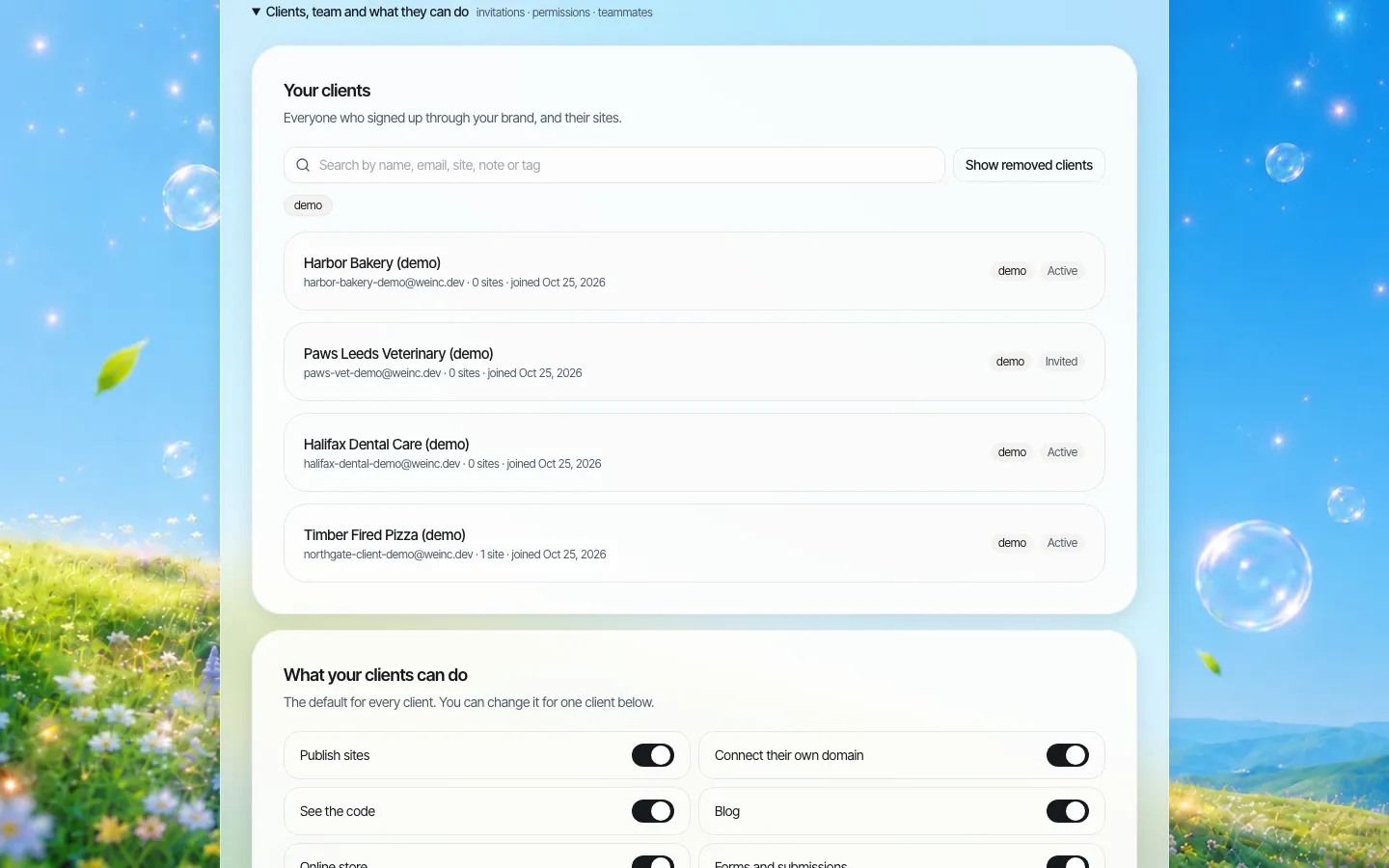
*In a management company, each "client" can be a building, a community or an owner. Tags such as region, asset type or "lease-up" make the list searchable.*
There are three sensible ways to map buildings to accounts, and the choice depends on who edits:
- One account per building, edited by its on-site team. Best for larger communities with a leasing office.
- One account per owner, holding all of that owner's buildings. Best when the owner wants their own login and you report to them.
- One account per association board, for condominium and HOA sites where volunteers publish notices.
Each account has a site limit, so a single-building owner cannot quietly create five sites, and a portfolio owner can be given more. Notes on each account are a good place for the management contract end date; when a contract ends, you know which site has to be handed over or retired.
Giving on-site teams and boards exactly enough control
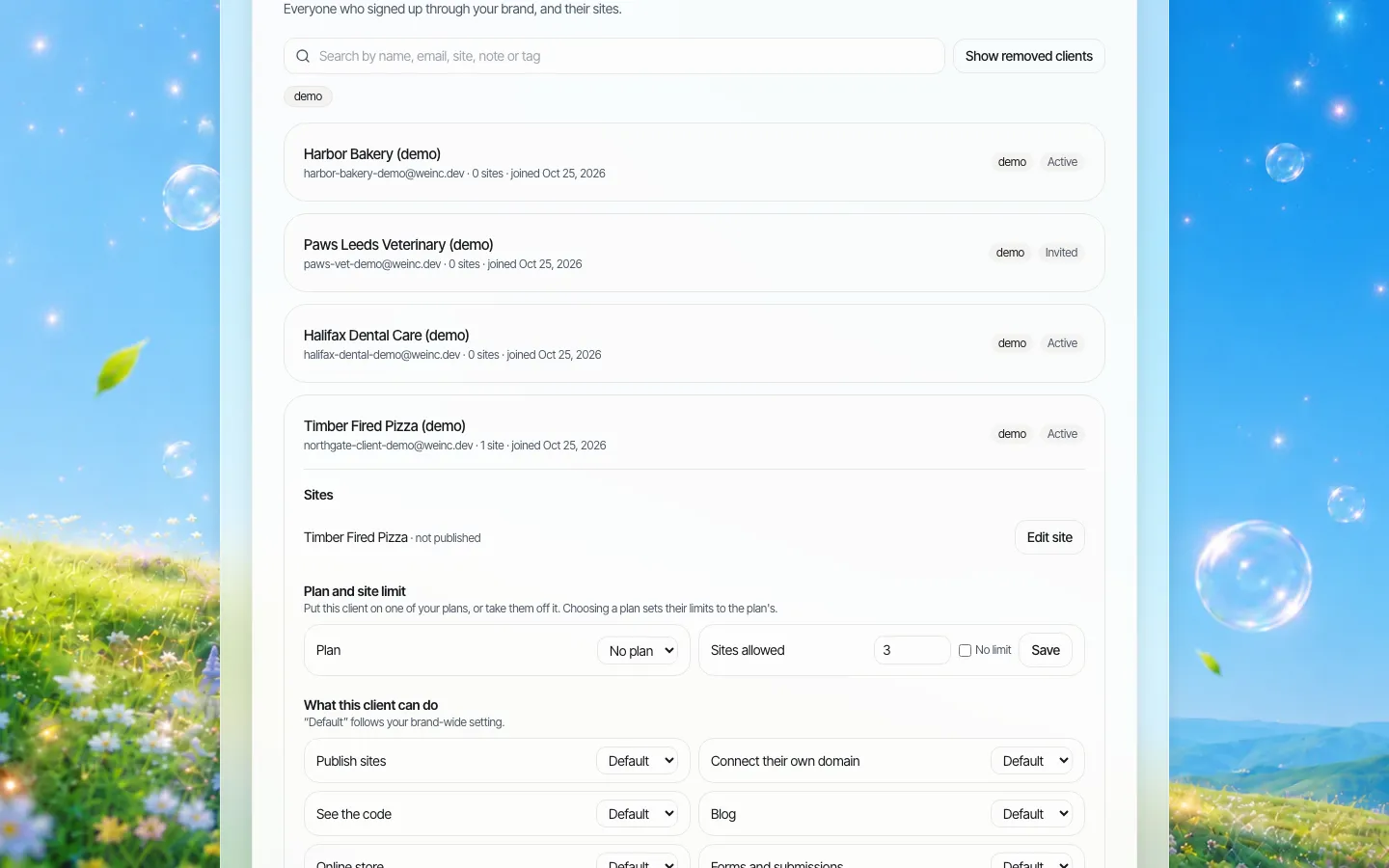
*One property account opened. The switches decide what that building's editors can do; approval before publishing is one of them.*
Most property editors need to change text and photos, post a notice and update office hours. They do not need to connect a new domain, see the site's code or open an online store. Turn those off as a brand default and switch them on only for the accounts that need them. The forms switch deserves a decision of its own: a "schedule a tour" form that asks for a name and a phone number is normal; a form that asks for income or a date of birth is not, and the simplest control is to leave forms off for accounts that do not need them.
For boards and new leasing staff, switch on Publishing needs my approval. Their edits wait in a queue until someone at head office approves them. This is a single-step approval before a site goes live, not a multi-stage workflow, which for a property portfolio is usually what you want: one person who knows the advertising rules looks once.
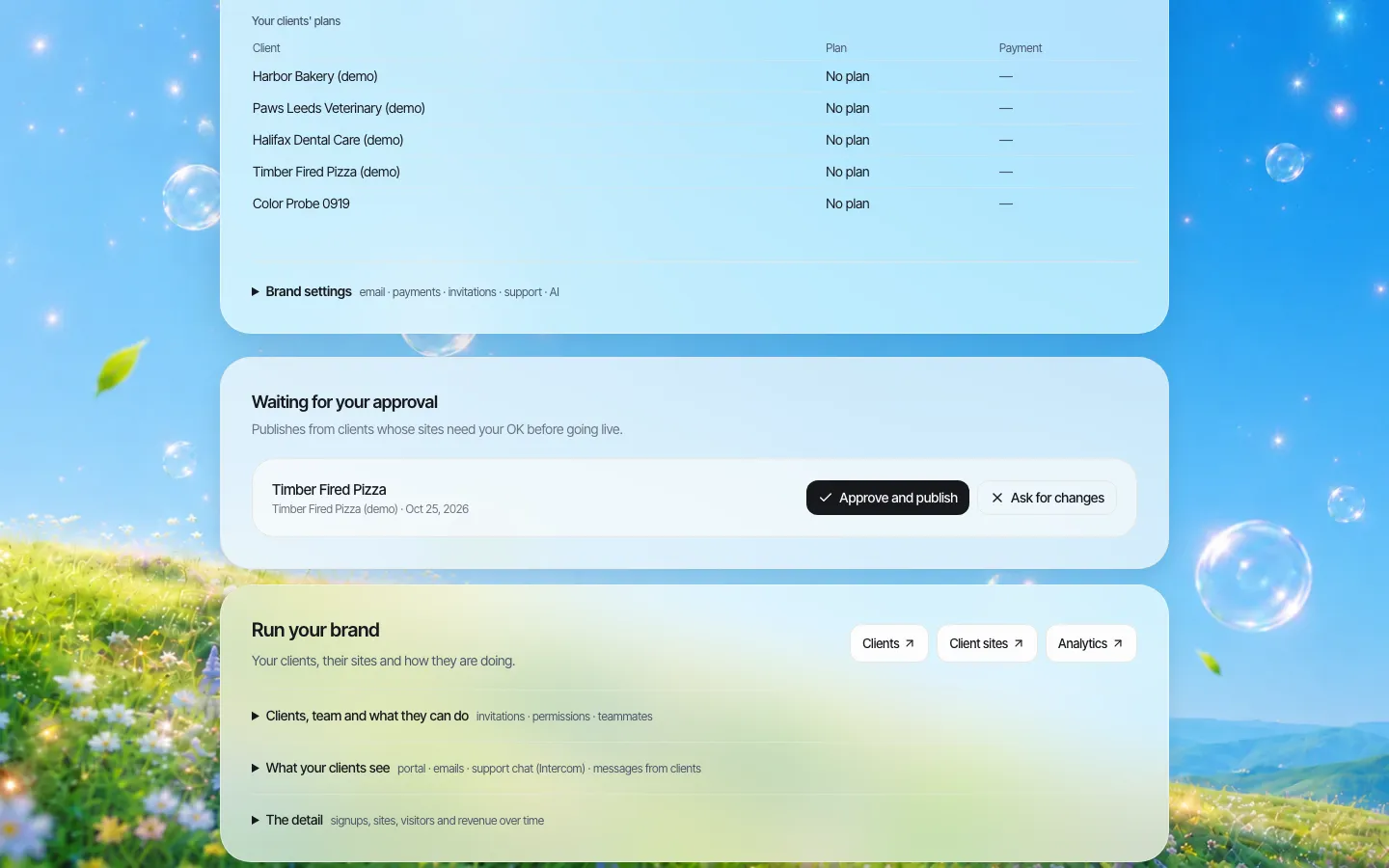
*The approval queue at head office. "Ask for changes" sends the edit back to the building team.*
Fair-housing wording: check it once, centrally
In the United States, the Fair Housing Act makes it unlawful to publish any notice, statement or advertisement for the sale or rental of a dwelling that indicates a preference, limitation or discrimination based on race, colour, religion, sex, handicap, familial status or national origin (42 U.S.C. 3604(c)). A property website is advertising. Phrases that feel friendly on a lease-up page, such as describing who the building is "perfect for", are exactly the kind of wording that gets reviewed.
That is the practical case for approval before publishing on property sites: describe the property, not the people you imagine living in it, and have one trained person check new copy before it goes live. Many states and cities add their own protected classes, so your reviewer needs your local list too. This is general information, not legal advice; your counsel sets the rules your reviewer applies.
A short reviewer checklist that fits on one card:
- Does any sentence describe a type of resident rather than the property or its amenities?
- Are accessibility features described factually (step-free entry, elevator, accessible parking) rather than as who the building is for?
- Are rents and fees shown with the date they were last checked, or left to the listing system?
- Does the pet policy match the lease, including how assistance animals are handled under your policy?
- Is the leasing contact correct and staffed?
Each building on its own address
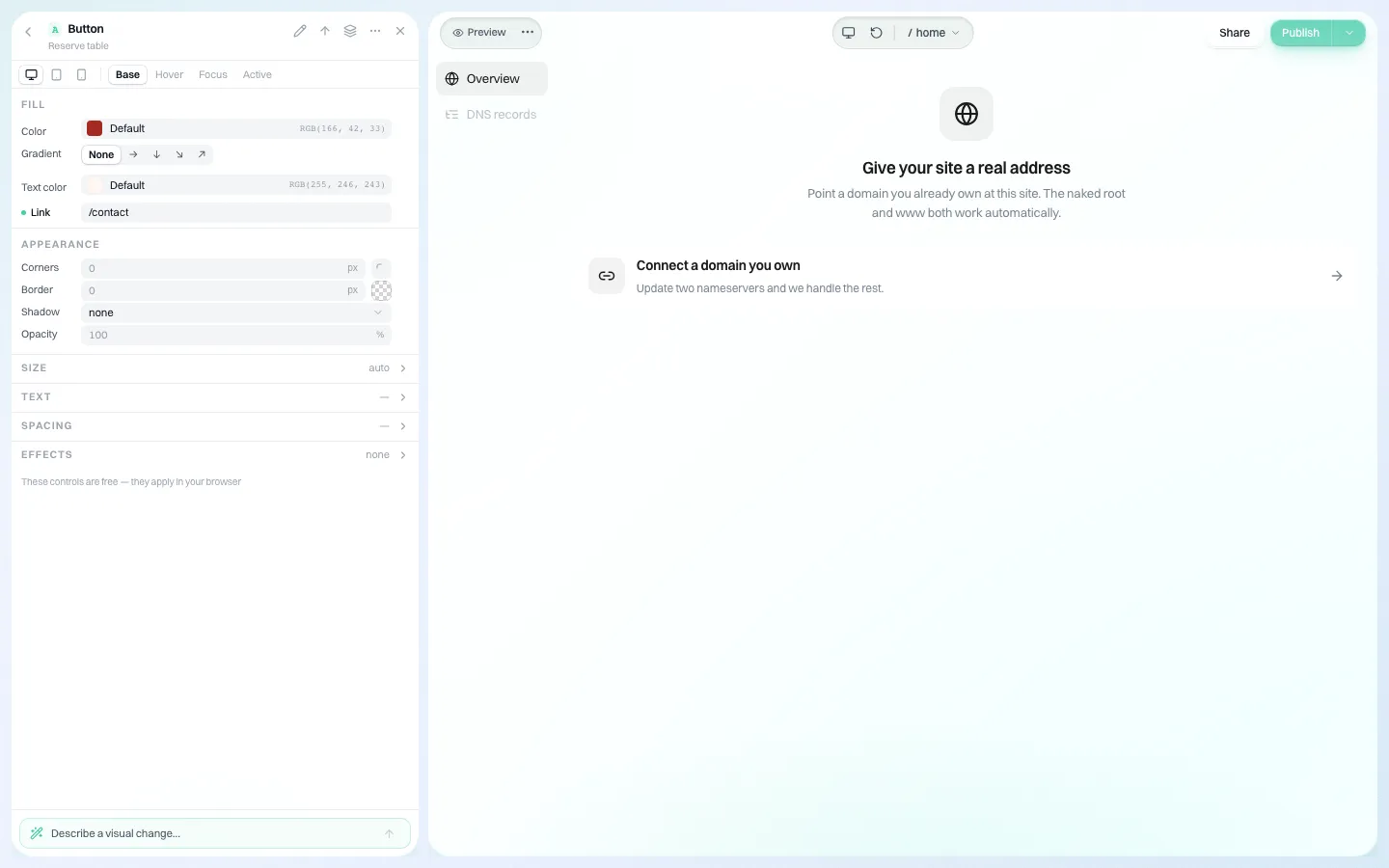
*Connecting a building's own domain from the site editor. You decide, per account, whether its editors may do this themselves.*
Many communities already own a domain that matches the building name and ranks for it. Keep it. Connect it to the new site rather than redirecting it to your corporate site and losing what it earned. Record who renews each domain in the account notes; an expired building domain is a common way a portfolio loses its best-ranking pages.
When a building leaves your portfolio
Contracts end. Decide the hand-over before the site is built:
- The owner keeps the content. Every site's code can be downloaded as a ZIP or synced to GitHub, so a site can leave with the building.
- The domain belongs to whoever registered it. Register property domains in the owner's name if the contract says the site is theirs.
- Retire, don't abandon. If the owner does not want the site, take it down and remove the account. A stale building page with wrong phone numbers sends leads to nobody.
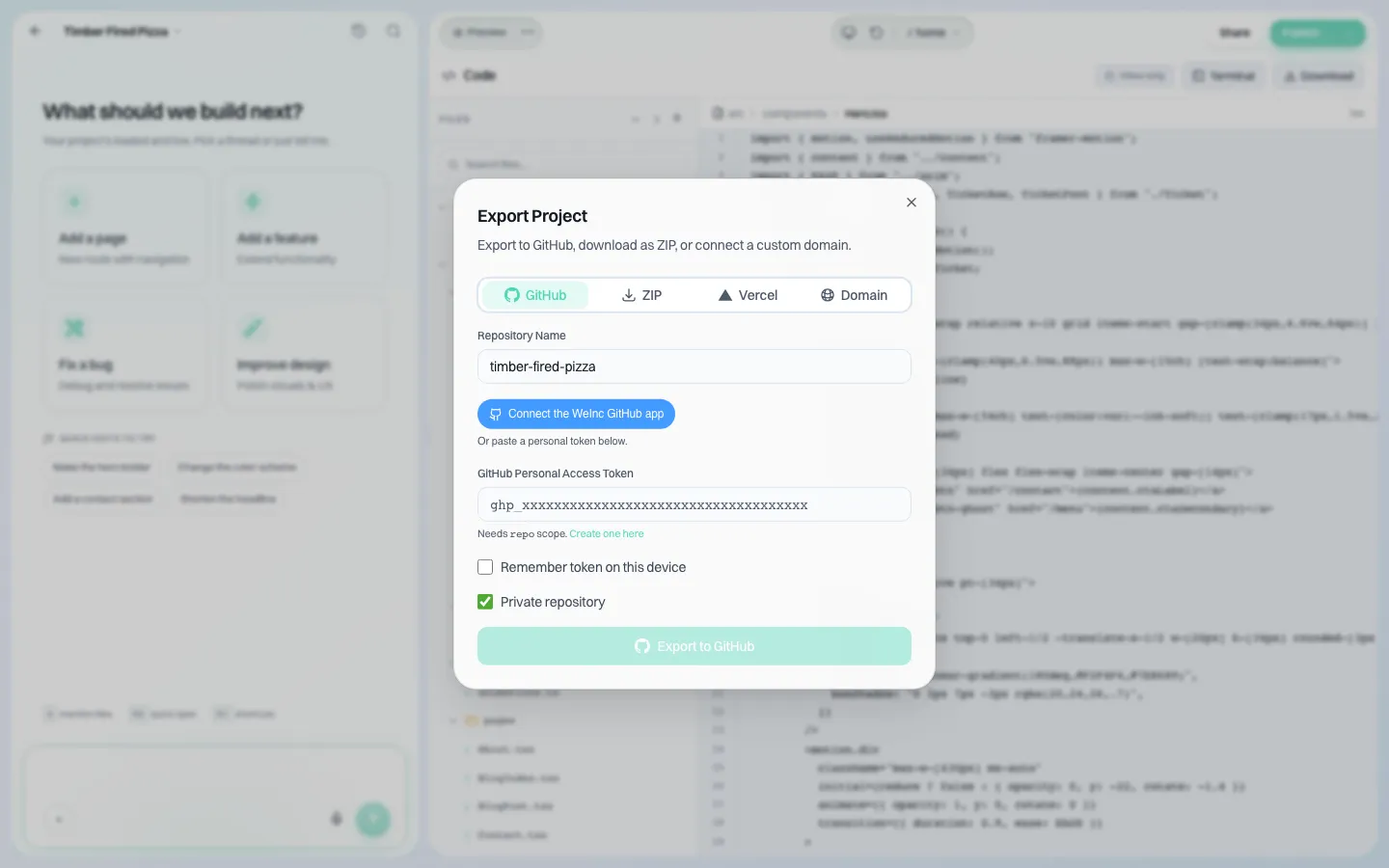
*The export dialog: a site's code can go to GitHub or download as a ZIP when a building moves on.*
Avoid a portfolio of near-identical pages
Forty building sites that differ only by street name invite Google's doorway and scaled-content policies, and they also simply do not convert. Give each site something only its team can write: the actual walk to the train, the view from the roof deck, the name of the maintenance lead, this month's community event. That is one more reason to let on-site teams edit, with approval for the wording that matters.
Where We.Inc fits, and where it does not
Good fit: management companies, owner-operators and association managers that want a branded site per building or community, edited locally and checked centrally.
Better elsewhere: if what you need is a listings feed syncing live availability and pricing from your property management system into every page, look first at the website products your property management software vendor offers, since they read that data directly. We.Inc does not ship a built-in availability feed. Many companies use both: the system's listing pages for availability, and a property site for everything else.
We do not handle rental applications, screening or rent payments, and we do not publish security certifications or uptime figures. See how the account side works on multi-site management, then book a demo with your building list.
Sources
Last checked 2026-10-25. Not legal advice.
- 42 U.S.C. 3604(c), via Cornell Legal Information Institute: discriminatory housing advertising.
- Google Search Central, Spam policies for Google web search: doorway abuse, scaled content abuse, site reputation abuse, thin affiliation.
Book a demo. Pricing is tailored to your volume and setup, and you get your exact price on the call. 0% transaction fee.
Frequently asked questions
Can every building have its own website and domain?
Yes. Each building, community or owner can be a client account under your brand with its own site, and a domain the building already owns can be connected to it. You decide per account whether its editors can connect domains themselves.
Can on-site staff edit without publishing mistakes?
Switch on approval before publishing for that account. Their changes wait until someone at head office approves them or asks for changes. It is a single approval step.
Does We.Inc take rental applications or rent payments?
No. Keep applications, screening and rent payments in your property management software and link to it from the property site.
What happens to the site if an owner leaves?
The site code can be downloaded as a ZIP or synced to GitHub, so the content can go with the building. Domains stay with whoever registered them.
Keep reading
- White label website builder: the We.Inc platform
- Manage many client websites from one account
- Client permissions: what each site owner can do
- Brand governance across many websites
- Website vendor exit plan: contract clauses
More in White Label
- Agents want their own site. The brokerage needs it to stay on-brand. Both can be true.
- How to resell websites under your own brand
- Website Builder Reseller Program & Billing
- White-Label Reseller Dashboard
- Six restaurants, six personalities, one place to keep them accurate
- Embedding a website builder in your product: how the pieces fit
- Simvoly white label: what it costs, and the AI alternative
- Handover is a process, not a password in an email
We.Inc is an AI-powered website builder you can resell under your own brand. Launch a branded client dashboard, bill on Stripe Connect, and deliver AI-generated websites in minutes. White-label pricing is tailored to your volume and setup: book a 30-minute demo for a quote.
Product
- AI Website Builder: Describe a site in plain English; it's live in minutes
- White Label Platform: Your brand, your domain, your margin
- Enterprise: SSO, custom SLAs, and dedicated support
- Developer API: Embed site generation into your SaaS
Who It's For
- For Agencies: Resell under your brand
- For Freelancers: Your own branded builder
- For Hosting Providers: Add a builder to your stack
- For SaaS Platforms: Embed site creation via API
- For Startups
- For Financial Services
- For Healthcare
Features
- Drag & Drop Editor
- Built-in SEO Tools
- Custom Branding
- Client Dashboard
- Reseller Billing (Stripe Connect)
Resources
- Blog
- Help Center
- Free Business Tools
- Free UI Components
- Website Templates
- Template Collections
- Website Examples
- Guides
- Comparisons
- Alternatives
- Best Lists
- Reviews
- Pricing Guides
- Use Cases
- Glossary & Guides
- Integrations
- Developers
- Benchmark
- Windows App