Handover is a process, not a password in an email
Most website handovers go wrong in the same ways: the client gets the agency's login, nobody wrote down who owns the domain, the client breaks the homepage in week one, and two years later nobody can get the site out. We.Inc is built so the site lives in the client's own account under your brand from the start, which removes most of those problems. This page lays out a handover process around that, with a checklist you can copy.
TL;DR
- Build each client's site inside the client's own account. Your designers open it from the client list; the site never has to move.
- Per-client switches decide what the client can do after handover: publish, connect a domain, see the code, run a blog, store, forms and SEO.
- You can require a single-step approval before a client's site goes live, so edits after handover pass by you first.
- If a client ever leaves, the code can be downloaded as a ZIP or exported to GitHub.
The handover problems this avoids
| Common handover failure | How it happens | What prevents it |
|---|---|---|
| Client has the agency's login | The site was built in the agency's account | Build in the client's account from day one |
| Client breaks the site in week one | Full access with no guard rails | Per-client switches and approval before publishing |
| Nobody knows who owns the domain | Registered by whoever was in a hurry | Domain ownership written down at handover |
| Client cannot leave | Site locked into a platform | Code export to ZIP or GitHub |
| Same ten questions every week | No help material | A help section in your brand |
Step 1: build in the client's account, not yours
In We.Inc, a client is an account under your brand. The simplest handover is the one that never needs a transfer: invite the client first (see client invites), then build the site inside their account.
Your team does not need the client's password to do that. An Admin or Designer on your team opens the client's site from the client list and is added to that site as an editor; Support staff get view-only access. Each opening is recorded in the audit log. Roles are explained on team roles.
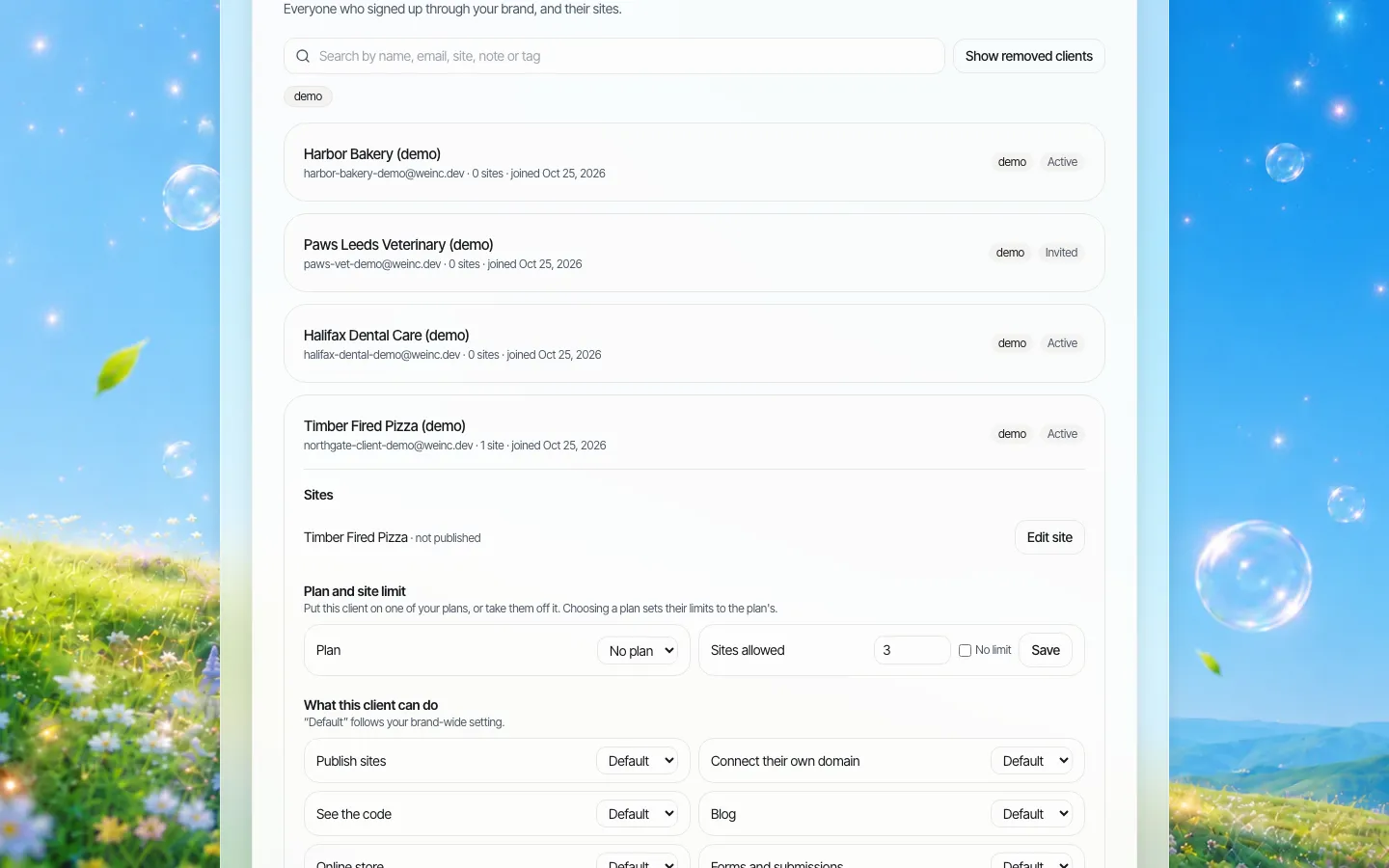
*One client opened from the client list. Their site, their limits and their permissions in one place.*
If you have already built a site somewhere else in the platform and need it in a client's account, raise it on the demo so we can talk through the options for your case.
Step 2: decide what the client can do afterwards
Handover is the moment to set the client's permissions deliberately, not leave the defaults. Three common profiles:
| Profile | Publish | Own domain | See code | Blog / store / forms / SEO | Approval before going live |
|---|---|---|---|---|---|
| Fully managed (you do all changes) | Off | Off | Off | As sold | Not needed |
| Guided (client edits, you check) | On | On | Off | As sold | On |
| Independent (client runs it) | On | On | On | On | Off |
The approval setting is a single step: when the client publishes, the request waits for you, and you either approve and publish it or ask for changes. The client is told the outcome by email. The details of every switch are on client permissions.
Step 3: hand over the address
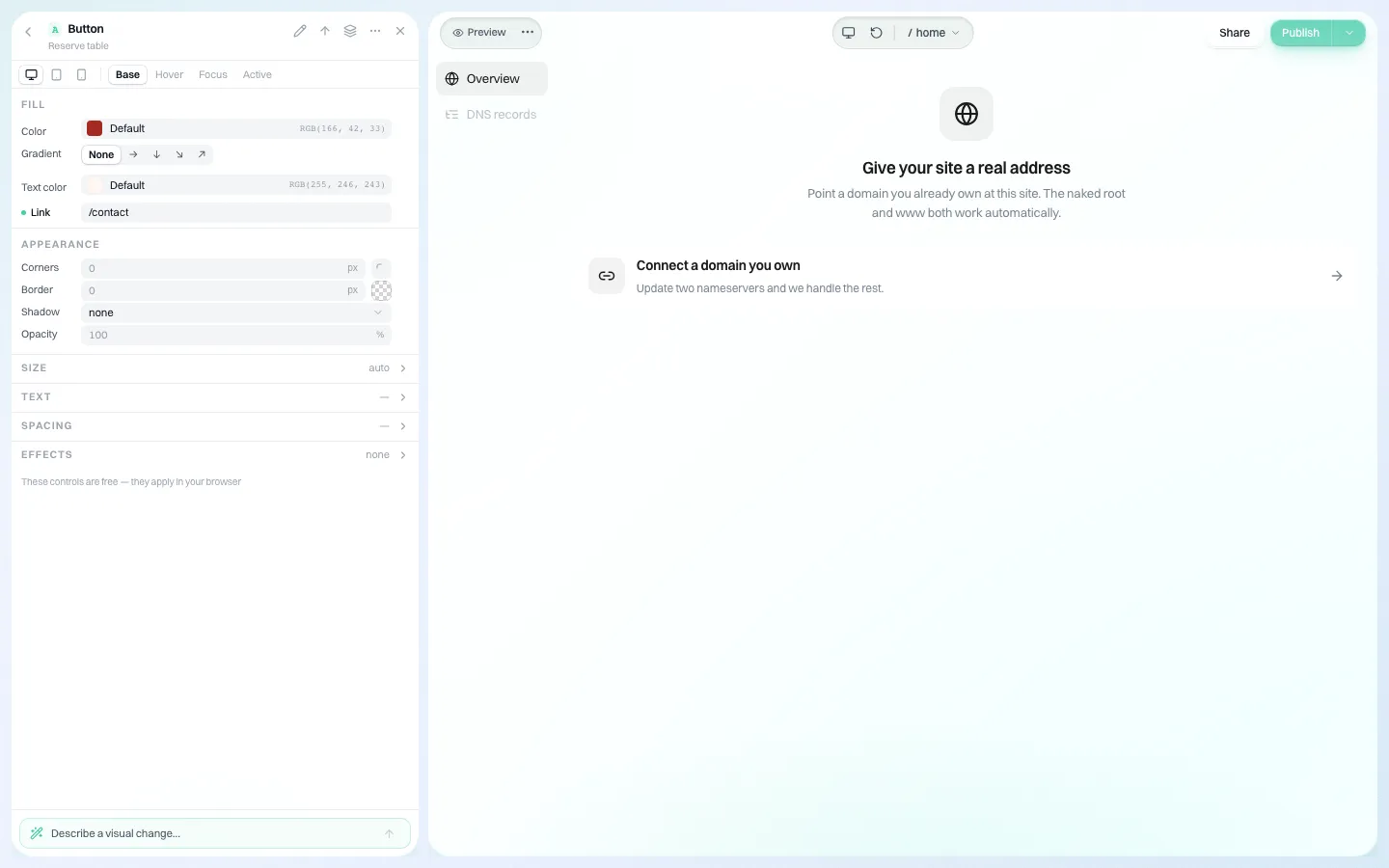
*The domain panel in the client's editor. If the client's permissions allow it, they connect a domain they own from here.*
Domains cause more handover disputes than anything else. Write down, at handover:
- who registered the domain and whose name is on it,
- who pays the renewal, and when it is due,
- who to contact at the registrar,
- whether the client or your team connects it to the site.
The cleanest arrangement is that the client owns the domain at their own registrar, and either they or you connect it in the editor.
Step 4: tell them it is ready, in your name
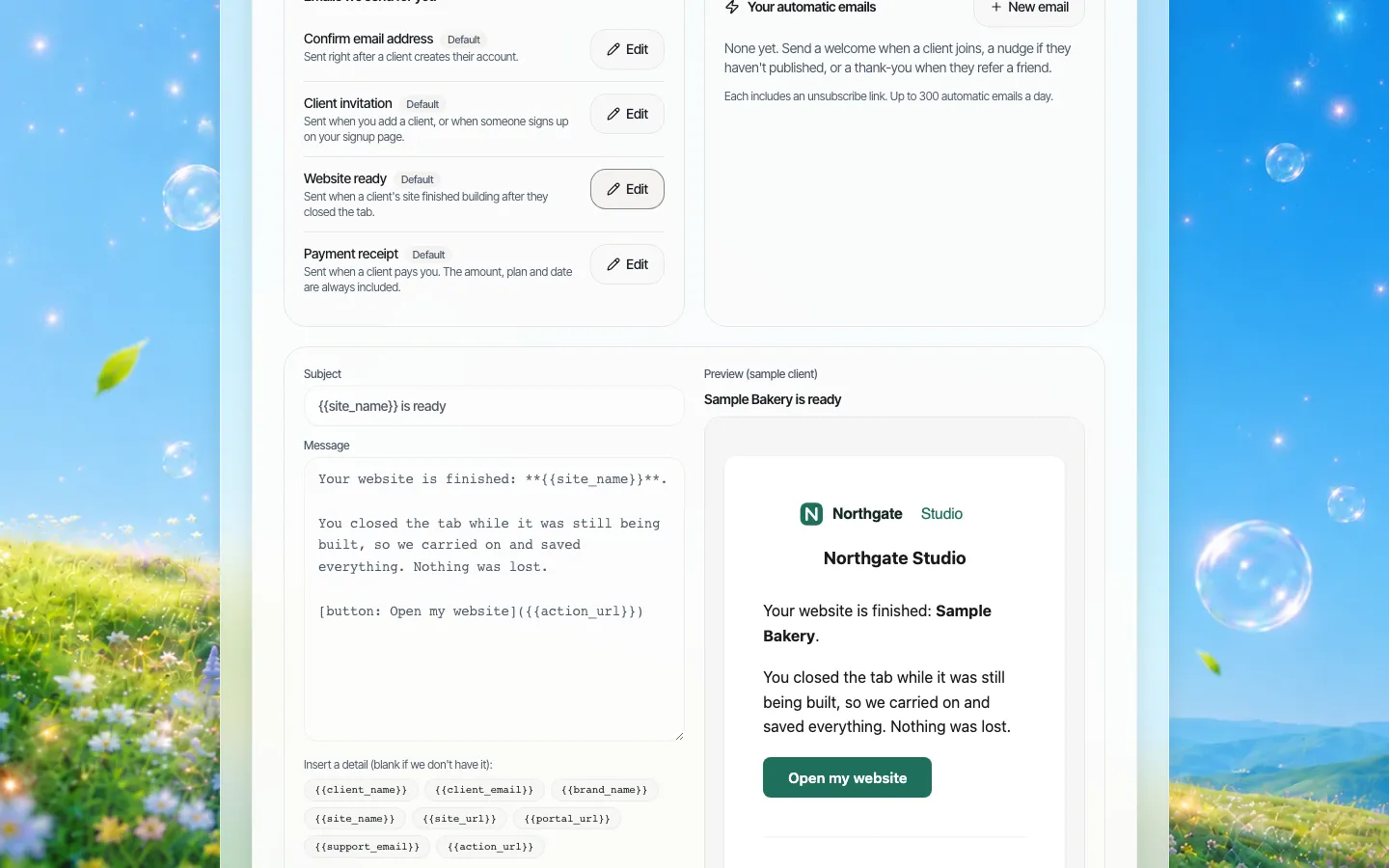
*The "Website ready" email in a demo brand's layout. You can reword it in the Emails section.*
The client gets a "Website ready" email from your brand when their site has finished building after they closed the tab, and you can add your own automatic emails, for example when a client publishes for the first time. A personal note from the account manager on handover day still matters more than any automatic email: say what you did, what they can change, and how to reach you.
Step 5: give them somewhere to look things up
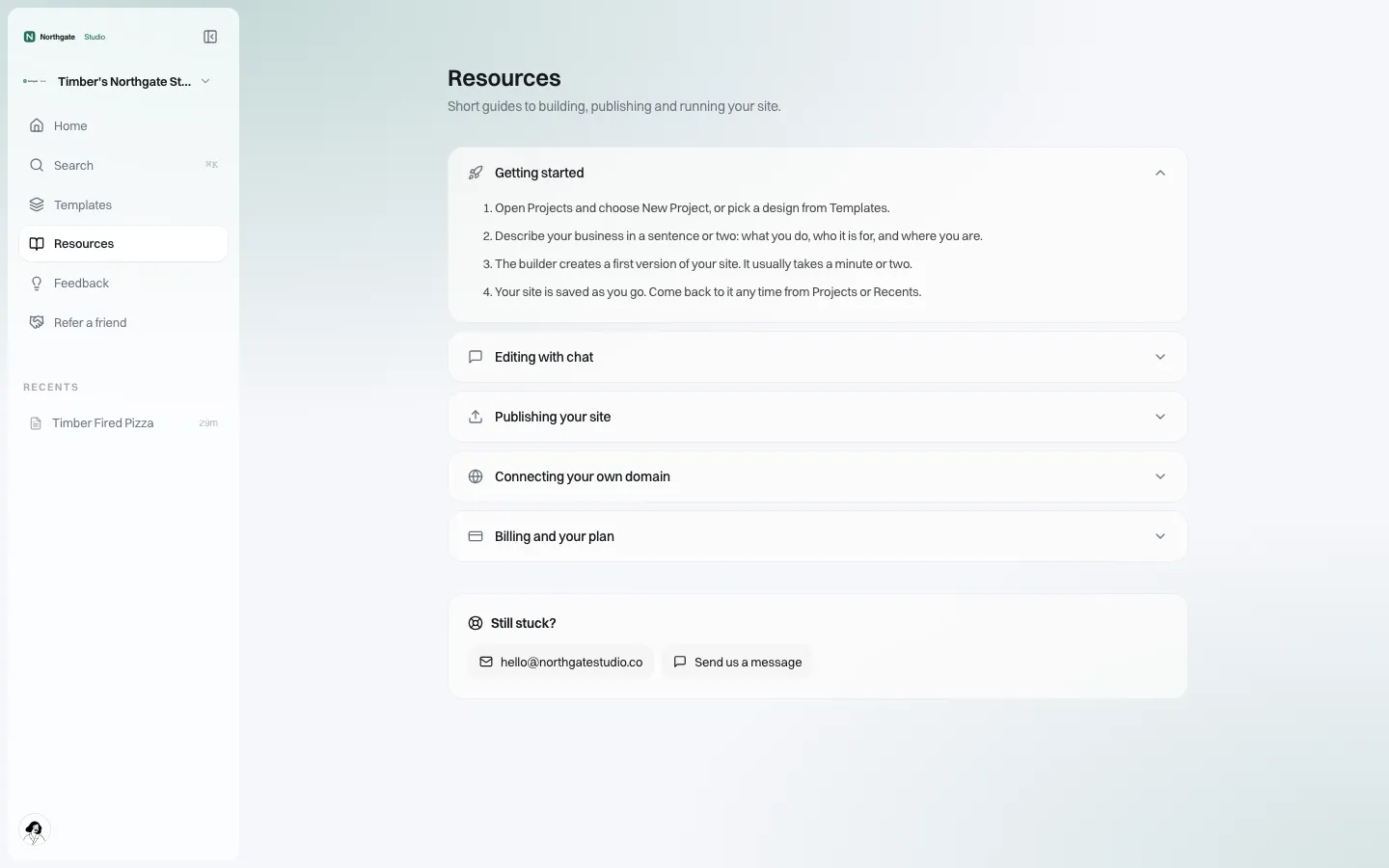
*The Resources page in the client's portal. Write your handover guide here once, and every client gets it.*
Put your handover guide in the client's Resources page instead of a PDF that gets lost: how to edit, how publishing works for them (including approval if it is on), and how to ask for help. See client help center.
Step 6: agree the exit before anyone needs it
Clients, procurement teams and lawyers increasingly ask what happens if the relationship ends. A clear answer at handover builds trust.
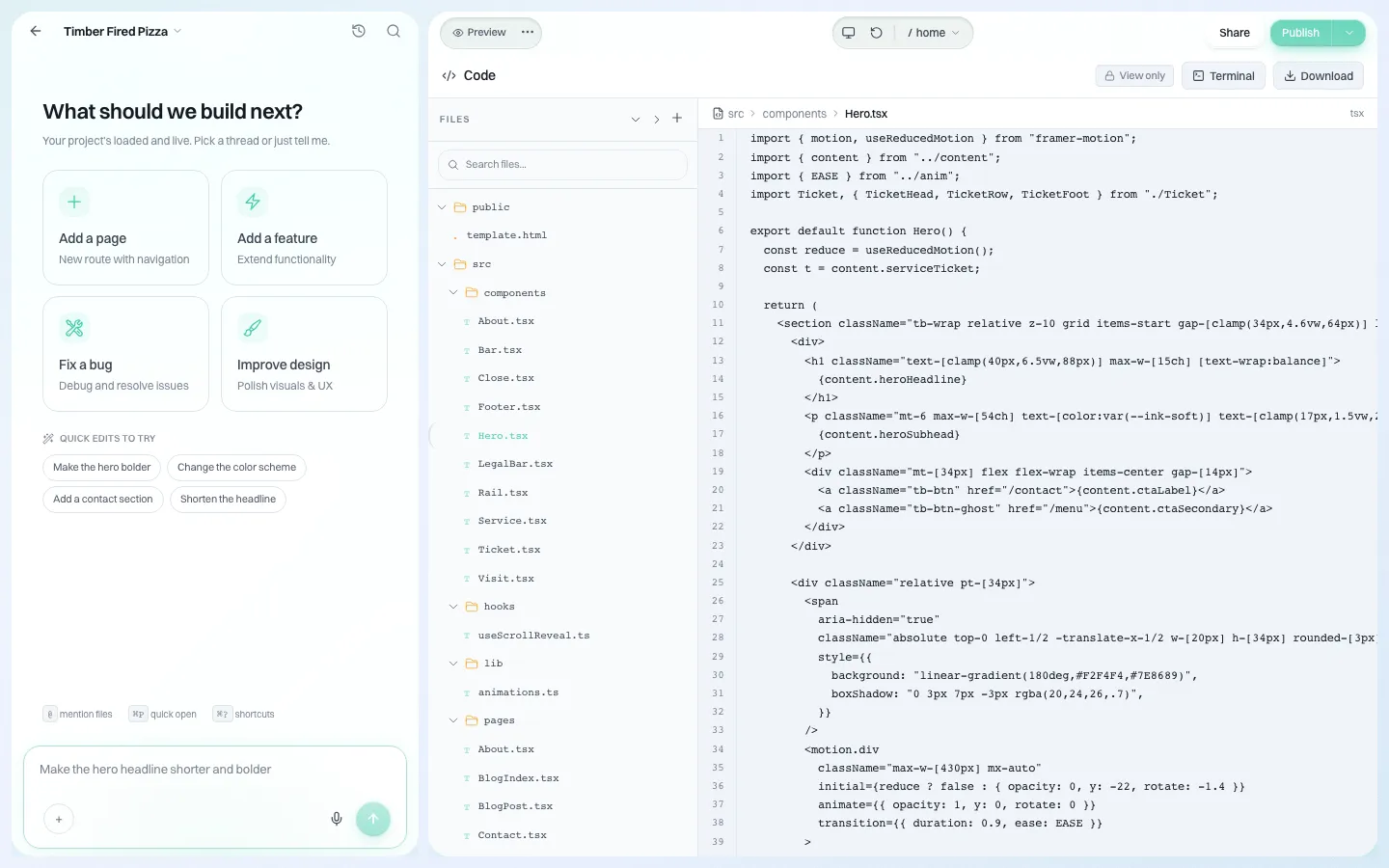
*The code panel. The site's source can be downloaded as a ZIP.*
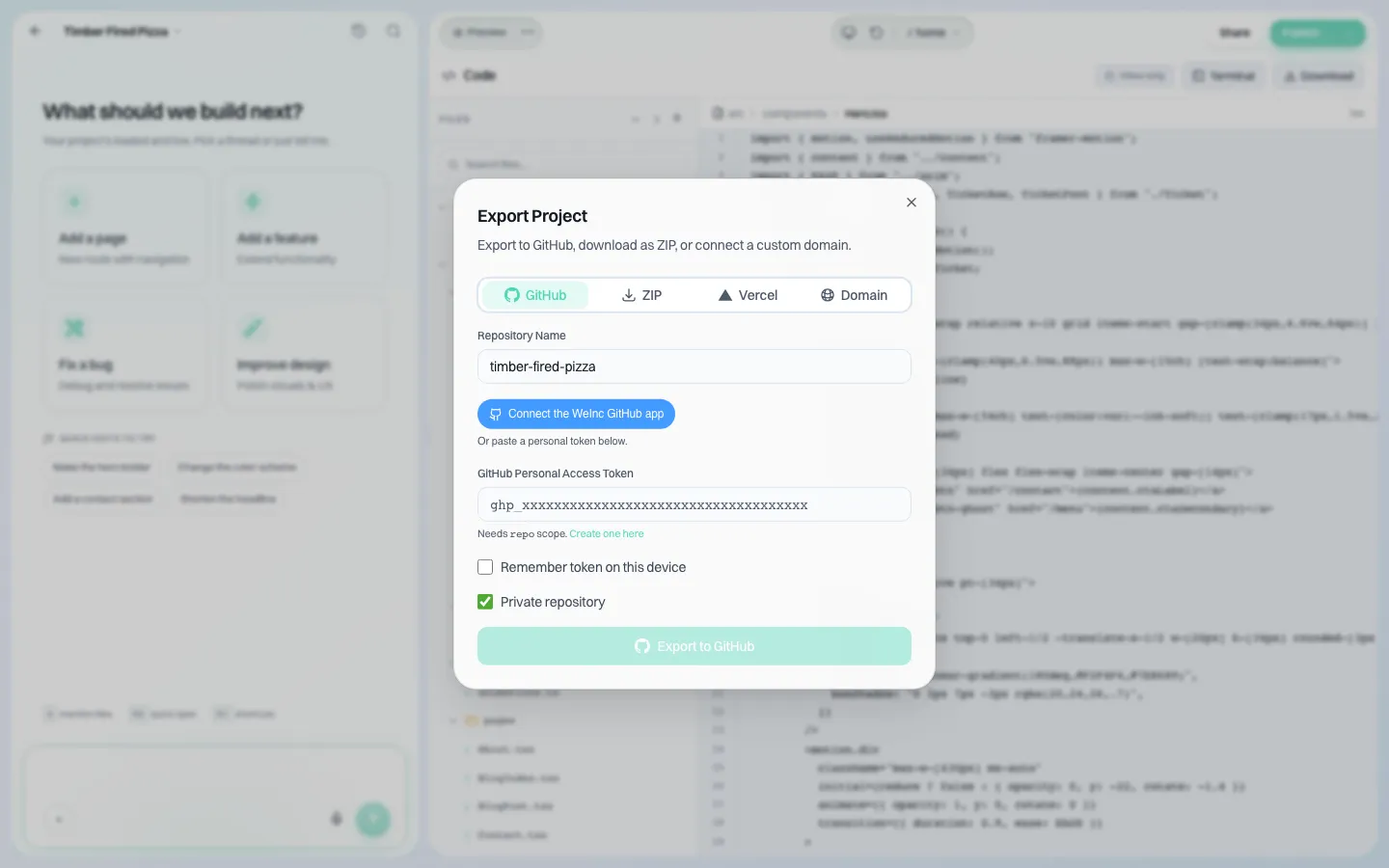
*The export dialog. Sites can also be exported to a GitHub repository.*
The site is real code (React, TypeScript and Tailwind), so a departing client can take it to another developer. Decide at handover whether the client may download it themselves (the "see the code" switch) or whether they ask you for it. For contract wording, see the website vendor exit plan.
The handover checklist
Copy this into your project template:
| # | Item | Done |
|---|---|---|
| 1 | Client invited and account active under your brand | ☐ |
| 2 | Site built in the client's account | ☐ |
| 3 | Client permissions set to the agreed profile | ☐ |
| 4 | Approval before going live on or off, as agreed | ☐ |
| 5 | Domain owner, registrar and renewal date recorded in client notes | ☐ |
| 6 | Domain connected and the live address checked | ☐ |
| 7 | Contact form messages tested and reaching the right address | ☐ |
| 8 | Client walked through editing on a call or screen recording | ☐ |
| 9 | Handover guide published in Resources | ☐ |
| 10 | Exit route agreed: who can download the code | ☐ |
| 11 | Monthly report and maintenance plan explained | ☐ |
| 12 | Your staff access to the site reviewed | ☐ |
For the technical checks before launch, use the website launch checklist.
What We.Inc does not do for you
- It does not decide your service model. Fully managed or independent is your offer; the switches only enforce it.
- It does not register domains in the client's name. Ownership at the registrar is between you and the client.
- Approval is one step. There is no multi-stage review chain.
Book a demo and we will walk a sample client through handover, from invitation to the "Website ready" email.
Book a demo. Pricing is tailored to your volume and setup, and you get your exact price on the call. 0% transaction fee.
Frequently asked questions
Does my client need my login to manage their site?
No. Each client has their own account under your brand, and the site is built inside it. Your staff open the client's site from the client list with their own logins.
Can I stop a client from publishing changes without checking them?
Yes. Turn on approval for that client and each publish waits for a single-step approval before the site goes live. Or switch publishing off entirely for fully managed clients.
Can a client take their website with them if they leave?
The site's code can be downloaded as a ZIP or exported to GitHub. You decide whether the client can do that themselves through the "see the code" switch.
Who should own the domain?
Ideally the client, at their own registrar. Record the owner, registrar and renewal date in the client's notes at handover.
Keep reading
- White label website builder: the We.Inc platform
- Client permissions: what each site owner can do
- Website vendor exit plan: contract clauses
- Website launch checklist
- Branded emails to your clients
- Website maintenance packages
More in White Label
- The SiteSwan alternative for resellers who want AI to build the sites
- Your content earns the click. Make sure it lands somewhere good.
- One league, forty clubs, a new volunteer every season
- Branch sites, specialty divisions and hiring campaigns, under one brand
- Twenty startups, twenty weeks, and half of them still have a placeholder homepage
- The long tail of state websites: boards, commissions and programs
- Give every person on your team the access their job needs, and no more
- A website for every business line you install
We.Inc is an AI-powered website builder you can resell under your own brand. Launch a branded client dashboard, bill on Stripe Connect, and deliver AI-generated websites in minutes. White-label pricing is tailored to your volume and setup: book a 30-minute demo for a quote.
Product
- AI Website Builder: Describe a site in plain English; it's live in minutes
- White Label Platform: Your brand, your domain, your margin
- Enterprise: SSO, custom SLAs, and dedicated support
- Developer API: Embed site generation into your SaaS
Who It's For
- For Agencies: Resell under your brand
- For Freelancers: Your own branded builder
- For Hosting Providers: Add a builder to your stack
- For SaaS Platforms: Embed site creation via API
- For Startups
- For Financial Services
- For Healthcare
Features
- Drag & Drop Editor
- Built-in SEO Tools
- Custom Branding
- Client Dashboard
- Reseller Billing (Stripe Connect)
Resources
- Blog
- Help Center
- Free Business Tools
- Free UI Components
- Website Templates
- Template Collections
- Website Examples
- Guides
- Comparisons
- Alternatives
- Best Lists
- Reviews
- Pricing Guides
- Use Cases
- Glossary & Guides
- Integrations
- Developers
- Benchmark
- Windows App