Give every person on your team the access their job needs, and no more
The first hire in a website business usually gets the owner's password. By the fifth hire that has become a risk: the freelancer who fixes a menu can also see what every client pays, and nobody can say who changed what. We.Inc gives your staff their own logins with one of four roles. This page explains each role precisely, how they map to real jobs, and where the model stops.
TL;DR
- Your brand has one owner. Everyone else joins by email invite with one of four roles: Admin, Designer, Support or Billing.
- Designers open and edit any client's site but never see billing. Support sees clients and sites and writes notes, but cannot edit. Billing sees plans and payments only.
- When a staff member opens a client's site, the access is granted through the site's collaborator list and recorded in the audit log.
- Roles are fixed. There is no custom role builder; most teams of up to a few dozen people fit the four.
Team roles and client permissions are two different things
People mix these up, so it is worth separating them first:
- Team roles decide what *your staff* can do inside your brand: who manages clients, who edits sites, who touches money.
- Client permissions decide what *your clients* can do on their own sites: publish, connect a domain, see the code, run a blog or store. Those are covered on the client permissions page.
This page is only about your staff.
The roles, exactly as the product defines them
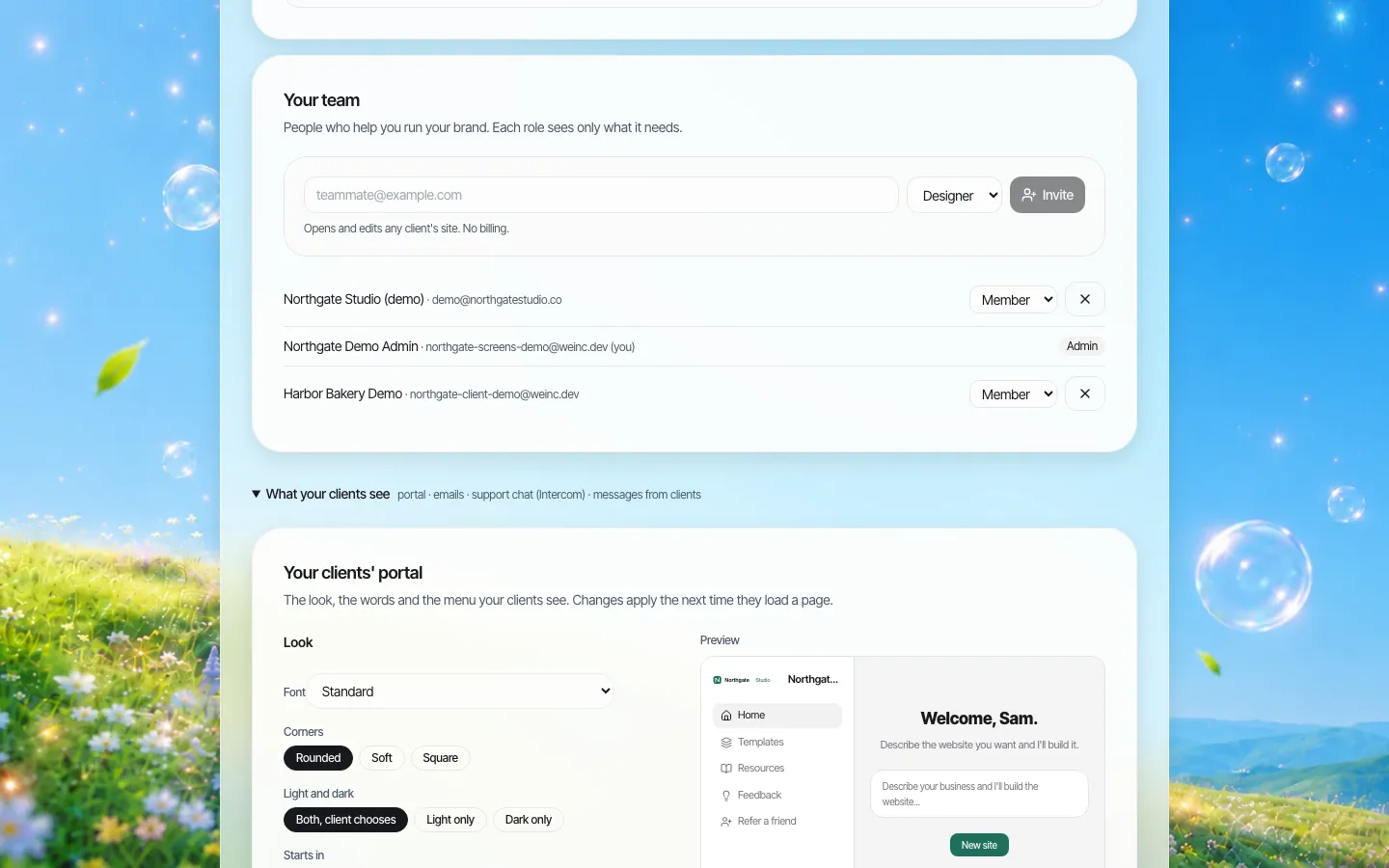
*The team panel on a demo brand. Picking a role shows a one-line description of what it allows before you send the invite.*
| Capability | Owner | Admin | Designer | Support | Billing |
|---|---|---|---|---|---|
| See the client list | Yes | Yes | Yes | Yes | No |
| Write notes on clients | Yes | Yes | No | Yes | No |
| Add, change, pause or remove clients | Yes | Yes | No | No | No |
| Open a client's site | Yes | Yes | Yes (can edit) | Yes (view only) | No |
| Edit a client's site | Yes | Yes | Yes | No | No |
| Invite staff and change roles | Yes | Yes | No | No | No |
| Plans, payments and billing | Yes | Yes | No | No | Yes |
Two older accounts on some brands show as plain "Member". That is a legacy role with read-only access to the client list; give such people one of the four roles when you next review the team.
Matching roles to the jobs in a website business
The roles are named after jobs because that is how most teams think. A few common setups:
Two-person studio. The founder is the owner. The second person is an Admin, so either of you can run the business when the other is away.
Agency with a production team. Account managers are Admins. Web designers and freelancers are Designers: they can open any client's site and change it, but they never see what clients pay. A part-time bookkeeper is Billing.
Platform with a support desk. Support agents get the Support role. They can look up a client, open the client's site to see what the client is describing, and leave a note for the next shift, without being able to change anything on the site by mistake.
Institution running sites for departments. The web office lead is the owner, a deputy is Admin, the two web editors are Designers, and the help desk is Support. Departments themselves are clients, not staff.
How a designer works on a client's site
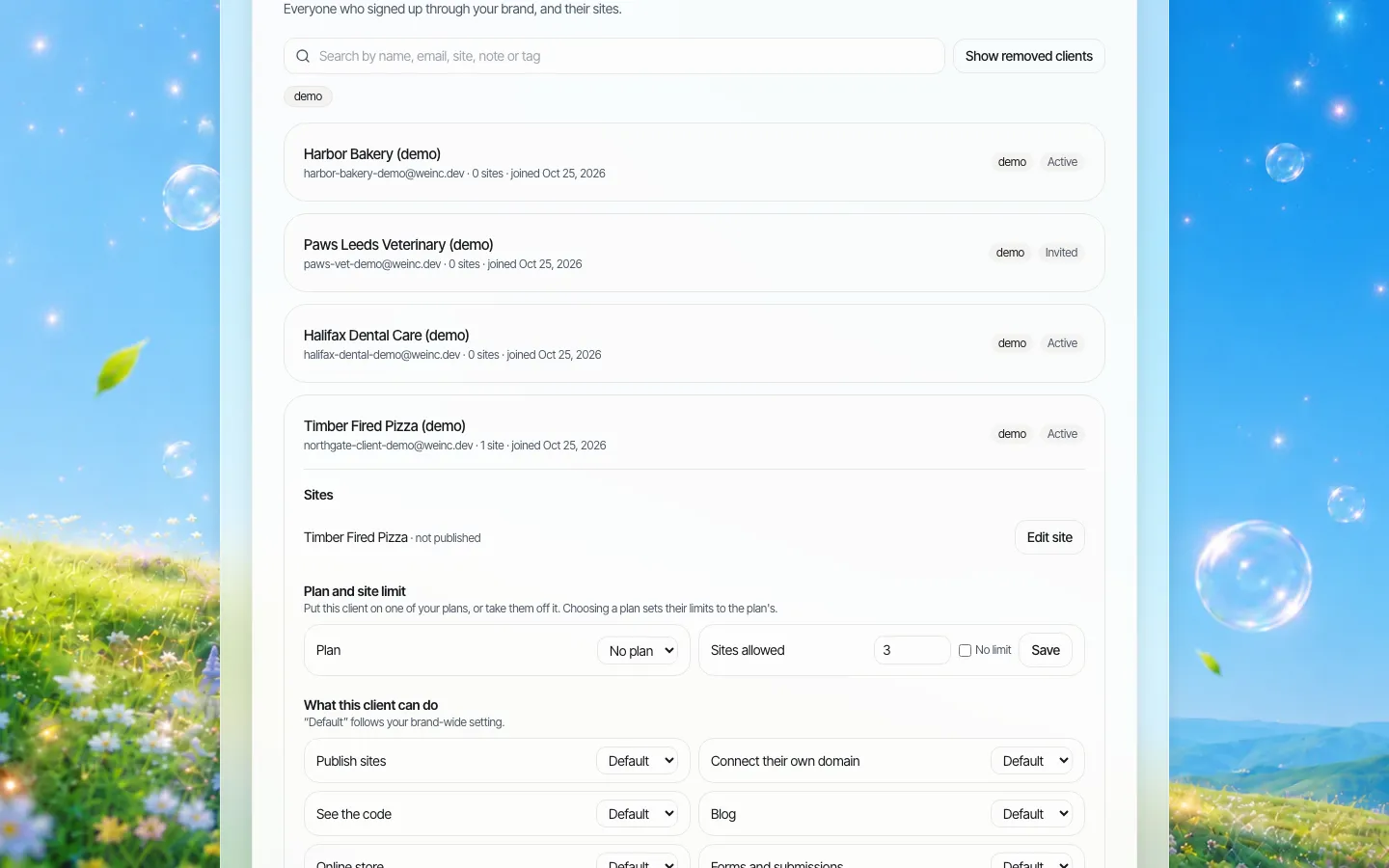
*A client opened from the client list. Staff with access open the client's site from here.*
When a Designer, Admin or the owner opens a client's site from the client list, We.Inc adds them to that site's collaborator list with editor access. A Support person opening the same site is added as a viewer. The site never moves out of the client's account; your staff member is simply working inside it, under your brand.
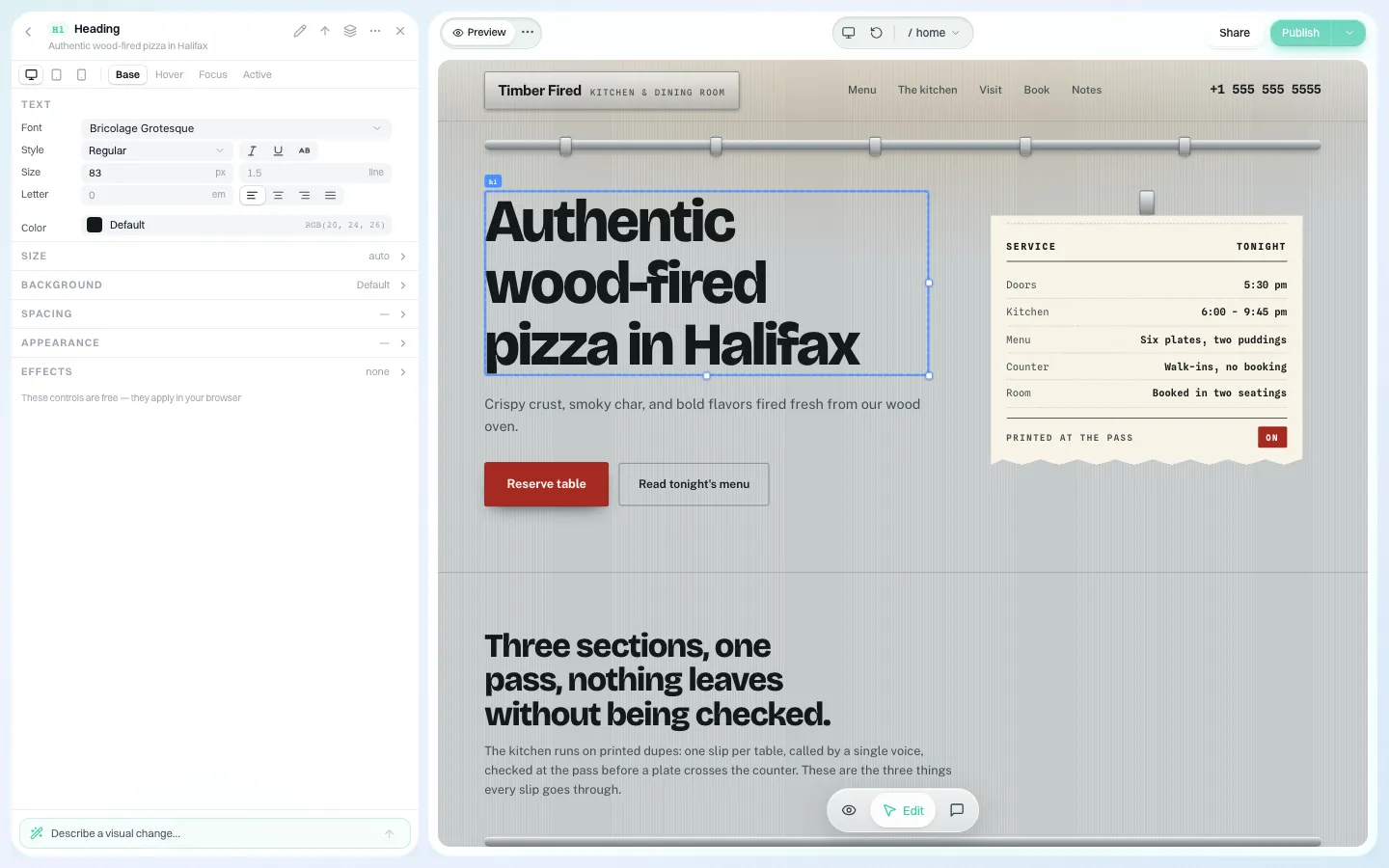
*What a Designer sees after opening a client site: the same editor the client uses, with full editing.*
Every time a staff member opens a client's site this way, the event "client site opened" is written to the audit log with the access level granted. So is every invite and every role change.
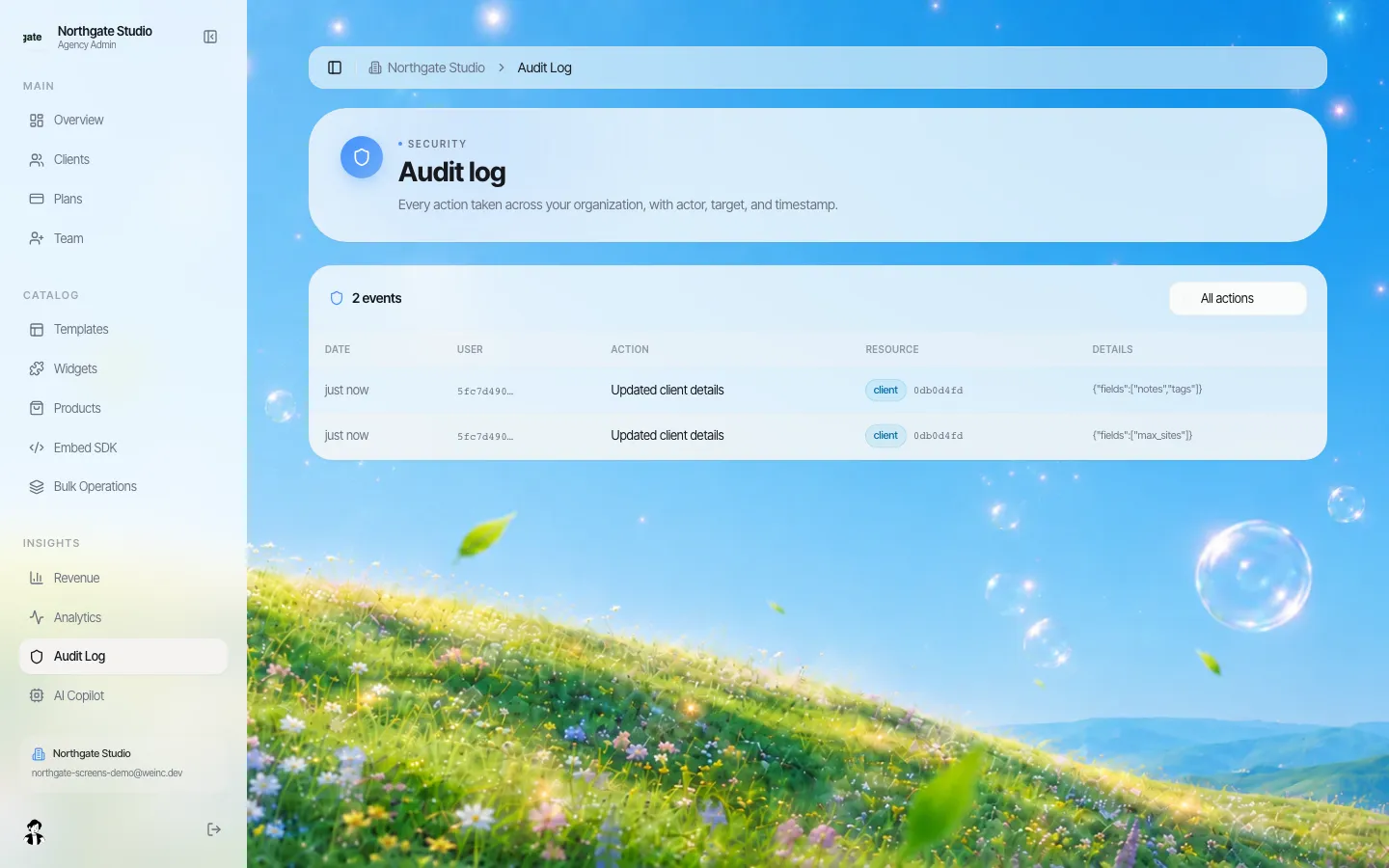
*The brand's audit log. Staff invites, role changes and site openings are recorded here alongside client changes.*
Inviting, changing and removing staff
- Invite by email with a role. The invite email is sent in your brand's layout. The link in it is single-purpose and expires; an expired link tells the person to ask for a new one. Invite tokens are stored hashed, so a copied database row cannot be used to join your team.
- Change a role at any time. An owner or Admin picks a new role from the dropdown. You cannot change your own role, which stops someone from promoting themselves.
- Remove someone with the cross next to their name. Do it on their last day, not at the end of the month.
A staff access policy you can copy
Paste this into your operations handbook and adjust it:
- Every person who works on client sites has their own login. No shared accounts.
- Default role for new production staff is Designer. Admin is given by the owner only, in writing.
- Contractors get Designer for the length of the contract. The account manager removes them on the last day.
- Support staff get Support. If they need to change something on a site, they hand it to a Designer.
- The person who reconciles payments gets Billing and nothing else.
- Once a quarter, the owner reviews the team list and the audit log for role changes and site openings.
Offboarding: the day someone leaves
The riskiest moment for staff access is not hiring; it is the last day. A short routine:
- Remove the person from the team before they leave the building or the call. Removal stops their access to your brand's console.
- Check the audit log for the sites they opened in their last month. If they were mid-way through changes on a client's site, assign that work to someone else today.
- Reassign their clients. Account managers usually hold the relationship; update each affected client's notes with the new contact.
- Rotate anything they knew that is not a login, such as a shared registrar password your agency keeps for a client's domain.
- Tell affected clients who their new contact is, in one short email.
Contractors need the same routine at the end of each contract. The simplest way to remember is to set the removal date in your calendar on the day you send the invite.
Where the model stops
- Four fixed roles. You cannot create a role such as "Designer, but only for these ten clients". Every Designer can open any client's site.
- One role per person. If someone does design and billing, make them Admin or give them two jobs through two people.
- No time-limited access. Contractor access lasts until you remove it; put the end date in your calendar.
- Your staff are not your clients. A staff role does not give someone their own client sites; clients are invited separately (see client invites).
Book a demo with your current team list, and we will map each person to a role on the call.
Book a demo. Pricing is tailored to your volume and setup, and you get your exact price on the call. 0% transaction fee.
Frequently asked questions
Which team roles does We.Inc have?
The brand owner plus four roles for staff: Admin (everything, including team, clients and billing), Designer (opens and edits any client's site, no billing), Support (sees clients and sites and writes notes, no edits) and Billing (plans and payments only).
Can a designer see what my clients pay?
No. The Designer role has no access to plans, payments or billing.
Is it recorded when staff open a client's site?
Yes. Opening a client's site writes an entry to the audit log with the access level granted, and staff invites and role changes are recorded too.
Can I create custom roles?
No. The four roles are fixed. Tell us on the demo if your team structure does not fit them.
Keep reading
- White label website builder: the We.Inc platform
- Client permissions: what each site owner can do
- Audit log for a white-label website platform
- Manage many client websites from one account
- Website governance policy template
- White-label client dashboard
More in White Label
- A website for every business line you install
- One destination brand, a season's worth of microsites
- A website for every advisor, without losing the network's name
- Websites for every local, and for every member who runs a practice
- Websites for every department, lab and event, under one university brand
- A Vendasta alternative for agencies whose product is the website
- Your customers already run their business in your software. Should their website live there too?
- Can you white label Webflow? No. Here is the alternative.
We.Inc is an AI-powered website builder you can resell under your own brand. Launch a branded client dashboard, bill on Stripe Connect, and deliver AI-generated websites in minutes. White-label pricing is tailored to your volume and setup: book a 30-minute demo for a quote.
Product
- AI Website Builder: Describe a site in plain English; it's live in minutes
- White Label Platform: Your brand, your domain, your margin
- Enterprise: SSO, custom SLAs, and dedicated support
- Developer API: Embed site generation into your SaaS
Who It's For
- For Agencies: Resell under your brand
- For Freelancers: Your own branded builder
- For Hosting Providers: Add a builder to your stack
- For SaaS Platforms: Embed site creation via API
- For Startups
- For Financial Services
- For Healthcare
Features
- Drag & Drop Editor
- Built-in SEO Tools
- Custom Branding
- Client Dashboard
- Reseller Billing (Stripe Connect)
Resources
- Blog
- Help Center
- Free Business Tools
- Free UI Components
- Website Templates
- Template Collections
- Website Examples
- Guides
- Comparisons
- Alternatives
- Best Lists
- Reviews
- Pricing Guides
- Use Cases
- Glossary & Guides
- Integrations
- Developers
- Benchmark
- Windows App