A website for every business line you install
Regional ISPs, fibre builders and telecoms sell business connectivity on price and service, and the bigger carriers always have a cheaper headline price. A bundled website is a reason for a small business to pick you, and a reason not to leave. This page covers how to package it, how it gets provisioned and billed without new manual work, who supports it, and the regulatory line to keep it on the right side of.
TL;DR
- Bundle the website with a business tier rather than selling it alone. Its job is to win and keep the connectivity line.
- Provision it from the moment the line is ordered: an invitation from your brand, and an event back to your systems when the site goes live.
- Bill it on your own invoice. The platform does not have to charge the customer at all, or it can, through your own Stripe account.
- In the US, keep the website as a separate product from the stand-alone broadband service described on your FCC broadband label. Book a demo to plan a bundle.
What a website bundle is for
Business connectivity customers churn for two reasons: a competitor offers a lower price, or the customer moves. A bundled website does nothing about moving, but it changes the price conversation. A customer whose website, domain and contact emails were all set up through you has a real cost to switching, and a reason to stay that is not a contract penalty.
It also helps at the point of sale. For a new business, a provider that says "your fibre goes in on Tuesday and your website is ready to edit the same day" is offering something a national carrier's call centre rarely does.
The website is not meant to be a profit centre on its own. Price it into the tier.
Packaging options compared
| Option | How it works | Good for | Watch out for |
|---|---|---|---|
| Included in business tiers | Every business line on qualifying tiers gets a site | Simple message at sale; lifts tier mix | Low activation if nobody follows up |
| Paid add-on | A monthly line item on your invoice | Clear revenue; only engaged customers | Adds a decision at checkout; smaller uptake |
| Launch offer | Included for the first year, then optional | Activation without permanent cost | Needs a clear notice before the change |
| Partner programme | Resold through your local channel partners or installers | Reaches customers your sales team does not | Partners need their own support path |
Most regional providers start with "included in business tiers" and measure activation, then decide whether the higher tiers should get extras such as an online store.
Provisioning: no new manual step
The biggest operational risk is a bundle that relies on someone in the back office remembering to set it up. Aim for zero manual steps between "line ordered" and "customer has a login".
- Order placed. Your order or CRM system records the business tier.
- Invitation sent. The customer is added as a client and gets an invitation email in your brand, with the plan and site limit for their tier. This can be done from the console by hand at first; at volume, the We.Inc API handles client creation from your own systems.
- Customer builds. They describe their business and the AI produces a first version on your branded portal.
- Events come back. When the customer signs up, creates their first site, publishes it, or has not published seven days after joining, a webhook goes to your CRM or a Zapier or Make workflow. "Not published after 7 days" is the trigger for a friendly call from your business team.
- Disconnect. If the line is cancelled, the client can be paused, and you decide whether they keep access or take their code.
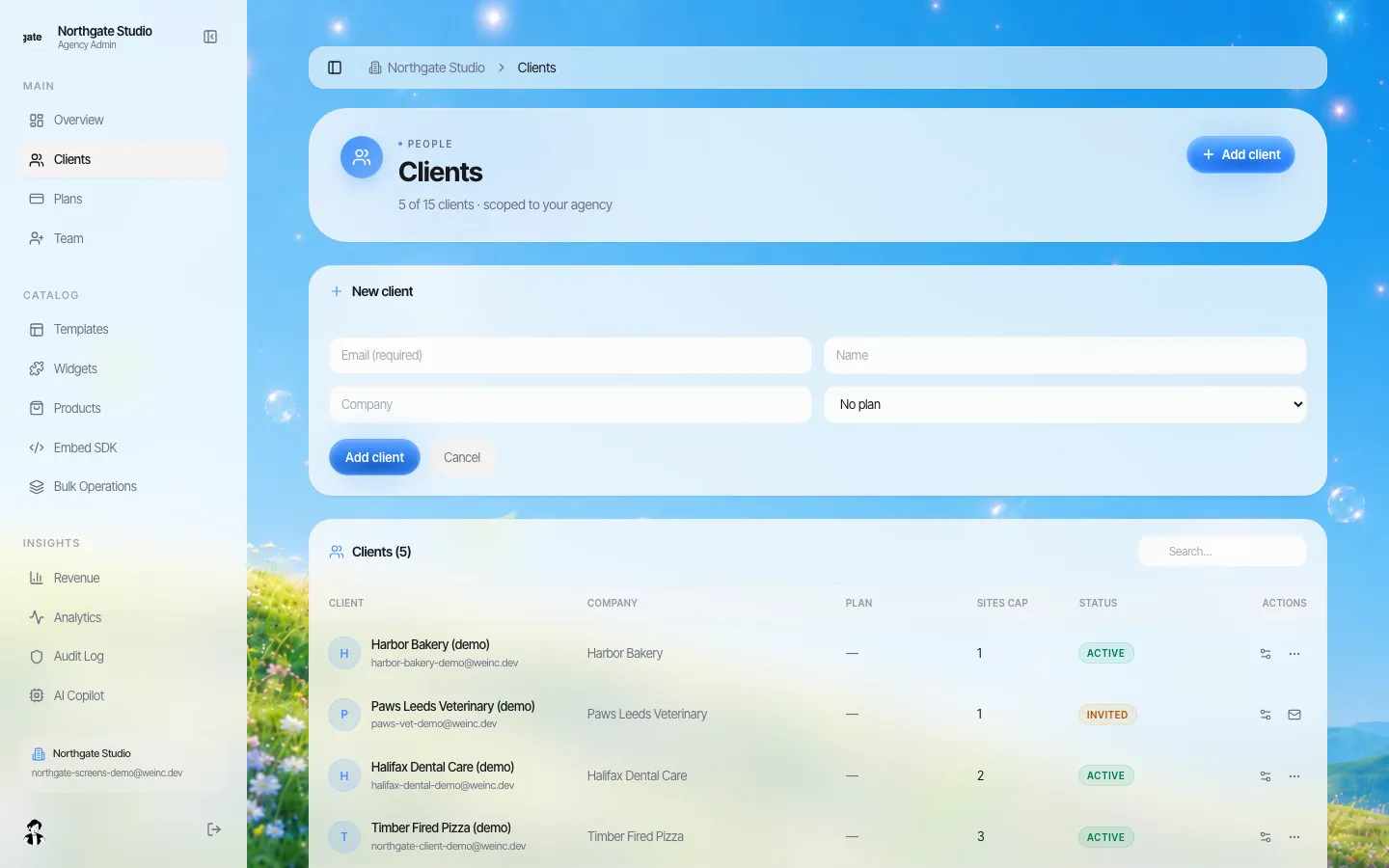
*Adding a business customer by hand. At volume the same step runs from your order system through the API.*
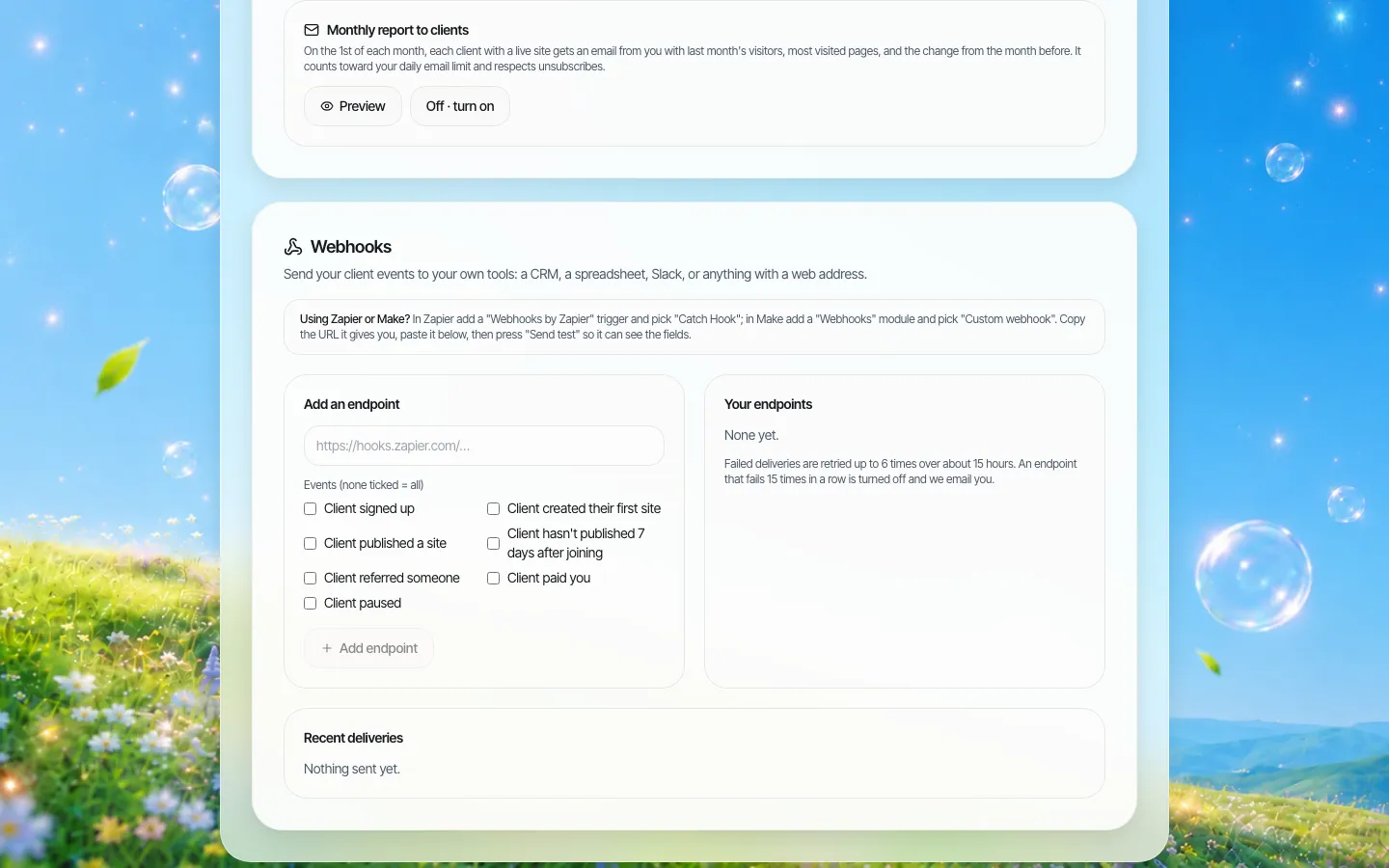
*Webhook events that can feed your CRM or a Zapier or Make workflow. Failed deliveries are retried, and the screen states the retry rule.*
Billing hand-off
Telecoms already have a billing system and customers already get an invoice. The website should appear on that invoice, not create a second bill from somewhere else.
- Bundled or add-on on your invoice: set up the clients with no price in the portal. The customer's billing page then says that access is provided by your company, and you bill as you do for any other line item.
- Charged in the portal: if you prefer a separate card payment, plans for your clients can be priced by you and paid through your own Stripe account, so the money goes to you. This suits a partner programme better than a core bundle.
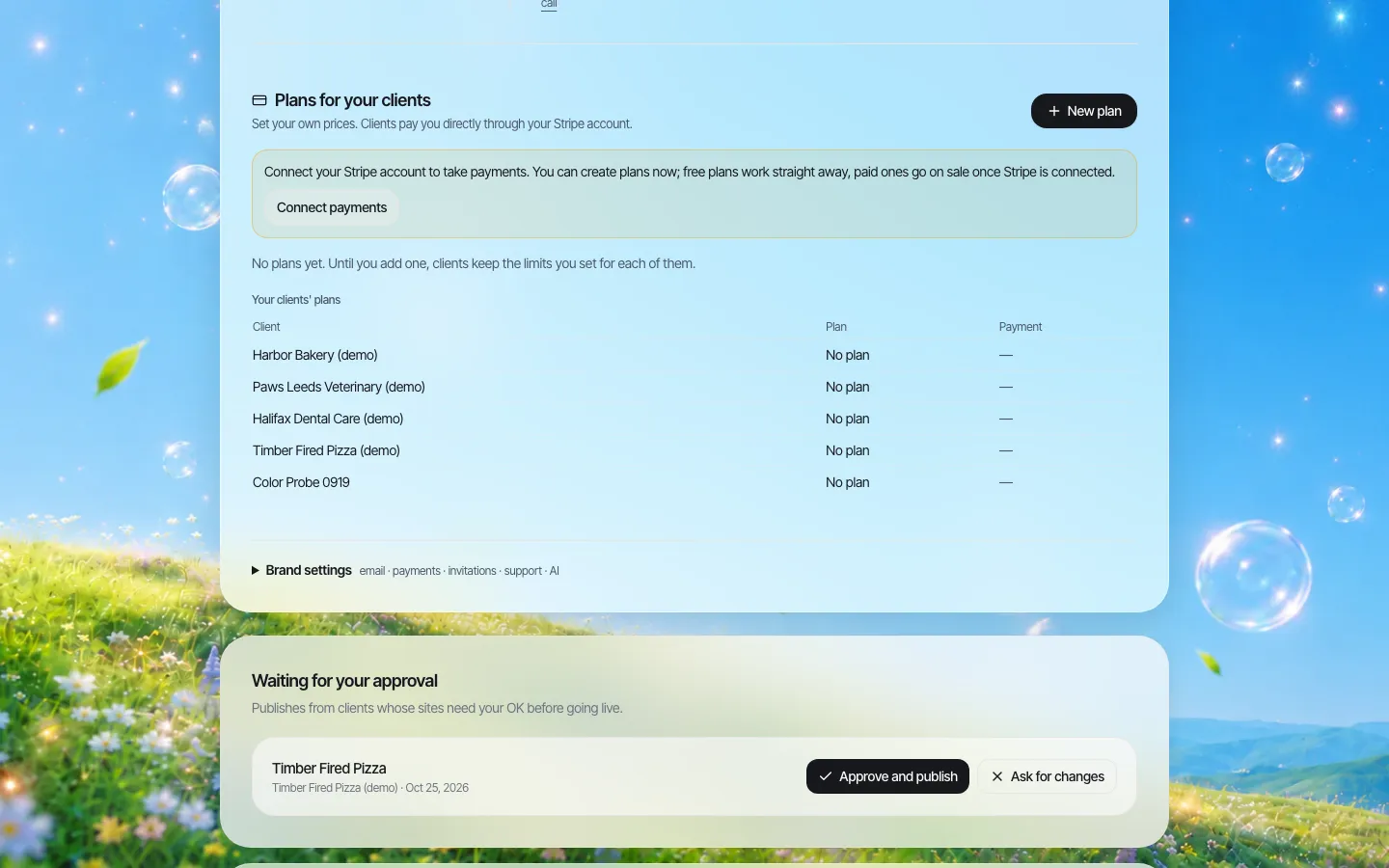
*Plans for your clients: only needed if customers pay in the portal rather than on your invoice.*
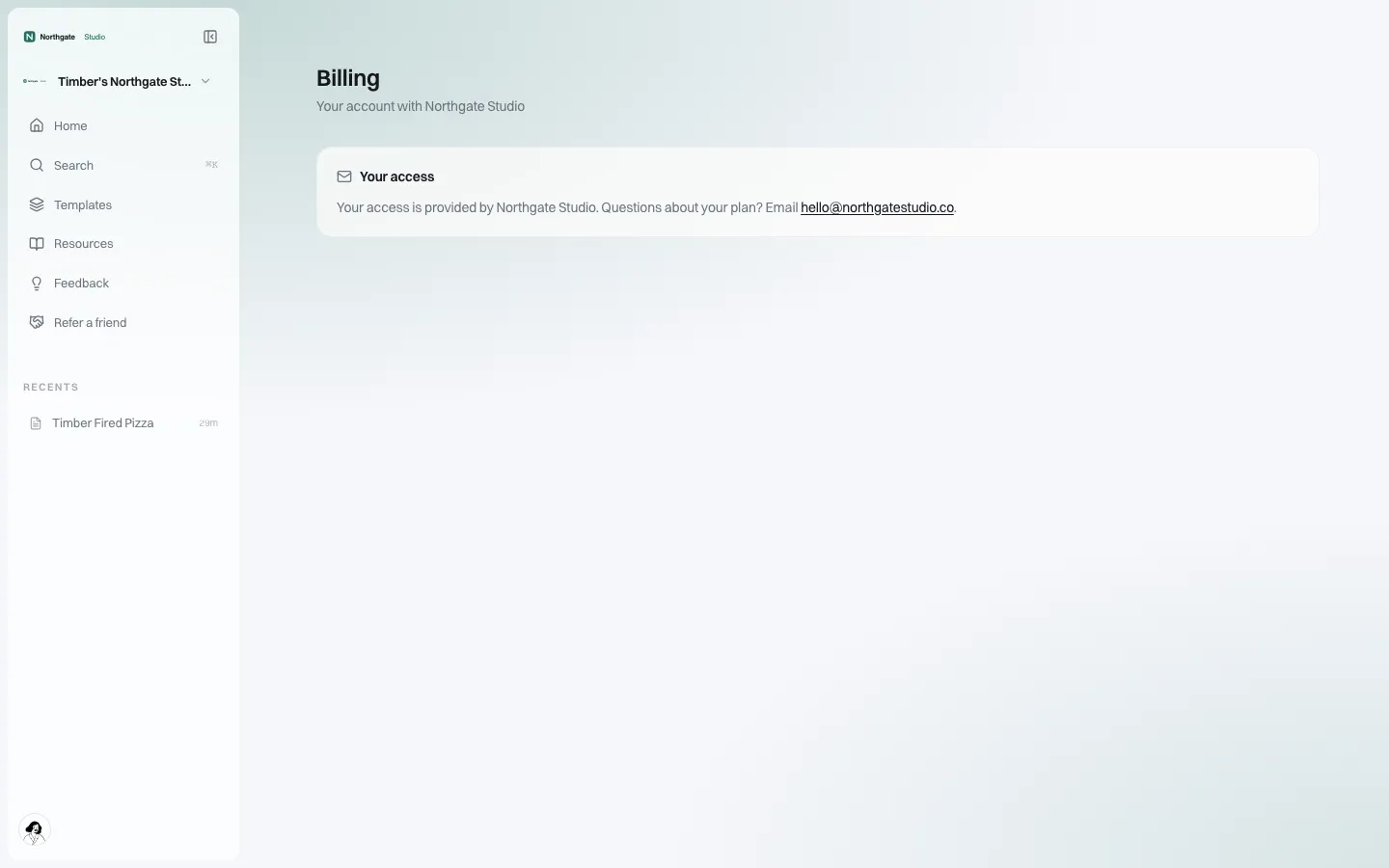
*What the customer sees when the website is billed on your own invoice instead.*
Support tiers that do not swamp the help desk
Your help desk knows routers and outages, not page layouts. Split the work:
| Tier | Who | Handles |
|---|---|---|
| 0 | The customer, with the AI editor and branded help pages | "Change my opening hours", "add a photo", "make the button green" |
| 1 | Your help desk, with a short script | Login problems, invitation not received, connecting a domain |
| 2 | Your business team or a local agency partner | Customers who want the site built for them, paid as a service |
| 3 | Platform vendor | Platform faults, escalated by your team |
The branded help page and support email on the customer's portal should point at your help desk, not at the vendor.
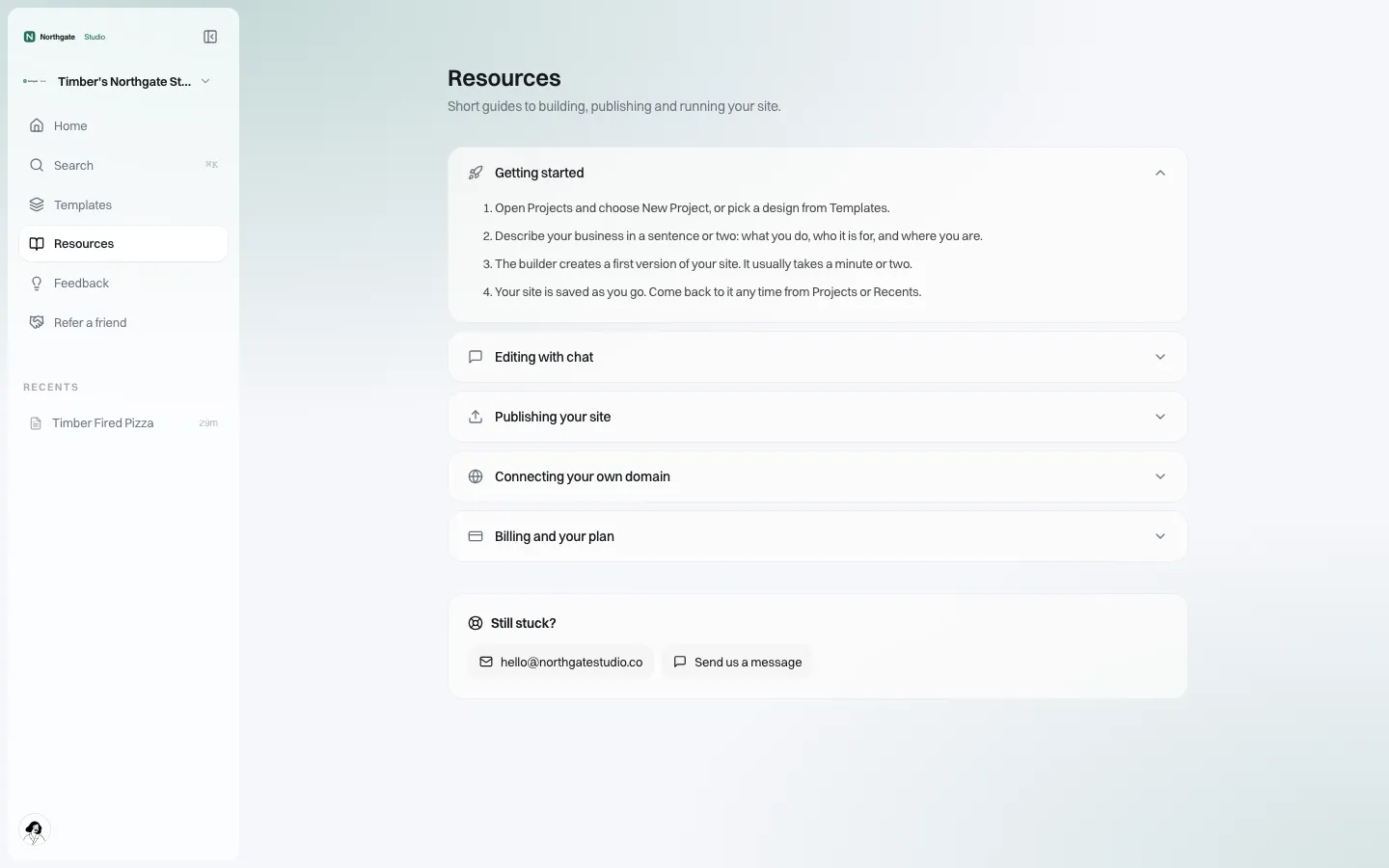
*Help and support pages in your brand, with your own support contact.*
Emails the customer receives (invitation, website ready, receipts) go out in your brand and can be sent from your own domain once it is verified, so they do not look like third-party marketing.
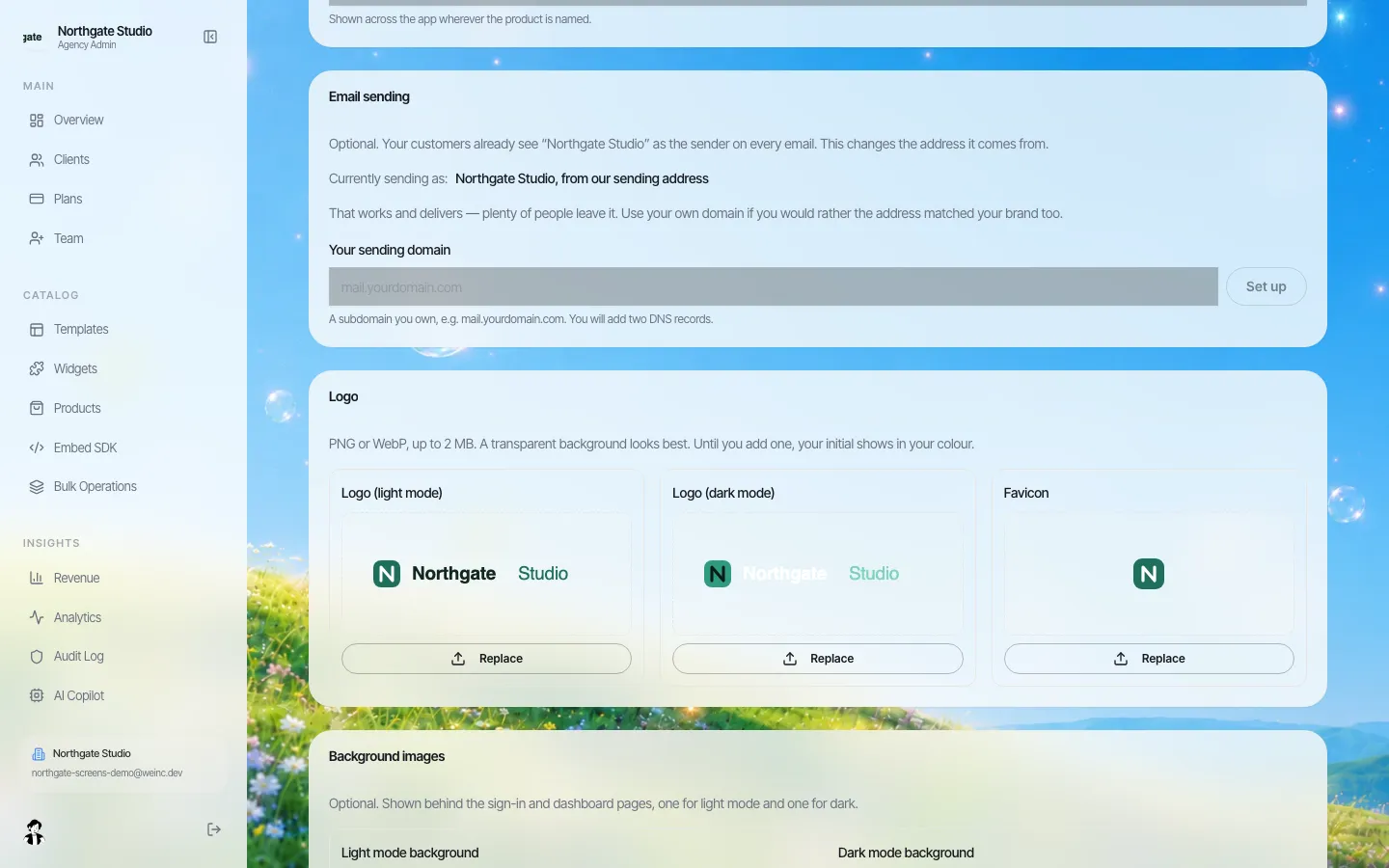
*Sending client emails from your own domain.*
Keep it apart from the broadband label (US)
US broadband providers must show a broadband consumer label for each stand-alone broadband internet access service they offer, at the point of sale. The website is not broadband service. Two practical consequences:
- Do not fold the website's value into the broadband price shown on the label or describe it in a way that confuses what the broadband service itself costs.
- Describe the website as a separate included product in your marketing and terms, with its own short terms of use.
The rule text was amended in 2026 and your regulatory team should check current requirements for how bundles are presented. Outside the US, consumer and telecom rules differ; the same principle of keeping the website's terms separate usually helps.
Measuring whether the bundle works
Track these per tier and per month. The platform's insights screen shows sign-ups, sites and visits; churn and tier mix come from your own systems.
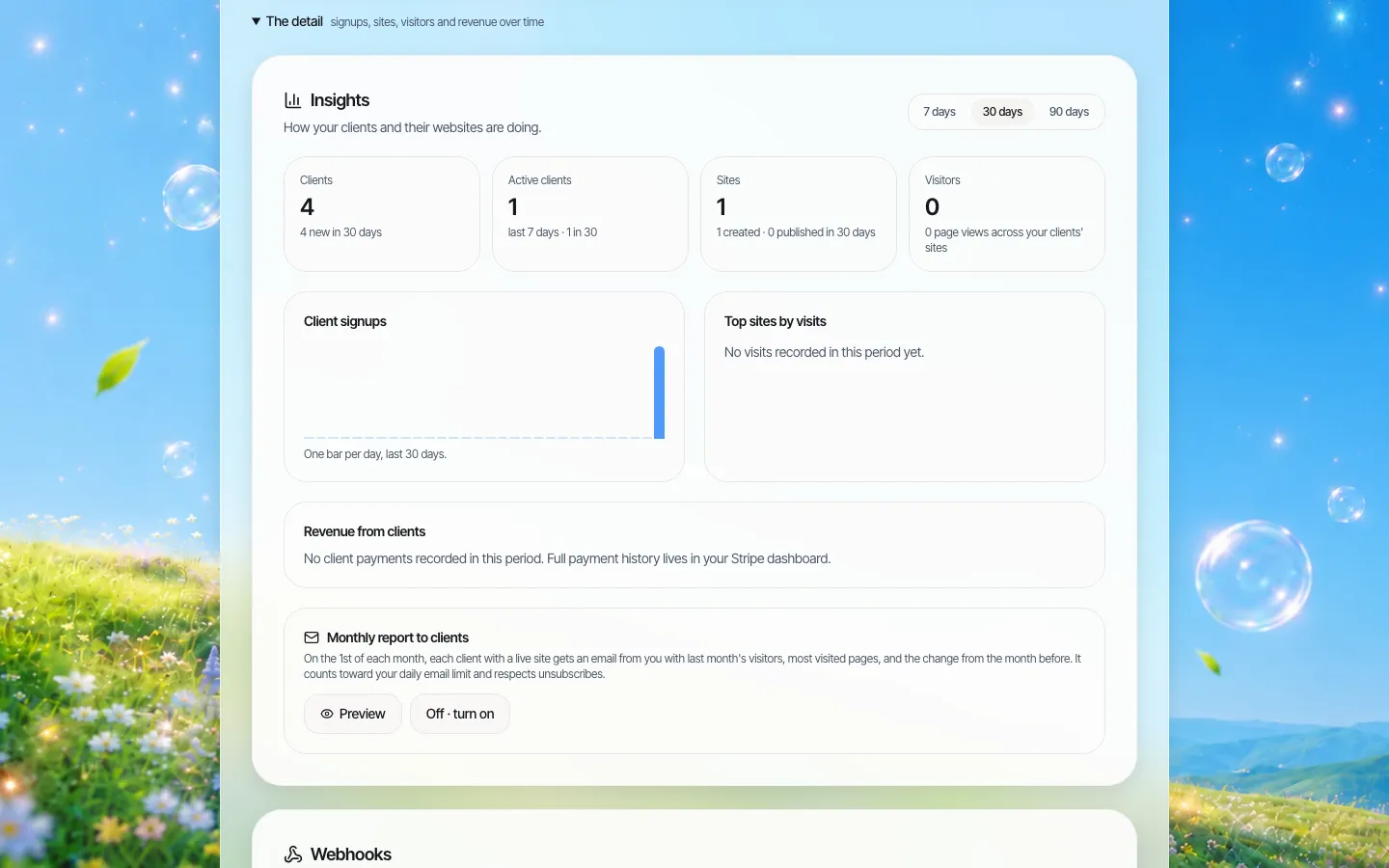
*Insights in the brand console (demo brand, little data).*
- Activation: invited customers who published a site within 30 days.
- Tier mix: share of new business lines on tiers that include the website.
- Churn difference: cancellation rate of customers with a published site against those without. Give it two or three quarters before drawing conclusions.
- Support load: tickets about the website per 100 customers.
If activation is low, the problem is almost always follow-up, not the tool. The "not published after 7 days" event exists for that reason.
Where We.Inc fits
We.Inc gives you a branded portal on your own web address, an AI website builder for each customer, client invitations, per-customer switches, webhooks for client events, an API for provisioning, client billing through your own Stripe if you want it, an audit log, and code each customer can download. Compared with our page for hosting providers, the difference is the motive: hosting companies sell the site; telecoms use it to keep the line. Book a demo and bring your business tier list.
Sources
Last checked 2026-10-25.
- Electronic Code of Federal Regulations, 47 CFR 8.1, Transparency, including the broadband consumer label requirements.
This page is general information, not legal or regulatory advice.
Book a demo. Pricing is tailored to your volume and setup, and you get your exact price on the call. 0% transaction fee.
Frequently asked questions
Can we bill the website on our own telecom invoice?
Yes. Set up customers with no price in the portal; their billing page then says access is provided by your company, and you bill it as a line item or include it in a tier.
Can customers be set up automatically when a line is ordered?
Client creation can be driven from your own systems through the We.Inc API, and webhooks send events such as client signed up, site published and not published after 7 days back to your CRM or a Zapier or Make workflow.
Who supports the customers?
Your help desk is the first line, using the branded help pages and your own support email; most edits customers make themselves with the AI editor. The platform vendor supports your team on platform faults.
Does a bundled website affect our FCC broadband label?
The label covers each stand-alone broadband internet access service. Keep the website described and priced as a separate included product, and have your regulatory team check how bundles are presented.
Keep reading
- White label website builder: the We.Inc platform
- White-label website builder for hosting providers
- We.Inc API
- Website platform procurement checklist
More in White Label
- One destination brand, a season's worth of microsites
- A website for every advisor, without losing the network's name
- Websites for every local, and for every member who runs a practice
- Websites for every department, lab and event, under one university brand
- A Vendasta alternative for agencies whose product is the website
- Your customers already run their business in your software. Should their website live there too?
- Can you white label Webflow? No. Here is the alternative.
- The white-label website builder for agencies
We.Inc is an AI-powered website builder you can resell under your own brand. Launch a branded client dashboard, bill on Stripe Connect, and deliver AI-generated websites in minutes. White-label pricing is tailored to your volume and setup: book a 30-minute demo for a quote.
Product
- AI Website Builder: Describe a site in plain English; it's live in minutes
- White Label Platform: Your brand, your domain, your margin
- Enterprise: SSO, custom SLAs, and dedicated support
- Developer API: Embed site generation into your SaaS
Who It's For
- For Agencies: Resell under your brand
- For Freelancers: Your own branded builder
- For Hosting Providers: Add a builder to your stack
- For SaaS Platforms: Embed site creation via API
- For Startups
- For Financial Services
- For Healthcare
Features
- Drag & Drop Editor
- Built-in SEO Tools
- Custom Branding
- Client Dashboard
- Reseller Billing (Stripe Connect)
Resources
- Blog
- Help Center
- Free Business Tools
- Free UI Components
- Website Templates
- Template Collections
- Website Examples
- Guides
- Comparisons
- Alternatives
- Best Lists
- Reviews
- Pricing Guides
- Use Cases
- Glossary & Guides
- Integrations
- Developers
- Benchmark
- Windows App