Your customers already run their business in your software. Should their website live there too?
If you sell booking software to salons, class software to gyms, job software to contractors or practice software to clinics, your customers ask the same question every month: "can you do my website?" Some of your competitors already say yes. This page is for the product leader who has to decide what that yes should mean, how the website should relate to the system your customers already pay for, and whether to build, partner or refer out.
TL;DR
- In vertical software the website is a front door to your product: the "Book", "Join", "Order" or "Get a quote" button should land in your system, not a contact form.
- Decide first how much data flows from your product into the site. Live sync is a big build; a link or embedded widget gets most of the value.
- We.Inc runs under your brand, creates customer accounts and sites through an API, reports progress through webhooks and lets you switch features per customer.
- It does not sync your service lists, staff or prices into sites automatically. If that sync is the whole point, plan to build it or choose a builder made for your vertical.
Why vertical software companies end up in the website business
Horizontal tools can ignore websites. Vertical tools rarely can, for three reasons that show up in every customer-success review:
- Your customer's website is where their customers start. A salon client books from the salon's site; a gym member checks the timetable there; a homeowner fills in a quote form there. If that site belongs to someone else, the first touch with the end customer happens outside your product.
- Websites are the most common thing your customers buy from someone else. Every one of those purchases is a relationship with a vendor who may one day suggest switching your software too.
- Competitors bundle. Payment and booking platforms have taught small businesses that a website can come with the software. Square, for example, presents its online store as a way to build a free online store or ecommerce website. Once a buyer has seen that, "we don't do websites" reads as a gap.
None of that means you should build a website product. It means you should have an answer, and the answer should be designed around your core system.
The question that decides everything: how does the site talk to your product?
Write your answer to this before you look at any vendor. There are four levels, and each one costs roughly ten times more than the one before.
| Level | What the site does | Who builds the connection | Typical effort |
|---|---|---|---|
| 1. Link | A "Book now" or "Join" button opens your hosted booking or sign-up page | Nobody: it is a URL | Hours |
| 2. Embed | Your existing booking widget, timetable or quote form is placed on the site | Your team ships an embeddable snippet once | Days to weeks |
| 3. One-time import | When the site is created, the business name, services and hours are written into it | Your team maps your data to a starting site | Weeks |
| 4. Live sync | Service, staff, price and hours changes in your product update the site automatically | Your team and the website vendor, permanently | Months, then forever |
Most vertical software companies should launch on level 1 or 2 and learn. Level 4 is what customers say they want, but the businesses that change their services weekly are a minority, and live sync turns every data-model change in your product into a website change.
Where We.Inc sits on that ladder, honestly: levels 1 and 2 work today, because sites are real code and a button or an embed snippet can be placed in them. Level 3 is partly there: your back end can create a customer's site from one of your own templates through the API, but the template is copied as it is; filling in that customer's details is done by the customer or the AI builder, not merged from your database. Level 4 is not something we offer.
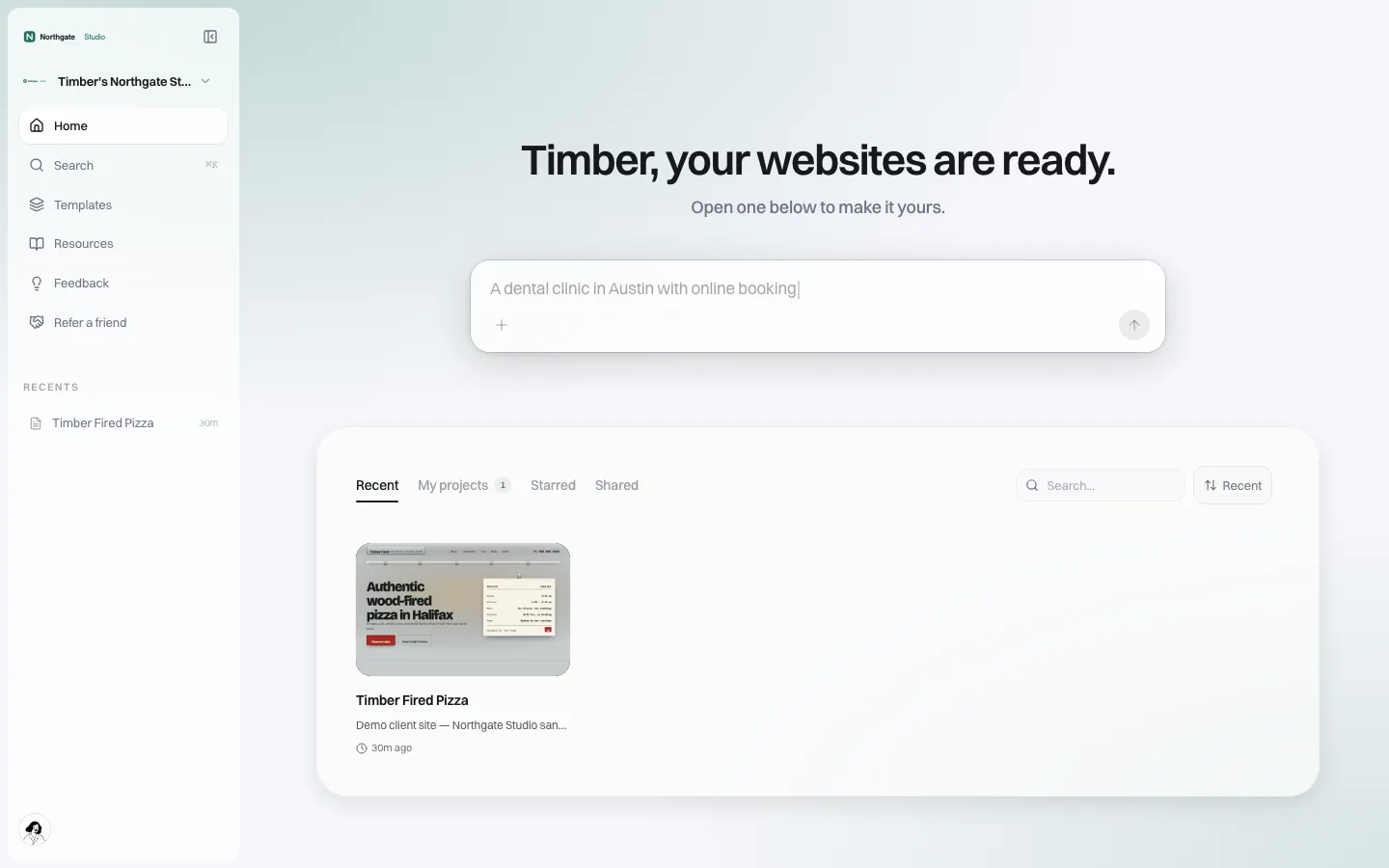
*What your customer sees after signing in under your brand: a prompt box to describe their business, and their sites. Nothing on it says We.Inc.*
A product spec you can copy
Use this as the one-page brief for a "websites" module. Delete what you do not need, but decide each line on purpose.
| Area | Decision to make | Our suggestion for a first release |
|---|---|---|
| Who gets it | All plans, top plan only, or a paid add-on | Top plan plus add-on, so you can measure demand |
| Account creation | Separate sign-up or created from your system | Created from your system; one sign-in story |
| Starting point | Blank, template, or AI-written draft | Two or three templates per segment you serve |
| Connection to your product | Link, embed, import or sync | Link on day one, embed by month three |
| Domains | Your subdomain, their own domain, or both | Both, with their own domain as an upsell moment |
| Features | Blog, store, forms, SEO settings | Forms and SEO on; store off unless you sell to retailers |
| Who can publish | Customer alone or after your review | Customer alone; review only for regulated segments |
| Support | Your team, vendor, or help pages first | Branded help pages, then your first-line support |
| Exit | What a cancelling customer takes | Their content and code; say so in your terms |
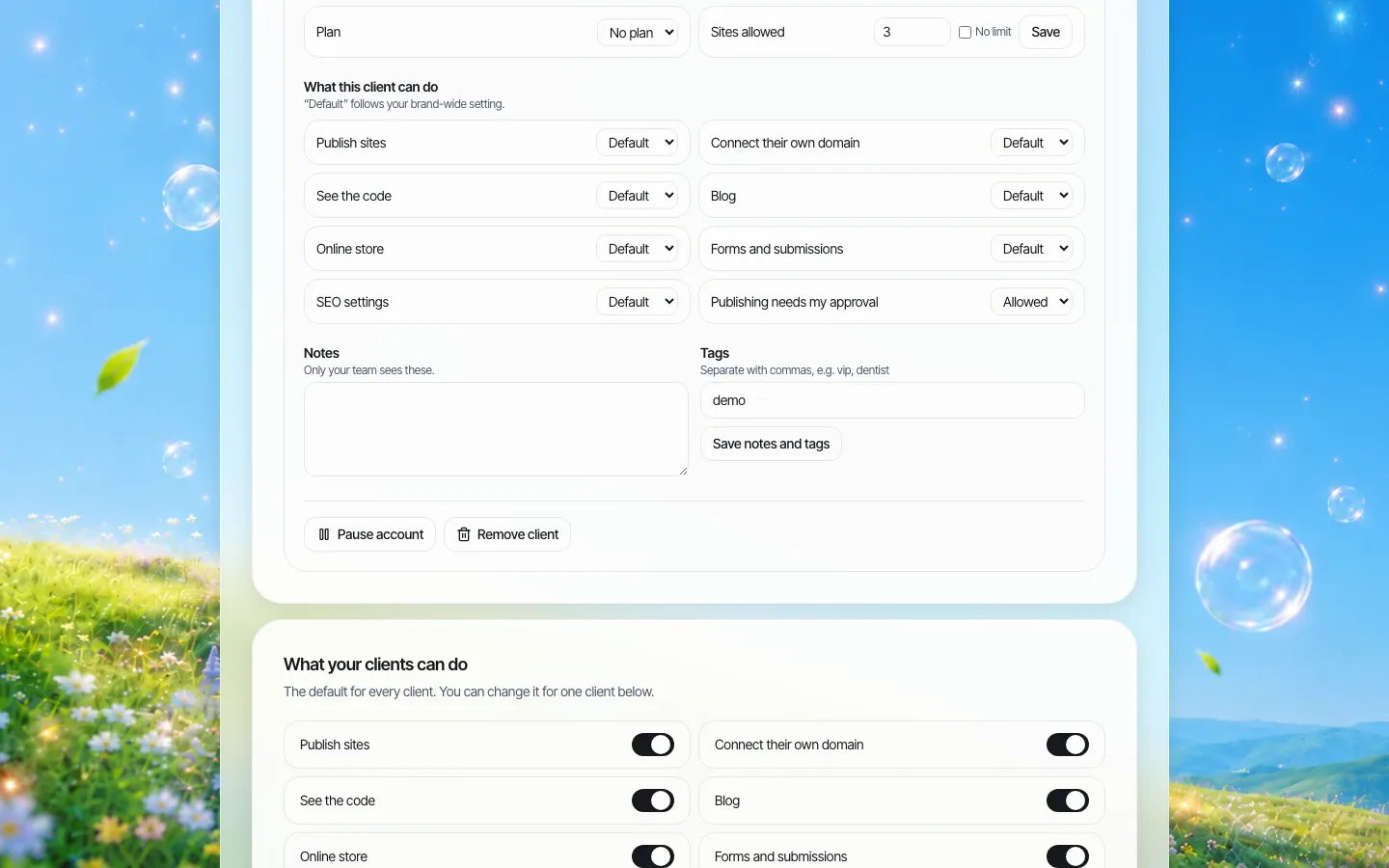
*Each customer is a client account with its own switches. That is how a feature can be on for one plan and off for another.*
How the pieces map in We.Inc
- Your brand on every screen. Sign-in, sign-up, the customer dashboard, help pages and system emails carry your name, logo and colours. Your dashboard can sit on your own domain.
- Accounts from your back end. The API lists and creates client accounts. Once the customer has activated their account, it can also create a site for them, optionally from one of your templates.
- Templates per segment. You can turn a good site, yours or a customer's, into a template for your brand, so a new barber starts from a barber layout rather than a blank page.
- Events back to your system. Webhooks tell you when a customer signs up, creates a first site, publishes, or has not published seven days after joining. The last one is the event your success team should own.
- Plans and limits. Each customer can have a site limit, and you can create your own client plans and collect through your own connected Stripe account, or keep billing in your own system.
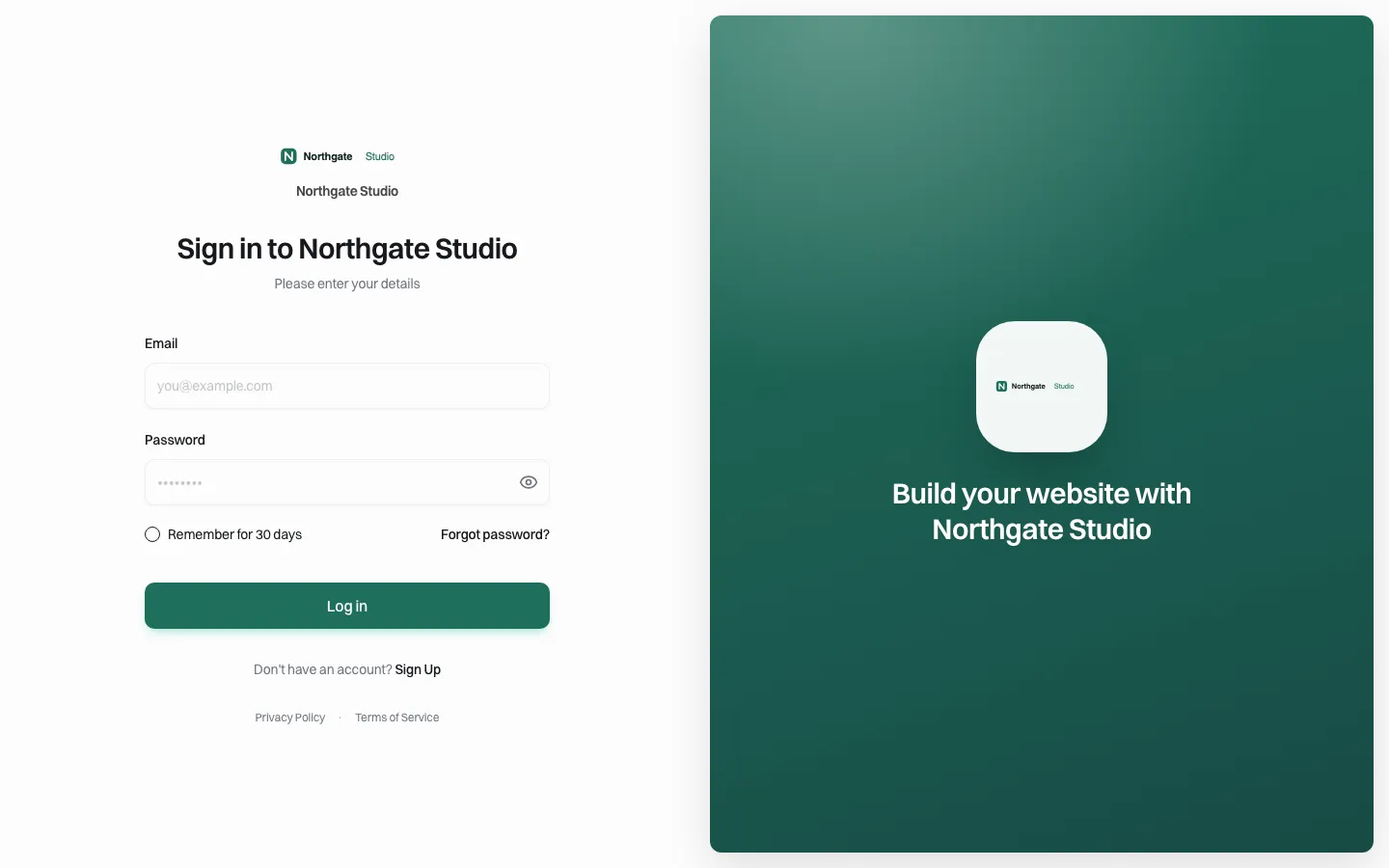
*The sign-in page your customers see. If you also want the builder to appear inside your app, see the embedded builder guide.*
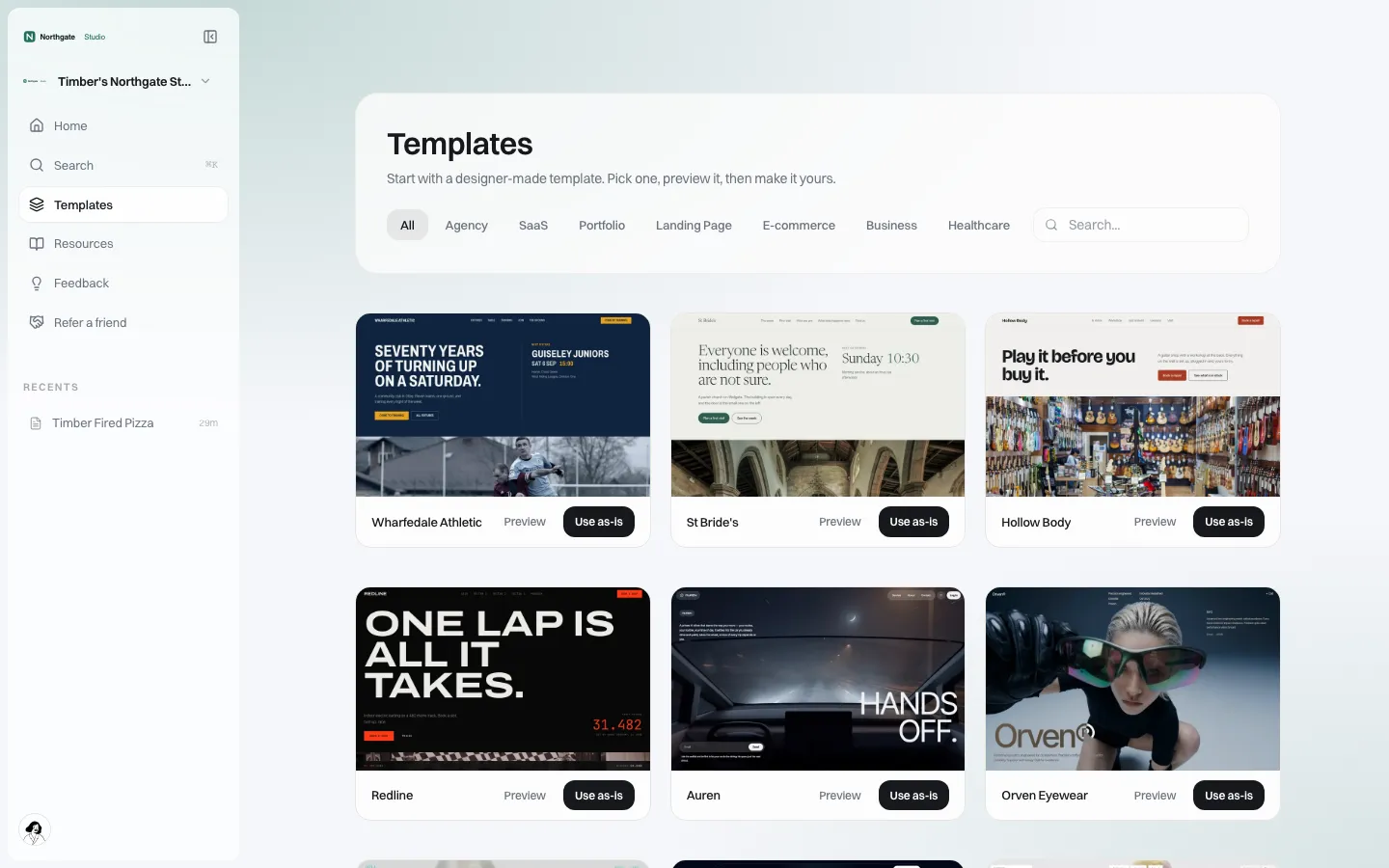
*The template gallery as your customer sees it. Curate it per segment rather than showing every template to everyone.*
Segment notes: what each vertical's customers actually need
The website brief differs a lot by vertical. These are starting points from the jobs each business does, not research claims.
- Salons, spas and barbers. Photos of work, a staff page, prices or "from" prices, and a booking button that opens your booking flow. They update photos often and prices rarely.
- Gyms and studios. A timetable is the most visited page. If you have a timetable widget, embedding it is worth more than any design work. Membership options and a free-trial or intro form come next.
- Restaurants and cafés. Menu, hours, location, and an order or reservation button into your system. Menus change; if your product holds the menu, a link to your hosted menu stays current where a copied menu goes stale.
- Clinics and therapists. Services, practitioners, insurance or payment notes and a booking link. Keep clinical intake inside your own system; a general website form is not the place for health details.
- Contractors and home services. Service area, the work they do, photos of finished jobs and a quote request that lands in your job system. Reviews matter, but write them into the site only if they are real.
Rolling out to an existing customer base
You already have thousands of customers, which is both the opportunity and the risk. Announcing websites to everyone on one day creates a support spike you cannot staff.
- Pick one segment and one region. Choose customers who do not have a website, or who complain about the one they have.
- Launch to 100 accounts. Measure starts (opened the builder), first sites, and published sites at 30 days. Published is the number that matters.
- Work the "not published after 7 days" list. One email and one call often doubles publishing. Webhooks put that list in your CRM.
- Compare churn and support load for customers with and without a published site after 90 days. If there is no difference, keep the feature small.
- Then widen. Add segments in the order your data supports.
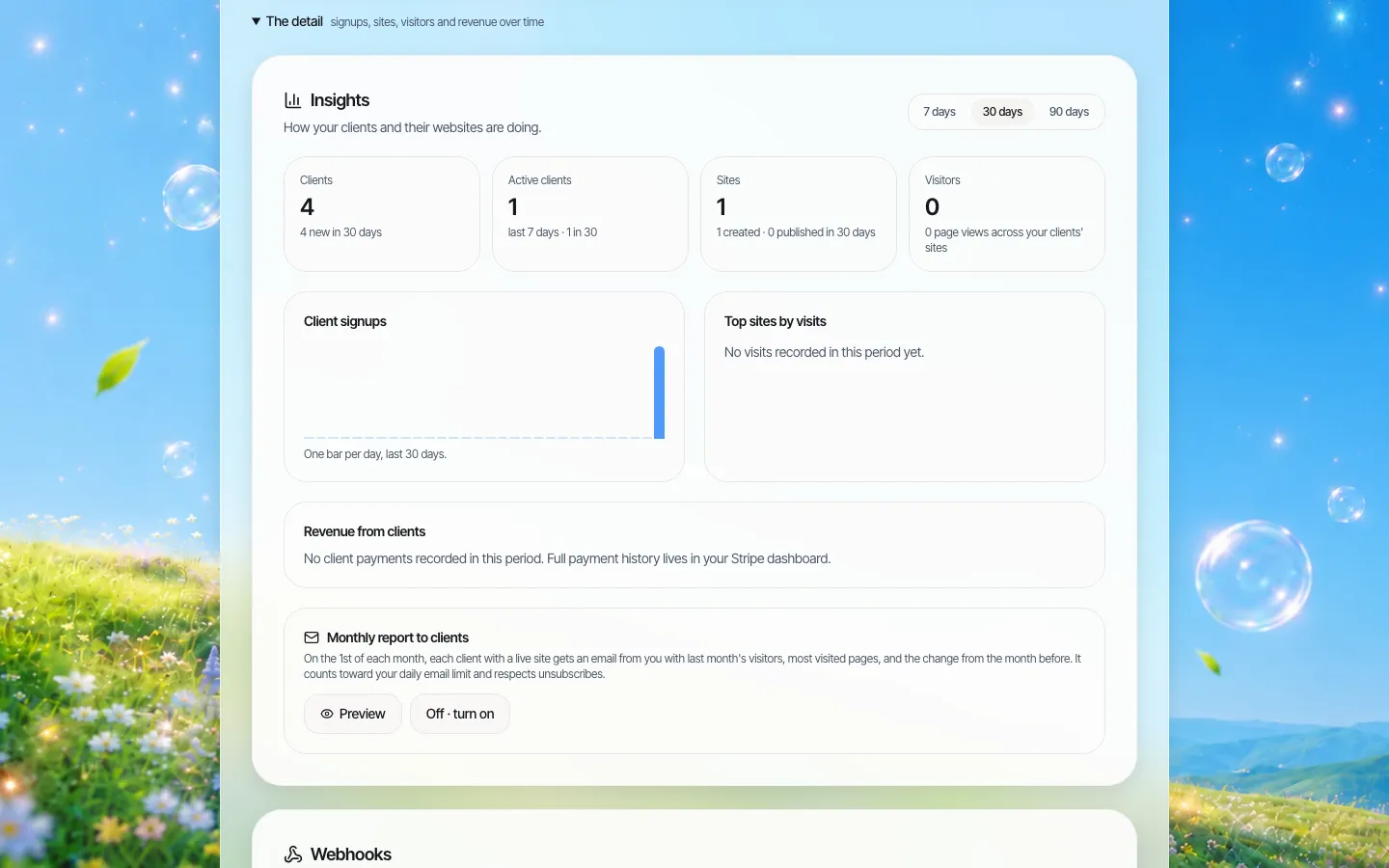
*Brand insights: sign-ups, sites and visits across your customers. Use it alongside your own product analytics.*
Support: write the split down before launch
| The customer asks | Who answers |
|---|---|
| "My bookings are not showing" | You: it is your core product |
| "How do I change a photo?" | Branded help pages, then your first-line support |
| "My domain is not connecting" | Your support, with ours behind you |
| "Can someone design it for me?" | A paid service, a partner agency, or a polite no: decide now |
Build, partner, or refer out
| Build | Partner (white-label builder) | Refer out | |
|---|---|---|---|
| Time to launch | A year or more | Weeks | Days |
| Control of the experience | Full | High, within the builder's design | None |
| Ongoing cost | A permanent team | Vendor fee plus integration upkeep | Nothing, maybe a referral fee |
| Who owns the end-customer touch | You | You, under your brand | Someone else |
Build if the website is central to your product, for example if live sync is your differentiator. Partner if you want a credible website offer this year without starting a second product. Refer out if websites truly are not your business; just do not be surprised when that partner becomes your customers' trusted advisor.
Where We.Inc fits, and where it does not
A good fit: software companies serving local service businesses that need a credible, easy-to-edit site with a strong button into your product, launched under your brand without a new engineering team.
Better served elsewhere:
- Live data sync is the product. If your pitch is "change your services once, and the website updates", you need that sync built, by you or by a builder made for your vertical.
- Payments through your own rails inside the site's checkout. The built-in store connects to Stripe. You can turn the store off per customer and link to your own checkout instead; see the payments and POS page.
- Restaurant ordering tied to a kitchen system. A dedicated ordering product will do that better.
Customers who leave can take their site with them: code can be downloaded or synced to GitHub. That is worth putting in your terms, because buyers ask.
Book a demo. Bring one customer segment and your booking or sign-up URL, and we will show where the button goes.
Sources
Last checked 2026-10-25.
- Square, Online store and website builder: page titled "build a free online store or eCommerce website".
Book a demo. Pricing is tailored to your volume and setup, and you get your exact price on the call. 0% transaction fee.
Frequently asked questions
Can our software create the customer account and site automatically?
Yes, in two steps. The API creates the client account; once the customer has activated it, the API can create a site for them, optionally from one of your templates.
Will services, staff and hours from our product appear on the site automatically?
No. We do not sync data from your product into sites. A link or your embedded widget keeps live information in your system; the rest is edited by the customer.
Can we offer websites only on some plans?
Yes. Each customer is a client account with its own switches and site limit, so you can turn features on or off by plan or by customer.
Do our customers see the We.Inc name?
Sign-in, dashboard, help pages and emails carry your brand, and the dashboard can run on your own domain.
Keep reading
- White label website builder: the We.Inc platform
- Embedding a website builder in your SaaS
- Website builder API for SaaS platforms
- Websites for payments and POS companies
- Client permissions: what each site owner can do
- Code export: leave with your sites
More in White Label
- Can you white label Webflow? No. Here is the alternative.
- The white-label website builder for agencies
- A listing gets a wedding vendor found. A website gets them booked.
- A website program for the retailers you supply
- Can you white label Wix Studio? No. Here is the alternative.
- WordPress Multisite alternative: when one shared install becomes everyone’s problem
- 10Web white label: what it costs, and the alternative without WordPress
- Member firms need a website that looks like a firm, not a tax season leaflet
We.Inc is an AI-powered website builder you can resell under your own brand. Launch a branded client dashboard, bill on Stripe Connect, and deliver AI-generated websites in minutes. White-label pricing is tailored to your volume and setup: book a 30-minute demo for a quote.
Product
- AI Website Builder: Describe a site in plain English; it's live in minutes
- White Label Platform: Your brand, your domain, your margin
- Enterprise: SSO, custom SLAs, and dedicated support
- Developer API: Embed site generation into your SaaS
Who It's For
- For Agencies: Resell under your brand
- For Freelancers: Your own branded builder
- For Hosting Providers: Add a builder to your stack
- For SaaS Platforms: Embed site creation via API
- For Startups
- For Financial Services
- For Healthcare
Features
- Drag & Drop Editor
- Built-in SEO Tools
- Custom Branding
- Client Dashboard
- Reseller Billing (Stripe Connect)
Resources
- Blog
- Help Center
- Free Business Tools
- Free UI Components
- Website Templates
- Template Collections
- Website Examples
- Guides
- Comparisons
- Alternatives
- Best Lists
- Reviews
- Pricing Guides
- Use Cases
- Glossary & Guides
- Integrations
- Developers
- Benchmark
- Windows App