The long tail of state websites: boards, commissions and programs
A state's big departments usually have a web team and a content system. The trouble sits underneath them: a nursing board with two staff, a commission that meets four times a year, a grant program that exists for thirty months, a task force with a statutory sunset. Each needs a credible site, and none can run one alone. This page is about that long tail, and how a state IT or digital office could host it on one branded platform.
TL;DR
- Every state agency is covered by the ADA Title II web rule from April 26, 2027, because states are well over the 50,000-person line. The small sites are the ones most likely to miss it.
- With We.Inc the state digital office is the brand owner; each board, commission or program is a client with its own site, its own editors and its own switches.
- Single-step approval before a client's site goes live, an audit log of account actions, and a code download for every site.
- We do not claim certifications, a hosting region, an uptime figure or WCAG conformance. Book a demo to test it against your own list.
Why the long tail is where states get hurt
Ask a state chief information officer how many public websites the state runs and you usually get two numbers: the official count, and the real one. The gap is made of sites nobody planned for:
- Small boards and commissions. Professional licensing boards, advisory councils, historic and arts commissions. They have statutory duties to publish meeting notices, minutes and rules, but often no web staff at all.
- Time-limited programs. Federal grant programs, recovery funds, pilot projects and public awareness campaigns, each launched with its own name and domain and then left running after the money stops.
- Shared and interstate bodies. Compacts, regional authorities and joint initiatives where nobody is sure which agency owns the site.
- Vanity domains. A memorable domain was bought for a campaign, pointed at a hosted builder on someone's credit card, and renewed (or not) every year since.
These sites carry the same legal weight as the governor's homepage, and they are the ones still holding scanned PDFs, missing alt text and contact details for staff who left. Centralising the big departments does not fix them; they need a lighter home.
The Title II date for states is the earlier one
The Department of Justice's rule under Title II of the ADA requires state and local government web content to meet WCAG 2.1 Level AA. After the April 2026 extension, entities with a total population of 50,000 or more must comply by April 26, 2027; smaller entities and special district governments by April 26, 2028. ADA.gov tells smaller units of government to use the population of the larger government they are part of, so a state board or commission is looking at the 2027 date, not 2028.
The rule also lists exceptions, including archived web content and preexisting conventional electronic documents, but each exception has conditions. Read them before deciding a site is out of scope. Our Title II deadline guide covers the detail, and PDF alternatives for public sites covers the most common failure on small-agency sites.
*This page is general information, not legal advice. Ask your attorney general's office or agency counsel how the rule applies to you.*
The structure: one state brand, many clients
In We.Inc a "brand" is the white-label account: your name, logo, colours, portal address and rules. A "client" is anyone who owns sites under it. For a state, the mapping is straightforward:
| State role | We.Inc role | What they control |
|---|---|---|
| State digital office or enterprise IT | Brand owner and admins | Look of the portal, default rules for every agency, approvals, team access |
| Shared-services web staff | Team members (for example the designer preset) | Open and edit any agency's site; no billing access |
| A board, commission or program | Client | Its own sites, within the limits and switches the owner set |
| The board's executive director or clerk | The person signed in as that client | Writing and updating the site, pressing Publish |
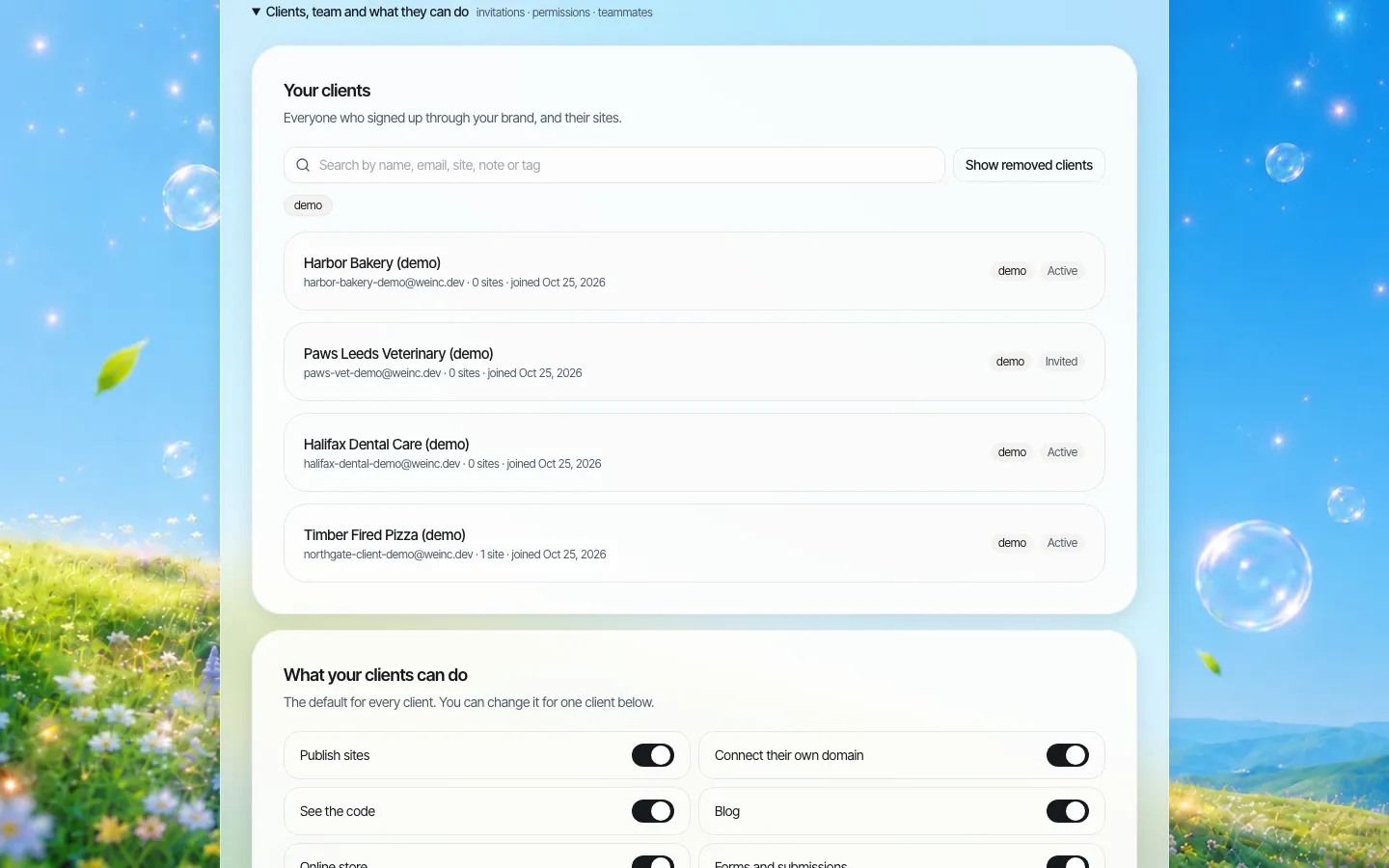
*The client register on a demo brand. For a state, each row would be an agency, board or program, tagged by cabinet area or sunset date.*
Tags and notes are the cheapest governance tool you will get. Tag every client with the statute or executive order that created it and its sunset or review date, and the register becomes the inventory your auditors keep asking for.
Defaults for agencies with no web staff
The defaults screen is where a state sets policy once. Every new board inherits the same rules the day it is added, and exceptions are made per client.
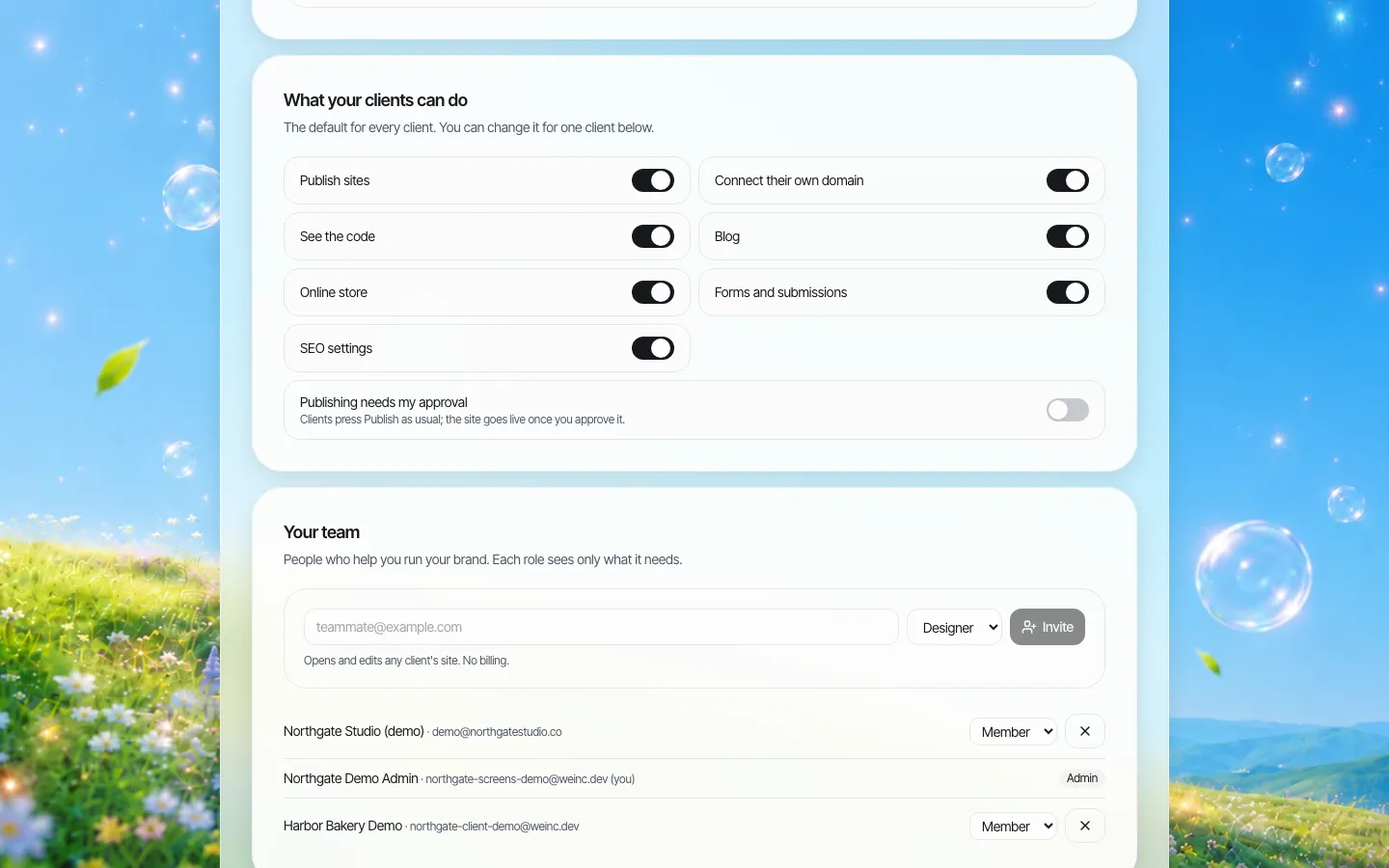
*Brand-wide defaults. A state might switch off the online store and own-domain connection for every client, and switch on approval.*
A starting position many states could defend:
| Switch | Suggested default | Why |
|---|---|---|
| Publish sites | On | Boards must be able to post meeting notices without waiting days |
| Publishing needs my approval | On for new clients, off once they have a trained editor | Approval protects first launches; it should not slow a routine notice forever |
| Connect their own domain | Off | Domains are managed centrally (see below) |
| See the code | Off | Few board staff need it; your shared-services team can still open the code |
| Blog | On | Useful for news and announcements |
| Online store | Off | Fees and payments go through the state's existing payment processor |
| Forms and submissions | Case by case | Fine for "contact the board"; not for anything that collects sensitive personal data |
| SEO settings | On | Lets the board set page titles and descriptions people actually search for |
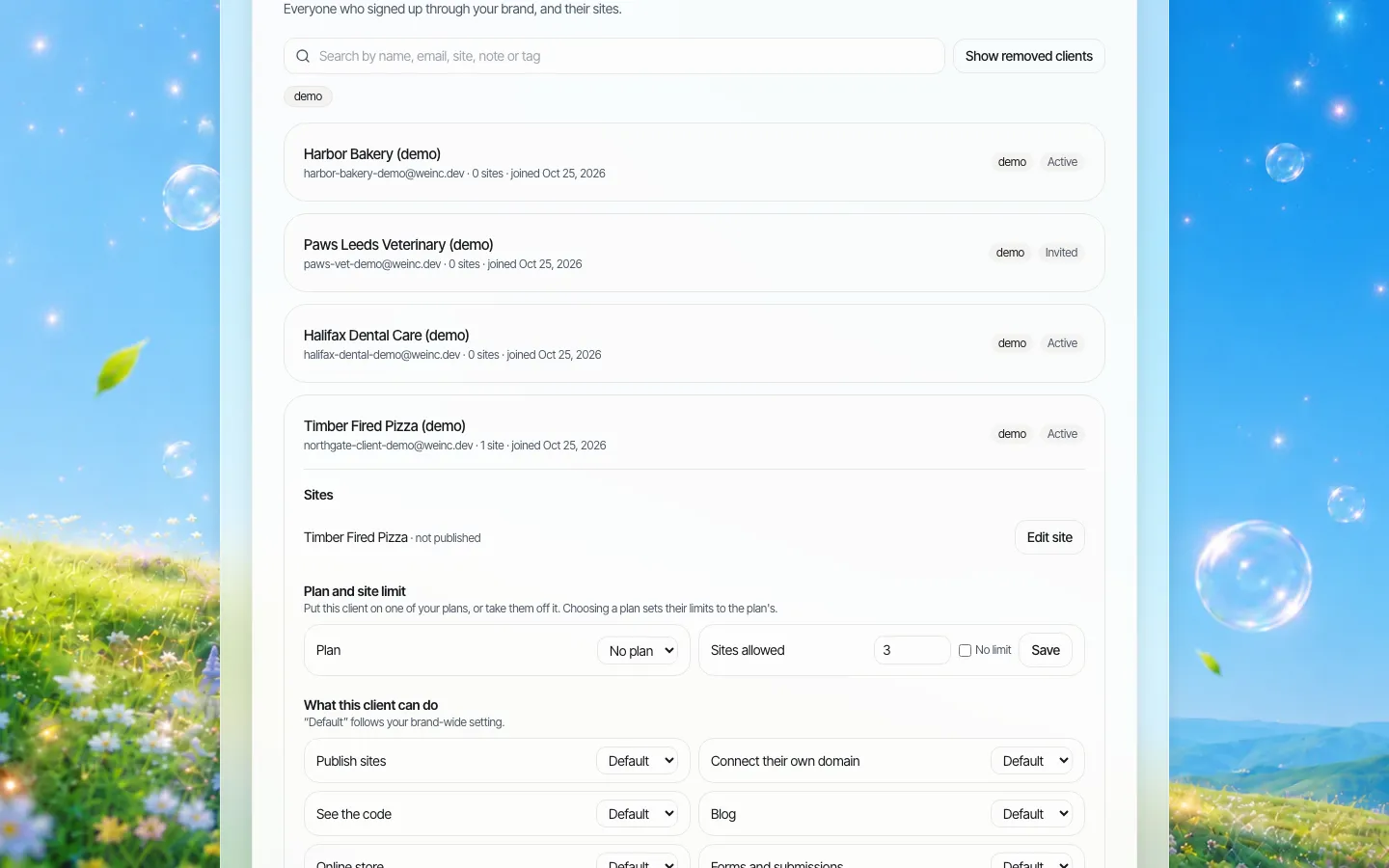
*One client opened. Each switch can follow the brand default or be overridden for this client alone, and a client can be paused or removed.*
Approval: one step, used where it matters
Approval in We.Inc is a single step: when a client with approval switched on presses Publish, the request waits in the owner's queue until someone approves it or asks for changes. It is not a chain that routes through legal, communications and an accessibility reviewer in sequence. If your policy needs those reviews, they happen before the owner approves.
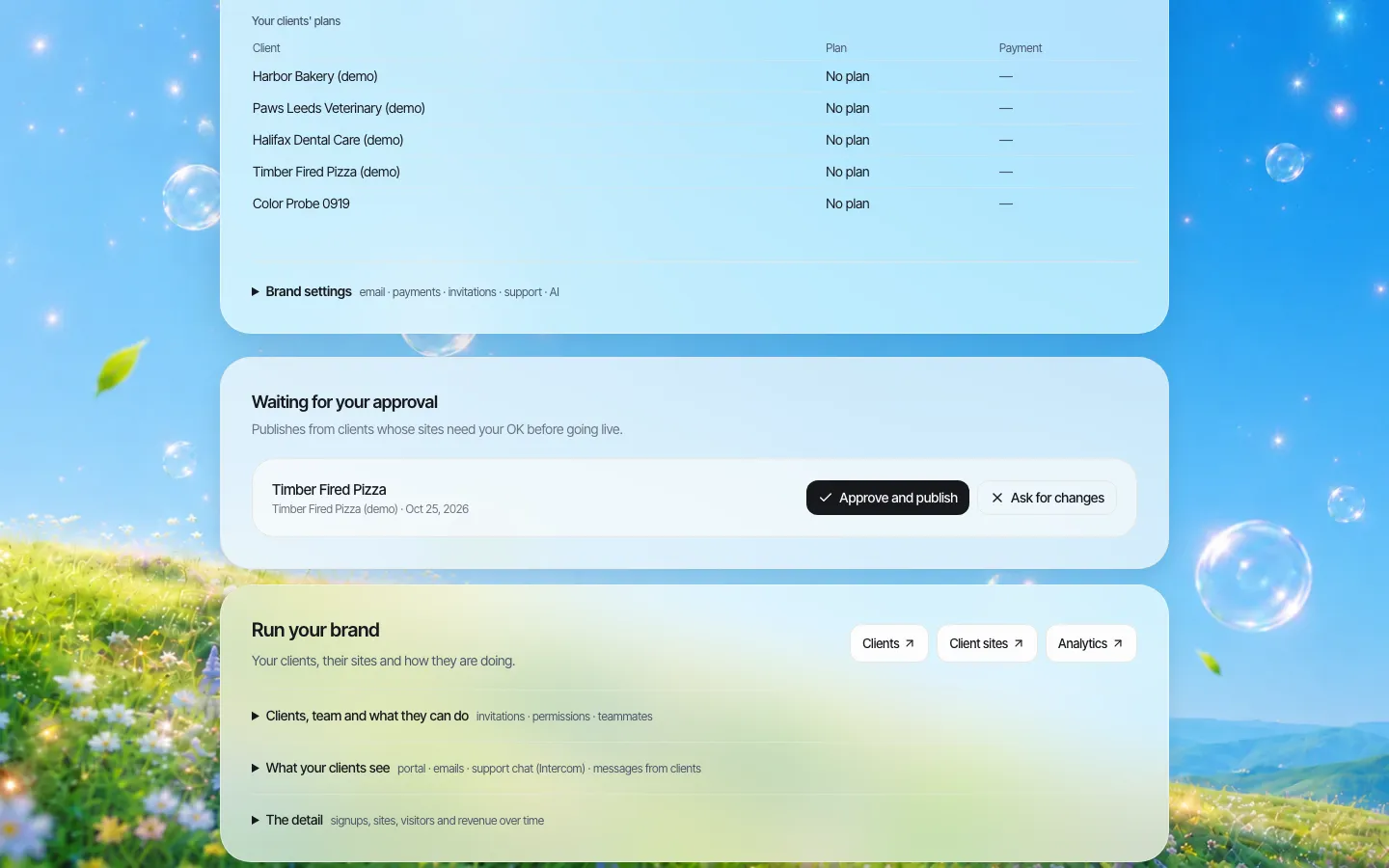
*The approval queue on a demo brand. (The request in this screenshot was staged for the picture.)*
Use approval as a training wheel and a sunset tool: on for every new client, on again for any client whose trained editor has left, and switched off for agencies that have shown they can publish safely.
Domains: .gov first, vanity domains under control
States are eligible for .gov domains, and get.gov states that .gov domains are free for eligible U.S. government organisations. A state usually publishes board sites as subdomains or paths under its main domain; We.Inc lets each client site use your domain. What the platform cannot do is decide your domain policy, so write it down:
- New board and program sites go under the state's existing .gov domain unless there is a statutory reason not to.
- Campaign domains are bought and renewed centrally, never on a staff card, and every one has an owner and an end date in the client notes.
- When a program ends, its site is archived and its domain kept (and redirected) for a set period, so the name cannot be bought by someone else.
When the program ends: archive, export, keep the record
Sunsets are where states lose records. Before a program's site is taken down, export it: every site's full code can be downloaded as a ZIP or synced to a GitHub repository you own.
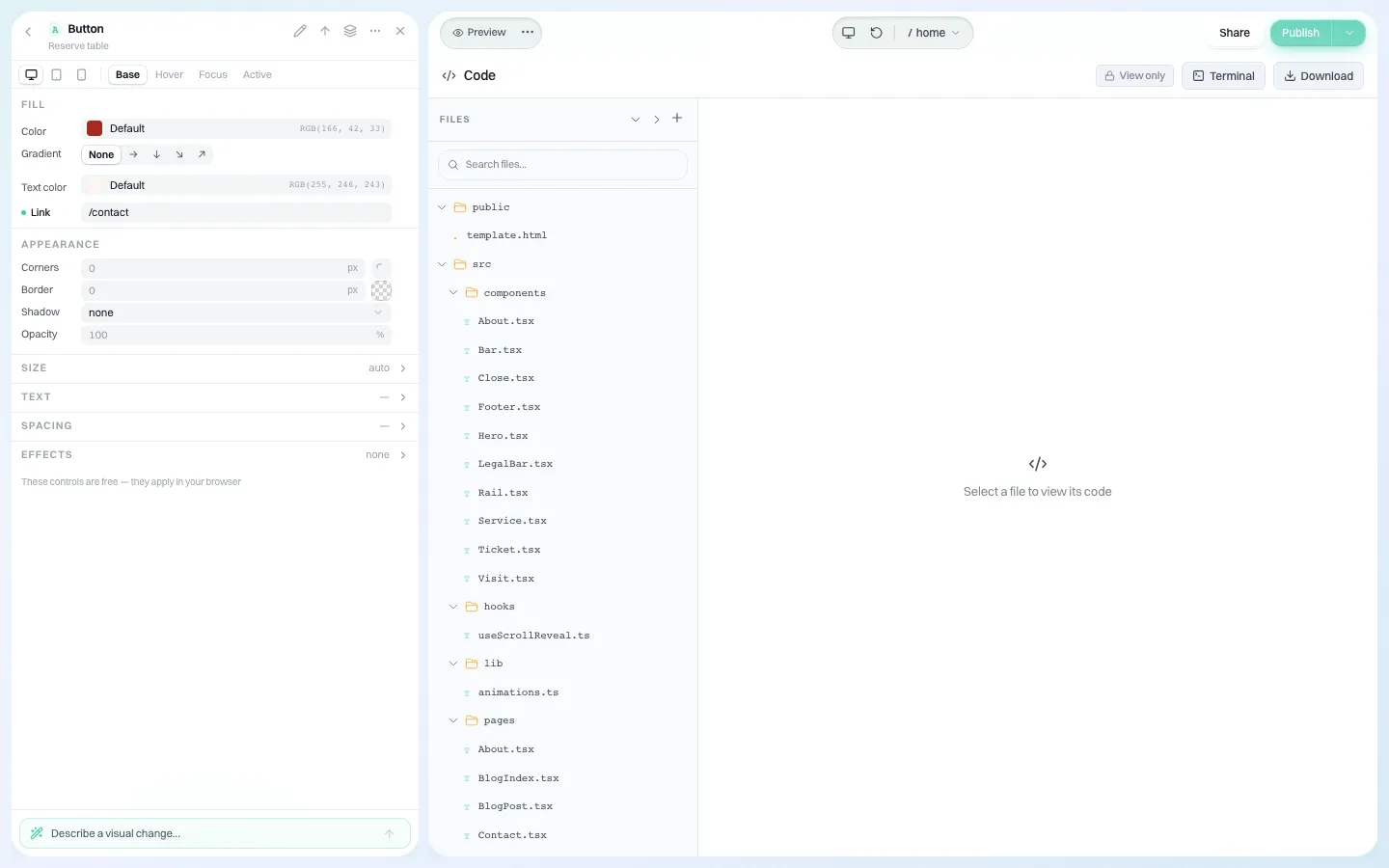
*The code panel. The whole site can be downloaded, which also serves as a snapshot for your records team.*
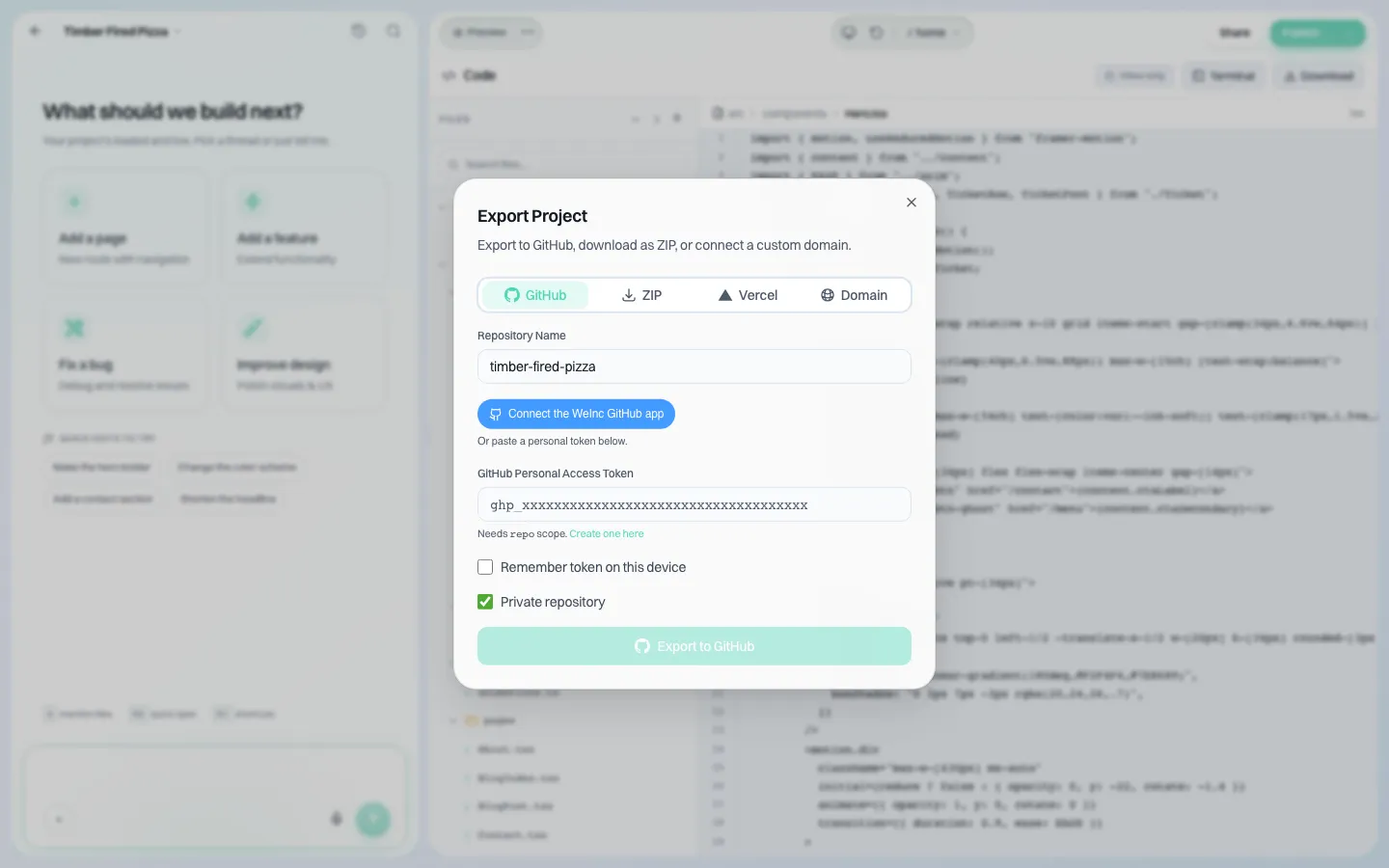
*Export to a private GitHub repository you own. Retention schedules for web records are your state's to set; this gives you the files to apply them to.*
The same export is your exit route from us. Procurement teams should treat that as a contract item, not a promise; our vendor exit plan has clause wording.
Who sees what happened
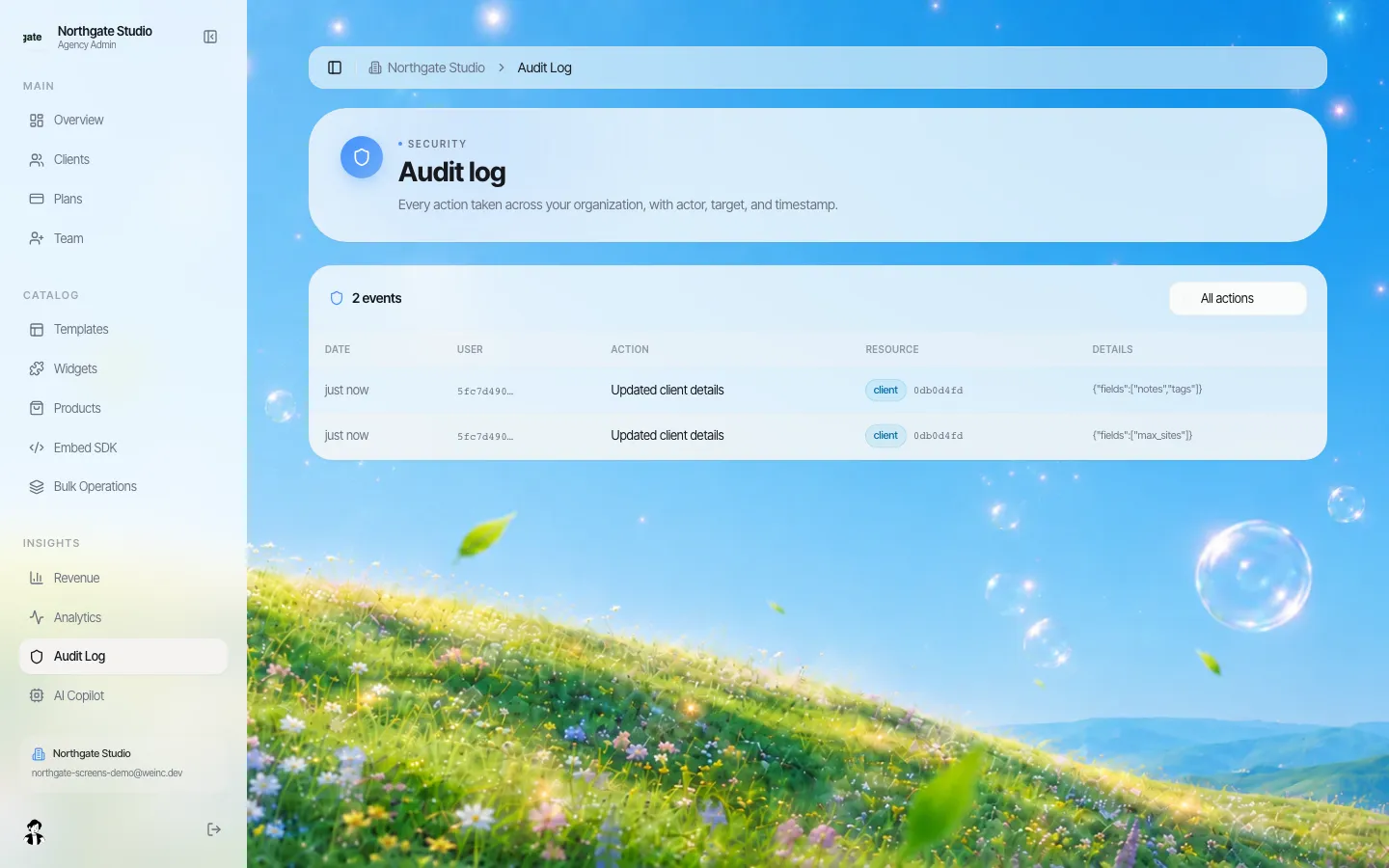
*The audit log. It records account actions such as clients added, switches changed and approvals, filterable by action.*
The log answers "who turned off approval for this board, and when?" It is not a page-level edit history, and we make no claim about how long entries are kept. If your records policy needs a fixed retention period, raise it in the demo.
A 60-day pilot for a state digital office
| Days | Step | What it proves |
|---|---|---|
| 1-10 | Pick 8 to 12 sites: three licensing boards, two commissions, two grant programs, one interstate body, plus a couple of vanity domains | You are testing the hard cases, not the easy ones |
| 1-10 | Set brand defaults and invite the shared-services team | Rules exist before anyone builds |
| 11-30 | Each board's own staff build or rebuild their site; approval on for all | Non-specialists can do it |
| 11-30 | Run an automated and a manual accessibility check on each site before approval | Your review fits inside one approval step |
| 31-45 | Retire one program site end to end: export, archive, redirect | The sunset process works |
| 46-60 | Read the audit log, count approval turnaround times, interview the board staff | Evidence for the wider procurement |
Where We.Inc is the wrong choice
- The flagship. The state portal, the DMV and anything with transactions or deep integrations belongs on your enterprise platform. We.Inc is for the many small sites around it.
- Certification-gated procurement. If your procurement requires a specific certification, StateRAMP status, a hosting location or a contractual uptime figure, we do not state those. Say so early and save both sides time.
- Multi-stage workflow. Approval is one step, and roles are a fixed set (owner, admin, member, plus fixed team presets). There is no custom role builder.
Sites are generated with AI and edited by clicking or chatting, so they can be built quickly, but your team must test each one against WCAG 2.1 AA and fix what it finds. Our accessibility checklist is a starting point, and the RFP template and procurement checklist work for any vendor, including us. For cities and counties, see government agencies and departments.
Book a demo and bring the list of boards and programs you worry about most.
Sources
Last checked 2026-10-25.
- Federal Register, Extension of Compliance Dates for Nondiscrimination on the Basis of Disability; Accessibility of Web Information and Services of State and Local Government Entities, April 20, 2026: April 26, 2027 and April 26, 2028.
- ADA.gov, Fact sheet: new rule on the accessibility of web content and mobile apps: WCAG 2.1 Level AA, how to find your population, and the five exceptions.
- get.gov, Domain eligibility: states are eligible and .gov domains are free.
Book a demo. Pricing is tailored to your volume and setup, and you get your exact price on the call. 0% transaction fee.
Frequently asked questions
Which Title II date applies to a state licensing board?
ADA.gov tells smaller units of government to use the population of the larger government they belong to, so a state board generally uses the state's population and the April 26, 2027 date. Confirm with your counsel.
Can the state digital office approve a board's site before it goes live?
Yes. Approval before publishing can be on by default for every client and changed per client. It is a single approval step by the brand owner, not a multi-stage workflow.
What happens to a program's site when the program ends?
You can download the full code of the site as a ZIP or sync it to a GitHub repository you own, then archive it under your records policy and remove or pause the client.
Does We.Inc have StateRAMP or other certifications?
We do not claim any certifications, a hosting region or an uptime figure. If your procurement requires them, raise it at the start of the demo.
Keep reading
- Website platform for government agencies and departments
- ADA Title II website deadline: April 2027 and April 2028
- Accessible alternatives to PDFs on public sites
- Government website RFP template
- Website platform procurement checklist
- Website vendor exit plan
More in White Label
- Give every person on your team the access their job needs, and no more
- A website for every business line you install
- One destination brand, a season's worth of microsites
- A website for every advisor, without losing the network's name
- Websites for every local, and for every member who runs a practice
- Websites for every department, lab and event, under one university brand
- A Vendasta alternative for agencies whose product is the website
- Your customers already run their business in your software. Should their website live there too?
We.Inc is an AI-powered website builder you can resell under your own brand. Launch a branded client dashboard, bill on Stripe Connect, and deliver AI-generated websites in minutes. White-label pricing is tailored to your volume and setup: book a 30-minute demo for a quote.
Product
- AI Website Builder: Describe a site in plain English; it's live in minutes
- White Label Platform: Your brand, your domain, your margin
- Enterprise: SSO, custom SLAs, and dedicated support
- Developer API: Embed site generation into your SaaS
Who It's For
- For Agencies: Resell under your brand
- For Freelancers: Your own branded builder
- For Hosting Providers: Add a builder to your stack
- For SaaS Platforms: Embed site creation via API
- For Startups
- For Financial Services
- For Healthcare
Features
- Drag & Drop Editor
- Built-in SEO Tools
- Custom Branding
- Client Dashboard
- Reseller Billing (Stripe Connect)
Resources
- Blog
- Help Center
- Free Business Tools
- Free UI Components
- Website Templates
- Template Collections
- Website Examples
- Guides
- Comparisons
- Alternatives
- Best Lists
- Reviews
- Pricing Guides
- Use Cases
- Glossary & Guides
- Integrations
- Developers
- Benchmark
- Windows App