Migrating Off Drupal Multisite: Choosing a Path After Drupal 7 and Moving Sites in Order | How-to Guide
A practical guide for teams running many sites on Drupal multisite: the three real options after Drupal 7's end of life, how to audit content types, views and modules per site, a scoring sheet for which sites justify Drupal, and a cutover plan that keeps URLs and records intact.
Drupal multisite tends to live in universities, public bodies and large associations, where it was set up by a capable team to serve dozens of departmental sites from one codebase. The team has since changed, the sites have multiplied, and many networks are still on Drupal 7, whose community security support ended on 5 January 2025. Whatever brought you here, the question is the same: which of these sites genuinely need Drupal, and what is the least risky way to move the rest? This guide works through that decision and then the move itself.
How Drupal multisite is put together
Drupal's documentation describes multisite as running separate, independent sites from one codebase, each with its own database, configuration, files and domain. On disk, each site has its own folder under the sites directory, holding at least its files and sometimes its own modules and themes. Two consequences shape any migration:
- Shared code, separate data. A core or module update reaches every site at once, which is the original appeal and the main risk. A module one site depends on cannot be removed without checking all the others.
- Each site is its own migration. Because each site has its own database and configuration, there is no single "network export". You plan, move and test site by site.
Your three options, honestly compared
| Option | What it involves | Best for | Main cost |
|---|---|---|---|
| Move to current Drupal | Build new sites on current Drupal and bring content across with Drupal's Migrate API. From Drupal 7 this is a rebuild and migration, not an in-place update. | Sites with complex content models, heavy use of Views, custom modules, integrations, or a team that knows Drupal well | Developer time per site, and ongoing Drupal maintenance |
| Paid extended support for Drupal 7 | Keep running Drupal 7 with security fixes from a vendor in the Drupal Association's Extended Security Support Provider Program (currently HeroDevs and Tag1 Consulting) | Buying time while a migration is planned and funded | A recurring fee, and the migration is still ahead of you |
| Move to another platform | Rebuild sites on a different CMS or website builder | Brochure, information, event and department sites with simple content | Rebuilding each site; losing Drupal-specific features you were actually using |
Most large networks end up with a mix: a handful of complex sites stay on Drupal, the long tail moves to something simpler, and some are retired. The work is deciding which site goes where.
Audit each site's content model
Drupal sites differ from each other far more than WordPress sites typically do, because content types, fields and views are built per site. Before scoring anything, record what each site really uses. A Drupal developer can pull most of this from the admin screens or with Drush; the point is to capture it in one sheet.
| Item | What to record | Why it matters |
|---|---|---|
| Content types | Each type, number of items, last item created | Many types with few items suggest over-building; a type with 5,000 items needs a scripted migration |
| Fields | Reference fields, field collections or paragraphs, file fields | Structured relationships are the hardest thing to move to a simpler platform |
| Taxonomies | Vocabularies and how they drive navigation or filtering | Filtered listings need an equivalent on the new platform |
| Views | Each view, where it appears, whether it is exposed to users with filters | Exposed filters (a staff directory, a course finder) are often the reason a site exists |
| Forms | Webforms, their submissions, retention needs | Submissions may be records you must keep |
| Users and roles | Editors, members, any public accounts | Passwords generally cannot be carried to another platform |
| Custom and contributed modules | What each one does for this site | Each is either a feature to rebuild or a dependency to drop |
| Integrations | Single sign-on, student or member systems, payment, search | These usually decide whether a site can leave Drupal |
| Traffic and links | 12-month visits, top landing pages, pages with external links | Defines the redirect work |
Score which sites justify Drupal
Give each site a point for every "yes" below. The cut-off is yours to set, but in practice sites scoring three or more usually belong on current Drupal or another full CMS, and sites scoring zero or one are good candidates for a simpler builder.
- Has structured content that other pages query (a directory, a catalogue, a course or staff finder).
- Has user-facing filters or search beyond basic site search.
- Relies on a custom module that does real work.
- Integrates with an internal system of record.
- Has logged-in users other than editors.
- Has an editorial team that needs several roles and staged review.
- Has more than a few hundred pages that are actively maintained.
Score the sites with their owners in the room. Owners often know that the elaborate view on their home page has not been looked at in years, and just as often know about a dependency nobody else remembers.
Moving the sites that leave
Content
For simple sites, the fastest route is usually a structured copy: crawl the live site to get every page and its URL, then rebuild page by page, rewriting as you go. For sites with hundreds of items of the same type (news, events), export them as CSV or JSON, with a developer's help or through Views data export, and import them where the new platform allows, or decide that only the last two years move and the rest are archived.
Files
Copy each site's files folder. Check for private files (Drupal can serve files outside the public folder), which often hold documents that must stay restricted; they need a deliberate decision, not a bulk upload to a public site.
Records
Public bodies and universities often have records-retention duties for web content and form submissions. Before switching anything off, export what you must keep, store it in your records system, and write down where it went. A static archive copy of the old site, kept offline, is a cheap insurance policy.
Addresses
Build a redirect map per site: old path, new address, permanent redirect. Drupal sites often have both a system path (node/123) and an alias; include both for pages that receive traffic. If sites move to new domains, keep the old domains and redirects in place for many months.
A cutover order that limits damage
| Phase | Sites | Goal |
|---|---|---|
| 1. Retire | No owner, no traffic | Archive, redirect, remove. Shrinks the network and the attack surface immediately. |
| 2. Pilot | Two or three simple sites with engaged owners | Prove the process, templates and redirect method. |
| 3. Long tail | Remaining low-scoring sites, in waves by owner | Move the bulk while the process is fresh. |
| 4. Complex | High-scoring sites | Migrate to current Drupal or another full CMS with proper development time. |
| 5. Shut down | The old installation | Only when nothing depends on it, including redirects. |
Retiring first sounds backwards but works: every site removed from the old network is one fewer site exposed while you work through the rest.
Governance for the new setup
The old network probably had one technical gatekeeper. The new setup should not recreate that bottleneck, but it also should not hand every department an unreviewed publish button. Decide before the first site moves who owns each site, who may publish, which sites need sign-off before going live, and who can add features like forms or a store. Our website governance policy template and content approval workflow guide cover this.
Where We.Inc fits, and where it does not
We.Inc is a white-label website builder for organisations running many sites under one brand. It is a fit for the low-scoring sites in your sheet, not the high-scoring ones. It has no Drupal importer, no equivalent of Views with exposed filters, and no custom content types; sites are rebuilt from templates or a description with AI, then checked by your team. What it does offer for the long tail:
- One brand (logo, colours, fonts) applied to every site, with each department as a client of that brand.
- Brand-wide defaults for what sites can do, overridable per site, including single-step approval before a site goes live.
- Per-site custom domains, and redirect rules in each site's SEO settings.
- Code download as a ZIP or export to GitHub, so the content you move is never trapped.
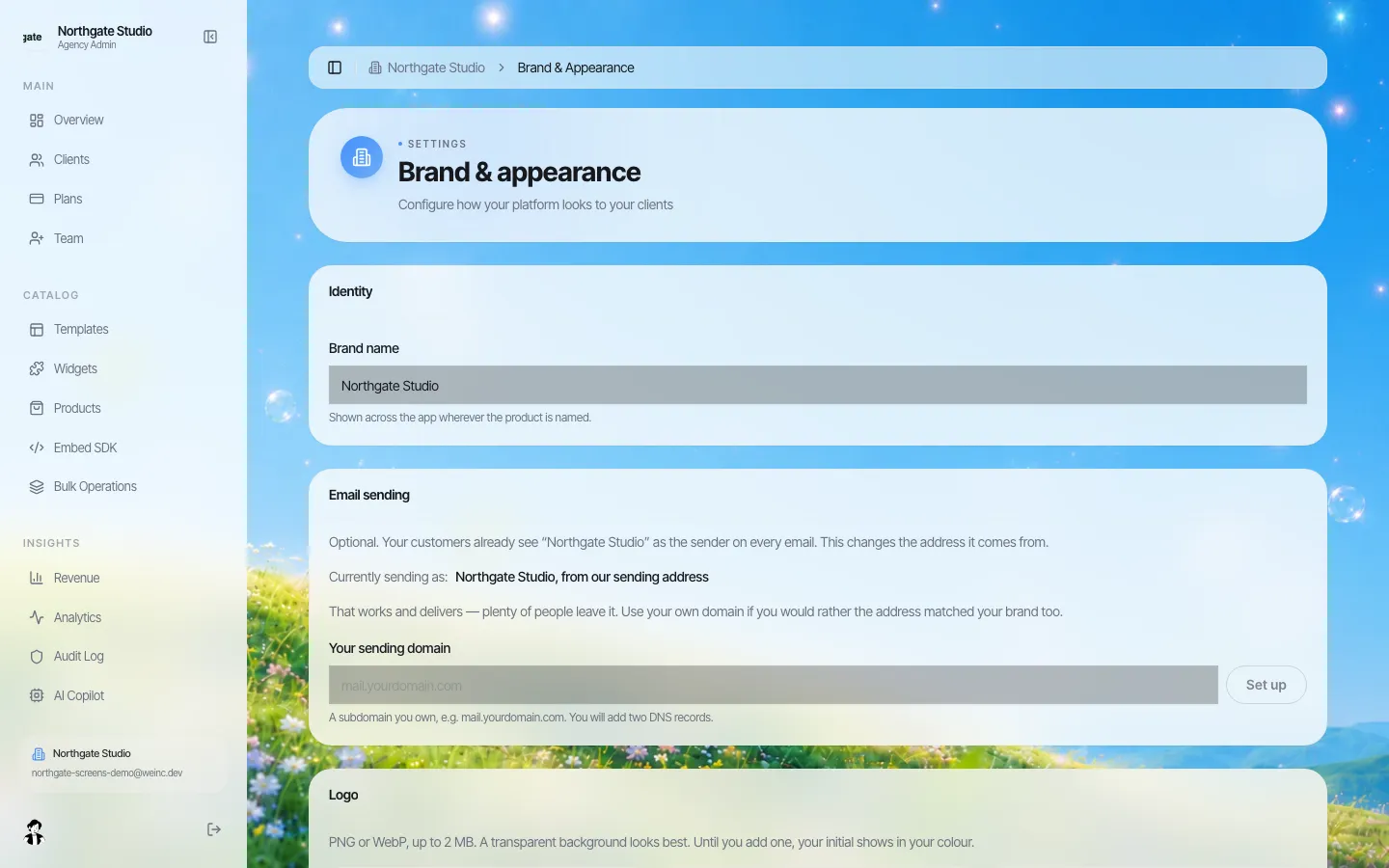
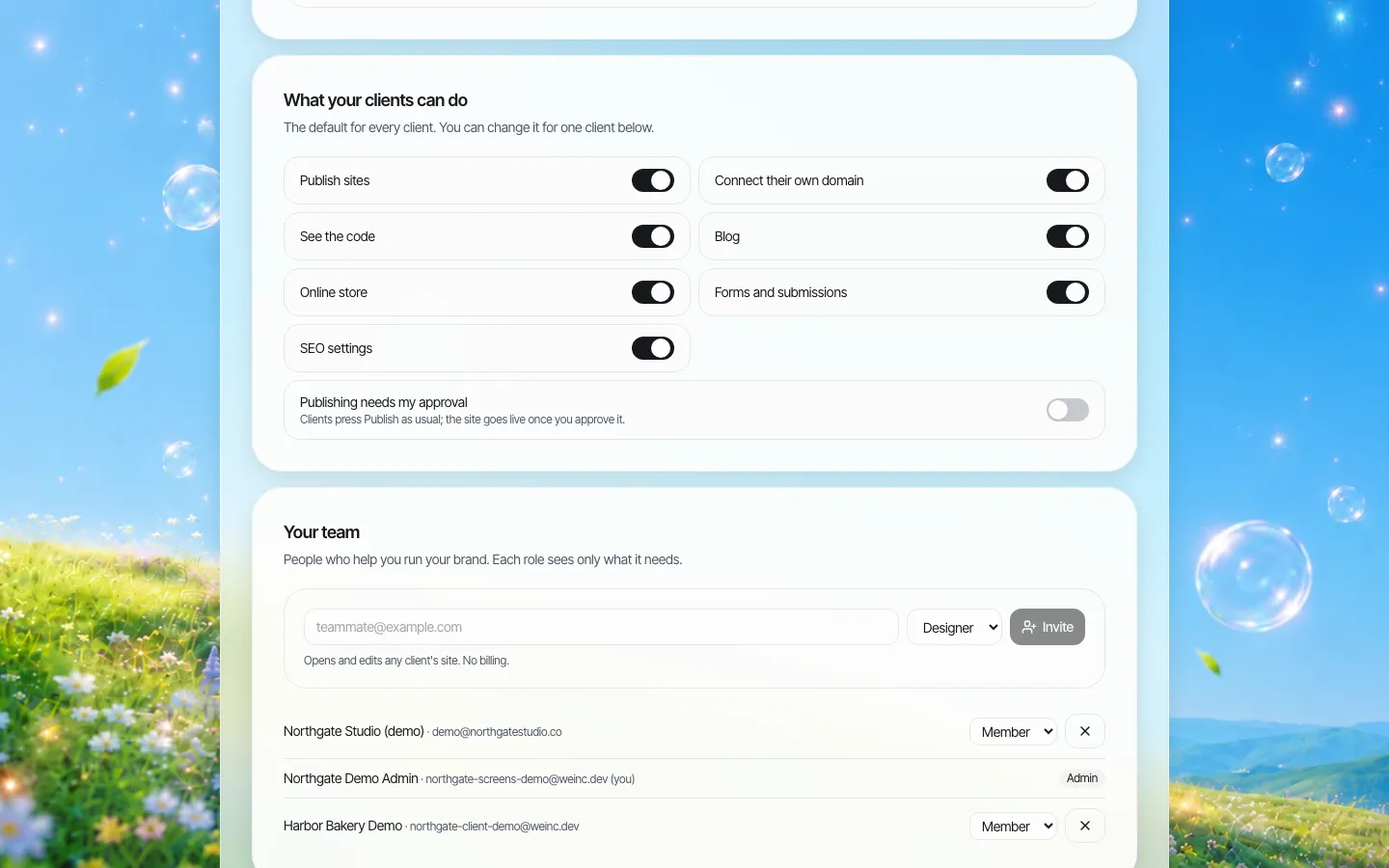
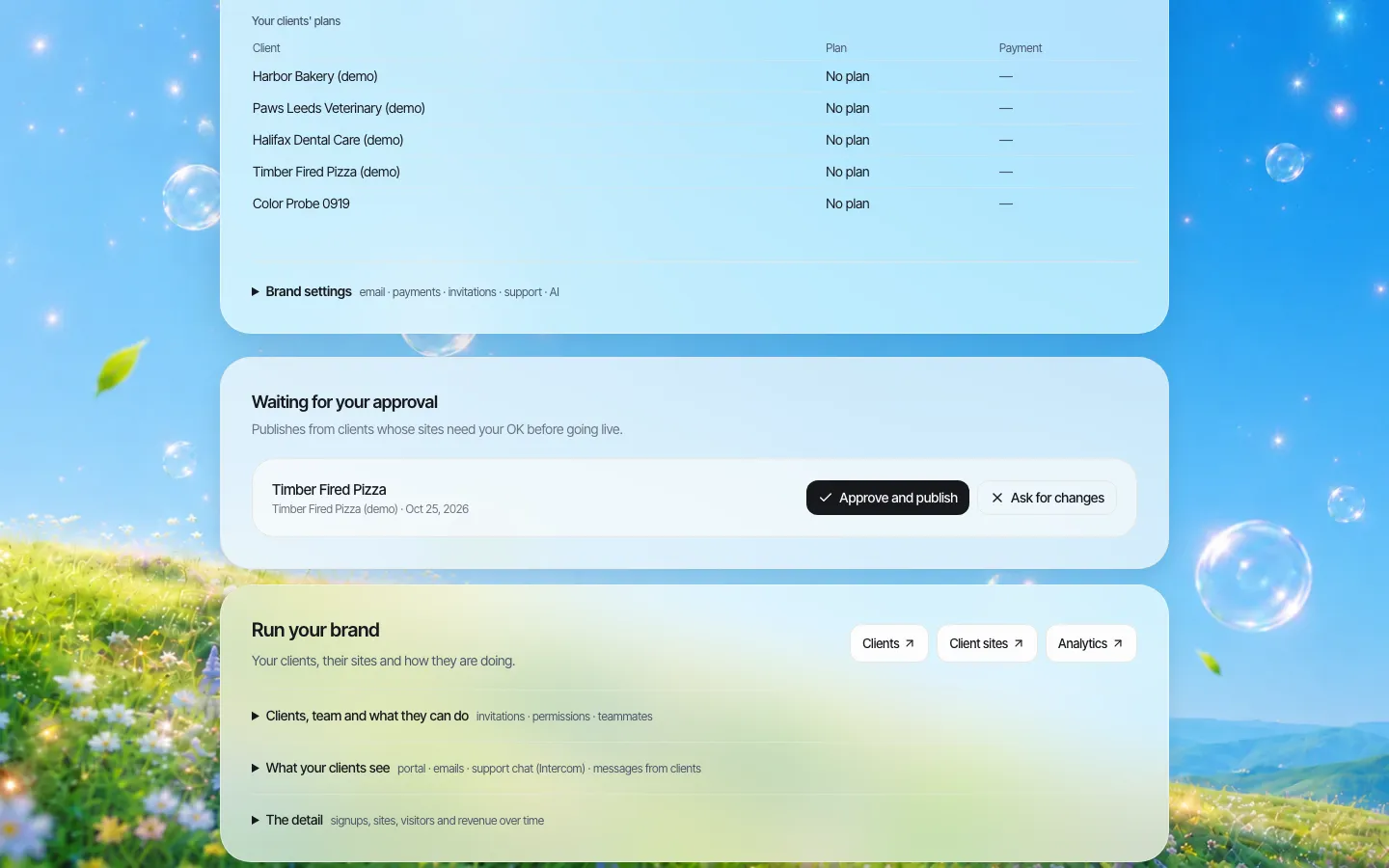
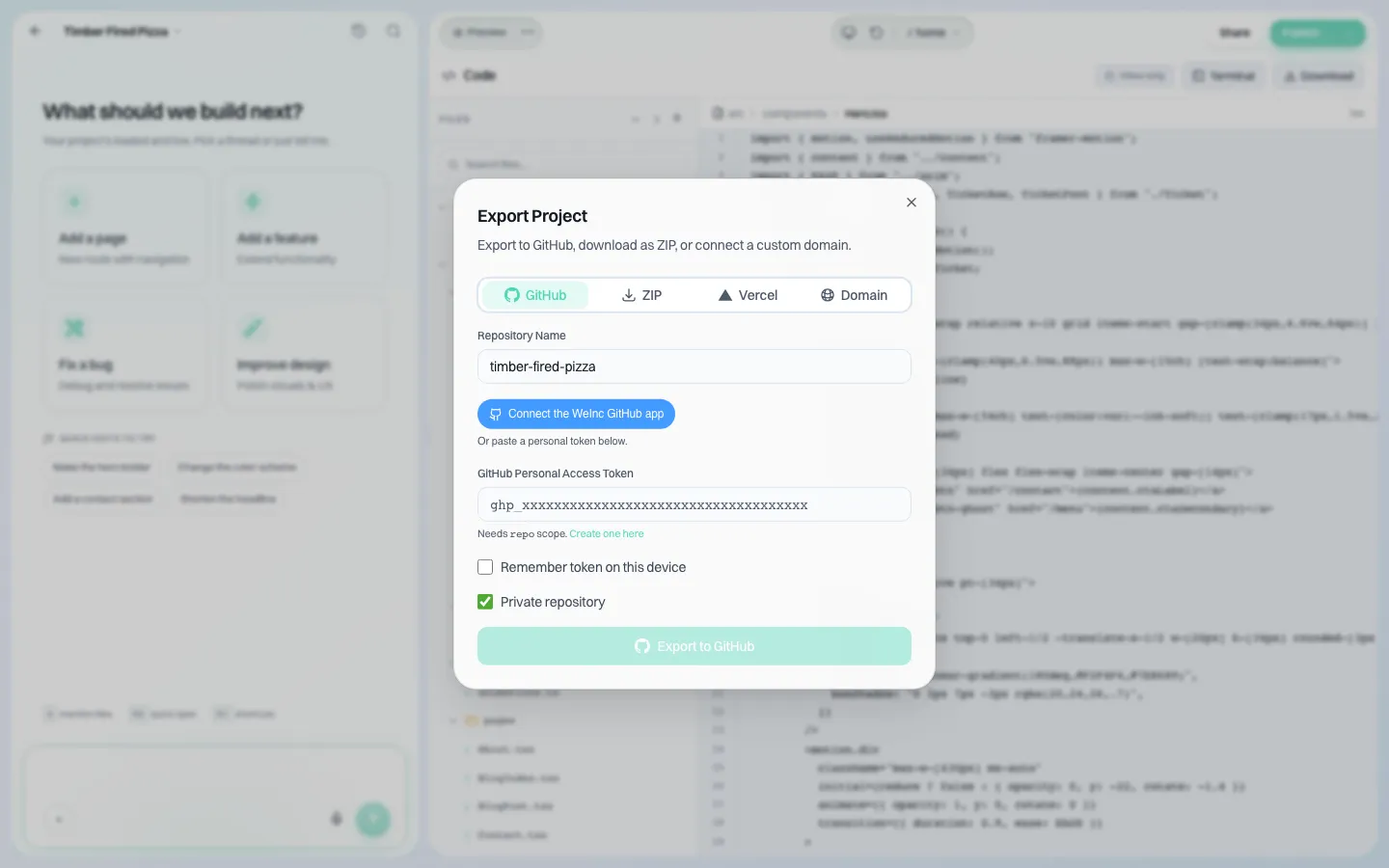
Accessibility is not automatic: AI-built pages still need testing by your team before launch, especially for public bodies under ADA Title II (see our Title II deadline guide). If your audit sheet shows a long tail of simple sites, book a demo and bring it. For the broader comparison, read white-label builder versus enterprise CMS; if part of your estate is on WordPress, see migrating off WordPress multisite.
Sources
Last checked 2026-10-25.
- Drupal.org, Drupal 7 End of Life (end of security support, Extended Security Support Provider Program).
- Drupal.org, Multisite Drupal.
- Drupal.org, Multisite folder structure in Drupal.
- Drupal.org, Upgrading Drupal (Migrate API).
Frequently asked questions
When did Drupal 7 reach end of life?
Drupal.org states that Drupal 7 security support ended on 5 January 2025. Paid extended security support is available from vendors in the Drupal Association's Extended Security Support Provider Program.
Can I upgrade Drupal 7 multisite in place?
Not in the usual sense. Moving from Drupal 7 to a current version means building new sites and migrating content, typically with Drupal's Migrate API, site by site because each site has its own database.
Which Drupal sites should stay on Drupal?
Sites with structured content that other pages query, user-facing filters, custom modules doing real work, integrations with internal systems, logged-in users, multi-role editorial teams, or large actively maintained page counts. Simple information sites are good candidates to move to a simpler platform.
In what order should sites be migrated?
Retire sites with no owner or traffic first, then pilot two or three simple sites, move the long tail in waves, migrate complex sites with proper development time, and shut the old installation down only when nothing depends on it.
Can We.Inc import Drupal sites?
No. There is no Drupal importer, and We.Inc has no custom content types or Views-style filtered listings. It suits simple department and information sites, rebuilt from templates and reviewed by your team.
More in Guides
- Migrating Off WordPress Multisite: Inventory, Export, Rebuild and Redirect Without Losing Traffic | How-to Guide
- Mobile-First Web Design: What It Means and How to Do It | How-to Guide
- Modern CSS Features: Nesting, :has(), Container Queries, Subgrid
- Move Client Websites to a White-Label Platform Safely
- How to Make a Website Multilingual Without Hurting SEO
- Municipal Website Content Inventory: A Step-by-Step Method and Spreadsheet Template | How-to Guide
- MX Record: How Email Finds Your Domain
- NestJS vs Next.js: Different Jobs, Often the Same Project
Alternatives mentioned in this article
Related guides and tools
Start building
- how to make a website
- AI website builder
- free website builder
- website templates
- website builders by industry
Product
Who It's For
- For Agencies
- For Freelancers
- For Hosting Providers
- For SaaS Platforms
- For Startups
- For Financial Services
- For Healthcare
Features
Resources
- Blog
- Help Center
- Free Business Tools
- Free UI Components
- Website Templates
- Template Collections
- Website Examples
- Guides
- Comparisons
- Alternatives
- Best Lists
- Reviews
- Pricing Guides
- Use Cases
- Glossary & Guides
- Integrations
- Developers
- Benchmark
- Windows App