The website builder made for mobile app companies.
Create a stunning mobile app website that attracts clients, showcases your work, and grows your business, no coding required.
Tell us what you do and our AI writes and builds your mobile app site around it. Not a template with your name dropped in: your services, your pricing, your words.
Build My Mobile App Site - Free
15,000+businesses trust us
4.7
from 1,200+ reviews
No credit card required
Free plan: 3 template sites · AI building from $20/mo · Cancel anytime
northlightmobile.com
The website builder made for mobile app companies.
A mobile app website works best as a focused landing page: what the app does in one line, screenshots of the key screens, the App Store and Google Play badges, and a way to contact you or join a waitlist. On we.inc you describe the app and its audience, and the AI builds the landing page plus the supporting pages app stores require, like a privacy policy page and a support page. It builds the marketing site, not the app itself.
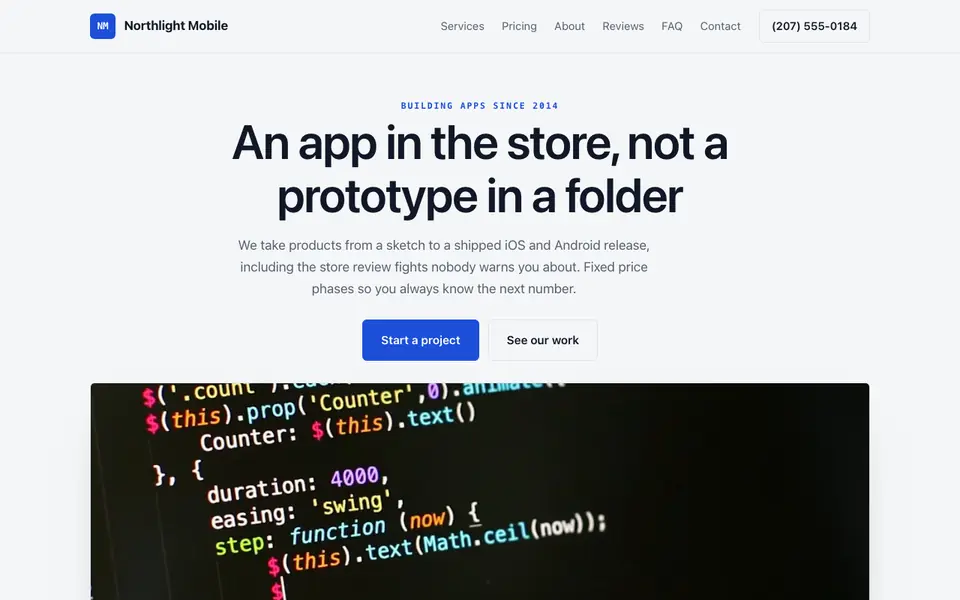
Northlight Mobile: an example site for mobile app companies, made with We.Inc.
Create a stunning mobile app website that attracts clients, showcases your work, and grows your business, no coding required.
Pages every mobile app website needs
Landing Page: Headline, a phone mockup or screenshots, store download badges, and three or four core features. Store listing pages link here, so it has to convince in one scroll.
Features Tour: A screen-by-screen walk through the main flows, with short captions. It lets you rank for the problems your app solves, which the store listing alone rarely does.
Pricing: Free tier, in-app subscription levels and what unlocks at each, if you charge. Stating it upfront reduces refund requests and one-star reviews about surprise paywalls.
Privacy Policy & Terms: Both major app stores require a reachable privacy policy URL for most apps. Write it to match what your app and its SDKs actually collect, ideally reviewed by counsel.
Support & FAQ: Account, billing and troubleshooting answers plus a contact form. App review guidelines generally expect a support contact, and a good FAQ cuts ticket volume.
Press & Changelog: A press kit with logo, icon and screenshots, plus release notes. Journalists and reviewers look for these before writing about an app.
Try this prompt
A landing site for Tidepool, a habit-tracking app for iPhone and Android made by a two-person studio in Portland, Oregon. The app has streaks, gentle reminders and a weekly reflection journal, with a free version and a yearly premium plan. Include a landing page with phone screenshots and store badges, a features tour, pricing, privacy policy and terms pages, a support page with FAQ and contact form, and a press kit page. Soft, calm colors.
A real mobile app site, not a template
This is Northlight Mobile, a mobile app business we described to the AI in a sentence. Every service, price and line of copy on it was written for that business. See the Northlight Mobile example site.
Start from this design
Three designs that suit a mobile app website. Each one is free to start from.
dot.: Daily Calm
Flux
Relay
About mobile app website design on we.inc
Most mobile app sites are a template with the name swapped in. Describe what you do and the AI designs and writes a mobile app website around that business instead.
Features designed for your industry
App Screenshots: Tailored features designed specifically for mobile app companies to help you stand out online.
Feature Tour: Built-in tools that make managing your mobile app business easier and more efficient.
Download Links: Grow your mobile app business with marketing tools that drive results.
Who this mobile app website design suits
iOS apps
Android apps
Cross-platform apps
What makes a mobile app website work
Let the store badges do the converting
Point the download buttons at your App Store and Google Play listings and repeat them at the end of the page. The website's job is to explain; installs and in-app purchases happen in the stores.
Collect a waitlist before launch
Pre-launch, swap the badges for an email signup form that sends entries to your inbox. It gives you a list to notify on launch day and beta testers to invite.
Privacy page must match the app
Your privacy policy should reflect what data your app, analytics and ad SDKs actually collect, and be consistent with your store privacy labels. The AI can draft structure, but you are responsible for accuracy, so have it reviewed.
Don't claim ratings you don't have
Only show star ratings, download counts or press mentions that are real and current. Store guidelines and consumer protection rules both take a dim view of fabricated social proof.
What it costs
For a quick placeholder you can use the free plan: up to 3 template sites on a we.inc subdomain, no AI and no custom domain. Most app teams want their own domain for store listings, which needs a paid plan (AI building starts at $20 a month on Starter) and a domain costing roughly $10 to $20 a year.
The free plan lets you build up to 3 sites from templates and publish them free on a we.inc address. It has no AI. Building and editing with AI starts on Starter at $20 a month with 250 credits.
Frequently asked questions
Can we.inc build the mobile app itself?
These industry pages cover the marketing website. The landing page, feature tour, support and policy pages are what we.inc builds for an app company here.
Can I use the site's privacy page URL in App Store Connect and Google Play Console?
Yes, once published it is a public URL you can paste into your store listings. Make sure the content accurately describes your app's data practices.
Can users log in to manage their account on the website?
No. The site has no user accounts. Keep account management in the app, and use the support page to explain how to change or delete an account.
Can I sell subscriptions through the site?
You can take payments with your own Stripe account, for example for a web-only plan or a lifetime deal. Check store rules on steering users away from in-app purchase before linking to it from inside the app.
How do I keep screenshots current after each release?
On a paid plan, upload new screenshots and ask the AI to swap them in and add a changelog entry for the version.
We.Inc is an AI-powered website builder you can resell under your own brand. Launch a branded client dashboard, bill on Stripe Connect, and deliver AI-generated websites in minutes. White-label plans start at $99 a month for 25 client sites, with a 7-day free trial and no per-site fees.
Product
AI Website Builder: Describe a site in plain English; it's live in minutes