Property websites for a hotel portfolio that keeps changing
A management company might run a flagged select-service hotel, two soft-brand properties and five independents, and next quarter it will take on two more and lose one in a sale. The flagged hotel lives on its brand's website. Everything else needs a site someone at the group can launch, keep accurate and hand over cleanly. This page is about that second group of properties.
TL;DR
- Flagged hotels usually live on the franchise brand's own platform. The websites a group actually controls are the independents, soft-brand properties, restaurants, spas and event spaces.
- Each property becomes a client account under your group brand, with its own site, domain and editors, and switches you set for what the property team may change.
- US rules touch the property site directly: the ADA lodging reservation rule (accessible-room details) and the FTC fees rule (total price including mandatory fees).
- We.Inc builds and runs the sites. Reservations stay in your booking engine, which the site links to. Book a demo to walk through your own portfolio.
Which hotel websites a group really controls
Before choosing any platform, sort your portfolio. Most groups find three kinds of property, and only two of them are a website problem for the group.
| Property type | Who usually runs the main website | What the group still needs |
|---|---|---|
| Franchised under a major flag | The franchise brand, inside its own platform and standards | Often nothing for the hotel page itself; sometimes a separate site for an on-site restaurant, bar or meeting space, if the franchise agreement allows it |
| Soft-brand or collection member | Shared: the collection lists the hotel, and the hotel keeps its own identity | A property site in the hotel's own name that matches collection rules |
| Independent | The owner or the management company | Everything: the site, domain, photos, rates link, policies, local SEO |
Check each franchise or collection agreement before planning a site. Agreements differ on whether a property may run its own website and what it may say on it, and that is a question for your brand contact, not your web platform.
The independents and soft-brand properties are where groups lose control. One was built by a local agency that has gone quiet. One belongs to a general manager's personal hosting account. One still shows a pool that closed two summers ago. None of them sits on a list at head office.
A property register that survives staff turnover
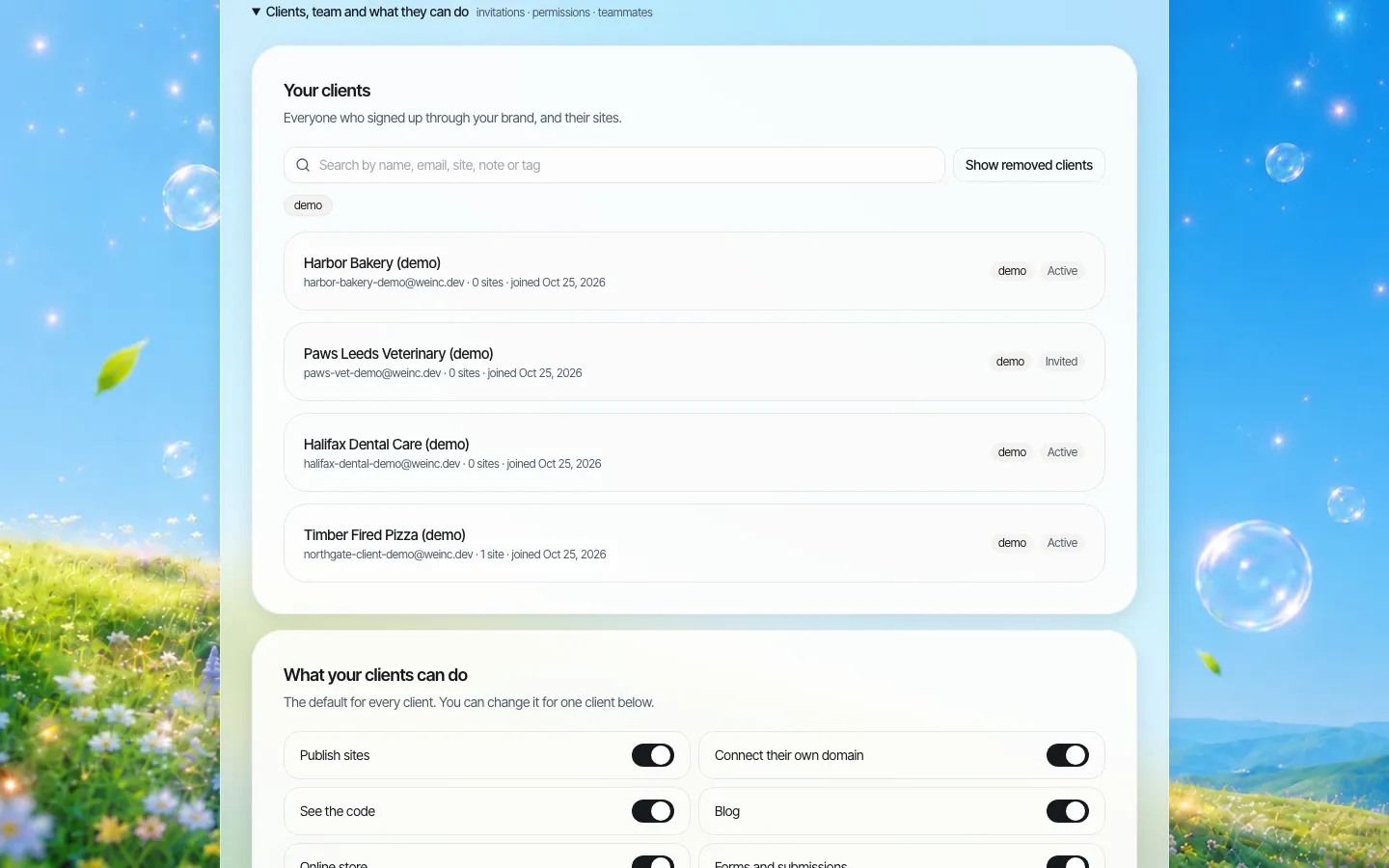
*The client register on a demo brand. For a hotel group, each row would be a property, tagged by region, owner or type.*
In We.Inc, your group runs a branded account and each property is a "client" under it. The property's sites, editors and domain belong to that account, which the group owns. When a general manager leaves, the site stays with the property and the group removes one login rather than chasing a password.
Tag properties in ways that match how you report: owner entity, region, independent or soft brand, and "under contract to sell". The register search covers names, notes and tags, so "which properties belong to this owner?" takes seconds before an owners' meeting.
Deciding what each property team may change
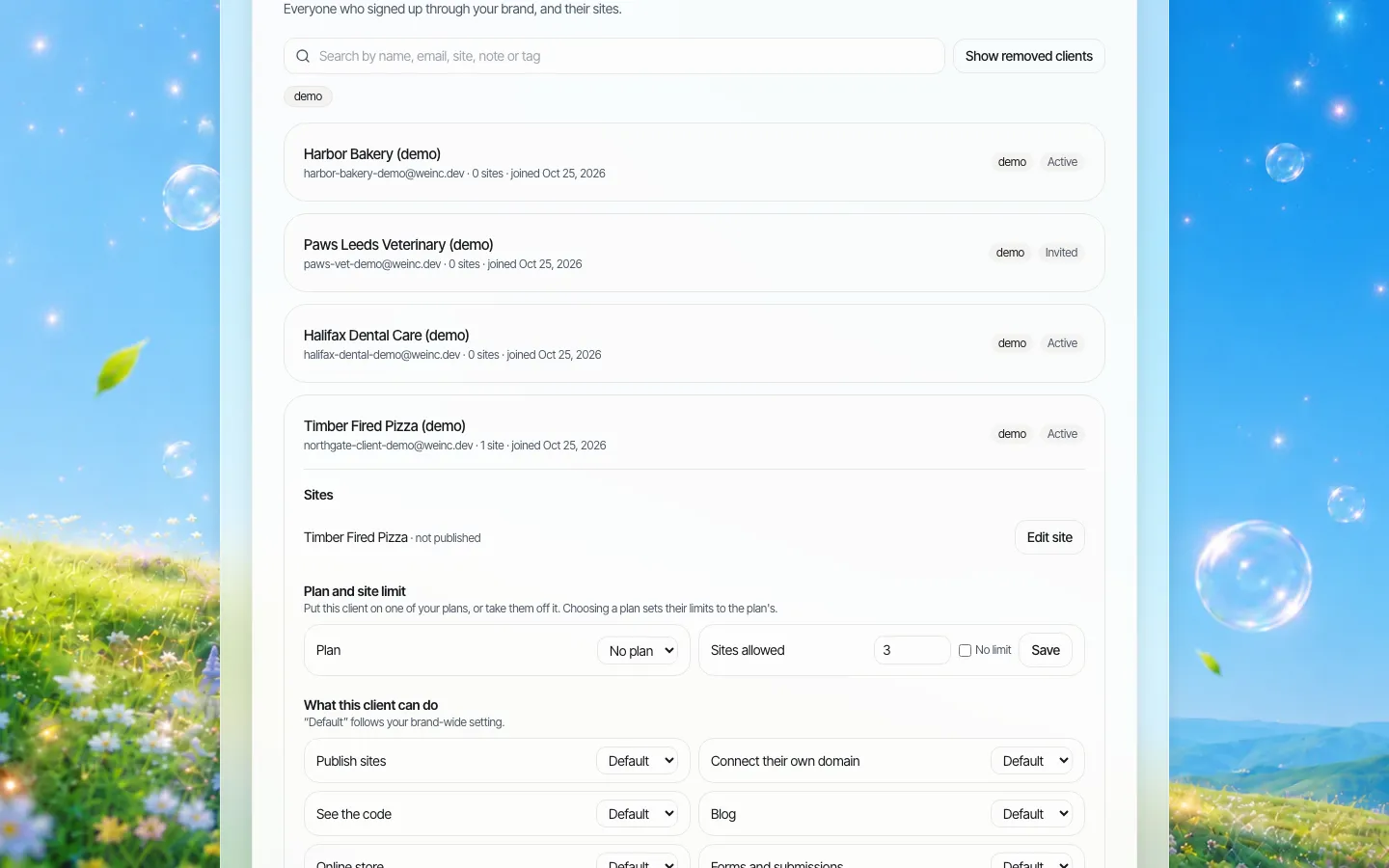
*One property opened in the client manager. Each switch is set per property, on top of the group's defaults.*
Hotel teams change their websites for good reasons (a new package, a renovated room type, a winter closure of the terrace) and for risky ones (an unapproved rate claim, a photo with a guest's face, a "pet friendly" line the property can no longer honour). A sensible split:
| Change | Typical owner | Suggested control |
|---|---|---|
| Packages, events, seasonal menus | Property sales or F&B | Publish directly once the editor is trained |
| Room descriptions, amenities, accessibility details | Property operations with group review | Approval before publishing for the first months |
| Policies (cancellation, deposits, fees, pets, smoking) | Group revenue or legal | Group edits; property cannot publish without approval |
| Domain and SEO settings | Group digital lead | Switched off for the property |
| Code access | Group or its agency | Off for property teams |
The switches available per property in We.Inc are: publish sites, connect their own domain, see the code, blog, online store, forms and submissions, and SEO settings. On top of those, publishing can need your approval, set as a group-wide default and overridden per property. That is a single-step approval before a property's site goes live; it is not a multi-stage review chain.
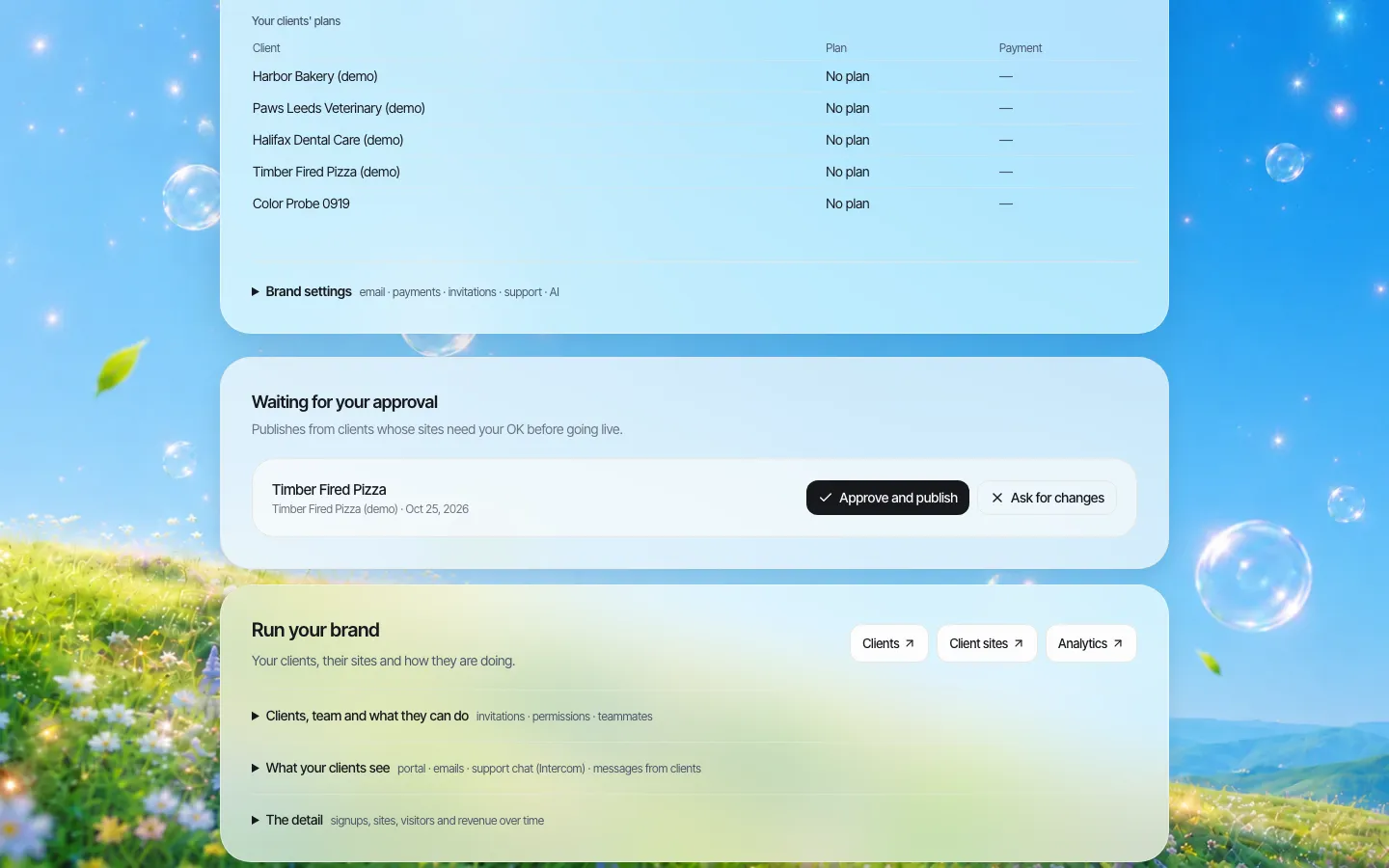
*The approval queue. A property's change waits here until someone at the group approves and publishes it or asks for changes.*
Approval is most useful during handover periods: a newly acquired hotel, a new general manager, or a property with a fresh marketing coordinator. Switch it off once the team has shown it follows the group's rules, so seasonal updates do not queue behind a busy head office.
Two US rules that land on the property website
These are general information, not legal advice. Your counsel decides how they apply to each property.
Accessible-room information (ADA, 28 CFR 36.302(e)). The Department of Justice rule for places of lodging covers reservations made by any means, including websites. Among other things, the reservation service must let guests with disabilities reserve accessible rooms in the same way as other guests, and must identify and describe the accessible features of the hotel and its rooms in enough detail for a guest to judge whether a room meets their needs. Two practical consequences for the website:
- Every property site needs a maintained accessibility page or section: accessible room types, bathroom features (roll-in shower or tub with grab bars), communication features, and accessible routes to the pool, restaurant and parking.
- The content on the website and the descriptions in your booking engine must say the same thing. Decide which team owns both, and review them after every renovation.
Total price including mandatory fees (FTC fees rule). The FTC's Rule on Unfair or Deceptive Fees took effect on May 12, 2025 and covers short-term lodging. Where a business offers or displays a price, it must show the total price including mandatory fees clearly and prominently, and it must not misrepresent fees. For property websites, the risk is the marketing copy rather than the booking engine: a homepage banner saying "rooms from $139" while a mandatory resort or destination fee is added later. Put rate claims behind group approval and keep a list of every page that mentions a price.
A web platform cannot make a page compliant by itself. What it can do is make it easy to find every property page that mentions accessibility or price, and to control who may publish those pages. If your accessibility work is under way, AI-generated pages still need a human check with assistive technology; We.Inc helps you build pages, and your team must test them.
Acquisitions, conversions and dispositions
Hotel portfolios move. The website plan should treat a property joining or leaving as an ordinary event, with a checklist rather than a scramble.
When a property joins:
- Get the domain transferred to (or at least controlled by) the ownership entity, not the previous operator.
- Create the property as a client under your group brand and invite the general manager and sales lead.
- Turn on publishing approval for the first 60 to 90 days.
- Rebuild the accessibility section and fee language from the current facts, not from the old site.
- Point the "book now" button at your booking engine and test the full path on a phone.
When a property is sold or the management contract ends:
- Confirm in the contract who owns the site content, photos and domain.
- Download the site's code (a ZIP from the code panel, or a GitHub export) and hand it over with the domain.
- Remove the group's staff from the property account and record the date.
- Pause the property's client account rather than deleting it until the handover is confirmed.
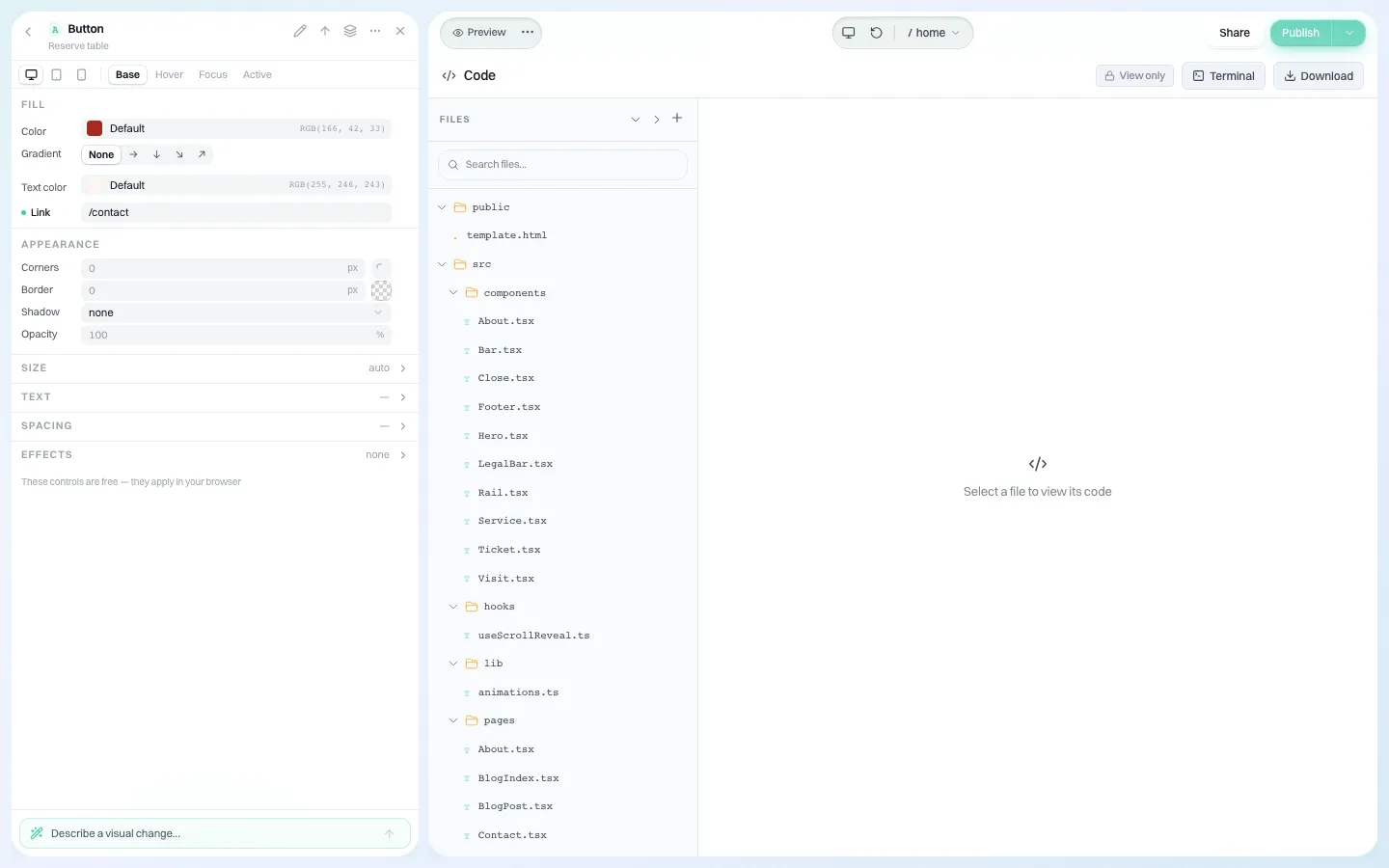
*Every site's code can be downloaded. For a sold property, that turns "hand over the website" into a file transfer instead of a rebuild.*
The website vendor exit plan has contract wording for these situations that you can adapt for management agreements.
What the property site should do, and what it should not
A property website for an independent or soft-brand hotel does four jobs: convince a guest the hotel is right, answer the questions that otherwise become phone calls, send people to the booking engine, and rank for the hotel's own name and neighbourhood.
What it should not do is take reservations itself. We.Inc does not include a hotel booking engine, channel manager or property management system. Keep those where they are and link to them. The site can carry forms for group sales, wedding and meeting enquiries (using the forms switch), a blog for local guides and events, and structured data for the hotel as a local business from the SEO panel.
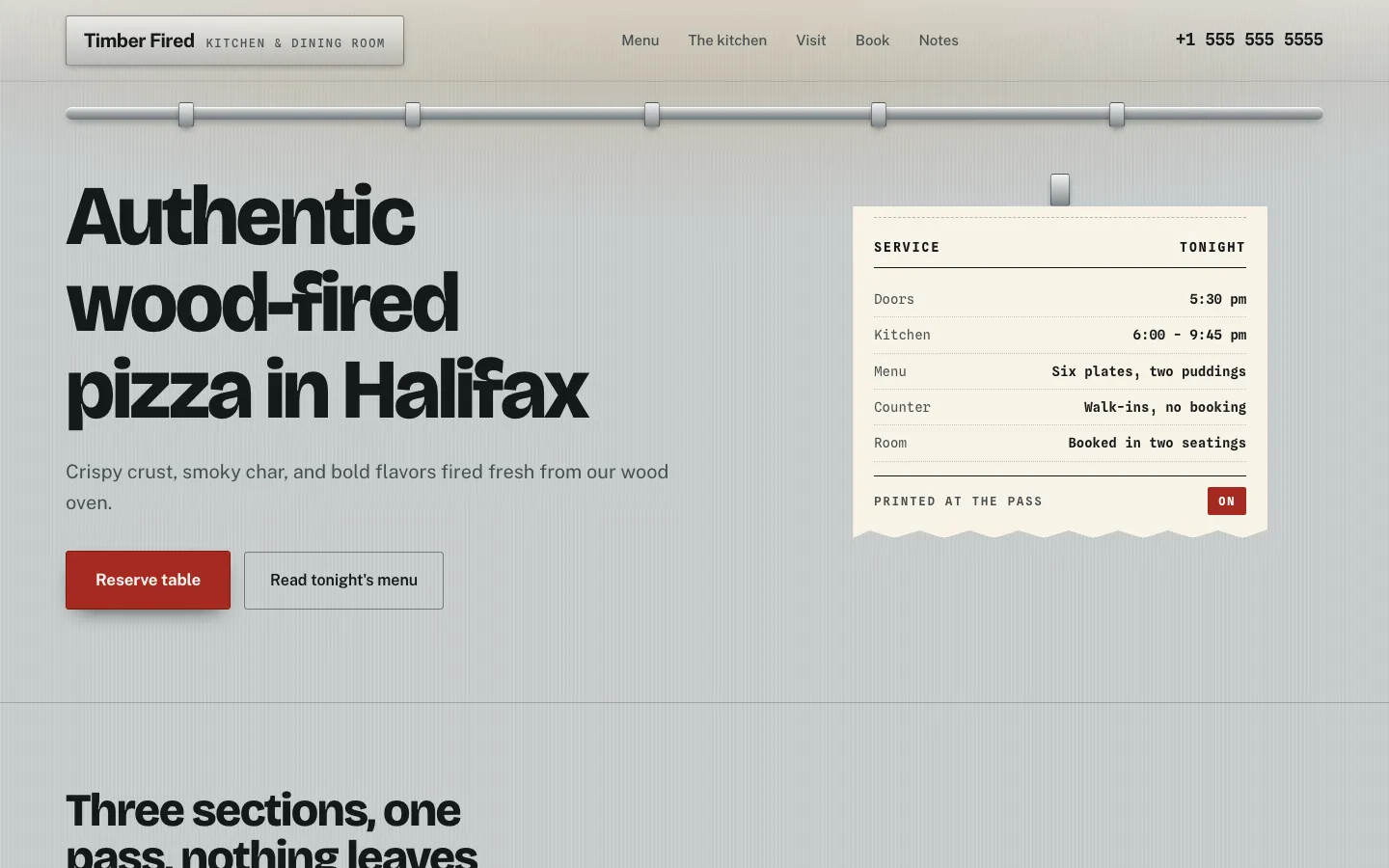
*A sample client site from a template, in the live preview. Each property gets its own design and copy, not a copied page with the name swapped.*
Each property needs its own words. Ten hotel sites that share the same paragraphs with the city name changed will struggle in search and read badly to guests. Use the property's real history, rooms, neighbourhood and staff.
Group-level look without identical sites
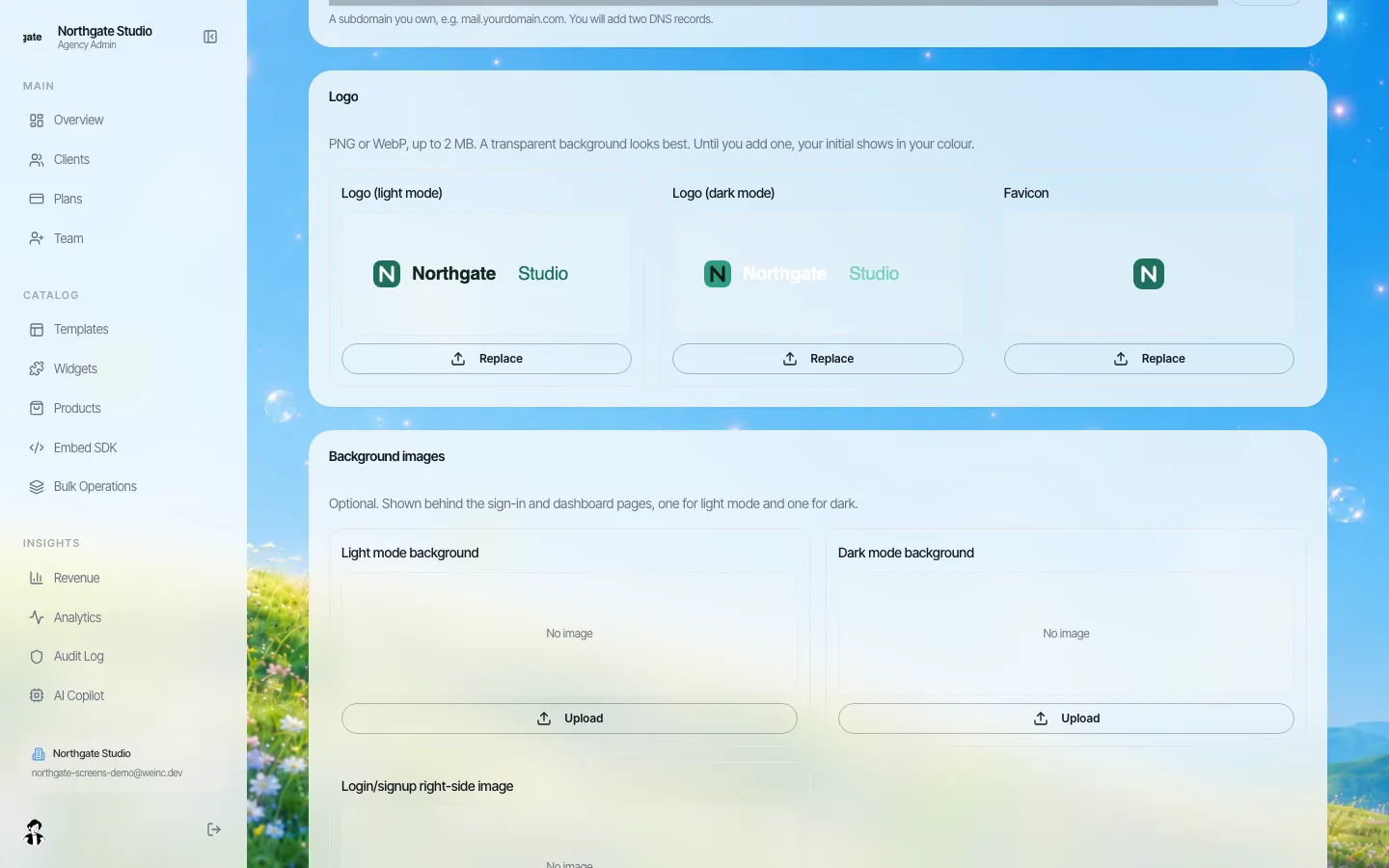
*The group brand: logo, colours and fonts used for the portal your property teams sign in to.*
There are two separate layers of branding. Your group brand is what property teams see when they sign in: your logo, colours, sign-in page and help pages on your own web address. Each property site has its own name, design and domain, because guests are booking the hotel, not the management company.
If you also want a common footer element on every property (for example "Managed by" and a group careers link), write it into your governance rules and check it at approval time; We.Inc does not push a shared content block into every site automatically.
Questions to settle before a demo
- How many properties do we control the website for, and which agreements restrict a property site?
- Who owns each property's domain today?
- Which pages mention price or fees, and who approves them?
- Who maintains accessibility details in both the website and the booking engine?
- What happens to the site and domain when a property is sold?
Book a demo and bring two properties: one independent you are happy with and one that worries you. We will set both up during the call.
Sources
Last checked 2026-10-25.
- U.S. Code of Federal Regulations, 28 CFR 36.302: Modifications in policies, practices, or procedures, paragraph (e) on reservations made by places of lodging.
- Federal Trade Commission, FTC Rule on Unfair or Deceptive Fees to Take Effect on May 12, 2025, press release.
- Federal Trade Commission, Trade Regulation Rule on Unfair or Deceptive Fees (16 CFR Part 464), final rule text.
This section is general information, not legal advice.
Book a demo. Pricing is tailored to your volume and setup, and you get your exact price on the call. 0% transaction fee.
Frequently asked questions
Can a franchised hotel run its own website?
It depends on the franchise agreement. Major flags usually host the hotel page on their own platform. Check each agreement before planning a separate site for the hotel, its restaurant or its event space.
Does We.Inc include a hotel booking engine?
No. We.Inc builds and runs the property websites. Reservations stay in your booking engine, and the site links to it. Enquiry forms for groups, meetings and weddings can run on the site.
What does the ADA require of hotel websites?
The Department of Justice lodging rule at 28 CFR 36.302(e) covers reservations made by any means, including websites. Among other things, it requires the accessible features of the hotel and its rooms to be described in enough detail for a guest to judge whether a room meets their needs. This is general information, not legal advice.
Does the FTC fees rule apply to hotel websites?
The FTC Rule on Unfair or Deceptive Fees, in effect since May 12, 2025, covers short-term lodging. Where a price is shown, the total including mandatory fees must be shown clearly and prominently. Ask your counsel how it applies to each property.
What happens to a property website when we sell the hotel?
The site code can be downloaded as a ZIP or exported to GitHub, and the domain can be transferred, so the new operator receives a working site. Remove your staff from the property account and pause it until the handover is confirmed.
Keep reading
- White label website builder: the We.Inc platform
- Manage many client websites from one account
- Client permissions: what each site owner can do
- White-label websites for tourism boards
- Website vendor exit plan: contract clauses
More in White Label
- How to start a website reselling business
- A HubSpot CMS alternative for agencies whose clients are not on HubSpot
- A website for every member agency, without becoming their web designer
- Attorney advertising rules apply to every page. Review has to scale with the sites.
- Your ad reps already sit with every business in town. Sell them a website.
- Your marketing tool is only as good as the website it points to
- Your listed businesses need websites. You already know who they are.
- Every loan officer wants a website. Every one of them is an advertisement.
We.Inc is an AI-powered website builder you can resell under your own brand. Launch a branded client dashboard, bill on Stripe Connect, and deliver AI-generated websites in minutes. White-label pricing is tailored to your volume and setup: book a 30-minute demo for a quote.
Product
- AI Website Builder: Describe a site in plain English; it's live in minutes
- White Label Platform: Your brand, your domain, your margin
- Enterprise: SSO, custom SLAs, and dedicated support
- Developer API: Embed site generation into your SaaS
Who It's For
- For Agencies: Resell under your brand
- For Freelancers: Your own branded builder
- For Hosting Providers: Add a builder to your stack
- For SaaS Platforms: Embed site creation via API
- For Startups
- For Financial Services
- For Healthcare
Features
- Drag & Drop Editor
- Built-in SEO Tools
- Custom Branding
- Client Dashboard
- Reseller Billing (Stripe Connect)
Resources
- Blog
- Help Center
- Free Business Tools
- Free UI Components
- Website Templates
- Template Collections
- Website Examples
- Guides
- Comparisons
- Alternatives
- Best Lists
- Reviews
- Pricing Guides
- Use Cases
- Glossary & Guides
- Integrations
- Developers
- Benchmark
- Windows App