Every loan officer wants a website. Every one of them is an advertisement.
Loan officers sell on trust and referral, and a personal site with their face, their story and an easy way to start a conversation does real work for them. For the lender, each of those sites is also advertising that a compliance team is answerable for. Most lenders end up with a mix: a few officers on approved vendor sites, a few on sites a nephew built, and a compliance team that finds out about rate claims after they are live. This page is about bringing those sites under one brand and one review step without making officers wait a week to change their bio.
TL;DR
- Treat every officer and branch site as advertising: one owner, one review step, one record of what changed.
- The words that cause the most trouble are numbers: a payment, a down payment or a term on a page brings in further disclosures under Regulation Z.
- In We.Inc each officer or branch is a client account under your brand, with a switch that sends every publish to your reviewer first.
- We.Inc is a website builder, not a point-of-sale or pricing engine. Keep applications and live rates in your existing systems and link to them. Book a demo to see it with your branding.
Why loan officer sites go wrong
The pattern repeats across lenders of every size. A producing officer asks for a website. Marketing is busy, so the officer gets one from somewhere else. It goes live with a headline like "Rates from 5.9%!" or "Own a home for $1,450 a month", a stock photo, and no one in compliance has seen it. Six months later the officer moves branches, the site still names the old branch, and the domain is on the officer's personal card.
None of these failures is about design. They are about ownership and review:
- Who owns the site, the domain and the content when the officer leaves?
- Who approves a change before the public sees it?
- Where is the record of what the page said on a given date?
- Which numbers are allowed on the page at all?
Answer those four in writing and the software choice becomes simple.
Numbers are where the disclosures hide
Federal advertising rules for closed-end credit secured by a dwelling sit in Regulation Z, 12 CFR 1026.24. The part that catches most officer sites is the list of triggering terms. If an advertisement states any of these:
- the amount or percentage of any down payment,
- the number of payments or the repayment period,
- the amount of any payment,
- the amount of any finance charge,
then it must also state the down payment, the terms of repayment (including any balloon payment), and the annual percentage rate, with whether it may increase after consummation. A homepage that says "3% down" in a hero banner is making a triggering statement.
The same section lists practices that are prohibited for these loans outright, under headings such as misleading advertising of "fixed" rates and payments, misleading comparisons, misrepresentations about government endorsement, misleading use of the current lender's name, misleading claims of debt elimination, misleading use of the term "counselor", and misleading foreign-language advertisements.
A practical rule for officer sites follows from that: keep specific numbers off pages that officers can edit. Rate examples, if you show them at all, belong on a central page your compliance team writes and dates. Officers link to it.
A wording guide you can hand to officers
| Usually fine on an officer page | Needs compliance review | Keep off officer pages |
|---|---|---|
| "I help first-time buyers understand their options" | Any monthly payment, down payment or term | "Guaranteed approval" |
| Loan types you originate, described in plain words | Named government programs and their benefits | "Lowest rates in town" without a basis |
| Your experience, community work, languages you speak | Comparisons with other lenders | Copy that implies a government agency endorses you |
| Testimonials from real clients, with permission | Any rate figure | Claims that a refinance will "eliminate debt" |
This is a starting point for your own policy, not a substitute for it.
NMLS identifiers: know which rule you are following
Officers often ask where their NMLS number has to appear. The federal loan originator rule, 12 CFR 1026.36(g), requires the lender's and the originator's names and NMLSR IDs on four loan documents: the credit application, the disclosures under 1026.19(e) and (f), the note or loan contract, and the security instrument. Advertising is not on that list. Requirements to show NMLS numbers on websites and ads generally come from state licensing rules and regulators, and they differ by state. The safe approach is to build the officer's name, NMLS ID and the company's licensing information into the fixed footer of every site, so officers cannot remove it, and have compliance confirm the state requirements for each officer's licensed states.
Fair housing applies to lenders too. The federal regulation on discriminatory advertising, 24 CFR 100.75, covers notices and statements about residential real estate transactions, which include making loans. Neighbourhood descriptions that talk about the kind of people who live there are the usual way officer sites drift into trouble.
How it maps in We.Inc
| Your company | In We.Inc |
|---|---|
| The lender and its marketing team | The brand account and its team |
| A loan officer, team or branch | A client account with its own site(s) |
| Compliance reviewer | A team member who approves publishing |
| A marketing assistant who builds pages | A team member with a design role, no billing |
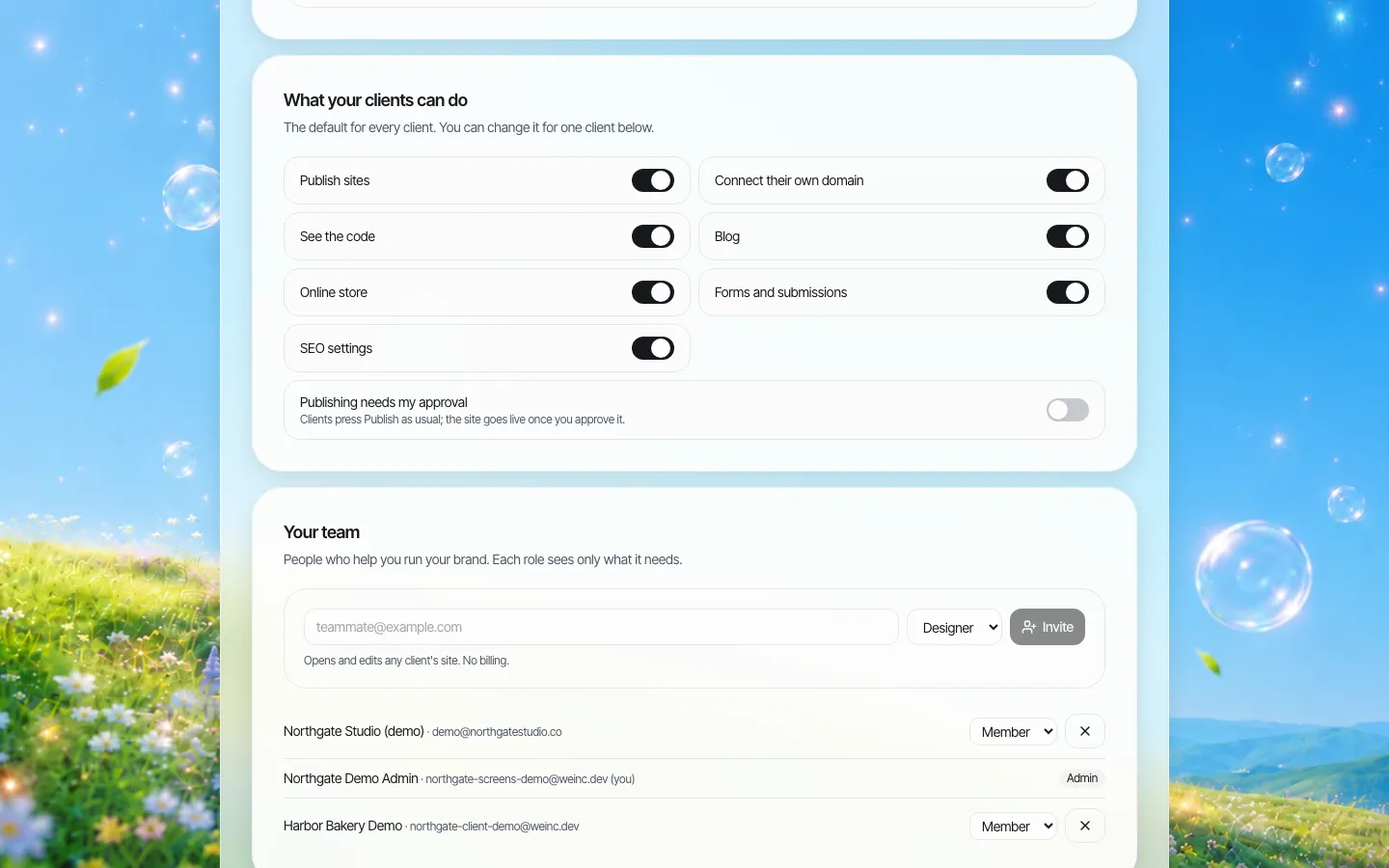
*Company-wide defaults. Turn on "Publishing needs my approval" here and every new officer starts with it.*
The approval step is a single step: the officer edits and presses Publish, the request lands in your queue, and your reviewer approves it or asks for changes. It is not a multi-stage workflow with legal, then marketing, then a branch manager. If your policy needs several sign-offs, do them outside the tool and have one person press approve.
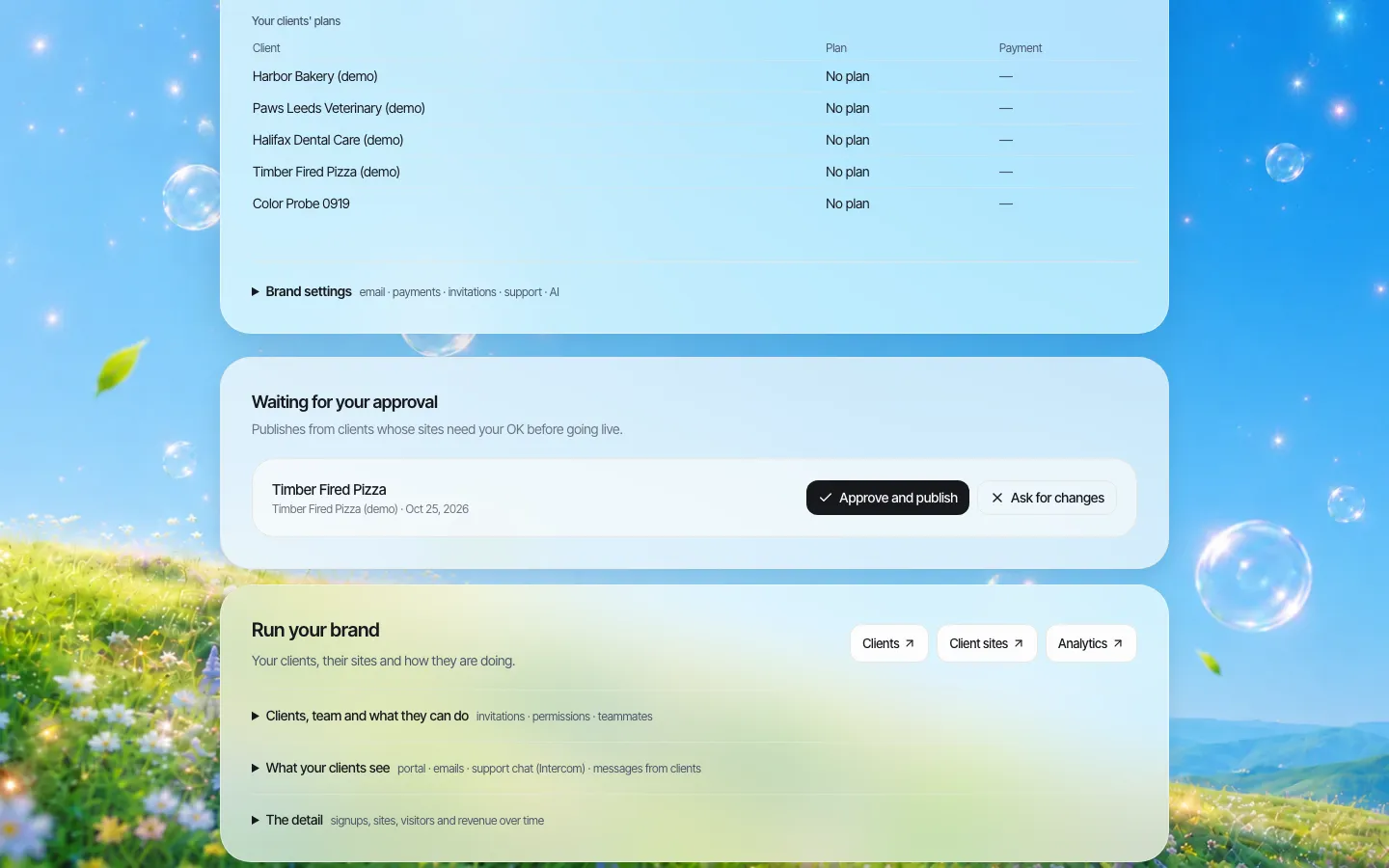
*One queue for every officer's pending changes. The request in this demo was staged for the screenshot.*
Per officer, you can also decide whether they may connect their own domain, see the code, run a blog, or use forms. Many lenders turn the blog off for new officers and on once they have shown they can write within the guide above.
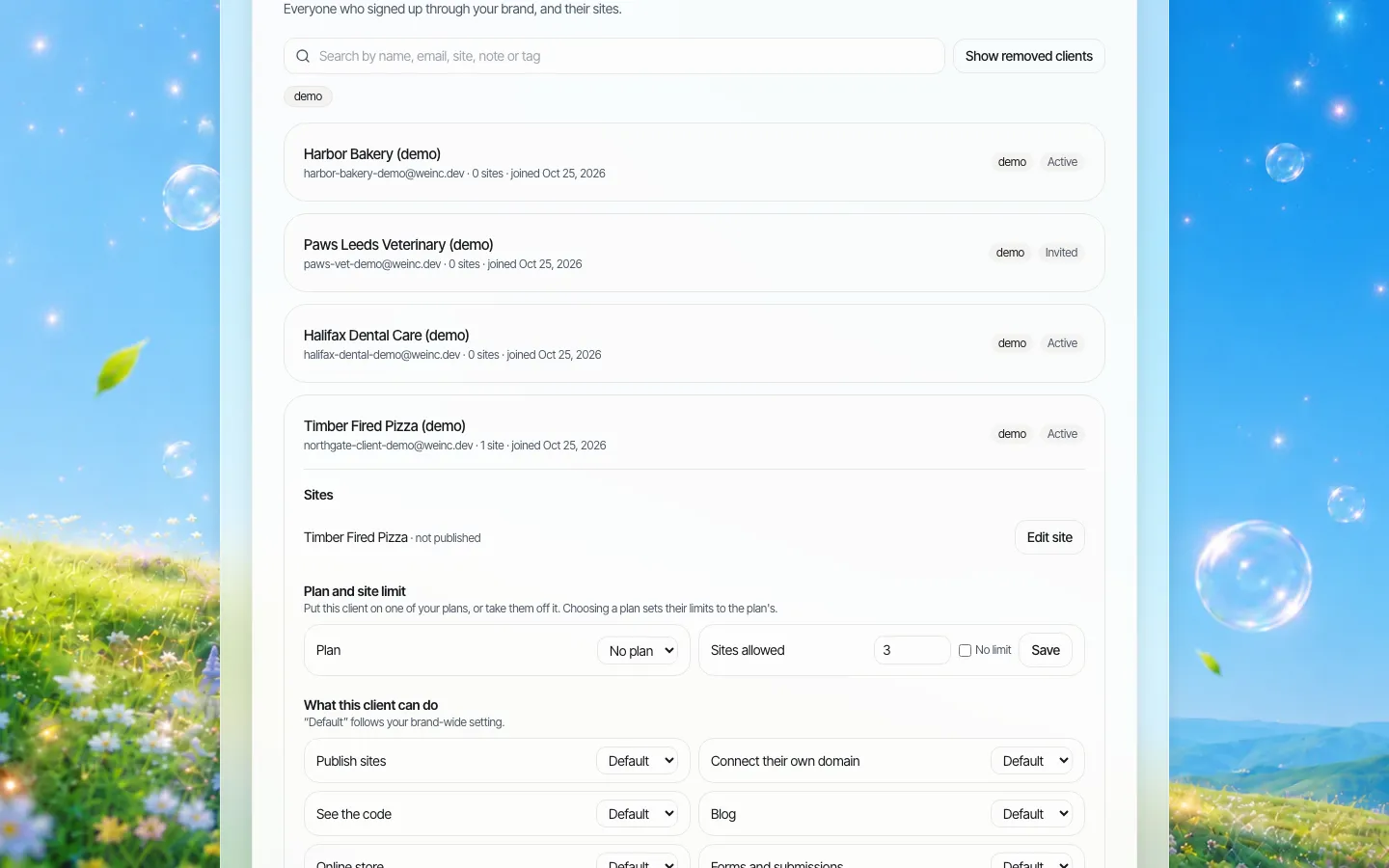
*One officer's account. Switches override the company defaults for this person only.*
Records you will be asked for
Examiners and auditors ask "what did this page say, and who approved it?" Plan the evidence before you need it:
- Approved copy. Keep a dated copy of any page that states loan terms. The simplest method is your own: a PDF or screenshot saved to your compliance file at approval time. We.Inc does not keep a page-by-page archive of past versions for you, so do not rely on the platform for that.
- Account actions. We.Inc keeps an audit log of organisation actions, such as an officer's permissions changing or an account being paused.
- Site code. Any site's code can be downloaded as a ZIP or pushed to GitHub, which gives your records team a full copy of a site at a point in time.
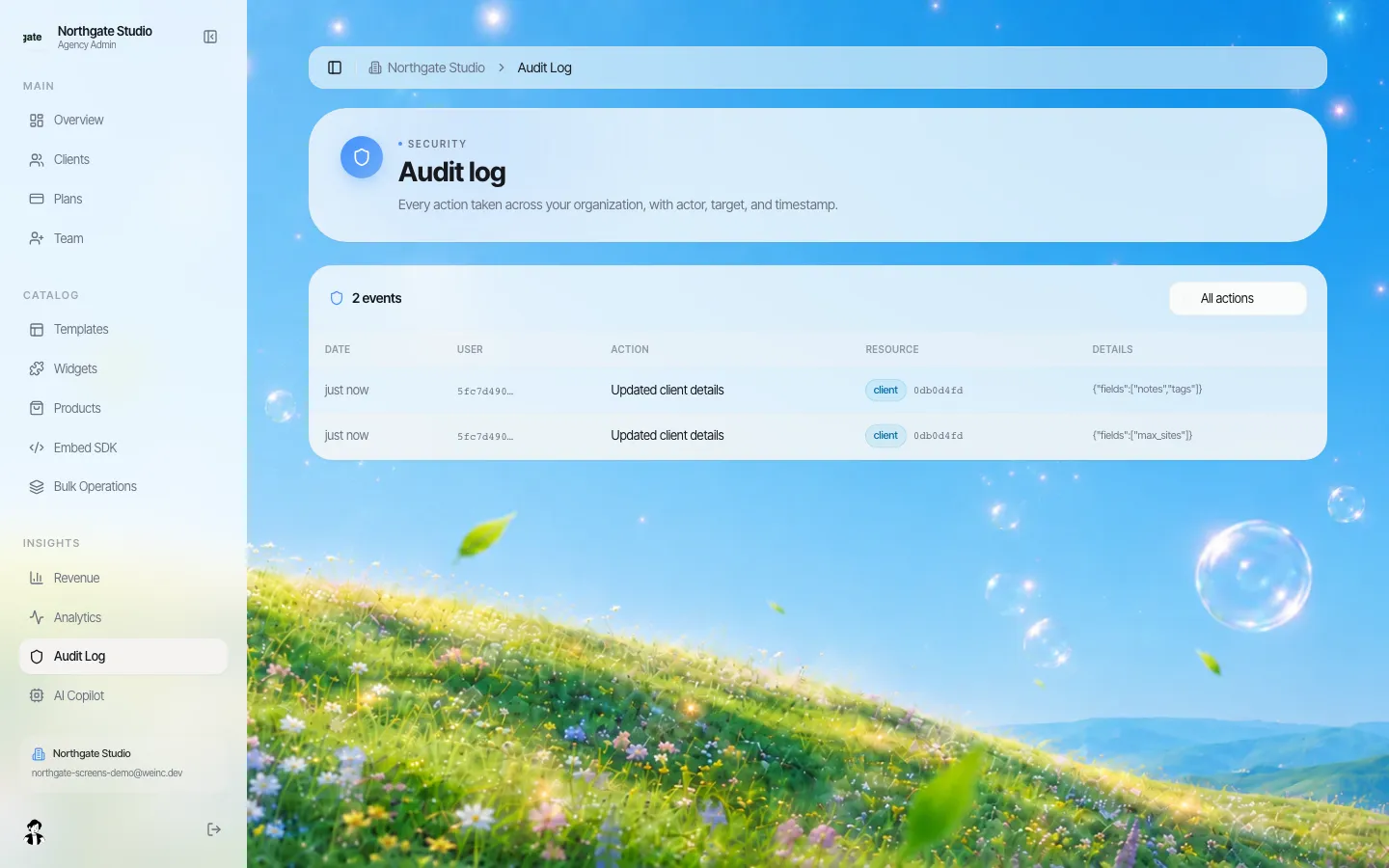
*The audit log records account-level actions. In this build the user column shows an ID rather than a name.*
When an officer leaves
Officer turnover is high, and departures are where brand and compliance risk spike. Put this in the officer agreement:
- The company owns the brand, design and any page that states loan products or terms.
- The officer's personal domain, if they have one, is registered to the officer; the company decides whether it may point at a company site.
- On the last day, the account is paused. A paused officer can no longer connect a domain, and you decide what the site shows next.
- The site is replaced by a page that sends visitors to the branch or to a named colleague, so referral partners are not left at a dead link.
Where the site ends and your systems begin
Lenders already run a loan origination system, a point-of-sale application, a pricing engine and a CRM. We.Inc does not replace any of them and has no built-in integration with mortgage systems. The officer site's job is to introduce the person and send the visitor to the right next step: the application link your POS gives each officer, a phone number, or a contact form. Forms are a per-officer switch.
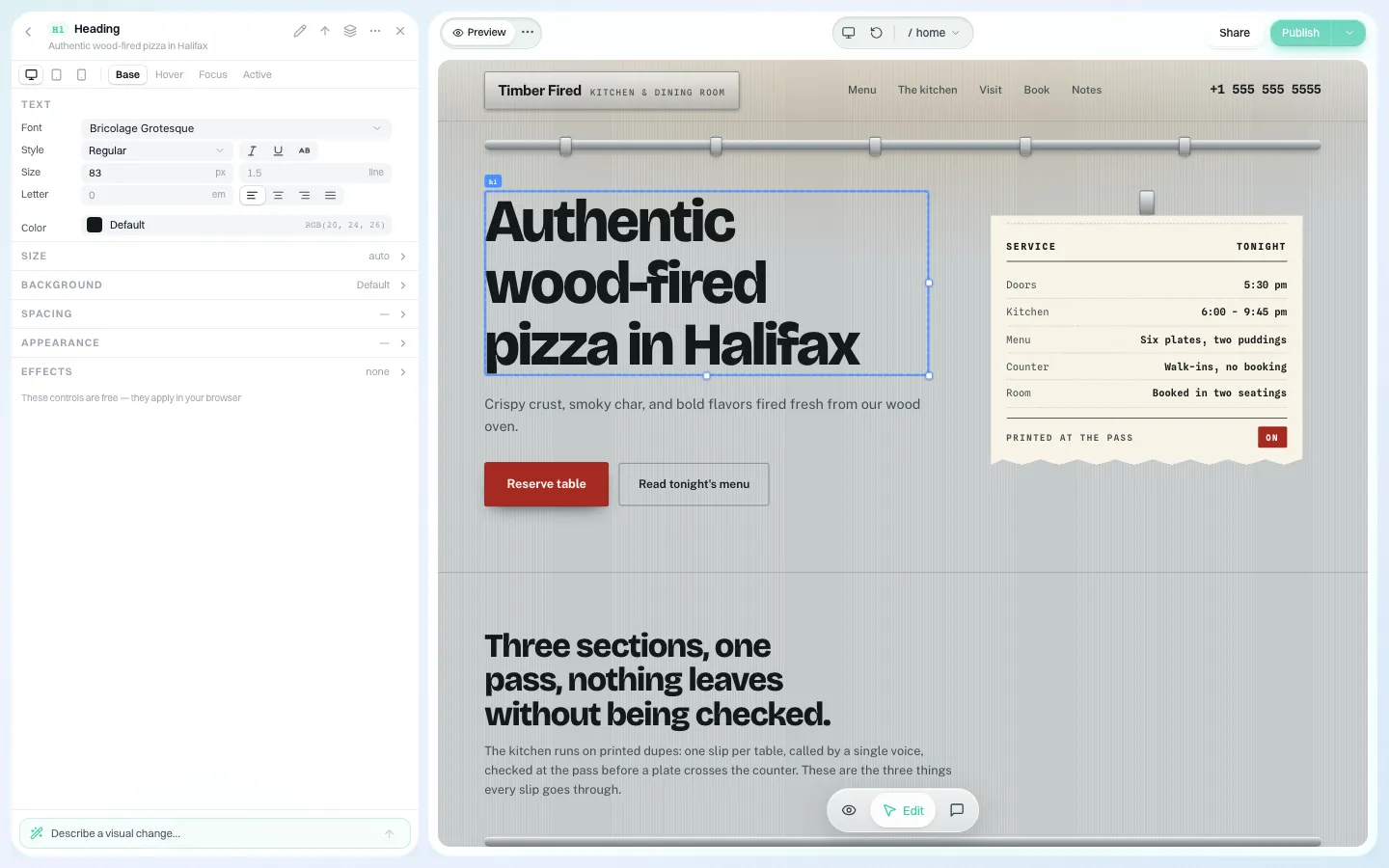
*Officers edit their own text and photos. With approval on, nothing goes live until your reviewer approves it.*
Search: one strong company site, many genuinely personal officer sites
If every officer site carries the same 800 words about "why choose us", search engines see near-duplicate pages, and Google's spam policies describe pages created to rank for "specific, similar search queries" as doorway abuse. The company site carries the company story and the product pages. Each officer site says what only that officer can say: the neighbourhoods they know, the languages they speak, the buyers they work with.
Is We.Inc the right fit?
A good fit for retail lenders, mortgage brokerages and credit unions that want branded officer and branch sites that officers will actually update, with one review queue and a clean exit when someone leaves.
Not the right fit if you want a single product that bundles officer websites with rate quotes, applications and CRM. Mortgage-specific marketing suites do that; buy one of those instead.
Book a demo and we will set up a sample officer under your brand with approval switched on.
Sources
Last checked 2026-10-25. This page is general information, not legal advice. Check federal and state requirements with your compliance counsel.
- eCFR, 12 CFR 1026.24, Advertising: triggering terms and prohibited practices.
- eCFR, 12 CFR 1026.36, Prohibited acts or practices and certain requirements for credit secured by a dwelling: paragraph (g), NMLSR identification on loan documents.
- eCFR, 24 CFR 100.75, Discriminatory advertisements, statements and notices.
- Google Search Central, Spam policies for Google web search: doorway abuse.
Book a demo. Pricing is tailored to your volume and setup, and you get your exact price on the call. 0% transaction fee.
Frequently asked questions
Can compliance approve loan officer site changes before they go live?
Yes. Turn on publishing approval for every officer or chosen ones. It is a single-step approval before an officer’s site goes live.
Does We.Inc show live mortgage rates or take applications?
No. There is no pricing engine or loan application built in. Link each officer site to your own application and rate pages.
Does We.Inc keep a dated archive of every page version?
No. It keeps an audit log of account actions and lets you download a site’s code. Save approved pages to your own compliance file.
Can an officer’s NMLS ID be fixed so they cannot remove it?
Put it in the fixed design of the site, such as the footer, and keep approval on so changes to it are reviewed before going live.
Keep reading
- White label website builder: the We.Inc platform
- Agent websites for real estate brokerages
- Client permissions: what each site owner can do
- Audit log for a white-label website platform
- Brand governance across many websites
- Website vendor exit plan: contract clauses
More in White Label
- Running fifty websites is a different job from running one
- Affiliate websites when every affiliate has its own board
- Your instructors want a website. Make sure it is yours, not a competitor’s
- Should a payments company give its merchants a website?
- Candidate websites for every customer on your campaign platform
- White-label website builder pricing
- You already made their logo, cards and sign. The website is the next thing they ask about.
- A website for every building, run by the company that manages them
We.Inc is an AI-powered website builder you can resell under your own brand. Launch a branded client dashboard, bill on Stripe Connect, and deliver AI-generated websites in minutes. White-label pricing is tailored to your volume and setup: book a 30-minute demo for a quote.
Product
- AI Website Builder: Describe a site in plain English; it's live in minutes
- White Label Platform: Your brand, your domain, your margin
- Enterprise: SSO, custom SLAs, and dedicated support
- Developer API: Embed site generation into your SaaS
Who It's For
- For Agencies: Resell under your brand
- For Freelancers: Your own branded builder
- For Hosting Providers: Add a builder to your stack
- For SaaS Platforms: Embed site creation via API
- For Startups
- For Financial Services
- For Healthcare
Features
- Drag & Drop Editor
- Built-in SEO Tools
- Custom Branding
- Client Dashboard
- Reseller Billing (Stripe Connect)
Resources
- Blog
- Help Center
- Free Business Tools
- Free UI Components
- Website Templates
- Template Collections
- Website Examples
- Guides
- Comparisons
- Alternatives
- Best Lists
- Reviews
- Pricing Guides
- Use Cases
- Glossary & Guides
- Integrations
- Developers
- Benchmark
- Windows App