Your donation page converts. The charity's website is where supporters give up.
Fundraising platforms spend years tuning the giving form. Then a supporter arrives from a search, lands on a charity homepage that has not been touched since the last director left, and never finds the donate button. This page is for the platform deciding whether to offer its nonprofit customers a website too, under the platform's own name.
TL;DR
- Many small nonprofits have no one who owns the website. That leaks donors before they reach your form.
- With We.Inc each nonprofit gets a full site under your brand, linked to the giving pages you already run.
- Donations, receipts and donor records stay in your platform. The site is the front door, not the till.
- Per-organisation switches and single-step approval keep volunteer editors from publishing mistakes.
Where supporters are lost
Trace a typical small-charity donor journey and the losses are rarely on your form:
- A supporter hears about the charity and searches for it.
- The first result is the charity's own site, slow on a phone, with last year's event still on the homepage.
- The donate button is in the footer, or links to a dead campaign.
- The supporter leaves. Your platform never sees them.
Your product could not fix step 2 or 3, because the website belonged to someone else, usually a volunteer. A white-label site builder lets you fix it without becoming a web agency.
Who this is for, and who it is not
This page is for software companies: donation tools, peer-to-peer and event fundraising platforms, membership and donor-management systems with many small nonprofit customers. If you are a federation of charities giving sites to your own chapters, our nonprofit federations page is the better read.
What the nonprofit gets
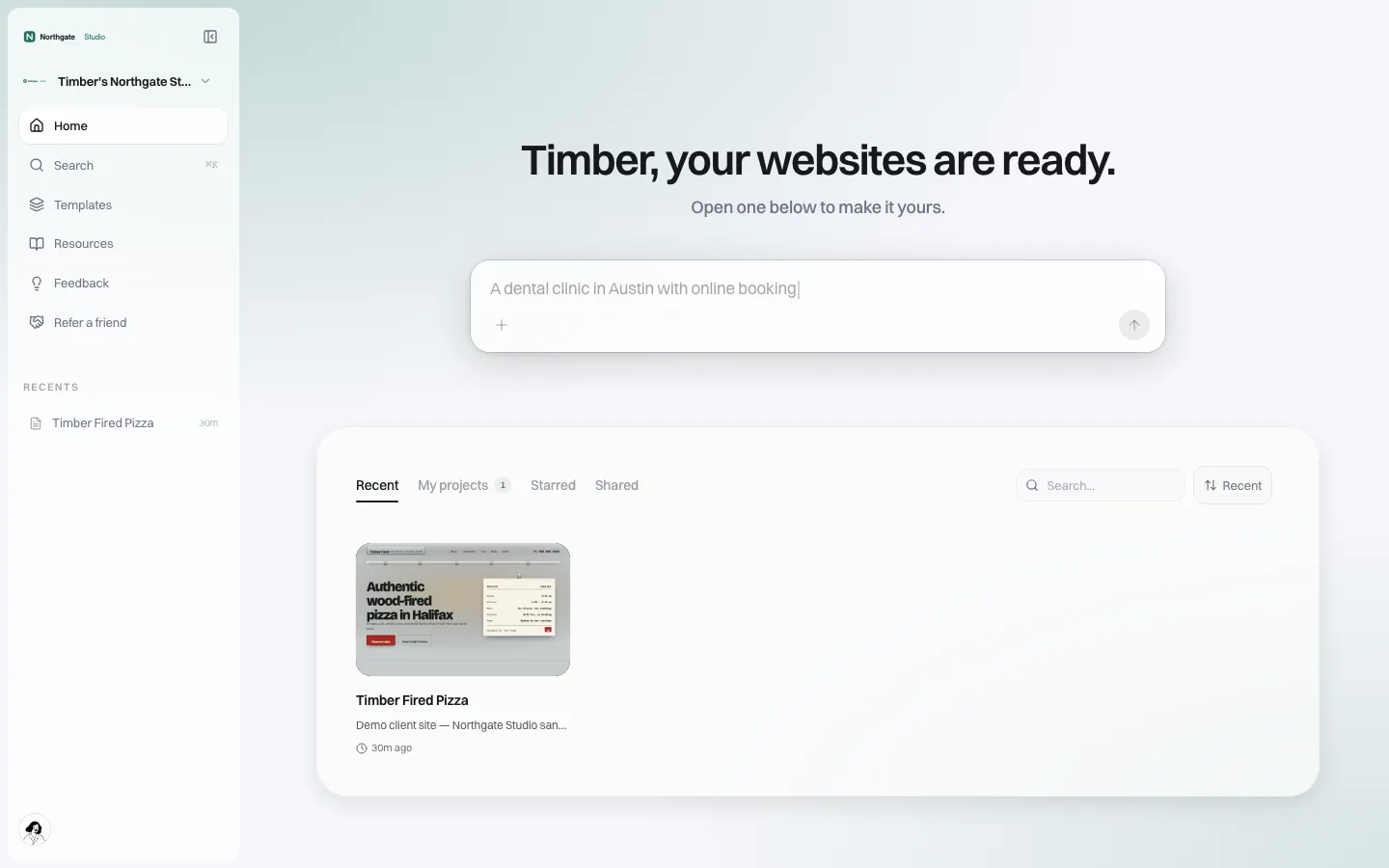
*The client home under a demo brand. A charity would see your name and its own site.*
- A sign-in on your portal, in your branding.
- A multi-page website started from a template you choose, or described in plain words to the AI builder, then edited in a visual editor.
- Its own domain if you allow it, so the charity keeps the address supporters already know.
- Help pages and emails that point to your support team.
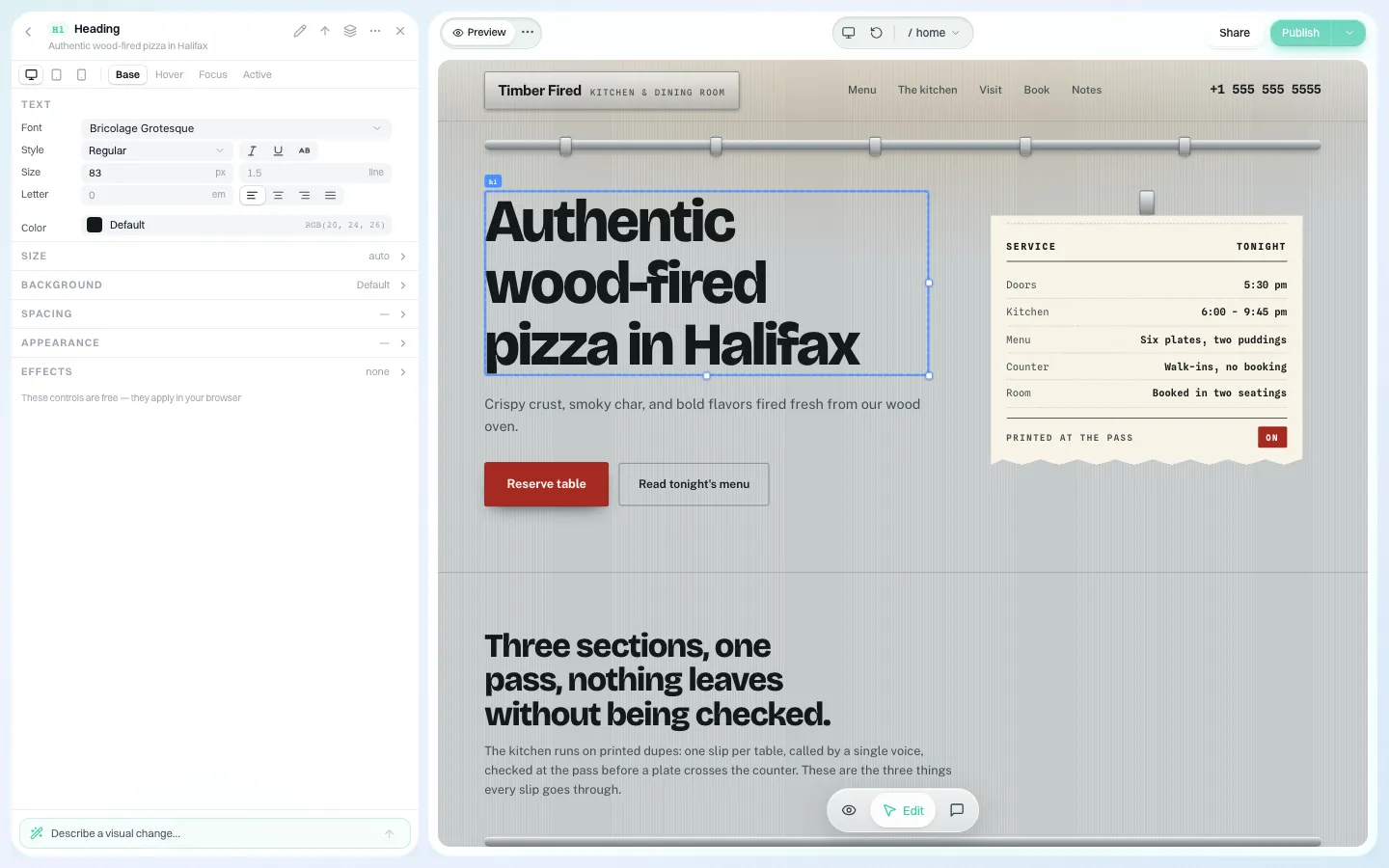
*The visual editor. A volunteer can change a heading or a colour without touching code.*
Keep the money where it already works
Do not move giving into the website builder. Your platform already handles the parts a website builder should not: payment processing, recurring gifts, gift aid or tax receipts, and donor records. In the US, for example, the IRS requires a written acknowledgment for any single contribution of $250 or more, naming the organisation, the amount, and whether any goods or services were given in return. That belongs in a system built for receipts.
So the website's job is narrow and important: make the donate button impossible to miss and send supporters to your page in one click. In practice:
| Site element | What it should do | Where the giving happens |
|---|---|---|
| Header donate button | On every page, one click to the current appeal | Your giving page |
| Campaign page | Story, photos, progress in words, a single call to give | Your giving page or embed |
| Event page | Date, place, what to bring, register link | Your event registration |
| "Ways to give" page | Monthly giving, in memory, workplace giving | Your forms for each |
| Thank-you page | What the gift does next | Shown after your form returns the supporter |
If you want your giving widget inside the page rather than a link, every site is real code. Bring your widget to the demo and we will check how it fits before you promise it to customers.
Controls for volunteer editors
Charity websites are often edited by whoever has time. That is fine until a volunteer deletes the donate page the night before an appeal. Set your brand-wide defaults, then adjust per charity:
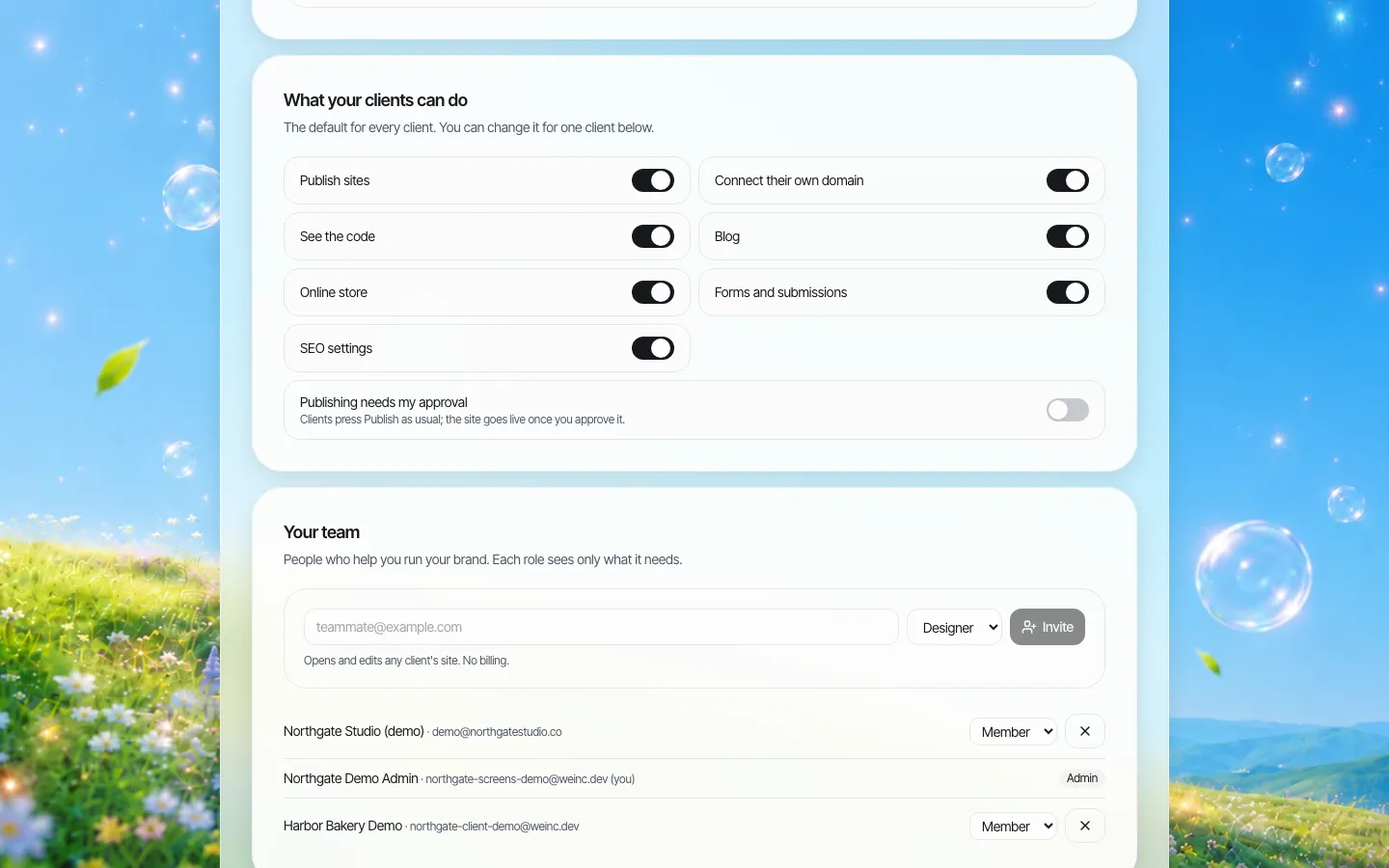
*Brand-wide defaults. Each charity inherits these unless you change them for that one.*
- Publishing on or off.
- Own domain on or off.
- See the code, blog, store, forms and SEO settings, each on or off.
- Publishing needs my approval: a single-step approval before a client's site goes live. Useful during onboarding, then switched off once a charity is settled.
Charities can also invite their own people. On your side, your staff get fixed roles (designer, support, billing) so your support team can look at a charity's site without touching billing.
Telling charities what their site did
Boards ask whether the website is worth the effort. We.Inc can send each charity a monthly email under your brand with visitors, top pages and the change on the previous month. Switch it on when you are ready; it is off by default.
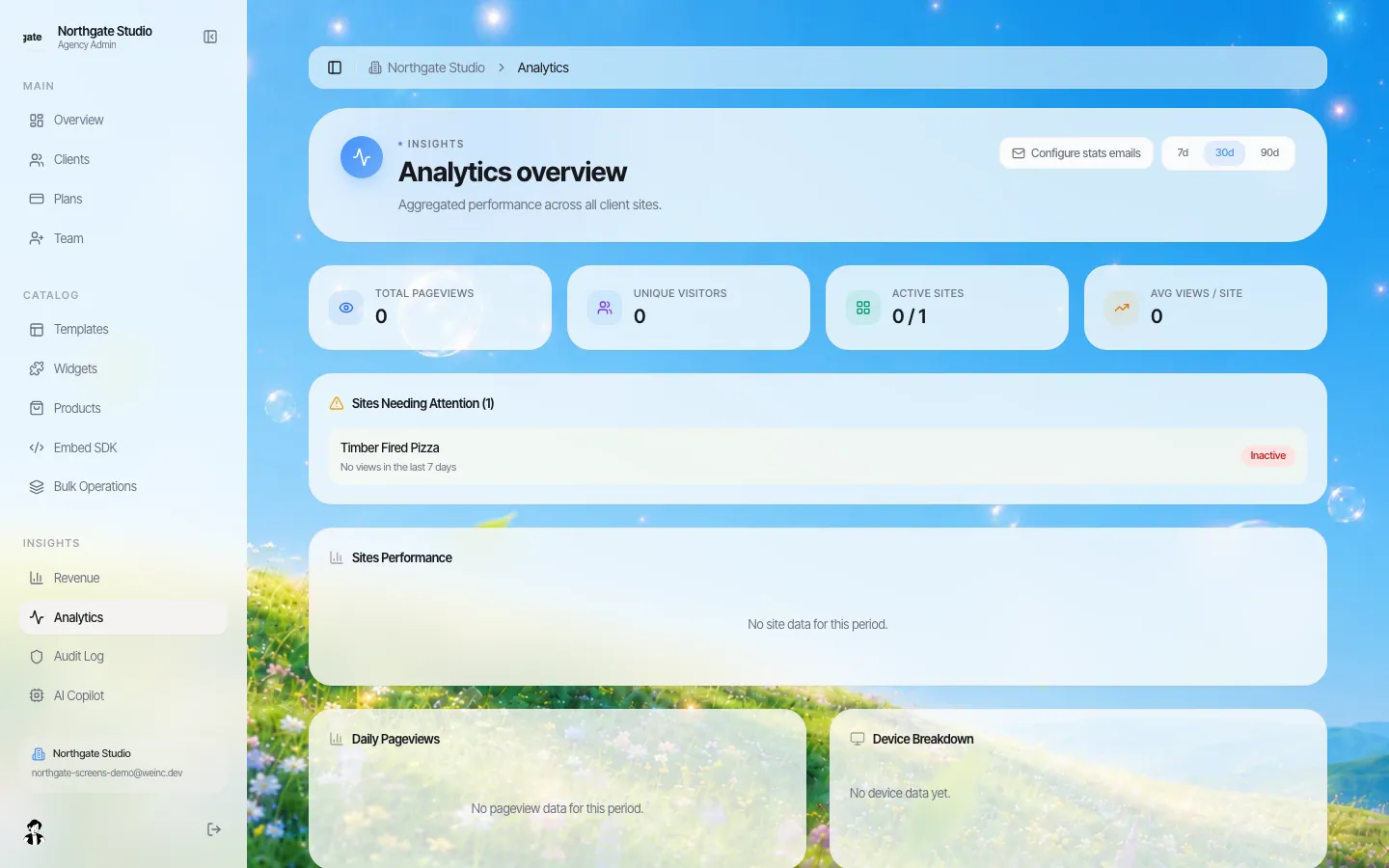
*Analytics and the monthly report setting on the brand side.*
Commercial shapes that work
We are demo-only and do not publish our own pricing; your price to charities is yours. Common shapes:
- Included in a paid tier of your platform, as a retention feature.
- Add-on per organisation. Client billing can run through your own Stripe account so charities pay you directly.
- Free for the smallest, paid for larger organisations that want more sites.
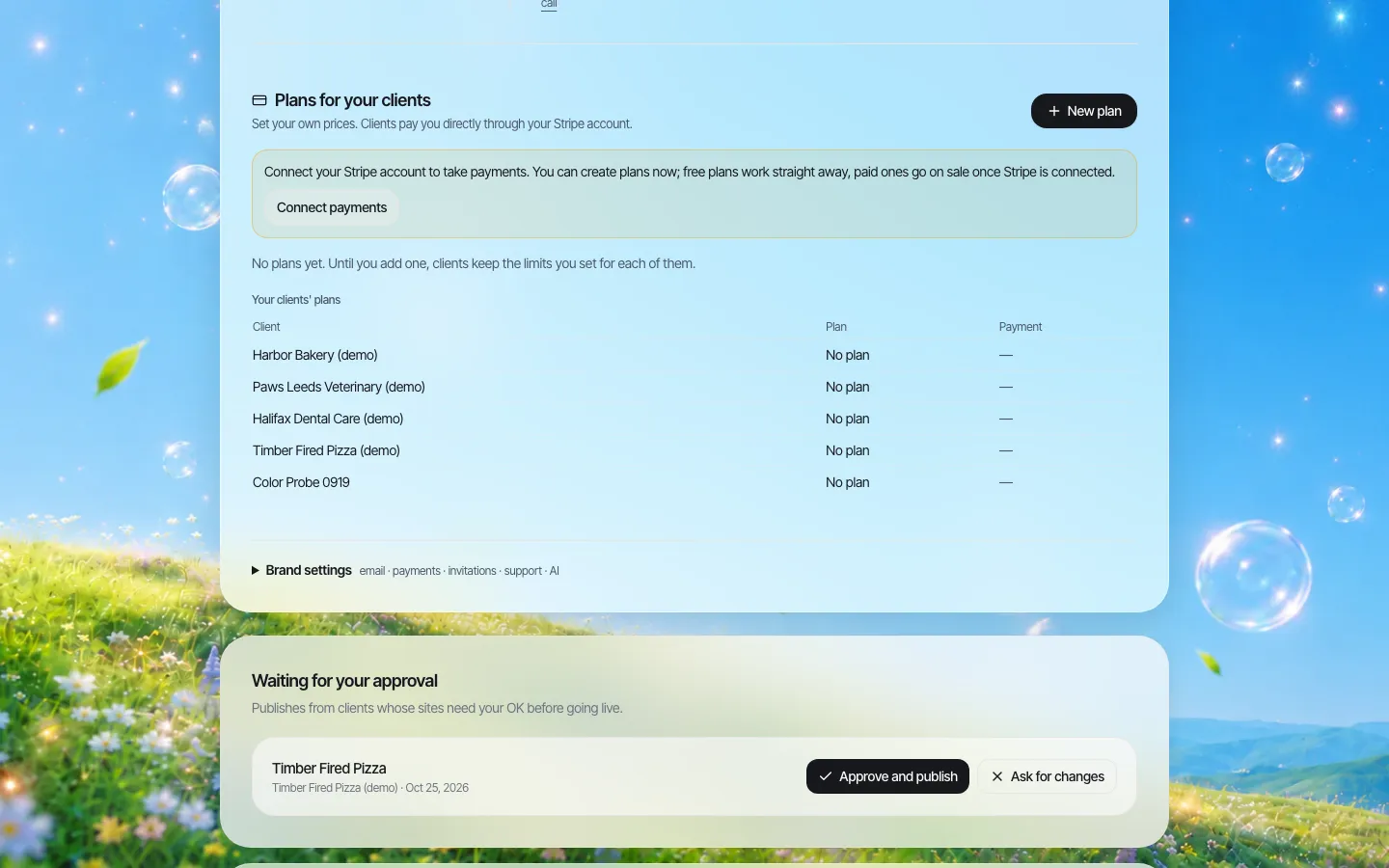
*Where you set your own plans for clients. Stripe is not connected in this demo.*
A 60-day rollout for your first cohort
Start small so you learn what charities actually do with a site before you promise it to every customer.
| Days | Step | What you learn |
|---|---|---|
| 1-7 | Choose 20 customers: some with no site, some with a site nobody can edit | Which group takes it up |
| 1-7 | Pick four or five templates that suit charities: appeal-led, event-led, service-led | Which starting points get used |
| 8-21 | Run a one-hour onboarding call per charity; publish a first version on the call | How long a real launch takes |
| 22-45 | Leave approval on; review each first publish, then switch approval off | Which mistakes volunteers make |
| 46-60 | Compare visits to your giving pages from these sites against before | Whether the site moved giving |
Write down what your support team was asked. Those questions become your help pages, which appear under your brand on the client side.
Exit, because charities ask
Trustees increasingly ask "what if we leave?" The honest answer is short: with the code switch on, a charity can download its site or push it to GitHub and host it anywhere. Your giving pages stay where they are. See code export.
When to say no
If most of your customers are large nonprofits with digital teams and their own content system, they will not want a second site builder. If your customers mainly run one-off crowdfunding pages, the campaign page you already have is probably enough. The fit is many small and mid-sized organisations that need a real site and have nobody to run it.
Sources
- Internal Revenue Service, "Charitable contributions: written acknowledgments": requirements for contributions of $250 or more. irs.gov/charities-non-profits/charitable-organizations/charitable-contributions-written-acknowledgments
Last checked 2026-10-25. Not legal or tax advice; rules differ by country.
Book a demo to walk a charity's journey from search to your giving page.
Book a demo. Pricing is tailored to your volume and setup, and you get your exact price on the call. 0% transaction fee.
Frequently asked questions
Does the website builder process donations?
We recommend keeping donations, receipts and donor records in your fundraising platform and sending supporters there from the site. The site is the front door.
Can a charity keep its existing web address?
Yes, if you allow it. The own-domain switch lets a charity connect a domain it already owns.
Can we stop a volunteer publishing a broken page?
Yes. Turn off publishing for that charity, or switch on "Publishing needs my approval" so changes wait for your single-step approval.
Can charities leave with their site?
With the code switch on, a charity can download its site code or push it to GitHub and host it elsewhere.
Keep reading
- White label website builder: the We.Inc platform
- White-label websites for nonprofit federations
- Client permissions: what each site owner can do
- Custom domains for every client site
- Code export and no lock-in
- Client analytics and monthly reports
More in White Label
- The GoHighLevel website builder alternative for agencies that sell websites
- A website platform for government agencies and their departments
- A Granicus govAccess alternative, judged on the microsite problem
- Sites for every hospital, clinic and service line, without losing the system brand
- Property websites for a hotel portfolio that keeps changing
- How to start a website reselling business
- A HubSpot CMS alternative for agencies whose clients are not on HubSpot
- A website for every member agency, without becoming their web designer
We.Inc is an AI-powered website builder you can resell under your own brand. Launch a branded client dashboard, bill on Stripe Connect, and deliver AI-generated websites in minutes. White-label pricing is tailored to your volume and setup: book a 30-minute demo for a quote.
Product
- AI Website Builder: Describe a site in plain English; it's live in minutes
- White Label Platform: Your brand, your domain, your margin
- Enterprise: SSO, custom SLAs, and dedicated support
- Developer API: Embed site generation into your SaaS
Who It's For
- For Agencies: Resell under your brand
- For Freelancers: Your own branded builder
- For Hosting Providers: Add a builder to your stack
- For SaaS Platforms: Embed site creation via API
- For Startups
- For Financial Services
- For Healthcare
Features
- Drag & Drop Editor
- Built-in SEO Tools
- Custom Branding
- Client Dashboard
- Reseller Billing (Stripe Connect)
Resources
- Blog
- Help Center
- Free Business Tools
- Free UI Components
- Website Templates
- Template Collections
- Website Examples
- Guides
- Comparisons
- Alternatives
- Best Lists
- Reviews
- Pricing Guides
- Use Cases
- Glossary & Guides
- Integrations
- Developers
- Benchmark
- Windows App