A white-label website builder you can drive from your own systems
Most white-label buyers start in the dashboard and then hit the same wall: every new client means someone typing the same details into two systems. An API removes that step. This page lists what the We.Inc API covers today, how authentication works, and where the line sits between the API, the embedded builder and the branded portal.
TL;DR
- Version 1 of the API covers clients, projects (sites), templates, client plans, analytics, webhooks and one-time client sign-in links.
- Keys are created by the brand owner, carry read or read and write permission, can expire, and are stored only as a hash.
- Each organisation gets 100 requests a minute; the full OpenAPI description is served as JSON for code generators.
- Generating and publishing a site on behalf of one of your own users goes through the embed flow, which identifies that user.
Three ways to plug a builder into your business
Buyers searching for "white label API" usually want one of three set-ups, and they need different parts of the platform.
| You want to | Use | Who does the building |
|---|---|---|
| Give clients a branded builder on your own address | The portal | The client, in the We.Inc editor under your brand |
| Create clients and sites automatically when a deal closes | The REST API | Your systems call the API; clients then use the portal |
| Put the builder inside your own software | The embed flow | Your users, without leaving your product |
Most agencies only need the first. Most SaaS companies need the third. The API sits in the middle: the portal stays, but the admin work around it runs from your CRM, order system or internal tools. The embed route has its own page: embedding a website builder in your SaaS.
What the API covers
| Area | What you can do |
|---|---|
| Clients | List, create, read and update clients, including status (invited, active, suspended, churned) |
| Projects | List sites (filter by client, status or a name search), create a site for a client, optionally from one of your templates, update, delete |
| Templates | List, create (including a snapshot of an existing site), update and delete your own templates |
| Plans | List, create and update the plans you sell to clients, monthly or yearly |
| Analytics | Aggregated figures for up to 365 days, for the whole brand or one site |
| Webhooks | Register endpoints for client, site, payment and form events |
| Sign-in links | Create a single-use link that signs a client straight into your portal |
The machine-readable description lives at /api/v1/docs on the app, in OpenAPI format, so you can generate a typed client instead of writing one by hand. The human-readable reference is on the API page.
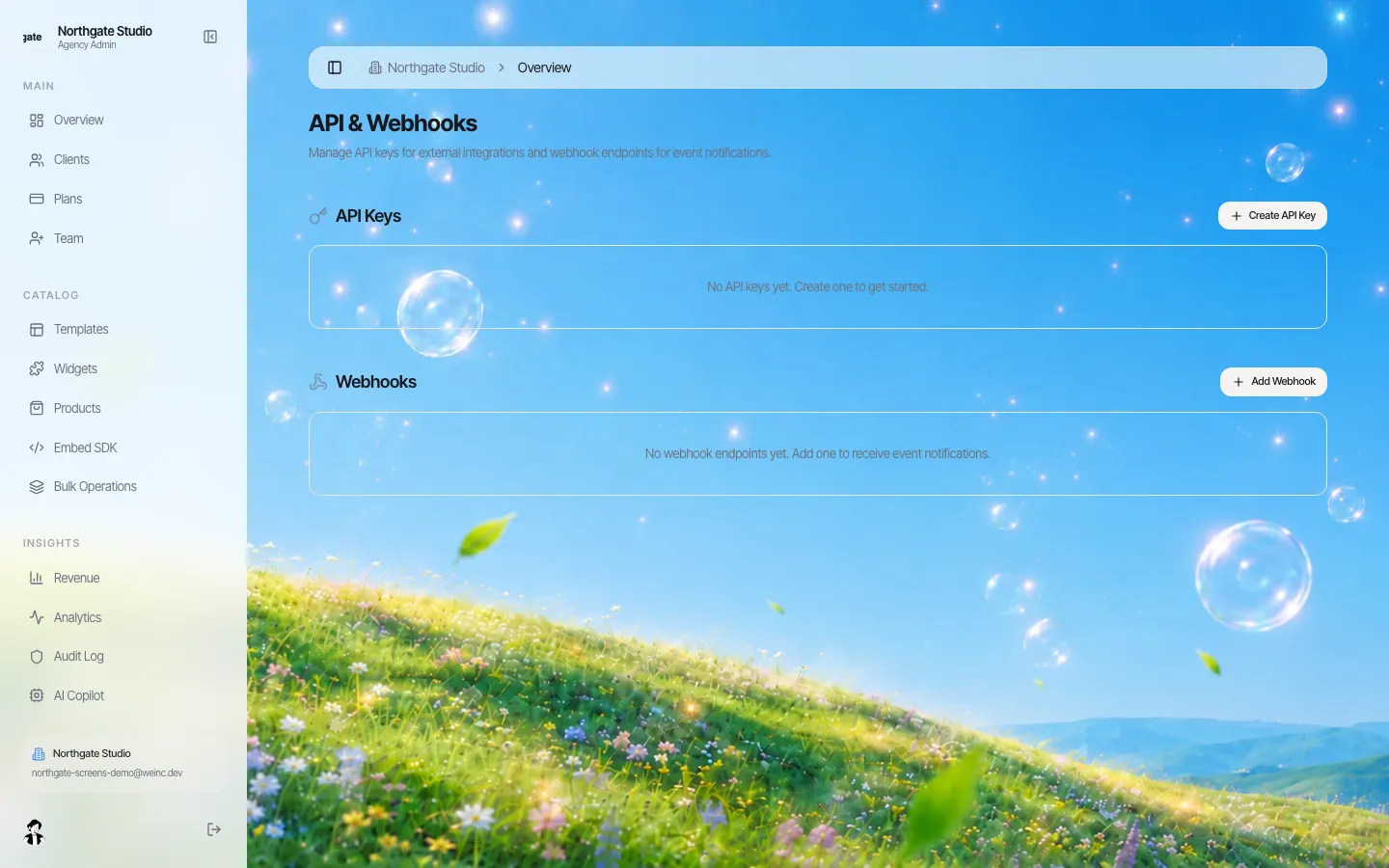
*Keys and webhook endpoints are managed from the brand console.*
Keys and permissions
- Only the brand owner can create or list keys. A team member with a lower role cannot.
- A key is either read or read and write. Give reporting jobs a read key and keep write keys for the system that provisions clients.
- Keys can have an expiry date, and the console shows when each one was last used, which makes stale keys easy to spot.
- The full key is shown once. We keep only a SHA-256 hash and a short prefix, so a lost key is replaced, not recovered.
A sensible starting set is one write key for provisioning, one read key per reporting tool, and an expiry on anything handed to a contractor.
Rate limits
Each organisation can make 100 requests a minute. Responses carry rate-limit headers, and a request over the limit gets a 429 status. For a nightly sync of a few thousand clients that is plenty if you page through results (up to 100 records per page) rather than fetching sites one by one.
Webhooks: let the platform tell you
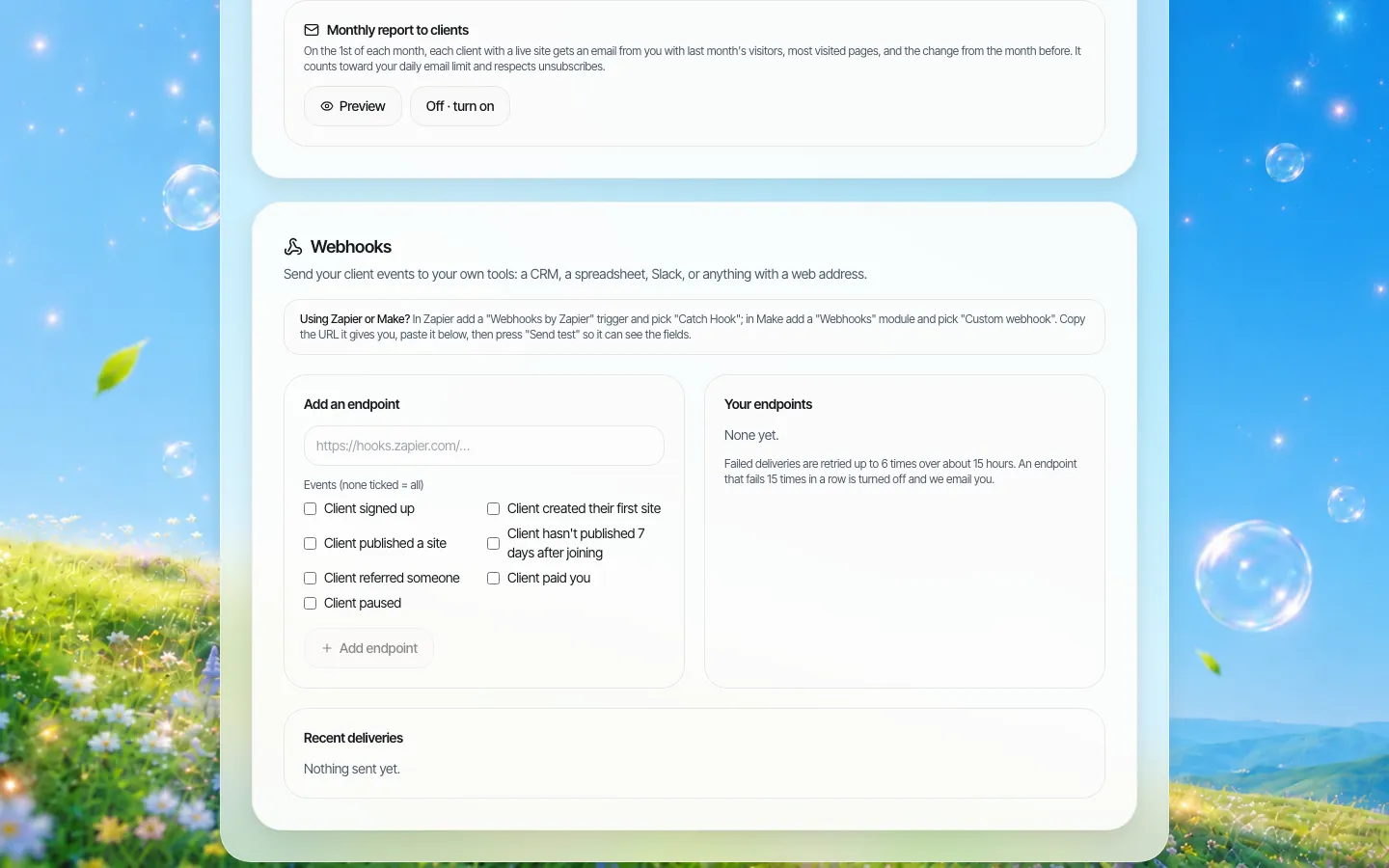
Polling for changes wastes your quota. Register an endpoint instead and choose from these events:
client.createdandclient.updatedproject.createdandproject.publishedpayment.receivedform.submitted
The signing secret is returned once, when the endpoint is created. Store it and check the signature on every delivery before you trust the payload.
A provisioning flow that works
- A deal is marked won in your CRM.
- Your server calls create client with the client's email, name and plan.
- It calls create project for that client, using the template that matches the package sold.
- It calls create sign-in link and puts the link in your own welcome email, so the client lands in the editor without choosing a password first.
- When
project.publishedarrives, your CRM moves the client to "live" and your account manager gets a task.
Every step above uses an endpoint that exists today; none of it needs the embed flow.
What the API does not do
- Generating a site with AI on behalf of an end user runs through the embed flow, because the platform needs to know which person the work belongs to. An organisation key on its own cannot start a generation.
- Publishing through the API expects the built files, since the build runs in the browser. For most API users the simpler path is to let the client publish from the portal and listen for
project.published. - There is no promise of a fixed response time or uptime figure on this page. Ask on the demo about anything your contract needs.
Questions to settle before you integrate
- Where do client details live first: your CRM or the portal?
- What happens to a client's sites when you mark them churned? Decide before you automate it.
- Who in your team owns the API keys, and when do they expire?
- Do you need sign-in links (the client stays in your world) or are invitations by email enough?
Book a demo and bring the system you want to connect; we will walk through the calls it needs.
Book a demo. Pricing is tailored to your volume and setup, and you get your exact price on the call. 0% transaction fee.
Frequently asked questions
Does the white-label website builder have an API?
Yes. Version 1 covers clients, sites, templates, client plans, analytics, webhooks and one-time client sign-in links. An OpenAPI description is served by the app so you can generate a client library.
How do API keys work?
The brand owner creates keys in the console. Each key is read-only or read and write, can expire, and is shown once; only a hash is stored. The console shows when each key was last used.
What is the rate limit?
100 requests a minute per organisation. Requests over the limit get a 429 response, and list endpoints return up to 100 records per page.
Can I create a site for a client from my CRM?
Yes. Create the client, then create a site for that client, optionally from one of your own templates. A webhook tells your CRM when the site is published.
Is the API the same as embedding the builder?
No. The API automates admin work around the branded portal. Embedding puts the builder itself inside your product, with a short-lived session for each of your users.
Keep reading
- White label website builder: the We.Inc platform
- We.Inc API reference
- Embed a website builder in your SaaS
- White label vs API website builder
- Single sign-on for your clients and team
- Client permissions: what each site owner can do
More in White Label
- A website program for the retailers you supply
- Can you white label Wix Studio? No. Here is the alternative.
- WordPress Multisite alternative: when one shared install becomes everyone’s problem
- 10Web white label: what it costs, and the alternative without WordPress
- Member firms need a website that looks like a firm, not a tax season leaflet
- Your users run their practice in your software. Their website is the one part that isn’t
- Your clients describe the business. The first draft builds itself, under your name
- Choosing a white-label AI website builder: the questions that matter after the demo wow
Product
Who It's For
- For Agencies
- For Freelancers
- For Hosting Providers
- For SaaS Platforms
- For Startups
- For Financial Services
- For Healthcare
Features
Resources
- Blog
- Help Center
- Free Business Tools
- Free UI Components
- Website Templates
- Template Collections
- Website Examples
- Guides
- Comparisons
- Alternatives
- Best Lists
- Reviews
- Pricing Guides
- Use Cases
- Glossary & Guides
- Integrations
- Developers
- Benchmark
- Windows App